
AutoGen Review (2026): Microsoft’s Multi-Agent AI Framework Explained
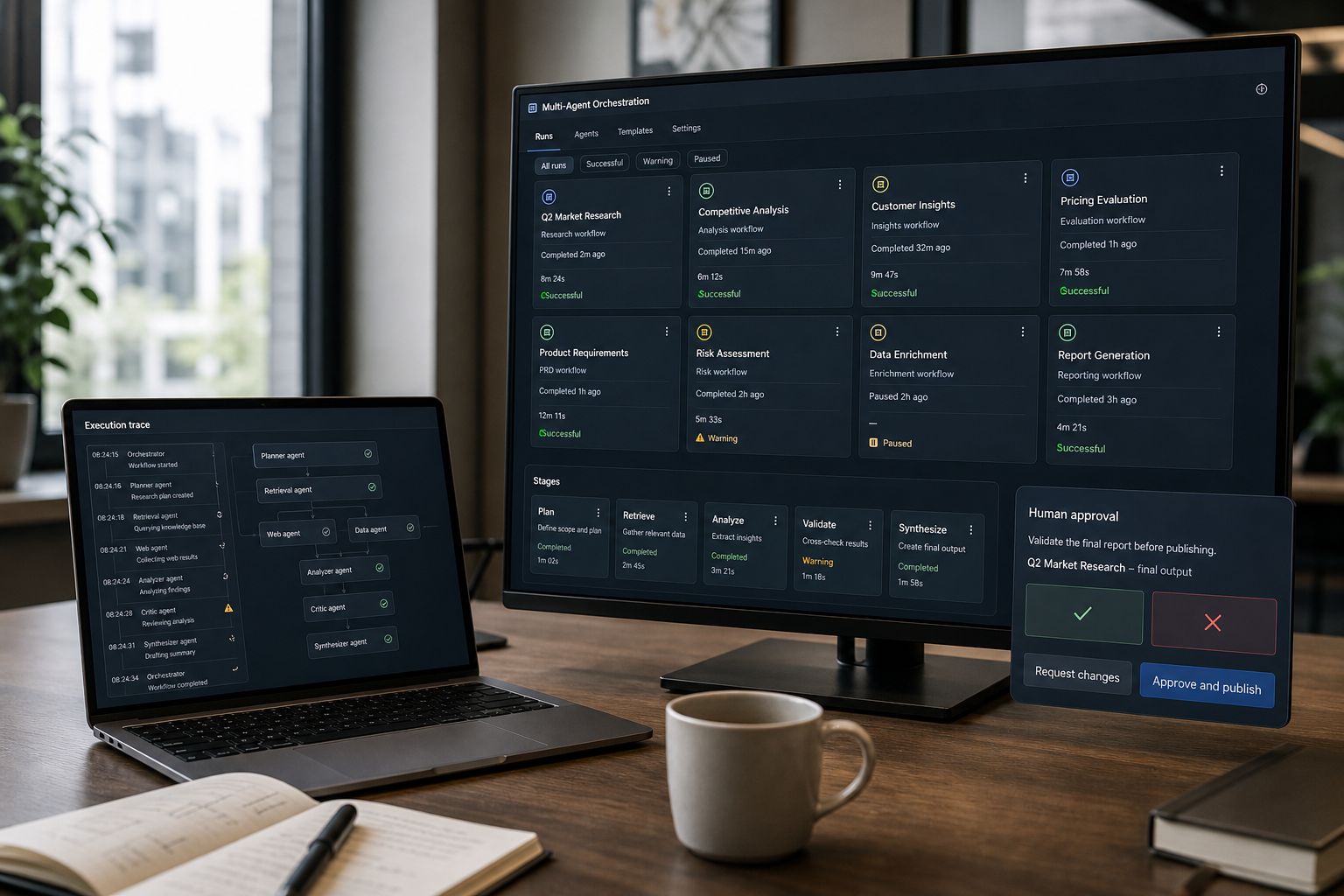
You’re not evaluating AutoGen in a vacuum anymore. In 2026, the real decision for most enterprise teams is whether AutoGen (Microsoft’s open-source multi-agent framework) is still the right foundation—or whether you should adopt Microsoft’s newer, more production-oriented option: Microsoft Agent Framework. This AutoGen Review focuses on enterprise fit: orchestration reliability, observability, standards, and long-term maintainability.
Quick Answer (40–60 words): AutoGen remains useful for learning and experimenting with multi-agent collaboration patterns, particularly for teams maintaining existing AutoGen systems or evaluating AutoGen-era designs. But Microsoft’s current platform direction for production-grade agent orchestration has shifted toward Microsoft Agent Framework, which emphasizes enterprise concerns like checkpointing, human approvals, OpenTelemetry observability, and standards such as MCP and A2A.
Key takeaways (for enterprise architects and developers)
- AutoGen is still useful for R&D, prototyping, and learning multi-agent design patterns—especially if you’re evaluating “AutoGen-style” collaboration.
- Microsoft Agent Framework is the clearer production bet in Microsoft’s current direction, particularly where you need reliability, governance hooks, observability, and interoperability.
- Don’t select a framework before mapping the workflow. Multi-agent orchestration automates a process; it doesn’t replace process design.
- In enterprise environments, standards and operations matter as much as model quality. MCP/A2A and OpenTelemetry often decide long-term portability and supportability.
What is AutoGen (and what is it not)?
AutoGen is Microsoft’s open-source multi-agent framework for building agentic systems—systems where multiple agents (specialized roles) collaborate to plan, call tools, exchange messages, and complete tasks. Think of it as a programming framework that helps you implement agent collaboration patterns without rebuilding everything from scratch.
Developers evaluating AutoGen AI typically use the framework to build and test agentic systems where multiple agents collaborate to plan, call tools, exchange messages, and complete tasks.
What AutoGen is:
- A developer-centric framework for multi-agent collaboration
- A way to model workflows such as handoffs, group chat, sequential steps, and concurrent work
- A good fit for experimentation where you’re trying to determine whether multi-agent decomposition improves outcomes
What AutoGen is not:
- Not automatically “enterprise-ready” just because it’s from Microsoft
- Not a substitute for defining a real workflow with clear inputs, outputs, owners, and exception handling
- Not the only or default choice in Microsoft’s 2026 agent story (Microsoft’s emphasis has shifted toward Agent Framework for production orchestration)
The real business problem AutoGen tries to solve
Most enterprises don’t struggle with getting a model response. They struggle with orchestrating everything around it:
- Multi-step workflows that require planning, branching logic, and tool calls
- Long-running processes where you need pause/resume, recovery, and checkpoints
- Human approvals for risk, compliance, finance, procurement, or customer-impacting actions
- Observability so you can trace what happened when an agent fails or makes an unexpected tool call
- Interoperability across models, tools, and runtimes to avoid lock-in and reduce replatforming
AutoGen (and newer Microsoft Agent Framework) exist because teams waste time rebuilding orchestration plumbing: handoffs, coordination, concurrency, retries, guardrails, and logging. The business value is faster delivery and more reliable automation—when the workflow is real and stable enough to automate.
AutoGen Review: strengths, limitations, and the 2026 reality
This section is intentionally decision-oriented. You can find feature lists elsewhere; what enterprise teams need is a clear view of trade-offs.
Strengths: where AutoGen still makes sense
- Open-source accessibility: Low friction to evaluate and prototype. (You still pay for model usage and infrastructure, depending on how you run it.)
- Multi-agent design lineage: AutoGen is a solid way to learn and implement common multi-agent patterns without inventing your own message-passing scheme.
- Flexible experimentation: Useful when your biggest unknown is “Do we need multiple agents?” or “Which tasks should be delegated?”
Limitations: where AutoGen can become a costly detour
- Production orchestration is more than agent chat. Enterprise teams typically need checkpointing, human-in-the-loop controls, middleware policy hooks, and operational tooling.
- Governance and observability are not optional in production. If your stack doesn’t make tracing, auditing, and debugging straightforward, it becomes expensive to support—even if the prototype looks great.
- Microsoft’s platform direction matters. In 2026, Microsoft’s current documentation and messaging emphasize Microsoft Agent Framework as the newer open-source SDK/runtime for production-grade agent workflows, combining AutoGen-style collaboration with enterprise features.
Consultant Insight: The most common enterprise failure mode with “agent frameworks” isn’t model quality—it’s operational ambiguity. If you can’t answer “What exactly happened in this workflow run?” using traces and structured logs, the system won’t survive real-world incidents and audits.
AutoGen Studio
AutoGen Studio is a low-code graphical interface for designing, testing, and exploring multi-agent workflows built with the AutoGen ecosystem. Instead of defining every agent, tool, model connection, and interaction entirely in Python, developers can use Studio to configure agents, teams, tools, and workflows through a visual interface.
The key distinction is that AutoGen is the underlying programming framework, while AutoGen Studio is a visual prototyping and experimentation tool built around AutoGen-based workflows. Studio makes it easier to explore and inspect multi-agent systems, but it does not replace the engineering required to build, secure, and operate a production application.
Who Is AutoGen Studio For?
AutoGen Studio is primarily designed for technical users who want to explore multi-agent workflows without having to implement every component from scratch. It can be particularly useful for:
- AI developers who want to test agent roles, prompts, tools, models, and team configurations before committing to a larger codebase.
- Solution architects who need to demonstrate how agents collaborate, hand off tasks, use tools, and reach a result.
- AI researchers and innovation teams experimenting with multi-agent patterns such as specialist handoffs, sequential workflows, group conversations, and tool-using agents.
- Internal platform teams creating reusable agent configurations and proof-of-concept workflows for development teams.
- Technical business stakeholders who want a more visual way to review how an AI workflow operates, although Studio is not intended to be a fully governed no-code platform for non-technical users.
In practice, AutoGen Studio is best viewed as a developer-oriented low-code environment for learning, experimentation, and rapid prototyping. Users still need to understand model configuration, tool permissions, data access, prompt design, and the business process they are trying to automate.
How Does AutoGen Studio Relate to AutoGen?
AutoGen Studio provides a visual interface for working with concepts from the AutoGen framework, particularly its agent and multi-agent team abstractions.
The relationship can be understood simply:
| Component | Role |
|---|---|
| AutoGen framework | The programming framework used to build agents, tools, teams, message flows, and application logic |
| AutoGen Studio | A visual, low-code environment for configuring, testing, and inspecting AutoGen-based multi-agent workflows |
| Production application | The custom software layer where developers add authentication, authorization, secrets management, monitoring, policy controls, testing, deployment, and user experience |
This distinction matters because a workflow that works well in Studio is not automatically a production-ready application.
For example, a customer-support prototype could use several AutoGen agents:
- A classification agent identifies the type of customer request.
- A retrieval agent searches approved documentation.
- A response agent drafts an answer.
- A reviewer or escalation agent determines whether the request should be sent to a human.
Studio can help developers visualize and test this type of workflow. A production implementation would still need appropriate identity controls, data-access boundaries, logging, evaluation, error handling, and human-approval mechanisms.
What Can You Do With AutoGen Studio?
AutoGen Studio is designed to shorten the path from an idea to an observable multi-agent prototype. Depending on the AutoGen version and available Studio capabilities, developers can use it to:
- Build agent teams visually: Configure agents, models, tools, teams, and workflow behavior without writing every component from scratch.
- Experiment with multi-agent collaboration: Test different team structures, agent roles, handoffs, and conversation patterns.
- Connect models and tools: Configure agents to use supported models and tools for tasks such as retrieving information or performing bounded actions.
- Run interactive experiments: Use the Studio environment to submit tasks, observe agent interactions, and evaluate how a workflow behaves.
- Inspect agent behavior: Follow message flows and execution progress to identify problems such as unclear instructions, duplicated work, ineffective handoffs, or poor termination conditions.
- Pause or stop test runs: AutoGen Studio provides run controls that let users pause or stop an execution when a workflow behaves unexpectedly. For human intervention, teams can design AutoGen workflows with user input, user-proxy agents, or termination conditions that return control to an operator before the workflow continues.
- Reuse components: Explore reusable configurations and components where supported, reducing the need to build every element from scratch.
- Move toward a code-owned implementation: When a Studio prototype demonstrates sufficient business value, export the team configuration and use it as a starting point for a code-owned Python application. The exported configuration is not a complete production system. Developers must add security, identity controls, testing, observability, governance, and operational runbooks before deployment. For new Microsoft-centric production projects, also evaluate whether Microsoft Agent Framework is the more appropriate long-term implementation target.
These capabilities are particularly useful when experimenting with multi-agent systems because the interaction between several agents can be difficult to understand from source code alone. A visual environment can make it easier to identify where agents are producing unnecessary work, failing to hand off tasks correctly, or reaching undesirable termination conditions.
Is AutoGen Studio Production-Ready?
AutoGen Studio should not be treated as the production application layer for a governed enterprise deployment. Its primary value is rapid prototyping, experimentation, and exploration of AutoGen-based workflows. A production application built around an agent workflow requires additional engineering and operational controls.
For example, a production deployment may require:
- Authentication and role-based authorization.
- Secure API-key and secrets management.
- Per-user and per-agent permissions for tools and data.
- Data isolation and appropriate access controls.
- Monitoring, logging, and audit trails.
- Evaluation and regression testing.
- Rate limits, cost controls, retries, and failure recovery.
- Human approval for high-impact financial, operational, compliance, or customer-facing actions.
Studio can help a team determine whether an agent workflow is worth pursuing, but it does not remove responsibility for these controls.
A practical approach is:
- Prototype the workflow in Studio and determine whether the proposed agent roles and interactions produce useful results.
- Document the validated workflow, including inputs, outputs, tools, decision rules, approval points, and failure conditions.
- Move the workflow into a code-owned application when it is ready for more serious development.
- Add production controls for security, observability, evaluation, access management, and operational reliability.
- Start with a bounded use case before expanding the workflow to higher-risk or customer-facing processes.
This makes AutoGen Studio more valuable as a development accelerator than as a standalone production platform.
Where Does AutoGen Studio Fit in 2026?
AutoGen Studio remains useful for developers and teams that want to learn AutoGen concepts, experiment with multi-agent workflows, and rapidly prototype agent teams. However, its role needs to be considered alongside the broader direction of the AutoGen ecosystem.
As of 2026, Microsoft’s AutoGen repository is in maintenance mode, and Microsoft recommends Microsoft Agent Framework for new agent projects. That makes the decision around AutoGen Studio different from what it would have been when AutoGen was under active development.
For a new project, the practical distinction is:
| Situation | Recommended approach |
|---|---|
| Learning how multi-agent systems work | AutoGen Studio can be useful |
| Prototyping an AutoGen workflow | AutoGen Studio is useful |
| Maintaining an existing AutoGen application | Continue evaluating and maintaining the existing AutoGen implementation as appropriate |
| Building a new production-oriented Microsoft agent application | Evaluate Microsoft Agent Framework |
| Exploring agent roles before engineering a full application | AutoGen Studio can accelerate experimentation |
The important takeaway is that AutoGen Studio and Microsoft Agent Framework serve different purposes in this context. Studio is primarily valuable for visual exploration and prototyping within the AutoGen ecosystem, while Microsoft’s current direction for new production-oriented agent development is the Microsoft Agent Framework.
AutoGen Studio: Bottom Line
AutoGen Studio is best viewed as a visual prototyping and experimentation environment for AutoGen workflows—not as a complete enterprise production platform.
Its biggest advantage is speed. Developers can experiment with AI agents, multi-agent teams, tools, and workflow designs without implementing every interaction manually in code. That makes it useful for validating an idea before investing in a larger application.
However, successful prototypes still need to be transformed into properly engineered applications when they move toward production. Security, authentication, authorization, observability, evaluation, data controls, and operational reliability remain the responsibility of the application team.
For 2026, AutoGen Studio is therefore most useful when you want to understand or prototype AutoGen-based multi-agent systems, while new production projects should also consider Microsoft’s current Agent Framework direction before committing to the AutoGen ecosystem.
AutoGen alternatives in 2026
If AutoGen is not the right fit for your project, the most relevant alternatives depend on your workflow, production requirements, and technology ecosystem:
- Microsoft Agent Framework — Microsoft’s current direction for new production-oriented agent projects, particularly when you need durability, human-in-the-loop controls, observability, and Microsoft ecosystem integration.
- LangGraph — a strong choice for explicit, stateful, and long-running agent workflows where branching, checkpoints, human approvals, and recovery are central requirements.
- LangChain — a broader ecosystem for building LLM applications with models, tools, retrieval, middleware, structured outputs, and configurable agents.
- Foundry-managed agent services — worth considering when managed infrastructure, governance, and operational simplicity are more important than having maximum framework-level control.
The right alternative depends less on the number of features and more on the workflow you need to operate. For experimentation with multi-agent collaboration, AutoGen can still be useful. For new production deployments, evaluate the alternatives based on durability, governance, observability, interoperability, and the skills already available on your team.
Pricing and licensing: what “open source” really means for AutoGen
AutoGen is widely described as open source and is commonly listed by third-party review pages as free to use from a licensing standpoint. However, “free framework” does not mean “free system.” Your real costs typically come from:
- Model inference (Azure OpenAI, OpenAI, Anthropic, Amazon Bedrock, Google Gemini, or other providers—depending on your architecture)
- Infrastructure (compute, networking, storage, container hosting, queues, etc.)
- Observability stack (OpenTelemetry collection, log/trace storage, dashboards)
- Engineering time (integration, reliability work, guardrails, evaluation, and maintenance)
- Security/compliance work (secrets management, access control, policy enforcement, auditing)
If you need managed operations, Microsoft’s broader ecosystem includes platform-managed options (for example, Foundry-related services), where costs are platform-dependent. Because pricing changes frequently and depends on your configuration, verify current costs via official vendor pricing pages before committing.
AutoGen vs Microsoft Agent Framework (2026): what’s the difference that matters?
If you’re Azure-first or Microsoft-native, this is the comparison that matters most. In 2026, the question is often: Do we adopt AutoGen directly, or do we adopt the newer Microsoft Agent Framework that incorporates AutoGen-era concepts plus production-oriented features?
High-level positioning
- AutoGen: Best understood as a multi-agent programming framework with strong prototyping value and research lineage.
- Microsoft Agent Framework: Positioned as Microsoft’s newer open-source SDK/runtime for production-grade multi-agent workflows, with emphasis on orchestration patterns, standards (MCP, A2A), observability (OpenTelemetry), developer tooling (DevUI), and integration into Microsoft’s platform direction (including Foundry integration).
Business impact comparison table
| Option | Best For | Ease of Adoption | Time to Value | Enterprise Fit | Notes |
|---|---|---|---|---|---|
| Microsoft AutoGen | R&D, prototypes, exploring multi-agent collaboration patterns | Moderate to advanced | Fast for prototypes | Varies by what you build around it | Great for learning and experimentation; production needs depend on your surrounding architecture |
| Microsoft Agent Framework | Production multi-agent orchestration with governance, durability, and observability | Moderate | Faster for “real” enterprise workflows | High | Emphasizes checkpointing, human-in-the-loop, middleware hooks, MCP/A2A, OpenTelemetry, and DevUI |
| LangChain | General-purpose LLM apps and broad ecosystem orchestration | Moderate | Often fast for non-Microsoft-native stacks | Strong, especially cross-vendor | Not as Microsoft-native; can be a better fit if you want a provider-agnostic ecosystem and your org already standardized elsewhere |
| Foundry-managed agent services | Teams prioritizing managed operations and governance | Low to moderate | Fast if you accept platform constraints | High (platform-dependent) | Less code-level control than frameworks; good when ops maturity and compliance are top priorities |
Enterprise-grade differences that change the decision
These are the factors that typically decide “AutoGen vs Agent Framework” in real architecture reviews:
- Durability for long-running workflows: Checkpointing and pause/resume aren’t “nice to have” when workflows span minutes/hours or require approvals.
- Human-in-the-loop design: If an agent can trigger tickets, purchase requests, refunds, or system changes, you want explicit human approval points—by design, not by patchwork.
- Observability: OpenTelemetry-compatible tracing is increasingly important for enterprise agent operations so you can debug multi-step, branching agent runs.
- Standards and interoperability: MCP for dynamic tool discovery and A2A for cross-agent/cross-runtime collaboration reduce isolation and improve portability.
- Middleware hooks: Policy enforcement, logging, safety checks, and compliance controls are easier when the orchestration layer supports them cleanly.
- Language support: Microsoft’s newer framework emphasizes both Python and .NET/C#, which matters in enterprises with mixed platform teams.
Expert Verdict: which one should you choose?
Expert Verdict: If your target is a production agentic workflow inside a Microsoft-centric enterprise environment, start with Microsoft Agent Framework unless you have a specific reason to stay on AutoGen for research/prototyping. AutoGen is still valuable as a learning and experimentation tool, but Microsoft’s 2026 direction favors Agent Framework for operational reliability, standards alignment (MCP/A2A), and observability.
Important context for new projects: AutoGen remains useful for maintaining existing implementations, learning multi-agent patterns, and rapid experimentation. For new Microsoft-centric production deployments, Microsoft Agent Framework is the more relevant default comparison. The sections below focus on alternative ecosystems based on architecture, workflow requirements, and operational fit.
AutoGen vs LangChain: when does each win?
LangChain is one of the most common alternatives to consider when evaluating AutoGen-style agent systems. The core difference is architectural and ecosystem-driven: AutoGen was designed around multi-agent collaboration, message passing, and agent-team patterns, while LangChain is a broader framework for building LLM applications and agents from models, tools, prompts, retrieval, middleware, and integrations.
The core architectural difference
AutoGen is strongest when you want to model a team of specialized AutoGen agents that communicate, hand off work, call tools, and collaborate to complete a task. A typical AutoGen implementation may include a planner agent, researcher agent, tool-execution agent, reviewer agent, and human approver. Multi-agent collaboration is central to the design.
LangChain is stronger when the broader LLM application is the center of the architecture. It provides abstractions for models, prompts, tools, retrieval, middleware, structured outputs, and agents, allowing developers to compose an LLM-powered application from the components their use case requires.
For example, a customer-support application may need document retrieval, structured responses, model selection, tool calling, guardrails, CRM integration, and workflow routing. The system may eventually contain multiple agents, but its primary requirement is often building a reliable LLM-powered application rather than modeling a conversation between autonomous agent roles.
LangChain also supports a broad ecosystem of model providers and integrations. This can make it attractive to organizations that want flexibility across models, cloud platforms, databases, and application services.
Choose AutoGen-style frameworks when:
- You are maintaining an existing AutoGen implementation and do not yet have a clear business case for migration.
- You want to test multi-agent collaboration patterns such as planner–executor–reviewer teams, specialist handoffs, group conversations, and delegated tool use.
- Your main question is whether dividing a complex task among specialized agents improves output quality, throughput, or tool-use accuracy.
- You need a fast prototype for research, innovation workshops, developer education, or agent-pattern discovery.
- Your team prefers agent-centric designs where agents exchange messages and delegate responsibility.
Choose LangChain-style ecosystems when:
- You are building a broader LLM application that needs models, retrieval, tools, prompts, middleware, structured outputs, and agent capabilities in one ecosystem.
- Your organization is not Microsoft-first and values provider flexibility across models, cloud platforms, databases, and application services.
- Your immediate requirement is to build an AI assistant or tool-using agent without first designing a complex multi-agent collaboration model.
- You want to incrementally add tools, routing, guardrails, middleware, and policies around an LLM application.
- You expect some workflows to require durable execution, persistence, human approval, or stateful orchestration and are willing to use LangGraph for those advanced requirements.
- Your development team primarily works in Python or JavaScript/TypeScript and already has experience with the LangChain ecosystem.
AutoGen vs LangChain: business impact comparison
| Decision factor | AutoGen | LangChain |
|---|---|---|
| Primary abstraction | Specialized agents collaborating through messages, handoffs, and team patterns | Models, tools, prompts, retrieval, middleware, and configurable agent abstractions |
| Best fit | Experimenting with multi-agent collaboration and agent-team designs | Building LLM applications, assistants, tool-using agents, and retrieval-driven experiences |
| Multi-agent support | A core strength and central design pattern | Supported, but broader application composition is the primary focus |
| Workflow control | Flexible and agent-centric | Higher-level agent abstractions; LangGraph can provide lower-level stateful orchestration |
| Model-provider flexibility | Depends on the integrations used | Broad ecosystem across multiple model providers and services |
| Retrieval and application building | Possible, but not its defining advantage | A major strength for applications combining models, tools, retrieval, and middleware |
| Durability and human approval | Must be deliberately designed around the implementation | Available through LangGraph for stateful, long-running workflows |
| Observability and evaluation | Depends on the surrounding architecture and tooling | LangSmith provides tracing, debugging, evaluation, and monitoring |
| 2026 ecosystem direction | Maintenance mode; mainly relevant to existing systems, prototypes, and learning | Active ecosystem for LLM applications and configurable agent development |
| Best fit for new Microsoft projects | Usually Microsoft Agent Framework rather than AutoGen | Strong cross-provider alternative for teams seeking ecosystem breadth |
The practical trade-off
The real choice is not simply AutoGen versus LangChain. It is whether your organization needs a multi-agent collaboration framework or a broader LLM application-development ecosystem.
AutoGen is useful when you are still discovering how work should be divided among agents. You may want to test whether a research agent, analyst agent, tool-execution agent, and reviewer agent produce better results than a single tool-using assistant.
LangChain is more natural when the application itself is the center of the design. An enterprise may need to combine an LLM with internal knowledge retrieval, CRM data, ticketing tools, structured outputs, policies, and multiple model providers. In that situation, the application needs composable building blocks more than a predefined agent-team pattern.
If the application later requires durable state, branching, approval checkpoints, or long-running execution, LangGraph can provide the lower-level orchestration layer for those requirements.
Expert verdict
Use AutoGen when you are maintaining an existing implementation, learning multi-agent design patterns, or testing whether specialized agent roles improve a workflow.
Use LangChain when you need a flexible ecosystem for building LLM applications, tool-using assistants, retrieval workflows, and cross-provider AI experiences.
The deciding factor is architectural emphasis: choose AutoGen-style patterns when agent collaboration is central to the problem; choose LangChain when the broader LLM application, integration surface, and model-tool composition are the primary concerns.
AutoGen vs LangGraph: when does each win?
LangGraph is one of the most important alternatives to consider when evaluating AutoGen-style multi-agent systems. The core architectural difference is that AutoGen was designed around multi-agent collaboration, message passing, and agent-team patterns, while LangGraph focuses on building stateful, long-running agent workflows as explicit graphs.
The practical question is whether your workflow benefits more from flexible agent collaboration or from explicit orchestration control. LangGraph is particularly relevant when workflows must preserve state, branch predictably, pause for review, resume safely, and recover from partial failures.
The core architectural difference
AutoGen is strongest when you want to model a team of specialized AutoGen agents that communicate, delegate work, call tools, and collaborate toward an outcome. A typical design might include a planner agent, researcher agent, tool-execution agent, reviewer agent, and human approver.
LangGraph takes a more workflow-centric approach. It represents an application as a graph of nodes and transitions. Each node can represent an agent, tool call, deterministic business rule, approval step, retrieval operation, or system integration. The graph defines what runs next, what state is retained, and what happens when the workflow pauses, loops, branches, or fails.
This distinction matters in enterprise applications. A procurement workflow, for example, may need to classify a request, validate budget rules, retrieve supplier information, request manager approval, create a purchase request, and resume after a human decision. A stateful graph can make those process states and transitions explicit rather than relying primarily on an open-ended agent conversation.
Choose AutoGen-style frameworks when:
- You are maintaining an existing AutoGen implementation and do not yet have a clear technical or business case for migration.
- You want to explore multi-agent collaboration patterns such as planner–executor–reviewer teams, specialist handoffs, or agent group conversations.
- Your primary question is whether dividing work among several specialized agents improves quality, throughput, or tool-use accuracy.
- You need a fast prototype for internal research, innovation workshops, or developer enablement.
- Your team prefers to think in terms of agents exchanging messages and delegating responsibilities rather than explicitly defining workflow nodes and state transitions.
Choose LangGraph when:
- You need durable execution for workflows that may run for minutes, hours, or days.
- Your workflow must pause for human approval and resume with retained state.
- You need explicit branching, loops, retries, state transitions, and recovery behavior.
- Your application combines deterministic business logic with AI reasoning rather than relying entirely on autonomous agent conversations.
- You want precise control over how agents, tools, human reviewers, and business-process steps are connected.
- Your engineering team is primarily Python- or JavaScript/TypeScript-oriented and prefers graph-based orchestration.
- You want multi-agent capabilities without making multi-agent conversation the central abstraction.
AutoGen vs LangGraph: business impact comparison
| Decision factor | AutoGen | LangGraph |
|---|---|---|
| Primary abstraction | Specialized agents collaborating through messages, handoffs, and team patterns | Stateful graph of nodes, transitions, tools, agents, and approval steps |
| Best fit | Experimenting with multi-agent collaboration and agent-team designs | Building controlled, long-running agent workflows |
| Workflow control | Flexible and agent-centric | Explicit and graph-centric |
| State management | Depends on the application architecture | A central design concern for long-running workflows |
| Human approval | Can be implemented but must be deliberately designed | Designed around pause, inspect, modify, and resume patterns |
| Durability and recovery | Depends heavily on the surrounding architecture | A major focus of the orchestration model |
| Multi-agent support | Core strength and original design focus | Supported through graph-connected specialist agents |
| 2026 ecosystem direction | Maintenance mode; mainly relevant for existing systems, learning, and prototypes | Active orchestration ecosystem for stateful agent applications |
| Best fit for new Microsoft projects | Usually Microsoft Agent Framework rather than AutoGen | Strong alternative for teams outside a Microsoft-centric stack |
The practical trade-off
The real choice is not simply AutoGen vs LangGraph. It is whether your workflow needs flexible agent collaboration or explicit operational control as its primary design principle.
AutoGen is easier to appreciate when you are experimenting with agent roles. You might want to test whether one agent should plan, another should research, another should execute tools, and another should validate the result. That makes AutoGen useful for discovering the right division of work.
LangGraph becomes more compelling once the workflow is known and operational requirements become stricter. If you need to show exactly where a workflow paused, why it selected a branch, which state was retained, whether a human approved an action, and how the system resumed after an interruption, graph-based orchestration provides a clearer mental model.
Expert verdict
Use AutoGen when you are exploring agent-team structures, validating planner–executor–reviewer patterns, or maintaining an existing AutoGen application.
Use LangGraph when the workflow must be durable, stateful, approval-driven, and explicitly controlled.
The deciding factor is operational design: AutoGen is better for discovering how agents should collaborate, while LangGraph is better for implementing workflows where state, branching, recovery, and human approval must be clear and predictable.
AutoGen alternatives in 2026: shortlist by use case
If AutoGen is not the right fit, shortlist alternatives based on the workflow you need to operate, not simply the number of agent features a framework offers.
| Alternative | Start here when | Main trade-off |
|---|---|---|
| Microsoft Agent Framework | You are building a new Microsoft-centric production agent workflow and need durability, observability, governance, standards support, and enterprise integration | Best fit for Microsoft-aligned teams; evaluate platform and ecosystem fit before standardizing |
| LangGraph | You need explicit workflow state, branching, checkpointing, pause/resume behavior, human approvals, and recovery for long-running processes | Requires comfort with graph-based orchestration and deliberate workflow design |
| LangChain | You are building a broader LLM application with models, retrieval, tools, middleware, integrations, and provider flexibility | May not be the best starting abstraction when agent-team collaboration is the core problem |
| Foundry-managed agent services | You prioritize managed operations, governance, and faster platform adoption over maximum framework-level control | May involve stronger platform dependency and less implementation flexibility |
Use the detailed comparison sections below to evaluate these options more deeply. The right choice depends on durability, governance, observability, interoperability, integration needs, and the engineering skills already available in your organization.
Best use cases for AutoGen in 2026
AutoGen tends to be at its best when the objective is to explore and validate multi-agent patterns before you standardize an enterprise stack.
1) Multi-agent prototyping for complex workflows
Example scenario: An internal platform team wants to test whether a “planner + tool runner + reviewer” agent team improves outcomes for support triage or sales research.
- Why it matters: you learn whether multi-agent decomposition reduces errors or improves throughput before committing to production orchestration.
- Trade-off: prototypes often ignore the hard parts (durability, auditability) that will dominate production effort.
2) Internal developer enablement and pattern libraries
Some organizations use AutoGen to create reusable patterns and reference implementations that later get ported to a production framework.
- Why it matters: reduces “blank page” problem; helps teams converge on standard agent roles and message contracts.
- Trade-off: if you don’t plan a migration path, you can accidentally create a shadow platform with unclear ownership.
3) Experimental agent-to-agent collaboration designs
AutoGen is useful when you want to validate collaboration structures (group chat, handoffs, concurrency) before you lock in how they’re implemented.
When you should NOT use AutoGen (or any multi-agent framework)
One of the fastest ways to waste money in AI is to use agents where simpler automation would do the job.
Don’t use multi-agent frameworks when:
- The process is already deterministic and could be handled by standard workflow automation (rules, queues, scripts, RPA, integration platforms).
- The cost of failure is high and you can’t operationalize strong approvals, audit trails, and recovery.
- Your tool surface area is unstable (APIs changing weekly, no reliable test environment), making agent tool use fragile.
- You don’t have ownership for operations (on-call, incident response, logging/monitoring). Agents without ops are demos, not systems.
Business-First AI Insight: If you can’t clearly describe the workflow in plain language—including exceptions—an agent framework won’t “figure it out for you.” Start by mapping the business process, then decide whether you need AI reasoning and dynamic tool use. Most ROI comes from improving the workflow first, and automating second.
The patterns enterprises actually need (and why they matter)
Multi-agent frameworks become valuable when you need orchestration patterns that are painful to hand-code repeatedly. Common enterprise agent orchestration patterns include::
- Sequential: tasks must happen in order (e.g., classify → retrieve → draft → approve)
- Concurrent: run independent steps in parallel (e.g., search multiple sources simultaneously)
- Handoff: agent A transfers context and responsibility to agent B (e.g., triage agent → specialist agent)
- Group chat: multiple agents collaborate and negotiate an outcome (planner, critic, executor)
In enterprise systems, these patterns aren’t about novelty—they’re about reducing cycle time while keeping control. The moment you add approvals, branching, and tool calls, the orchestration layer becomes the product.
Enterprise architecture checklist: what to evaluate before committing
If you’re reviewing AutoGen as “AI software” for enterprise agentic workflows, evaluate it the way you’d evaluate any platform component: reliability, governance, interoperability, and long-term cost of ownership.
1) Observability and debugging (non-negotiable)
- Can you trace an end-to-end agent run across tools and sub-agents?
- Do you have OpenTelemetry-compatible traces and logs?
- Can you reproduce failures, inspect tool calls, and diagnose prompt/tool mismatch?
Why it matters: multi-agent systems fail in non-obvious ways (branching paths, tool timeouts, partial completions). Without tracing, mean-time-to-debug becomes unacceptable.
2) Governance and control points
- Where do you insert human approvals?
- How do you enforce policies (allowed tools, data boundaries, action limits)?
- Can you add middleware hooks for compliance logging and safety checks?
Why it matters: the biggest risk in enterprise agents is not “bad text”—it’s unauthorized actions and opaque decisions.
3) Interoperability standards (MCP, A2A)
- MCP (Model Context Protocol): provides a standardized way for AI applications and agents to connect to external tools and contextual data.
- A2A (agent-to-agent): helps agents collaborate across runtimes and reduces framework isolation.
Why it matters: open standards reduce lock-in and make it easier to evolve your stack when business needs change.
4) Durability for long-running processes
- Do you have checkpointing for pause/resume?
- How do you recover from partial failures and resume safely?
- Can you handle retries without duplicate actions?
Why it matters: procurement approvals, compliance reviews, and IT workflows rarely finish in a single uninterrupted session.
5) Platform fit: .NET, Python, and Microsoft ecosystem integration
- Does your organization build primarily in .NET, Python, or both?
- Are you standardizing on Azure governance and platform tooling (e.g., Foundry integration and dashboards)?
- Do you need a path to managed operations?
A decision framework: which Microsoft path should you choose?
Use this as a practical starting point for architecture reviews. It’s intentionally workflow-first.
| Your situation | Recommended starting point | Why | Watch-outs |
|---|---|---|---|
| You’re exploring whether multi-agent collaboration helps at all | AutoGen | Fast experimentation and pattern learning | Prototype success can hide production gaps (durability, governance, observability) |
| You’re building production multi-agent workflows with approvals and tracing requirements | Microsoft Agent Framework | Designed for production orchestration patterns, standards, and observability | Still evaluate maturity, migration effort, and your operational readiness |
| You want managed deployment and governance more than framework flexibility | Foundry-managed agent services | Faster operationalization with platform controls | Potentially less code-level control; platform dependency |
| You need broad cross-vendor ecosystem patterns and you’re not Microsoft-native | LangChain | General LLM app ecosystem and portability | May require extra work to match Microsoft-native governance and integration expectations |
Migration guidance: how “AutoGen-era” ideas map to Agent Framework
Many teams started with AutoGen because it made multi-agent collaboration concrete. In 2026, a common path is: prototype with AutoGen concepts → standardize for production using Microsoft Agent Framework.
What typically migrates cleanly
- Agent role definitions (planner, executor, reviewer, router)
- Tool interface contracts (what tools exist, what inputs/outputs look like)
- Core orchestration patterns (handoffs, sequential stages, group chat)
What usually needs rework during migration
- Observability instrumentation: adopting OpenTelemetry traces and consistent event schemas
- Durability and checkpointing: making workflows resumable and idempotent (safe to retry)
- Governance hooks: approvals, tool allowlists, secrets handling, and policy middleware
- Operational runbooks: on-call processes, dashboards, alert thresholds, and incident procedures
A practical migration approach
- Freeze the workflow spec: define inputs, outputs, approval points, and exception paths.
- Instrument first: add tracing/logging conventions before you add more capability.
- Port one workflow end-to-end: prove reliability and debuggability before scaling to more use cases.
- Standardize tool contracts: treat tools as products with versioning and test environments.
- Add governance incrementally: approvals and policies should be deliberate design, not last-minute patches.
Practical examples (enterprise workflows where multi-agent orchestration pays off)
These examples illustrate where multi-agent frameworks tend to create real value: complex work, multiple systems, and a need for approvals and traceability.
Example 1: Support triage agent (routing + knowledge + escalation)
Workflow: intake → classify → retrieve knowledge → propose resolution → escalate if needed → log outcome.
- Why agents help: classification + retrieval + escalation logic benefits from tool use and dynamic routing.
- Implementation note: add human approval for high-impact responses, and trace tool calls for auditability.
Example 2: Internal IT helpdesk agent (approved actions)
Workflow: identify issue → query systems → propose action → human approval (if required) → execute → confirm completion.
- Why agents help: tool calling across ticketing, identity, and knowledge bases; high volume of repetitive requests.
- Implementation note: strong policy constraints and approvals are essential—this is where middleware hooks matter.
Example 3: Procurement approval agent (durable, approval-heavy)
Workflow: review request → policy check → route approval → update records.
- Why agents help: policy interpretation, summarization, and routing can reduce cycle time.
- Implementation note: checkpointing/pause-resume is critical; these workflows often span days.
ROI and KPIs: how to measure whether AutoGen-style orchestration is paying off
Commercial evaluation should include measurement. Otherwise you end up with impressive demos that don’t change cycle times.
Practical KPIs for multi-agent workflows
- Cycle time: request-to-completion time
- Automation rate: % of cases completed without human intervention
- Human-approval rate: how often approvals trigger (and whether they’re correctly placed)
- Task success rate: completed runs without manual rework
- Error recovery rate: how often the system recovers via retries/checkpoints vs fails hard
- Time-to-debug: time from incident to root cause (observability impact)
- Deployment lead time: how quickly teams can safely ship changes to tools and policies
What a realistic ROI timeline looks like
Exact timelines vary by governance and integration complexity, but a common pattern is:
- Prototype: days (especially for internal workflows)
- Production rollout: weeks to months depending on compliance, integrations, and operational readiness
For internal productivity workflows, ROI can appear sooner than for regulated, customer-facing systems. Treat timelines as planning assumptions—not guarantees—and validate with a pilot.
Common mistakes (and the better approach)
- Mistake: Choosing a framework before defining the workflow.
Better approach: Map the process, identify failure modes, define approval points, then pick the orchestration layer.
- Mistake: Treating “multi-agent” as a goal.
Better approach: Use multi-agent only where specialization, tool use, and branching logic measurably improve outcomes.
- Mistake: Skipping observability until later.
Better approach: Start with traces/logs/events early (OpenTelemetry where possible) so you can debug from day one.
- Mistake: Underestimating long-running workflow durability.
Better approach: Design for checkpointing, retries, and idempotency (safe replays) before you scale usage.
- Mistake: Ignoring standards (MCP/A2A) until you’re locked in.
Better approach: Prioritize interoperability early if you expect tools, models, or runtimes to change.
Implementation priority: Start Today → Improve Next → Scale Later
Start Today (low effort, high clarity)
- Write a one-page workflow spec: inputs, outputs, tools, owners, exceptions.
- Decide where human approval must exist (risk, cost, compliance, customer impact).
- Define success metrics (cycle time, success rate, time-to-debug).
Improve Next (next 30 days)
- Prototype one workflow using AutoGen or Agent Framework patterns (not five workflows at once).
- Add basic tracing/logging conventions early; plan for OpenTelemetry-compatible observability.
- Standardize tool contracts and build a test environment for tool calls.
Scale Later (after measurable success)
- Adopt standards-first interoperability (MCP for tools; A2A for cross-agent collaboration where relevant).
- Harden long-running workflow durability with checkpointing/pause-resume and safe retries.
- Expand to a managed platform approach if governance and operations requirements grow faster than your team’s capacity.
FAQs
What is AutoGen used for?
AutoGen is used to build agentic AI systems—especially multi-agent workflows where different agents collaborate, hand off tasks, and call tools. It’s commonly used for prototyping and research-style experimentation with orchestration patterns.
Is AutoGen free?
AutoGen is commonly listed as open source, so licensing is typically free. However, real-world costs still include model inference, infrastructure, observability, and engineering time. Verify licensing and operational costs for your specific deployment.
Is AutoGen still the main Microsoft framework for agents in 2026?
Microsoft’s current direction emphasizes Microsoft Agent Framework as the newer open-source SDK/runtime for production-grade agent orchestration. AutoGen remains relevant, but many teams now evaluate it alongside (or as a stepping stone to) Agent Framework.
What’s the difference between AutoGen and Microsoft Agent Framework?
AutoGen is best viewed as an open-source multi-agent framework strong for prototyping and collaboration patterns. Microsoft Agent Framework is positioned more explicitly for production-grade orchestration, with enterprise-oriented capabilities such as checkpointing, human-in-the-loop, middleware hooks, standards support (MCP/A2A), and OpenTelemetry observability.
Is AutoGen good for enterprise production workloads?
It can be, but enterprise suitability depends on what you build around it: durability, governance, observability, and standards alignment. In 2026, Microsoft positions Agent Framework more directly for enterprise production needs, so many teams start there for governed deployments.
Does Microsoft Agent Framework support Python and .NET?
Yes. Microsoft states the newer framework supports both Python and .NET/C#, which is important for enterprises standardizing across platform teams.
What are MCP and A2A, and why do they matter?
MCP (Model Context Protocol) helps agents discover and invoke external tools more dynamically. A2A (agent-to-agent) supports collaboration across agents and runtimes. Both reduce framework isolation and can improve portability and long-term flexibility.
When should we avoid multi-agent frameworks entirely?
Avoid them when your workflow is deterministic and can be automated with simpler orchestration or integration tooling, or when you can’t support operational requirements like approvals, auditability, and incident response. Agents are most valuable where reasoning and dynamic tool use are truly required.
Conclusion: the smartest way to evaluate AutoGen in 2026
AutoGen remains a credible way to explore multi-agent collaboration, especially when you’re validating whether agent teams improve outcomes for complex workflows. But the 2026 decision most enterprise architects should make is broader: adopt the framework that best supports standards, observability, governance, and durability—because those are the costs that dominate after the demo.
If you’re building production-grade orchestration in the Microsoft ecosystem, Microsoft Agent Framework is typically the better default because it aligns with Microsoft’s current direction and emphasizes the operational features enterprises need. Use AutoGen when your primary goal is fast experimentation and pattern discovery—and treat successful prototypes as inputs to a production architecture, not production architecture itself.
Next step: Pick one real workflow (support triage, IT helpdesk, procurement approvals), map the end-to-end process including exceptions and approval points, then run a short pilot focused on measurable KPIs (cycle time, success rate, time-to-debug). That’s how you turn “agent frameworks” from a tooling discussion into a business outcome.