
Otter AI Review 2026: Features, Pricing, Use Cases & Is It Worth It for Small Businesses?
Review type: Research-based review
Last verified: 21 October 2026
Target audience: Small business owners, sales teams, customer success managers, project managers, operations teams, consultants, researchers, HR professionals, and remote or hybrid teams
Primary business problem: Capturing, organizing, and sharing meeting knowledge without relying entirely on manual note-taking
Disclosure: This review is based on publicly available product information and research. Intelligent AI Lab has not independently tested Otter AI. Features, pricing, integrations, usage limits, and policies may change. Verify current details with the provider before making a purchase decision.
Quick Verdict: Otter AI
| Review detail | Assessment |
|---|---|
| Provider | Otter.ai |
| Primary business problem | Capturing, organizing, and sharing meeting knowledge |
| Best-fit audience | Meeting-heavy sales, customer success, project, and operations teams |
| Not ideal for | Teams with few meetings or businesses primarily seeking project management, video editing, or general-purpose AI |
| Main purpose | Meeting transcription, summaries, action items, and searchable conversation history |
| Strongest documented advantage | Combination of Otter Notetaker, AI Chat, automated summaries, and meeting-platform integrations |
| Main trade-off | Usage limits on lower plans, dependence on audio quality, and the need to review AI-generated outputs |
| Starting price | Basic: Free; Pro: $8.33/user/month billed annually, according to the pricing research dated 21 October 2026 |
| Free plan | Yes; 300 transcription minutes and 20 AI Chat queries per user/month |
| Business-fit verdict | Good Fit for meeting-heavy teams; Conditional Fit for light meeting users |
| Research-based rating | 4.25/5, based on Intelligent AI Lab’s analyst scorecard |
| Assessment type | Research-Based Assessment |
| Last verified | 21 October 2026 |
Our Verdict
Otter AI is worth considering if your business conducts frequent meetings and needs a more consistent way to capture discussions, create summaries, retrieve information, and document follow-up actions.
Its documented capabilities include Otter Notetaker, real-time transcription, AI Chat, automated meeting summaries, searchable conversation history, and integrations with popular meeting platforms. Paid plans also provide higher usage limits and additional team or administrative capabilities.
However, documented features do not automatically prove better productivity or a positive return on investment. Otter’s real-world transcription accuracy, summary quality, and time-saving impact were not independently tested for this review. Businesses should also account for meeting consent, privacy requirements, output-review time, and subscription costs.
Recommendation: Shortlist Otter AI if meeting documentation is a recurring business bottleneck. Start with the free plan or a limited paid pilot, measure the results, and expand only if the evidence supports the investment.
Key Takeaways
- Best reason to consider it: Otter combines meeting transcription, AI Chat, automated summaries, and searchable conversation history.
- Main limitation: The Basic plan has monthly transcription and AI Chat limits; transcription and summaries still require quality checks.
- Best business applications: Sales discovery calls, customer conversations, project meetings, interviews, and team status meetings.
- Pricing to compare: Pro is listed at $8.33/user/month billed annually, while Business is listed at $19.99/user/month billed annually. Monthly billing costs more.
- Alternatives to evaluate: Fireflies.ai for meeting intelligence, Descript for audio/video editing, Notion AI for documentation, and Zoom AI Companion for Zoom-centric workflows.
- Recommended next step: Run a controlled two-to-four-week pilot and measure transcription accuracy, summary quality, action-item capture, and total cost per meeting.
1. Introduction
Meetings generate decisions, requirements, commitments, and customer insights. But when employees must take notes while participating in discussions, important details can be missed, follow-up may be delayed, and documentation can become inconsistent.
Otter AI is an AI-powered meeting assistant designed to capture and organize this information. Its documented capabilities include real-time transcription, Otter Notetaker, automated summaries, speaker identification, searchable conversation history, and AI Chat for asking questions about conversations.
For a small business, the relevant question is not simply whether AI can transcribe a meeting. It is whether the resulting transcript, summary, and follow-up information are sufficiently accurate and useful to justify the subscription, setup, and review effort.
This review examines Otter AI’s features, pricing, business applications, integrations, limitations, governance considerations, and alternatives. It uses publicly available research rather than hands-on product testing.
The guiding principle is Business Value First. AI Second. Choose Otter only if it helps solve a defined meeting-documentation problem better than your existing process or another suitable tool.
2. What Is Otter AI?
Otter AI is a cloud-based meeting assistant and conversation-intelligence platform. It is designed to record and transcribe meetings, generate summaries, organize conversations, and help users retrieve information from meeting records.
| Attribute | Finding |
|---|---|
| Provider | Otter.ai |
| Product category | AI meeting assistant and conversation-intelligence platform |
| Core functionality | Transcription, summaries, speaker identification, AI Chat, searchable conversation history |
| Intended users | Individuals and teams with recurring meetings |
| Deployment model | Cloud-based software service |
| Plans | Basic, Pro, Business, Enterprise |
| Meeting platforms | Zoom, Google Meet, Microsoft Teams, subject to the relevant connection and plan requirements |
| Language support | English, Spanish, French, German, Japanese, and Chinese, according to the supplied research |
| Business problem | Capturing and retrieving meeting information without relying entirely on manual notes |
Otter is best understood as a meeting-productivity tool rather than a complete business automation platform. It may contribute to broader workflows, but it does not replace project management, CRM administration, content production, or general-purpose AI by itself.
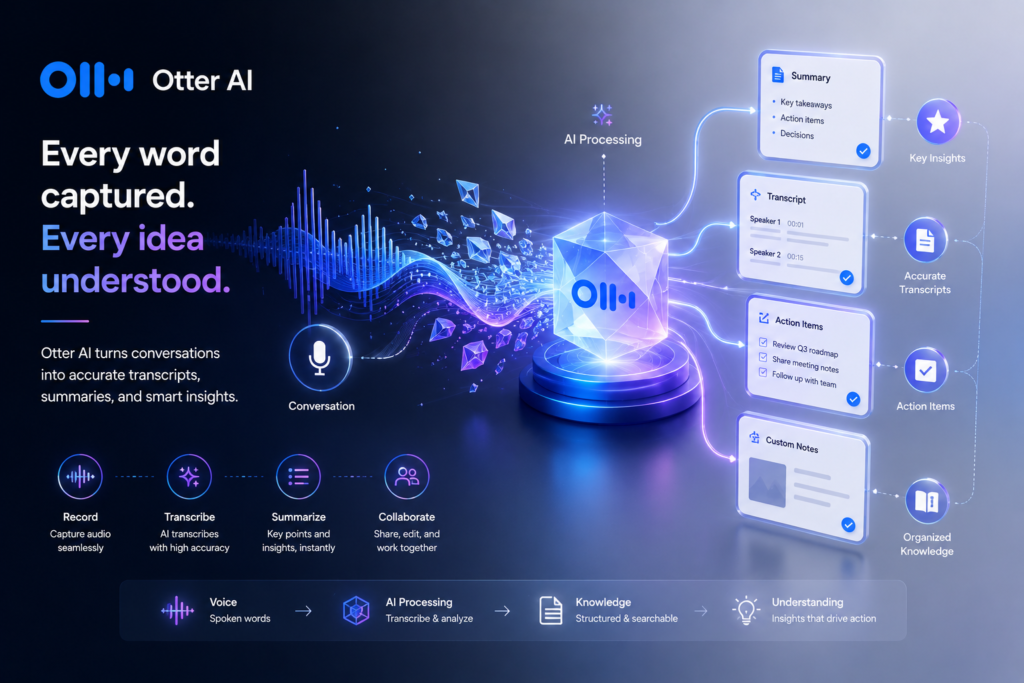
How Otter AI Works
- Connect a meeting: A user connects a supported calendar or meeting platform and configures the relevant access.
- Capture the conversation: Otter Notetaker joins as a visible guest participant and transcribes the meeting.
- Generate meeting records: Otter produces a transcript and supports automated summaries and related meeting outputs.
- Retrieve information: Users can search conversation history and use AI Chat to ask questions about available conversations.
- Review and share: Employees check the transcript and summary, then share or use approved information in their business workflow.
The actual workflow depends on the meeting platform, account configuration, plan limits, permissions, and enabled integrations.
Important: Otter Notetaker joins as a visible participant; the supplied research indicates that it cannot join anonymously. Businesses should establish appropriate consent and recording practices before enabling it.
3. Research Methodology and Evidence Standards
How This Review Was Prepared
This is a research-based review, not a hands-on product test. The assessment uses the Otter research packet supplied for this review, including reported checks of official pricing and help documentation dated 21 October 2026.
The evaluation focuses on:
- Documented product capabilities and plan limits.
- Pricing and billing basis.
- Meeting-platform, calendar, CRM, and automation integrations.
- Published security and administrative features.
- Potential fit for common small-business workflows.
- Operational risks, governance requirements, and alternatives.
- Evidence gaps that could affect a buying decision.
No direct product test, independent transcription benchmark, controlled workflow pilot, or measured return-on-investment study was conducted for this review.
Evidence Hierarchy
| Priority | Source type | Appropriate use |
|---|---|---|
| 1 | Official product documentation | Features, usage limits, supported capabilities, and technical requirements |
| 2 | Official pricing page | Plan prices, billing terms, limits, and plan-specific features |
| 3 | Official privacy, security, trust, and compliance documentation | Data handling, retention, security controls, and compliance statements |
| 4 | Official release notes and product updates | Feature changes, launches, and deprecations |
| 5 | Reputable independent coverage or benchmarks | Independent analysis and comparative evidence |
| 6 | User reviews and community discussions | Directional evidence about reported experiences, not proof of performance |
Evidence Classification
| Label | Meaning |
|---|---|
| Verified from identified sources | Confirmed in the research against an identified source, preferably official documentation |
| Research-Based Analysis | Intelligent AI Lab’s interpretation of documented features and available evidence |
| Not Independently Verified | The claim could not be sufficiently confirmed through the research available for this review |
| Illustrative Scenario | A proposed workflow that has not been implemented or tested by Intelligent AI Lab |
What We Could Not Verify
| Evidence area | Finding |
|---|---|
| Transcription accuracy | No independent benchmark of transcription accuracy, speaker-identification accuracy, or error rates was established. |
| AI-summary quality | The reliability of automated summaries and action-item capture was not independently tested. |
| Workflow reliability | The practical reliability of Notetaker, AI Chat, and automated summaries was not independently measured. |
| AI-model providers | Exact AI-model providers were not independently verified. |
| Data retention and model training | Detailed retention practices and model-training policies require confirmation against current official documentation and contractual terms. |
| Company history | The claim that Otter was founded in 2016 and headquartered in Mountain View, California, was not independently verified in the reviewed material. |
| iOS Calendar integration | Not independently verified in the current pricing/help research supplied for this review. |
| Make and n8n integrations | Not independently verified. Do not assume they are supported natively. |
| Enterprise pricing | No public Enterprise price was established. |
| Business outcomes | Claims of improved productivity, reduced administrative burden, or better collaboration were not independently demonstrated. |
| Customer adoption claims | Statements such as “Trusted by 500,000+ organizations” and “60% of Fortune 1000 companies” are vendor claims, not independently verified here. |
| General feature labels | “Searchable knowledge base,” “live captions” as a universal named feature, and “enterprise administration capabilities” as a named product feature were not independently verified as such. Specific related capabilities are documented in the supplied research. |
Sources Consulted
| Source | Information Used |
|---|---|
| Otter pricing | Plans, per-seat pricing, transcription minutes, AI Chat queries, integrations, and security features |
| Otter features | Otter Notetaker, AI Chat, workspaces, and collaboration features |
| Otter Notetaker overview | Notetaker capabilities, visibility, and consent requirements |
| Otter AI Chat overview | AI Chat capabilities and Zoom chat integration |
| Otter integrations | Zoom/Meet/Teams integrations |
| What is Otter | File imports, integrations, and plan structure |
| Otter workspace admin guide | Workspaces, admin controls, and Zoom Live Notes |
| Otter Chrome extension | Chrome extension availability |
4. Key Features of Otter AI
| Feature | What it does | Potential business value | Availability and limitations |
|---|---|---|---|
| Otter Notetaker | Joins supported meetings and transcribes conversations | May reduce manual note-taking | Joins as a visible guest participant; meeting configuration and consent requirements apply |
| Real-time transcription | Converts speech into text during a meeting | May help users follow and document discussions | Accuracy has not been independently benchmarked |
| AI Chat | Answers questions across available conversations | May make meeting information easier to retrieve | Reported limits are 20–200 queries per user/month, depending on plan |
| Automated Live Summary | Generates a summary during a meeting | May help participants keep track of key points | Output quality requires evaluation |
| Meeting Summary | Produces a post-meeting summary | May support follow-up and reporting | Review before using as an authoritative record |
| Automated Slide Capture | Captures slides or screen-shared content in supported workflows | May preserve context from presentations | Confirm current availability and behavior for the chosen meeting platform and plan |
| Speaker identification | Labels speakers in the transcript | May make discussions easier to review | Accuracy can vary; validate names and attribution |
| Searchable conversation history | Allows users to retrieve prior conversations | May reduce time spent locating meeting information | Basic has a limited recent-history allowance; paid plans offer unlimited history according to the supplied research |
| Collaborative workspaces | Supports organizing and sharing conversation records | May help teams access shared meeting information | Collaboration capabilities vary by plan |
| Meeting templates | Supports a more consistent meeting structure | May help standardize documentation | Template capabilities vary by plan |
| Calendar and meeting integrations | Connects to supported calendar and meeting services | May simplify meeting capture and scheduling | Exact behavior depends on connection and permissions |
| CRM and automation integrations | Supports Salesforce, HubSpot, and Zapier on eligible plans | May connect meeting records with sales or business workflows | Plan and user restrictions apply |
| MCP server | Connects Otter with supported AI assistants | May enable additional AI-assisted workflows | Confirm supported clients, permissions, and available actions |
| API and webhooks | Supports custom integration workflows | May enable company-specific integrations | Reported as Enterprise capabilities |
| Security and administration | Includes documented encryption and two-factor authentication; Enterprise adds further controls | May support security-conscious deployment | Buyers must verify current documentation and contractual requirements |
The Features That Matter Most for Businesses
1. Otter Notetaker
Notetaker is central to Otter’s value proposition. It captures meeting conversations and creates transcripts, reducing the need for someone to document every detail manually.
The business question is whether the transcript is accurate enough for the meeting’s purpose and whether employees still spend less time on documentation after reviewing it.
2. AI Chat
AI Chat can answer questions across conversations available to the user and may help retrieve information from previous meetings. It can also support generating summaries for uses such as emails or social posts, according to the supplied research.
However, answers should be checked against the original conversation when factual accuracy, commitments, or customer requirements matter.
3. Automated Summaries
Summaries can help participants review discussions and identify potential action items. They should be treated as drafts until an employee confirms that important decisions, owners, dates, and exceptions have been captured correctly.
4. Integrations
Otter’s reported integrations include Zoom, Google Meet, Microsoft Teams, calendar services, Dropbox, Salesforce, HubSpot, and Zapier. This may be valuable for businesses that want meeting information to connect with existing workflows.
Integration availability alone does not establish that a specific automation is possible. Confirm the exact triggers, actions, data fields, plan requirements, and permissions before designing a workflow.
5. How Small Businesses Can Use Otter AI
| Business function | Example problem | How Otter may help | Required human oversight |
|---|---|---|---|
| Sales | Discovery-call requirements and follow-ups are not consistently documented | Create transcripts and summaries of client calls | Verify customer requirements, commitments, lead qualification, and CRM updates |
| Project management | Decisions and action items are lost after status meetings | Generate meeting records and summaries | Confirm decisions, owners, due dates, and dependencies |
| Customer success | Teams need to retrieve previous customer discussions | Create searchable conversation records | Verify customer commitments and sensitive information before sharing |
| HR and recruitment | Interview notes are inconsistent | Help document interview discussions | Apply approved evaluation criteria and review fairness, accuracy, and privacy |
| Operations | Recurring meetings create documentation work | Capture stand-up discussions and potential action items | Confirm operational decisions and exceptions |
| Consulting | Client interviews produce large volumes of notes | Help organize transcripts and summaries | Validate client facts, recommendations, and confidential information |
| Research | Interview material is difficult to review | Create searchable transcripts | Check transcription errors and preserve the original context |
Best-Fit Business Use Case: Sales Discovery Calls
Business problem: A sales team spends time taking notes during client discovery calls and updating its CRM afterward.
Relevant documented capabilities: Notetaker, transcription, summaries, AI Chat, and Salesforce/HubSpot integrations on eligible plans.
Inputs required: Meeting access, appropriate consent, agreed sales criteria, CRM access, and a defined review process.
Illustrative workflow:
- Otter Notetaker joins a scheduled discovery call.
- Otter generates a transcript and meeting summary.
- The sales representative checks requirements, objections, commitments, and next steps.
- Approved information is transferred to the appropriate CRM fields using a supported integration or approved process.
- The team reviews follow-up tasks and retains the meeting record according to its data policies.
Risks: Misheard customer requirements, incorrect action items, sensitive information exposure, and consent failures.
Pilot metrics:
- Transcript error rate on a representative sample.
- Percentage of important action items correctly captured.
- Summary quality score based on a consistent rubric.
- Average documentation time per meeting.
- Total cost per meeting, including review labor.
- Follow-up completion time, if relevant.
This workflow is a proposed application, not a tested integration or demonstrated business result.
6. Intelligent AI Lab Business Decision Analysis
The Business Problem Otter AI Is Best Suited to Address
Otter AI is most relevant when a recurring business problem involves manual meeting documentation and retrieving information from past conversations.
It is a stronger candidate for teams that conduct meetings frequently than for businesses with occasional, informal discussions. It is also more directly relevant to meeting records than to broader needs such as project scheduling, campaign management, video production, or general-purpose research.
The desired outcome should be defined in operational terms. For example, a team might want to reduce the time spent preparing meeting notes while maintaining an acceptable level of accuracy. Whether Otter achieves that outcome must be tested in the business’s own environment.
Is Otter AI the Right Tool for the Job?
| Decision factor | Assessment |
|---|---|
| Primary use case | Transcription, summaries, and searchable meeting records |
| Capability fit | Strong candidate for meeting-heavy teams |
| Potential advantage | A combined workflow for capture, summarization, and retrieval |
| Main trade-off | Usage limits on lower plans and ongoing review requirements |
| Cost consideration | Subscription, implementation effort, and human review labor |
| Implementation consideration | Meeting-platform connections, permissions, consent, and output-review processes |
| Main uncertainty | Actual transcription accuracy, summary quality, and measurable time saved in your workflow |
When to Choose Otter AI
Consider Otter when:
- Your team holds frequent meetings that generate useful business information.
- Employees spend substantial time writing meeting notes or preparing summaries.
- You need to retrieve information from previous conversations.
- Your meeting platforms and required integrations are supported.
- You can implement appropriate consent, access, retention, and review processes.
- You are prepared to evaluate output quality before relying on the tool.
When to Choose an Alternative
- Fireflies.ai: Evaluate when CRM-connected meeting intelligence is a central requirement.
- Descript: Evaluate when audio/video editing and content production are the primary goals.
- Notion AI: Evaluate when the main requirement is documentation, structured notes, and knowledge management.
- Zoom AI Companion: Evaluate when you want meeting assistance centered on Zoom and its available ecosystem.
- ChatGPT: Evaluate for general writing, research, analysis, brainstorming, and broader business assistance.
- Fathom: Evaluate for lightweight meeting notes and CRM-related workflows.
- Gong: Evaluate when revenue intelligence and sales coaching are core requirements.
Compare current features, pricing, integrations, and data policies before making a final decision.
When Not to Use AI
AI meeting assistance may be unnecessary if meetings are infrequent and already documented adequately.
Do not use AI-generated transcripts or summaries as the sole authority for legal conclusions, regulated financial decisions, medical decisions, employee evaluations, or other high-consequence judgments. Use appropriate human review and established business controls.
Avoid deploying meeting capture until the organization has resolved consent, privacy, access, and retention requirements.
Our Recommended Next Step
Run a limited pilot before purchasing seats for an entire team.
Choose one recurring workflow—such as sales discovery calls or project status meetings—and test it for two to four weeks. Establish a baseline, measure quality and time, calculate total costs, and compare the results with the existing process.
Evidence note: This recommendation is Intelligent AI Lab’s research-based analysis. Productivity gains and other business outcomes have not been independently demonstrated in this review.
7. Illustrative Business Automation Examples
The following examples are proposed workflows. Intelligent AI Lab has not implemented or tested them. Their feasibility depends on available integrations, permissions, configuration, and business requirements.
Example 1: Sales Discovery-Call Documentation
Scenario: A sales team wants to improve the consistency of meeting notes and follow-up records.
Proposed workflow:
- Trigger: A scheduled discovery call begins.
- Capture: Otter Notetaker joins the supported meeting and generates a transcript.
- AI processing: Otter creates a summary and identifies potential action items.
- Human review: The sales representative verifies customer requirements, objections, commitments, and follow-up dates.
- Integration: Approved information is entered into Salesforce or HubSpot using the supported integration or an approved workflow.
- Output: A reviewed customer-call record and documented follow-up.
Potential benefits to test:
- Less manual note-taking.
- More consistent documentation.
- Faster follow-up preparation.
Requirements and limitations:
- Obtain appropriate recording consent.
- Confirm CRM integration and plan restrictions.
- Check the transcript and summary before updating customer records.
- Avoid automatically treating AI-generated sales judgments as authoritative.
Suggested metrics: Documentation time, transcript accuracy, action-item capture rate, and follow-up completion time.
Example 2: Project Status-Meeting Documentation
Scenario: A project manager spends time documenting decisions, risks, and action items after recurring meetings.
Proposed workflow:
- Trigger: A scheduled project status meeting takes place.
- Capture: Otter creates a transcript and meeting summary.
- Human review: The project manager confirms decisions, dependencies, owners, and due dates.
- Distribution: The approved summary is shared with the relevant team.
- Follow-up: Action items are entered into the team’s existing task-management system through a supported process.
Potential benefits to test:
- More consistent meeting records.
- Less manual documentation.
- Easier retrieval of previous decisions.
Requirements and limitations: Meeting consent, accurate attribution, controlled access, and review of action items are essential. Do not assume a direct integration with every project-management platform.
Suggested metrics: Documentation time, decision-capture completeness, action-item accuracy, and time required to retrieve previous decisions.
8. Pros and Cons of Otter AI
| Pros | Cons |
|---|---|
| Supports transcription for Zoom, Google Meet, and Microsoft Teams meetings | Lower-tier plans have transcription and AI Chat limits |
| Provides Otter Notetaker and automated meeting summaries | Accuracy depends on audio quality, speaker clarity, and other conditions |
| Includes AI Chat for questions across available conversations | AI-generated answers still need verification |
| Supports searchable conversation history | Searchable records require sensible access and retention controls |
| Offers integrations including Salesforce, HubSpot, and Zapier on eligible plans | Integration availability and limits vary by plan |
| Supports collaboration and team-oriented capabilities | Teams must determine whether the plan provides the features and controls they need |
| Documents encryption and two-factor authentication, with additional Enterprise controls | Buyers must verify current security documentation and contractual terms |
| Offers a free Basic plan | Frequent users may need a paid plan to avoid restrictive limits |
What These Pros and Cons Mean for Buyers
Otter’s potential value is concentrated in meeting documentation. For a team that holds many meetings, a transcript and summary can provide a useful starting point for follow-up and retrieval.
The central buying question is whether those outputs are accurate and useful enough to reduce total work after review. If employees still need to reconstruct discussions, correct extensive errors, or manually re-enter most information, the practical value may be limited.
For light meeting users, the free plan may be sufficient. For businesses primarily seeking project management, content creation, or broader automation, a different tool may provide a better fit.
9. Otter AI Pricing and Plans
Pricing verification date: 21 October 2026
The following prices and limits are reported in the supplied research as verified against Otter’s official pricing page. Prices can change, and the annual-billing prices should not be confused with monthly-billing prices. Check the official pricing page immediately before purchase.
| Plan | Price | Key limits and features | Potential fit |
|---|---|---|---|
| Basic | Free | 300 transcription minutes/user/month; 30-minute maximum per conversation; 3 lifetime file imports; 20 AI Chat queries/user/month; 1 concurrent meeting; 25 most-recent conversations | Individuals evaluating the tool or users with light needs |
| Pro | $16.99/user/month, or $8.33/user/month billed annually | 1,200 transcription minutes/user/month; 90-minute maximum per conversation; 10 monthly file imports; 50 AI Chat queries/user/month; 2 concurrent meetings; unlimited conversation history; reported Salesforce, HubSpot, and Zapier integrations | Professionals and small teams with regular meeting requirements |
| Business | $30/user/month, or $19.99/user/month billed annually | Unlimited meetings/in-app recordings; 4-hour maximum per conversation; unlimited file imports; 6,000 imported-file transcription minutes/user/month; 200 AI Chat queries/user/month; 3 concurrent meetings; reported activity logs and usage analytics | Teams needing higher usage limits and administrative capabilities |
| Enterprise | Custom pricing | Reported custom AI workflows, Sales Notetaker, custom CRM/dialer integrations, SSO/SCIM, optional HIPAA support, API/webhooks, video replay, and additional AI Chat connections | Organizations needing additional controls, custom integrations, or contractual arrangements |
Prices are in US dollars. Applicable taxes, regional pricing, app-store billing, contract terms, and seat requirements may affect the amount paid.
Important Usage Limits
According to the supplied pricing research:
| Limit | Basic | Pro | Business |
|---|---|---|---|
| Transcription minutes per user/month | 300 | 1,200 | Unlimited meetings/in-app recordings; imported-file transcription has a separate limit |
| Maximum conversation length | 30 minutes | 90 minutes | 4 hours |
| AI Chat queries per user/month | 20 | 50 | 200 |
| File imports | 3 lifetime | 10/month | Unlimited, subject to applicable imported-file transcription limits |
| Concurrent meetings | 1 | 2 | 3 |
| Conversation history | 25 most-recent conversations | Unlimited | Unlimited |
The supplied research also reports different custom-vocabulary allowances across plans. Confirm the current limits and definitions in official documentation before relying on them.
What to Know Before Paying
1. Annual versus monthly billing
The annual-billing price is lower than the monthly-billing price in the supplied research. Check the billing commitment, renewal terms, and cancellation conditions before choosing annual billing.
2. Per-seat costs
Pro and Business are priced per user. Estimate the number of seats required and calculate the annual cost before deployment.
3. Usage limits
Do not evaluate plans only by headline price. Consider meeting duration, imported-file usage, AI Chat needs, concurrent meetings, and conversation history.
4. Total cost of ownership
Include more than the subscription:
- Employee time to configure and maintain the workflow.
- Time spent checking transcripts and summaries.
- Training and rollout effort.
- Integration or administration costs.
- Any additional governance, security, or compliance requirements.
5. Enterprise requirements
The supplied research lists Enterprise options for SSO/SCIM, API and webhooks, custom integrations, and a HIPAA add-on. Confirm the precise package, eligibility, contractual requirements, and additional costs with Otter.
Is Otter AI Worth the Price?
Otter may be worth paying for when meeting documentation is frequent, time-consuming, and sufficiently important to justify a dedicated tool.
It may be less attractive when:
- Meetings are rare or easy to document manually.
- The free plan meets current needs.
- Transcription or summary errors require substantial correction.
- The business needs a project-management or content-production platform instead.
- The required integrations or governance controls are unavailable on the chosen plan.
The decision rule: Pay for demonstrated business value, not simply for access to AI features.
Best Plan Recommendation
| Buyer type | Plan to evaluate | Reason | What to verify |
|---|---|---|---|
| Individual or small team evaluating Otter | Basic | Test whether the core workflow meets the need without a subscription | Usage limits, conversation history, and required features |
| Freelancer, consultant, or founder with regular meetings | Pro | Higher transcription and AI Chat limits | Actual meeting volume, annual commitment, and integrations |
| Growing team with higher usage and administration needs | Business | Higher meeting limits and additional team features | Seat count, administration requirements, and file-import limits |
| Organization requiring custom controls or integrations | Enterprise | Reported enterprise security and integration options | Contract price, data-processing terms, retention, and compliance requirements |
10. Integrations and Technical Requirements
| Integration or requirement | Research finding | What buyers should check |
|---|---|---|
| Meeting platforms | Zoom, Google Meet, Microsoft Teams | Supported meeting types, account permissions, and capture behavior |
| Calendars and contacts | Google Calendar/Contacts and Microsoft Calendar/Contacts | Required permissions, sync behavior, and plan limitations |
| Dropbox | Listed in the supplied integration research | Exact supported actions and plan availability |
| Salesforce and HubSpot | Reported on Pro, Business, and Enterprise, subject to user limits | Supported CRM objects, fields, sync behavior, and seat restrictions |
| Zapier | Reported on eligible paid plans | Available triggers, actions, task limits, and current plan requirements |
| MCP server | Reported on all plans | Supported AI assistants, authentication, permissions, and available actions |
| API and webhooks | Reported on Enterprise | Authentication, rate limits, endpoint availability, and contract requirements |
| Make and n8n | Not independently verified | Do not assume native integration or support |
| iOS Calendar | Not independently verified | Confirm current support before including it in a workflow |
| File import/export | Research reports support for common audio/video formats and export to formats including TXT, PDF, DOCX, SRT, and MP3 | Confirm current file-format support, export restrictions, and usage limits |
Native Versus Third-Party Integrations
- Native Otter capabilities: Notetaker, AI Chat, transcription, automated summaries, and conversation history.
- Reported platform integrations: Zoom, Google Meet, Microsoft Teams, calendar services, Dropbox, Salesforce, and HubSpot, subject to plan and configuration.
- Automation connection: Zapier is reported as available on eligible plans.
- MCP: A server integration is reported across all plans, but compatibility and permitted actions must be checked.
- Custom integration: API and webhooks are reported as Enterprise capabilities.
An integration listing does not guarantee that a required workflow is supported. Confirm the exact data fields, triggers, actions, permissions, and plan restrictions before making a purchase decision.
Implementation Considerations
Begin with one bounded workflow rather than deploying Otter across the entire organization immediately.
Before connecting it to business systems:
- Identify which meetings can be recorded.
- Confirm participant notice and consent requirements.
- Decide who can access transcripts and summaries.
- Define which outputs require human approval.
- Determine retention and deletion requirements.
- Verify supported integrations and data flows.
- Establish a process for errors, access requests, and exceptions.
11. Otter AI vs. Alternatives
| Tool | Best suited for | Main difference | Pricing position | Consider it instead when |
|---|---|---|---|---|
| Otter AI | Meeting transcription, summaries, searchable conversations | Meeting capture combined with AI Chat and summaries | Basic free; paid plans available | You need a dedicated meeting-documentation workflow |
| Fireflies.ai | Meeting intelligence and CRM-connected workflows | Alternative meeting-intelligence platform | Check current official pricing | CRM-focused meeting intelligence is the priority |
| Descript | Audio/video editing and content production | Editing-oriented workflow | Check current official pricing | You need to edit recordings or create media |
| Notion AI | Notes, documentation, and knowledge management | Documentation-centered workspace | Check current official pricing | You need structured documentation and broader knowledge management |
| Zoom AI Companion | Meeting assistance in Zoom’s ecosystem | Zoom-centered experience | Check current availability and pricing terms | Your workflows are primarily Zoom-based |
| ChatGPT | General AI writing, research, analysis, and assistance | General-purpose assistant rather than a dedicated meeting-capture product | Check current official pricing | You need broader AI capabilities beyond meeting documentation |
| Fathom | Meeting notes and CRM-related workflows | Alternative focused on meeting documentation | Check current official pricing | You want to compare a lightweight meeting-notes workflow |
| Gong | Revenue intelligence and sales coaching | Sales-performance and revenue-oriented platform | Typically evaluated through a sales-focused buying process; verify current terms | You need sales coaching and revenue intelligence rather than meeting notes alone |
Pricing and features for alternatives have not been independently verified for this article. Compare their current official terms before making a buying decision.
Which Tool Should You Choose?
- Choose Otter AI if you need transcripts, summaries, and searchable records from frequent meetings.
- Choose Fireflies.ai if CRM-connected meeting intelligence is a primary requirement.
- Choose Descript if editing audio or video is central to your workflow.
- Choose Notion AI if you need documentation and knowledge management.
- Choose Zoom AI Companion if Zoom-native meeting assistance is your priority.
- Choose ChatGPT if you need general-purpose AI writing, research, and analysis.
- Evaluate Fathom if lightweight meeting notes and CRM workflows are your main requirement.
- Evaluate Gong if revenue intelligence and sales coaching are the primary objectives.
No alternative is universally better. The right choice depends on the business problem, existing tools, governance requirements, budget, and demonstrated workflow performance.
12. Who Should Use Otter AI?
Recommended For
- Small business owners: To evaluate whether meeting documentation can become more consistent.
- Sales teams: To capture discovery calls and review customer requirements.
- Customer success teams: To maintain searchable records of customer conversations.
- Project managers: To document decisions, dependencies, and action items.
- Operations teams: To capture recurring meeting discussions.
- Consultants and researchers: To organize interviews and meeting records.
- HR professionals: To support documentation of interviews, subject to approved policies.
- Remote and hybrid teams: To share meeting records with authorized colleagues.
These are potential use cases, not claims that Otter has been proven to improve outcomes in each function.
Not Ideal For
- Teams that rarely conduct meetings and can document them adequately without a paid tool.
- Businesses seeking a full project-management system.
- Teams whose main requirement is creating or editing audio/video content.
- Organizations that cannot establish suitable recording consent, access, retention, or review controls.
- High-consequence workflows that require verified accuracy but have not yet been tested.
Best-Fit Buyer Profile
The best-fit buyer is a team that conducts frequent meetings, has a clear documentation problem, and can define a measurable improvement target.
Before buying, that team should be able to answer four questions:
- Which meeting workflow creates the most documentation effort?
- What accuracy and completeness standards must the outputs meet?
- Which people and systems need access to the resulting records?
- What measurable result would justify the subscription and review effort?
13. How to Get Started With Otter AI
Step 1: Identify One Business Problem
Select a recurring problem such as sales-call documentation, project status notes, or customer-success meeting records. Avoid adopting the tool merely because it is available.
Step 2: Confirm Product Fit
Check that Otter supports the required meeting platform, conversation length, file usage, integrations, and team access.
Step 3: Review Data and Recording Rights
Determine which meetings may be captured and what notices, consent, contractual permissions, or internal approvals are required.
Step 4: Design a Limited Pilot
Define:
- Inputs and meeting types.
- Expected transcript and summary outputs.
- Human approval requirements.
- Error and exception handling.
- Access, retention, and deletion rules.
- A fallback process if capture or transcription fails.
Step 5: Establish a Baseline
Before using Otter, measure the current process. Record the time needed to document a meeting, the completeness of action items, and the effort required to prepare follow-up.
Step 6: Evaluate the Pilot
Use the same evaluation criteria throughout the pilot. Check representative transcripts against the original audio, rate summary quality using a consistent rubric, and calculate the total cost of the workflow.
Step 7: Decide Whether to Expand
Continue, modify, or stop based on the results. Expand only when the business value, accuracy, governance, and total cost are acceptable.
Suggested pilot duration: Two to four weeks, depending on meeting volume and the time needed to evaluate representative samples.
14. Limitations, Risks, and Governance
| Risk area | What businesses should investigate | Research finding |
|---|---|---|
| Accuracy and reliability | Can transcription or summaries introduce errors? | Otter documents transcription and summaries, but independent accuracy benchmarks were not established for this review. |
| Speaker identification | Can speakers be attributed correctly? | Speaker identification is a documented capability; real-world accuracy was not independently tested. |
| Privacy and retention | What is stored, for how long, and under what conditions? | Published security features were identified, but detailed retention terms require confirmation. |
| Model training and data use | Are customer inputs used for model training? | Not independently verified in the research available for this review. |
| Security | Which security controls and reports apply to the selected plan? | The supplied research reports TLS, AES-256 encryption for real-time content, and two-factor authentication, with additional Enterprise options. Verify current details. |
| Compliance | Are applicable legal, regulatory, and contractual requirements met? | A HIPAA add-on is reported for Enterprise. Its precise scope and suitability must be confirmed with the provider and relevant advisers. |
| Access and permissions | Who can access transcripts and shared conversations? | Team and administrative controls are reported; verify the selected plan’s precise permissions. |
| Usage limits | What happens when minutes or AI Chat queries are exhausted? | Limits vary by plan; verify current terms and upgrade behavior. |
| Human oversight | Which outputs require review? | Transcripts, summaries, action items, and AI Chat answers should be checked before consequential use. |
| Vendor dependency | Can records be exported or migrated? | Export options are reported; verify formats, restrictions, and any API access required. |
| Consent | Are participants aware of meeting capture? | Notetaker joins as a visible participant and cannot join anonymously, according to the supplied research. Applicable notice and consent requirements still need to be addressed. |
| Implementation | What configuration and ongoing effort are required? | Meeting connections, permissions, consent practices, and output-review procedures are required considerations. |
What Businesses Should Check Before Adoption
- Confirm current prices, billing commitments, transcription limits, AI Chat limits, and plan restrictions.
- Confirm that the chosen plan supports required meeting platforms, CRM connections, and automation workflows.
- Review current privacy, security, retention, and model-training documentation.
- Obtain relevant contractual documents and security reports if required by the organization.
- Establish appropriate recording notice and consent practices.
- Limit transcript and summary access to authorized people.
- Require human review before using outputs for customer commitments, compliance, HR, or other consequential decisions.
- Define retention and deletion rules for transcripts and recordings.
- Confirm API access, rate limits, and authentication requirements before building custom integrations.
- Reassess the workflow if product capabilities or vendor terms change.
Governance principle: AI-generated meeting records should be treated as useful working material—not automatically as a complete, error-free, or authoritative account of what occurred.
15. Final Verdict: Is Otter AI Worth It?
Otter AI is a credible candidate for small businesses and teams that conduct frequent meetings and need a consistent way to capture and retrieve discussion records. Its documented combination of Notetaker, transcription, AI Chat, automated summaries, and integrations addresses a specific operational problem: meeting information can be difficult to document and find when employees must do the work manually.
The strongest reason to consider Otter is its focus on meeting capture and retrieval. The main trade-offs are usage limits on lower plans, dependence on audio quality, the need to review AI-generated outputs, and the ongoing cost of subscriptions and administration.
The evidence also has important limits. This review did not independently test transcription accuracy, summary reliability, integration behavior, or measurable productivity gains. Published feature availability should not be treated as proof that a workflow will produce a positive return on investment.
Final buying recommendation: Pilot. Start with the Basic plan if its limits fit the use case, or evaluate Pro if meeting volume and required integrations justify a paid plan. Choose one workflow, establish a baseline, measure accuracy and time saved, and calculate total cost per meeting. Scale only when the pilot demonstrates acceptable quality, governance, and business value.
For teams that primarily need project management, media editing, general-purpose AI, or sales coaching, compare alternatives before committing.
The decision should follow Intelligent AI Lab’s principle: Business Value First. AI Second.
16. Intelligent AI Lab Rating and Scorecard
A. Business-Fit Verdict
Good Fit for meeting-heavy teams that need transcription, summaries, and searchable meeting records.
Conditional Fit for light meeting users or organizations that have not yet validated accuracy, integration requirements, or governance.
Poor Fit for teams whose primary requirement is project management, content production, or another capability outside Otter’s central meeting-documentation focus.
B. Assessment Type
Research-Based Assessment. No hands-on testing or controlled business pilot was conducted for this review.
C. Evidence Confidence
- High for reported pricing and plan limits: The supplied research identifies Otter’s official pricing page as the source.
- High for documented feature and integration availability within the supplied research: Current plan and help documentation were reported as reviewed, although the individual source pages should be reconfirmed before publication.
- Moderate for overall business fit: The product’s documented functions align with common meeting-documentation needs, but fit depends on the buyer’s environment.
- Limited for real-world performance: Transcription accuracy, summary quality, and workflow reliability were not independently benchmarked.
D. Research-Based Weighted Scorecard
The following weights are Intelligent AI Lab’s own evaluation framework. They are not an industry-standard benchmark.
Scores reflect analyst judgment about documented capabilities and potential fit for the stated use case. They are not based on hands-on testing, independent benchmark data, customer-survey data, or measured business outcomes.
| Criterion | Weight | Score | Rationale |
|---|---|---|---|
| Core capability fit | 25% | 5/5 | Documented Notetaker, transcription, AI Chat, summaries, speaker identification, and searchable history align with meeting-documentation needs. |
| Business workflow fit | 20% | 4/5 | Relevant to sales, customer success, project management, and operations; business impact has not been independently demonstrated. |
| Ease of use and implementation | 15% | 4/5 | The documented workflow is focused, but meeting permissions, consent, review, and administration still require effort. |
| Integrations and automation | 15% | 4/5 | Several meeting, calendar, CRM, and automation connections are reported; some custom integration capabilities require Enterprise. |
| Pricing and cost suitability | 15% | 4/5 | A free tier and multiple paid plans provide options, but usage limits and per-seat costs need evaluation. |
| Governance and operational readiness | 10% | 4/5 | Security and administrative features are reported; buyers must confirm detailed privacy, retention, contractual, and compliance requirements. |
Weighted calculation:
(5 × 0.25) + (4 × 0.20) + (4 × 0.15) + (4 × 0.15) + (4 × 0.15) + (4 × 0.10) = 4.25/5
Research-based rating: 4.25/5
Overall Assessment Summary
- Business-fit verdict: Good Fit for meeting-heavy teams; Conditional Fit for light meeting users
- Research-based rating: 4.25/5
- Evidence confidence: High for pricing, transcription minutes, AI Chat queries, integrations, and security features; Moderate for transcription accuracy, summary quality, and workflow reliability
- Assessment type: Research-Based Assessment
- Overall conclusion: Otter AI is a strong option for teams that rely on frequent meetings and need to reduce manual note-taking. Its main buyer decision is meeting-productivity focus versus broader business automation: businesses with meeting-heavy workflows should pilot Otter AI, while teams needing project management or content creation should evaluate other tools. Its 4.25/5 rating reflects strong meeting-AI capability, offset by Free-plan limits and audio-quality dependency.
17. Decision Checklist: Should You Choose Otter AI?
Shortlist Otter AI if:
- You need to capture and organize information from frequent meetings.
- You need transcripts, summaries, and searchable conversation records.
- Your team uses supported meeting platforms.
- Required CRM or automation connections are available on the selected plan.
- You can manage consent, access, retention, and output review.
- You have a clear metric for deciding whether the tool is worth the cost.
Consider an Alternative if:
- You need audio/video editing: evaluate Descript.
- You need documentation and knowledge management: evaluate Notion AI.
- You need Zoom-centered meeting assistance: evaluate Zoom AI Companion.
- You need CRM-focused meeting intelligence: evaluate Fireflies.ai.
- You need general AI writing, research, or analysis: evaluate ChatGPT.
- You need lightweight meeting notes with CRM-related workflows: evaluate Fathom.
- You need revenue intelligence and sales coaching: evaluate Gong.
Before You Commit
- Verify current pricing and plan limits.
- Confirm required integrations and permissions.
- Establish recording consent and privacy practices.
- Define transcript and summary quality standards.
- Establish a baseline for documentation time.
- Measure action-item accuracy and follow-up quality.
- Include subscription, setup, and review labor in total cost.
- Scale only if results justify the investment.
Decision guidance: If accuracy, compliance, or customer commitments are critical, resolve the relevant risks through a controlled pilot and appropriate review before relying on AI-generated records.
18. Frequently Asked Questions About Otter AI
What is Otter AI used for?
Otter AI is used for meeting transcription, automated summaries, speaker identification, searchable conversation history, and AI-assisted retrieval of meeting information. Exact features and limits depend on the plan and configuration.
Is Otter AI free?
Yes. The Basic plan is listed as free, with 300 transcription minutes per user/month, a 30-minute maximum per conversation, three lifetime file imports, and 20 AI Chat queries per user/month in the research dated 21 October 2026. Check the current official pricing page before relying on these limits.
How much does Otter AI cost?
The supplied research lists Pro at $16.99/user/month or $8.33/user/month billed annually, Business at $30/user/month or $19.99/user/month billed annually, and Enterprise at custom pricing. Prices and terms may change.
Is Otter AI better than ChatGPT?
They serve different purposes. Otter is designed around meeting capture, transcription, summaries, and conversation retrieval. ChatGPT is a general-purpose AI assistant for tasks such as writing, research, analysis, and brainstorming. The better choice depends on the job to be done.
Can businesses automate workflows using Otter AI?
Otter automates aspects of meeting capture and summary generation. The supplied research also reports integrations with Salesforce, HubSpot, and Zapier on eligible plans, plus an MCP server on all plans and API/webhooks on Enterprise. Confirm the precise triggers, actions, permissions, and plan requirements before building a workflow.
Does Otter AI integrate with Zoom and Microsoft Teams?
The supplied research reports support for Zoom, Google Meet, and Microsoft Teams. Verify the current setup instructions, permissions, and supported features for your chosen meeting platform.
Is Otter AI suitable for sensitive business meetings?
Suitability depends on the sensitivity of the meeting, applicable laws, internal policies, contractual requirements, and the plan’s security and administrative controls. Review the provider’s current privacy, security, retention, and compliance documentation, and obtain appropriate legal or security advice where necessary.
Can Otter AI summaries be trusted without review?
This review did not independently test summary quality. Treat summaries and action items as drafts, check important facts against the original discussion, and require human approval for consequential decisions or commitments.