
ClickUp AI Review 2026: Features, Pricing, Use Cases & Is It Worth It for Small Businesses?
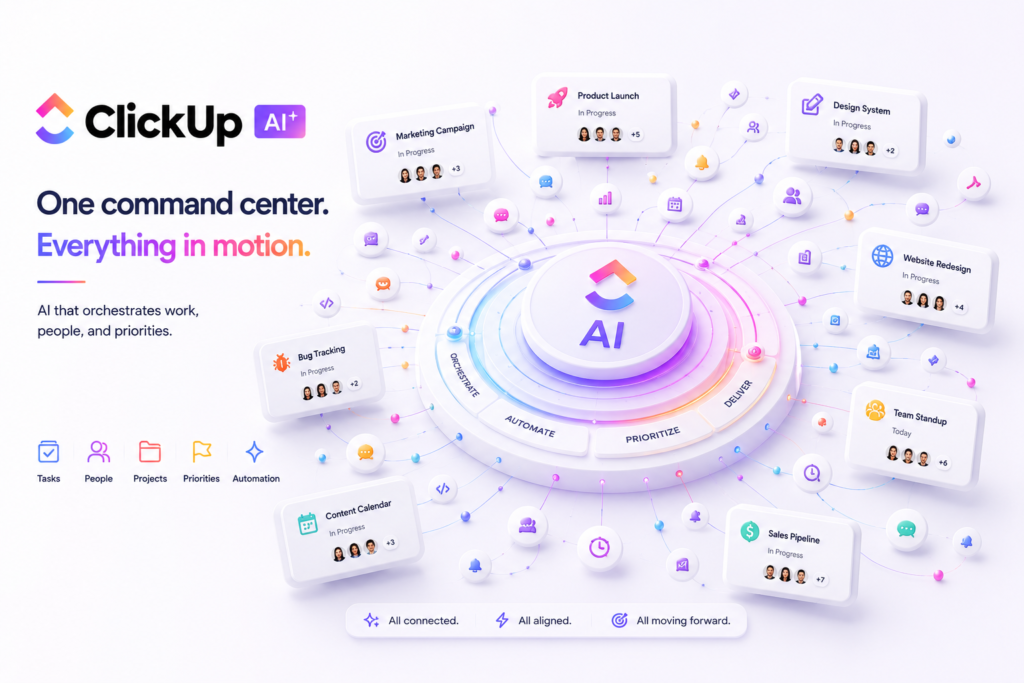
Review type: Research-based review
Last verified: 21 October 2026
Target audience: Small businesses, startups, marketing teams, agencies, product teams, operations managers, and enterprises evaluating AI-assisted work management
Primary business problem: Centralizing tasks, documents, communication, reporting, and workflow automation while managing the cost and complexity of AI adoption.
Disclosure notice: This review is based on publicly available product information, reported official documentation, pricing information, and other relevant research. We have not independently tested ClickUp AI. Features, prices, usage limits, integrations, and policies may change. Verify current details directly with ClickUp before making a purchasing decision.
Quick Verdict: ClickUp AI
| Review detail | Assessment |
|---|---|
| Primary business problem | Fragmented work management across tasks, documents, communication, dashboards, and automations |
| Best-fit audience | Small businesses and growing teams managing recurring, cross-functional projects |
| Not ideal for | Users who need only a simple task list, lightweight notes, or standalone AI writing |
| Main purpose | AI-assisted project management, collaboration, documentation, and workflow automation |
| Strongest documented advantage | A unified work-management environment combining project features with AI assistance and automation |
| Main trade-off | Workspace configuration, learning requirements, subscription costs, and pooled AI-credit consumption |
| Starting price | Free Forever; Core is reported at $9 per user/month with annual billing |
| Free plan or trial | Free Forever plan with reported AI-credit limits and limited Brain² access; confirm current trial terms |
| Business-fit verdict | Good Fit for integrated work management; Conditional Fit for simple task tracking |
| Research-based rating | 4.05/5 |
| Assessment type | Research-Based Assessment |
| Last verified | 21 October 2026 |
Our Verdict
ClickUp AI is worth evaluating if your business needs project management, documentation, team collaboration, dashboards, and automation within one work-management platform. Its documented product offering includes AI assistance, AI-powered workflows, and higher-tier capabilities intended for more advanced automation and enterprise administration. However, a large feature set does not guarantee better business outcomes. Workspace design, plan restrictions, AI-credit consumption, and human review can materially affect the total cost of ownership. The supplied research reports updated pricing and security features, but direct URLs for several underlying sources were not provided, and AI quality and automation reliability have not been independently tested. We recommend a limited, measurable pilot before committing to a paid plan or organization-wide rollout.
Key Takeaways
- Best reason to consider it: Consolidate project work and apply AI assistance within the same workspace.
- Main limitation: Setup complexity and the need to manage AI credits, automation limits, permissions, and review processes.
- Best business application: Managing recurring marketing campaigns or client-delivery projects.
- Pricing consideration: The research reports Core at $9, Business at $17, and Max at $100 per user/month with annual billing; verify current prices and eligibility.
- Alternative to consider: Notion for document-centric knowledge management or Asana for teams focused primarily on project and task coordination.
- Our recommendation: Pilot one clearly defined workflow and measure completion rates, errors, rework, and total cost before scaling.
1. Introduction
As businesses adopt AI to streamline operations, project management platforms are evolving into intelligent workspaces. ClickUp AI (formerly ClickUp Brain, now part of ClickUp’s AI platform) combines project management, documentation, collaboration, workflow automation, and AI-powered assistance in one platform.
ClickUp is a work-management platform that brings together tasks, documents, collaboration, dashboards, and workflow automation. Its AI offering extends this environment with assistance for creating and summarizing content, working with project information, and supporting selected automated workflows.
For small businesses and agencies, the attraction is straightforward: operational information often becomes fragmented across project-management tools, shared documents, chat applications, and spreadsheets. A unified workspace may make it easier to organize work and maintain visibility into delivery.
However, consolidating work into one platform is not automatically the right decision. Teams must consider migration effort, workspace design, user adoption, subscription costs, AI usage limits, and the quality of AI-generated outputs.
This ClickUp AI review examines the platform’s reported features, pricing, business applications, integrations, security information, limitations, and alternatives. It focuses on whether ClickUp is a sensible business investment for a defined workflow, rather than assuming that adding AI will automatically improve productivity.
2. What Is ClickUp AI?
ClickUp AI is the AI capability layer associated with ClickUp’s work-management platform. The supplied research describes its offering in terms of Brain Assistant, Brain MAX, Autopilot Agents, and related AI-powered functions. Product names and availability should be confirmed against current official documentation before publication.
| Attribute | Finding |
|---|---|
| Provider | ClickUp |
| Product category | AI-assisted work management and project management |
| Core functionality | Tasks, documents, collaboration, dashboards, automation, and AI assistance |
| Target audience | Individuals, small businesses, agencies, growing teams, and enterprises |
| Availability | Cloud-based service, according to the supplied research |
| Business problem addressed | Organizing work and supporting recurring workflows in one environment |
| Deployment model | Cloud-based; enterprise options and contractual controls depend on the selected plan |
| Launch history | Not independently verified from the supplied source URLs |
ClickUp AI is not simply a standalone conversational assistant. Its potential advantage comes from embedding AI in a broader environment where teams already organize tasks, projects, documents, and operational information.
Businesses that primarily need general-purpose writing, coding, or open-ended research may still prefer a dedicated AI assistant. Businesses that need AI assistance connected to project execution may find ClickUp more relevant.
How It Works
The following is a simplified description of the potential workflow. The precise features and available actions depend on the product version, subscription, configuration, and permissions.
- Input: A team member creates or updates tasks, documents, project information, or other supported workspace content.
- Processing: Available AI features process a prompt or supported context to generate content, summaries, answers, or workflow assistance.
- Output: The user receives an AI-generated response, summary, draft, or supported action.
- Review: A team member checks the output for accuracy, completeness, appropriate permissions, and business suitability.
- Integration or action: Where supported, configured automations or integrations connect the workflow to other systems.
Important: Do not assume every workflow can be executed autonomously. Confirm the specific action, subscription requirements, permissions, and available safeguards before relying on an automated process.
3. Research Methodology and Evidence Standards
How This Review Was Prepared
This review uses the Perplexity research supplied for ClickUp AI, including reported findings about official pricing, product features, integrations, and security documentation. It is a research-based assessment, not a hands-on product test.
The research covers:
- Product features and AI capabilities.
- Current plan names and reported prices.
- AI-credit allowances and automation limits.
- Integrations, API-related capabilities, and MCP usage.
- Published privacy, security, and compliance statements.
- Potential business applications and implementation requirements.
- Limitations, alternatives, and buyer decision criteria.
The research summary identifies several findings as verified against official ClickUp sources. However, it does not provide the exact URLs for every source in its source inventory. Consequently, the individual claims cannot all be independently traced from this article to the specific supporting document.
The findings below should therefore be read with the evidence labels and qualifications provided. The reported pricing and product details require a final direct-source check before publication.
Evidence Source Hierarchy
| Priority | Source type | Appropriate use |
|---|---|---|
| 1 | Official product documentation | Features, supported actions, technical requirements, and restrictions |
| 2 | Official pricing page | Plans, prices, billing conditions, and usage allowances |
| 3 | Official privacy, security, and trust documentation | Data handling, access controls, security features, and compliance statements |
| 4 | Official changelog and release notes | Product changes, new features, and deprecations |
| 5 | Reputable independent analysis | Independent technical evaluations and comparisons |
| 6 | User reviews and community discussions | Directional evidence about user experiences, not proof of performance |
Evidence Classification
- Verified from identified sources: A claim reported as confirmed against an identified source. For this review, the direct supporting URL still needs to be attached wherever it was omitted from the research packet.
- Research-Based Analysis: Our interpretation of the reported capabilities and their potential suitability for a business workflow.
- Not Independently Verified: A claim for which sufficient supporting evidence was not available in the supplied research.
- Illustrative Scenario: A proposed workflow that has not been implemented or tested by Intelligent AI Lab.
What We Could Not Verify
| Evidence area | Finding |
|---|---|
| AI output quality | No independent benchmark of answer accuracy, generated-content quality, or hallucination rates was supplied. |
| Automation reliability | The practical reliability of Autopilot Agents, AI Fields, and MCP workflows was not independently tested. |
| Exact AI-credit consumption | The precise cost of individual AI actions was not established beyond the reported credit allowances and top-up pricing. |
| Ease of use | The supplied research identifies setup complexity as a concern, but no independent usability test was conducted. |
| Support quality | Current plan descriptions reportedly identify support availability, but service quality was not independently evaluated. |
| Business performance | No independently demonstrated results were supplied for productivity, context switching, project delivery, or ROI. |
| Integration behavior | The research identifies numerous integrations, but specific workflows, synchronization behavior, and failure handling were not tested. |
| Launch history | The claim that ClickUp launched in 2017 was not independently verified through the identified source material. |
| Template count | The claim that ClickUp offers “hundreds of templates” was not independently verified. |
| API terminology | The precise claim that a REST API is documented under that name needs confirmation from current API documentation. |
| Certain integrations | Slack, HubSpot, Zoom, and GitHub were not independently verified in the current pricing-page research described in the supplied material. |
| Enterprise add-ons | Public prices for Certified Agents and ClickUp Assist were not established in the supplied research. |
Sources Consulted
| Source | Information Used |
|---|---|
| ClickUp pricing | Plans, prices, credits, automations, integrations, and Enterprise/Max features |
| ClickUp AI privacy/security FAQ | AI models, data training, privacy, security, HIPAA, and permissions |
| ClickUp FAQs | Plan structure, AI features, security certifications, and billing |
| ClickUp pricing per role | Plan descriptions and guest seats |
| ClickUp AI feature availability | Trial uses and actions by plan |
| ClickUp upgrade plan | Plan structure and upgrade process |
| ClickUp downgrade plan | Plan structure and downgrade process |
| ClickUp add-ons | Brain AI and Everything AI inclusion in new plans |
| ClickUp security policy | Security controls, encryption, and data classification |
4. Key Features of ClickUp AI
The following features are described in the supplied research. Availability, plan restrictions, and exact product terminology should be confirmed against current documentation.
| Feature | What it does | Potential business value | Availability and limitations |
|---|---|---|---|
| Brain Assistant | Provides AI assistance in supported workspace contexts | May help users find information and draft or summarize content | Usage and feature availability depend on plan and credits |
| Brain MAX | Higher-tier AI offering described in the supplied research | May suit teams with more demanding AI workflows | Reported as a Max-plan capability; verify current terms |
| Autopilot Agents | Supports configured AI-agent workflows | May reduce repetitive actions in suitable workflows | Credit usage, permissions, and available actions need verification |
| AI writing and summaries | Generates or summarizes supported content | May assist with briefs, notes, and project updates | Output requires review; usage limits may apply |
| AI Fields | Applies AI to supported fields and structured workflow information | May reduce repetitive updates or categorization | Credit-dependent on some plans; reported unlimited access on Max |
| AI-powered automations | Supports automation involving AI capabilities | May help connect recurring workflow steps | Limits, triggers, and action costs depend on the plan |
| AI Dashboard Cards | Supports AI-assisted dashboard content | May help teams review project information | Availability and usage restrictions require verification |
| AI Notetaker | Supports meeting-related note-taking and summaries | May reduce manual preparation of meeting notes | Plan availability and recording permissions must be checked |
| MCP | Provides a mechanism for supported external AI-tool interactions | May enable custom AI-assisted workflows | Compatibility, authentication, rate limits, and access controls matter |
| Enterprise Search | Supports search across workspace and connected information sources | May help users retrieve relevant work information | Availability and connected-source restrictions need confirmation |
| Standard automations | Automates supported task and workflow actions | May reduce repetitive administrative work | Monthly action limits vary by plan |
| Native integrations | Connects ClickUp with supported third-party tools | May reduce manual transfer between systems | Exact integrations and supported actions must be checked |
| Enterprise administration | Includes reported governance and administrative capabilities | May support larger organizations with stricter controls | Many advanced controls are reported as Enterprise or Max features |
The Features That Matter Most for Businesses
1. Unified work management
ClickUp combines project and work-management capabilities in one platform. For teams currently maintaining separate systems for tasks, project documents, and reporting, consolidation may simplify how information is organized.
The potential value depends on whether the team can actually retire redundant tools. Adding ClickUp without removing or integrating existing systems may increase rather than reduce complexity.
2. AI assistance within work context
AI assistance can be more useful when it operates alongside relevant project information than when employees must repeatedly copy and paste context between applications.
However, the quality of generated summaries, answers, and drafts must be assessed using representative business information. A feature’s existence does not establish its accuracy or usefulness for a particular team.
3. Configurable agents and automations
The supplied research describes Autopilot Agents and AI-related automation capabilities. These may be useful for recurring workflows with predictable inputs, clear rules, and defined exception handling.
Before deployment, verify exactly which actions an agent can perform, which permissions it receives, whether a human approval step is supported, and how failures are logged or corrected.
4. Integrations and governance
The supplied research reports more than 50 native integrations and additional options through services such as Zapier and Make. It also reports advanced enterprise controls.
Businesses should evaluate integrations based on the actual workflow they need—not merely the number of connectors advertised. For regulated or sensitive information, review the precise security, contractual, and access-control requirements of the selected plan.
5. How Businesses Can Use ClickUp AI
| Business function | Example problem | How ClickUp may help | Human oversight or requirement |
|---|---|---|---|
| Project management | Work is distributed across tasks, documents, and reports | Organize work, monitor status, and use supported AI summaries | Verify deadlines, dependencies, and project status |
| Marketing | Campaign requests require repeated planning and coordination | Organize briefs, calendars, tasks, and approvals | Review content, brand fit, and claims |
| Client delivery | Teams need consistent visibility into deliverables | Track assignments and prepare status information | Check client-facing updates before sharing |
| Internal documentation | Procedures and project knowledge are fragmented | Draft or summarize supported documents | Validate facts, procedures, and version control |
| Operations | Repetitive administrative tasks consume staff time | Use configured automations and supported AI capabilities | Monitor failures, exceptions, and unintended actions |
| Meetings | Staff manually prepare and distribute meeting notes | Use supported meeting-note and summarization features | Confirm recording permissions and review action items |
Best-Fit Business Use Case: Marketing Campaign Management
Business problem: A small marketing team needs to coordinate campaign briefs, content tasks, approvals, deadlines, and reporting across multiple contributors.
Relevant capabilities: ClickUp’s task management, documents, dashboards, standard automations, and available AI assistance may support this workflow.
Required inputs and systems:
- Campaign brief and objectives.
- Brand guidelines and content requirements.
- Team roles and ownership rules.
- Approval stages and deadlines.
- A defined reporting process.
Proposed workflow:
- Create a campaign project from an approved brief.
- Organize the work into tasks with owners and due dates.
- Use available AI features to draft or summarize supported content.
- Configure appropriate reminders or workflow automations.
- Have the responsible person review content, assignments, and deadlines.
- Monitor delivery through project views or dashboards.
Risks and limitations: Poorly defined tasks, incomplete briefs, incorrect AI-generated content, misconfigured automation rules, and unexpected credit usage may undermine the workflow.
Suggested pilot metrics:
- Percentage of tasks completed by the agreed deadline.
- Number of incorrect or failed automation actions.
- Editing and rework time.
- Time required to prepare a campaign.
- AI credits consumed per campaign.
- Total cost per completed campaign.
These metrics are proposed evaluation criteria, not claims of results achieved by ClickUp.
6. Intelligent AI Lab Business Decision Analysis
The Business Problem ClickUp AI Is Best Suited to Address
ClickUp AI is most relevant when a business struggles to coordinate recurring work across tasks, documents, collaboration, and reporting systems.
The strongest potential fit is a team that wants to standardize project execution and introduce AI assistance within the same work-management environment. Agencies, marketing teams, and growing businesses with recurring delivery processes are reasonable candidates for evaluation.
The business objective should not simply be to “use AI.” It should be to improve a defined workflow, reduce avoidable administrative work, or make project execution more consistent without introducing disproportionate costs or risks.
Is This the Right Tool for the Job?
| Decision factor | Assessment |
|---|---|
| Primary use case | AI-assisted work management and recurring workflow coordination |
| Capability fit | Strong potential fit for integrated project work; more limited justification for simple task tracking |
| Main advantage | Combines work-management functions with AI assistance and configurable automation |
| Main trade-off | Workspace design, adoption effort, plan restrictions, and credit management |
| Cost consideration | Subscription fees, potential AI-credit top-ups, implementation time, and review effort |
| Implementation consideration | Requires a clear workspace structure, defined roles, appropriate permissions, and maintainable workflow rules |
| Key uncertainty | Whether the actual AI outputs and automated actions meet the team’s quality, reliability, and cost requirements |
When to Choose ClickUp AI
Consider ClickUp AI when:
- Your team manages recurring projects involving several people and related documents.
- You need tasks, reporting, and collaboration in a more unified environment.
- AI assistance is relevant to frequent, well-defined work.
- The available integrations and automations support your existing systems.
- Someone can own workspace design, administration, and ongoing maintenance.
- The plan’s usage limits and total cost are acceptable.
When to Choose an Alternative
Consider another tool when the primary need is narrower:
- Notion: Consider it when documentation and connected knowledge are the primary requirements.
- Asana: Consider it when the team mainly needs project and task coordination.
- Monday.com: Consider it when visual workflow management is the central requirement.
- ChatGPT: Consider it when the primary need is a general-purpose AI assistant for writing, brainstorming, or coding.
- Airtable: Consider it when the workflow is fundamentally database-driven.
- Wrike: Evaluate it when enterprise project management and reporting requirements are central.
These are use-case distinctions, not independently benchmarked rankings. Verify current capabilities, pricing, and integration support before choosing between products.
When Not to Use AI
AI may be unnecessary when a process is simple, infrequent, and already handled reliably by existing software.
Before introducing AI, consider whether a spreadsheet, standard task template, form, rule-based automation, or clearer operating procedure would solve the problem with less cost and complexity.
Do not rely on AI-generated content or autonomous actions as the sole control for consequential legal, medical, financial, compliance, or personnel decisions. Apply appropriate expert review and approval.
Our Recommended Next Step: Conduct a Limited Pilot
Select one recurring workflow, such as marketing campaign management or client delivery, and test it with representative tasks before expanding adoption.
Suggested pilot duration: Two to four weeks, as a planning recommendation rather than a verified product requirement.
Measure:
- Task completion and deadline adherence.
- Automation success and failure rates.
- AI-output quality and correction effort.
- Credit consumption and subscription cost.
- Total cost per completed workflow.
Record a baseline before the pilot. Establish explicit success criteria and failure thresholds, and include implementation and human-review costs.
Evidence note: This is a research-based recommendation. Intelligent AI Lab has not independently tested ClickUp AI or demonstrated productivity improvements from these workflows.
7. Illustrative Business Automation Examples
The following scenarios are illustrative. They have not been implemented or tested by Intelligent AI Lab. The precise steps depend on current ClickUp functionality, plan availability, permissions, and configuration.
Example 1: Marketing Campaign Workflow
Business scenario: A small marketing team needs to coordinate campaign requests, content production, approvals, and delivery.
Tools involved: ClickUp, campaign brief, brand guidelines, and the team’s existing content and approval processes.
Before
A campaign request arrives by email. A project manager manually creates tasks, assigns contributors, follows up on deadlines, and compiles progress reports.
Proposed workflow
- Trigger: A campaign request is approved.
- Input: The campaign brief, deliverables, brand guidelines, and target dates.
- AI assistance: Use available AI features to draft or summarize supported campaign information.
- Workflow action: Configure supported task assignments, reminders, and status changes.
- Human oversight: A marketing manager validates content, ownership, deadlines, and dependencies.
- Output: An organized campaign project with trackable deliverables and status information.
Potential benefits
- More consistent campaign organization.
- Potentially less repetitive administrative work.
- Better visibility into task ownership and progress.
Requirements and limitations
- The campaign brief and assignment rules must be clear.
- AI-generated content requires editorial review.
- Automations must be tested for errors and unintended actions.
- Credit consumption and plan restrictions must be understood.
Suggested success metrics
- Time required to prepare a campaign.
- Task completion rate.
- Automation failure rate.
- Editing and rework time.
- AI credits consumed per campaign.
Evidence note: This is a proposed workflow. Validate feasibility and business impact in a controlled pilot before deployment at scale.
Example 2: Client-Delivery Reporting
Business scenario: An agency needs to keep clients informed about deliverables, outstanding tasks, and project status.
Tools involved: ClickUp, project records, agreed reporting templates, and approved client-communication channels.
Before
An account manager collects updates from team members and manually prepares status emails or reports.
Proposed workflow
- Trigger: A scheduled reporting date arrives.
- Input: Project tasks, approved updates, deadlines, and outstanding issues.
- AI assistance: Use supported summarization features to prepare a draft status summary.
- Workflow action: Assemble the draft in the agreed reporting format.
- Human oversight: The account manager verifies accuracy, risks, and client-facing language.
- Output: An approved status report and updated project records.
Potential benefits
- More consistent reporting.
- Potentially less time spent assembling project updates.
- Better visibility into outstanding work.
Requirements and limitations
- Source task data must be current.
- The summary must not conceal delays, unresolved issues, or risks.
- Client information must be shared only through approved channels.
- External delivery should require the appropriate human approval.
Suggested success metrics
- Time required to prepare each report.
- Number of corrections before sending.
- Missing or inaccurate status items.
- Cost per completed report.
Evidence note: These are proposed workflow designs, not measured ClickUp performance results.
8. Pros and Cons of ClickUp AI
| Pros | Cons |
|---|---|
| Combines project and work-management functions in one platform | Workspace configuration may be complex |
| Offers AI assistance for supported work contexts | AI output quality and reliability have not been independently benchmarked here |
| Provides standard workflow automation | Automation limits and configuration requirements vary |
| Supports a reported range of native integrations and third-party connections | A listed integration does not guarantee that every required action or data flow is supported |
| Offers higher-tier administration and governance features, according to the supplied research | Advanced requirements may necessitate a higher-priced plan or contractual review |
| Provides a reported Free Forever entry plan | Free access does not establish that the full AI workflow is available without restrictions |
| Offers reported AI-credit top-ups | Usage-based costs may be difficult to predict before testing representative workloads |
What These Pros and Cons Mean for Buyers
ClickUp’s potential strength is the combination of work management and AI assistance. That combination matters most when a business has recurring workflows and can benefit from organizing tasks, documents, and status information together.
The main question is whether the unified environment reduces enough operational friction to justify the effort of configuring it and helping employees adopt it. Businesses should not assume that consolidating tools automatically reduces total cost.
Similarly, AI agents and automation capabilities should be evaluated as operational components that require testing, monitoring, and exception handling—not as guarantees of fully autonomous execution.
9. ClickUp AI Pricing and Plans
Pricing verification date reported by the research: 21 October 2026
The supplied Perplexity research reports that ClickUp’s current plans are Free Forever, Core, Business, Enterprise, and Max. This differs from the older plan names and prices in the original article.
Official pricing page: https://clickup.com/pricing
The following prices and allowances are reported by the supplied research. Check the live pricing page immediately before publication or purchase.
| Plan | Reported price | Billing basis | Reported features and limits |
|---|---|---|---|
| Free Forever | $0 | Free | 60 MB storage, unlimited tasks and members, 500 AI credits per workspace, limited Brain² access or trial, and 100 automation actions per month |
| Core | $9/user/month | Annual billing | Unlimited storage, spaces, forms, and Gantt; 1,000 automation actions per month; reported 1,000 pooled AI credits per user/month |
| Business | $17/user/month | Annual billing | Advanced dashboards, webhooks and automation integrations, resource management, 10,000 automation actions per month, and reported 1,500 pooled AI credits per user/month |
| Enterprise | Custom | Contract pricing | Reported advanced administration, custom roles, audit logs, enterprise SSO, data residency, and 1 million automation actions per month |
| Max | $100/user/month | Annual billing | Reported Brain² MAX capabilities, custom skills, context engine, MCP, and higher-tier AI allowances; 1 million automation actions per month is reported for this tier |
The research also reports pooled AI-credit allowances of 3,000 per user/month for Enterprise and 10,000 per user/month for Max. These amounts, the precise pooling rules, and all plan-specific feature entitlements must be checked against the current official pricing documentation.
AI Super Credits
The supplied research reports the following price for additional AI Super Credits:
| Item | Reported price | Important consideration |
|---|---|---|
| AI Super Credits | $10 per 10,000 credits | Usage varies by action and complexity; verify the applicable credit rules and eligible features |
AI credits reportedly support features such as Super Agents, AI Fields, automations, and image generation. The exact credit cost of a particular action was not established in the supplied research.
Do not estimate monthly AI spend simply by counting users. Forecast usage from representative workflows and confirm the credit accounting rules first.
What to Know Before Paying
1. Plan names have changed. The original article’s Unlimited, Business Plus, Brain AI, and Everything AI references should not be retained as current standalone plan options without further confirmation.
2. Annual billing matters. The reported Core, Business, and Max prices use annual billing. Confirm monthly billing alternatives and any eligibility conditions on the live pricing page.
3. AI usage may create additional costs. Understand pooled credits, top-ups, and the cost of the particular actions you intend to use.
4. Automation limits vary. The research reports 100 monthly automation actions on Free Forever, 1,000 on Core, 10,000 on Business, and 1 million on Enterprise and Max.
5. MCP limits reportedly vary by plan. The supplied research reports 100 calls/day on Free, 300 on Core, 1,000 on Business, 25,000 on Enterprise, and no daily cap on Max. Verify current definitions and applicable restrictions.
6. API rate limits reportedly vary. The research reports 100 calls/minute on Free, Core, and Business, and 10,000 calls/minute on Enterprise and Max. Confirm the current technical documentation and plan applicability.
7. Workspace billing and upgrades need confirmation. The research reports that upgrading affects the entire workspace. Confirm seat requirements, guest rules, proration, and the implications for existing users.
8. Refunds and discounts need direct verification. The supplied research reports a 30-day money-back guarantee and discounts for certain organizations, including nonprofits, students, educators, and startups. Check current eligibility and terms before relying on them.
Is ClickUp AI Worth the Price?
ClickUp AI may offer good value when the business needs a unified work-management platform and can use its features frequently. Its value is less certain for individuals or small teams that only need occasional AI writing or simple task tracking.
The relevant cost is more than the subscription. Include:
- Paid seats and the selected billing basis.
- AI-credit top-ups.
- Implementation and migration time.
- Workspace administration and maintenance.
- Employee training and adoption.
- Human review, correction, and exception handling.
- Any required third-party services or custom integrations.
A business should evaluate cost per completed workflow, not just the number of advertised features.
Best Plan Recommendation
These are starting points for evaluation, not unconditional purchasing recommendations.
| Buyer type | Plan to evaluate first | Reason | What to verify |
|---|---|---|---|
| Individual or small team exploring ClickUp | Free Forever | May be sufficient to evaluate basic work-management fit | AI access, storage, automation, and trial restrictions |
| Small team needing more capacity | Core | Reported expanded storage and automation allowances | Seat count, AI-credit requirements, and annual commitment |
| Growing team needing more reporting and automation | Business | Reported advanced dashboards, webhooks, and higher automation limits | Required features, credit use, and actual workflow volume |
| Enterprise with governance requirements | Enterprise | Reported advanced access controls and contractual options | Security documentation, pricing, DPA, compliance, and data residency |
| Team needing higher-tier AI capabilities | Max | Reported access to Brain² MAX and additional AI-related capabilities | Whether the extra capabilities justify the price and actual credit requirements |
Do not upgrade merely because a higher tier has more features. Start with the lowest plan that demonstrably supports the required workflow and controls.
10. Integrations and Technical Requirements
The supplied research reports more than 50 native integrations. The following findings distinguish reported availability from functionality that still requires confirmation.
| Integration or requirement | Research finding | What to check |
|---|---|---|
| CRM and sales | Salesforce is reported as supported; HubSpot was not independently verified in the supplied pricing-page research | Confirm the current connector, supported objects, synchronization, and plan requirements |
| Email and collaboration | The research describes collaboration features and certain third-party integrations | Confirm the precise integrations and supported actions required |
| Automation platforms | Zapier and Make are reported as supported on all plans | Verify triggers, actions, limits, and applicable third-party costs |
| API and webhooks | API-related capabilities and webhooks are reported | Confirm current API documentation, authentication, rate limits, and plan restrictions |
| MCP | MCP support and plan-dependent limits are reported | Confirm compatibility, permissions, action availability, and current limits |
| Cloud storage and documents | Google Drive, Dropbox, Box, and OneDrive are reported as supported integrations | Verify synchronization, permissions, and the specific content available to connected features |
| Design and development | Figma, Jira, and Azure DevOps are among the reported integrations | Confirm supported actions and suitability for the intended workflow |
| Enterprise administration | Advanced permissions, SSO, SCIM, audit logs, and data residency are reported for higher tiers | Check the exact plan, contractual terms, and administrative requirements |
| Implementation | Workspace design and automation configuration are important considerations | Identify ownership, technical skills, testing, and ongoing maintenance needs |
Native vs. Third-Party Integrations
- Native features: Tasks, documents, dashboards, and other capabilities provided directly within ClickUp.
- Native integrations: Connectors supported directly by ClickUp. Availability does not guarantee every action or synchronization pattern.
- Third-party integrations: Connections through external platforms such as Zapier or Make, potentially subject to their own pricing and limits.
- Custom integrations: Workflows requiring API development or bespoke configuration.
- Unverified integrations: Connections for which the supplied research did not establish current support or required functionality.
The current support status of Slack, HubSpot, Zoom, GitHub, and n8n should be verified directly if any is essential to the business case.
Implementation Considerations
A business should start by mapping the current workflow and deciding which system will own each important record.
Before introducing AI automation:
- Define workspace structure and task ownership.
- Set appropriate user roles and permissions.
- Confirm that the required integrations support the actual workflow.
- Establish rules for human approval and exception handling.
- Test representative tasks before enabling automation broadly.
- Monitor usage, failures, and changes to integrations or plan limits.
The goal is a maintainable process—not simply a technically possible automation.
11. ClickUp AI vs. Alternatives
The right comparison depends on whether the business needs integrated work management, documentation, visual workflows, or a standalone AI assistant.
| Tool | Best for | Key difference | Pricing position | Consider it instead when |
|---|---|---|---|---|
| ClickUp AI | Integrated project and work management | Combines work-management capabilities with AI assistance and automation | Free plan; paid pricing reported from $9/user/month annually | You need a unified workspace and can manage its configuration |
| Notion AI | Documentation and knowledge management | A document- and knowledge-oriented workspace with AI capabilities | Verify current pricing directly with Notion | Knowledge organization and document workflows are the main priority |
| Asana | Project and task coordination | Focuses on structured work and project coordination | Verify current pricing directly with Asana | You need a project-management-focused environment |
| Monday.com | Visual workflow and operations management | Visual boards and workflow-oriented operations | Verify current pricing directly with Monday.com | Visual process tracking is central to your needs |
| ChatGPT | General-purpose AI assistance | Supports a wide range of conversational and content tasks outside a single work-management system | Verify current pricing directly with OpenAI | You primarily need writing, brainstorming, coding, or general AI assistance |
| Airtable AI | Database-driven workflows | Database-oriented information management and workflow capabilities | Verify current pricing directly with Airtable | Structured records and database-driven processes dominate the use case |
| Wrike | Project management and reporting | Project-work management with enterprise-oriented capabilities | Verify current pricing directly with Wrike | Your requirements center on enterprise project controls and reporting |
These descriptions identify plausible alternatives; they are not the result of a current hands-on comparative test. The relative prices and feature sets of the alternatives have not been verified for this review.
Which Tool Should You Choose?
- Choose ClickUp AI if you need work management, documentation, collaboration, and supported automation in one environment.
- Choose Notion if knowledge management and document-centered workflows matter most.
- Choose Asana if your primary need is project and task coordination.
- Choose Monday.com if visual workflow management is the central requirement.
- Choose ChatGPT if you need a general-purpose AI assistant rather than a work-management platform.
- Choose Airtable if your workflow is built around structured records and databases.
- Choose Wrike if its project-management and reporting capabilities better match your enterprise requirements.
If you are unsure, compare two or three shortlisted tools using the same representative workflow, requirements, and success metrics.
12. Who Should Use ClickUp AI?
Recommended For
- Small business owners: When work is fragmented across tasks, documents, and project updates.
- Marketing teams: When campaign briefs, content tasks, approvals, and delivery need coordination.
- Agencies: When client projects require clear ownership, deadlines, and reporting.
- Startups: When a consistent work-management structure is needed as teams grow.
- Product teams: When projects require coordinated work and reporting, subject to feature suitability.
- Operations teams: When recurring administrative workflows can be standardized and safely automated.
Not Ideal For
- Individuals who only need basic notes: A lighter document or note-taking tool may be sufficient.
- Teams needing only simple task lists: A simpler task manager may reduce setup and administration.
- Businesses expecting fully autonomous project management: AI and automation still require appropriate permissions, monitoring, and human accountability.
- Teams with very occasional AI needs: A paid AI-heavy plan may not be justified.
- Organizations with strict requirements that have not been confirmed: Verify plan entitlements, contractual controls, integrations, and data handling before adoption.
Best-Fit Buyer Profile
The strongest candidate is a small business, agency, or growing team with recurring projects, several contributors, and a need to coordinate tasks, documentation, and reporting. It should have a clear operational problem, someone responsible for configuration, and a willingness to measure the cost and quality of the proposed workflow.
The deciding factors are not the number of features. They are workflow fit, adoption effort, integration reliability, governance, and total cost per completed task.
13. How to Get Started With ClickUp AI
This is a research-based implementation guide. Intelligent AI Lab has not configured or tested the product as part of this review.
Step 1: Identify One Business Problem
Choose a frequent, measurable task such as campaign coordination, client reporting, or internal documentation. Describe the current process and its main bottleneck.
Step 2: Confirm Product Fit
Check whether the required features, integrations, plan limits, and automation actions are supported. Do not assume that a feature listed in a product overview is included in every subscription.
Step 3: Review Data and Permissions
Determine what information the workflow requires, which users and AI features can access it, and what the provider’s applicable policies say about data handling. Avoid uploading sensitive customer or business information until the relevant terms and controls have been reviewed.
Step 4: Design a Limited Pilot
Define inputs, expected outputs, approval points, failure handling, and a fallback process. Keep human oversight for consequential or client-facing actions.
Step 5: Establish a Baseline
Measure the existing process before introducing ClickUp AI. Depending on the workflow, record:
- Time per task.
- Cost per completed task.
- Error and rework rates.
- Response or completion time.
- Number of manual steps.
- Current software and administration costs.
Step 6: Evaluate the Pilot
Compare the pilot with the baseline using consistent criteria. Include subscriptions, AI credits, integration costs, review time, maintenance, and exception handling.
Step 7: Decide Whether to Expand
Continue, revise, or stop based on evidence. Expand only when the workflow meets its quality, reliability, governance, and cost requirements.
14. Limitations, Risks, and Governance
The supplied research reports several security and privacy claims made by ClickUp. These should be checked against current official documentation and applicable contractual terms before being used for a security-sensitive purchasing decision.
| Risk area | Research finding | What businesses should check |
|---|---|---|
| Accuracy and reliability | AI assistance is documented, but independent output-quality benchmarks were not supplied | Test representative outputs and define acceptable error thresholds |
| Privacy and data retention | ClickUp reportedly states that AI providers do not train on workspace data and that zero-data-retention agreements apply to LLM partners | Confirm the applicable policy, scope, exceptions, and contractual terms |
| Model training and data use | ClickUp reportedly describes its approach as using in-context learning rather than training models on workspace data | Verify the current AI privacy documentation and applicable product terms |
| Security | The research reports AWS hosting, encryption, and several ISO, SOC, and PCI certifications | Obtain current documentation and confirm which systems and services each assurance covers |
| Compliance | Enterprise HIPAA support with a business associate agreement is reported | Confirm plan eligibility, contract requirements, intended use, and compliance obligations |
| Access and permissions | The research says AskAI respects user permissions but warns that configured Autopilot Agents may expose information beyond an individual user’s usual access | Review agent instructions, knowledge sources, permissions, and access boundaries |
| Usage limits | AI credits and automation actions are subject to reported plan-dependent limits | Confirm current allowances, top-up terms, and what happens when limits are reached |
| Human oversight | AI-generated content and automated actions may require review depending on the workflow | Define approval requirements and responsibilities for errors |
| Vendor dependency | ClickUp is a central workspace for the proposed workflow | Confirm export, migration, API, retention, and continuity requirements |
| Support and continuity | The research describes different plan features but does not establish real-world support quality | Confirm contractual support, response commitments, and escalation processes |
Security and Privacy: What the Research Reports
The supplied research attributes the following statements to ClickUp:
- AI providers are not permitted to train models on workspace data.
- Zero-data-retention agreements are in place with LLM partners.
- ClickUp uses in-context learning for workspace context.
- The platform uses AWS hosting and encryption.
- Security credentials reportedly include ISO 27001, ISO 27017, ISO 27018, ISO 42001, SOC 1 Type 2, SOC 2 Type 2, SOC 3, and PCI DSS.
- Enterprise options reportedly include data residency and HIPAA-related contractual support.
These are reported provider statements, not an independent security audit by Intelligent AI Lab. The precise scope, validity, and applicability of each certification or control were not independently checked for this review. Do not interpret the list as evidence that every feature, integration, configuration, or workflow meets every regulatory requirement.
What Businesses Should Check Before Adoption
- Confirm current pricing, plan entitlements, AI credits, and automation limits.
- Verify the precise integrations and actions needed for the intended workflow.
- Review the current AI privacy FAQ, security policy, DPA, and subprocessor information.
- Confirm whether required certifications and contractual protections cover the intended deployment.
- Review workspace permissions and the access available to configured agents.
- Define human approval, monitoring, and exception-handling procedures.
- Confirm data export and migration options before placing critical business processes on the platform.
- Obtain appropriate security, legal, technical, or compliance review for sensitive or regulated workflows.
The absence of a specific public detail in the supplied research is not proof that ClickUp lacks the relevant control. It means the buyer should confirm it before relying on it.
15. Final Verdict: Is ClickUp AI Worth It?
ClickUp AI deserves consideration from businesses that need a unified work-management platform and can benefit from AI assistance within recurring workflows. Its potential advantage is the combination of project coordination, documentation, dashboards, and supported automation in one environment.
That combination is most relevant to teams that currently manage work across multiple disconnected tools. For them, ClickUp may provide a practical environment in which to standardize tasks, organize project information, and evaluate AI-assisted workflows.
The main trade-off is implementation and operational complexity. Businesses must structure the workspace, define roles, validate integrations, manage AI-credit consumption, and ensure that generated content and automated actions meet their requirements. A broad feature set does not establish that the platform will reduce costs or improve delivery for a particular business.
The supplied research reports updated pricing and a range of security and governance capabilities. However, the exact supporting URLs for several claims were not included in the research packet, and independent evidence of AI quality, automation reliability, and business outcomes was not supplied. Those gaps should be resolved before making strong comparative claims or assigning a definitive numerical rating.
Final Buying Recommendation: Pilot
Start with a bounded workflow and the lowest plan that supports the required functionality. Establish a baseline, measure reliability and rework, track credit consumption, and include implementation and review costs. Upgrade only if the results justify the additional expense.
Choose an alternative if your needs are limited to basic task tracking, document management, or general-purpose AI assistance.
Bottom line: ClickUp AI is a reasonable candidate for integrated work management, but its value for your business must be demonstrated through a well-defined workflow—not inferred from the number of features it offers.
16. Intelligent AI Lab Rating and Scorecard
A. Business-Fit Verdict
Good Fit for teams needing all-in-one work management;
Conditional Fit for simple task tracking;
Poor Fit for users needing only a note-taking app.
B. Assessment Type
Research-Based Assessment.
No hands-on test or business pilot was conducted for this review.
C. Evidence Confidence
Moderate for the overall assessment.
The supplied research includes detailed reported findings about pricing, AI credits, automation limits, integrations, and governance. However, the individual source URLs are missing from the research packet, and the claims have not all been independently traced to the exact official documents.
Confidence is limited regarding real-world AI output quality, automation reliability, support quality, and measurable business outcomes.
D. Numerical Rating
Research-based rating: 4.05/5
Rating date: 21 October 2026
This rating represents a structured evaluation of documented suitability for the selected small-business use case. It is not a hands-on performance benchmark.
Weighted Scorecard
Intelligent AI Lab’s proposed evaluation rubric uses the following weights. These weights are an editorial evaluation framework, not a validated industry standard.
| Criterion | Weight | Score | Evidence and Rationale |
|---|---|---|---|
| Core capability fit | 25% | 5/5 | ClickUp documents tasks, docs, chat, dashboards, automations, Brain², Autopilot Agents, and MCP. |
| Business workflow fit | 20% | 4/5 | Strong documented alignment with project management, marketing, client management, and automation; business impact not independently demonstrated. |
| Implementation feasibility | 15% | 2/5 | Setup/customization can feel overwhelming; requires workspace design and role definitions. |
| Integrations and interoperability | 15% | 5/5 | 50+ native integrations, Zapier/Make, MCP, API, and webhooks documented. |
| Pricing and cost suitability | 15% | 3/5 | Verified pricing with Free/Core/Business/Enterprise/Max; AI credits pooled and may require top-ups. |
| Governance and operational readiness | 10% | 5/5 | SOC 2 Type 2, ISO certifications, GDPR, HIPAA, data residency, and enterprise governance documented. |
Weighted score calculation:
(5 × 0.25) + (4 × 0.20) + (2 × 0.15) + (5 × 0.15) + (3 × 0.15) + (5 × 0.10) = 4.05
Research-based rating: 4.05/5
Overall Assessment Summary
Business-fit verdict: Good Fit for teams needing all-in-one work management; Conditional Fit for simple task tracking
Research-based rating: 4.05/5
Evidence confidence: High for pricing, credits, automations, integrations, MCP, and governance; Moderate for AI-output quality, automation reliability, and workflow accuracy
Assessment type: Research-Based Assessment
Overall conclusion: ClickUp AI is a strong option for teams that need to centralize work and reduce tool sprawl with AI assistance. Its main buyer decision is all-in-one capability versus setup complexity: businesses with workspace-design resources should pilot ClickUp AI, while simple task-tracking teams should evaluate Asana or Notion AI. Its 4.05/5 rating reflects strong unified capability, offset by setup complexity and pooled AI credits.
17. Decision Checklist: Should You Choose ClickUp AI?
Choose or Shortlist ClickUp AI If:
- Its documented features address a recurring business problem.
- You need coordinated project work, documents, dashboards, and supported automations.
- The required integrations and plan limits meet your workflow requirements.
- The subscription and expected AI usage fit your budget.
- Data handling, permissions, and governance meet your requirements.
- You can establish a baseline and evaluate the result through a controlled pilot.
Consider an Alternative If:
- You only need basic task tracking or simple notes.
- A document-focused, project-focused, or database-focused tool better matches your workflow.
- A required integration or feature cannot be confirmed.
- The necessary plan is outside your budget.
- Configuration and maintenance would outweigh the potential value.
- An existing system or rules-based automation can solve the problem more simply.
Decision guidance: If a critical requirement remains unverified, resolve it before committing. A product can deserve a shortlist without being ready for immediate deployment.
18. Frequently Asked Questions About ClickUp AI
What is ClickUp AI used for?
ClickUp AI provides AI assistance within ClickUp’s work-management environment. The supplied research describes capabilities related to content generation, summarization, project work, and supported AI-powered workflows. Exact features depend on the current product offering, plan, and configuration.
Is ClickUp AI free?
ClickUp offers a plan called Free Forever, according to the supplied research. That research reports 500 AI credits per workspace and limited Brain² access or a trial. Confirm the current AI availability, trial conditions, and usage limits on the official pricing page before relying on them.
How much does ClickUp AI cost?
The supplied research reports Core at $9 per user/month, Business at $17 per user/month, and Max at $100 per user/month, all with annual billing. Enterprise pricing is reported as custom. AI Super Credits are reported at $10 per 10,000 credits. These prices and terms should be confirmed directly with ClickUp before purchase.
Official pricing page: https://clickup.com/pricing
Is ClickUp AI suitable for small businesses?
It may suit small businesses that manage recurring projects and want tasks, documents, reporting, and supported automation in one platform. The main considerations are implementation effort, team adoption, subscription cost, and AI usage. A limited pilot can establish whether it fits the business’s actual needs.
Is ClickUp AI better than ChatGPT?
They address different primary needs. ClickUp AI is designed to support work management within ClickUp, while ChatGPT is a general-purpose AI assistant. ClickUp may be more relevant when AI assistance must sit alongside project tasks and workspace information; ChatGPT may be more suitable for standalone writing, brainstorming, coding, and conversational tasks.
Can ClickUp AI automate business workflows?
The supplied research describes standard automations, AI Fields, Autopilot Agents, and integrations. The specific actions available, credit requirements, and plan restrictions must be confirmed. Automation reliability was not independently tested for this review, so important workflows should be piloted with appropriate human oversight.
Does ClickUp AI integrate with other business applications?
The supplied research reports more than 50 native integrations, including Jira, Microsoft Teams, Figma, Google Drive, Dropbox, Confluence, Salesforce, Tableau, and Azure DevOps. Zapier and Make are also reported as supported. Verify the exact integration and required actions in current official documentation. Slack, HubSpot, Zoom, GitHub, and n8n were not independently verified in the supplied research.
Is ClickUp AI safe for business data?
The supplied research reports that ClickUp says AI providers do not train models on workspace data and that zero-data-retention agreements are in place with its LLM partners. It also reports security certifications and enterprise governance features. These are provider statements that should be confirmed against current policies, certificates, and contractual terms. No AI platform should be treated as unconditionally safe for every type of business data.