
NotebookLM Review 2026: Features, Pricing, Use Cases & Is It Worth It for Small Businesses?
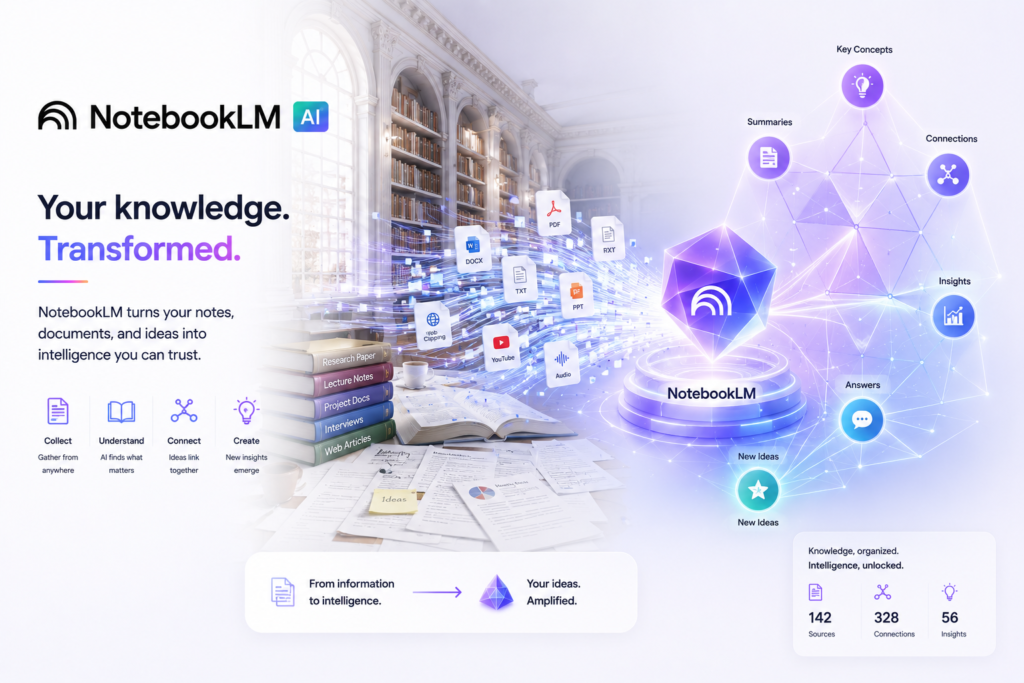
Formerly NotebookLM
Review type: Research-Based Assessment — not a hands-on product test
Last verified: 17 October 2026
Target audience: Small business owners, consultants, researchers, marketing teams, operations managers, and knowledge-intensive teams
Primary business problem: Finding, understanding, and reusing information scattered across business documents, reports, policies, and research sources.
Disclosure notice: This review is based on publicly available product documentation, pricing information, and other research. Intelligent AI Lab has not independently tested the product or conducted a business pilot. Features, pricing, integrations, usage limits, and policies may change. Verify current details with Google before making a purchase decision.
Quick Verdict: Gemini Notebook (Formerly NotebookLM)
| Review detail | Assessment |
|---|---|
| Primary business problem | Making business knowledge easier to find, understand, and reuse |
| Best-fit audience | Small businesses and teams working with substantial amounts of documentation |
| Not ideal for | Businesses needing end-to-end workflow automation, transactional systems, or a fully automated customer support platform |
| Main purpose | Source-grounded AI research and document analysis |
| Strongest documented advantage | Asking questions about a collection of supplied sources and generating responses grounded in those sources |
| Main trade-off | Source-grounded answers still require verification; usage limits, integrations, and real-world reliability need consideration |
| Starting price | Free tier documented; current consumer paid-plan prices require verification |
| Free plan or trial | Free access documented, subject to usage limits and availability |
| Business-fit verdict | Good Fit for document-heavy research and internal knowledge workflows |
| Research-based rating | 4.05/5, approximately 4/5 |
| Evidence confidence | Moderate overall; higher for documented features and plan limits than for real-world performance |
| Assessment type | Research-Based Assessment |
| Last verified | 17 October 2026 |
Our Verdict
Gemini Notebook, formerly NotebookLM, is Google’s source-grounded AI research assistant for working with documents and other knowledge sources. It can help users summarize material, ask questions about supplied sources, organize research, and create formats such as Audio Overviews where available. These capabilities make it a practical candidate for small businesses that repeatedly work with policies, reports, training material, proposals, and internal documentation.
Its strongest use case is document-based knowledge discovery, rather than end-to-end business automation. Source grounding can make responses easier to trace, but it does not guarantee correctness or completeness. Plan limits, integration behavior, privacy requirements, and the quality of outputs in a real workflow should be checked before adoption.
For a small business with a clear document-research problem, Gemini Notebook deserves a shortlist and a limited pilot before wider deployment.
Key Takeaways
- Best reason to consider it: Ask questions about your own sources and generate summaries grounded in that material.
- Main limitation: Grounded answers can still be incomplete or incorrect, and independent performance benchmarks were not established in the research.
- Best business application: A controlled internal knowledge assistant for approved policies, SOPs, product documentation, and research.
- Pricing consideration: Free access is documented, but consumer paid-plan prices and some advanced usage limits need current confirmation.
- Alternative to consider: ChatGPT for broader creation and analysis workflows; Perplexity for research focused on external web sources.
- Our recommendation: Shortlist the tool for document-heavy workflows, verify privacy and access requirements, and pilot one measurable use case before scaling.
1. Introduction
Small businesses often store important knowledge in PDFs, Google Docs, reports, meeting notes, product manuals, policies, and research files. Employees may spend time locating relevant information, comparing documents, or preparing summaries before they can act on it.
Gemini Notebook, formerly NotebookLM, is Google’s AI-powered research and knowledge assistant designed to help users work with supplied information. Rather than functioning primarily as a general-purpose chatbot, it organizes selected sources into a notebook and supports questions, summaries, and other source-based outputs.
For small businesses, this may be useful for reviewing market research, making internal policies easier to navigate, preparing training material, and helping teams understand lengthy documentation. Its value depends on the quality of the sources, the suitability of the workflow, and the controls used to review outputs.
This review evaluates its documented capabilities, pricing structure, business applications, integrations, limitations, privacy considerations, alternatives, and suitability for small-business use.
2. What Is Gemini Notebook?
Provider: Google
Former product name: NotebookLM
Product category: AI research assistant and source-grounded knowledge tool
Launch background: Originally introduced as Project Tailwind in 2023
Core functionality: Analyzing supplied sources, answering questions, summarizing information, and generating supported knowledge outputs
Target audience: Individuals, students, researchers, consultants, business teams, and eligible organizational users
Deployment model: Cloud-based service
Availability: Web access and supported Google account or organizational access; current device and regional availability should be checked.
The research supplied for this review reports that Google renamed NotebookLM to Gemini Notebook in July 2026. Because product names and availability can change, confirm the current branding and access arrangements on Google’s official product pages.
Official product resources:
How It Works
- Input: The user creates a notebook and adds supported source material, such as documents, PDFs, notes, or other supported sources.
- Processing: The product analyzes the supplied material and makes it available for source-based interaction.
- Output: The user asks questions or requests supported summaries, study guides, FAQs, or Audio Overviews.
- Review: The user checks the response and its supporting sources before relying on it.
- Share or reuse: Where supported, the user can share notebook-based work or transfer the resulting insights into another business workflow.
The exact source types, output formats, sharing controls, usage limits, and availability of individual features depend on the current product and account.
Important distinction: Gemini Notebook is primarily a knowledge and research tool. A workflow that sends its output into a CRM, automatically updates a business record, or triggers a downstream process may require another application, a supported integration, or custom development. Such capabilities should not be assumed to be native.
3. Research Methodology and Evidence Standards
How This Review Was Prepared
This is a research-based assessment, not a hands-on review. It uses the existing article, the supplied Perplexity research, and identified official product resources as the basis for analysis.
The review considers:
- Documented product features and supported use cases.
- Reported plan structures, source limits, and usage quotas.
- Business workflow suitability.
- Integration and automation dependencies.
- Published privacy and data-handling statements.
- Potential adoption risks and governance requirements.
- Alternatives and buyer decision criteria.
We distinguish documented capabilities from analysis and illustrative scenarios. No independent product testing, technical benchmark, or business pilot was conducted for this article.
Evidence Labels Used in This Review
| Label | Meaning |
|---|---|
| Verified from identified sources | Reported as confirmed in the supplied research against identified product information |
| Research-Based Analysis | Intelligent AI Lab’s interpretation of documented capabilities and available evidence |
| Not Independently Verified | A material detail that could not be sufficiently confirmed in the available research |
| Illustrative Scenario | A proposed workflow, not a workflow implemented or tested by Intelligent AI Lab |
What We Could Not Verify
| Evidence area | Finding |
|---|---|
| Real-world reliability | No independent benchmark was established for answer accuracy, retrieval quality, or error rates across representative business documents. |
| Ease of use | The documented workflow appears approachable, but usability was not independently tested. |
| Support quality | Service responsiveness and support quality were not independently assessed. |
| Security and compliance | Google publishes data-handling and security information, but this review is not an independent security audit or legal assessment. |
| Integration behavior | Documented source access and sharing should not be confused with a tested, end-to-end business integration. Specific connector behavior requires confirmation. |
| Business performance | No independently demonstrated productivity gains, cost reductions, or ROI figures were established. |
How to interpret these gaps: Lack of independent verification does not prove that a feature is absent or that the product performs poorly. It means the relevant claim should not be treated as independently demonstrated.
Sources Consulted
| Source | Information Used |
|---|---|
| Gemini Notebook plans page | Product rename, plans, source limits, features, enterprise use cases, and privacy statements |
| Upgrade NotebookLM help article | Plan limits, usage quotas, Workspace/Cloud access, and data handling |
| Add or discover new sources | Source types, file limits, and source behavior |
| Privacy and Terms of Use in NotebookLM | Training, feedback, human review, and data-use practices |
| Generative AI in Google Workspace Privacy Hub | Workspace retention, deletion, and training practices |
| Gemini Notebook for business | Workspace positioning, privacy, and business use cases |
| Generate Audio Overview | Audio Overview behavior and sharing restrictions |
Product claims and plan limits should be rechecked against the applicable official page before publication. The supplied research did not establish independent performance benchmarks for the specific business workflows assessed here.
4. Key Features of Gemini Notebook
The most relevant capabilities are those that help a business understand and reuse its own information.
| Feature | What it does | Potential business value | Availability and limitations |
|---|---|---|---|
| Source-grounded questions and answers | Responds to questions about supplied source material | May help employees locate relevant information without reading every document from beginning to end | Answers can still be incomplete or incorrect; verify sources and quotations |
| Document summaries | Produces summaries of supported source material | May help users review long reports, policies, proposals, and research | Summary quality depends on the source and task; human review remains necessary |
| Notebook-based organization | Groups sources around a topic or project | May provide a more focused research space than a collection of disconnected files | Organization is not the same as a fully integrated enterprise knowledge-management system |
| Audio Overviews | Generates audio-style summaries of source material | May support learning, review, and accessible consumption of information | Usage limits, supported languages, formats, and availability may vary |
| Research and source discovery features | Helps users explore and work with information through supported research features | May help prepare a research brief or identify material for further investigation | Exact capabilities and quotas require plan-specific confirmation |
| Study guides, FAQs, and structured outputs | Produces supported formats based on source material | May help prepare onboarding resources, briefing documents, and internal reference material | Generated content requires editorial and factual review |
| Sharing and collaboration | Supports selected ways of sharing notebooks or working with others | May help teams use a common collection of reference materials | Permissions, organizational controls, and collaboration behavior should be confirmed |
The Features That Matter Most for Businesses
1. Questions grounded in company documents
A team can assemble approved policies, manuals, procedures, and reference material into a notebook and ask specific questions about that content. This may be useful when staff repeatedly search for information across lengthy documents.
The key advantage is that answers are tied to a defined collection of sources rather than being treated as an unrestricted general response. However, grounding is not a guarantee that every answer is correct, complete, or based on the most recent policy.
2. Summaries and structured knowledge outputs
A business may use the tool to prepare summaries, FAQs, or briefing material from approved sources. This can provide a starting point for internal communication or training documents.
The generated output should be reviewed for missing context, incorrect interpretations, outdated information, and wording that changes the meaning of the source.
3. Audio Overviews and other supported formats
Audio Overviews may help employees consume lengthy information in another format. Their value will depend on whether audio is suitable for the task and whether the relevant plan supports the required usage.
They should not replace the authoritative written policy, contractual text, or technical procedure.
4. Source-focused research
Gemini Notebook may be useful when the user already has a collection of relevant documents. This differs from a web-first research tool such as Perplexity, which is designed around finding and synthesizing external web information.
A business should choose based on where its evidence resides: inside its own source collection, across the public web, or in a broader workspace.
5. How Businesses Can Use Gemini Notebook
| Business function | Example problem | How the tool may help | Human oversight or requirement |
|---|---|---|---|
| Operations | Employees struggle to find the current procedure | Answer questions about approved SOPs and process documents | Confirm document versions and validate answers against the authoritative procedure |
| Employee onboarding | New hires need to understand policies and internal material | Generate summaries, FAQs, and source-based explanations | HR or the relevant process owner must approve policy interpretations |
| Customer support preparation | Support agents need to review manuals and troubleshooting material | Summarize product documentation and locate relevant source information | Agents should verify answers before responding to customers |
| Marketing | Teams have multiple market reports and research documents | Summarize findings and compare information within supplied sources | Validate dates, claims, market figures, and source relevance |
| Sales and proposals | Teams need to understand lengthy RFPs, proposals, or product documentation | Create preliminary summaries and identify questions for follow-up | Sales and legal teams must verify requirements, commitments, and contractual details |
| Management research | Executives need to review multiple reports before a decision | Prepare source-based briefs and identify areas requiring further analysis | Decision-makers remain accountable for interpretation and action |
Best-Fit Business Use Case: Internal Knowledge Discovery
1. Business problem
A small business has accumulated policies, SOPs, product documentation, and training material. Staff repeatedly search these files to answer routine internal questions.
2. Relevant documented capability
Gemini Notebook supports interaction with supplied sources and generation of source-based responses and summaries.
3. Inputs and systems required
The business needs a curated collection of relevant documents, an eligible account, appropriate permissions, and a process for maintaining current versions.
4. Proposed workflow
- Collect approved policies and SOPs.
- Organize related sources into a notebook.
- Ask representative employee questions.
- Check answers against the original documents.
- Make the approved reference process available to the intended users where sharing controls permit.
- Update or remove outdated sources as policies change.
5. Risks and limitations
Outdated documents, conflicting procedures, incomplete answers, permissions errors, and unsupported interpretations may undermine the workflow. A notebook should not become the sole authority for sensitive HR, legal, financial, or safety decisions.
6. Suggested pilot metrics
Measure the baseline and pilot results for:
- Time needed to answer a standard set of questions.
- Percentage of answers that are correct and adequately supported.
- Number of incomplete or misleading responses.
- Time required for human review.
- User adoption and successful task completion.
These are suggested evaluation metrics, not reported product results.
6. Intelligent AI Lab Business Decision Analysis
The Business Problem It Is Best Suited to Address
Gemini Notebook is most relevant when a business has useful information but struggles to extract it efficiently from documents. This is common in consultancies, small service businesses, research teams, training functions, and operations teams with substantial procedural documentation.
The product’s documented source-based workflow is relevant because it gives users a focused environment for asking questions about selected material. It does not, by itself, resolve every problem associated with document ownership, access control, version management, or business-process automation.
Is This the Right Tool for the Job?
| Decision factor | Assessment |
|---|---|
| Primary use case | Source-grounded research and internal document knowledge discovery |
| Capability fit | Strong for source-based exploration, subject to answer verification and suitable source quality |
| Main advantage | Ability to interact with a selected collection of source material and generate supported knowledge outputs |
| Main trade-off | It should not be assumed to provide end-to-end automation, enterprise search across every system, or error-free answers |
| Cost consideration | Free access may be sufficient for a limited evaluation; higher usage or organizational controls may require a paid eligible plan |
| Implementation consideration | Curated documents, appropriate account access, source maintenance, permission checks, and human review |
| Key uncertainty | Independent reliability, integration behavior, and measurable business value in the target workflow were not established |
When to Choose Gemini Notebook
Consider it when:
- Your employees regularly read, compare, or search multiple documents.
- The source material is available in supported formats.
- You can curate documents and keep them current.
- Your use case benefits from source-based answers rather than unrestricted web research.
- Your expected usage fits the available plan limits.
- Your privacy, access, and data-handling requirements are satisfied.
- You can review outputs and measure whether the tool improves the workflow.
When to Choose an Alternative
Consider another product when the primary need is different:
- ChatGPT: For broader content creation, coding, brainstorming, data analysis, or multi-step work that goes beyond a defined source collection.
- Claude: For workflows emphasizing long-document analysis and nuanced writing, subject to the selected product’s current capabilities and limits.
- Perplexity: For finding and synthesizing external web information with citations.
- Notion AI: For teams whose central requirement is collaborative documentation and knowledge management inside Notion.
- Existing document search: For small, stable document collections where conventional search and better information architecture are sufficient.
These are workflow distinctions, not claims that one tool universally outperforms another.
When Not to Use AI
Do not introduce an AI tool simply because documents exist.
A conventional folder structure, clear naming rules, document ownership, version control, and a well-maintained FAQ may solve the problem with less complexity. If employees only need to find a known filename or retrieve a structured record, existing search or business software may be enough.
For sensitive decisions, a human-led process or a properly governed specialist system may be more appropriate than a general document assistant.
Our Recommended Next Step
Recommendation: Conduct a limited pilot.
Choose one low-risk internal knowledge workflow, such as answering routine questions from approved SOPs. Build a representative set of questions, record the existing process, and compare the pilot with that baseline.
A reasonable success gate would include a predefined minimum answer-accuracy threshold, acceptable review effort, no unresolved critical errors, and a clear understanding of the total cost. The business should set the actual targets before testing rather than choosing them after seeing the results.
Do not scale until the workflow, permissions, source maintenance, and output quality have been validated.
7. Illustrative Business Automation Examples
The following are proposed workflows, not workflows implemented or tested by Intelligent AI Lab.
Example 1: Internal SOP and Policy Assistant
Business scenario: A small business has multiple SOPs and employee policies, and staff repeatedly ask managers routine procedural questions.
Tools involved: Gemini Notebook and an approved collection of internal documents. Any external communication or workflow automation would require separate evaluation.
Before
An employee searches folders, opens several documents, asks a colleague for help, and manually interprets the applicable procedure.
Proposed workflow
- Trigger: An employee needs an answer to a routine policy question.
- Input: The employee asks a question using the approved source collection.
- AI processing: Gemini Notebook generates a response based on the supplied sources.
- Review: The employee checks the supporting material; sensitive or ambiguous questions go to the process owner.
- Output: The employee obtains a preliminary answer and a reference to the relevant source material where available.
- Maintenance: The business owner updates the collection when the authoritative policy changes.
Potential benefits
- Less repeated manual searching.
- Easier access to existing knowledge.
- A potential reduction in routine questions reaching managers.
Requirements and limitations
- Documents must be accurate, current, and suitable for the intended audience.
- Access and sharing permissions must be reviewed.
- Answers must not be treated as authoritative when the source is ambiguous or outdated.
- Automated employee notifications or system updates are not assumed to be native features.
Suggested success metrics
- Time to answer a standard set of questions.
- Answer correctness and source support.
- Number of escalations and corrections.
- Staff adoption and review effort.
Example 2: Research-to-Marketing Brief
Business scenario: A small marketing team collects market reports, customer research, competitor information, and industry publications.
Tools involved: Gemini Notebook, with an optional writing or presentation tool for downstream content creation.
Before
Team members read separate reports, manually collect findings, and assemble a research brief.
Proposed workflow
- Collect relevant reports and source documents.
- Organize the material in a notebook.
- Ask questions about themes, differences, evidence, and gaps.
- Generate a preliminary research summary.
- Verify important claims and statistics against the original sources.
- Use the approved findings to prepare a marketing brief or presentation.
Potential benefits
- More structured use of existing research.
- Easier identification of themes that need further investigation.
- A repeatable starting point for briefing and planning.
Requirements and limitations
- Source dates and credibility must be checked.
- Findings may reflect only the supplied material and should not be mistaken for a comprehensive market scan.
- A separate tool or manual process may be required to create and publish final marketing assets.
Suggested success metrics
- Time to prepare a research brief.
- Percentage of material claims supported by sources.
- Number of corrections required.
- Stakeholder acceptance of the final brief.
Evidence note: These examples describe possible workflows. Feasibility, output quality, and business impact must be validated before deployment at scale.
8. Pros and Cons of Gemini Notebook
| Pros | Cons |
|---|---|
| Supports questions and summaries based on supplied source material | Source grounding does not guarantee complete or correct answers |
| Useful for exploring a curated collection of documents | Value depends on source quality, organization, and currency |
| Offers supported knowledge outputs such as FAQs and Audio Overviews | Feature availability and usage limits can vary by plan |
| Free access provides a way to evaluate a limited use case | High-volume usage or additional organizational requirements may need a paid plan |
| May support internal research and knowledge discovery without building a custom system | It should not be treated as a complete enterprise search or workflow automation platform |
| Google publishes data-handling information for relevant services and plans | Buyers must confirm the exact account terms and controls applicable to their deployment |
What These Pros and Cons Mean for Buyers
The most important advantage is the ability to work with a selected collection of source material in one research environment. This can be useful when employees need more than keyword search but do not need a fully integrated enterprise knowledge platform.
The most important limitation is that a source-grounded answer still needs to be checked. A citation or reference can help a reviewer trace the answer, but the reviewer must ensure that the cited material actually supports the conclusion.
Plan limits are another practical consideration. A free tier may suit an individual evaluation, while a team using many sources or making frequent queries should confirm current quotas, sharing options, and organizational terms before committing.
9. Gemini Notebook Pricing and Plans
Pricing verification date: 17 October 2026
Important: The plan limits below are reported in the supplied research. Consumer paid-plan prices and some plan-specific feature limits require direct confirmation before publication or purchase.
Official references:
Plans and Reported Usage Limits
| Access option | Price | Reported limits or notes | Best suited for |
|---|---|---|---|
| Free / Standard access | Free | Reported limits: 100 notebooks per user, 50 sources per notebook, 50 chats per day, 3 Audio Overviews per day, and 10 Deep Research queries per month | Individuals and small-scale evaluations |
| Google AI Pro | Current price not independently verified in this research | Reported limits: 500 notebooks, 300 sources per notebook, 500 chats per day, 20 Audio Overviews per day, and 20 Deep Research queries per day | Users who need higher usage limits |
| Google AI Ultra | Current price not independently verified in this research | Higher usage limits; exact entitlements depend on the current plan. The research reports up to 600 sources and, for a specified 30 TB plan, up to 5,000 daily chats | High-volume individual usage, subject to plan eligibility and terms |
| Eligible Google Workspace plans | Workspace subscription pricing applies | Access and entitlements depend on the edition, license, and applicable terms | Businesses already using eligible Google Workspace services |
| Eligible Google Cloud enterprise arrangements | Contract or service-specific pricing | Enterprise data-handling and deployment terms may differ from consumer access | Organizations with enterprise requirements and appropriate Google Cloud arrangements |
Source limits: The research reports a maximum source size of up to 500,000 words or 200 MB per source. Confirm current file-type restrictions and per-source limits in the product documentation.
These limits are not a guarantee that every account will receive identical entitlements. Availability, rollout, regional eligibility, plan names, and usage quotas may change.
What to Know Before Paying
Before selecting a paid plan, verify:
- The current price in your country and currency.
- Whether the quoted price is monthly or annual.
- Whether the relevant Gemini Notebook features are included in your specific plan.
- Source, query, Audio Overview, and Deep Research limits.
- Whether sharing, collaboration, and administrative controls meet your requirements.
- Whether your existing Workspace or Cloud subscription already provides eligible access.
- The applicable data-handling terms, support arrangements, and contractual commitments.
The supplied research did not independently confirm current consumer Google AI Pro and Ultra prices. Do not infer them from older articles or prices shown for another country.
Is Gemini Notebook Worth the Price?
It may be worthwhile when document-based research is a frequent activity and the product helps employees find and interpret relevant material. However, actual value depends on answer quality, review effort, usage limits, and how well the tool fits the existing workflow.
A sensible approach is to evaluate the free access first, provided its limits support a meaningful test. Upgrade only if the pilot demonstrates that the additional capacity or features address a real requirement.
Best Plan Recommendation
| Buyer type | Recommended starting point | Reason | What to verify |
|---|---|---|---|
| Individual exploring the product | Free / Standard | A low-commitment way to evaluate the core workflow | Current limits and feature availability |
| Freelancer or solo business | Free first; paid plan if justified | Usage requirements should determine the plan | Price, source limits, and expected query volume |
| Small team | Cannot determine without requirements | Collaboration and administration needs vary | Eligible licenses, sharing controls, data terms, and quotas |
| Enterprise | Evaluate eligible Workspace or Cloud arrangements | Enterprise requirements may need contractual and administrative controls | Security, regionalization, support, access management, and applicable terms |
Pricing conclusion: The free tier makes an initial evaluation possible, but paid-plan value should be established through actual usage requirements and a controlled pilot rather than feature count alone.
10. Integrations and Technical Requirements
Gemini Notebook’s primary function is working with supplied sources. Buyers should distinguish source import and sharing features from a fully integrated business workflow.
| Integration or requirement | Findings |
|---|---|
| Google Docs and supported Google sources | Google-oriented source workflows are part of the product’s documented use case; verify the exact source types and account permissions available to your account |
| PDFs and other source documents | Document-based analysis is a core capability; confirm supported file types, source limits, and import behavior |
| Email and collaboration platforms | A particular native integration should be confirmed in current official documentation before relying on it |
| CRM and sales systems | No specific end-to-end CRM workflow was independently tested for this review |
| Automation platforms such as Make, Zapier, or n8n | Do not assume a native connector or supported trigger/action without checking the relevant connector and product documentation |
| API and webhooks | The research did not establish a general NotebookLM API that supports the intended business workflow; this is an evidence gap, not proof that no related interface or future capability exists |
| Security and administration | Controls depend on the account and deployment arrangement; verify the applicable Workspace or Cloud documentation and contract |
| Implementation | A basic source-based workflow may require limited technical setup, but enterprise deployment and downstream automation may require additional configuration or development |
Native vs. Third-Party Integrations
- Native integration: A capability documented and supported directly by the product.
- Third-party integration: A separate connector or external service links the product with another system.
- Custom integration: Bespoke development or supported APIs are required.
- Unverified integration: Available evidence does not establish that the specific connection is supported.
Do not assume that copying a generated summary into another application, using a manual export, or passing text between tools is equivalent to a native integration.
Implementation Considerations
Before adopting the product, identify the sources to be used, confirm that the intended users have appropriate access, and decide who maintains the source collection.
For a more advanced workflow, confirm whether the required system actions are supported. If a workflow depends on an API, automated ingestion, scheduled synchronization, or direct CRM updates, verify that capability separately before selecting the product.
11. Gemini Notebook vs. Alternatives
These tools overlap in some areas but solve different primary problems.
| Tool | Best for | Key difference | Pricing position | Consider it instead when |
|---|---|---|---|---|
| Gemini Notebook (formerly NotebookLM) | Research and questions about supplied documents | Focuses on a selected collection of source material | Free access documented; paid entitlements and current prices require verification | Your primary need is document-grounded knowledge discovery |
| ChatGPT | General AI assistance, content creation, coding, analysis, and broader workflows | Broader general-purpose assistant use cases | Free and paid options; verify current plan pricing | You need a wider set of writing, coding, analysis, or multi-step tasks |
| Claude | Long-document analysis and nuanced writing workflows | Alternative for document-heavy reasoning and writing | Free and paid options; verify current plan pricing | Your workflow emphasizes detailed writing, document synthesis, or a different model experience |
| Perplexity | External web research and cited answers | More directly oriented toward finding and synthesizing web information | Free and paid options; verify current plan pricing | Your evidence needs to come primarily from current external sources |
| Notion AI | Collaborative documentation and knowledge management | Works within a broader workspace and knowledge-management environment | Plan and AI entitlements vary; verify current pricing | Your team needs documentation, collaboration, and knowledge organization in one workspace |
Which Tool Should You Choose?
- Choose Gemini Notebook if the central problem is understanding a curated set of internal documents or research sources.
- Choose ChatGPT if you need a broader assistant for drafting, coding, analysis, brainstorming, and multiple types of work.
- Choose Claude if its current document-analysis and writing capabilities better match your workflow after a representative comparison.
- Choose Perplexity if you primarily need to discover and synthesize external web information.
- Choose Notion AI if your primary need is maintaining and using collaborative knowledge inside Notion.
There is no universal winner. Compare the products using the same representative task, the same source material, a predefined evaluation rubric, and the applicable plan limits.
12. Who Should Use Gemini Notebook?
Recommended For
- Small business owners: Reviewing business documents, policies, reports, and reference material.
- Consultants and researchers: Working with a collection of reports, source documents, and client-approved materials.
- Operations teams: Preparing a source-based reference resource from approved SOPs and procedures.
- Marketing teams: Summarizing research documents and preparing preliminary briefs.
- HR and training teams: Developing draft FAQs, summaries, and onboarding resources from approved materials.
Not Ideal For
- Businesses needing end-to-end automation: A document assistant is not a substitute for a complete workflow automation platform.
- Teams requiring a verified enterprise-wide search layer: Confirm the required connectors, access controls, synchronization, and administration first.
- High-risk decision workflows without human review: Outputs should not replace expert judgment in consequential legal, financial, employment, safety, or regulatory decisions.
- Businesses with very simple information needs: Conventional search, document management, or a well-maintained FAQ may be sufficient.
Best-Fit Buyer Profile
The strongest candidate is a small business or knowledge-intensive team that repeatedly works with documents, has a manageable collection of suitable sources, and wants to make that information easier to explore. The buyer should be willing to verify answers, maintain source quality, and check plan limits and privacy requirements before adoption.
13. How to Get Started With Gemini Notebook
This is a research-based implementation guide, not a report of a product configuration performed by Intelligent AI Lab.
Step 1: Identify One Business Problem
Select a repetitive, low-risk task, such as answering routine questions about approved SOPs or preparing summaries from internal reports.
Step 2: Confirm Product Fit
Check that the required source types, output formats, usage limits, sharing arrangements, and account eligibility support the intended workflow.
Step 3: Review Data and Permissions
Identify the information that will be uploaded, who is permitted to access it, and which provider terms apply. Do not upload sensitive customer, employee, financial, or confidential business information until the applicable policies and controls have been reviewed.
Step 4: Design a Limited Pilot
Choose a small, representative source collection and a predefined set of questions. Decide how answers will be checked, what happens when the tool is uncertain, and who is responsible for escalations.
Step 5: Establish a Baseline
Record the current time required to complete the task, the number of errors or corrections, and the review effort involved.
Step 6: Evaluate the Pilot
Compare the results using consistent criteria. Include the time spent preparing sources, checking answers, correcting errors, and maintaining the collection.
Step 7: Decide Whether to Expand
Continue, revise, or stop based on evidence. Scale only when the workflow is reliable enough for its intended purpose and its value is demonstrated.
14. Limitations, Risks, and Governance
| Risk area | Research findings and buyer considerations |
|---|---|
| Accuracy and reliability | Source-based responses can still be wrong, incomplete, or misleading. No independent benchmark was established in this review. |
| Privacy and data retention | Google publishes privacy and data-handling information. Review the exact terms that apply to the account, product, and deployment. |
| Model training and data use | The supplied research reports that Google says NotebookLM content is not used to train foundational AI models unless the user provides feedback. Verify the current applicable terms and exceptions directly. |
| Workspace and Education data | The research reports stronger protections for qualifying Workspace and Education use, including statements about human review and model training. Confirm the exact license, terms, and scope rather than assuming all accounts receive identical treatment. |
| Google Cloud enterprise arrangements | The supplied research reports that certain Cloud enterprise arrangements provide project-level data boundaries, regionalization, and restrictions on human review and model improvement. Confirm that these statements apply to the proposed deployment and contract. |
| Security and compliance | Published security claims are useful due-diligence inputs, not independent proof that a specific implementation meets every regulatory or contractual requirement. |
| Access and permissions | Review notebook sharing, account access, source permissions, and organizational policies before exposing internal documents. |
| Usage limits | Plan-specific quotas can affect day-to-day workflows. Confirm current limits and what happens when they are reached. |
| Human oversight | Important claims, policies, contractual interpretations, and operational instructions should be checked against authoritative sources. |
| Vendor dependency | Establish how source documents and any outputs will be retained, exported, or migrated if the business changes tools. |
| Support and continuity | Support quality and operational service performance were not independently assessed for this review. Verify available support and any applicable service commitments. |
What Businesses Should Check Before Adoption
- Which product name, account type, and terms apply to your deployment?
- Are the intended documents allowed to be uploaded under company policy and applicable contracts?
- What are the provider’s current data-handling, retention, model-training, and feedback policies?
- Who can access the notebook and its source material?
- How will the business identify outdated or conflicting documents?
- What usage limits apply to the chosen plan?
- Can the workflow be maintained without an unsupported connector or custom integration?
- How will incorrect or incomplete answers be detected and escalated?
- What is the fallback process if the service or a required feature becomes unavailable?
For sensitive or regulated workflows, obtain appropriate technical, security, legal, and compliance review before deployment.
15. Final Verdict: Is Gemini Notebook Worth It?
Gemini Notebook, formerly NotebookLM, is worth considering for small businesses that need a practical way to explore their own documents and turn source material into summaries, answers, and other supported knowledge outputs. Its strongest documented use case is source-grounded research and internal knowledge discovery, especially when employees repeatedly work with reports, manuals, SOPs, training material, and other documentation.
Its key advantage is the ability to work within a selected collection of sources. That makes it meaningfully different from tools primarily designed for general-purpose assistance or external web research. However, source grounding does not eliminate errors, and the tool should not be mistaken for a complete enterprise search system or end-to-end business automation platform.
Free access provides a starting point for evaluation, but current paid-plan prices, quotas, integration requirements, and account-specific privacy terms must be confirmed. Independent evidence of real-world reliability and business outcomes was not established in this review.
Businesses should also consider whether conventional search, improved document management, or another AI assistant would meet the need with less complexity.
Final Buying Recommendation: Pilot
Conduct a limited pilot for one low-risk internal knowledge workflow before deploying it more widely.
The recommendation is based on three considerations:
- The documented source-based capabilities align with a concrete business problem.
- A controlled evaluation can establish whether answers are sufficiently accurate and useful for the intended users.
- Pricing, account-specific data terms, source limits, and integration requirements should be checked before broader adoption.
Set the baseline and success criteria in advance, validate answers against the original documents, and scale only if the measured results justify the cost and operational effort.
16. Intelligent AI Lab Rating and Scorecard
A. Business-Fit Verdict
Good Fit for source-grounded internal knowledge management, employee training, support enablement, and document analysis.
It is a Conditional Fit for broad web research, general-purpose content creation, or automation-first workflows.
B. Assessment Type
Research-Based Assessment. No hands-on product test or real-business pilot was conducted for this review.
C. Evidence Confidence
Moderate overall.
Confidence is stronger for the product’s general purpose and the plan limits reported in the supplied research than for independent operational reliability, integration behavior, ease of use, and demonstrated business outcomes. Some pricing and account-specific details require current verification.
D. Numerical Rating
Research-based rating: 4.05/5
Rating date: 17 October 2026
This score is an Intelligent AI Lab assessment of suitability for the defined document-research and knowledge-discovery use case. It is not a hands-on performance benchmark.
Weighted Scorecard
| Criterion | Weight | Score | Evidence and rationale |
|---|---|---|---|
| Core capability fit | 25% | 5/5 | Source-based questions, document analysis, and supported knowledge outputs closely match the intended use case. This evaluates capability fit, not independently benchmarked accuracy. |
| Business workflow fit | 20% | 4/5 | Relevant to document-heavy research and internal knowledge discovery; does not by itself solve document governance or end-to-end automation. |
| Implementation feasibility | 15% | 4/5 | A limited source-based workflow appears relatively straightforward in concept, but usability and setup were not independently tested. |
| Integrations and interoperability | 15% | 3/5 | Source-oriented workflows are central to the product, but specific enterprise connectors, API behavior, and downstream automation were not independently established. |
| Pricing and cost suitability | 15% | 3/5 | Free access is documented in the research, but current consumer paid prices and some plan-specific entitlements need verification. |
| Governance and operational readiness | 10% | 5/5 | The supplied research reports substantial provider-published data-handling statements for applicable Google offerings. The score reflects documented governance information, not an independent security audit or proof of compliance for every account. |
Weighted Score Calculation
Weighted calculation:
(5 × 0.25) + (4 × 0.20) + (4 × 0.15) + (3 × 0.15) + (3 × 0.15) + (5 × 0.10) = 4.05/5
Overall Assessment Summary
- Business-fit verdict: Recommended for source-grounded research, document analysis, and internal knowledge workflows where answers need to stay connected to supplied sources.
- Research-based rating: 4.05/5
- Evidence confidence: Moderate overall — High for documented features and published plan details, but Moderate for operational reliability and business outcomes.
- Assessment type: Research-Based Assessment
- Overall conclusion: Gemini Notebook (formerly NotebookLM, according to the research reviewed) is a strong option for businesses that need to analyze documents, synthesize information, and turn internal knowledge into useful outputs such as summaries, research briefs, FAQs, and audio overviews. Its source-grounded approach, generous documented capabilities, and Google ecosystem alignment make it particularly suitable for research-intensive teams, consultants, educators, and small businesses working with substantial collections of information. However, its suitability depends on plan limits, data-handling requirements, integration needs, and the reliability of outputs for the intended workflow. The 4/5 rating reflects research-based business suitability, not independently benchmarked performance. Independent accuracy testing, real-world ROI evidence, and verification of selected pricing, usage limits, and enterprise capabilities remain limited; businesses should validate these factors through a controlled pilot before committing to wider adoption.
17. Decision Checklist: Should You Choose Gemini Notebook?
Choose or Shortlist Gemini Notebook If:
- Its source-based capabilities address a recurring document-research problem.
- Your source documents are suitable, accurate, and kept current.
- The plan’s source and usage limits fit the expected workload.
- Your privacy and access requirements are satisfied.
- Users can verify important answers against original sources.
- You can measure task time, answer quality, review effort, and total cost in a pilot.
Consider an Alternative If:
- You need end-to-end workflow automation or direct system updates.
- A required integration or enterprise control cannot be confirmed.
- Your main need is external web research, broad AI assistance, or collaborative knowledge management in another platform.
- Conventional search or document-management improvements would solve the problem more simply.
- The applicable data terms, usage limits, or pricing do not meet your requirements.
Decision guidance: A product can be worth shortlisting without being ready for immediate deployment. Resolve critical evidence gaps before committing to a broader rollout.
18. Frequently Asked Questions About Gemini Notebook
What is Gemini Notebook used for?
Gemini Notebook, formerly NotebookLM, is used to analyze supplied source material, ask questions about documents, prepare summaries, and generate supported knowledge outputs. Potential business applications include research, internal policies, onboarding material, and document-based knowledge discovery.
Is NotebookLM still available?
The research supplied for this review reports that Google renamed NotebookLM to Gemini Notebook in July 2026. Because product names and availability can change, check the official product website for the current name and access arrangements.
Is Gemini Notebook free?
The supplied research reports a free or Standard access option with usage limits. Confirm the current availability, eligibility, and limits on the official product website.
How much does Gemini Notebook cost?
Free access is documented in the supplied research, while current consumer Google AI Pro and Ultra prices were not independently confirmed. Access may also be available through eligible Workspace or Cloud arrangements, with applicable plan and contractual terms. Check the Google AI plans page and Google Workspace pricing.
Is Gemini Notebook suitable for small businesses?
It may suit small businesses that regularly work with reports, policies, manuals, and internal documentation. Suitability depends on source quality, usage limits, privacy requirements, and the amount of human review required.
Is Gemini Notebook better than ChatGPT?
Neither is universally better. Gemini Notebook is oriented toward interacting with a selected collection of sources. ChatGPT is a broader general-purpose assistant for writing, brainstorming, coding, analysis, and other tasks. Choose according to the workflow you need to complete.
Can Gemini Notebook automate business workflows?
It can support knowledge and research tasks, but that does not establish end-to-end automation. Automatically updating a CRM, sending notifications, or triggering actions in other systems may require a supported integration, third-party service, or custom development. Verify the exact workflow before relying on it.
Is Gemini Notebook safe for business data?
Google publishes privacy and data-handling information, and the supplied research reports different protections for some consumer, Workspace, Education, and Cloud arrangements. No tool can be described as unconditionally safe for every business use. Review the exact terms, permissions, data-handling rules, and contractual commitments that apply to your account before uploading sensitive information.