
Miro AI Review 2026: Features, Pricing, Use Cases & Is It Worth It for Small Businesses?
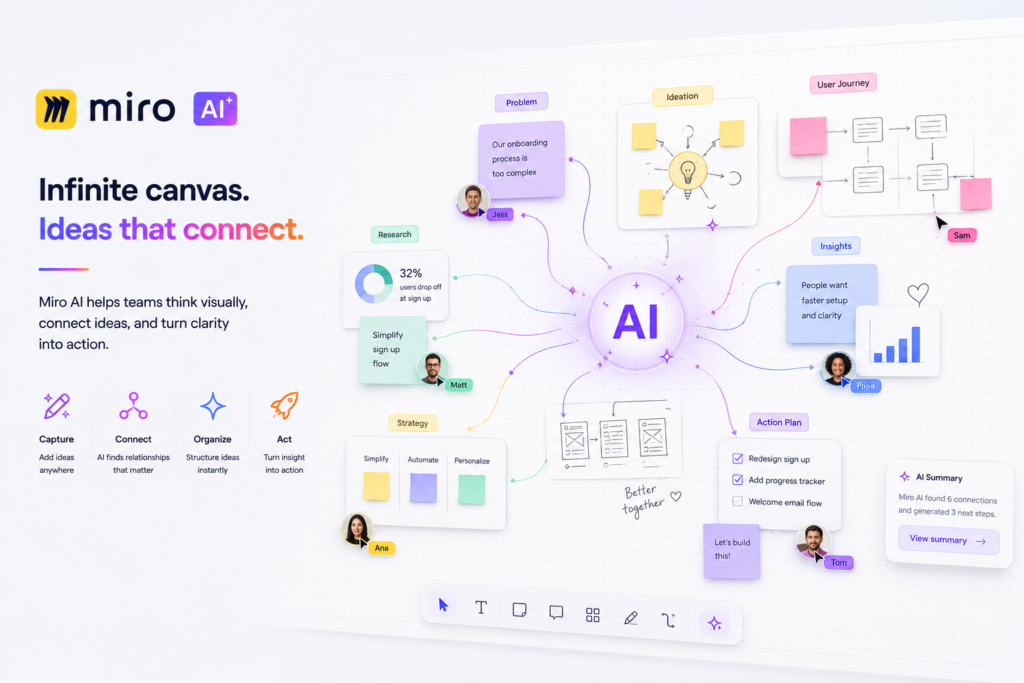
Review type: Research-Based Assessment
Last verified: 18 October 2026
Target audience: Small businesses, product teams, marketing teams, UX researchers, consultants, agencies, Agile teams, and remote or hybrid organizations.
Primary business problem: Valuable ideas, research findings, and workshop discussions remain unorganized, poorly documented, and difficult to convert into decisions and action.
Disclosure: This review is based on publicly available product documentation, pricing information, and research supplied for this assessment. Intelligent AI Lab has not independently tested Miro AI. Features, prices, usage limits, integrations, and policies may change. Verify current details with Miro before purchasing.
Quick Verdict: Miro AI
| Review Detail | Assessment |
|---|---|
| Primary business problem | Organizing brainstorming, workshops, research, planning, and process documentation |
| Best-fit audience | Teams that regularly collaborate visually |
| Not ideal for | Businesses needing only a standalone chatbot or end-to-end workflow automation |
| Main purpose | Turn collaborative work into organized themes, diagrams, summaries, documentation, and next steps |
| Strongest documented advantage | AI clustering, diagram generation, summaries, AI Sidekicks, and board-native collaboration |
| Main trade-off | Collaboration-first platform, not a complete workflow-automation solution |
| Starting price | Free plan available; Starter from $8/member/month billed yearly |
| Free plan | Yes, with 10 AI credits/month according to the reviewed documentation |
| Business-fit verdict | Good Fit for visual-collaboration-heavy teams; Conditional Fit for automation-first businesses |
| Research-based rating | 4.6/5 |
| Evidence confidence | High for documented features and published plan details; Moderate for real-world performance |
| Assessment type | Research-Based Assessment |
| Last verified | 18 October 2026 |
Our Verdict
Miro AI is an AI capability embedded in Miro’s visual collaboration workspace. It helps teams organize brainstorming sessions, cluster sticky notes, summarize discussions, generate diagrams, draft documentation, and explore next steps without leaving their shared workspace.
Its strongest business fit is with product, marketing, UX research, consulting, Agile, and operations teams that regularly conduct collaborative sessions. AI Sidekicks and diagram generation add further potential value, while integrations can help connect planning activities with execution tools.
The main limitation is scope: Miro AI supports visual collaboration and knowledge synthesis, but it is not a complete business-process automation platform. Its outputs also require human review, and independent evidence of its accuracy and business impact remains limited.
Our recommendation: Pilot Miro AI on one repeatable workshop or research workflow. Measure output accuracy, editing time, credit consumption, and action-item completion before expanding.
Key Takeaways
- Best reason to consider it: AI assistance works directly within a shared visual workspace.
- Main limitation: AI-generated themes, summaries, and diagrams need human validation.
- Best business application: Workshop synthesis, research affinity mapping, Agile retrospectives, and process documentation.
- Pricing consideration: Starter costs $8/member/month billed yearly and includes 25 AI credits/member/month, according to the reviewed pricing information.
- Alternatives to consider: FigJam AI for Figma-centered teams, Notion AI for knowledge management, ChatGPT for general-purpose AI, and Lucidchart for technical diagrams.
- Recommended next step: Test one workflow, establish a baseline, and evaluate the complete cost and quality of the resulting work.
1. Introduction
Artificial intelligence is transforming how businesses collaborate, innovate, and make decisions. While AI assistants like ChatGPT and Claude have become popular for writing, coding, and research, a different category of AI tools is emerging—AI-powered visual collaboration platforms. These tools help teams brainstorm, organize ideas, design workflows, and convert discussions into actionable plans.
One of the leading platforms in this space is Miro AI.
Businesses generate ideas and insights through workshops, customer interviews, planning meetings, retrospectives, and collaborative problem-solving. However, turning those discussions into structured documentation, diagrams, priorities, and actionable decisions can require considerable manual effort.
Miro AI aims to help with this challenge by embedding AI capabilities into Miro’s visual collaboration workspace. Teams can use it to generate ideas, organize sticky notes, summarize board content, create diagrams, draft documents, and explore next steps.
Unlike a general-purpose conversational AI assistant, Miro AI operates within a collaborative visual environment. This makes it particularly relevant when teams need to work together on shared information rather than simply ask questions and receive text responses.
For small businesses, the key question is whether these capabilities improve a recurring business workflow enough to justify the subscription, AI-credit consumption, implementation effort, and human review.
This review examines Miro AI’s documented features, pricing, use cases, integrations, limitations, governance considerations, and alternatives. It is a research-based assessment, not a hands-on product test.
2. What Is Miro AI?
Miro AI is the AI capability integrated into Miro’s cloud-based visual collaboration and innovation workspace.
It supports activities such as brainstorming, clustering sticky notes, summarizing collaborative work, generating diagrams, creating documentation, and using AI Sidekicks to assist with specific tasks.
Product Overview
| Attribute | Finding |
|---|---|
| Provider | Miro |
| Product category | AI-powered visual collaboration and innovation workspace |
| Core functionality | Brainstorming, sticky-note clustering, summaries, diagrams, documentation, Sidekicks, and AI workflows |
| Target audience | Small businesses, product teams, marketers, UX researchers, consultants, Agile teams, and enterprises |
| Availability | Cloud-based software as a service |
| Primary business problem | Reducing manual effort involved in organizing and documenting collaborative work |
| Deployment model | Cloud-based, with enterprise governance and data-residency options described by Miro |
| Official website | https://miro.com |
| Official pricing page | https://miro.com/pricing/ |
Miro AI is not simply a standalone chatbot. It is designed to support work performed within a shared visual canvas, where teams organize sticky notes, diagrams, frames, documents, and other collaborative content.
How Miro AI Works
Step 1: Provide the input
The team creates or opens a Miro board containing sticky notes, research observations, prompts, diagrams, comments, or workshop content.
Step 2: Apply an AI capability
Depending on the task, Miro AI can generate ideas, cluster notes, summarize content, create diagrams, draft documentation, or provide Sidekick assistance.
Step 3: Review the output
The team examines the generated content, checks for missing context, and corrects inaccurate groupings, assumptions, or process steps.
Step 4: Convert the output into useful work
Approved outputs can become workshop summaries, process diagrams, planning documents, or next steps. Where supported and configured, integrations can connect Miro with other business applications.
Step 5: Measure the business result
The team evaluates whether the workflow improved documentation quality, reduced editing effort, increased visibility, or helped actions progress. These outcomes should be measured rather than assumed.
The exact capabilities, credit consumption, integration behavior, and plan requirements should be confirmed for the intended workflow.
3. Research Methodology and Evidence Standards
How This Review Was Prepared
This review uses publicly available product information and the Perplexity research supplied for the assessment. Intelligent AI Lab has not independently tested Miro AI or conducted a controlled business pilot.
The assessment considers:
- Documented product capabilities.
- Pricing, plan structures, and AI-credit allowances.
- Integrations, APIs, and extensibility.
- Business workflow suitability.
- Privacy, security, governance, and data-residency statements.
- Implementation requirements and potential limitations.
- Relevant alternatives and buying considerations.
Evidence Source Hierarchy
| Priority | Source Type | Appropriate Use |
|---|---|---|
| 1 | Official product documentation | Features, functionality, and restrictions |
| 2 | Official pricing information | Plans, prices, billing, and usage limits |
| 3 | Official security and privacy documentation | Data handling, certifications, and governance statements |
| 4 | Official release notes and product updates | New features, changes, and deprecations |
| 5 | Reputable independent coverage and benchmarks | Independent technical analysis and comparative evidence |
| 6 | User reviews and community discussions | Directional feedback, not proof of performance |
Evidence Classification
| Label | Meaning |
|---|---|
| Verified from identified sources | Confirmed in the supplied research against identified product or pricing documentation |
| Research-Based Analysis | Our interpretation of the documented capabilities and their likely business relevance |
| Not Independently Verified | Not sufficiently confirmed through the research available for this review |
| Illustrative Scenario | A proposed workflow that has not been implemented or tested by Intelligent AI Lab |
What We Could Not Verify
| Evidence Area | Finding |
|---|---|
| AI accuracy | No independent benchmark of clustering accuracy, diagram correctness, summary quality, or error rates was identified. |
| Ease of use | Miro documents board-native AI workflows, but usability and learning time were not independently measured. |
| Support quality | Support quality across Free, Starter, Business, and Enterprise plans was not independently verified. |
| Security and compliance | Miro publishes security and compliance statements. Intelligent AI Lab did not independently audit the underlying controls or certificates. |
| Integration reliability | The breadth of integrations is documented, but the reliability of specific cross-tool actions was not independently tested. |
| Business performance | Specific time savings, productivity improvements, or faster decision-making have not been independently demonstrated. |
| Translation | Board-wide translation was not clearly verified as a current Miro AI capability in the supplied research. |
| Credit consumption | Most AI actions reportedly consume one credit, but the exact consumption of every feature and workflow was not fully documented. |
| Enterprise costs | Enterprise pricing, contract minimums, add-ons, and implementation costs require direct vendor confirmation. |
Sources Consulted
| Source | Information Used |
|---|---|
| Miro Pricing | Plans, Starter pricing, AI credits, pooling, and reset behavior |
| Miro AI overview | AI features, clustering, diagrams, Sidekicks, and credit consumption |
| Miro AI reference | Sidekick models, clustering methods, and feature behavior |
| Miro AI credits | Credit allowances and reset behavior by plan |
| Miro AI Credits for Enterprise Plans | Enterprise credit pooling, soft limits, and add-ons |
| Create with AI overview | AI content generation and Formats |
| Miro AI with Diagrams and mindmaps | Diagram, mind-map, and hand-drawn diagram digitization |
| Miro Sidekicks | AI agents and cross-tool actions |
| Miro Enterprise | Security certifications and compliance claims |
| AI Trust | Data residency and AI-trust positioning |
| Miro Trust Center | Customer-data training exclusion and privacy practices |
4. Key Features of Miro AI
Miro AI combines generative AI and AI-assisted organization with a shared visual workspace.
Feature Comparison
| Feature | What It Does | Potential Business Value | Availability and Limitations |
|---|---|---|---|
| AI brainstorming | Generates ideas from natural-language prompts | Supports ideation and planning sessions | Output requires team refinement; AI credits may apply |
| Sticky-note clustering | Groups related notes by keywords or sentiment | Supports research synthesis and affinity mapping | Clusters can miss nuance or group items incorrectly |
| AI summaries | Summarizes collaborative content | May reduce manual documentation effort | Summaries require review and correction |
| Diagram generation | Generates flowcharts, UML diagrams, ERDs, and mind maps from text descriptions | Helps create initial process and system documentation | Generated diagrams must be validated |
| Document generation | Creates structured documents from board content | Helps turn discussions into written outputs | Quality depends on source content and review |
| Text improvement | Assists with refining or improving text | Helps make collaborative content clearer | Human editing may still be required |
| AI Sidekicks | Provides role-oriented feedback, suggestions, and assistance | Supports planning, ideation, and structured collaboration | Behavior and available actions can vary by role and context |
| AI workflows | Supports AI-assisted actions involving board content | May help with repetitive collaboration tasks | Exact functionality, limits, and credit consumption require verification |
| Templates | Provides starting structures for collaborative work | Helps teams organize workshops and planning | Template availability varies by use case |
| Integrations | Connects Miro with other business applications | May link planning and execution workflows | Specific triggers, actions, and limitations must be checked |
| MCP and APIs | Provides extensibility for AI and connected workflows | May support advanced integrations and contextual AI workflows | Availability, authentication, limits, and implementation requirements need verification |
The Features That Matter Most for Businesses
1. Sticky-Note Clustering
Miro AI can group sticky notes using keywords or sentiment. This can be useful when teams collect many observations during customer interviews, brainstorming sessions, design workshops, or sprint retrospectives.
For example, a product team might group customer comments related to onboarding, usability, pricing, or missing features.
The team should validate whether the clusters reflect the actual meaning of the observations. A cluster label is not proof that the underlying interpretation is correct.
2. Diagram and Process Generation
Miro AI can generate flowcharts, UML diagrams, entity-relationship diagrams, and mind maps from text descriptions, according to the supplied research.
This can help teams create an initial representation of a business process or technical concept. The generated objects can be edited on the board.
For operational use, a process owner or technical specialist should validate decision points, exceptions, system boundaries, and dependencies.
3. AI Sidekicks
Miro Sidekicks are described as AI agents that can provide feedback, suggest next steps, validate data, refine content, and help build boards. Some Sidekick capabilities may support actions in other tools.
These capabilities may be useful for teams that want assistance within an existing collaborative workflow. However, cross-tool behavior and real-world reliability have not been independently tested in this review.
4. AI Credits
Miro AI uses a credit-based model. The supplied research reports that credits are pooled across an organization, consumed per AI action, reset monthly, and do not roll over.
Most actions reportedly consume one credit, but some consume more. Buyers should verify the current credit-consumption details and test their intended workflows before estimating usage costs.
5. How Businesses Can Use Miro AI
Miro AI is most relevant when teams already use visual collaboration and need help converting collaborative work into organized outputs.
Business Use Cases
| Business Function | Example Problem | How Miro AI May Help | Required Human Oversight |
|---|---|---|---|
| Marketing | Campaign ideas are scattered across workshop notes | Generate ideas, cluster content, and draft planning documentation | Validate positioning, claims, and audience relevance |
| Product and Agile | Retrospectives produce too many unstructured observations | Cluster feedback, summarize sessions, and suggest next steps | Validate themes, priorities, and decisions |
| UX research | Interview notes are difficult to synthesize | Group observations and identify possible themes | Researchers validate interpretations against source evidence |
| Operations | Processes are undocumented or inconsistent | Generate initial flowcharts and process diagrams | Process owners validate steps and exceptions |
| Consulting | Client workshops produce unstructured outputs | Summarize sessions and organize ideas into documents | Consultants validate client-specific conclusions |
| HR and internal collaboration | Onboarding and team-planning information is fragmented | Create planning boards and structured documentation | HR and legal teams review policy-sensitive content |
| Business planning | Strategic workshops produce many competing ideas | Organize themes and document proposed actions | Leadership makes final strategic decisions |
Best-Fit Business Use Case: Workshop-to-Action-Plan
Business problem: A team conducts regular workshops but struggles to turn the resulting discussion into a clear action plan.
Relevant capabilities: Sticky-note clustering, summaries, document generation, and AI Sidekicks.
Inputs required: A Miro board, workshop notes, a defined session objective, and a decision owner.
Proposed workflow:
- Run the workshop and capture ideas on the Miro board.
- Use AI to cluster related notes.
- Generate a summary and proposed next steps.
- Have participants validate themes and decisions.
- Assign approved actions to owners and connect them to execution tools where supported.
- Measure the time and effort required to produce the approved action plan.
Risks and limitations: Incorrect clustering, superficial summaries, missing context, additional credit consumption, and actions that are not assigned or completed.
Suggested pilot metrics:
- Time from workshop completion to approved action plan.
- Percentage of AI-generated clusters accepted without major changes.
- Editing time after AI processing.
- Number of material errors identified during review.
- Action-item completion rate.
- AI credits consumed per workshop.
These are proposed evaluation metrics, not demonstrated results.
6. Intelligent AI Lab Business Decision Analysis
The Business Problem Miro AI Is Best Suited to Address
Miro AI is best suited to businesses whose recurring bottleneck is converting collaborative work—brainstorming, workshops, research, planning, and process discussions—into organized, usable outputs.
A typical fit is a small product, marketing, consulting, or operations team that already uses a visual collaboration workspace. Such a team may benefit from AI assistance with clustering ideas, summarizing discussions, generating initial diagrams, and documenting decisions.
The objective should not be to adopt AI for its own sake. It should be to determine whether the workflow produces more reliable outputs with less total effort or improves the quality of team decisions.
Is Miro AI the Right Tool for the Job?
| Decision Factor | Assessment |
|---|---|
| Primary use case | Visual collaboration, workshop synthesis, research clustering, diagramming, and planning documentation |
| Capability fit | Strong for visual-collaboration-heavy teams; limited for standalone chatbot or automation-first needs |
| Main advantage | AI assistance embedded in the shared board |
| Main trade-off | Not a complete end-to-end workflow-automation platform |
| Cost consideration | Seat subscription, pooled AI credits, possible add-ons, integration setup, and review labor |
| Implementation consideration | Requires organized boards, clear objectives, decision ownership, and human review |
| Key uncertainty | Whether AI-generated clusters, summaries, and diagrams are accurate enough for the specific business workflow |
When to Choose Miro AI
Choose Miro AI when:
- Your team regularly conducts brainstorming sessions, workshops, retrospectives, or planning meetings.
- You need to organize customer research, interview notes, or qualitative feedback.
- You frequently document business processes, onboarding flows, or operational workflows.
- You want AI assistance inside a shared visual workspace.
- You need to connect collaborative planning with tools such as Jira, Asana, ClickUp, Slack, or Notion.
Confirm that the specific integration or action you need is supported before purchasing.
When to Choose an Alternative
- FigJam AI: Consider it if your team already works primarily in Figma and needs design-centered collaboration.
- Notion AI: Consider it if documentation, wikis, and structured knowledge management are the primary requirements.
- ChatGPT: Consider it for general-purpose writing, research, coding, and conversational assistance.
- ClickUp AI: Consider it if the main requirement is AI embedded in project management and task execution.
- Lucidchart: Consider it for technical diagramming and process documentation.
- Zapier, Make, or n8n: Evaluate these when the primary requirement is connecting systems and automating end-to-end workflows. They are not direct replacements for Miro’s collaborative canvas.
When Not to Use AI
AI may not be necessary when:
- The team rarely collaborates visually.
- Existing planning and documentation processes already work well.
- The task is simple enough to complete manually with little effort.
- The output requires exactness that the AI capability cannot reliably provide.
- The organization cannot establish appropriate review, privacy, and access controls.
Do not use Miro AI as the sole authority for customer insights, strategic decisions, compliance-sensitive documents, or consequential business actions.
Our Recommended Next Step
Run a limited pilot on one repeatable workflow, such as a sprint retrospective, customer-research synthesis, campaign-planning workshop, or process-mapping exercise.
Establish a baseline before introducing AI. During the pilot, measure output quality, editing effort, credit consumption, and the time needed to approve the final result.
Expand only if the evidence shows that the workflow is useful and its total cost is justified.
Evidence note: Potential productivity gains are a hypothesis to test. This review does not establish that Miro AI delivers specific time savings or business outcomes.
7. Illustrative Business Automation Examples
The following scenarios are proposed examples, not workflows implemented or tested by Intelligent AI Lab.
Example 1: Workshop-to-Action-Plan Workflow
Business scenario: A product team completes a discovery workshop and needs to convert sticky notes into themes, decisions, and tasks.
Tools involved: Miro AI, a Miro board, a facilitator, and a project-management tool such as Jira or ClickUp.
Before: The facilitator manually groups notes, writes a summary, identifies actions, and recreates tasks in a project-management tool.
Proposed workflow:
- Trigger: A workshop or planning session ends.
- Input: Sticky notes, research observations, comments, and session objectives.
- AI processing: Miro AI clusters related notes, summarizes content, and suggests possible next steps.
- Human review: The facilitator validates themes, decisions, priorities, and owners.
- Integration or action: Approved actions are transferred to the execution tool using a supported integration or another verified process.
- Output: A reviewed workshop summary and action plan.
Potential benefits:
- Potentially less manual effort in workshop documentation.
- More structured synthesis of qualitative input.
- Better visibility into decisions and next steps.
Requirements and limitations:
- AI-generated themes may miss nuance or be incorrect.
- Credit consumption must be monitored.
- Cross-tool task creation requires verification of the connector, available actions, permissions, and configuration.
- Automated task creation should not bypass human approval.
Suggested metrics: Time to approved action plan, number of correctly grouped themes, editing time, and action-item completion rate.
Evidence status: Illustrative Scenario. Validate feasibility and business impact in a controlled pilot.
Example 2: Business-Process Documentation
Business scenario: An e-commerce business needs to document its order-fulfillment process.
Tools involved: Miro AI, a Miro board, an operations owner, and the company’s documentation system.
Before: An operations manager creates a workflow manually and revises it as the process changes.
Proposed workflow:
- Trigger: A process change, audit, or onboarding requirement.
- Input: A written process description, existing notes, roles, systems, and known exceptions.
- AI processing: Generate an initial flowchart or process diagram from the description.
- Human review: The operations owner checks every step, decision point, exception, and system boundary.
- Output: An editable, reviewed process diagram that can be incorporated into internal documentation.
Potential benefits:
- A structured starting point for process documentation.
- Easier collaboration during process reviews.
- A visual basis for identifying gaps and inconsistencies.
Requirements and limitations:
- Complex processes and exceptions may require significant editing.
- A visually coherent diagram may still be operationally incorrect.
- Credit consumption and relevant plan requirements should be verified.
Suggested metrics: Time to create the initial diagram, number of errors identified during review, employee comprehension, and process-update turnaround time.
Evidence status: Illustrative Scenario. Validate feasibility and business impact before deployment at scale.
8. Pros and Cons of Miro AI
| Pros | Cons |
|---|---|
| AI assistance operates within a shared visual canvas. | It is best suited to teams that already collaborate visually. |
| Sticky-note clustering can support research synthesis and affinity mapping. | AI-generated clusters may miss nuance or group observations incorrectly. |
| Diagram generation supports flowcharts, UML diagrams, ERDs, and mind maps. | Generated diagrams need operational or technical validation. |
| AI Sidekicks can assist with feedback, next steps, and board-building tasks. | Sidekick quality and cross-tool behavior have not been independently tested here. |
| Miro documents integrations with more than 250 business applications. | Integration breadth does not guarantee that a particular workflow or action is supported. |
| Miro publishes security, privacy, and compliance information. | Buyers still need to verify controls and contractual terms against their own requirements. |
| A Free plan offers a way to evaluate the product. | Credit limits and plan restrictions may constrain sustained usage. |
What These Pros and Cons Mean for Buyers
Miro AI’s strongest potential value is in helping teams organize and document work that already happens collaboratively. The central evaluation is whether it can accurately transform the team’s specific board content into useful outputs.
For businesses that do not rely on visual collaboration, adopting Miro solely for its AI features may introduce unnecessary cost and complexity. A general-purpose AI assistant or an existing documentation platform may be more appropriate.
For teams that already use Miro, the decision is more straightforward: test the AI features against an actual workflow and assess the quality of the output, not just the convenience of generating it.
9. Miro AI Pricing and Plans
Pricing verification date: 18 October 2026
Official pricing page: https://miro.com/pricing/
The following prices and credit allowances are based on the supplied research. Verify regional pricing, taxes, eligibility, and current plan conditions directly with Miro before publication or purchase.
Miro Pricing Comparison
| Plan | Price | Billing Basis | Best For | AI Credits and Considerations |
|---|---|---|---|---|
| Free | $0 | Free plan | Individuals and small teams evaluating Miro | 10 AI credits/month; board and collaboration limits apply |
| Starter | $8/member/month billed yearly; $10/member/month billed monthly | Per member | Small teams collaborating regularly | 25 AI credits/member/month |
| Business | $20/member/month billed yearly; $25/member/month billed monthly | Per member | Growing teams needing advanced collaboration and administration | 50 AI credits/member/month |
| Enterprise | Custom pricing | Custom contract | Larger organizations with governance and scale requirements | 100 credits/license/month; organization-wide allocation starts from 2,500 credits/month, according to the supplied research |
| AI-credit add-on | Additional purchase where available | Usage-based | Organizations regularly exceeding their allocation | Availability, price, and conditions require confirmation |
Understanding Miro AI Credits
The supplied research reports the following credit rules:
- Free: 10 AI credits per month.
- Starter: 25 AI credits per member per month.
- Business: 50 AI credits per member per month.
- Enterprise: 100 credits per license per month, with an organization-wide starting allocation of 2,500 credits per month.
- Pooling: Credits are pooled across the organization, according to the reviewed documentation.
- Consumption: Credits are consumed when AI actions are performed. Most actions reportedly use one credit, but some consume more.
- Reset: Free and Enterprise balances reportedly reset on the first day of the calendar month; Starter and Business balances reset on the renewal date.
- Rollover: Unused credits do not roll over.
Confirm the current credit model and reset rules for your particular plan before estimating costs.
What to Know Before Paying
Free plan: Useful for exploring the workspace and testing limited AI usage. Verify board limits and whether the available credit allocation is enough for your intended evaluation.
Starter plan: May suit a small team that runs recurring workshops and needs more collaboration features. Estimate credit consumption before committing to annual billing.
Business plan: Consider it when the team genuinely needs its additional administration or collaboration capabilities, not simply because it offers a larger credit allowance.
Enterprise plan: Consider it when the organization requires specific governance, contractual, administrative, or data-residency arrangements. Obtain written confirmation of the features, support, contract minimums, and total cost.
Is Miro AI Worth the Price?
Miro AI may be worth paying for when a business already uses visual collaboration and has recurring needs involving workshops, research synthesis, planning, or process documentation.
It may be less valuable for teams that rarely use visual boards or only need occasional AI assistance.
Evaluate the total cost of ownership, not just the subscription:
- Seat subscription and billing terms.
- AI-credit allocation and any additional credit costs.
- Time spent preparing boards and facilitating sessions.
- Time spent checking and correcting AI-generated content.
- Integration setup, administration, and maintenance.
- Training and governance requirements.
The commercial question is whether the complete workflow produces enough measurable value to justify these costs. This review does not establish a verified ROI for Miro AI.
Best Plan Recommendation
| Buyer Type | Starting Recommendation | Reason | What to Verify |
|---|---|---|---|
| Individual or very small team | Free | Allows initial evaluation without a subscription charge | Board restrictions, credit usage, and required features |
| Small team running regular workshops | Starter | Provides a paid collaboration option and higher reported credit allowance | Expected actions, monthly credits, and integration requirements |
| Growing team needing administration | Business | May fit teams needing advanced collaboration and administrative capabilities | Exact features, permissions, and credit needs |
| Large organization | Enterprise | Designed for larger-scale governance and organizational requirements | Contract terms, security documentation, support, and add-on costs |
Do not upgrade solely for additional AI credits. Confirm that the paid plan solves a real business requirement.
10. Integrations and Technical Requirements
Miro’s integration ecosystem can help connect collaborative planning with other business tools. However, the availability of an integration does not guarantee that every desired action, trigger, or data flow is supported.
Integration Overview
| Integration Area | What to Check | Research Finding |
|---|---|---|
| CRM and sales | Supported connectors and synchronization behavior | A specific native CRM integration was not established in the supplied research; verify the required CRM directly |
| Email and collaboration | Supported services and actions | Miro integrations include Slack, Microsoft Teams, Google Workspace, and Zoom |
| Project management | Available actions, triggers, permissions, and limitations | Named integrations include Jira, Asana, ClickUp, Azure DevOps, Confluence, and Notion |
| APIs and MCP | Availability, authentication, rate limits, plan restrictions, and data access | Miro documents API and MCP-related capabilities; implementation requirements need confirmation |
| Data sources | Import/export formats and content limits | Board content includes sticky notes, frames, comments, documents, and diagrams; detailed limits require verification |
| Security and administration | Roles, permissions, audit logs, and administrative controls | Miro publishes security and compliance statements; the precise controls required should be confirmed |
| Implementation | Configuration, development, maintenance, and ownership | Complex workflows may require integration setup, developer effort, and ongoing monitoring |
Native vs. Third-Party vs. Custom Integrations
Native Miro AI capabilities: The supplied research identifies brainstorming, clustering, summaries, diagram generation, documentation, Sidekicks, and AI-assisted workflows.
Plan-dependent functionality: AI-credit allowances and some collaboration, administrative, or enterprise capabilities vary by plan. Confirm the exact feature and licensing requirements.
Third-party integrations: Miro documents integrations with more than 250 business applications. Buyers should validate the specific connector and the actions it supports.
Custom integration: Complex CRM, ERP, or internal-system workflows may require APIs, MCP, middleware, or custom development. Do not assume these connections are available out of the box.
Implementation Considerations
Most small teams can begin with a single board and a repeatable workshop template. The more important implementation work is establishing good collaboration practices:
- Define a clear objective for each board.
- Use consistent formats for notes and observations.
- Assign owners for decisions and follow-up actions.
- Review AI-generated themes and diagrams before using them.
- Monitor AI-credit consumption.
- Document how approved outputs are transferred to other systems.
For sensitive research or business information, review Miro’s current AI Trust and Trust Center documentation before enabling broad AI access or cross-tool integrations.
11. Miro AI vs. Alternatives
The best alternative depends on where the work happens and what the business needs to produce.
Comparison Table
| Tool | Best For | Key Difference | Pricing Position | Consider It Instead When |
|---|---|---|---|---|
| Miro AI | Visual collaboration, workshops, research synthesis, and planning | AI operates within a shared visual canvas | Free plan; Starter from $8/member/month billed yearly, based on reviewed research | Your team regularly collaborates visually |
| FigJam AI | Design workshops and Figma-centered collaboration | Connected to the Figma design ecosystem | Verify current pricing directly with Figma | Your team already works primarily in Figma |
| Notion AI | Documentation, wikis, and knowledge management | AI embedded in a documentation and workspace environment | Verify current pricing and AI entitlements with Notion | Your primary need is structured knowledge and documentation |
| ChatGPT | General-purpose writing, research, coding, and analysis | Broad conversational assistant rather than a visual-collaboration workspace | Verify current plan pricing and feature availability | You need a general-purpose AI assistant |
| ClickUp AI | Project management and task execution | AI embedded in project-management workflows | Verify current pricing and AI entitlements with ClickUp | Your primary need is managing tasks and projects |
| Lucidchart | Technical diagrams and process documentation | Diagramming-focused product | Verify current pricing directly with Lucid | You need specialized technical or architecture diagrams |
Which Tool Should You Choose?
Choose Miro AI if your team regularly runs workshops, retrospectives, research synthesis, or visual planning sessions.
Choose FigJam AI if your collaboration process is centered on Figma and design workflows.
Choose Notion AI if documentation, knowledge management, and structured information are the main priorities.
Choose ChatGPT if you need general-purpose writing, research, coding, or conversational assistance.
Choose ClickUp AI if the main objective is project planning, task management, and execution.
Choose Lucidchart if your requirements center on technical diagrams or process modeling.
Choose an automation platform such as Zapier, Make, or n8n if the main problem is connecting applications and automating multi-step business processes. Verify the required connectors, actions, costs, and maintenance requirements.
There is no universal winner. Select the product that best fits the business process you need to improve.
12. Who Should Use Miro AI?
Recommended For
Small-business owners: For organizing planning sessions, documenting processes, and structuring team discussions.
Product managers: For synthesizing research, organizing feedback, and documenting retrospectives or planning sessions.
Marketing teams: For brainstorming campaigns, organizing ideas, and drafting campaign-planning documentation.
UX researchers: For clustering observations and exploring themes in qualitative research.
Consultants and agencies: For organizing workshop outcomes and creating structured client documentation.
Agile teams: For retrospectives, planning sessions, and documenting next steps.
Remote and hybrid teams: For shared visibility into ideas, diagrams, and collaborative decisions.
Not Ideal For
- Businesses that rarely use visual collaboration.
- Users seeking only a standalone conversational AI assistant.
- Organizations requiring end-to-end workflow automation from a single product.
- Teams that lack a process for reviewing AI-generated outputs.
- Businesses whose primary requirement is highly specialized technical diagramming and whose current diagramming tools already meet their needs.
Best-Fit Buyer Profile
The best-fit buyer is a small business or team that already uses visual collaboration and has recurring workshops, research synthesis, planning, or process-documentation needs.
The team should have a facilitator or workflow owner, clear decision-making accountability, and a process for reviewing AI outputs.
Key selection criteria include:
- Fit with existing collaborative workflows.
- Accuracy of AI-generated outputs.
- AI-credit consumption and total cost.
- Required integrations.
- Privacy, security, and administrative requirements.
- Ease of reviewing, correcting, and exporting the resulting work.
13. How to Get Started With Miro AI
Step 1: Identify One Business Problem
Choose a repeatable task, such as a sprint retrospective, customer-research synthesis, campaign-planning workshop, or process-mapping exercise.
Avoid starting with a broad goal such as “use more AI.” Identify the manual work or business outcome you want to improve.
Step 2: Confirm Product Fit
Check whether Miro AI supports the specific output you need. Review the plan, credit allowance, integration availability, and feature restrictions.
If a particular capability is essential, obtain confirmation from current official documentation or Miro support.
Step 3: Review Data and Permissions
Identify the information the workflow will use, including customer research, employee information, business processes, and confidential documents.
Review Miro’s current AI Trust and Trust Center documentation. Confirm relevant settings, contractual terms, retention arrangements, and access controls for your use case.
Step 4: Design a Limited Pilot
Define:
- The input information.
- The intended output.
- The AI actions to be used.
- The person responsible for reviewing the output.
- The approval and exception-handling process.
- The fallback process if the output is inaccurate or the AI feature is unavailable.
Step 5: Establish a Baseline
Measure the existing process before introducing AI.
For example, record the time required to group research notes, prepare a workshop summary, and produce an approved action plan.
Step 6: Evaluate the Pilot
Compare the AI-assisted workflow with the baseline. Include subscription costs, credit consumption, integration setup, facilitation effort, and human-review time.
Evaluate output accuracy and usefulness, not just speed.
Step 7: Decide Whether to Expand
Continue, revise, or stop the pilot based on the results. Expand only when the workflow demonstrates acceptable accuracy, appropriate governance, and measurable business value.
14. Limitations, Risks, and Governance
Miro’s published security and privacy statements are useful starting points, but they do not remove the need for an organization-specific review.
Risk Assessment
| Risk Area | Questions to Investigate | Research Finding |
|---|---|---|
| Accuracy and reliability | Can clusters, summaries, or diagrams be wrong or incomplete? | AI outputs require human review; no independent accuracy benchmark was identified |
| Privacy and data retention | What data is collected, retained, or shared? | Miro states that customer data is excluded from AI-model training; review the current policy and contractual terms |
| Model training and data use | Are inputs used for training or product improvement? | The supplied research describes different treatment for customer data and certain opted-in, non-enterprise data; verify current wording and scope |
| Security | What security controls and certifications are documented? | Miro states that it has ISO 42001, SOC 2 Type II, ISO 27001, and TISAX credentials |
| Compliance | Does the service meet the organization’s specific obligations? | Miro states GDPR compliance and offers data-residency options; suitability for a particular regulatory requirement needs separate review |
| Access and permissions | Who can access boards, AI outputs, and connected systems? | Exact AI-related permissions and administrative controls should be verified |
| Usage limits | What happens when credit allocations are exceeded? | Credits reportedly reset monthly and do not roll over; Enterprise has a soft-limit model and an additional-credit option |
| Human oversight | Which outputs require review or approval? | Research themes, process diagrams, strategic decisions, and cross-tool actions require appropriate human review |
| Vendor dependency | Can boards, data, and workflows be exported or migrated? | Board export and integrations are available, but migration of AI workflows, Sidekicks, and configurations requires verification |
| Support and continuity | What support arrangements and service commitments apply? | Support quality was not independently verified; confirm plan-specific support and contractual commitments |
Security and Privacy: What Buyers Should Know
The supplied research reports that Miro:
- States that customer data is excluded from AI-model training.
- Describes a distinction involving opted-in, non-enterprise user data for AI improvement.
- States that it holds ISO 42001, SOC 2 Type II, ISO 27001, and TISAX credentials.
- States that it is GDPR compliant.
- Offers data-residency options in the EU, U.S., Australia, or Japan.
These are statements attributed to Miro in the supplied research, not independent audits conducted by Intelligent AI Lab.
Before adopting Miro AI for sensitive or regulated information, obtain and review the current documentation applicable to your organization. This may include the relevant SOC 2 report, ISO certificates, data processing agreement, subprocessor information, retention terms, and data-residency conditions.
Do not assume that a general security certification automatically establishes compliance with every industry, customer, or jurisdiction-specific requirement.
What Businesses Should Check Before Adoption
- Confirm current regional pricing, taxes, and plan eligibility.
- Verify the credit allowance and consumption of the specific AI actions you intend to use.
- Review the current AI Trust and Trust Center documentation.
- Establish board-management, access, and human-review practices.
- Confirm integration permissions and cross-tool actions.
- Obtain legal, technical, security, or compliance review where required.
- Document a fallback process for incorrect outputs or unavailable services.
15. Final Verdict: Is Miro AI Worth It?
Miro AI is worth considering for small businesses and teams that already collaborate visually and regularly need to turn workshops, research, planning sessions, and process discussions into organized outputs.
Its strongest documented advantage is that AI assistance is integrated into the shared visual workspace. Sticky-note clustering, diagram generation, summaries, documentation, and AI Sidekicks may help teams structure collaborative work without moving every task into a separate AI assistant.
The biggest trade-off is scope. Miro AI is collaboration-first, not a complete end-to-end workflow-automation platform. Organizations that need to move data across applications, execute multi-step business processes, or trigger actions across systems may need additional integrations or automation tools.
Another consideration is evidence quality. The supplied research documents capabilities and plan details, but Intelligent AI Lab has not independently benchmarked clustering accuracy, diagram correctness, Sidekick reliability, or business outcomes. Teams should not assume that AI-generated outputs will be accurate or that time savings are guaranteed.
Final Buying Recommendation: Pilot
Start with the Free plan or evaluate Starter if the Free plan cannot support the intended workflow. Choose one repeatable workshop, research, or process-documentation task.
Measure:
- AI-output accuracy and correction effort.
- Time to produce an approved output.
- AI credits consumed per workflow.
- Total cost, including review and integration effort.
- Whether the output leads to better-documented decisions or completed actions.
Expand only when the pilot demonstrates acceptable quality, governance, and business value.
Bottom line: Miro AI is a promising fit for teams that already depend on visual collaboration. The right purchase decision depends on whether it improves a real business workflow—not simply on the number of AI features available.
16. Intelligent AI Lab Rating and Scorecard
A. Business-Fit Verdict
Good Fit for visual-collaboration-heavy small businesses and teams that need to convert workshops, research, and planning into structured outputs.
Conditional Fit for automation-first businesses or teams that do not regularly use visual collaboration.
B. Assessment Type
Research-Based Assessment.
This is not a hands-on product review or a business-pilot assessment.
C. Evidence Confidence
High for documented capabilities, published plan details, credit allowances, and the existence of integrations described in the supplied research.
Moderate for real-world AI-output accuracy, cross-tool reliability, implementation effort, and business outcomes because these areas were not independently tested.
Security and compliance statements are attributed to Miro and should be verified against current documentation for the buyer’s requirements.
D. Numerical Rating
Published research-based rating: 4.6/5
Rating date: 18 October 2026
This rating represents Intelligent AI Lab’s structured assessment of Miro AI’s suitability for the defined visual-collaboration use case. It is not a measured performance benchmark.
Weighted Scorecard
| Criterion | Weight | Score | Evidence and Rationale |
|---|---|---|---|
| Core capabilities | 25% | 5/5 | Documented clustering, summaries, diagram generation, documentation, Sidekicks, and AI workflows |
| Business value and workflow fit | 20% | 5/5 | Strong functional alignment with workshops, research synthesis, Agile planning, and process documentation |
| Ease of implementation | 15% | 4/5 | A team can begin with a board and a limited workflow, but board practices, review, and training still matter |
| Integrations and automation | 15% | 5/5 | Broad documented integration ecosystem and API/MCP-related extensibility; individual workflows remain untested |
| Pricing and cost suitability | 15% | 4/5 | Free and Starter options provide an accessible starting point, but credit limits and total costs need evaluation |
| Governance and operational readiness | 10% | 5/5 | Miro publishes security, privacy, and data-residency information; specific controls still require buyer verification |
Weighted calculation:
(5 × 0.25) + (5 × 0.20) + (4 × 0.15) + (5 × 0.15) + (4 × 0.15) + (5 × 0.10) = 4.60/5
Research-based rating: 4.6/5
The final research-based rating is 4.6/5. This score reflects Miro AI’s documented capabilities, business workflow fit, integration ecosystem, pricing, and published governance information, assessed using the Intelligent AI Lab weighted scorecard. However, real-world AI-output accuracy, cross-tool reliability, and measurable business outcomes have not been independently tested. Businesses should validate these areas through a controlled pilot before scaling adoption.
Overall Assessment Summary
- Business-fit verdict: Good Fit
- Research-based rating: 4.6/5
- Evidence confidence: High for documented capabilities and plan details; Moderate for real-world performance.
- Assessment type: Research-Based Assessment
- Overall conclusion: Miro AI is a strong fit for small businesses and teams that rely on visual collaboration and want to turn workshops, brainstorming sessions, customer research, and planning activities into structured outputs. Its documented capabilities include AI-powered sticky-note clustering, summaries, diagram generation, documentation, AI Sidekicks, and integrations with business applications. The Free plan offers an accessible starting point, while paid plans provide higher AI-credit allowances and additional collaboration capabilities. However, real-world AI-output accuracy, cross-tool reliability, and measurable business outcomes have not been independently tested. Buyers should pilot one repeatable workflow and measure output quality, editing time, credit consumption, and business value before scaling adoption.
17. Decision Checklist: Should You Choose Miro AI?
Shortlist Miro AI If:
- Your team regularly runs brainstorming sessions, workshops, retrospectives, or planning meetings.
- You need to synthesize customer research, interview notes, or feedback into themes.
- You need to create or update business-process diagrams.
- You want AI assistance within a shared visual workspace.
- You need to connect collaborative planning with project-management or communication tools.
- You can maintain board hygiene and human-review standards.
- The pricing and AI-credit allowance fit your expected usage.
Consider an Alternative If:
- Your team is centered on Figma and design workshops: evaluate FigJam AI.
- Your main need is documentation and knowledge management: evaluate Notion AI.
- You need general-purpose writing, research, or coding assistance: evaluate ChatGPT.
- Your main need is task and project execution: evaluate ClickUp AI.
- Your main need is specialized technical diagramming: evaluate Lucidchart.
- You need end-to-end workflow automation: evaluate Zapier, Make, or n8n.
Resolve These Questions Before Committing
- Are the required AI features available on the intended plan?
- How many credits will the workflow consume in practice?
- Are the generated themes, diagrams, and summaries accurate enough?
- Does the required integration support the exact action you need?
- Are the privacy, security, and governance conditions acceptable?
- Does the workflow produce measurable value after review and implementation costs?
Decision guidance: If accuracy, compliance, integration behavior, or credit consumption is critical, resolve these questions through a controlled pilot before committing to a larger rollout.
18. Frequently Asked Questions About Miro AI
What is Miro AI used for?
Miro AI supports brainstorming, sticky-note clustering, summaries, diagram and mind-map generation, documentation, text improvement, and collaborative planning within Miro’s workspace. The exact features available may vary by plan and product updates.
Is Miro AI free?
Miro offers a Free plan. The supplied research reports an allowance of 10 AI credits per month. Verify current credit rules, board limits, and feature availability on Miro’s official website before relying on the Free plan for regular use.
How much does Miro AI cost?
The supplied research reports that Starter costs $8 per member per month when billed yearly, or $10 per member per month when billed monthly. Business costs $20 per member per month billed yearly, or $25 billed monthly. Enterprise pricing is custom. Confirm current prices, regional taxes, eligibility, and credit allocations directly with Miro.
Is Miro AI better than ChatGPT?
Neither is universally better. Miro AI is designed for visual collaboration, workshop synthesis, research clustering, and board-based planning. ChatGPT is a general-purpose AI assistant for tasks such as writing, research, coding, and analysis. Choose according to the business workflow you need to improve.
Can Miro AI automate business workflows?
Miro AI can assist with tasks such as brainstorming, clustering, summarization, documentation, and diagram generation. More extensive workflows involving multiple applications may require supported integrations, APIs, MCP, middleware, or separate automation platforms. Verify the exact connectors and actions before assuming a workflow can be automated.
Does Miro AI integrate with other business tools?
Miro documents integrations with more than 250 business applications. The supplied research names Jira, Asana, ClickUp, Slack, Microsoft Teams, Google Workspace, Zoom, Azure DevOps, Confluence, and Notion. Integration availability does not guarantee that every desired action is supported, so confirm the specific workflow.
Is Miro AI suitable for small businesses?
It can be suitable for small businesses that already use visual collaboration for workshops, planning, research synthesis, and process documentation. Businesses that rarely use visual boards or need only a general-purpose chatbot may find another tool simpler.
Is Miro AI safe for business data?
Miro publishes security and privacy information, and the supplied research reports certifications, GDPR compliance, customer-data training-exclusion statements, and data-residency options. Suitability depends on the specific data, settings, contract, and regulatory requirements. Review current offi