
Gumloop Review 2026: Features, Pricing, Use Cases & Is It Worth It for Small Businesses?
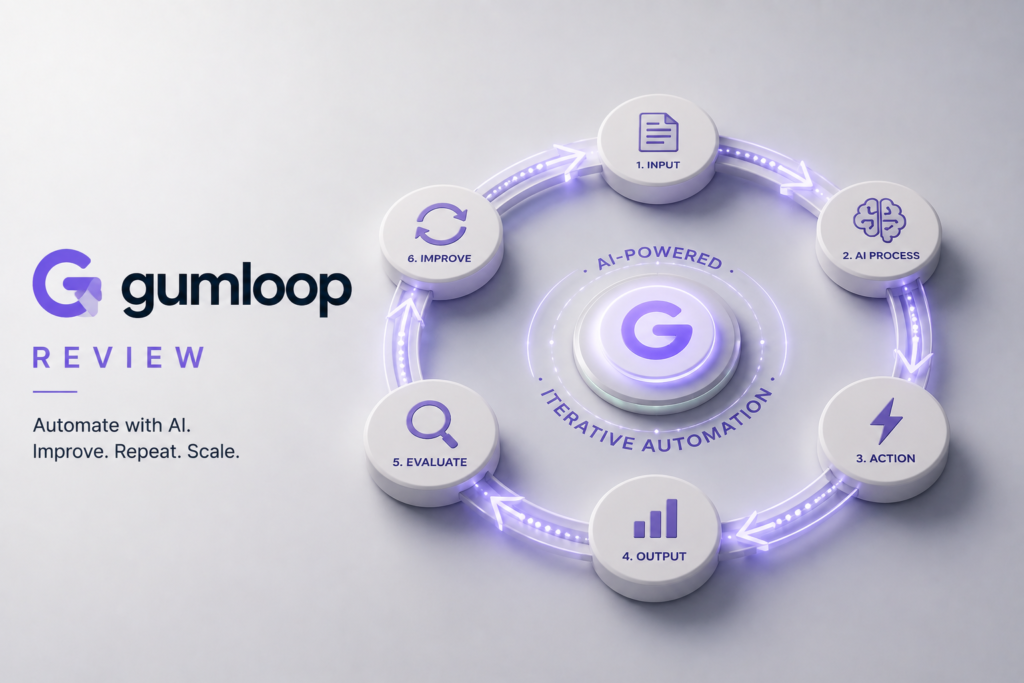
Review type: Research-Based Assessment
Last verified: 19 October 2026
Target audience: Small businesses, marketing and sales teams, operations teams, consultants, agencies, and AI-automation specialists
Primary business problem: Manual research, document extraction, lead enrichment, and other knowledge-intensive workflows that may benefit from AI-assisted automation.
Disclosure notice: This review is based on publicly available product documentation, official pricing information, and other relevant sources. We have not independently tested Gumloop. Features, pricing, integrations, and policies may change; verify current details with the provider before making a purchase decision.
Quick Verdict: Gumloop
| Review detail | Assessment |
|---|---|
| Primary business problem | Manual research, document processing, data enrichment, and AI-assisted knowledge work |
| Best-fit audience | AI-forward small businesses and teams automating research or document workflows |
| Not ideal for | Businesses needing only simple app-to-app automation or confirmed permanent free access |
| Main purpose | Build AI-powered workflows combining AI models, web data, documents, and business applications |
| Strongest documented advantage | AI-first automation combining web scraping, document extraction, MCP connectors, and business integrations |
| Main trade-off | Credit consumption, output accuracy, and total operating costs need validation |
| Starting price | Pro starts at $37/month, according to the pricing research |
| Free plan or trial | 14-day Pro trial; permanent free plan not independently verified |
| Business-fit verdict | Good Fit for AI-heavy knowledge-work automation |
| Research-based rating | 4.2/5 |
| Evidence confidence | Moderate overall |
| Assessment type | Research-Based Assessment |
| Last verified | 19 October 2026 |
Our Verdict
Gumloop is an AI-first, no-code workflow automation platform designed to combine AI models, web research, scraping, document processing, data enrichment, and business applications. Its strongest potential use cases include researching sales prospects, extracting structured information from documents, monitoring competitors, and preparing AI-assisted marketing content.
According to the supplied pricing research, Gumloop Pro starts at $37 per month and includes 20,000 monthly credits. Enterprise pricing is customized. Its credit-based model makes usage estimation important, especially for workflows involving repeated AI calls and web scraping.
Gumloop deserves consideration when a business has recurring, research-intensive work that conventional app automation may not handle well. However, output accuracy, workflow reliability, and actual credit consumption still need to be tested. Businesses needing simpler automation or self-hosting should compare alternatives before committing.
Key Takeaways
- Best reason to consider it: AI-first workflows that combine research, scraping, document extraction, and business-system integrations.
- Main limitation: Credit consumption and the reliability of AI-generated or extracted data need practical validation.
- Best business application: AI-assisted lead enrichment and research preparation.
- Pricing consideration: Pro starts at $37/month; actual cost depends on workflow design and credit consumption.
- Alternative to consider: n8n for self-hosting and customization, Make for visual business automation, or Zapier for straightforward app connections.
- Our recommendation: Run a limited pilot, measure cost and accuracy, and keep human review in place before expanding.
1. Introduction
As AI becomes more integrated into business operations, companies are looking for ways to automate complex workflows involving research, content creation, document processing, and customer communications—without hiring developers.
Small businesses often spend significant time researching prospects, monitoring competitors, processing documents, enriching customer records, and preparing content. Because these activities involve unstructured information and repeated manual work, basic trigger-and-action automation may not be sufficient.
Gumloop is an AI-first, no-code automation platform designed to combine AI models, web research, scraping, document extraction, and business applications in visual workflows. Its documented capabilities include AI-powered workflows, web-data processing, integrations, and Model Context Protocol (MCP) connectors.
For businesses that regularly work with web pages, documents, company information, and other knowledge-intensive inputs, Gumloop may provide a way to connect research and AI processing with downstream business actions.
This review examines Gumloop’s documented features, pricing, practical business applications, integrations, limitations, security considerations, and alternatives. It also explains when Gumloop is worth evaluating—and when a simpler or more flexible tool may be a better choice.
2. What Is Gumloop?
Gumloop is a cloud-based, no-code workflow automation platform focused on AI-powered business processes.
Traditional automation tools often connect applications through triggers, conditions, and actions. Gumloop focuses more heavily on workflows in which AI processes information, such as researching a company, extracting fields from a document, summarizing web content, or preparing structured output for another application.
| Attribute | Finding |
|---|---|
| Provider | Gumloop |
| Product category | AI-first, no-code workflow automation |
| Core functionality | AI workflows, web scraping, document processing, data enrichment, MCP connectors, and business-app integrations |
| Target audience | Small businesses, marketing teams, sales teams, operations teams, consultants, agencies, and automation specialists |
| Availability | Cloud-based software-as-a-service platform |
| Main business problem | Reducing repetitive research and information-processing work |
| Deployment model | Managed cloud platform; a self-hosted deployment option was not identified in the research reviewed |
| Official website | Gumloop |
How It Works
A typical Gumloop workflow can be understood in five stages:
- Input: Provide a document, URL, prompt, spreadsheet record, company name, or other supported input.
- Processing: Configure AI nodes, web-research capabilities, extraction steps, and integrations to process the information.
- Output: Generate a summary, structured table, enriched record, report, or other configured result.
- Review: Validate extracted data, source information, AI-generated content, and business logic.
- Integration or action: Where supported and configured, pass the output to a connected application or downstream workflow.
The exact workflow depends on the selected nodes, integrations, accounts, permissions, and subscription. Some services may have their own usage charges or credit requirements.
3. Research Methodology and Evidence Standards
How This Review Was Prepared
This is a research-based assessment, not a hands-on review. We did not independently configure Gumloop workflows, benchmark scraping quality, test AI agents, or measure business outcomes.
The research supplied for this review covers:
- Official product and feature documentation.
- Pricing and credit allowances.
- Integration and MCP documentation.
- Published security, privacy, and compliance information.
- Independent corroboration of a security certification.
- Relevant competing products and their intended use cases.
The review distinguishes documented functionality from provider statements, research-based analysis, and proposed workflows.
Evidence Classification
| Label | Meaning |
|---|---|
| Verified from identified sources | Supported by an identified source, preferably official documentation |
| Research-Based Analysis | An interpretation of documented capabilities and the intended business use case |
| Not Independently Verified | Not sufficiently confirmed by the available research |
| Illustrative Scenario | A proposed workflow that has not been implemented or tested by Intelligent AI Lab |
What We Could Not Verify
| Evidence area | Finding |
|---|---|
| Real-world reliability | No independent benchmark of workflow reliability, scraping quality, or AI-output accuracy was identified. |
| Ease of use | Gumloop documents a visual workflow approach, but actual learning time and usability were not independently tested. |
| Support quality | Support responsiveness and quality for Pro and Enterprise customers were not independently evaluated. |
| Security and compliance | Gumloop publishes security and compliance claims. Microsoft’s app-certification listing reportedly corroborates SOC 2 Type II certification, but this review is not an independent security audit. |
| Integration behavior | The research identifies 100+ platform integrations and 50+ pre-built MCP servers. Connector reliability across actual workflows remains untested. |
| Business performance | Specific improvements in prospecting, lead quality, productivity, or decision-making were not independently demonstrated. |
| Credit consumption | Exact credit consumption for every AI node, model, scraper, and integration was not fully established. |
| Permanent free plan | The official pricing page reportedly lists a 14-day Pro trial, while another Gumloop article references a 2,000-credit monthly free tier. The discrepancy remains unresolved. |
| Enterprise controls | Current SSO/SCIM availability, detailed audit logging, contract minimums, and some advanced governance features require direct confirmation. |
Sources Consulted
The supplied research identifies the following sources as supporting the assessment:
| Source | Information Used |
|---|---|
| Gumloop Pricing | Pro/Enterprise plans, trial, credits, and pricing structure |
| Gumloop Credits documentation | Pro credits, Enterprise rollover, and credit model |
| Gumloop llms.txt | Node and MCP documentation index |
| No-Auth Connectors | Firecrawl, Apify, scraping, credit billing, and BYOK |
| Extract to Table | AI extraction, web fetch, and provider options |
| Gumloop security | SOC 2, HIPAA, GDPR, ZDR, BYOK, and encryption |
| Gumloop for Support | No-training, ZDR, DPA, and compliance claims |
| Gumloop vs. Make | Integrations, MCP servers, credit model, and free-tier claim |
| Microsoft 365 App Certification | Independent SOC 2 Type II confirmation and data-retention response |
| Gumloop Privacy Policy | Data-retention and security practices |
4. Key Features of Gumloop
The most relevant features for small businesses are those that connect AI processing with real business information and downstream actions.
| Feature | What it does | Potential business value | Availability and limitations |
|---|---|---|---|
| AI workflow builder | Builds visual workflows combining AI and other processing steps | May reduce repeated research and information-processing work | Actual usability and reliability were not tested |
| AI nodes | Support AI-powered processing tasks | May help summarize, classify, extract, or generate content | Exact node availability and credit costs should be checked in current documentation |
| Document and data extraction | Extracts structured information from documents and web sources through documented extraction workflows | May reduce manual data entry | Extraction accuracy must be validated against source documents |
| Web scraping and research | Supports web-data workflows involving searching, scraping, crawling, and extracting information | May support competitive research and lead enrichment | Depends on the selected provider, website behavior, permissions, and applicable terms |
| MCP connectors | Connects workflows with supported tools and data sources through MCP servers | May extend workflows across business systems | Confirm the exact connector and actions required |
| Business-app integrations | Connects with supported CRM, collaboration, and productivity applications | May link AI outputs to existing processes | Gumloop documents 100+ platform integrations; not every integration supports every action |
| Bring Your Own Key (BYOK) | Allows use of customer-provided keys for eligible services | May provide more direct control over certain provider accounts | Confirm supported providers and how BYOK affects credit billing |
| Credit-based usage | Measures usage of AI, agents, and certain integrations | Enables usage-based planning | Cost depends on the actual workflow and consumption |
The Features That Matter Most for Businesses
1. AI-assisted research
Gumloop is particularly relevant when a task requires gathering information from websites or business data, processing it with AI, and turning it into a useful summary or structured output.
For example, a sales team could explore using a workflow to research companies and prepare account summaries. The actual quality and time savings would need to be measured in a pilot.
2. Document extraction
The documented Extract to Table functionality is relevant when information needs to be extracted from documents or web sources into a structured format.
Potential applications include processing invoice fields, extracting contract information, and organizing research findings. Businesses should test representative documents, including those with inconsistent layouts or poor-quality text.
3. Integrations and MCP connectors
The supplied research reports more than 100 platform integrations and more than 50 pre-built MCP servers. Examples include Slack, Google Workspace, Notion, HubSpot, Salesforce, Airtable, Apollo, Exa, Firecrawl, Google Maps, and Semrush.
This provides a useful starting point for connecting information processing with existing business workflows. The buyer should still confirm the required connector, supported operations, access permissions, and plan restrictions.
4. Credit-based usage
Gumloop’s unified credit model is a key purchasing consideration. According to the research, non-AI workflow steps are free, while AI usage, agents, and certain integrations consume credits.
This makes workflow design important. A workflow that repeatedly calls models, scrapes many pages, or processes large volumes may have a different cost profile from a short, simple workflow.
5. How Businesses Can Use Gumloop
The following table describes potential applications, not independently demonstrated outcomes.
| Business function | Example problem | How Gumloop may help | Human oversight or requirement |
|---|---|---|---|
| Sales | Prospect research takes too much manual effort | Research companies, extract business details, and prepare account summaries | Verify company facts and suitability before outreach |
| Marketing | Competitor and SEO research is repetitive | Collect web information and prepare research summaries | Check source accuracy and strategic context |
| Operations | Staff manually copy information from documents | Extract selected fields into structured tables or workflows | Validate financial and contractual fields |
| Customer support | Support requests need categorization and summarization | Explore AI-assisted classification and response drafting | Review sensitive complaints and customer-facing responses |
| Content creation | Research and outline preparation take time | Gather information and prepare content briefs or drafts | Fact-check, edit, and approve content before publication |
| Market research | Competitor changes are difficult to track | Collect and summarize information from approved sources | Validate material changes and source context |
Best-Fit Business Use Case: AI-Assisted Lead Enrichment
Business problem: A small B2B sales team spends substantial time researching prospects before deciding how to follow up.
Relevant documented capabilities: Gumloop supports AI-powered workflows, web-data processing, structured extraction, and business-app integrations.
Inputs and systems required:
- A lead list containing company names or domains.
- Approved information sources.
- A CRM or structured data destination.
- An outreach template and review process.
- A defined credit budget.
Proposed workflow:
- Start with a new lead or a batch of existing leads.
- Gather information from approved company sources.
- Extract relevant facts and create a concise company summary.
- Pass the results to the appropriate CRM or business workflow, where supported.
- Have a salesperson validate the information and approve the outreach draft.
Risks and limitations: Information may be outdated or incomplete. AI may misinterpret a source, and scraping can raise contractual or legal concerns. Credit usage and connector behavior also require testing.
Suggested pilot metrics:
- Research time per lead.
- Accuracy of extracted company information.
- CRM-field completeness.
- Human correction rate.
- Credit cost per lead.
- Percentage of records successfully processed.
The objective is to determine whether the workflow is reliable and economically worthwhile—not to assume that automated enrichment will automatically improve lead quality or conversion rates.
6. Intelligent AI Lab Business Decision Analysis
The Business Problem Gumloop Is Best Suited to Address
Gumloop appears most suitable for businesses whose recurring bottleneck involves collecting, interpreting, and organizing information from websites, documents, and business applications.
A small sales, marketing, or operations team may be a good candidate when its work requires more than moving data between two applications. AI processing, extraction, and web research may be central to the workflow.
The business objective should be defined in operational terms: producing accurate research, extracting reliable information, reducing manual handling, or preparing consistent outputs. Whether Gumloop achieves those outcomes must be validated.
Is This the Right Tool for the Job?
| Decision factor | Assessment |
|---|---|
| Primary use case | AI-assisted research, web-data processing, document extraction, and enrichment |
| Capability fit | Strong potential fit for AI-heavy knowledge work; less compelling for simple app-to-app automation |
| Main advantage | Combines AI workflows, web-data capabilities, MCP connectors, and business integrations |
| Main trade-off | Credit costs and actual output reliability need testing |
| Cost consideration | Subscription, credit consumption, possible external service charges, review effort, and maintenance |
| Implementation consideration | Requires workflow design, access permissions, source validation, exception handling, and monitoring |
| Key uncertainty | Whether output accuracy and total cost meet the buyer’s requirements |
When to Choose Gumloop
Consider Gumloop when:
- Your business repeatedly researches companies, markets, competitors, or websites.
- You need to extract structured data from documents or web content.
- You want AI processing to connect with supported CRM, collaboration, or productivity tools.
- Your workflow benefits from MCP connectors or AI-specific processing.
- You have someone accountable for validating outputs and monitoring costs.
- You can define a measurable pilot before expanding usage.
When to Choose an Alternative
Consider another option when the requirements point to a different product category.
- Zapier: A candidate for straightforward app-to-app workflows that do not need extensive AI processing.
- Make: Worth evaluating for visual automation involving many applications and multi-step business logic.
- n8n: Worth evaluating when self-hosting, open-source flexibility, or greater technical customization matters.
- Dify: Worth evaluating when the main goal is building custom AI applications or agent experiences.
- LangChain or custom development: More appropriate to investigate when an engineering team needs detailed control over AI-agent architecture.
The best choice depends on the workflow, not on a universal ranking of these products.
When Not to Use AI
Gumloop may be unnecessary when:
- The task occurs infrequently and takes little time.
- Existing software already performs the task reliably.
- A spreadsheet, form, or standard business rule can solve the problem.
- The process itself is poorly defined and should be improved before automation.
- AI errors would introduce disproportionate risk or review costs.
- The business cannot establish an acceptable method for validating the output.
For sensitive decisions, use qualified human judgment rather than treating an AI-generated result as authoritative.
Our Recommended Next Step
Recommendation: Conduct a limited pilot.
Choose one recurring, relatively low-risk workflow, such as lead enrichment, competitor research, or document extraction.
During the pilot, record:
- Time per completed task before and after introducing the workflow.
- Credit consumption per record, document, or research cycle.
- Accuracy and correction rates.
- Failed runs and exception-handling effort.
- Total cost, including human review and external services.
Establish a baseline and a success threshold before testing. Continue only if the workflow meets the required quality, governance, and cost criteria.
Evidence note: This is a research-based business recommendation. Intelligent AI Lab has not independently tested Gumloop or demonstrated business outcomes.
7. Illustrative Business Automation Examples
These are proposed workflows, not automations implemented or tested by Intelligent AI Lab.
Example 1: AI Lead-Enrichment Workflow
Business scenario: A small B2B sales team wants to research new leads and prepare better-informed outreach.
Tools involved: Gumloop, an approved lead source or CRM, web-data capabilities, an eligible AI service, and a sales-review process.
Before
A salesperson manually visits company websites, gathers business information, updates CRM fields, and prepares an outreach draft.
Proposed workflow
- Trigger: A new lead is added to a CRM or spreadsheet.
- Input: Company name, domain, and relevant lead details.
- AI processing: Gather approved web information and extract selected business facts.
- Integration or action: Prepare an enriched record and, where supported, send it to the CRM.
- Human oversight: A salesperson validates the facts and approves the outreach.
- Output: A reviewed company summary and a draft message.
Potential benefits
- Less repetitive manual research.
- More consistent record preparation.
- Better visibility into the information supporting an outreach decision.
Requirements and limitations
- Web data may be incomplete, outdated, or misleading.
- AI-generated claims require source verification.
- Connector permissions and credit consumption need testing.
- Outreach must comply with applicable privacy and marketing rules.
Suggested success metrics
- Research time per lead.
- Accuracy of extracted facts.
- CRM completeness.
- Credit cost per lead.
- Human correction rate.
Example 2: Competitor-Research Workflow
Business scenario: A marketing team wants to track selected competitor pages and prepare a weekly summary.
Tools involved: Gumloop, approved web-data providers or scraping capabilities, an AI service, a document or knowledge-management application, and a notification system.
Before
A team member manually checks competitor websites, records changes, and prepares a report.
Proposed workflow
- Trigger: A scheduled research cycle begins.
- Input: Approved competitor URLs and defined monitoring criteria.
- AI processing: Collect available page information, extract relevant details, and summarize potential changes.
- Integration or action: Prepare a report and send a notification through a supported integration.
- Human oversight: A marketing team member checks the original sources and determines which changes matter.
- Output: A reviewed competitor-research report.
Potential benefits
- More consistent research cycles.
- Easier documentation of changes.
- Less repetitive information gathering.
Requirements and limitations
- Scraping must comply with applicable law and target-site terms.
- Some websites may block automated access or change their layouts.
- AI may miss context or incorrectly identify a change.
- Credit consumption depends on the selected workflow and services.
Suggested success metrics
- Time required to prepare each report.
- Number of relevant changes identified.
- False-positive rate.
- Credit cost per report.
- Human correction effort.
Both examples require a controlled pilot before any claim about actual savings or improved performance can be justified.
8. Pros and Cons of Gumloop
| Pros | Cons |
|---|---|
| Designed for AI-heavy workflows involving research, web data, and documents | Credit consumption can be difficult to predict without testing |
| Supports documented document and structured-data extraction workflows | Extracted information requires validation |
| Reports more than 100 platform integrations and 50+ MCP servers | Connector coverage and behavior need checking for each workflow |
| Non-AI workflow steps are reported as free | AI and certain connector usage can consume credits |
| Publishes security and data-handling documentation | Businesses must review the actual terms, controls, and contractual commitments |
| Can be evaluated through a 14-day Pro trial, according to the supplied research | A permanent free plan remains unconfirmed |
What These Pros and Cons Mean for Buyers
Gumloop’s most meaningful advantage is its focus on combining AI processing with research, documents, and business-system connections. That makes it worth evaluating for recurring knowledge-work workflows.
The most important trade-off is whether the workflow remains accurate and cost-effective when used on real business data. A visually successful workflow is not sufficient if its output requires extensive correction or consumes more credits than expected.
For businesses that only need to move information between familiar applications, a simpler automation tool may require less configuration and be easier to justify financially.
9. Gumloop Pricing and Plans
Pricing verification date: 19 October 2026
The supplied research reports that Gumloop uses a unified credit-based model. Non-AI workflow steps are free, while AI usage, agents, and certain integrations consume credits.
| Plan | Price | Billing basis | Best for | Important limits or notes |
|---|---|---|---|---|
| Pro | Starts at $37/month | Subscription with monthly credit allowance | Small businesses and teams evaluating AI-heavy workflows | 20,000 credits/month and a 14-day Pro trial, according to the research |
| Enterprise | Custom pricing | Custom agreement | Organizations with higher-volume or enterprise requirements | Custom credits and unused-credit rollover are reported |
| Permanent free tier | Not independently verified | Not established | Cannot determine | Official pricing information reportedly lists a 14-day Pro trial; a separate product article mentions a 2,000-credit monthly tier |
Official website: Gumloop
The exact official pricing-page URL was not supplied in the research material. Navigate from Gumloop’s official website and verify the current plan details before publication.
What to Know Before Paying
Pro pricing and credits: The supplied research states that Pro starts at $37 per month and includes 20,000 monthly credits. It describes these as 7,400 credits at a $0.005 list price plus 12,600 bonus credits. Confirm the current credit allocation, billing basis, and applicable terms directly with Gumloop.
Free trial: The research reports a 14-day Pro trial for new accounts. Verify eligibility and whether payment details are required before signing up.
Enterprise: Enterprise pricing is customized. The research reports custom credit allocations and rollover of unused credits.
Usage costs: Credit consumption depends on the AI models, nodes, agents, scraping services, and integrations involved. Exact consumption for every workflow was not established.
Bring Your Own Key: BYOK may allow eligible services to use customer-provided provider keys. Confirm which providers are supported and whether this changes Gumloop credit consumption or creates separate charges.
Other costs: Include external provider fees, configuration, ongoing maintenance, human review, and exception handling when evaluating total cost.
Permanent free tier: Do not advertise Gumloop as having a permanent free plan until the discrepancy between the pricing page and the separate 2,000-credit claim is resolved.
Is Gumloop Worth the Price?
Gumloop may be worth evaluating if your business repeatedly performs research, enrichment, or document-processing work that benefits from AI. It is less compelling when the required workflow is simple enough for existing software or basic app automation.
The right comparison is between the total cost of the current process and the total cost of the proposed automated process.
That comparison should include:
- Subscription charges.
- Credits consumed per task.
- External AI or scraping-provider charges.
- Human verification and correction time.
- Setup and maintenance effort.
- The cost of failed or incomplete runs.
Actual return on investment cannot be established without measuring the workflow.
Best Plan Recommendation
| Buyer type | Recommended plan | Reason | What to verify |
|---|---|---|---|
| Business evaluating Gumloop | 14-day Pro trial, if eligible | Provides an opportunity to evaluate a real workflow before committing | Trial conditions, credit limits, and cancellation terms |
| Freelancer or small business | Cannot determine without usage estimates | Pro may fit recurring AI-heavy work | Monthly volume, credit consumption, and total cost |
| Small team | Pro as a starting candidate | Reported monthly credit allowance may support an initial pilot | Collaboration features, usage limits, and permissions |
| High-volume or enterprise buyer | Request an Enterprise proposal | Custom credits and rollover may be relevant | Contract terms, security controls, support, and administration |
| Business needing simple app automation | Compare Zapier or Make | A more straightforward workflow may not need an AI-first platform | Required connectors and comparative total cost |
Do not select a more expensive plan simply because it includes more capacity. Match the plan to a measured requirement.
10. Integrations and Technical Requirements
Gumloop’s reported ecosystem includes 100+ platform integrations and 50+ pre-built MCP servers. The supplied research names services such as Slack, Google Workspace, Notion, HubSpot, Salesforce, Airtable, Apollo, Exa, Parallel, Firecrawl, Google Maps, and Semrush.
These examples should not be interpreted as a guarantee that every action is supported for every plan or workflow.
| Integration or requirement | What to check | Research findings |
|---|---|---|
| CRM and sales systems | Supported actions, field mapping, permissions, and synchronization | HubSpot, Salesforce, and other business integrations are reported |
| Email and collaboration | Available triggers, actions, and account requirements | Slack and Google Workspace integrations are reported |
| Web research and scraping | Provider, page access, rate limits, and applicable terms | Firecrawl, Apify, Exa, Parallel, and Gumloop web-data capabilities are identified |
| MCP connectors | Supported tools, operations, permissions, and plan restrictions | More than 50 pre-built MCP servers are reported |
| API and webhooks | Authentication, request limits, supported endpoints, and costs | API-based and MCP-based workflows are described in the research; exact limits require verification |
| Document processing | Supported file types, extraction format, and output validation | Extract to Table and document/web-data extraction are reported |
| Security and administration | Roles, permissions, audit logs, and administrative controls | Public security claims exist; detailed enterprise controls require vendor confirmation |
| Implementation | Setup, data preparation, maintenance, and exception handling | Workflow design, validation, and credit monitoring are important practical requirements |
Native vs. Third-Party Integrations
- Native platform capabilities: Gumloop’s visual workflow builder, documented AI workflow functionality, and credit-management model.
- Documented external integrations: Supported business applications and MCP servers, subject to the specific connector and action.
- Third-party services: AI model providers, scraping services, and other external services may introduce their own permissions, terms, or costs.
- Custom integration: A bespoke API or workflow implementation may be needed when a required action is not available through a documented connector.
- Unverified integration: A connection should not be treated as supported merely because a service exposes an API or uses MCP.
Implementation Considerations
Before building a workflow, identify the required inputs, destination systems, credentials, permissions, and review steps.
For AI-heavy workflows, also define how to handle missing information, extraction errors, inaccessible pages, duplicate records, and unexpected model outputs.
Start with a small volume of representative data. Track credit usage and correction effort from the beginning rather than waiting until the workflow is deployed at scale.
11. Gumloop vs. Alternatives
The best alternative depends on whether the buyer prioritizes AI-heavy research, general business automation, self-hosting, or custom AI application development.
| Tool | Best for | Key difference | Pricing position | Consider it instead when |
|---|---|---|---|---|
| Gumloop | AI-first research, scraping, document processing, and enrichment | Combines AI workflows, web-data capabilities, and business integrations | Pro reported from $37/month | AI processing is central to the workflow |
| n8n | Self-hosting, customization, APIs, and AI-agent development | Offers a more technically flexible automation approach, including self-hosted deployment options | Community self-hosted option and paid cloud plans; verify current pricing | Deployment control and customization matter |
| Make | Multi-step business automation | Visual scenario-based automation with broad app connectivity | Free and paid plans; verify current pricing and limits | The main requirement is broad visual business automation |
| Zapier | Straightforward app-to-app automation | Focuses on connecting applications through triggers and actions | Free and paid plans; verify current pricing and task limits | Simplicity and app coverage are more important than advanced AI processing |
| Dify | Custom AI applications and agent experiences | Focuses on building AI applications rather than serving primarily as a general automation layer | Verify current pricing and deployment options | The goal is a custom AI application |
| LangChain or custom development | Highly customized AI systems | Provides an engineering-oriented route to designing AI applications and agent workflows | Depends on development, hosting, and maintenance requirements | The team needs engineering-level control |
The supplied research contains some competitor pricing examples, but those prices have not been independently rechecked here. Verify current official pricing before publishing direct cost comparisons.
Which Tool Should You Choose?
- Choose Gumloop if your workflow depends on combining AI processing, web research, scraping, extraction, and business-system connections.
- Choose n8n if self-hosting, technical customization, and control over deployment are important.
- Choose Make if you need visual automation across a broad range of business applications.
- Choose Zapier if your primary requirement is straightforward app-to-app automation.
- Consider Dify if you need to build a custom AI application rather than automate general business processes.
- Consider LangChain or custom development if your engineering team needs greater control over the AI architecture.
Compare the specific workflow, required connectors, implementation effort, and total cost before selecting a platform.
12. Who Should Use Gumloop?
Recommended For
- Small-business owners: When recurring research or document processing creates a meaningful operational bottleneck.
- Sales teams: When prospect research, company enrichment, and outreach preparation are repetitive.
- Marketing teams: When competitor monitoring, SEO research, and content preparation require collecting information from multiple sources.
- Operations teams: When staff repeatedly extract and organize information from documents.
- Consultants and agencies: When client research or information-processing workflows can be standardized and validated.
- AI-automation specialists: When AI nodes, MCP connectors, and integrations are relevant to the required workflow.
Not Ideal For
- Businesses needing only simple app connections: A simpler automation platform may be easier to justify.
- Organizations requiring self-hosting: Confirm whether a self-hosted deployment is available; the reviewed research identifies Gumloop as a managed cloud platform.
- Teams unable to validate AI outputs: Incorrect extracted information or summaries may create downstream errors.
- Businesses requiring highly predictable costs without usage analysis: Credit consumption should be measured before scaling.
- Security-sensitive organizations with unresolved requirements: Obtain the required contractual and technical evidence before connecting sensitive systems.
Best-Fit Buyer Profile
The best-fit buyer is a small business or team with recurring AI-heavy knowledge work, clearly defined data sources, a measurable workflow, and someone accountable for quality and cost.
The decision should be based on output accuracy, supported integrations, credit consumption, implementation effort, data-handling requirements, and the cost of human review.
13. How to Get Started With Gumloop
This is a research-based implementation guide, not a report of a workflow configured by Intelligent AI Lab.
Step 1: Identify One Business Problem
Choose a recurring, measurable task, such as researching leads, monitoring selected competitor pages, or extracting information from documents.
Step 2: Confirm Product Fit
Verify that Gumloop supports the necessary input types, processing steps, integrations, and output format. Check plan restrictions and credit requirements.
Step 3: Review Data and Permissions
Determine what information the workflow needs and who can access it. Review applicable privacy policies, security documentation, and third-party provider terms before connecting sensitive systems.
Step 4: Design a Limited Pilot
Define the inputs, expected output, approval steps, exception handling, and fallback process. Keep a human responsible for consequential decisions.
Step 5: Establish a Baseline
Record how the existing process performs. Depending on the workflow, measure:
- Time per task.
- Error and rework rate.
- Data completeness and accuracy.
- Cost per completed task.
- Response or processing time.
Step 6: Evaluate the Pilot
Compare the results with the baseline. Include subscription costs, credits, external services, review time, and maintenance effort.
Step 7: Decide Whether to Expand
Continue, revise, or stop based on the evidence. Scale only when the workflow is sufficiently reliable and the business case is supported by measured results.
14. Limitations, Risks, and Governance
AI-first automation introduces risks that extend beyond the workflow builder itself. The relevant questions concern source quality, AI accuracy, permissions, data handling, usage costs, and operational accountability.
| Risk area | Research findings | What buyers should check |
|---|---|---|
| Accuracy and reliability | No independent accuracy or reliability benchmark was identified | Test representative inputs and define acceptable error rates |
| Privacy and data retention | Gumloop publishes a privacy policy and data-handling information | Review the current policy, retention terms, deletion process, and applicable contract |
| Model training and data use | Gumloop states that customer data is not used to train AI models and that it has zero-data-retention arrangements with major model providers | Confirm which providers and services are covered and whether contractual terms apply |
| Security | Gumloop states that it is SOC 2 Type II attested and publishes other security claims | Review the current report, scope, date, and applicable controls |
| Compliance | Gumloop states that it is HIPAA compliant, GDPR-aligned, and certified under the EU-U.S. Data Privacy Framework, including the UK Extension | Obtain the relevant documentation and confirm applicability to your use case |
| Access and permissions | Detailed enterprise administration and governance features were not fully established | Confirm role-based access, least-privilege permissions, audit logging, and SSO/SCIM requirements |
| Usage limits | Pro is reported to include 20,000 monthly credits; Enterprise uses custom credits with rollover | Model expected consumption and verify what happens when limits are reached |
| Human oversight | AI-generated summaries and extracted fields may contain errors | Require review for customer-facing, financial, contractual, or consequential actions |
| Web-scraping compliance | Gumloop documents web-data and scraping capabilities | Review target-site terms, access restrictions, applicable law, and data-use rights |
| Vendor dependency | Migration of complex workflows and configurations was not fully verified | Confirm export options, portability, and how workflows can be maintained or recreated |
| Support and continuity | Support quality and service commitments were not independently evaluated | Confirm response times, escalation routes, service commitments, and continuity provisions |
Understanding Gumloop’s Security Claims
The supplied research reports several security and compliance statements from Gumloop, including SOC 2 Type II, HIPAA compliance, GDPR alignment, Data Privacy Framework certification, zero-data-retention arrangements with major model providers, BYOK support, and encryption.
The research also reports that Microsoft’s app-certification listing independently confirms Gumloop’s SOC 2 Type II certification.
These statements should not be treated as proof that every possible Gumloop workflow meets every organization’s security or compliance requirements. Certification scope, contractual terms, data flows, connected services, and implementation choices matter.
What Businesses Should Check Before Adoption
- Verify the current plan, trial conditions, credits, and regional pricing.
- Estimate credit consumption for the actual workflow.
- Review privacy, data-retention, AI-provider, and security documentation.
- Confirm connector permissions and the information each workflow can access.
- Establish source-validation and human-review requirements.
- Confirm any required enterprise controls and contractual commitments.
- Review scraping permissions and applicable terms before collecting web data.
For regulated or high-impact use cases, obtain appropriate technical, security, legal, or compliance review before deployment.
15. Final Verdict: Is Gumloop Worth It?
Gumloop is worth considering for small businesses and teams that need AI-first automation for research, web-data processing, document extraction, lead enrichment, and content workflows. Its main differentiator is the combination of AI processing, scraping capabilities, MCP connectors, and business integrations within a visual automation environment.
The strongest reason to evaluate Gumloop is its potential fit for knowledge-intensive tasks that involve unstructured information. Businesses may find it useful when they need to collect information, extract relevant details, and prepare structured outputs for existing systems.
The main trade-offs are credit-cost uncertainty and the lack of independently verified evidence about real-world accuracy, scraping quality, reliability, and business outcomes. AI-generated outputs still require validation, and buyers should confirm the integrations, permissions, and governance controls needed for their workflows.
According to the supplied research, Pro starts at $37 per month and includes 20,000 monthly credits, while Enterprise pricing is customized. The permanent-free-plan discrepancy should be resolved before the article makes a definitive claim about free access.
Final Buying Recommendation: Pilot.
Start with the 14-day Pro trial, if eligible, and test one repeatable, low-risk workflow. Measure output accuracy, credit consumption, review effort, and total cost before expanding. Businesses that need only simple app automation should compare Zapier or Make first, while organizations requiring self-hosting should evaluate n8n.
Gumloop is a promising candidate for AI-heavy workflow automation, but the business case should be demonstrated with the buyer’s own data and requirements.
16. Intelligent AI Lab Rating and Scorecard
A. Business-Fit Verdict
Good Fit for AI-forward small businesses that need recurring research, document processing, enrichment, or content workflows.
Conditional Fit for businesses that need only simple app automation, require self-hosting, or have unresolved cost or governance requirements.
B. Assessment Type
Research-Based Assessment.
This review uses product documentation, pricing research, published security information, and business-workflow analysis. No hands-on product test or business pilot was conducted.
C. Evidence Confidence
Moderate overall.
Confidence is stronger for the documented product positioning, reported pricing structure, credit model, and listed integrations. Microsoft certification information provides reported independent corroboration of SOC 2 Type II.
Confidence is lower for real-world AI-output accuracy, scraping quality, connector reliability, actual credit consumption, and business outcomes because these were not independently benchmarked. Some enterprise governance details and the permanent-free-plan question also remain unresolved.
D. Numerical Rating
Research-based rating: 4.2/5
Rating date: 19 October 2026
This rating describes the product’s researched suitability for AI-heavy knowledge-work automation. It is not a hands-on performance benchmark.
Research-Based Weighted Scorecard — Analyst Judgment
The following scores reflect Intelligent AI Lab’s assessment of documented capabilities and suitability for the defined use case. They are not based on hands-on testing, customer-survey data, or measured business outcomes.
| Criterion | Weight | Score | Evidence and rationale |
|---|---|---|---|
| Core capability fit | 25% | 5/5 | The documented product positioning and capabilities align closely with AI-heavy research, extraction, and enrichment workflows. Actual performance remains untested. |
| Business workflow fit | 20% | 4/5 | The features map well to recurring knowledge work, but measurable business value has not been independently demonstrated. |
| Implementation feasibility | 15% | 4/5 | A visual workflow approach may reduce coding requirements, but implementation still needs data validation, exception handling, and credit monitoring. |
| Integrations and interoperability | 15% | 4/5 | The research reports 100+ platform integrations and 50+ MCP servers. Required actions and connector reliability still need confirmation. |
| Pricing and cost suitability | 15% | 3/5 | The reported Pro allowance provides a basis for evaluation, but actual credit consumption and total cost depend on the workflow. |
| Governance and operational readiness | 10% | 5/5 | Published security and compliance documentation, plus reported independent SOC 2 Type II corroboration, are positive signals. A full buyer-specific security assessment remains necessary. |
Weighted score calculation:
(5 × 0.25) + (4 × 0.20) + (4 × 0.15) + (4 × 0.15) + (3 × 0.15) + (5 × 0.10) = 4.20/5
Research-based rating: 4.20/5
The 4.2/5 rating does not mean Gumloop has been proven to deliver strong business results. It reflects the documented fit for the selected use case, balanced against cost uncertainty and the absence of independent operational testing.
Overall Assessment Summary
- Business-fit verdict: Good Fit
- Research-based rating: 4.2/5
- Evidence confidence: Moderate overall
- Assessment type: Research-Based Assessment
- Overall conclusion: Gumloop is a strong option for businesses that need AI-first automation for recurring research, document processing, data enrichment, and content workflows. Its suitability depends on the ability to maintain output accuracy and control credit-based costs. Businesses with recurring AI-heavy knowledge work should consider a controlled pilot to validate accuracy, connector behavior, total costs, and governance requirements before scaling. Those needing simpler app-to-app automation should compare Zapier or Make, while businesses requiring self-hosting should evaluate platforms better suited to that deployment model. Gumloop’s strengths in AI workflow capabilities and governance documentation should be weighed against credit-cost uncertainty and a smaller integration ecosystem.
17. Decision Checklist: Should You Choose Gumloop?
Choose or Shortlist Gumloop If:
- Your business regularly researches prospects, competitors, markets, or websites.
- You need AI-assisted extraction or processing of documents and web data.
- The required integrations and connectors are supported.
- The subscription and likely credit consumption fit your budget.
- You can validate outputs and maintain appropriate human oversight.
- You are prepared to run a controlled pilot before expanding.
Consider an Alternative If:
- You need only straightforward app-to-app automation.
- Self-hosting or deployment control is essential.
- A required integration or enterprise control cannot be confirmed.
- Credit costs are difficult to justify for the workflow.
- Your existing software already solves the problem adequately.
- The cost or risk of reviewing AI outputs outweighs the potential benefit.
Decision guidance: If a critical requirement remains unverified, resolve it before committing. Gumloop can be worth shortlisting without being ready for immediate production deployment.
18. Frequently Asked Questions About Gumloop
What is Gumloop used for?
Gumloop is an AI-first workflow automation platform used to build workflows involving AI processing, web research, scraping, document extraction, data enrichment, and business-app integrations. Potential applications include lead research, competitive intelligence, content preparation, and document processing.
Is Gumloop free?
The supplied research reports a 14-day Pro free trial. A permanent free plan was not confirmed from the official pricing information reviewed. Another Gumloop article reportedly references a 2,000-credit monthly tier, so users should confirm the current free-plan terms directly with Gumloop.
How much does Gumloop cost?
According to the supplied research, Pro starts at $37 per month and includes 20,000 monthly credits. Enterprise pricing is customized and reportedly includes unused-credit rollover. Confirm the current pricing, billing conditions, and credit rules on Gumloop’s official website before subscribing.
Is Gumloop suitable for small businesses?
It may suit small businesses that repeatedly perform research, document extraction, data enrichment, or AI-assisted content work. The main considerations are credit consumption, output accuracy, integration coverage, data handling, and the time required for human review.
Is Gumloop better than Zapier?
Neither is universally better. Gumloop is more directly positioned for AI-heavy workflows involving research, scraping, and extraction. Zapier is worth considering when the main requirement is straightforward app-to-app automation. Compare the exact workflow, available connectors, pricing, and maintenance effort before deciding.
Can Gumloop automate business workflows?
Gumloop supports AI-powered workflows, web-data processing, document extraction, integrations, and MCP connectors. The extent of automation depends on the configured workflow, supported services, account permissions, plan restrictions, and required human approval.
Does Gumloop integrate with HubSpot, Salesforce, or Slack?
The supplied research identifies HubSpot, Salesforce, and Slack among Gumloop’s documented business integrations. Before implementing a workflow, verify the exact connector, supported actions, permissions, and applicable plan restrictions in the current documentation.
Is Gumloop safe for business data?
Gumloop publishes security and data-handling statements, including claims concerning SOC 2 Type II, HIPAA, GDPR, zero-data-retention arrangements, and encryption. The supplied research also reports independent corroboration of its SOC 2 Type II certification. These statements do not replace a buyer-specific security review. Confirm the current documentation, contractual commitments, data flows, and connected third-party services before