
Canva Review 2026: Features, Pricing, Use Cases & Is It Worth It for Small Businesses?
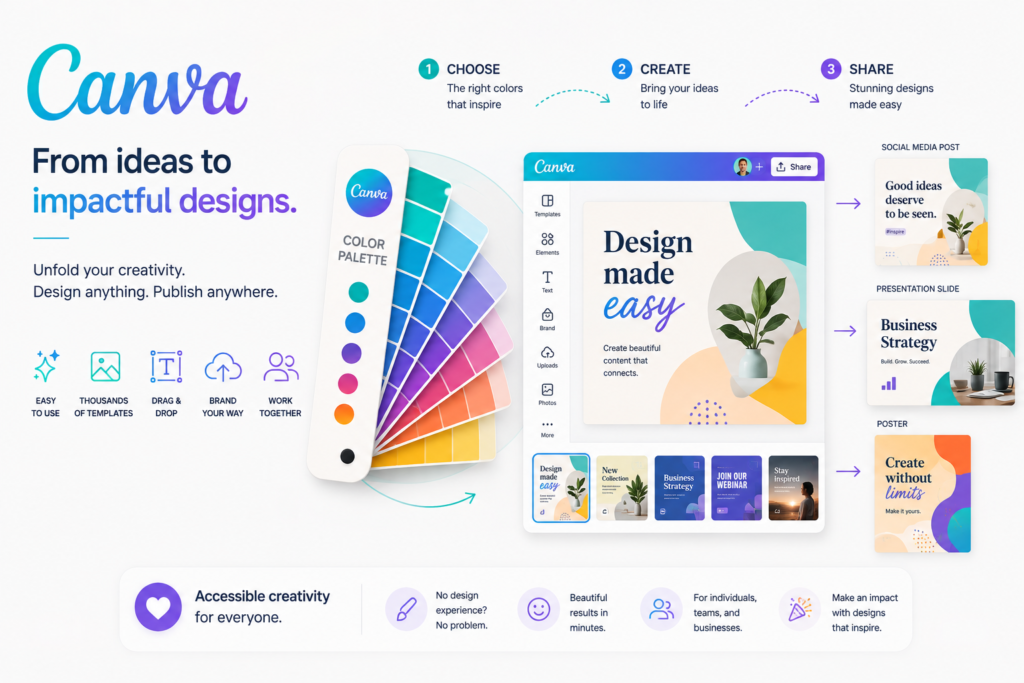
Review type: Research-Based Assessment
Last verified: 20 October 2026
Target audience: Small business owners, entrepreneurs, marketing teams, social media managers, freelancers, coaches, consultants, and startup teams
Primary business problem: Creating branded visual content without requiring advanced design skills or a dedicated design team
Disclosure notice: This review is based on publicly available product documentation, official pricing information, and other relevant research. We have not independently tested Canva AI. Features, pricing, AI credits, integrations, and policies may change. Verify current details with Canva before making a purchase decision.
Quick Verdict: Canva AI
| Review detail | Assessment |
|---|---|
| Primary business problem | Creating branded graphics, presentations, videos, and marketing assets efficiently |
| Best-fit audience | Small businesses and marketing teams producing recurring visual content |
| Not ideal for | Complex UI/UX projects or highly specialized creative work requiring advanced editing control |
| Main purpose | AI-assisted visual design and content creation |
| Strongest documented advantage | Combines AI design, writing, image generation, video creation, templates, brand management, and collaboration |
| Main trade-off | AI usage limits, editing requirements, and potential template-based uniformity |
| Starting price | Free plan at US$0; Canva Pro at US$120/year for one person, according to the supplied research |
| Free plan or trial | Free plan available; 30-day Pro or Teams trial reported, with a payment method required |
| Business-fit verdict | Good Fit for small businesses needing recurring visual marketing content |
| Research-based rating | 4.45/5 |
| Assessment type | Research-Based Assessment |
| Last verified | 20 October 2026 |
Our Verdict
Canva AI is worth considering for small businesses that regularly produce social media graphics, presentations, promotional materials, product visuals, and branded marketing assets. Its strongest documented advantage is the combination of Magic Design, Magic Write, Magic Media, Dream Lab, editing tools, Brand Kit, and collaboration in one platform.
According to the supplied research, Canva Free costs US$0, Canva Pro costs US$120 per year for one person, and Canva Teams costs US$100 per person per year with a three-person minimum. Paid plans provide expanded design capabilities and AI allowances, although usage limits and feature availability vary.
Canva AI is not a replacement for every specialist design tool. Businesses should assess output quality, editing effort, brand consistency, credit consumption, and governance requirements before committing.
Key Takeaways
- Best reason to consider it: One workspace for AI-assisted design, writing, image and video creation, brand assets, and collaboration.
- Main limitation: AI-generated content may need substantial editing, while credit limits can affect recurring workflows.
- Best business application: Creating recurring, branded social media content and campaign assets.
- Pricing consideration: Check the actual AI allowances and the total cost of team seats before upgrading.
- Alternative to consider: Adobe Firefly for creative workflows, Midjourney for artistic image generation, or Figma for product design.
- Our recommendation: Pilot Canva AI on one recurring visual workflow and measure design time, revision effort, brand consistency, and cost per published asset.
1. Introduction
Visual content supports how small businesses attract customers, explain products, promote services, and communicate their value. Yet creating graphics, presentations, advertisements, and social media posts can consume considerable time when a business lacks dedicated design resources.
Canva AI brings artificial intelligence into Canva’s visual design and content-creation platform. Its documented capabilities include generating design options, drafting text, creating images and videos, editing visual elements, and working with brand assets and templates.
For a small business, the potential value is not simply generating more content. It is producing usable, on-brand assets with an acceptable amount of editing, review, and expense.
This research-based review examines Canva AI’s features, pricing, business applications, integrations, limitations, alternatives, privacy and governance considerations, and suitability for small businesses. It distinguishes documented product capabilities from potential business benefits that still require practical validation.
2. What Is Canva AI?
Canva AI is the AI-powered creative layer within Canva, a visual design and content-creation platform. Rather than serving only as an image generator, it combines AI-assisted design with templates, editing, brand management, collaboration, and publishing features.
| Attribute | Finding |
|---|---|
| Provider | Canva |
| Product category | AI-powered visual design and content creation |
| Core functionality | Design generation, AI writing, image and video generation, editing, branding, and collaboration |
| Target audience | Individuals, small businesses, marketers, freelancers, and larger teams |
| Availability | Cloud-based platform; verify current web and mobile feature availability |
| Business problem addressed | Producing visual assets without requiring advanced design expertise |
| Deployment model | Cloud-based software as a service |
| Pricing model | Free, individual paid, team, and custom enterprise plans, according to the supplied research |
Canva AI should be understood as a collection of AI-powered capabilities within a broader design platform. Not every feature or usage allowance is available on every subscription.
How It Works
- Input: The user provides a prompt, campaign idea, document, image, video, or existing design.
- AI processing: The user selects an applicable feature, such as Magic Design, Magic Write, Magic Media, or Dream Lab.
- Output: Canva generates design options, draft text, images, videos, or other supported creative assets.
- Review: The user edits the content, verifies accuracy, applies brand guidelines, and approves the result.
- Publishing or integration: The user exports, shares, schedules, or publishes the approved asset using supported Canva capabilities or a separately verified integration.
The exact workflow depends on the selected feature, subscription, usage limits, and any connected services.
3. Research Methodology and Evidence Standards
How This Review Was Prepared
This is a research-based review, not a hands-on product test. The assessment uses the Perplexity research supplied for this article, which reports findings from Canva’s official product, pricing, and security information.
The review evaluates:
- Documented product capabilities and plan restrictions.
- Pricing, billing conditions, and AI usage allowances.
- Suitability for small-business visual-content workflows.
- Integrations, APIs, and automation dependencies.
- Published security, privacy, and governance information.
- Potential adoption risks and implementation requirements.
- Alternatives and business decision criteria.
We do not present vendor claims, projected savings, or illustrative workflows as independently demonstrated results.
Evidence Classification
| Label | Meaning |
|---|---|
| Verified from identified sources | A claim reported as confirmed against an identified source, preferably official documentation |
| Research-Based Analysis | An interpretation of documented capabilities and their likely suitability for a business need |
| Not Independently Verified | A detail that could not be sufficiently confirmed through the research supplied |
| Illustrative Scenario | A proposed workflow that has not been implemented or tested by Intelligent AI Lab |
Important limitation: The research reports official-source verification as of 20 October 2026, but the original research supplied here does not include a direct URL for every individual claim. The source list below identifies relevant official starting points. Before publication, open each source, confirm the exact current page and its contents, and update the verification date if necessary.
What We Could Not Verify
| Evidence area | Finding |
|---|---|
| Design quality | No independent benchmark of Canva AI design quality, brand consistency, or image accuracy was supplied. |
| Video quality | Magic Media and Veo 3-powered video capabilities are reported, but output quality was not independently tested. |
| Workflow reliability | The practical reliability of Magic Design, Magic Write, Magic Media, Dream Lab, and Canva Code was not independently tested. |
| AI credit behavior | The relationship between general AI messages and feature-specific credits was not fully established. |
| Support quality | Support quality across Free, Pro, Teams, and Enterprise was not independently verified. |
| Business outcomes | Savings, engagement improvements, faster campaign execution, and productivity gains were not independently demonstrated. |
| Zapier and n8n | Current support for these specific integrations was not verified in the supplied research. |
| Enterprise pricing | Custom pricing was reported; no public enterprise price was established. |
| Non-English availability | The supplied research reports that Canva AI is English-only, but the full scope of language restrictions was not established. |
| AI output rights | Current ownership terms, usage restrictions, and indemnification eligibility require review of the applicable terms. |
Sources Consulted
The following are relevant official source starting points for publication verification. The specific claims in this article should be checked against the current page content before the article is described as fully source-verified.
| Source | Information Used |
|---|---|
| Canva pricing | Plans, prices, AI credits, features, limits, security, and billing |
| Canva Magic | Magic Write, Magic Design, Magic Media, and plan availability |
| Canva Magic Design | Magic Design, Brand Kit, and Magic Write capabilities |
| Canva Magic Design help | Supported design types and OpenAI partnership |
| Canva Magic Studio announcement | Magic Media text-to-image and text-to-video capabilities |
| Canva Magic Write announcement | Magic Write, Brand Voice, and AI prompt capabilities |
| Canva security | SOC 2, ISO 27001, encryption, MFA, SSO, and security practices |
| Canva security and SSO | Canva Shield and enterprise security capabilities |
| Canva Trust Centre | Privacy practices and data handling |
| Canva technical measures | AES-256 encryption and data-retention policy |
| Canva Trust & Security Portal | SOC 2 Type 2 and ISO/IEC 27001 posture |
| Moda Canva pricing report | Third-party corroboration of AI allowances and plan structure |
4. Key Features of Canva AI
The following table focuses on capabilities relevant to business design and content creation. Feature availability and credit consumption should be confirmed on the applicable plan.
| Feature | What it does | Potential business value | Availability and limitations |
|---|---|---|---|
| Magic Design | Generates design options from prompts | May reduce the work required to start a design | Credit-based usage and supported formats may vary |
| Magic Write | Generates, summarizes, expands, and rewrites text | May assist with captions, draft copy, and presentation text | Usage allowances vary by plan |
| Magic Media | Generates images and videos from prompts | May help create custom campaign visuals | Credit limits apply; video allowances may be lower |
| Dream Lab | Generates images from prompts | May help explore visual concepts | Credit-based |
| Magic Edit | Modifies or replaces elements in images | May reduce some manual editing | Output may require correction |
| Magic Eraser | Removes unwanted image elements | May simplify image cleanup | Verify plan and usage restrictions |
| Magic Expand | Extends an image beyond its original boundaries | May help adapt visuals to different layouts | Output requires visual review |
| Magic Grab | Makes image elements easier to reposition or edit | May help with layout adjustments | Results depend on the source image |
| Magic Morph | Transforms the appearance of supported elements | May support creative variations | Verify current availability and limits |
| Magic Animate | Applies animation effects to supported designs | May help create animated content | Check supported formats and export options |
| Magic Charts | Supports chart creation and visualization | May help turn data into visual content | Validate data and chart accuracy |
| Magic Resize | Adapts designs to different dimensions or formats | May reduce repetitive resizing work | Plan-dependent according to the supplied research |
| Brand Kit | Organizes logos, colors, and fonts | May help apply brand guidelines consistently | Advanced allowances vary by plan |
| Collaboration and approvals | Supports sharing and team review | May support a more structured approval process | Team and enterprise controls vary |
The Features That Matter Most for Businesses
1. Magic Design and templates
Magic Design can generate editable design options for supported formats, including social graphics and presentations. This is particularly relevant when a business repeatedly creates similar assets and wants to start from a draft rather than a blank page.
The business benefit depends on how much editing is still required. A generated design that needs extensive correction may save less time than expected.
2. Magic Write and Magic Media
Magic Write supports text generation and revision, while Magic Media supports image and video generation. Together, these capabilities may help a small marketing team develop draft copy and visual assets in one environment.
Generated copy should be checked for factual accuracy, claims, tone, and audience suitability. Images and videos should be checked for product accuracy, unwanted artifacts, and brand fit.
3. Brand Kit and collaboration
Brand assets, templates, and team review can help create a repeatable design process. For a growing business, the important task is to define which logos, colors, fonts, messages, and visual styles are approved.
Brand Kit does not guarantee brand consistency by itself. That outcome depends on asset quality, configuration, templates, and review practices.
4. Editing and resizing
AI-assisted editing and resizing may help adapt a campaign asset to multiple formats. Businesses should verify the quality of the adapted output and include manual corrections in any time or cost comparison.
5. How Businesses Can Use Canva AI
| Business function | Example problem | How Canva AI may help | Human oversight or requirement |
|---|---|---|---|
| Social media | Frequent posts require repeated design work | Generate and adapt draft graphics and copy | Review accuracy, accessibility, brand fit, and platform format |
| Marketing campaigns | Ads, banners, and flyers need multiple variants | Create campaign assets and adapt supported designs | Approve offers, claims, and final messaging |
| Presentations | Teams need a starting structure and visual layout | Generate presentation drafts and supporting visuals | Verify data, narrative, and conclusions |
| Branding | Different assets use inconsistent visual styles | Organize brand assets and approved templates | Maintain guidelines and review exceptions |
| E-commerce | Product promotions require multiple visual assets | Create draft promotional graphics and campaign content | Verify products, prices, specifications, and image accuracy |
| Internal communications | Teams need slides, documents, and announcements | Produce draft visual communications | Review confidential information and access permissions |
Best-Fit Business Use Case: Social Media Content Production
Business problem: A small business needs recurring, branded social content but does not have a dedicated designer.
Relevant capabilities: Magic Design, Magic Write, Magic Media, Brand Kit, templates, and supported social publishing features.
Inputs required: Campaign objective, approved product information, brand guidelines, target audience, and platform requirements.
Proposed workflow:
- Define the campaign message and content requirements.
- Generate design and copy drafts.
- Apply approved brand assets and customize the content.
- Review claims, images, accessibility, and brand consistency.
- Approve and publish or schedule the asset using a supported workflow.
- Record editing time, revisions, credit consumption, and the final cost per asset.
Risks: Generic-looking templates, inaccurate AI imagery, excessive revisions, and credit limits.
Suggested pilot metrics: Time per published post, revision cycles, brand-review score, AI credits consumed, and total cost per approved asset.
These are proposed evaluation criteria, not claims that Canva AI has already improved these metrics.
6. Intelligent AI Lab Business Decision Analysis
The Business Problem It Is Best Suited to Address
Canva AI is best suited to businesses whose recurring bottleneck is producing branded visual content without a dedicated design team. Examples include small businesses, consultants, coaches, e-commerce operators, and startup marketing teams.
The relevant business question is not whether AI can generate a design. It is whether the business can produce an acceptable final asset with less time, rework, and total cost than its current process.
Is This the Right Tool for the Job?
| Decision factor | Assessment |
|---|---|
| Primary use case | Recurring social graphics, campaign assets, presentations, and branded content |
| Capability fit | Strong for small-business visual marketing; more limited for specialist creative and complex UI/UX work |
| Main advantage | Combines AI-assisted creation, templates, brand assets, editing, and collaboration |
| Main trade-off | AI credits, editing effort, and the need to differentiate template-based designs |
| Cost consideration | Subscription, team seats, AI usage, premium assets, and review labor |
| Implementation consideration | Brand Kit configuration, templates, permissions, and approval workflows |
| Key uncertainty | Whether generated output meets the business’s quality standards with acceptable correction effort |
When to Choose Canva AI
Canva AI deserves consideration when:
- The business creates visual content frequently.
- The team wants an accessible design workflow without advanced design expertise.
- Templates and brand assets can support the intended output.
- The required AI features fit within the available plan and credit allowance.
- Team collaboration and publishing features are useful to the workflow.
- A person can review and approve final content.
When to Choose an Alternative
Consider a specialist alternative when the business requires:
- Advanced image manipulation and creative control: evaluate Adobe’s creative products.
- A particular artistic image-generation workflow: evaluate Midjourney.
- Product interface design and developer collaboration: evaluate Figma.
- Quick design within a Microsoft-centric environment: evaluate Microsoft Designer.
- A general-purpose assistant for research, writing, coding, and analysis: evaluate ChatGPT.
These are use-case distinctions, not a claim that one product is universally better. Confirm each alternative’s current features, pricing, and licensing terms before deciding.
When Not to Use AI
AI design tools may be unnecessary when design needs are infrequent, existing templates already meet requirements, or a professional designer consistently produces the required assets with little rework.
Do not rely on AI-generated content as the sole authority for medical, legal, financial, regulatory, or other consequential claims. Use qualified human review and appropriate approval processes.
Our Recommended Next Step
Recommendation: Conduct a limited pilot.
Choose one recurring workflow, such as a month’s social posts or a product-launch campaign. Compare Canva AI with the existing process over two to four weeks.
Measure:
- Time per completed asset.
- Number of revision cycles.
- Brand-consistency review score.
- Usability and accuracy of generated images.
- AI credits consumed.
- Total cost per approved asset.
Set a baseline before the pilot and define the minimum acceptable quality and cost before deciding whether to upgrade or expand use.
Evidence note: This is research-based business decision analysis. The workflow and metrics are proposed; the results have not been measured by Intelligent AI Lab.
7. Illustrative Business Automation Examples
These examples are proposed workflows, not implementations or tests performed by Intelligent AI Lab. Canva AI should be treated as a creative-production component, not as proof of end-to-end autonomous marketing automation.
Example 1: Social Media Content Workflow
Business scenario: A small business wants to publish consistent social content without commissioning every design individually.
Tools involved: Canva AI, approved brand assets, an optional writing assistant, a social publishing workflow, and a human approval process.
Before: The business owner develops a topic, drafts copy, creates or commissions graphics, reviews them, and publishes each post.
Proposed workflow:
- Trigger: A content topic or campaign is approved.
- Input: Campaign brief, product information, brand guidelines, and target platform.
- AI processing: Use Magic Write for draft copy and Magic Design for design options.
- Customization: Apply approved brand assets and revise the content.
- Human oversight: Verify claims, images, tone, accessibility, and platform requirements.
- Publishing: Schedule or publish the approved design using a supported Canva workflow or a separately verified integration.
Potential benefits:
- Less repetitive drafting and layout work.
- A more repeatable content-production process.
- Potentially lower external design requirements for suitable assets.
Requirements and limitations:
- Brand Kit and templates need to be maintained.
- AI-generated copy and images require review.
- Credit limits and subscription terms affect costs.
- External scheduling or automation tools may require separate accounts and charges.
Suggested success metrics: Posts completed, time per post, revision cycles, credit consumption, and cost per published post.
Example 2: Product-Launch Campaign
Business scenario: An e-commerce business needs a set of promotional visuals for a new product.
Tools involved: Canva AI, approved product imagery, brand guidelines, and the business’s existing email or social publishing systems.
Before: Staff create promotional graphics and resize them for multiple channels, often repeating similar design work.
Proposed workflow:
- Trigger: The launch brief is approved.
- Input: Product images, specifications, approved prices, campaign message, and brand assets.
- AI processing: Generate draft campaign visuals and copy using relevant Canva AI capabilities.
- Customization: Adapt the approved assets for required formats.
- Human oversight: Verify the product’s appearance, price, claims, terms, and brand consistency.
- Publishing: Export or publish approved assets through the appropriate supported channel.
Potential benefits:
- A more repeatable campaign-asset process.
- Less repetitive resizing and layout work.
- Easier coordination of related visual assets.
Requirements and limitations:
- Product data and imagery must be accurate.
- Commercial claims require approval.
- Publishing and external system integration must be verified separately.
- AI-generated product images must not misrepresent actual product characteristics.
Suggested success metrics: Asset turnaround time, editing effort, number of approved assets, cost per asset, and campaign results where reliable measurement is available.
Evidence note: Neither workflow has been tested. Their feasibility and business value must be established through a controlled pilot.
8. Pros and Cons of Canva AI
| Pros | Cons |
|---|---|
| Combines AI design, writing, image generation, and video capabilities | AI allowances vary by plan and feature |
| Templates provide starting points for common business assets | Template-based designs may look generic without customization |
| Brand assets can support repeatable visual guidelines | Brand consistency still depends on configuration and human review |
| Collaboration features support team review | Team controls and administration vary by subscription |
| A Free plan allows initial exploration | The free plan has meaningful usage and storage limits |
| Paid plans include expanded features and storage | Subscription costs, seats, and AI usage need to be budgeted |
| Published security and trust documentation is available | Provider documentation alone does not independently validate every security or operational claim |
What These Pros and Cons Mean for Buyers
Canva AI’s main potential value is reducing the friction involved in creating routine visual assets. That is most relevant when content production is frequent and the output can be standardized without losing the business’s identity.
The key trade-off is the difference between an AI-generated draft and a publication-ready asset. If staff must extensively correct images, copy, layout, or brand elements, the expected savings may be smaller than anticipated.
Evaluate the entire process—not only the initial generation step.
9. Canva AI Pricing and Plans
Pricing verification date reported by supplied research: 20 October 2026.
The following prices and credit allowances are reproduced from the supplied Perplexity research. They have not been independently rechecked against live pricing in this review. Confirm the official pricing page before publication or purchase.
| Plan | Price reported in research | Best for | Important limits or notes |
|---|---|---|---|
| Canva Free | US$0/year for one person | Individuals exploring Canva and basic design needs | 5GB storage; limited AI allowances; premium features restricted |
| Canva Pro | US$120/year for one person | Freelancers, entrepreneurs, and solo marketers | Expanded AI allowances, premium assets, Brand Kit, resizing, background removal, and 1TB storage |
| Canva Teams | US$100/year per person; minimum three people | Small and medium-sized businesses needing collaboration | Minimum reported annual cost of US$300 for three seats; per-person AI allowances and team features |
| Canva Enterprise | Custom pricing; contact sales | Organizations requiring advanced governance and administration | Advanced permissions, SSO, SCIM, custom integrations, and eligible enterprise benefits |
Reported AI Credit Allowances
The supplied research reports the following plan allowances. These are separate feature-specific quotas, not a single interchangeable pool of credits.
| AI allowance | Free | Pro | Teams |
|---|---|---|---|
| Canva AI design credits | 50 total | 150/month | 150/person/month |
| Dream Lab credits | 20/month | 500/month | 500/person/month |
| Magic Media text-to-image credits | Limited; exact allowance not established in the supplied summary | 500/month | 500/person/month |
| Magic Media text-to-video credits | 5 total | 50/month | 50/person/month |
| Magic Write credits | 50 total | 500/month | 500/person/month |
| Magic Formulas credits | 10 total | 500/month | 500/person/month |
| Magic Insights credits | 10 total | 500/month | 500/person/month |
| Storage | 5GB | 1TB | 1TB per person, as reported |
Important: Verify the exact allowances, reset rules, eligibility, and feature-specific consumption behavior. The supplied research does not fully establish how general AI messages interact with individual feature credits.
What to Know Before Paying
- Free plan: Useful for evaluating basic design workflows, but its AI and storage allowances are limited.
- Pro: Reported at US$120/year for one person, with expanded creative tools and AI usage.
- Teams: Reported at US$100/year per person, with a minimum of three members. Confirm billing terms and the cost of adding or removing seats.
- Enterprise: Custom pricing; contact sales for a quote and confirmation of contractual requirements.
- Free trial: The supplied research reports a 30-day Pro or Teams trial requiring a payment method. Confirm eligibility and cancellation terms before starting.
- Regional pricing: The figures above are in US dollars. Local currency, taxes, billing options, and regional terms may differ.
- Additional costs: Include any external integrations, premium assets, extra seats, and staff review time.
Is Canva AI Worth the Price?
Canva AI may offer good value when a business regularly creates visual assets and the relevant features are included in an affordable plan. The case is weaker when design needs are occasional, the required AI feature has restrictive limits, or generated output requires extensive correction.
Assess total cost per approved asset rather than comparing subscription prices alone.
Best Plan Recommendation
| Buyer type | Starting recommendation | Why | What to verify |
|---|---|---|---|
| Individual exploring Canva AI | Free | Allows initial evaluation without a subscription | Current AI limits and feature availability |
| Freelancer or solo marketer | Free first; consider Pro | Pro may suit recurring production and premium-brand requirements | Actual credit consumption and value of paid features |
| Small marketing team | Compare Pro and Teams against collaboration needs | Teams may justify its cost when approvals and administration matter | Seat minimum, total cost, and team controls |
| Enterprise | Request an Enterprise proposal | Governance and contractual requirements may justify a custom plan | Security documentation, contract terms, eligibility, and total cost |
Do not upgrade simply because a higher plan has more features. Upgrade when a required capability, credit allowance, or collaboration control justifies the incremental cost.
10. Integrations and Technical Requirements
| Integration or requirement | Research finding | Buyer consideration |
|---|---|---|
| Collaboration | Canva supports sharing, comments, and team collaboration | Confirm permissions and approval requirements |
| Social publishing | Social Content Planner and social-sharing capabilities are reported | Confirm supported platforms and publishing options |
| Apps and extensions | Canva documents an Apps Marketplace and Apps SDK | Confirm the exact app, supported actions, and permissions |
| API | Canva provides developer documentation and a Connect API | Review authentication, endpoints, access, and usage limits |
| Data connectors | Data Connectors and external data synchronization are reported | Verify supported data sources and plan restrictions |
| CRM and sales systems | Specific CRM behavior was not established by the supplied research | Verify the exact integration and supported objects |
| Zapier and n8n | Not independently verified in the supplied research | Confirm current connector availability and required plan |
| Security and administration | MFA, SSO, role-based permissions, and enterprise controls are reported | Confirm which controls apply to the selected plan |
Native vs. Third-Party Integrations
- Native capabilities: Canva’s own design, editing, brand, and collaboration features.
- Third-party apps: Available through supported Canva apps or external services; the precise capabilities depend on each integration.
- Custom integration: May be possible using Canva’s developer tools, but requires technical assessment and implementation.
- Unverified integrations: Zapier and n8n were not confirmed by the supplied research. Do not assume either is a supported native integration.
Implementation Considerations
For most small businesses, begin with a simple workflow rather than immediately building an automated marketing system.
Before expanding, define:
- Which brand assets and templates are approved.
- Who can create, edit, approve, and publish designs.
- Which content claims require human review.
- Which data may be uploaded or shared.
- How AI usage and asset costs will be monitored.
- What happens when a generated asset is inaccurate or unsuitable.
If the workflow depends on an external connector, confirm that it is supported and test its actual behavior before relying on it in production.
11. Canva AI vs. Alternatives
| Tool | Best for | Key difference | Pricing position | Consider it instead when |
|---|---|---|---|---|
| Canva AI | Small-business marketing, presentations, and branded visual content | Broad visual-creation workflow with templates and AI capabilities | Free; paid plans reported at the prices above | You want accessible, repeatable business design |
| Adobe Firefly and related Adobe tools | Creative professionals and advanced design workflows | Fits Adobe’s broader creative ecosystem | Verify current official pricing | Advanced creative control or an established Adobe workflow matters |
| Midjourney | Artistic image generation | Focuses on image-generation workflows | Verify current official pricing | Distinctive artistic imagery is the main requirement |
| Figma | Product design and UI collaboration | Focuses on interface design, components, and collaborative product workflows | Verify current official pricing | You are designing software interfaces or digital products |
| Microsoft Designer | Quick AI-assisted design | Alternative for Microsoft-oriented users and workflows | Verify current official pricing and access terms | Microsoft ecosystem fit is a priority |
Which Tool Should You Choose?
- Choose Canva AI for routine social graphics, presentations, promotional visuals, and branded content.
- Consider Adobe’s creative tools for specialized design work that requires greater creative control.
- Consider Midjourney when artistic image generation is the main need.
- Choose Figma for interface design and product collaboration.
- Consider Microsoft Designer when its current features and Microsoft ecosystem fit your requirements better.
Compare the exact task, required output, licensing, pricing, and workflow before choosing. These tools overlap in some areas but are not interchangeable in every use case.
12. Who Should Use Canva AI?
Recommended For
- Small business owners: Creating recurring marketing materials without a dedicated design team.
- Entrepreneurs and startups: Preparing pitch presentations, promotional graphics, and launch assets.
- Marketing teams: Developing campaign visuals and adapting assets to different formats.
- Social media managers: Creating posts, thumbnails, and other visual content.
- Freelancers and consultants: Producing presentations and branded client materials.
- Coaches and educators: Preparing slides, promotional materials, and visual resources.
Not Ideal For
- Professional designers requiring specialist control: A dedicated creative application may be more appropriate.
- Complex UI/UX teams: Product-design tools such as Figma are more relevant to interface workflows.
- Businesses requiring unverified integrations: Confirm integration support before committing.
- Teams dependent on non-English Canva AI functionality: The supplied research reports an English-only limitation, which must be checked against current availability.
- Organizations with strict contractual or regulatory requirements: Complete security, privacy, legal, and compliance reviews before adoption.
Best-Fit Buyer Profile
The strongest fit is a small business or marketing team that produces visual content regularly, has basic brand guidelines, and wants a repeatable way to create and review assets. The team should have someone responsible for quality control and should be willing to measure editing effort, AI consumption, and total cost.
13. How to Get Started With Canva AI
This is a research-based implementation guide, not a report of product configuration performed by Intelligent AI Lab.
Step 1: Identify one business problem. Choose a frequent task, such as producing social posts or preparing recurring sales presentations.
Step 2: Confirm product fit. Check that the required Canva AI features, export formats, publishing options, and plan allowances support the workflow.
Step 3: Review data and permissions. Understand which brand, customer, or business information will be uploaded. Review the applicable privacy terms before sharing sensitive information.
Step 4: Design a limited pilot. Define inputs, required output, approval steps, exception handling, and a fallback process.
Step 5: Establish a baseline. Record the current time, revision effort, cost, and quality of the existing process.
Step 6: Evaluate the pilot. Compare the AI-assisted workflow against the baseline. Include subscription, AI credits, external services, and human review.
Step 7: Decide whether to expand. Continue, revise, or stop based on measured results. Scale only when the workflow meets the business’s quality and cost requirements.
14. Limitations, Risks, and Governance
| Risk area | Research finding | What the business should do |
|---|---|---|
| Accuracy and reliability | AI output quality was not independently benchmarked | Review generated images, copy, and videos before use |
| Privacy and retention | The supplied research reports published data-retention and encryption practices | Review the current privacy policy and contractual terms |
| Model training and data use | The supplied research does not fully resolve the applicable model-training terms | Confirm the current AI terms and relevant account settings |
| Security | The supplied research reports SOC 2 Type II and ISO 27001, among other controls | Obtain relevant current documentation for security-sensitive use |
| Compliance | Suitability for a particular regulated use case was not established | Obtain appropriate legal, security, and compliance review |
| Access and permissions | MFA, SSO, roles, and enterprise controls are reported | Verify availability and configuration for the selected plan |
| Usage limits | AI usage varies by plan and feature | Track credit consumption and test expected usage |
| Human oversight | Final content may contain inaccurate claims or unsuitable imagery | Require review of factual, brand-sensitive, and regulated content |
| Vendor dependency | Export and migration capabilities were not independently assessed in the supplied research | Confirm how designs, assets, and relevant data can be exported |
| Brand differentiation | Templates and AI generation can produce generic-looking output | Use distinctive brand guidelines and review final designs |
Published Security Information
The supplied research reports that Canva documents SOC 2 Type II, ISO 27001, SOC 3, PCI DSS, and Data Privacy Framework-related information, along with encryption, MFA, SSO, and other security practices.
These are provider-reported findings in the supplied research. They should not be interpreted as independent validation of every control or a guarantee that Canva is suitable for every business-data classification.
What Businesses Should Check Before Adoption
- Verify the current plan prices, AI credit limits, and billing terms.
- Confirm language availability for the actual workspace and users.
- Check required integrations against current official documentation.
- Review the privacy policy, applicable AI terms, data-processing agreement, and subprocessor information where relevant.
- Confirm who owns approval of AI-generated customer-facing content.
- Review applicable content licensing, usage rights, and indemnification terms.
- Obtain specialist review for sensitive, regulated, or high-impact workflows.
For Enterprise buyers, confirm eligibility and contractual terms for SSO, SCIM, AI-output indemnification, and other advanced controls rather than assuming they are included in every enterprise arrangement.
15. Final Verdict: Is Canva AI Worth It?
Canva AI is a good option to shortlist for small businesses that regularly produce social graphics, presentations, videos, promotional materials, and other branded visual assets. Its strongest documented advantage is bringing design generation, AI writing, image and video creation, editing, brand assets, and collaboration into one creative workflow.
The best reason to consider Canva AI is that it may reduce the friction of routine visual-content production for teams without advanced design skills. However, generating a design is not the same as producing a publication-ready asset. Human review, customization, brand differentiation, and credit consumption can materially affect the actual value.
The supplied research reports a free plan, Canva Pro at US$120 per year for one person, and Canva Teams at US$100 per person per year with a three-person minimum. These prices and associated limits should be rechecked before publication or purchase. Businesses should also confirm the availability of required integrations and the suitability of Canva’s data-handling terms.
Final Buying Recommendation: Pilot.
Start with Canva Free or a reported 30-day Pro or Teams trial, subject to confirmation of current terms. Test one bounded workflow and compare time per asset, revision effort, brand consistency, credit consumption, and total cost with the existing process.
Canva AI deserves consideration when visual content is a recurring business need. An upgrade or broader rollout should follow only when the output quality and economics meet the business’s requirements.
16. Intelligent AI Lab Rating and Scorecard
A. Business-Fit Verdict
Good Fit for small businesses, marketers, social media managers, and startup teams that need frequent branded visual content.
Canva AI may be a conditional fit for professional designers and a poor fit for complex UI/UX workflows that require different tools.
B. Assessment Type
Research-Based Assessment.
No hands-on product test or business pilot is documented in this review.
C. Evidence Confidence
Moderate overall.
The supplied research reports official-source findings for core features, plan prices, AI allowances, and security claims. However, the original research provided here does not include direct URLs for every claim, and no independent design-quality benchmark, workflow reliability test, or measured business outcome was supplied.
Confidence is therefore stronger for documented product and plan information than for real-world output quality or business value.
D. Numerical Rating
Research-based rating: 4.45/5
Rating date: 20 October 2026
This score represents a structured judgment of Canva AI’s suitability for the stated small-business visual-content use case. It is not a hands-on performance benchmark or a claim of proven return on investment.
Weighted Scorecard
The weights below are Intelligent AI Lab’s proposed evaluation rubric, not a validated industry standard.
| Criterion | Weight | Score | Evidence and rationale |
|---|---|---|---|
| Core capability fit | 25% | 5/5 | The supplied research documents design generation, AI writing, image and video generation, editing, and brand capabilities. |
| Business workflow fit | 20% | 5/5 | Documented capabilities align closely with social media, campaigns, presentations, and branded visual content. |
| Implementation feasibility | 15% | 5/5 | Templates and an accessible design workflow are relevant to non-specialist users; actual ease of use was not tested. |
| Integrations and interoperability | 15% | 3/5 | Apps, SDKs, APIs, and data connectors are reported, but specific Zapier and n8n support remains unverified. |
| Pricing and cost suitability | 15% | 4/5 | A free plan and individual/team options are reported, but AI credit behavior and live pricing require confirmation. |
| Governance and operational readiness | 10% | 4/5 | Published security and administration controls are reported; current contractual and plan-specific details need verification. |
Weighted calculation:
(5 × 0.25) + (5 × 0.20) + (5 × 0.15) + (3 × 0.15) + (4 × 0.15) + (4 × 0.10) = 4.45/5
Overall Assessment Summary
- Business-fit verdict: Good Fit for small businesses needing recurring visual content
- Research-based rating: 4.45/5
- Evidence confidence: Moderate overall; stronger for documented capabilities than for real-world performance
- Assessment type: Research-Based Assessment
- Overall conclusion: Canva AI is a promising option for small businesses that need branded visual content without advanced design skills. Its documented capabilities align closely with common marketing workflows, but the actual value depends on output quality, editing effort, AI credit consumption, and plan suitability. Verify current pricing, feature limits, integrations, and data-handling terms before committing. A limited pilot is the most appropriate next step.
17. Decision Checklist: Should You Choose Canva AI?
Choose or Shortlist Canva AI If:
- Your business creates visual content frequently.
- Its documented features support your specific design workflow.
- The relevant plan and AI credit allowances fit your expected usage.
- You can apply brand guidelines and review final output.
- Its data-handling terms and access controls meet your requirements.
- You can measure the cost and quality of a limited pilot.
Consider an Alternative If:
- You require advanced creative control or complex UI/UX workflows.
- A required integration cannot be verified.
- AI credits or team seats make the workflow uneconomical.
- Output quality requires more editing than your current process.
- Privacy, licensing, or contractual requirements remain unresolved.
- An existing design tool or simpler template-based process already meets the need.
Decision guidance: A tool can be worth shortlisting without being ready for immediate adoption. Resolve critical pricing, integration, security, and quality questions before expanding use.
18. Frequently Asked Questions About Canva AI
What is Canva AI used for?
Canva AI supports AI-assisted creation and editing of visual content, including social graphics, presentations, marketing materials, images, videos, and branded assets. The exact features available depend on the plan and current product offering.
Is Canva AI free?
Canva offers a Free plan, according to the supplied research. It includes limited AI usage and storage. Paid plans provide expanded features and allowances. Check the official Canva pricing page for current details.
How much does Canva AI cost?
The supplied research reports Canva Free at US$0 per year, Canva Pro at US$120 per year for one person, and Canva Teams at US$100 per person per year with a three-person minimum. Enterprise pricing is custom. Verify current pricing, billing terms, and regional differences before purchasing.
Is Canva AI better than Adobe?
It depends on the task. Canva AI is a strong candidate for accessible business design and recurring marketing content. Adobe’s creative tools may suit workflows that require more specialized editing or creative control. Compare the precise output requirements rather than declaring a universal winner.
Can Canva AI create videos?
The supplied research reports that Magic Media supports text-to-video generation and that Canva Pro includes video clips powered by Google’s Veo 3. Verify current availability, credit limits, and plan eligibility before relying on these features.
Is Canva AI suitable for small businesses?
It may be particularly suitable for small businesses that regularly need branded graphics, presentations, and promotional content without a dedicated design team. A pilot should establish whether the output quality, review effort, and credit costs fit the business.
Can Canva AI automate business workflows?
Canva AI primarily supports visual-content creation. Canva also reports apps, APIs, data connectors, and publishing features, but full workflow automation may require external services or custom development. Verify specific integrations and supported actions before designing an automated workflow.
Is Canva AI safe for business data?
Canva publishes privacy and security information, and the supplied research reports several security certifications and controls. No platform can be declared suitable for every data type solely on that basis. Review the current privacy policy, AI terms, applicable contractual documents, and plan-specific control