
Canva AI Review (2026): Is Magic Studio Worth It for Small Businesses?
Most small businesses don’t struggle because they “can’t design.” They struggle because content production becomes a bottleneck.
Social posts take too long. Promotional graphics look inconsistent. One campaign needs five or ten different formats. A simple image edit turns into another task. And when several people create content, maintaining the same brand style becomes even harder.
This Canva AI Review looks at Canva from that business perspective.
Instead of asking whether Canva’s AI features look impressive in a demo, we’re asking a more useful question:
Can Canva Magic Studio help a small business create more content, maintain brand consistency, and reduce production time without adding another complicated tool to the stack?
For most businesses producing recurring marketing content, the answer is yes.
Canva AI Review: Quick Verdict
Canva Magic Studio is one of the strongest all-in-one AI content platforms for small businesses in 2026.This Canva Magic Studio review evaluates the platform from a small-business workflow perspective rather than simply comparing individual AI features.
Its biggest advantage isn’t any single AI feature. It’s the way Canva combines design, copywriting, image generation, editing, video creation, branding, and repurposing in one workspace.
That makes it particularly valuable for businesses that create content repeatedly rather than occasionally.
Overall Rating: 4.6/5
Best For: Small businesses, consultants, marketers, agencies, startups, and ecommerce brands creating recurring content.
Not Ideal For: High-end creative studios, advanced motion-design teams, long-form video producers, or organizations requiring highly specialized design workflows.
Quick Answer: Is Canva AI Worth It?
In 2026, Canva AI is best understood as the collection of AI capabilities inside Canva Magic Studio.
It combines AI-assisted design, copywriting, image generation, editing, video creation, and content repurposing in one platform.
For most small businesses creating recurring branded content, Canva is worth considering because it can reduce production time while improving consistency.
However, Canva AI isn’t a replacement for strategy, professional creative direction, or human review.
The best reason to buy Canva isn’t “more AI.”
It’s a faster and more repeatable content-production workflow.
At a Glance
| Category | Verdict |
|---|---|
| Best For | Small businesses creating recurring content |
| Ease of Use | 5/5 |
| AI Features | 4.5/5 |
| Brand Consistency | 4.5/5 |
| Repurposing & Productivity | 5/5 |
| Overall Value | 4.6/5 |
| Standout Feature | Magic Switch |
| Biggest Limitation | AI usage limits and advanced creative limitations |
| Best Alternative | Adobe Express |
| Overall Rating | 4.6/5 |
Our overall score reflects workflow value, ease of use, AI capabilities, brand controls, repurposing, limitations, and suitability for typical small-business workloads.
Who Should Buy Canva AI?
| User Type | Recommendation |
|---|---|
| Solo Founder | Buy |
| Consultant | Buy |
| Marketing Team | Buy |
| Ecommerce Business | Buy |
| Startup | Buy |
| Agency | Buy with Caveats |
| Enterprise Design Team | Consider Alternatives |
Best fit
Canva is particularly strong when a business:
- Publishes content every week
- Creates multiple formats from the same campaign
- Has non-designers producing content
- Needs consistent branding
- Wants to reduce tool switching
- Doesn’t have a dedicated designer for every production task
How We Evaluated Canva AI
We approached this Canva Magic Studio review as an evaluation of Canva as a small-business production system, not simply as a collection of isolated AI demos.
In this Canva AI Review, we evaluated Canva based on how effectively it supports real-world small-business content workflows, not simply how impressive its individual AI features appear.
The goal wasn’t simply to determine whether Canva could create an impressive first draft.
We wanted to understand how much work remains between the first draft and a publishable, on-brand asset.
Test Scenarios
We evaluated common small-business workflows including:
- Social media content creation
- Promotional graphics
- Presentation development
- Campaign repurposing
- Product image editing
- Short-form video creation
Evaluation Criteria
We considered:
- Time to first draft
- Time to final asset
- Ease of editing
- Brand consistency
- Quality of AI-generated outputs
- Repurposing efficiency
- Workflow friction
- Overall usefulness for small-business teams
The review therefore focuses on operational value rather than AI novelty.
What Is Canva AI in 2026?
Many people search for “Canva AI” expecting one specific feature.
In practice, Canva AI refers to a growing collection of AI capabilities integrated throughout Canva Magic Studio and its broader ecosystem.
The main Canva Magic Studio features include AI-assisted design, writing, image generation, editing, video creation, branding, translation, and content transformation
Depending on the workflow and plan, these Canva Magic Studio features include:
- Magic Design
- Magic Write
- Magic Switch
- Dream Lab / Magic Media
- Magic Eraser
- Magic Expand
- AI video capabilities
- Brand Voice
- Brand Kit
- Translation and localization tools
- AI-assisted editing and content transformation
The bigger change is strategic.
Canva is no longer simply a design tool.
It is increasingly positioned as a content-production platform.
One of the key findings from this Canva AI Review is that Canva’s biggest opportunity for small businesses lies in this shift from individual AI features to an integrated content-production workflow.
That distinction matters to small businesses.
“The question isn’t simply whether Canva AI tools can generate content.”
The better question is:
“Can Canva help my team produce more useful content with less effort while keeping everything consistent?”
For recurring marketing workflows, that’s where Canva becomes particularly interesting.
What’s New in Canva AI for 2026?
For businesses researching Canva AI features in 2026, the most important developments are those that reduce production friction across design, writing, imagery, video, and content transformation.
The most useful Canva AI tools and features for small businesses are those that reduce repetitive production work rather than simply generate more content.
The developments that matter most to small businesses are those that reduce production friction.
Key areas of development
Expanded Magic Studio integration
More AI capabilities are available within the broader Canva workflow, reducing the need to move between separate applications.
Improved brand and writing controls
Brand-focused features help teams maintain greater consistency across recurring content.
Enhanced AI image generation
Dream Lab and related image-generation capabilities provide more options for creating custom campaign visuals.
Improved multi-format workflows
Magic Switch continues to reinforce Canva’s role as a repurposing platform rather than simply a design canvas.
Expanded AI video capabilities
Canva continues adding AI-assisted video functionality, particularly for short-form social content.
The important takeaway isn’t that Canva has added more AI buttons.
It’s that AI is becoming embedded deeper into the content-production workflow.
What Makes Canva Different From Other AI Tools?
Many AI products solve one primary problem.
- ChatGPT helps with strategy and copy.
- Image generators create images.
- Presentation platforms create decks.
- AI video platforms create video.
- Design tools handle layouts and visual production.
Canva’s strategy is different.
It attempts to bring many of these activities into one content-production environment.
This makes Canva particularly relevant for Canva AI content creation, where writing, design, imagery, editing, and repurposing need to work together rather than as separate tasks.
A small team can potentially:
Plan → Write → Design → Generate → Edit → Resize → Repurpose → Publish
without constantly moving between different applications.
That integration is Canva’s biggest competitive advantage.
For small businesses, this combination of Canva AI tools is more valuable than using several disconnected AI applications for individual tasks.
And for a small business, fewer tools can mean fewer logins, fewer exports, fewer file transfers, and less context switching.
The Business Problem Canva AI Solves
For businesses evaluating Canva AI for small business use cases, the biggest opportunity is reducing content-production friction rather than simply generating more content.
Small businesses often assume their problem is not enough content.
The deeper problem is usually content-production friction.
Common bottlenecks include:
- Non-designers starting from a blank canvas
- Inconsistent branding
- Manual resizing
- Recreating similar assets
- Basic image-editing requests
- Slow approvals
- Copywriting delays
- Multiple disconnected tools
Canva Magic Studio addresses these problems by shortening the distance between idea and usable asset.
That’s especially valuable when content needs to be produced repeatedly.
A business publishing one graphic every three months may not care much.
A business publishing 20–50 assets every week has a very different economics.
Business-First AI Insight
The highest ROI from AI design software rarely comes from better generation alone.
It comes from standardizing a repeatable workflow.
A business that generates one social post five minutes faster has improved productivity.
But a business that can:
- Create one campaign
- Turn it into multiple assets
- Apply brand standards
- Resize it automatically
- Send it through review
- Publish across channels
has improved its content operation.
That distinction is important.
AI generation saves minutes. Workflow standardization can save hours every week.
This is why the most valuable Canva features aren’t necessarily the most impressive AI demonstrations.
Best Canva Magic Studio Features Ranked
Rather than ranking Canva features by how technically impressive they are, we’re ranking them by business impact for small teams.
Our Canva AI Review ranks these features by their practical business impact rather than by how technically impressive the underlying AI may be.
| Rank | Feature | Business Impact |
|---|---|---|
| #1 | Magic Switch | Very High |
| #2 | Brand Kit / Brand Voice | Very High |
| #3 | Magic Design | High |
| #4 | Magic Write | High |
| #5 | Magic Eraser / Expand | Medium-High |
| #6 | Dream Lab | Medium |
| #7 | AI Video | Medium |
1. Magic Switch: The Most Valuable Feature
What It Does
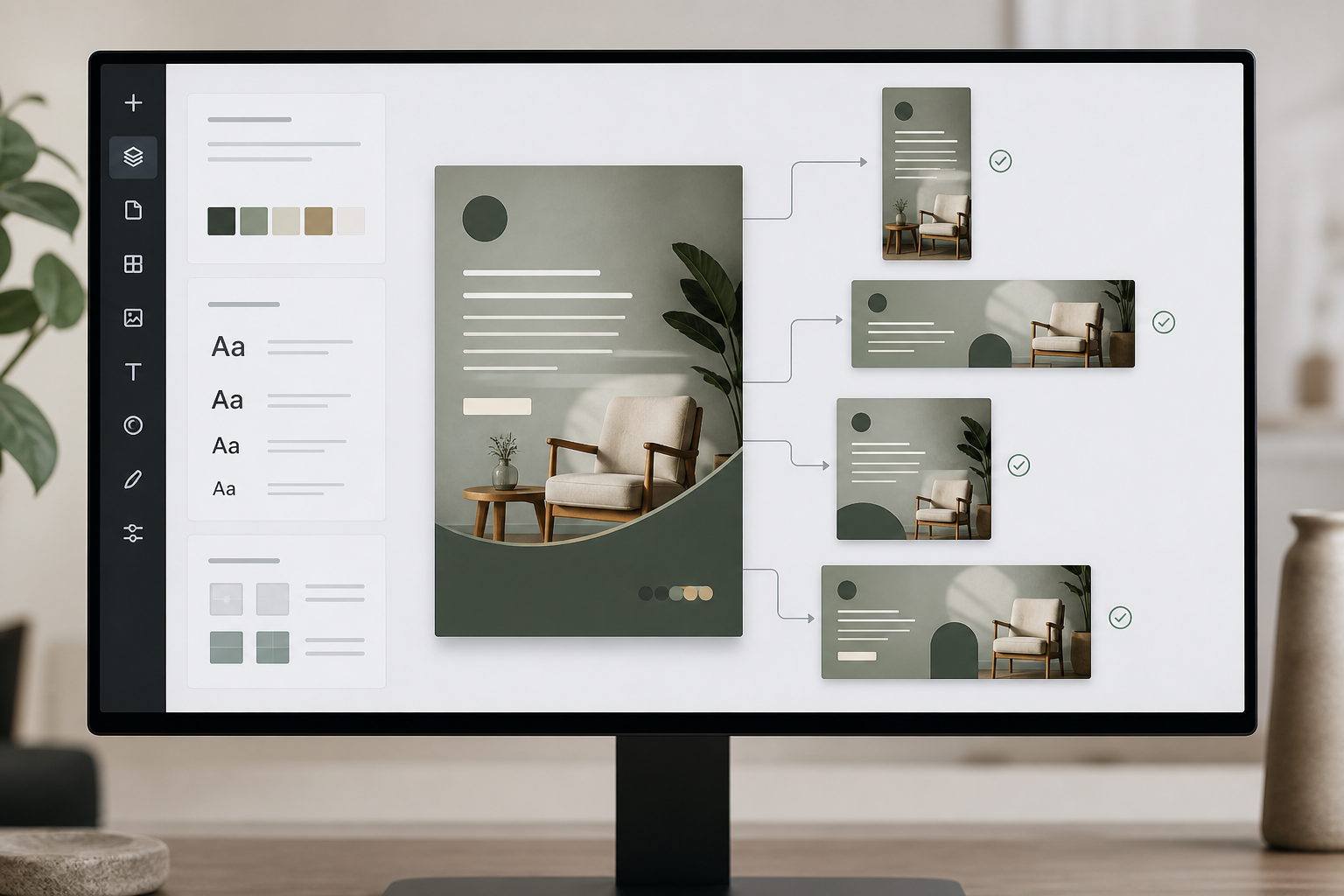
Magic Switch helps transform existing content into different formats and layouts.
A single campaign asset can potentially become:
- Social posts
- Stories
- Ads
- Banners
- Presentation slides
- Other channel-specific formats
Why It Matters
Repurposing is one of the biggest hidden costs in content production.
Creating the first asset is only part of the job.
The same campaign may then need:
- Different dimensions
- Different layouts
- Different placements
- Different channels
- Different versions
Manual adaptation quickly adds up.
Consultant Insight
If you only pay for one productivity capability, prioritize the feature that eliminates repetitive work.
For many small businesses, that’s repurposing rather than generation.
Rating: 5/5
2. Canva Magic Design
What It Does
Canva Magic Design helps generate editable layouts from prompts, content, or starting assets.
It’s particularly useful for:
- Social graphics
- Flyers
- Event promotions
- Presentations
- Marketing materials
Why We Like It
Magic Design reduces blank-page syndrome.
Instead of starting with an empty canvas, you can begin with several directions and refine the one that works.
Limitations
AI-generated layouts aren’t necessarily final designs.
You may still need to adjust:
- Spacing
- Typography
- Visual hierarchy
- Brand elements
- Images
- Copy length
Rating: 4.5/5
3. Canva Magic Write
What It Does
Canva Magic Write provides AI-assisted copywriting within Canva.
Useful applications include:
- Social captions
- Headlines
- Ad copy
- Presentation text
- Product descriptions
- Content variations
Why It Matters
Writing and design frequently happen together.
Keeping the copy-generation process close to the design workflow reduces context switching.
Our View
Magic Write is best treated as a drafting assistant, not an authority.
For regulated, legal, financial, medical, or otherwise high-stakes content, human review remains essential.
Rating: 4.5/5
4. Brand Kit and Brand Voice
Why This May Matter More Than AI Generation
Many businesses focus on how quickly AI can generate something.
Customers notice something else:
consistency.
Brand Kit and Brand Voice can help standardize:
- Colors
- Fonts
- Logos
- Brand elements
- Tone
- Messaging
But there’s an important implementation caveat.
A brand system only works if the team actually uses it.
Templates, approvals, and clear brand rules are therefore just as important as the AI itself.
Rating: 4.5/5
5. Dream Lab: AI Image Generation
Canva AI image generator capabilities, including Dream Lab and related tools, can help businesses create custom visual concepts without relying entirely on stock imagery.
Best Uses
- Campaign visuals
- Social graphics
- Backgrounds
- Marketing concepts
- Promotional imagery
What We Like
It can reduce dependence on generic stock imagery and provide more creative starting points.
What We’d Improve
Output quality can vary, and generated imagery may still require selection, editing, and quality control.
Rating: 4/5
6. Magic Eraser and Magic Expand
These aren’t necessarily the features that attract attention in an AI demo.
They’re often more useful in actual production.
Magic Eraser
Removes unwanted objects from images.
Magic Expand
Extends image backgrounds to accommodate different aspect ratios.
For small businesses, these capabilities can eliminate small but recurring production tasks.
Rating: 4.5/5
7. Canva AI Video Tools
Canva AI video capabilities can support:
- Social reels
- Promotional clips
- Short-form marketing content
- Simple visual storytelling
The limitation is that Canva is still better known for design and content production than advanced AI video generation.
Businesses producing sophisticated long-form or cinematic AI video may need specialized platforms.
Rating: 3.5/5
Can Canva AI Create Logos?
Yes, the Canva AI logo generator can help generate logo concepts through AI-assisted design, image generation, and Canva’s broader logo-creation ecosystem.
For startups and small businesses, this can be useful for exploring initial directions.
However, businesses building a distinctive brand should treat AI-generated logos as starting concepts rather than finished brand identities.
A professional identity may require:
- Original design refinement
- Trademark considerations
- Vector optimization
- Brand-system development
- Human creative direction
Canva AI Pros and Cons
This Canva AI pros and cons comparison highlights the main strengths and limitations small businesses should consider before choosing the platform.
| Pros | Cons |
|---|---|
| Fast content creation | AI usage limits |
| Excellent repurposing | AI outputs require review |
| Strong brand consistency tools | Limited advanced creative controls |
| Beginner-friendly interface | AI video remains less mature |
| Integrated design, copy, image and video workflows | Heavy users may hit usage limits |
| Reduces tool switching | — |
| Strong value for small teams | — |
What We Like / What We’d Improve
What We Like
- Excellent content repurposing
- Very low learning curve
- Strong brand controls
- Broad content-production capabilities
- Integrated design and AI workflows
- Reduced tool switching
- Strong fit for recurring marketing work
What We’d Improve
- More generous AI usage allowances
- More advanced AI video capabilities
- More granular creative controls
- Clearer visibility into AI usage
- Greater control for professional creative workflows
Canva AI Pricing: How to Think About It
Canva’s pricing and AI allowances can change, so businesses should verify the current plan structure before purchasing.
When evaluating Canva AI pricing, businesses should focus less on the number of AI features and more on whether the plan provides enough capacity for their actual content-production workload.
Instead of choosing a plan based only on feature count, think about workflow volume.
One conclusion from this Canva AI Review is that Canva pricing should be evaluated against the amount of content your business produces, rather than simply the number of AI features included in a plan.
| Business Situation | Likely Fit |
|---|---|
| Occasional design work | Free |
| Solo founder creating weekly content | Pro |
| Small marketing team | Business/Teams |
| Multi-person content operation | Business/Teams |
| Large organization | Enterprise |
The most important question isn’t:
“Which plan has the most AI?”
Ask:
“Which plan gives us enough capacity and workflow controls to eliminate the bottleneck we’re trying to solve?”
Canva AI ROI Framework
Here’s a simple way to estimate whether Canva is financially worthwhile.
Step 1: Calculate weekly asset volume
Example:
25 assets per week
Step 2: Estimate time saved per asset
Suppose Canva saves:
10 minutes per asset
Step 3: Calculate weekly time savings
25 × 10 ÷ 60 = 4.17 hours
That’s approximately:
4.2 hours saved every week
Step 4: Calculate monthly savings
4.2 × 4.33 = approximately 18 hours per month
Step 5: Assign a value to that time
If your team’s effective cost is ₹1,000 per hour:
18 × ₹1,000 = ₹18,000 of monthly time value
The subscription cost is only one part of the equation.
Also consider:
- Freelancer costs avoided
- Faster campaign launches
- Reduced revision cycles
- Increased publishing capacity
- Reduced coordination overhead
Business-First ROI Rule
Don’t measure how much AI you used. Measure how much work you eliminated.
Canva AI Alternatives: Which Tools Should You Consider?
When evaluating Canva AI alternatives, the real alternative to Canva isn’t always another AI design platform
It could be:
- Manual Canva production
- Freelancers
- Adobe Express
- Gamma
- ChatGPT + Canva
- Standalone image generators
- Multiple specialized AI tools
The right comparison is therefore workflow economics, not simply feature count.
Our Canva AI Review also compared Canva with alternatives such as Adobe Express, Gamma, Microsoft Designer, and ChatGPT + Canva to determine where it provides the strongest small-business value.
Business-Focused Comparison Table
| Option | Best For | Time to Value | Workflow Friction | Main Trade-Off |
|---|---|---|---|---|
| Canva Magic Studio | Recurring branded content | Fast | Low | Less advanced creative control |
| Manual Canva | Low-volume design | Medium | Low | More manual work |
| Adobe Express | Adobe ecosystem users | Medium | Medium | Ecosystem switching considerations |
| Gamma | Presentation-heavy teams | Fast | Low | Less comprehensive marketing production |
| ChatGPT + Canva | Strategy/copy-heavy teams | Fast | Medium | More context switching |
| Standalone AI image + design tools | Custom visual production | Medium | High | More tools to manage |
Canva AI vs Adobe Express
This Canva AI vs Adobe Express comparison focuses on which platform offers better overall value for small-business content production, branding, and workflow efficiency.
Choose Canva if:
- You need strong repurposing
- You create many types of marketing assets
- Ease of use is important
- Brand consistency is a priority
Choose Adobe Express if:
- Your business already uses Adobe Creative Cloud
- Your team depends on Adobe workflows
- Firefly integration is strategically important
Our SMB Pick
Canva, for businesses seeking an all-in-one content-production hub.
Canva AI vs Gamma
This Canva AI vs Gamma comparison looks at the difference between a broad content-production platform and a presentation-focused AI tool.
Choose Canva if:
- You create social content
- You create advertisements
- You produce marketing graphics
- You need multi-format content
- Presentations are only one part of your workflow
Choose Gamma if:
- Presentations are the primary output
- Web-first documents and decks are central to your workflow
Our View
Gamma is more specialized.
Canva is the broader content platform.
Canva AI vs Microsoft Designer
This Canva AI vs Microsoft Designer comparison examines which platform is better suited to small-business marketing teams, brand management, and multi-format content creation.
Choose Canva if:
- Multiple people create content
- Brand consistency matters
- You need a mature template ecosystem
- Marketing production is broader than Office documents
Choose Microsoft Designer if:
- Your organization is deeply invested in Microsoft 365
- Microsoft integration is more important than broader design workflows
Our SMB Pick
Canva for most small-business marketing teams.
Canva AI vs ChatGPT + Canva
This Canva AI vs ChatGPT comparison is less about choosing one tool and more about understanding where each platform fits in a small-business content workflow.
This isn’t necessarily an either/or decision.
Choose Canva alone if:
- You want simplicity
- Most work is visual
- You want writing and design closer together
Choose ChatGPT + Canva if:
- Strategy is a major part of your workflow
- You produce substantial long-form content
- You already use ChatGPT heavily for research and copy
- You want deeper content ideation before entering the design stage
Recommended Hybrid Workflow
ChatGPT → strategy → research → long-form copy → Canva → design → repurposing → publishing
For many content-heavy businesses, this combination can be stronger than trying to force one tool to do everything.
Security & Privacy
Security becomes more important when businesses move from experimenting with AI to using it operationally.
Canva publicly documents security and privacy measures including SOC 2 Type II and ISO/IEC 27001-related assurances, along with GDPR-related privacy commitments.
Enterprise and business-oriented plans can provide additional administrative and security capabilities such as:
- SSO
- Access controls
- Administrative management
- Collaboration controls
Practical Recommendation
Don’t treat a SaaS platform as automatically safe simply because it has security certifications.
Before uploading sensitive information, businesses should review:
- Current security documentation
- Privacy policies
- Data-processing terms
- AI data-use controls
- Enterprise controls
- Data residency requirements where applicable
For regulated industries, involve the appropriate security, legal, or compliance team.
Integrations & Workflow Fit
Canva becomes more valuable when it sits inside an existing business workflow rather than operating as an isolated design application.
A typical content workflow looks like:
Create → Review → Repurpose → Schedule → Publish → Measure
Canva can handle a significant portion of the create → edit → repurpose stages while connecting with social, storage, collaboration, and productivity services.
For small businesses, the important question isn’t:
“How many integrations does Canva have?”
The better question is:
“How many manual downloads, uploads, copies, resizing tasks, and recreations can we eliminate?”
That’s the real workflow benefit.
Real Limitations of Canva AI
Canva has significant strengths, but businesses should understand where the platform stops being the best fit.
A balanced Canva AI Review also needs to consider these limitations, because the right buying decision depends on both Canva’s strengths and the workloads it may not handle as effectively
1. AI Usage Limits
AI features may be subject to plan-specific usage allowances.
Heavy users need to monitor consumption.
2. AI Output Still Requires Review
AI-generated:
- Copy
- Images
- Layouts
- Video
can all require human correction.
3. Advanced Creative Control
Professional creative teams may want more granular control than Canva provides.
4. AI Video
Canva is convenient for short-form content but isn’t necessarily the strongest choice for sophisticated AI video production.
5. Template Dependence
Templates improve speed but can also produce generic-looking content if businesses don’t develop a distinctive visual system.
6. Workflow Complexity
Canva simplifies many workflows, but complex projects can still require manual cleanup.
The key point
These limitations don’t make Canva a poor choice.
They define where Canva should sit in your technology stack.
For many SMBs:
Canva = everyday content-production hub
rather than:
Canva = replacement for every creative tool.
Canva AI Decision Tree: Should Your Business Buy It?
Do you create marketing content every week?
No → Start with the free option and evaluate your actual usage.
Yes → Continue.
Do you regularly repurpose one asset into multiple formats?
No → Paid Canva may still help, but calculate your actual time savings.
Yes → Canva becomes a stronger candidate.
Do multiple people create branded content?
No → A solo-oriented paid plan may be sufficient.
Yes → Consider team/business capabilities.
Do you need advanced motion design, long-form video, or high-end creative direction?
Yes → Canva may work as part of your stack, but consider specialized tools.
No → Canva Magic Studio is likely a strong fit.
Simple Decision Rule
Weekly content + recurring repurposing + brand consistency = strong Canva AI use case.
Implementation Guide: How to Get ROI From Canva AI
Most businesses don’t fail with Canva because the tool is difficult.
They fail because they never turn the tool into a repeatable system.
The following approach uses the Business-First AI Framework™.
Step 1: Define the Business Problem
Don’t start with:
“Let’s use Magic Design.”
Start with:
“What is taking too much time?”
For example:
Problem: Creating multiple campaign formats takes four hours.
Step 2: Improve the Workflow
Design the workflow before selecting features.
Example:
Campaign idea → Master asset → AI-assisted variations → Resize → QA → Publish
Now Canva has a defined job.
Step 3: Choose the Right Canva Capabilities
Use:
Magic Design → first drafts
Magic Write → copy variations
Brand Kit → brand consistency
Magic Switch → repurposing
Magic Eraser / Expand → image cleanup
AI Video → short-form content
Step 4: Build Your Brand System
Set up:
- Logos
- Fonts
- Colors
- Brand rules
- Templates
- Approved messaging
Create templates for recurring content such as:
- Promotions
- Testimonials
- Events
- Announcements
- Product features
- Social posts
Why this matters
Without a brand system:
AI makes drafts faster but cleanup slower.
With a brand system:
AI can accelerate a repeatable production process.
Step 5: Add Human Oversight
Create a simple QA checklist.
Check:
- Dates
- Prices
- Offers
- Spelling
- Claims
- Brand compliance
- Image quality
- Layout
- Cut-off text after resizing
Human review remains essential.
Step 6: Measure Business Outcomes
Track for 30–90 days:
- Time per asset
- Assets produced per week
- Revision count
- Campaign turnaround time
- Cost per asset
- Brand compliance rate
Don’t measure:
“How many AI features did we use?”
Measure:
“How much work did we eliminate?”
Step 7: Standardize and Scale
Once a workflow proves its value:
- Turn it into templates
- Document the process
- Assign ownership
- Add approval rules
- Train the team
- Measure continuously
That’s when Canva changes from a design application into a repeatable content-production system.
Common Implementation Mistakes
Mistake 1: Using AI Before Defining Brand Rules
Problem: Fast drafts, slow cleanup.
Better approach: Set up Brand Kit and templates first.
Mistake 2: Publishing AI Copy Without Review
Problem: Incorrect claims, awkward language, compliance risks.
Better approach: Use AI for drafts and variations; have a human approve the final version.
Mistake 3: Generating Too Many Variations
Problem: Teams create endless options without improving the campaign.
Better approach: Generate a small number of options, choose a direction, refine it, and repurpose it.
Mistake 4: Measuring AI Usage Instead of Business Outcomes
Problem: High AI usage but unclear ROI.
Better approach: Track time saved, production volume, revision cycles, and campaign turnaround.
Mistake 5: Treating Canva as the Entire Creative Stack
Problem: Canva may not meet specialized requirements.
Better approach: Use Canva as the central everyday content hub and retain specialized tools where necessary.
Canva AI Review Scorecard (2026)
| Category | Score | Notes |
|---|---|---|
| Ease of Use | 5.0/5 | Very approachable for non-designers |
| AI Feature Breadth | 4.5/5 | Broad coverage across design, copy, images and video |
| Output Quality | 4.0/5 | Strong for everyday marketing; not high-end creative replacement |
| Repurposing & Productivity | 5.0/5 | One of Canva’s strongest advantages |
| Brand Consistency | 4.5/5 | Strong when Brand Kit, templates and workflows are used properly |
| AI Image & Video | 4.0/5 | Useful, although video remains less mature |
| Security & Compliance | 4.0/5 | Strong business controls, subject to plan and requirements |
| Pricing & Value | 4.5/5 | Strong potential value for recurring workloads |
| Workflow Integration | 4.5/5 | Works well as a central content-production hub |
| Overall Rating | 4.6/5 | Strong SMB recommendation |
The overall score is an editorial rating rather than a simple mathematical average. Greater weight is given to workflow value, ease of use, repurposing, brand consistency, and small-business usefulness.
FAQs
What is Canva AI?
Canva AI refers to Canva’s AI-powered capabilities within Magic Studio and related workflows, including design generation, copywriting, image generation, image editing, video creation, and content transformation.
Is Canva AI free?
Canva provides some AI functionality through free access, but usage and advanced capabilities can vary by plan. Businesses relying on AI for recurring production should verify the current plan limits before choosing a subscription.
What is the best Canva AI feature?
For many small businesses, Magic Switch provides the greatest practical ROI because it addresses repetitive resizing and repurposing work.
Can Canva AI replace a designer?
No.
Canva AI can reduce the amount of time spent on everyday production tasks, but it doesn’t replace brand strategy, creative direction, high-end design expertise, or human judgment.
Can Canva AI generate images?
Yes. The Canva AI image generator can create custom visuals from prompts, helping businesses develop campaign graphics, social media visuals, backgrounds, and promotional imagery. Businesses should still review and refine generated images before publication.
Can Canva AI create logos?
Yes. Canva can help generate logo concepts and provide logo-design starting points. However, businesses seeking a distinctive brand identity should treat AI-generated concepts as starting material rather than a finished identity system.
Is Canva AI worth paying for?
If you create content regularly, repurpose assets across channels, and need consistent branding, paid Canva access can be worthwhile.
The best way to confirm ROI is to measure actual time saved over 30–90 days.
Is Canva better than Adobe Express?
For many small businesses, Canva is the stronger choice when ease of use, templates, multi-format content, and repurposing are priorities.
Adobe Express can be more attractive to businesses already invested heavily in Adobe’s ecosystem.
Is Canva better than Gamma?
They solve different problems.
Canva is broader and better suited to multi-format marketing content.
Gamma is more specialized toward presentations and web-first documents.
Can Canva AI be used with ChatGPT?
Yes.
A powerful workflow can use ChatGPT for research, strategy, ideation, and long-form copy while using Canva for design, visual production, repurposing, and publishing.
Final Verdict: Should Small Businesses Buy Canva AI?
Yes—for most small businesses that create recurring branded content.
After evaluating Canva across content creation, AI design, image generation, video, repurposing, brand consistency, pricing, workflow integration, and business use cases, this Canva AI Review finds it to be a strong overall choice for recurring small-business content production.
Canva Magic Studio succeeds because it solves a practical business problem: creating more branded content with less effort.
The biggest value doesn’t come from AI image generation or AI copywriting alone.
It comes from combining:
Drafting + Design + Editing + Branding + Resizing + Repurposing
inside one workflow.
That’s the real reason Canva stands out.
A small business that creates content once every few months may not need a paid Canva plan.
But if your team publishes every week, adapts campaigns across several channels, and needs multiple people to create on-brand content, Canva becomes much easier to justify.
Our biggest takeaway
Don’t buy Canva because you want more AI. Buy it because you want a faster, more repeatable content-production system.
If your primary need is advanced creative direction, professional motion design, long-form AI video, or highly specialized enterprise design workflows, Canva may be better as part of a broader creative stack.
For the majority of small businesses, however, Canva Magic Studio is one of the strongest default choices for AI-assisted content production in 2026.
Overall Rating: 4.6/5
Final Recommendation
| If You Are… | Recommendation |
|---|---|
| Solo Founder | Buy |
| Consultant | Buy |
| Marketing Team | Buy |
| Ecommerce Business | Buy |
| Startup | Buy |
| Agency | Buy with Caveats |
| Enterprise Design Team | Consider Alternatives |
Best For
Small businesses using Canva AI for recurring branded content, consultants, startups, marketers, agencies, and ecommerce brands that need to produce recurring branded content quickly.
Consider Alternatives If
- You need advanced creative direction
- Long-form professional video is your primary workload
- You require highly specialized design workflows
- Your organization already has a mature enterprise creative ecosystem
Final Score: 4.6/5
Verdict: Highly Recommended for most small-business content teams.
The strongest Canva implementations don’t begin with AI prompts.
They begin with a business problem, a repeatable workflow, clear brand standards, human oversight, and measurable outcomes.
That is what turns Canva AI from another productivity tool into a genuine small-business content-production system.