
Best AI Image Generators for Marketing and Social Media
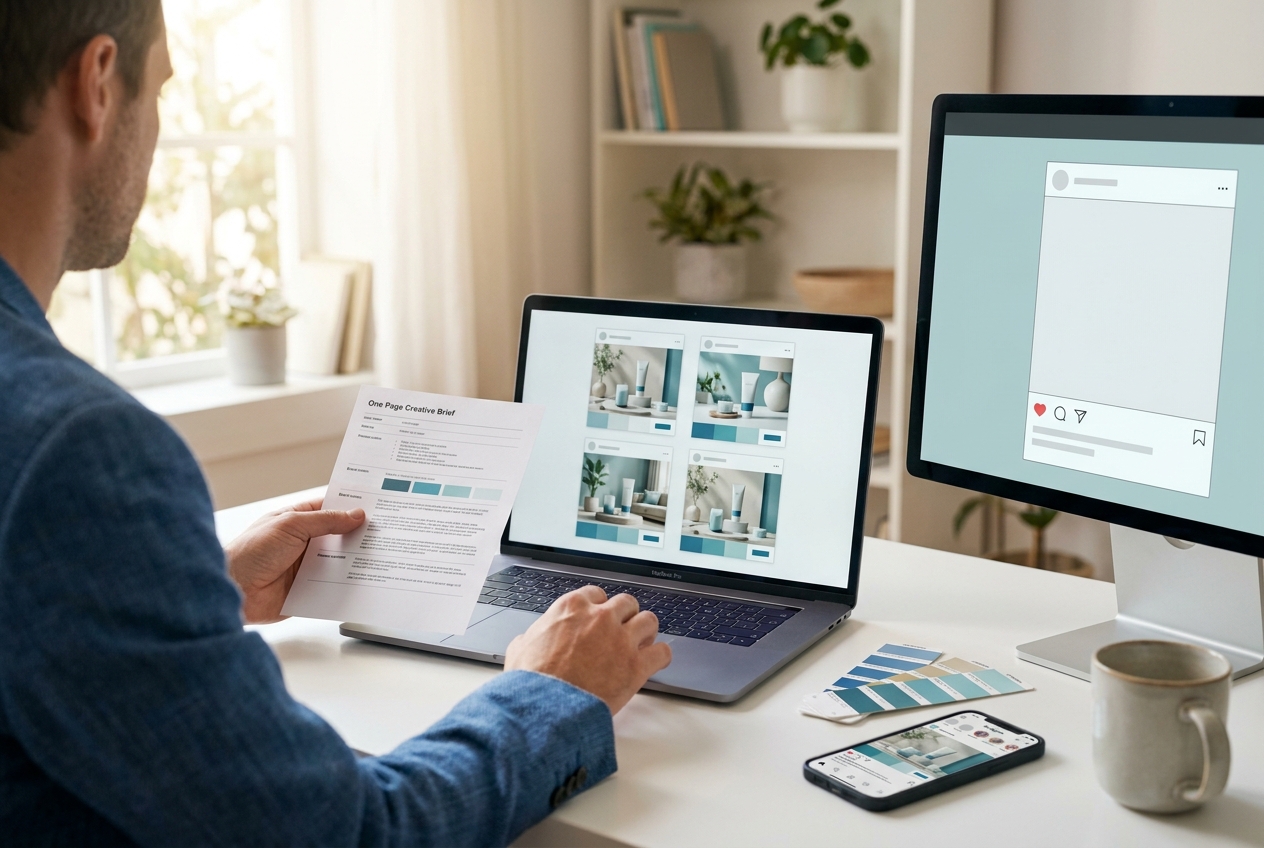
If your team ships social posts and ads weekly, you already know the bottleneck: visuals. An AI image generator can help you produce more creative options faster, reduce design backlogs, and improve campaign iteration—but only if you pick the right tool for marketing work (not just “pretty images”).
Quick Answer (40–60 words): For most small businesses, Canva AI is the best AI image generator for marketing because it turns generated images into ready-to-publish social graphics fast. Use Ideogram when you need readable text inside images, Adobe Firefly for brand-safe workflows in Adobe, and Midjourney for high-end visual style and campaign concepting.
Key takeaways (so you don’t waste a week testing the wrong tool)
- Marketing success isn’t just image quality. You’re buying speed, consistency, and fewer revisions—especially for social formats and ad variants.
- Separate “generation” from “production.” Many teams generate in one tool, then finalize in a design layer (often Canva or Adobe) to ensure brand consistency and correct typography.
- Text inside images is a deciding factor. If your creatives require headlines inside the image (thumbnails, posters, banner ads), prioritize a tool known for stronger text rendering (often Ideogram).
- Start with one primary tool + one supporting tool. Tool sprawl creates inconsistent visuals and slow approvals. Build a simple workflow first, then add specialized tools only when there’s a clear need.
- Measure outcomes like an operator. Track time per asset, number of variants produced, approval turnaround, and creative performance (CTR/engagement) by variant.
The real business problem: marketing teams need more visuals, faster (without losing brand control)
Small businesses and lean marketing teams face a consistent set of problems:
- Production is slow. Campaigns require multiple sizes and versions (feed, stories, banners, thumbnails), and manual design can’t keep up.
- Design cost doesn’t scale. Outsourcing every promo graphic or post becomes expensive, and internal resources get stretched thin.
- Brand inconsistency creeps in. When multiple people create visuals ad hoc, your social presence starts to look like different companies.
- You can’t test enough variants. Marketing performance improves with iteration, but most teams don’t create enough creative options to learn quickly.
- Text and layout break. Many image generators struggle with clean, readable typography—an issue for ads, posters, and any asset with a headline.
AI image creation can reduce friction, but the biggest wins usually come when you treat AI as a workflow accelerator, not a replacement for marketing strategy or brand judgment.
What makes an AI image generator good for marketing (not just for art)
Before comparing tools, define what “good” means for marketing work. For most small businesses, the decision comes down to five practical criteria.
1) Social-ready production: can you ship assets fast?
A tool is “marketing-friendly” when it helps you move from idea → asset → resize → publish with minimal handoffs. If your team still needs to export, reformat, and rebuild layouts every time, you’ll lose most of the time savings.
2) Text handling: do you need headlines inside the image?
Some tools generate beautiful imagery but fail when you ask for readable text. For marketing graphics AI, text quality is a make-or-break factor for:
- YouTube thumbnails and webinar/event promos
- Posters, flyers, and in-store signage concepts
- Banner ads and offer-driven creatives
If you don’t need text inside the image, you can generate imagery and overlay text in Canva/Adobe. But if your workflow demands it, choose accordingly.
3) Brand consistency: can you keep a recognizable look?
Marketing isn’t just “a nice image.” It’s repeatable visual language. The tool should support consistent outputs through:
- Reusable prompt patterns (style, color palette, lighting, composition)
- Templates (in a design tool) for typography and layout
- A review step so AI outputs don’t drift off-brand
4) Editing and iteration speed: can a non-designer refine results?
In small teams, the best tool is often the one that lets a marketer quickly refine and ship without waiting for a designer. That typically favors tools embedded in design workflows (like Canva) or tools with straightforward iteration loops (like conversational generation).
5) Rights, compliance, and “brand-safe” considerations
You don’t want to discover a usage limitation after a campaign launches. The research highlights the importance of verifying current commercial terms, plan limits, and compliance requirements—especially for paid advertising and regulated industries. Because these terms can change, always confirm details in official vendor documentation and plan pages before using AI outputs commercially.
Business-First AI Insight: In marketing, the “best” AI image generator is often the one that reduces approval cycles. A tool that creates slightly less impressive images but fits your workflow (templates, resizing, collaboration) can outperform a “higher quality” generator if it helps you publish more consistently and iterate faster.
Best AI image generators compared (business-focused)
The tools below are frequently cited in 2026 comparisons and marketing-focused roundups, with clear patterns in where each one fits best. Pricing and plan limits vary and change frequently, so treat any free/paid availability as something to verify on the vendor’s official pages.
| Tool | Best For | Ease of Use | Time to Value | Business Size Fit | Notes for Marketing Teams |
|---|---|---|---|---|---|
| Canva AI / Magic Studio | Social graphics, fast marketing production | High | Very fast | Solo → SMB teams | Strongest “generate → design → resize → publish” loop; less control than specialist generators |
| Adobe Firefly | Branding assets inside Adobe workflows | Medium | Fast for Adobe teams | SMB → larger creative teams | Good fit for organizations already using Adobe; verify current “brand-safe” terms and plan details |
| ChatGPT (image generation) | Concepting, iteration, general-purpose visuals | High | Fast | Solo → SMB teams | Great for brainstorming and fast iteration; usually not your final “layout tool” |
| Ideogram | Text-heavy creatives (headlines inside image) | Medium | Fast when text matters | SMB marketing & e-commerce | Often highlighted for stronger text rendering; may still need a design layer for final brand typography |
| Midjourney | High-end style, brand concept art | Medium | Medium | Creative-led brands, agencies | Strong aesthetic output; can be less direct for production social graphics and precise layouts |
| Recraft | Graphic design-oriented outputs | Medium | Medium-fast | SMB teams with design needs | Often positioned as more “design graphics” than pure art; consider as a Canva alternative depending on workflow |
| FLUX | Control and customization | Lower (vs Canva) | Medium | Advanced teams | Best when you need tighter control; expect more setup/learning effort |
| Google Gemini | Low-friction, quick image creation | High | Very fast | Solo → SMB | Often mentioned as easy to start, especially for Google-first users; exact fit depends on current version/limits |
Tool-by-tool recommendations (with real trade-offs)
Instead of listing features, this section focuses on what matters for business outcomes: when the tool fits, when it doesn’t, and what the hidden operational costs look like.
Canva AI / Magic Studio: best for social media images and day-to-day marketing output
Why it’s often the best starting point: Most small businesses don’t just need an image—they need a finished post, story, banner, or thumbnail. Canva’s advantage is turning AI image creation into a production workflow with templates, resizing, and quick edits.
- Use it when: You need social-ready graphics (Instagram, Facebook, LinkedIn), promo banners, simple ad creatives, and fast repurposing into multiple sizes.
- Avoid it when: You require deep control over image generation, highly specific art direction, or specialized text rendering inside the image itself (depending on your exact needs).
- Business trade-off: You typically get speed and workflow simplicity at the cost of fine-grained control.
Expert Verdict: For most small businesses, start with Canva AI as your “production layer.” It’s the most practical path to shipping consistent social assets quickly, especially if your team doesn’t have dedicated designers.
Adobe Firefly: best for teams already using Adobe who need marketing-friendly workflows
Why it matters: If your brand already runs on Adobe tools, embedding generation inside that ecosystem can reduce rework and keep assets in the same pipeline as your designers.
- Use it when: You have Adobe-based workflows, need marketing assets that align with professional design processes, and you want a more governed creative environment.
- Avoid it when: Your team is mostly non-designers and needs the simplest possible “idea to post” experience.
- Implementation consideration: Firefly is often described as more “brand-safe” in positioning, but you should verify current commercial terms and content policies in official documentation before relying on it for paid campaigns.
Expert Verdict: Choose Adobe Firefly when you’re already invested in Adobe and want AI image generation that fits a professional creative workflow. If you’re not an Adobe team, Canva typically delivers faster time-to-value for social production.
ChatGPT (image generation): best for rapid concepting and iteration with a conversational workflow
Why it’s useful: Many teams struggle not with design execution, but with creative direction: “What should this visual look like?” ChatGPT’s conversational flow helps you iterate on concepts, variations, and angles quickly—especially when paired with a design tool for final layout.
- Use it when: You need quick creative exploration, multiple campaign concepts, and a beginner-friendly way to refine prompts through conversation.
- Avoid it when: You need a full publishing workflow (templates, resizing, brand kits) in the same tool.
- Trade-off: Strong for ideation and iteration; typically not the final design environment.
Expert Verdict: Use ChatGPT as your “creative director assistant” for concepts and variations, then move outputs into Canva or Adobe for consistent brand typography and layouts.
Ideogram: best when text inside the image is non-negotiable
Why it matters: Text rendering is a common failure point in AI image creation. If you’re producing thumbnails, posters, and offer-led graphics where the headline must be inside the image, you need a tool that handles it reliably.
- Use it when: Your workflow needs readable headlines inside the generated image (or you want to reduce time spent fixing typography issues).
- Avoid it when: Your primary problem is social publishing workflow and template-based production (where Canva usually wins).
- Implementation tip: Even if Ideogram produces text well, many teams still finalize typography in a design layer to ensure brand fonts and spacing are consistent.
Expert Verdict: If text-in-image is central to your marketing, Ideogram is often the most practical specialist. Pair it with Canva for resizing and publishing.
Midjourney: best for high-end aesthetics, branding concept art, and campaign direction
Why it matters: Some brands win on visual distinctiveness. When you need elevated art direction (for aspirational campaigns, seasonal hero images, or mood boards), Midjourney’s strength is style and visual impact.
- Use it when: You need a strong aesthetic, campaign concept exploration, and creative direction assets for designers to build from.
- Avoid it when: You need fast, repeatable, social-ready production with consistent layout and text.
- Trade-off: You gain style; you may spend more time on iteration and post-processing for marketing constraints.
Expert Verdict: Midjourney is a strong “creative concept engine,” not usually the fastest “marketing production engine.” Use it to set a visual direction, then operationalize in Canva/Adobe templates.
Recraft: best for design-oriented marketing graphics (when you want more design feel than pure art)
Why it matters: Some teams want outputs that feel like marketing design elements rather than illustration-heavy “AI art.” Recraft is often positioned in that middle ground.
- Use it when: You want more graphic design-style outputs and compositions for marketing.
- Avoid it when: Your team already runs smoothly in Canva and doesn’t have a clear reason to switch.
Expert Verdict: Consider Recraft if you’re not satisfied with your current design outputs and you want a tool that leans more toward marketing compositions. Validate fit by testing your top 3 recurring asset types.
FLUX: best for teams that need more control (and can handle more complexity)
Why it matters: When brand direction is strict, “close enough” images create more revision work. Tools oriented toward control can be worth it—but only if your team has the process maturity to use them effectively.
- Use it when: You need tighter control and your team is willing to invest time in learning and standardizing prompts and review.
- Avoid it when: You need fast onboarding for non-designers and immediate speed improvements.
- Hidden cost: More control often means more setup and more maintenance (prompt libraries, style rules, review guidelines).
Expert Verdict: FLUX can be a strong second-stage tool after you’ve proven value with a simpler workflow. Don’t start here unless your creative process is already well-defined.
Google Gemini: best for quick, low-friction AI image creation (especially for Google-first teams)
Why it matters: For many small businesses, speed and ease of starting matter more than maximum output control. Gemini is often mentioned as a quick, accessible entry point—but the exact capabilities depend on the version and current limits.
- Use it when: You want quick experiments, fast ideation, and low friction for beginners.
- Avoid it when: You need a predictable, standardized production workflow with templates and strict brand governance.
- Implementation note: Verify current plan limits and commercial usage terms before relying on it for recurring campaign production.
Expert Verdict: If you’re early in adoption and want to experiment quickly, Gemini can be a practical on-ramp. For steady marketing operations, Canva (and/or Adobe) tends to be a more complete workflow choice.
Best AI image generator by use case (recommended stacks)
Most small businesses do best with a two-tool approach: one tool for producing social-ready assets and one tool for specialist needs (text, high-end style, or controlled outputs).
| Use case | Recommended tool(s) | Why this combination works |
|---|---|---|
| Daily social posts, stories, promos | Canva AI (primary) | Fast path from idea to publishable asset with resizing and templates |
| Text-heavy posters, thumbnails, headline creatives | Ideogram + Canva | Ideogram for text-in-image reliability; Canva for brand layout and channel formatting |
| Branding concepts, seasonal hero imagery | Midjourney + Canva/Adobe | Midjourney for standout style; Canva/Adobe to productionize into consistent marketing assets |
| Adobe-based marketing and design teams | Adobe Firefly (primary) + Canva (optional) | Keep assets in Adobe workflows; use Canva only if social resizing/templates are a bottleneck |
| Fast brainstorming and visual direction | ChatGPT + Canva | ChatGPT accelerates ideation and variants; Canva turns outputs into brand-consistent assets |
| Advanced control and customization | FLUX + Canva/Adobe | Control where it matters; design layer for brand typography and deployment |
A simple decision tree: how to choose the right AI image generator
- Do you need text inside the generated image?
- If yes → start with Ideogram.
- If no → go to step 2.
- Do you need social-ready design output (templates, resizing, quick edits)?
- If yes → start with Canva AI.
- If no → go to step 3.
- Are you already an Adobe team?
- If yes → choose Adobe Firefly.
- If no → go to step 4.
- Is your priority high-end style and visual distinctiveness?
- If yes → choose Midjourney.
- If no → consider ChatGPT or Google Gemini for fast, beginner-friendly iteration.
Free vs paid AI image generators: what small businesses should actually consider
Many tools offer free tiers or free access in certain contexts. The mistake is assuming “free” equals “ready for business.” Free plans often limit usage, output quality, or convenience—and commercial usage terms can differ by plan and may change over time.
When free options are enough
- You’re testing whether AI image creation fits your workflow
- You’re using outputs for internal drafts, mood boards, or early concepting
- You publish infrequently and don’t need high volume
When a paid plan becomes worth it
- You publish multiple times per week and need predictable capacity
- You need team workflows (shared templates, collaboration, consistent assets)
- You run paid ads and need repeatable, compliant production
- You want to reduce outsourcing and treat AI as a production capability
Practical buying checklist (ask these before you commit)
- What are the usage limits for your expected weekly volume?
- Are there restrictions on commercial use for your plan?
- How easy is it to standardize brand style across team members?
- Can you move from output to final publishable asset without extra tools?
- How much review and revision time does it create?
How to use AI images in a marketing workflow (Business-First AI Framework™)
Tools don’t create ROI—workflows do. Here’s a practical pipeline that maps to the Business-First AI Framework™: business problem first, then workflow, then tool choice.
Step 1: Start with a creative brief (not a prompt)
A prompt is not a strategy. Before anyone generates images, write a one-paragraph brief:
- Goal: awareness, lead gen, promo, event signups
- Audience: who needs to recognize themselves in the visual?
- Offer: what’s the call-to-action?
- Channel + format: IG post, story, LinkedIn banner, ad size
- Brand constraints: tone, colors, do/don’t list
This matters because the biggest failure mode in AI image creation is producing “nice images” that don’t communicate the offer or don’t fit the channel.
Step 2: Generate 3–5 variations (build learning into the process)
One of the biggest advantages highlighted in the research is fast iteration. Instead of generating one image and polishing it endlessly, generate a small batch:
- Variant A: product-focused
- Variant B: lifestyle/context
- Variant C: bold typography/offer-first
- Variant D: minimalist brand look
- Variant E: seasonal or trend-based angle
This gives you options for A/B testing or simply choosing the best creative direction without delaying publishing.
Step 3: Move to a design layer for consistency (Canva or Adobe)
Even when an image generator produces a strong visual, marketing assets still need:
- brand fonts and spacing
- logo placement (when appropriate)
- legal/compliance disclaimers (if needed)
- channel-specific cropping and safe zones
This is why Canva AI and Adobe workflows matter: they’re not just generators—they’re where assets become publishable.
Step 4: Human review (non-negotiable for business use)
AI images should be treated as drafts. Establish a lightweight review checklist:
- Is the message clear in 2 seconds?
- Is anything off-brand or misleading?
- Does it violate platform ad policies or industry rules?
- Is the text readable on mobile?
- Are there visual errors that reduce trust?
Step 5: Publish and measure outcomes
Track operational and performance KPIs:
- Operational: time per asset, approval turnaround, assets per week
- Performance: engagement rate, CTR, conversion rate by creative variant
If you measure nothing, you’ll end up debating “image quality” instead of improving marketing outcomes.
Practical examples: what a small business could actually do this week
Below are realistic scenarios that show how AI design tools and AI image creation fit into daily marketing operations.
Example 1: Restaurant weekly specials (fast social production)
- Workflow: brief (dish + date + CTA) → generate background visual → drop into Canva template → resize to story + feed → schedule
- Best-fit tools: Canva AI (primary), ChatGPT (supporting for concepts/captions)
- Why it works: the operational bottleneck is speed and consistency, not high-end art direction
Example 2: E-commerce promo banners (offer-driven creatives)
- Workflow: define offer → generate 5 backgrounds → create 3 headline variants → assemble in Canva → run an ad test → review CTR by variant
- Best-fit tools: Ideogram (if headline-in-image matters) + Canva AI
- Why it works: you build testing into the pipeline instead of betting on one design
Example 3: Accounting firm tax-season campaign (trust + clarity)
- Workflow: define 3 educational topics → generate consistent visual style → create branded quote cards and reminders → schedule for a month
- Best-fit tools: Canva AI (brand templates) + ChatGPT (topic/copy ideation)
- Key constraint: keep visuals professional and consistent; avoid “overly playful” AI styles that reduce trust
Example 4: Marketing agency campaign sprint (concept first, production second)
- Workflow: generate concept boards → pick direction → produce final assets in design tool → deliver variants for testing
- Best-fit tools: Midjourney (concept) + Adobe/Canva (production)
- Why it works: separates exploration from execution, keeping client approvals faster
Common mistakes to avoid (these create “AI busywork” instead of ROI)
Mistake 1: Choosing a tool before defining the campaign objective
Why it happens: teams shop for “best AI image generator” and default to popularity.
Consequence: you end up with great images that don’t fit your formats, your brand, or your publishing cadence.
Better approach: define your top 3 recurring asset types (e.g., promo post, story, banner) and test tools against those.
Mistake 2: Treating prompts as the whole solution
Why it happens: prompt tips are easy to find, so teams assume prompts fix everything.
Consequence: you generate lots of visuals but still don’t have a repeatable marketing workflow.
Better approach: start with a brief, then build a small prompt library tied to campaign goals and brand rules.
Mistake 3: Ignoring text handling until the last minute
Why it happens: people test with pretty images first, then later try to create thumbnails or ads with headlines.
Consequence: rework, switching tools mid-project, or unreadable creatives.
Better approach: test text-in-image on day one if you need it. Otherwise plan to overlay text in Canva/Adobe.
Mistake 4: No human review process
Why it happens: AI output feels “done.”
Consequence: off-brand visuals, compliance risks, or trust-damaging artifacts.
Better approach: a simple checklist review step that takes minutes can prevent expensive mistakes.
Mistake 5: Tool sprawl (five generators, no system)
Why it happens: each tool is exciting in demos, so teams keep adding.
Consequence: inconsistent style, messy asset storage, and slower approvals.
Better approach: pick one primary tool for production and one specialist tool for edge cases.
Start Today / Improve Next / Scale Later (implementation priorities)
Start Today (60–90 minutes)
- Pick one recurring asset type (e.g., weekly promo post).
- Create a one-paragraph creative brief template.
- Generate 5 variations in your chosen tool (Canva AI or ChatGPT/Gemini).
- Finalize one post in a Canva template and publish it.
Improve Next (next 30 days)
- Build a prompt library for 3 campaign types (promo, educational, testimonial/authority).
- Create 3–5 brand templates in Canva (fonts, spacing, safe zones).
- Track 2 operational metrics: time per asset and assets per week.
Scale Later (after you see measurable results)
- Add a specialist tool only if needed (Ideogram for text, Midjourney for style, Firefly for Adobe workflows).
- Standardize review and approval: who checks brand, who checks compliance, who schedules.
- Run structured creative tests: rotate 3–5 variants per campaign and measure performance by variant.
FAQ: AI image generator for marketing and social media
Which AI image generator is best for marketing?
For many small businesses, Canva AI is the best overall choice because it combines AI image creation with templates, resizing, and social-ready design workflows. If you already use Adobe heavily, Adobe Firefly may fit better in a professional creative pipeline.
What is the best AI image generator for social media posts?
Canva AI is often the most practical for social media images because it helps you generate visuals and turn them into publishable assets quickly across multiple formats (feed, stories, banners) with consistent branding.
Which AI tool is best for text inside images?
Ideogram is frequently highlighted for stronger text rendering inside images, making it useful for thumbnails, posters, and headline-driven creatives. Many teams still overlay final typography in Canva or Adobe to ensure brand font consistency.
Is Midjourney good for marketing?
Yes—especially for visual style, brand concept art, and campaign direction. It can be less direct for production-style social graphics that require precise layouts, predictable resizing, or consistent text placement.
What is the easiest AI image generator for beginners?
Canva AI, ChatGPT, and Google Gemini are commonly described as low-friction starting points. The best beginner choice is usually the one that matches your workflow: Canva for publishing assets, and ChatGPT/Gemini for fast ideation and iteration.
Are free AI image generators good enough for business use?
They can be good enough for testing and early experiments, but free plans often have usage limits and may vary in convenience or commercial terms. Before using AI images in paid campaigns or core branding, verify current limits and rights in official vendor documentation.
Should small businesses use AI images for ads?
They can, but ad creatives require more control and review than casual social posts. Use a workflow that includes brand checks, readability on mobile, and compliance review where relevant. When in doubt, treat AI outputs as drafts that still require human oversight.
What matters more: image quality or workflow fit?
For most small businesses, workflow fit matters more. A tool that helps you ship consistent assets faster (with fewer revisions) often produces better business outcomes than a tool with slightly higher image quality that slows production or approvals.
Do AI image generators replace designers?
In most marketing teams, they more often compress production time and increase creative iteration rather than replace strategic design. Designers still provide brand systems, campaign direction, and quality control—AI helps generate drafts and variants faster.
Conclusion: pick the tool that helps you ship, not the tool that demos best
Small businesses don’t win marketing by generating one perfect image. They win by running a reliable content engine: clear briefs, fast creative variants, consistent brand templates, and measurable iteration. That’s why the best AI image generator is usually the one that fits your production workflow and reduces approval cycles.
If you want the simplest path to results, start with Canva AI for daily marketing output, add Ideogram if text-in-image is a core requirement, and consider Adobe Firefly or Midjourney when your workflow or creative goals justify the added complexity.
Next step: choose one campaign this week, generate 3–5 creative variants, publish, and measure performance. The fastest way to choose the right tool isn’t reading another list—it’s running a small, controlled workflow test with real KPIs.