
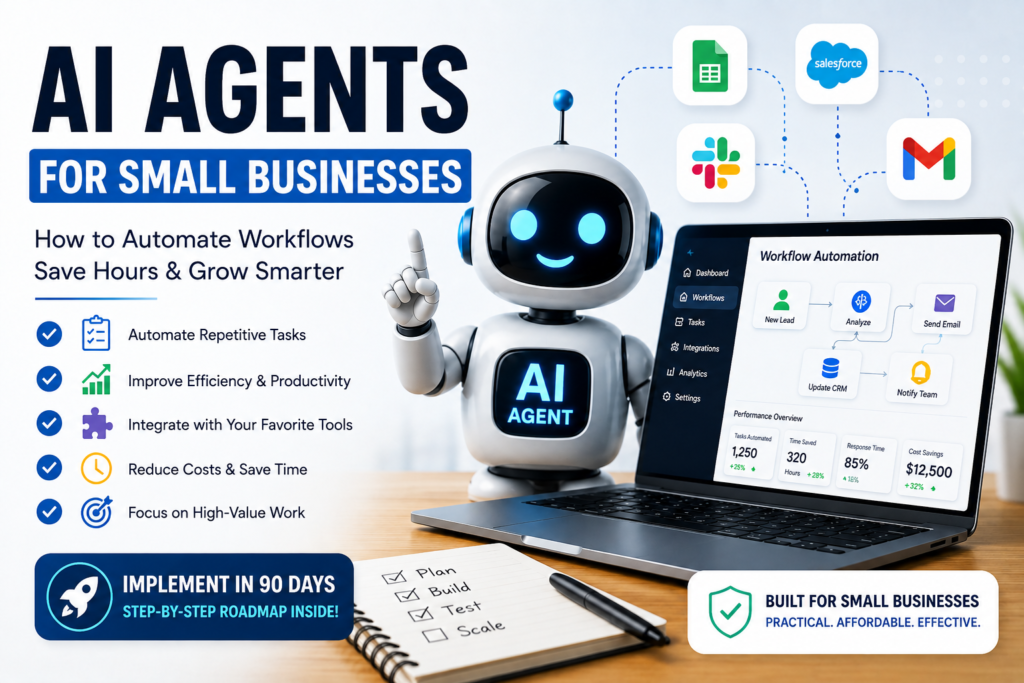
Introduction: Start with Business Pain, Not AI
Many small business owners spend hours every week answering the same customer questions, following up with leads, updating spreadsheets, and moving information between different software tools. This work is necessary but repetitive and mentally draining—and it limits how much your team can grow without adding more people.
Implement AI agents in small business operations by starting with a clear business problem, selecting a suitable workflow, and defining where human oversight is required. Rather than automating everything at once, small businesses should begin with a repetitive, well-defined task, test the solution on a limited scale, and measure whether it improves efficiency, service quality, or operating costs.
AI agents can take over a meaningful chunk of this busywork so your team can focus on higher value work—but they only deliver results when built on clear workflows, good data, and realistic expectations. This guide is written for small businesses that want practical automation, not hype: you’ll discover when AI agents actually make sense, which platforms fit small teams, and how to implement them in about 90 days with measurable ROI.
Quick Answer: AI agents help small businesses automate repetitive tasks that require understanding language, making simple decisions, or working across multiple business systems. The most successful implementations start with one well-defined workflow, use human oversight during the pilot phase, and measure business outcomes before expanding.
What Are AI Agents?
Definition
An AI agent is a software “worker” that uses AI models to understand inputs, make decisions, and take actions toward a goal, often across multiple tools and steps. For example, an agent can read an email, classify it, look up data in your CRM, draft a reply, and log the interaction. For a deeper explanation, see Google Cloud’s overview of AI agents.
AI Agents vs AI Assistants
AI assistants mainly respond to prompts—like a chat window that gives you an answer or drafts text. AI agents are goal driven: you set an objective (“qualify new leads”), and they choose which tools and knowledge to use to complete that objective, often running without constant human prompts.
AI Agents vs Automation
Traditional automation (e.g., simple “if this, then that” rules) works well for fixed, predictable workflows. AI agents add reasoning and language understanding: they can interpret messy emails, consult a knowledge base, handle multiple scenarios, and adapt actions rather than relying only on rigid rules.
Should Your Business Use AI Agents?
Before building anything, decide whether AI agents are the right tool for your situation. Many 2026 roadmaps recommend first matching your work to the right category—manual, classic automation, or AI agents.
If your business has… Then consider…
Mostly repetitive, rule based tasks Traditional automation first
Repetitive tasks requiring judgment or language AI agents
Very low task volume (few times per month) Manual process
Poorly documented workflows Improve the workflow before using AI
High risk, sensitive actions (payments, legal decisions) Human in the loop + strict approvals
Use AI agents when tasks involve understanding text, applying flexible rules, or combining information from multiple systems, and when there’s enough volume that automation will save meaningful time. If you cannot clearly describe the process on paper, your first project should be process documentation, not AI.
Visual Decision Tree
or making flexible decisions?
Signs Your Business Is Ready for AI Agents
Before you invest time in building an agent, check whether your business is actually ready. Many 90 day playbooks implicitly assume these conditions are met.
You’re likely ready if:
- You repeat the same workflow dozens of times every week (e.g., answering similar support questions, processing similar orders, or qualifying similar leads).
- Your team already follows documented processes or SOPs, so the workflow is consistent.
- You already use cloud software such as a CRM, help desk, or accounting system that an agent can connect to.
- You can clearly measure time or cost savings (e.g., hours per week, response time, error rate).
- You have someone responsible for monitoring AI performance and improving it over time.
If most of these statements are true, you’re in a strong position to start with a pilot. If not, focus first on process documentation, tool consolidation, or basic automation.
When Should a Small Business Use AI Agents?
AI agents fit best where work is frequent, somewhat structured, and benefits from faster responses or reduced manual effort.
Typical high value areas include:
- Customer support: Answer common questions, triage tickets, suggest responses, and escalate complex issues.
- Sales: Qualify leads, send follow ups, summarize calls, and update CRM records automatically.
- Marketing: Draft and repurpose content, personalize outreach, and schedule campaigns based on simple rules.
- Internal knowledge: Act as a searchable “company brain” for SOPs, policies, and prior answers.
- HR: Answer policy questions, help with job descriptions, and pre screen candidates based on defined criteria.
- Operations: Automate routine status reporting, invoicing, inventory updates, and task routing.
Use simpler automation or traditional software when:
- The process is fully rules based and doesn’t require understanding language.
- It runs rarely or with low volume.
- A standard feature in your existing tools already solves it (e.g., CRM workflows).
Step 1: Identify the Right Business Problem
Most successful playbooks start with a single, high value workflow instead of trying to “AI ify” everything.
Look for:
- Repetitive work: Tasks done many times per week (e.g., basic support questions, status updates).
- Time consuming tasks: Processes that consume hours but don’t require deep expertise, such as formatting reports or chasing missing information.
- Decision heavy processes: Work that follows clear criteria—like qualifying leads based on budget, timeline, and fit.
- Customer facing workflows: Jobs where faster responses or 24/7 coverage clearly increase satisfaction or revenue.
Many guides suggest:
1. Listing your top five recurring processes by time spent and frustration level.
2. Measuring current performance (hours per week, error rate, response time).
3. Picking one process—not three—as your first agent candidate.
Step 2: Map Your Existing Workflow
AI agents amplify the process you already have—good or bad. So map the workflow in detail before building an agent.
For the chosen process:
- Document each step, who does it, what tools are used, and what inputs/outputs exist.
- Mark decision points (“If VIP, escalate to manager”) and exceptions that create delays.
- List where data lives: email, CRM, spreadsheets, ticket system, shared drives.
Many 90 day roadmaps explicitly use this as Phase 1: identify, measure, and document the process before any AI configuration. This workflow map becomes the blueprint for your agent’s triggers, required data, decisions, and actions.
Step 3: Choose the Right AI Agent Platform
Small businesses typically choose between no code/low code tools and developer oriented frameworks. Here is a business focused view of the platforms you mentioned:
Platform Comparison for Small Businesses
Platform Best for Difficulty No code? Small business fit
Dify Internal assistants Easy Yes ⭐⭐⭐⭐⭐
Botpress Customer support bots Easy Yes ⭐⭐⭐⭐
n8n Workflow automation Medium Low code ⭐⭐⭐⭐⭐
CrewAI Multi agent systems Hard No ⭐⭐⭐
LangGraph Enterprise grade agents Hard No ⭐⭐
AutoGen R&D / experimentation Hard No ⭐⭐
This aligns with independent platform roundups that separate SMB friendly tools from more advanced frameworks.
How to decide:
- If your team is mostly non technical: start with Dify or Botpress, which offer templates and visual flows.
- If you already use tools like Zapier/Make and want more flexible automation: n8n is a strong low code option that blends workflows and AI calls.
- If you have developer capacity and want custom, robust agent architectures: CrewAI, LangGraph, or AutoGen are better fits.
Check:
- Integrations with your CRM, helpdesk, email, and databases.
- Governance features like logs, permissions, and human approvals.
- Pricing that matches your size and usage (many SMB focused guides cite $0–$500/month as typical for early pilots).
Step 4: Start with a Small Pilot
The most reliable advice across 30 60 90 day plans is: “One agent, one workflow, one metric.”
Design your pilot around:
- One department: support, sales, operations, or marketing in a single team.
- One process: e.g., “answer common shipping questions” or “send first follow up to new leads.”
- Clear KPIs: time saved per week, response time, error rate, conversion rate, or tickets resolved.
- Limited autonomy: start with the agent drafting outputs while humans approve or edit before sending.
Run the agent in parallel with your existing manual process for a few weeks and compare performance side by side before letting it act more independently. Establish clear review procedures, test for errors, and define when human approval is required. The NIST AI Risk Management Framework provides guidance for identifying, assessing, and managing risks associated with AI systems.
Step 5: Monitor, Improve, and Scale
Once live, treat your AI agent like an experiment, not a finished product.
Track:
- Time savings: hours saved per week relative to your baseline.
- Accuracy: how often outputs are correct, need edits, or cause issues.
- Employee adoption: whether staff trust and use the agent instead of bypassing it.
- Customer satisfaction: CSAT, NPS, complaint volume, and average response time.
- ROI: benefits (labor saved, revenue uplift, lower churn) minus platform and setup costs.
90 day roadmaps usually suggest weekly or bi weekly iteration at first: refine prompts, adjust routing rules, add missing knowledge, and tune escalation logic based on real world edge cases. Only after stability and measurable gains should you expand to additional workflows or give the agent more autonomy.
Who Should Avoid AI Agents (For Now)?
Trustworthy guides also explain where AI agents are not the right starting point.
You should avoid or delay AI agents if:
- You have very low task volume (e.g., fewer than ~20 similar tasks per month in a workflow).
- Your workflows are not documented and differ widely between team members.
- You expect fully autonomous AI from day one with no human review.
- No one is responsible for monitoring and improving AI outputs.
- Your business is mid transition with rapidly changing tools or processes.
In these situations, your best investment is to stabilize and document workflows first; AI agents become much more effective and safer afterward.
Real World Small Business Scenarios
To make this concrete, here are realistic use cases inspired by common examples in 2026 SMB AI guides.
- Marketing agency
- Agent: Client reporting assistant.
- Role: Pull performance data from ad platforms, generate monthly summaries, and draft client friendly emails or decks.
- Real estate office
- Agent: Lead qualification and follow up.
- Role: Read inbound inquiries, score leads based on criteria (budget, urgency, location), send tailored follow ups, and update the CRM.
- Accounting firm
- Agent: Document request assistant.
- Role: Automatically request missing documents from clients based on service type, track responses, and remind clients before deadlines.
- E commerce store
- Agent: Customer support copilot.
- Role: Answer common questions about shipping, returns, and product details using your FAQs and order data, escalating complex issues to humans.
- Healthcare clinic
- Agent: Non clinical admin assistant.
- Role: Help categorize non urgent requests, send appointment reminders, and handle basic FAQ, while leaving clinical decisions to staff.
- IT services company
- Agent: Ticket triage and knowledge assistant.
- Role: Read new tickets, suggest likely solutions from your knowledge base, and route complex incidents to the right engineer.
These scenarios mirror the highest ROI use cases highlighted in many 90 day SMB AI playbooks.
Estimated Implementation Effort
Small business owners often wonder: “How much effort is this?” The table below summarizes typical time ranges based on 90 day roadmaps and implementation guides.
Step Estimated Time
Identify workflow 2–4 hours
Map process 4–8 hours
Choose platform 2–6 hours
Build pilot 1–2 weeks
Testing 2–4 weeks
Measure ROI 4 weeks
These estimates assume a single, focused workflow and a small team. More complex processes or multi tool integrations will take longer.
90 Day Implementation Timeline
Synthesizing several 30 60 90 day and 90 day roadmaps, a practical rollout for small businesses looks like this.
Week 1: Discover and Define
- Identify one repetitive workflow with clear business impact.
- Map the current process end to end.
- Measure baseline (time, volume, quality, response time).
Weeks 2–3: Design and Build
- Decide whether this workflow needs classic automation or an AI agent.
- Choose a suitable platform (e.g., Dify, Botpress, or n8n for SMBs).
- Build the first version of the agent for the most common scenario.
- Keep humans in the loop for approvals.
Weeks 4–8: Pilot and Improve
- Run the agent in parallel with the manual process.
- Collect data on accuracy, time saved, and satisfaction.
- Refine prompts, decision rules, and knowledge base weekly.
Weeks 9–12: Evaluate and Scale
- Compare performance against your baseline.
- Decide whether to:
- Give the agent more autonomy in this workflow, and/or
- Add an agent to a second workflow with similar characteristics.
- Document governance: who monitors, who approves, and how issues are handled.
Common AI Agent Implementation Mistakes
Across multiple guides, the same pitfalls keep appearing.
- Trying to automate everything at once instead of proving value with one focused use case.
- Skipping workflow design, leading to vague or inconsistent agent behavior.
- Ignoring change management, so staff don’t trust or adopt the new agent.
- Lack of human oversight on sensitive actions like refunds, invoices, or compliance related communication.
- No performance measurement, making it impossible to know whether the agent is helping or hurting.
Avoiding these mistakes usually comes down to disciplined piloting: narrow scope, human in the loop, clear metrics, and a feedback loop with your team.
Frequently Asked Questions
1. Do I need an AI engineer to use agents?
Most SMB focused guides say no: many platforms are built for non technical users with templates and visual builders. Developer help becomes important if you want deep customization, complex multi agent systems, or product level integration.
2. How much does it cost?
Small businesses commonly start on free plans or spend roughly $0–$500/month per workspace or agent, depending on usage and features. Additional costs can include consulting or internal time for design, testing, and improvement.
3. Is my data safe?
You should check data handling, storage, and governance: encryption, access controls, audit logs, and options for self hosting or private models for sensitive data. Also define which data the agent can access and where human approval is mandatory.
4. How long until I see results?
Many SMB roadmaps work on a 90 day horizon: weeks 1–3 to choose and design, weeks 4–8 to pilot and refine, and by weeks 9–12 you can typically measure time savings and quality improvements.
AI Agent Implementation Checklist
To make this guide immediately actionable, use this checklist when planning your first agent:
- □ Identify one repetitive workflow with clear business impact.
- □ Measure current time, volume, and error rate.
- □ Map the workflow: steps, tools, inputs, decisions, outputs.
- □ Decide whether classic automation or an AI agent is needed.
- □ Select a platform matched to your team’s technical level.
- □ Build a small pilot with human approvals enabled.
- □ Track KPIs weekly (time saved, accuracy, satisfaction).
- □ Refine workflow and prompts based on real usage.
- □ Only then scale to more autonomy or additional workflows.
Conclusion
The companies that succeed with AI agents don’t try to replace people—they redesign repetitive work so people can focus on higher value activities. Start with one workflow, measure the results, learn from the pilot, and expand only when the business case is proven. That’s how AI adoption becomes sustainable rather than another failed technology project.