
15 Practical AI Agent Use Cases Every Small Business Should Know
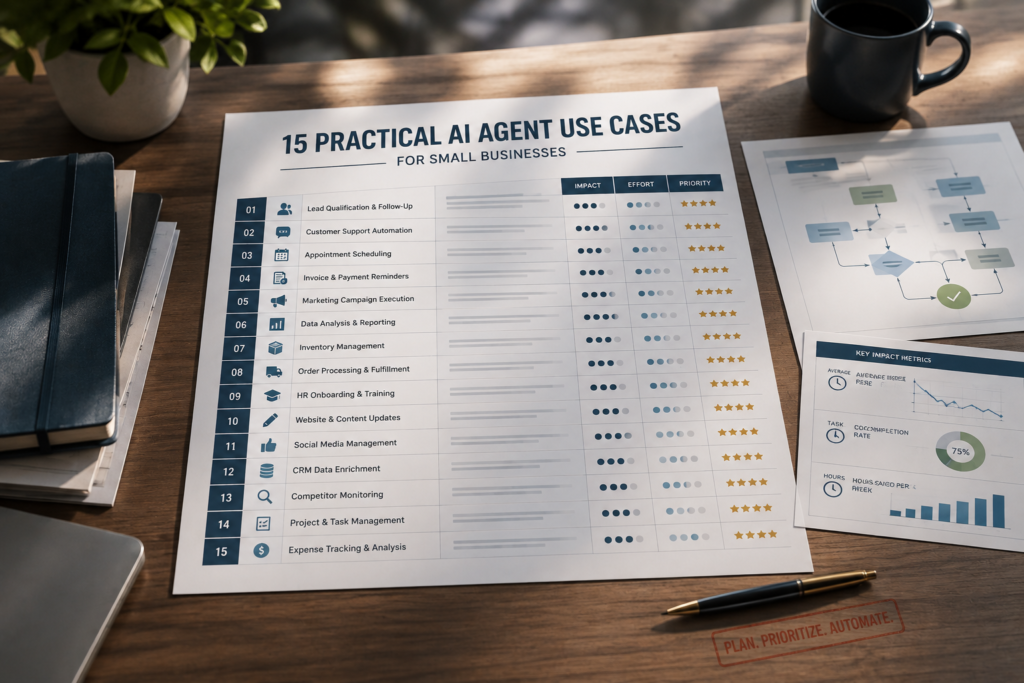
AI agent use cases are becoming practical for small businesses that need to reduce repetitive work without adding more staff. If your team is constantly “busy” but key work still slips—leads go cold overnight, support tickets pile up, invoices wait for review—you don’t necessarily need more staff. You need fewer manual handoffs. AI agents can move work forward across your tools (email, calendars, CRMs, helpdesks) with clear rules and human handoffs.
Quick Answer (40–60 words): The best AI agent use cases for small businesses are high-volume, repeatable workflows like lead qualification, support triage, appointment scheduling, CRM updates, reporting, and document intake. Start with one workflow that has clear inputs/outputs and measurable KPIs (response time, completion rate, hours saved), then expand once it’s stable.
What Is an AI Agent (and how is it different from a chatbot)?
An AI agent is software that can complete a task by taking actions across one or more tools—often in multiple steps—rather than only generating text. In plain English: a chatbot talks, an agent does.
Small businesses get confused here because many vendors label everything “agentic.” A practical definition is:
- Chatbot: answers questions in a conversation (mostly “respond”).
- AI assistant: helps a person write/summarize/think (mostly “support”).
- AI agent: executes a workflow using tools (mostly “act”).
Chatbot vs AI assistant vs AI agent (business view)
| Type | Best For | What it actually does | Where it breaks |
|---|---|---|---|
| Chatbot | FAQs, basic customer questions | Responds to messages based on knowledge | Can’t reliably update systems, route work, or handle exceptions without extra automation |
| AI Assistant | Drafting emails, summarizing meetings, internal writing | Helps staff produce and process information faster | Doesn’t automatically move work across tools unless integrated into workflows |
| AI Agent | Lead routing, support triage, scheduling, reporting, document intake | Takes actions (create/update records, send messages, schedule, route tasks), often with human handoff rules | Riskier if you allow autonomous action without guardrails, data quality, and exception handling |
Why Small Businesses Should Care (and when you shouldn’t)
The most useful AI agent use cases are not necessarily the most advanced ones. They are the workflows where repetitive decisions, handoffs, and follow-up work consume significant staff time.
Most SMBs don’t have a “lack of ideas” problem—they have a workflow throughput problem. AI agents for business are most valuable when they improve a specific workflow rather than trying to automate an entire department. The same handful of operational bottlenecks show up repeatedly: slow lead response after hours, repetitive support questions, scheduling ping-pong, and admin work that prevents owners and managers from doing higher-value work. AI agents for business can address these bottlenecks when the underlying workflows are clear, repeatable, and measurable.
Where AI agents usually create the fastest value
- Revenue workflows: faster responses and better follow-up reduce lead leakage.
- Service workflows: quicker triage improves customer experience and reduces team stress.
- Admin workflows: fewer copy-paste tasks and fewer “where is that file?” delays.
- Visibility workflows: reporting agents can compile metrics from multiple tools into a single digest.
When not to use an AI agent
- Your process is broken or undefined. Agents amplify chaos if the “right next step” isn’t consistent.
- Exceptions dominate. If 60–80% of cases require judgment calls, start with a human-first process and use an assistant for drafting/summarizing.
- Data access is sensitive and controls aren’t ready. If the agent needs invoices, customer records, or internal HR data, you need permissions and auditability first.
- A simple automation is sufficient. Many “agent” wins are actually rules-based automations; don’t overbuild.
Business-First AI Insight: Don’t buy “agentic” capability to feel modern. Buy throughput. The right first agent is the one that reduces a measurable bottleneck (response time, backlog, handoffs), not the one that demos well.
The Business-First AI Framework™ for Choosing AI Agent Use Cases
This framework makes it easier to compare AI agent use cases based on business impact, complexity, risk, and the amount of human oversight required. To avoid tool-led experimentation, use a simple sequence. This framework helps you evaluate AI agent use cases based on business value, workflow complexity, risk, and measurable outcomes.
- Business Problem: Where do you lose time, money, or consistency?
- Workflow Improvement: Map the current steps, inputs, and exceptions.
- Choose the Right Solution: automation vs assistant vs agent (and where human approvals are required).
- Implement with Human Oversight: define handoffs, approval steps, and rollback plans.
- Measure Business Outcomes: response time, completion rate, error rate, hours saved, CSAT.
- Standardize and Scale: document it, train the team, then expand to the next workflow.
AI Agent Use Cases: Comparison Table
Not every business needs every type of AI agent. The following AI agent use cases can help you identify which workflows are most likely to create value based on your current bottleneck, implementation difficulty, and required level of human oversight. Use this table to identify the workflow most likely to create value based on your current bottleneck, implementation difficulty, and required level of human oversight.
| AI Agent Use Case | Best For | What the Agent Handles | Difficulty | Human Oversight | Primary KPI |
|---|---|---|---|---|---|
| Lead qualification and routing | Businesses losing leads due to slow follow-up | Captures, scores, enriches, routes, and creates follow-up tasks for new leads | Intermediate | Review high-value, unclear, or sensitive leads | Lead response time |
| Inbox triage | Teams managing a busy shared inbox or contact form | Classifies messages, applies labels, routes requests, creates tasks, and drafts replies | Beginner to intermediate | Review unclear or sensitive messages | Time to first response |
| Customer support ticket triage | Businesses receiving repeat support questions | Categorizes tickets, retrieves relevant knowledge, drafts replies, and escalates complex cases | Beginner to intermediate | Review customer-facing replies and escalations | First response time |
| Appointment scheduling | Service businesses with frequent booking requests | Checks availability, offers times, confirms bookings, sends reminders, and handles reschedules | Beginner | Approve unusual scheduling or policy exceptions | Time-to-book |
| No-show follow-up | Appointment-based businesses with missed bookings | Detects no-shows, sends rebooking messages, logs outcomes, and flags repeat cases | Beginner to intermediate | Review fee waivers or customer disputes | No-show rate |
| CRM hygiene | Sales and service teams with incomplete customer records | Extracts details from emails, calls, meetings, and forms; then updates records and tasks | Intermediate | Confirm ambiguous fields and important account changes | CRM record completeness |
| Proposal and quote preparation | Agencies, consultants, and service businesses | Pulls approved templates, adds client context, drafts proposals, and creates delivery tasks | Intermediate | Require approval for price, scope, and commitments | Quote turnaround time |
| Invoice intake and extraction | Businesses processing supplier invoices or payment documents | Extracts invoice fields, matches vendors or projects, flags exceptions, and routes approvals | Intermediate to advanced | Approve payments, mismatches, and exceptions | Invoice-processing time |
| Expense and receipt handling | Teams dealing with receipt collection and expense categorization | Extracts receipt information, suggests categories, matches transactions, and flags missing details | Intermediate | Review unclear categories and tax-related exceptions | Receipt-processing time |
| Weekly reporting | Owners and managers compiling data from multiple tools | Collects KPIs, identifies changes, generates summaries, and distributes a weekly digest | Intermediate | Review key decisions and unusual data trends | Hours saved per week |
| Meeting notes to action items | Teams where decisions are lost after meetings | Summarizes notes, extracts actions, creates tasks, assigns owners, and sends recaps | Beginner to intermediate | Confirm task owners, deadlines, and commitments | Action-item completion rate |
| Internal knowledge lookup | Businesses where staff repeatedly ask for SOPs or policies | Answers questions from approved documents, links source material, and flags outdated guidance | Beginner to intermediate | Escalate missing, outdated, or policy-sensitive questions | Time spent finding information |
| Inventory low-stock and reorder support | Retail, ecommerce, wholesale, or light-manufacturing businesses | Monitors stock, reviews sales velocity, suggests reorder quantities, and drafts supplier requests | Intermediate | Approve purchase orders and supplier commitments | Stockout rate |
| Recruiting coordination | Growing businesses scheduling interviews and managing candidate communication | Extracts candidate details, routes applications, sends updates, and schedules interviews | Intermediate | Keep hiring decisions and candidate evaluation human-led | Time-to-interview |
| Marketing repurposing and campaign operations | Small marketing teams publishing across multiple channels | Creates draft content variations, queues approvals, schedules content, and summarizes performance | Beginner to intermediate | Approve all public-facing content and campaign changes | Content production time |
How to use this table
Choose one use case that has:
- A frequent and repeatable workflow
- A clear business problem
- Low-to-moderate risk if an error occurs
- Existing data and tools that are reasonably organized
- A measurable KPI you can improve within 30–90 days
For most small businesses, the safest starting options are inbox triage, lead routing, appointment scheduling, meeting-action tracking, or weekly reporting. These workflows are common, relatively easy to test in draft mode, and can create visible operational improvements without handing an agent control over high-risk decisions.
15 Practical AI Agent Use Cases for Small Businesses
Below are AI agent use cases that tend to fit small business reality: limited staff, many tools, and repeated handoffs. For each, you’ll see a practical “agent job description,” a workflow, suggested tool categories, and the implementation difficulty.
1) Lead qualification and routing agent
Problem it solves: Slow lead response (especially after hours) and inconsistent follow-up.
Agent workflow:
- Capture lead from form/chat/email
- Enrich or score based on rules (service area, budget range, urgency, product fit)
- Create/Update CRM record
- Route to the right owner and draft a reply (or send a templated reply)
- Escalate to a human when the lead is high value or unclear
Tools to consider: automation platforms like Zapier or n8n, plus your CRM; many CRMs also offer AI features, but verify capabilities in your CRM’s current docs.
Difficulty: Intermediate (data quality + routing logic matters).
Why it’s often a top-first choice: It directly reduces revenue leakage caused by slow response times.
2) Inbox triage agent (shared email or contact form)
Problem it solves: The “someone should reply to that” problem in shared inboxes.
Agent workflow:
- Read new inbound messages
- Classify by intent (sales, support, billing, partnership)
- Apply labels and route to the right queue/person
- Create a task in your work system and attach the message context
- Draft a response for review when needed
Tools to consider: Zapier (beginner-friendly), Make (flexible visual scenarios), n8n (custom logic).
Difficulty: Beginner to intermediate (depends on exception handling).
3) Customer support ticket triage agent
Problem it solves: Slow first response, repetitive FAQs, and inconsistent answers.
Agent workflow:
- Classify incoming tickets (billing, technical, how-to, account)
- Retrieve relevant policy/procedure snippets from a knowledge base
- Draft a first response, ask clarifying questions if needed
- Escalate complex cases with full context (summary, history, suggested next step)
Tools to consider: your helpdesk’s AI features (verify current support), plus Microsoft 365 Copilot for internal drafting/summaries in Microsoft-centric teams; automation via Zapier/n8n.
Difficulty: Beginner to intermediate.
Key trade-off: You’ll gain speed, but you must control tone, accuracy, and escalation rules to avoid “confidently wrong” replies.
4) Appointment scheduling and rescheduling agent
Problem it solves: Calendar back-and-forth, missed appointments, and inconsistent reminders.
Agent workflow:
- Check availability based on calendar rules
- Offer time slots and confirm booking
- Send reminders and prep instructions
- Handle reschedules and cancellations
- Update CRM/service record and notify staff
Tools to consider: scheduling assistants and agent-style tools like Lindy for ready-made workflows (verify current integration support), plus automations in Zapier.
Difficulty: Beginner.
5) No-show reduction follow-up agent
Problem it solves: Lost capacity and revenue from missed appointments.
Agent workflow:
- Detect “no-show” status in scheduling system
- Send a follow-up message with a rebooking link
- Offer policy-based options (fee notice, one-time waiver, etc.)
- Log outcome and tag repeat no-shows for manual review
Tools to consider: Zapier/Make plus your scheduling system; keep human oversight for policy exceptions.
Difficulty: Beginner to intermediate.
6) CRM hygiene agent (auto-update records after interactions)
Problem it solves: Stale CRM records and missed follow-ups because updates happen “later.”
Agent workflow:
- Monitor new emails, call summaries, meeting notes, or form submissions
- Extract key fields (contact, company, intent, next step, timeline)
- Update CRM fields and create follow-up tasks
- Flag ambiguity for human confirmation
Tools to consider: Zapier for quick wins, n8n for more control, and internal context tools like ClickUp Brain if your team lives in ClickUp.
Difficulty: Intermediate (field mapping + data governance).
7) Proposal and quote prep agent (human-approved)
Problem it solves: Slow quote turnaround and inconsistent scope language.
Agent workflow:
- Pull standard scope blocks and pricing rules from templates
- Insert client-specific details from CRM and discovery notes
- Generate a draft proposal for approval
- Create a task checklist for delivery steps once approved
Tools to consider: Microsoft 365 Copilot for drafting in Word/Outlook ecosystems; workflow glue via Make/n8n.
Difficulty: Intermediate.
Guardrail: Keep approvals mandatory—pricing and commitments shouldn’t be fully autonomous.
8) Invoice intake and field extraction agent
Problem it solves: Admin time spent reading invoices, entering fields, and chasing approvals.
Agent workflow:
- Capture invoices from email upload or shared folder
- Extract key fields (vendor, amount, due date, PO/project)
- Match to known vendors/projects and flag mismatches
- Route for approval based on thresholds
- Push structured data into accounting/workflow system
Tools to consider: n8n/Make for routing logic; ensure security controls because invoices contain sensitive data.
Difficulty: Intermediate to advanced (exception handling is the real work).
9) Expense categorization and receipt handling agent
Problem it solves: Receipt chaos and month-end scramble.
Agent workflow:
- Collect receipts from email/mobile uploads
- Extract merchant/date/amount and suggest category
- Match to card transactions (where supported)
- Route exceptions (unclear vendor, missing tax invoice) to a human
Tools to consider: combine your accounting stack with automation tooling; verify what your accounting platform supports natively before building custom flows.
Difficulty: Intermediate.
10) Weekly reporting agent (cross-tool metrics digest)
Problem it solves: Leaders waste time gathering metrics from multiple tools and still feel unsure.
Agent workflow:
- Pull KPIs from CRM, helpdesk, ecommerce, ads, or project tools
- Compare week-over-week trends
- Generate a short narrative summary (“what changed and why it matters”)
- Send to the right channel (email/Teams) and log it
Tools to consider: Microsoft 365 Copilot for summarization in Microsoft environments, plus Zapier/n8n to fetch data and distribute.
Difficulty: Intermediate.
11) Meeting notes → action items agent
Problem it solves: Decisions get made in meetings, then disappear into inboxes.
Agent workflow:
- Summarize meeting notes
- Extract decisions and action items
- Create tasks in your project system with owners and due dates
- Send a recap to attendees for confirmation
Tools to consider: Microsoft 365 Copilot for meeting summaries; ClickUp Brain if ClickUp is your execution hub; automation via Zapier.
Difficulty: Beginner to intermediate.
12) Internal knowledge agent (SOP and policy lookup)
Problem it solves: Staff constantly ask “how do we do this?” and senior people become bottlenecks.
Agent workflow:
- Answer internal questions using approved SOPs and templates
- Link the source procedure (so it’s auditable)
- Escalate when the SOP is missing or outdated
- Suggest SOP updates based on repeated questions
Tools to consider: ClickUp Brain for ClickUp-heavy teams; Microsoft 365 Copilot for Microsoft knowledge work; keep tight permissions.
Difficulty: Beginner (if your SOPs are organized) to intermediate (if they aren’t).
13) Inventory low-stock and reorder agent (retail/light manufacturing)
Problem it solves: Stockouts and reactive reordering.
Agent workflow:
- Monitor inventory levels and sales velocity
- Flag low stock and suggest reorder quantities
- Create a purchase request or draft supplier email
- Require human approval before placing orders
Tools to consider: n8n/Make for multi-step logic; ensure your inventory system has reliable data exports/APIs.
Difficulty: Intermediate.
Risk to manage: Bad inventory data creates bad reorders. Validate data quality before “autopilot.”
14) Recruiting coordination agent (screening + scheduling)
Problem it solves: Hiring drags on because scheduling and communications are manual.
Agent workflow:
- Parse incoming resumes and extract key criteria
- Route candidates into “yes/maybe/no” with human review
- Send standardized communications
- Schedule interviews and send reminders
Tools to consider: Lindy for assistant-like coordination (verify HR integrations), plus automation platforms for routing.
Difficulty: Intermediate.
Important caution: Use AI for coordination and consistency, not as the final decision-maker. Hiring decisions require oversight and fairness controls.
15) Marketing repurposing and campaign operations agent
Problem it solves: Small teams can’t publish consistently across channels.
Agent workflow:
- Turn one source asset (webinar, blog, case study draft) into multiple outputs (email draft, social snippets, FAQ)
- Queue drafts for approval
- Schedule posts and track basic performance metrics
- Create a weekly “content ops” summary
Tools to consider: Make or Zapier for content ops workflows; keep approvals in place to protect brand voice and compliance.
Difficulty: Beginner to intermediate.
Consultant Insight: Many businesses start here because it’s visible. The clearer ROI is often in operations (lead, support, reporting). Marketing agents become more valuable once your publishing process is already consistent and templated.
How to Choose Your First AI Agent Use Case (a prioritization scorecard)
Most SMB failures happen because the first AI agent use case is too broad (“handle customer service”) or too autonomous (no guardrails). A better approach is to score use cases before building.
Use-case scoring matrix (practical SMB factors)
Score each 1–5 (5 is best). Start with the highest total that also has acceptable risk.
| Factor | What to look for | Why it matters |
|---|---|---|
| Volume | Happens daily/weekly, not quarterly | Higher volume = faster ROI and more measurable time savings |
| Repeatability | Same steps most of the time | Agents need predictable workflows to stay reliable |
| Clarity of inputs/outputs | Clear trigger + clear “done” definition | Prevents vague, untestable automation |
| Exception rate | Few edge cases; easy escalation rules | Exceptions are where projects slow down and risk increases |
| Business impact | Revenue, customer experience, cashflow, or leadership visibility | Ensures the project is worth maintaining long-term |
| Data readiness | Clean CRM fields, consistent categories, documented SOPs | Poor data creates poor agent decisions |
| Risk level | Low harm if wrong; easy rollback | Lets you learn safely before automating sensitive workflows |
A simple decision tree (which workflow should you automate first?)
- If leads are missed or response is slow: start with lead qualification + routing (Use Case #1).
- If support is overwhelmed with repetitive questions: start with support triage (Use Case #3).
- If admin time is the bottleneck: start with inbox triage (Use Case #2) or reporting (Use Case #10).
- If scheduling consumes staff time: start with appointment booking (Use Case #4).
- If your CRM is unreliable: start with CRM hygiene (Use Case #6) before advanced sales automation.
Is Your Business Ready for an AI Agent?
An AI agent works best when it improves a process that already has a reasonably clear path. The best AI agent use cases start with workflows that have a clear trigger, repeatable steps, manageable exceptions, and a measurable business outcome. If the workflow is undocumented, data is inconsistent, and every case is handled differently, AI may simply automate confusion. The strongest AI agent use cases usually have a clear trigger, repeatable steps, manageable exceptions, reliable data, and a measurable KPI.
Use this readiness checklist before choosing your first pilot.
Workflow readiness checklist
Your business is likely ready to pilot an AI agent if you can say “yes” to most of these statements:
- The workflow happens frequently, ideally daily or weekly.
- There is a clear trigger, such as a form submission, new email, support ticket, booking, uploaded invoice, or completed meeting.
- There is a clear definition of what “done” means.
- Most cases follow a repeatable process.
- You can identify the most common exceptions.
- A staff member can take over when the agent is uncertain.
- The necessary CRM fields, tags, templates, policies, or SOPs already exist.
- You have permission to connect the relevant tools and data sources.
- You can measure a baseline before making changes.
- Someone on the team owns the workflow after launch.
If several answers are “no,” do not abandon the opportunity. First simplify and document the process. In many cases, a short workflow-mapping exercise creates value before any automation is built.
Minimum pilot requirements
Before turning on an agent, define:
| Requirement | What to decide |
|---|---|
| Workflow owner | Who monitors the agent, reviews errors, and approves updates? |
| Success KPI | What should improve: response time, completion rate, hours saved, error rate, or customer satisfaction? |
| Escalation rules | Which cases must be sent to a person immediately? |
| Approval rules | What can the agent do automatically, and what must be reviewed? |
| Data boundaries | What information can the agent read, write, or share? |
| Rollback plan | How can the workflow be paused if it behaves incorrectly? |
| Review period | When will the team evaluate results and decide whether to expand, improve, or stop the pilot? |
Start with a workflow that is narrow enough to test but valuable enough to matter. For many small businesses, the right first pilot is not “run customer service” or “manage sales.” It is something specific, such as “classify new website leads, create CRM records, assign an owner, and draft a reply for review.”
That level of clarity is what turns AI agents from interesting demos into reliable business systems.
Best Tools to Implement These AI Agent Use Cases (without getting trapped)
Your tools should match your team’s delivery reality. Many small businesses succeed with a simple stack: an automation platform, a few high-value integrations, and one “home base” (CRM/helpdesk/project tool) where work is tracked.
Business-Focused AI Agent Tool Comparison
| Tool | Best For | Ease of Use | Time to Value | Business Size Fit | Notes |
|---|---|---|---|---|---|
| Zapier | Quick cross-app workflows (routing, reminders, CRM updates) | High (beginner-friendly) | Fast for simple workflows | Solo to SMB | Great starter option; complex logic can become harder to manage over time |
| Make | Multi-step operations and content workflows | Medium | Fast to moderate | Growing SMB | Strong visual builder; can be more complex than basic automations |
| n8n | Custom, powerful workflows and agent-like automations | Medium to low (more technical) | Moderate (but scalable) | SMB with ops/technical capacity | Flexible and powerful; requires more setup discipline |
| Lindy | Ready-made agent-style assistants (scheduling/inbox) | High | Fast | SMB teams | Convenient, but may increase vendor-specific workflow lock-in |
| Microsoft 365 Copilot | Drafting, summarizing, internal knowledge work inside Microsoft | High | Fast for knowledge tasks | Any SMB on Microsoft 365 | Strong inside Microsoft; less about autonomous cross-app workflows unless paired with automation |
| ClickUp Brain | Internal ops knowledge and project context in ClickUp | High | Fast if ClickUp is already the hub | SMB teams using ClickUp | Works best when your tasks/docs are already organized in ClickUp |
Expert Verdict: the most practical “starter stacks”
- If you’re non-technical: Start with Zapier for routing + reminders, and use Microsoft 365 Copilot or ClickUp Brain where your team already works. You’ll get value quickly and learn what should be automated next.
- If you have ops/technical capacity (or an agency partner): Consider n8n for more control and better long-term scalability of complex workflows. It’s usually worth it once you’re doing multi-step processes with real exception handling.
- If your pain is scheduling/inbox coordination: Look at agent-focused products like Lindy for speed—just confirm integrations, permissions, and portability before you standardize.
Pricing note: AI tool pricing, features, usage limits, and integrations can change frequently. Review each vendor’s current pricing and documentation before committing to a platform.
Build vs. Buy vs. Basic Automation
Before choosing an AI agent platform, decide whether AI agents for business are actually the right solution for the workflow. Many small-business workflow problems can be solved faster and more reliably with a simple automation or an AI assistant.
Use this rule: choose the least complex solution that solves the business problem safely.
| Option | Best When | Example | What to Watch |
|---|---|---|---|
| Basic automation | The workflow follows fixed “if this, then that” rules | When a form is submitted, create a CRM contact and notify sales | It struggles when messages, documents, or requests vary widely |
| AI assistant | A person still needs to review, write, summarize, or make the final decision | Drafting a proposal from meeting notes or summarizing customer feedback | It improves individual productivity but may not move work across systems automatically |
| AI agent | The workflow needs context, classification, multiple steps, and exception handling | Reading inbound leads, scoring them, updating the CRM, and routing them to the right person | It requires clear permissions, testing, monitoring, and human escalation rules |
| Agency or technical partner | The workflow touches sensitive data, many systems, custom APIs, or complex business rules | Connecting inventory, accounting, ecommerce, and supplier workflows | Avoid handing over ownership; ensure your team receives documentation and access |
A simple automation is often the best first step when the task is predictable. For example, sending an appointment reminder exactly 24 hours before a booking does not require an AI agent.
An AI agent becomes useful when the workflow involves unstructured information or judgment within defined boundaries. For example, an inbound email may need to be classified as a sales enquiry, support issue, billing question, or spam message before it can be routed correctly.
Business-First AI Insight: Start with the outcome, not the technology. If a rule-based automation fixes the bottleneck, use it. Add AI only where it improves classification, context, personalization, or decision support.
AI Agent Security and Governance Checklist
AI agents can save time, but they also create new operational risks because they may read customer messages, update records, access documents, or trigger actions across connected tools. Small businesses do not need enterprise-level complexity to start safely, but they do need clear controls.
Before launching an AI agent, work through this checklist.
Access and permissions
Give the agent only the access it genuinely needs to complete its job.
- Use separate accounts or service connections for workflows where possible.
- Limit access by role, team, system, and data type.
- Avoid giving an early-stage agent full administrator access.
- Remove unused integrations and permissions regularly.
- Require stronger review controls for financial, HR, legal, customer-account, and pricing systems.
For example, a support-triage agent may need permission to read incoming tickets, apply tags, and create tasks. It does not necessarily need permission to issue refunds, delete customer records, or change account plans.
Human approvals
Define which actions an agent can take automatically and which actions require human approval.
Safe early actions often include:
- Applying tags or labels
- Routing messages and tickets
- Creating internal tasks
- Updating non-sensitive CRM fields
- Drafting customer replies
- Generating summaries and reports
Actions that should usually remain human-approved include:
- Sending sensitive customer communications
- Issuing refunds, credits, or invoices
- Changing prices, contracts, or service commitments
- Placing supplier orders
- Making hiring, performance, or termination decisions
- Deleting records or changing user permissions
Start in draft mode whenever possible. Let the agent recommend an action or prepare the work, then allow a person to approve it until accuracy is proven.
Data handling
Know exactly what data enters the workflow, where it goes, and who can access it.
- Identify whether the workflow includes customer information, payment details, health information, employee records, contracts, or internal financial data.
- Send only the minimum data needed for the agent to perform the task.
- Check vendor settings for data retention, model training, account security, and administrative controls.
- Use approved knowledge sources rather than allowing an agent to rely on outdated files or uncontrolled public information.
- Review your legal, privacy, and industry obligations before connecting sensitive systems.
Auditability and ownership
Every business-critical AI workflow should have a clear owner and a traceable history.
Document:
- What triggers the workflow
- Which systems and data sources it can access
- What actions it can take
- Which situations require escalation
- Who reviews errors and exceptions
- How the workflow can be paused or switched off
Keep logs of major actions, especially when the agent updates customer records, routes financial documents, sends external messages, or makes recommendations that affect customers or employees.
Practical rule: If you cannot explain what the agent is allowed to do, who owns it, and how to stop it, the workflow is not ready for autonomous action.
How Much Do AI Agents Cost for Small Businesses?
The cost of an AI agent is not just the monthly price of one tool. The true cost includes the software, integrations, setup time, testing, monitoring, and ongoing maintenance.
For a small business, the best first AI agent is usually not the cheapest one. It is the one that solves a frequent, measurable bottleneck with minimal risk.
What affects AI agent cost?
Your total cost may include:
- AI agent, automation, or workflow-platform subscriptions
- CRM, helpdesk, scheduling, or project-management software plans
- AI usage charges, depending on message volume, documents processed, or model usage
- Setup time for workflow design, integrations, field mapping, and testing
- Staff time for reviewing drafts and handling exceptions during the pilot
- Maintenance when team processes, policies, apps, or data fields change
- Optional agency, consultant, developer, or technical-operations support
A simple inbox-routing workflow may require only an automation platform, an email inbox, and a task-management tool. A multi-step invoice-intake workflow may require document extraction, accounting integrations, approval rules, error handling, and stronger security controls.
Budget for outcomes, not features
Do not buy an expensive “agentic” platform solely because it offers advanced capabilities. Start with a specific business outcome.
Good early targets include:
- Reducing lead-response time
- Preventing missed follow-ups
- Lowering ticket backlog
- Saving admin time on repetitive data entry
- Improving CRM record completeness
- Reducing the time required to prepare weekly reports
- Shortening invoice-processing or approval cycles
For example, if an agent saves a manager five hours per week of reporting and follow-up work, calculate the value of that recovered time before comparing it with the cost of the software and maintenance.
A practical budgeting approach
Use a small pilot budget first.
- Choose one high-volume workflow with a clear KPI.
- Use your existing tools where possible.
- Build a narrow first version with human approval steps.
- Measure time saved, errors avoided, and business impact for 30–90 days.
- Expand only when the workflow is stable and the outcome justifies the ongoing cost.
Business-First AI Insight: An AI agent does not need to replace a full-time employee to deliver value. If it consistently removes repetitive work, improves response speed, or prevents revenue leakage, it can produce a strong return even as a supporting workflow.
Implementation Guidance: How to Pilot an AI Agent Safely (1–2 workflows, not 15)
A good pilot isn’t a demo—it’s a controlled operational change. The goal is reliability and measurable impact, not maximum autonomy.
Step-by-step pilot plan (SMB-friendly)
- Pick one workflow with a clear KPI. Example: reduce lead response time; reduce ticket backlog; eliminate weekly reporting scramble.
- Map the “happy path” and top 10 exceptions. Exceptions define your guardrails and human handoffs.
- Define permissions and data boundaries. Decide what the agent can read, what it can write, and what requires approval.
- Start with “draft mode.” Let the agent draft replies, tickets, updates, or reports for review before it takes autonomous action.
- Run parallel for 1–2 weeks. Compare agent output to human output; fix misclassifications and missing data fields.
- Move to limited autonomy. Allow safe actions (tagging, routing, task creation). Keep irreversible actions human-approved.
- Document and standardize. Create a simple SOP: triggers, rules, escalation criteria, and how to pause the workflow.
Start Today / Improve Next / Scale Later
- Start Today: Pick a single inbox or lead source and implement classification + routing + task creation.
- Improve Next (30 days): Add human handoff rules, exception tagging, and KPI reporting (response time, completion rate).
- Scale Later: Expand to multi-system workflows (invoice intake, inventory reorder) once data quality and controls are proven.
Common Mistakes Small Businesses Make with AI Agents (and how to avoid them)
- Mistake: automating a vague job (“handle customer service”). Better approach: define a narrow workflow (triage + draft + escalate) with explicit escalation rules.
- Mistake: skipping the process redesign. Why it happens: teams want fast automation. Consequence: faster chaos. Fix: map the workflow and remove unnecessary steps first.
- Mistake: no human handoff for exceptions. Consequence: incorrect messages, wrong routing, customer frustration. Fix: define “when to escalate” before “what to automate.”
- Mistake: ignoring data quality (especially CRM fields). Consequence: misroutes and bad reporting. Fix: standardize required fields and naming conventions.
- Mistake: measuring activity instead of outcomes. Fix: track response time, completion rate, error rate, hours saved, and customer satisfaction—not just number of automations.
ROI and KPI Tracking: What “Success” Looks Like
The most useful AI agent metrics focus on operational outcomes: response time, completion rate, error rate, and hours saved. For most SMBs, these are the most defensible early metrics because they tie directly to throughput.
Recommended KPIs by workflow type
| Workflow | Primary KPI | Secondary KPIs |
|---|---|---|
| Lead qualification/routing | Lead response time | Booked meetings, lead-to-opportunity rate, follow-up completion rate |
| Support triage | First response time | Ticket deflection rate, resolution time, CSAT, escalation accuracy |
| Scheduling | Time-to-book | No-show rate, reschedule success rate, staff time spent scheduling |
| CRM hygiene | Record completeness | Follow-up task completion, duplicate rate, handoff quality |
| Reporting | Hours saved per week | Decision cycle time, stakeholder satisfaction, consistency of reporting |
| Invoice/document intake | Processing time | Exception rate, approval cycle time, error rate |
ROI expectations (practical note): A well-scoped workflow can often move from pilot to measurable results quickly, especially when it is high-volume, clearly defined, and supported by reliable data. Set your own baseline metrics before launch, then evaluate results during the first 30–90 days.
FAQs (AI Agent Use Cases for Small Businesses)
What are the best AI agent use cases for a small business?
AI agents are used to move work forward across tools—like qualifying leads, routing inbox messages, triaging support tickets, booking appointments, updating CRM records, extracting invoice fields, and compiling weekly reports—often with human handoff rules for exceptions.
How are AI agents different from chatbots?
Chatbots primarily answer questions. AI agents can take actions in systems—create tasks, update CRM fields, route tickets, schedule meetings, and generate reports—so they’re better for workflow automation, not just conversation.
Are AI agents worth it for small businesses?
AI agents for business are worth considering when the workflow is high-volume, repeatable, and has clear inputs/outputs—especially in lead response, support triage, scheduling, reporting, and admin processing. If exceptions dominate or the process is unclear, start with workflow cleanup or simple automation first.
Do AI agents require coding?
Not always. Many SMBs can build early agent workflows using no-code/low-code automation tools like Zapier or Make. More complex, customized workflows may benefit from tools like n8n and someone comfortable with APIs and structured logic.
What’s the safest first AI agent use case to pilot?
Inbox triage or lead routing is often a safe start because the agent can classify and route (low risk) before you allow it to send messages or update sensitive records. Start in “draft/assist” mode, then expand autonomy after validation.
What KPIs should I track for an AI agent pilot?
Track response time, completion rate, error rate, hours saved per week, and customer satisfaction (where applicable). For revenue workflows, also track meeting booked rate and lead-to-opportunity progression to ensure speed improvements don’t reduce quality.
What’s the biggest risk with AI agents?
The biggest risk is letting an agent act without clear guardrails—especially in customer-facing messaging, billing decisions, or HR. Define escalation rules, require approvals for sensitive actions, and maintain auditability for changes the agent makes.
Is “AI agent” just a new name for automation?
Sometimes. Many “AI agent” claims are really workflow automation. The practical difference is that agents can add reasoning—classification, summarization, and decision support—while automation handles deterministic steps. The best SMB systems combine both.
Conclusion: The goal isn’t an AI agent—it’s a smoother business
The smartest way to approach AI agent use cases is to treat them like operational upgrades, not software experiments. Pick one bottleneck, redesign the workflow, implement an agent with human oversight, and measure real outcomes. That’s how small teams gain speed and consistency without adding complexity they can’t maintain.
If you want a practical next step, run a quick internal audit: list your top 10 recurring tasks, mark which ones are high-volume and rules-based, and choose one workflow to pilot in “draft mode” first. When you can measure a meaningful improvement, you’ll know exactly where to scale next.