
Last verified: July 2026 — AI tools evolve rapidly. Features, pricing, and integrations may change, so always verify the latest information before making a purchasing decision.
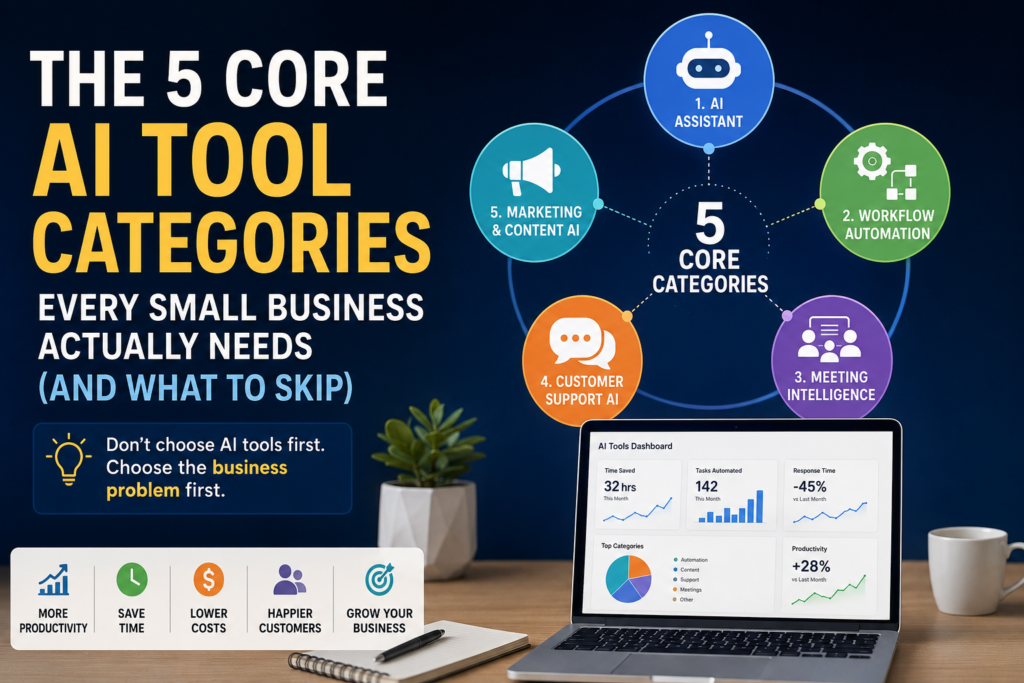
AI tools for small business have become one of the biggest technology opportunities for entrepreneurs and growing companies. From AI assistants and automation platforms to customer support chatbots and content creation tools, small businesses now have access to capabilities that were once available only to large enterprises.
AI tools for small business can help entrepreneurs automate repetitive work, improve customer service, create marketing content, and increase productivity without adding headcount.
Search for “best AI tools,” and you’ll find thousands of options. Every week introduces another AI assistant, automation platform, chatbot, or content generator claiming to revolutionize your business.
For many business owners, this creates decision fatigue instead of productivity.
The reality is that buying more AI tools doesn’t automatically make your business more efficient. In fact, subscribing to multiple platforms that perform similar tasks often increases software costs, complicates workflows, and overwhelms employees.
The businesses seeing the best results from AI aren’t necessarily using the most tools—they’re using the right tools for the right business problems.This guide explains which AI tools for small business owners actually need, which categories deliver the highest ROI, and which tools can usually be skipped.
At Intelligent AI Lab, we recommend a Business-First AI Framework™:
Don’t choose AI tools first. Choose the business problem first.
Once you understand the problem you’re trying to solve, selecting the right AI solution becomes much easier.
Instead of reviewing hundreds of products, this guide focuses on the five AI tool categories that deliver the greatest value for most small businesses. Whether you run a consulting firm, agency, ecommerce store, accounting practice, or local service business, these five categories provide a practical starting point.
Everything else can wait.
By focusing on the right AI tools for small business, owners can avoid software overload and invest only in technologies that produce measurable business results.
Why Businesses Choose the Wrong AI Tools for Small Business
Many businesses approach AI the same way they buy software: they subscribe to a new tool every time they discover an interesting feature.
After a few months, the technology stack often looks something like this:
- Three AI assistants
- Two chatbot platforms
- Multiple automation tools
- Several content generators
- Separate meeting transcription apps
- Different design tools
Many of these subscriptions are rarely used, yet they continue to increase monthly costs.
The problem isn’t AI itself.
The problem is buying tools before defining the business need.
Common Mistakes
Small businesses frequently make these mistakes when adopting AI:
- Buying tools simply because they’re trending.
- Paying for multiple AI assistants that perform similar tasks.
- Automating inefficient or broken business processes.
- Ignoring integrations with existing software.
- Choosing products before identifying the business problem.
- Failing to measure business outcomes.
- Switching platforms every few weeks instead of learning one well.
Each additional platform introduces:
- Monthly subscription costs
- User training requirements
- Integration complexity
- Security considerations
- Another application employees must learn
Rather than asking:
“Which AI tool should I buy?”
Ask:
“Which business process consumes the most time or creates the most frustration?”
That single shift in thinking changes everything.
AI should simplify your business—not create another software management problem.
The Business-First AI Framework™
Successful AI adoption doesn’t begin with technology.
It begins with understanding how your business operates.
Use this simple framework before purchasing any AI tool.
Business Problem
        ↓
Identify Workflow
        ↓
Choose AI Category
        ↓
Select One Tool
        ↓
Measure Results
        ↓
Scale Gradually
Let’s look at each step.
Step 1: Define the Business Problem
Start by identifying where your team loses the most time.
Examples include:
- Responding to repetitive customer questions
- Creating proposals manually
- Writing marketing content
- Entering data into CRM systems
- Taking meeting notes
- Scheduling appointments
Avoid buying software until you clearly understand the problem.
Step 2: Identify the Workflow
Every business process follows a sequence of activities.
For example:
Customer Enquiry
        ↓
Lead Qualification
        ↓
Proposal Creation
        ↓
Follow-up Email
        ↓
CRM Update
Understanding the workflow reveals where AI can eliminate repetitive work.
Step 3: Choose the Right AI Category
Instead of comparing dozens of products, first decide which category addresses your problem.
| Business Need | AI Category |
|---|---|
| Writing and planning | AI Assistant |
| Repetitive manual work | Workflow Automation |
| Meeting documentation | Meeting Intelligence |
| Customer enquiries | Customer Support AI |
| Marketing content | Marketing & Content AI |
Choosing the right category dramatically reduces the number of tools you need to evaluate.
Step 4: Select One Tool
Don’t subscribe to five products that solve the same problem.
Choose one platform that fits:
- Your existing software
- Your team’s technical skills
- Your budget
- Your business size
- Your future growth plans
Master one tool before experimenting with alternatives.
Step 5: Measure Results
AI should produce measurable business improvements.
Track outcomes such as:
- Hours saved each week
- Faster customer response times
- Reduced manual data entry
- Increased sales productivity
- Improved customer satisfaction
If you can’t measure the impact, it’s difficult to justify additional investment.
Step 6: Scale Gradually
Once one implementation succeeds, expand into the next business function.
This gradual approach typically delivers:
- Better employee adoption
- Lower implementation risk
- Faster return on investment
- Simpler change management
Small, successful projects almost always outperform large, complex AI rollouts.
This framework helps organizations evaluate AI tools for business based on measurable outcomes rather than feature lists.
The Five Core AI Tool Categories
Most businesses don’t need fifty different AI products. The most effective AI tools for small business typically fall into a handful of core categories that address everyday operational challenges.
Understanding the different types of AI tools helps business owners focus on solutions that address specific operational challenges rather than chasing every new product on the market.
They need solutions that support the core activities every business performs every day.
| Business Activity | AI Category | Primary Benefit |
|---|---|---|
| Writing, planning and research | AI Assistant | Personal productivity |
| Repetitive business processes | Workflow Automation | Time savings |
| Meetings and collaboration | Meeting Intelligence | Knowledge capture |
| Customer communication | Customer Support AI | Faster service |
| Marketing and content | Marketing & Content AI | Consistent business growth |
These are categories—not products.
Your goal isn’t to own every AI tool.
Your goal is to select one effective tool in each category as your business grows.
Category 1: AI Assistants
For most small businesses, this is the best place to begin. Among all AI tools for small business, AI assistants are usually the easiest category to adopt because they provide immediate productivity benefits.
AI assistants improve productivity across nearly every department by helping with writing, research, brainstorming, planning, analysis, and everyday decision-making.
They are often the fastest way to experience immediate value from AI.
Business Problems They Solve
AI assistants can help with:
- Writing emails
- Drafting proposals
- Creating reports
- Researching competitors
- Brainstorming ideas
- Summarizing documents
- Planning projects
- Generating presentations
- Creating SOPs
- Answering business questions
Because these tasks occur every day, even modest time savings quickly add up.
Recommended AI Assistants
| Tool | Best For |
|---|---|
| ChatGPT | Overall business productivity |
| Claude | Long-form writing and document analysis |
| Google Gemini | Google Workspace users |
| Microsoft Copilot | Microsoft 365 organizations |
Each assistant has different strengths, but all can significantly improve productivity when used consistently.
Business Impact
Businesses commonly use AI assistants to:
- Produce first drafts more quickly
- Improve communication quality
- Accelerate research
- Organize information
- Support strategic planning
- Reduce repetitive writing
The biggest productivity gains often come from combining AI-generated first drafts with human expertise and review.
Many organizations view AI assistants as essential AI productivity tools because they support writing, planning, research, and decision-making in a single interface.
When You Can Skip This Category
If you only perform occasional writing or use AI once every few weeks, a paid subscription may not be necessary.
For most businesses, however, an AI assistant is the logical first investment because it delivers value across multiple functions with minimal setup.
Category 2: Workflow Automation
If AI assistants help individuals work faster, workflow automation helps the entire business operate more efficiently. Among all AI automation tools, workflow platforms often deliver the fastest ROI because they eliminate repetitive manual work across multiple systems.
Instead of asking employees to repeatedly move information between applications, automation platforms connect your existing software and perform routine tasks automatically.
For many small businesses, this category delivers the highest long-term return on investment (ROI) because it reduces manual work across sales, marketing, finance, operations, and customer service. Many experts consider workflow automation platforms the most valuable AI tools for business because they remove repetitive manual work across multiple departments.
Business Problems They Solve
Workflow automation eliminates repetitive tasks such as:
- Copying website enquiries into a CRM
- Sending follow-up emails
- Creating invoices
- Updating spreadsheets
- Notifying team members
- Assigning tasks
- Synchronizing customer data
- Generating recurring reports
Instead of performing these actions manually every day, they happen automatically.
Example Workflow
Website Contact Form
        ↓
Lead Added to CRM
        ↓
AI Summarizes Customer Requirements
        ↓
Welcome Email Sent
        ↓
Sales Team Notified
        ↓
Follow-up Task Created
This workflow may save only a few minutes per enquiry, but across hundreds of leads each year, the productivity gains become substantial.
Recommended Platforms
| Tool | Best For |
|---|---|
| n8n | Advanced automation and AI workflows |
| Zapier | Beginners and quick integrations |
| Make | Visual workflow design |
| Pabbly Connect | Budget-conscious businesses |
Choosing the Right Platform
Each platform serves a slightly different audience.
- n8n offers exceptional flexibility, AI integrations, and the option to self-host, making it ideal for businesses expecting more sophisticated automation over time.
- Zapier is often the easiest place to start thanks to its simple interface and extensive library of integrations.
- Make provides a visual workflow builder that makes complex automations easier to understand.
- Pabbly Connect appeals to businesses looking for affordable automation with lower recurring costs.
Rather than comparing every feature, choose the platform that matches your team’s technical skills and future growth plans.
Why Automation Often Delivers the Biggest ROI
Many businesses purchase another AI writing tool before automating repetitive work.
In reality, automating routine processes often creates far greater value.
For example:
- Sales teams spend less time entering CRM data.
- Customer enquiries receive instant acknowledgements.
- Finance teams reduce invoice processing time.
- Marketing campaigns launch automatically.
- Managers receive real-time notifications without manual reporting.
These improvements happen every day, multiplying their impact over months and years.
When You Can Skip This Category
If your business has very few recurring processes or relies on only one or two software applications, workflow automation may not provide immediate value.
As your business grows, however, automation usually becomes one of the highest-impact AI investments.
Category 3: Meeting Intelligence
Meetings generate valuable business knowledge, but much of it disappears once the conversation ends.
Action items are forgotten, decisions become unclear, and employees spend additional time writing notes instead of actively participating.
AI meeting assistants solve this problem by automatically recording, transcribing, summarizing, and organizing conversations.
Instead of worrying about note-taking, your team can focus on the discussion itself.
Business Problems They Solve
Meeting intelligence platforms help businesses:
- Capture meeting notes automatically
- Generate executive summaries
- Identify action items
- Assign follow-up tasks
- Record decisions
- Search previous conversations
- Share meeting summaries with stakeholders
This improves collaboration while reducing administrative work.
Recommended Tools
| Tool | Best For |
|---|---|
| Fireflies.ai | Client meetings and CRM integration |
| Fathom | Individuals and small teams |
| Otter.ai | Accurate transcription and documentation |
Business Benefits
Meeting assistants create value by:
- Improving meeting accuracy
- Reducing note-taking effort
- Accelerating follow-up emails
- Increasing accountability
- Building a searchable knowledge base
- Preserving organizational knowledge
For consultants, agencies, sales teams, and professional service firms, these benefits accumulate quickly because meetings are central to daily operations.
Practical Example
A consulting firm conducts:
- Discovery calls
- Client workshops
- Weekly project reviews
- Internal planning sessions
Without AI, consultants spend additional time documenting each meeting afterward.
With a meeting assistant:
- Notes are generated automatically.
- Action items are identified.
- Follow-up emails are drafted.
- Meeting history becomes searchable.
The result is less administrative work and more time spent serving clients.
When You Can Skip This Category
Businesses that rarely conduct meetings or primarily communicate through email and messaging may not need a dedicated meeting assistant immediately.
For organizations with frequent client or team meetings, however, this category quickly becomes a valuable productivity multiplier.
Category 4: Customer Support AI
Customers expect fast responses, regardless of your business size. However, hiring a support team to provide 24/7 coverage isn’t practical for most small businesses.
That’s where AI-powered customer support tools provide immediate value.
Modern AI chatbots can answer common questions, qualify leads, book appointments, and route complex issues to the right person—allowing your team to focus on conversations that require human expertise.
The goal isn’t to replace people.
It’s to automate repetitive interactions so employees can spend more time solving important customer problems.
Business Problems They Solve
Customer support AI can automate:
- Frequently asked questions (FAQs)
- Business hours and location enquiries
- Appointment scheduling
- Order tracking
- Product recommendations
- Lead qualification
- Basic troubleshooting
- Support ticket creation
Many businesses find that a significant percentage of customer enquiries involve the same questions repeatedly. AI handles these instantly while escalating complex issues to a human.
Recommended Tools
| Tool | Best For |
|---|---|
| Tidio | Small businesses and local services |
| Chatbase | AI chatbots trained on your own documents |
| Intercom | SaaS companies and customer onboarding |
| Zendesk AI | Larger support teams with advanced ticketing |
Choosing the Right Platform
Each platform serves different business needs.
- Tidio is easy to deploy and ideal for websites that need live chat and AI-powered customer support.
- Chatbase lets businesses build chatbots using their own documentation, making it useful for companies with extensive FAQs or knowledge bases.
- Intercom combines AI support with customer onboarding, messaging, and lifecycle engagement.
- Zendesk AI integrates AI into enterprise-grade customer service operations.
Business Benefits
Customer Support AI can help businesses:
- Respond to customers 24/7
- Reduce repetitive support work
- Capture more sales leads
- Shorten response times
- Improve customer satisfaction
- Scale customer service without hiring proportionally more staff
Practical Example
Consider a local accounting firm during tax season.
Every day, customers ask questions such as:
- What documents should I bring?
- What are your consultation charges?
- Can I book an appointment online?
- What are your office hours?
Instead of answering these manually hundreds of times, an AI chatbot can:
- Answer common questions instantly
- Collect customer information
- Schedule appointments
- Transfer complex tax enquiries to an accountant
The result is a better customer experience while allowing professionals to focus on advisory work.
When You Can Skip This Category
If your business receives very few customer enquiries or every conversation requires specialist expertise, a chatbot may provide limited value initially.
However, once customer communication becomes repetitive, Customer Support AI often delivers a strong return on investment.
Category 5: Marketing & Content AI
Consistent marketing helps businesses grow—but creating high-quality content every week takes significant time. Marketing-focused AI productivity tools help businesses create more content without significantly increasing marketing costs.
Many small business owners struggle to maintain blogs, newsletters, social media, videos, and email campaigns while also running daily operations.
Marketing AI accelerates content creation by helping generate first drafts, visuals, videos, and promotional materials.
Human expertise remains essential for reviewing, refining, and adding original insights, but AI dramatically reduces the time required to create marketing assets.
Business Problems They Solve
Marketing AI assists with:
- Blog writing
- Social media posts
- Email newsletters
- Product descriptions
- Landing page copy
- Marketing graphics
- Promotional videos
- Podcast editing
- Presentation design
Rather than replacing creativity, AI removes much of the repetitive production work.
Recommended Tools
| Tool | Best For |
|---|---|
| Canva Magic Studio | Graphic design and social media |
| ChatGPT | Content writing and brainstorming |
| Jasper | Marketing copywriting |
| HeyGen | AI-generated videos |
| Descript | Audio and video editing |
A Simple AI Content Workflow
Instead of creating every asset from scratch, one idea can become multiple pieces of content.
Business Idea
      ↓
ChatGPT
      ↓
Canva Graphics
      ↓
LinkedIn Post
      ↓
Email Newsletter
      ↓
Blog Article
      ↓
Short Video
This workflow allows businesses to repurpose a single idea across multiple marketing channels, improving consistency while reducing production time.
Business Benefits
Marketing AI helps businesses:
- Publish content more consistently
- Produce first drafts faster
- Maintain a regular social media presence
- Create professional-looking graphics
- Repurpose content across channels
- Improve marketing productivity
When You Can Skip This Category
If marketing isn’t yet a priority or your business relies primarily on referrals, you may not need dedicated marketing AI immediately.
As your business grows and customer acquisition becomes more important, this category becomes increasingly valuable.
The best AI tools for small business are usually those that solve a specific business problem rather than those with the largest number of features.
Recommended AI Stacks by Business Type
Every business has different workflows, but most can start with a simple collection of complementary tools.
| Business Type | Recommended Starter Stack |
|---|---|
| Consultant | ChatGPT + Fireflies.ai + Canva |
| Marketing Agency | ChatGPT + n8n + Canva + Buffer |
| Ecommerce Store | ChatGPT + Tidio + n8n |
| SaaS Startup | ChatGPT + Intercom + HubSpot + Fireflies.ai |
| Local Business | ChatGPT + Canva + Tidio |
These aren’t fixed rules.
Think of them as practical starting points that you can expand as your business grows.
How to Build Your First AI Stack
One of the biggest mistakes businesses make is purchasing several AI subscriptions on the same day.
Instead, build your AI capability gradually. These recommendations focus on practical AI software for small business rather than enterprise platforms that may be unnecessarily complex for smaller teams.
Instead of evaluating every available AI software for small business, start with a small set of tools that address your most time-consuming workflows.
Month 1 — Improve Personal Productivity
Start with:
- ChatGPT
Learn effective prompting.
Use it daily for:
- Emails
- Reports
- Proposals
- Research
- Brainstorming
The goal is to become comfortable working alongside AI.
Month 2 — Automate One Workflow
Add:
- n8n (or Zapier if you prefer a simpler setup)
Choose one repetitive process to automate, such as:
- Website enquiries
- Lead notifications
- CRM updates
- Invoice reminders
Measure how much manual work disappears.
Month 3 — Capture Meeting Knowledge
Introduce:
- Fireflies.ai
Automatically:
- Record meetings
- Generate summaries
- Capture action items
- Share notes
This reduces administrative work while improving team collaboration.
Month 4 — Improve Customer Response Times
Deploy:
- Tidio
Use it to:
- Answer FAQs
- Capture leads
- Schedule appointments
- Route enquiries
Customers receive immediate responses even outside business hours.
Month 5 — Scale Your Marketing
Finally, introduce:
- Canva Magic Studio
Use it to create:
- Social media graphics
- Marketing presentations
- Infographics
- Promotional content
At this point, you’ll have an AI stack that supports productivity, automation, collaboration, customer service, and marketing—without overwhelming your team or budget.
Security Before AI
Before introducing AI into your business, take a few simple precautions to protect sensitive information and reduce security risks.
AI Security Checklist
- Avoid uploading confidential customer or financial data unless your organization’s policies allow it.
- Enable multi-factor authentication (MFA) on all AI accounts.
- Review each vendor’s privacy policy and data retention settings.
- Restrict access using role-based permissions.
- Regularly review who has access to AI tools and workflows.
- Prefer platforms that integrate with your existing business systems.
- Keep API keys and credentials secure.
- Remove unnecessary access when employees leave the organization.
A few minutes spent on security today can prevent much larger problems later.
Measuring AI ROI
AI should be evaluated by business outcomes, not by how many tools you subscribe to.
Track a small set of key performance indicators (KPIs) before and after implementation.
| Metric | Desired Direction |
|---|---|
| Hours saved | ↑ Increase |
| Customer response time | ↓ Decrease |
| Manual tasks | ↓ Decrease |
| Customer satisfaction | ↑ Increase |
| Revenue | ↑ Increase |
| Cost per task | ↓ Decrease |
Example ROI Calculation
Suppose a business owner spends:
- 2 hours each day writing emails and proposals
- 1 hour manually updating CRM records
- 30 minutes scheduling meetings
After implementing an AI assistant and workflow automation, those tasks may require significantly less manual effort.
Even saving 5–10 hours per week can create meaningful value by allowing more time for sales, customer relationships, and strategic work.
The most valuable ROI often comes from giving employees more time for high-impact activities rather than simply reducing costs.
What to Skip (For Now)
One of the biggest misconceptions about AI is that every new technology deserves immediate adoption.
For most small businesses, that’s simply not true.
Master the five core AI categories first before investing in more advanced tools. The best AI tools for small business are not always the newest tools. In most cases, mastering the fundamentals delivers greater value than chasing every emerging AI trend.
Consider Postponing These Technologies
| Technology | Why You Can Wait |
|---|---|
| AI coding assistants | Useful mainly for software development teams |
| AI video avatars | Helpful for marketing, but not essential for most businesses |
| AI voice cloning | Limited everyday business value for most SMBs |
| AI image generators for daily work | Nice to have, but Canva often covers most design needs |
| Autonomous AI agents | Powerful but still maturing for many business scenarios |
| Enterprise AI platforms | Often expensive and designed for large organizations |
| Premium CRM AI upgrades | Start with your existing CRM before upgrading |
| Multiple overlapping subscriptions | Creates unnecessary costs and complexity |
These tools can certainly deliver value later.
However, businesses usually achieve a much higher return by first mastering:
- AI Assistant
- Workflow Automation
- Meeting Intelligence
- Customer Support AI
- Marketing & Content AI
Build a strong foundation before expanding into more specialized AI technologies.
Frequently Asked Questions
What AI tools does every small business need?
Most small businesses benefit from five core categories:
- AI Assistant
- Workflow Automation
- Meeting Intelligence
- Customer Support AI
- Marketing & Content AI
These categories cover the majority of day-to-day business activities.
Should I pay for ChatGPT or Claude?
Both are excellent AI assistants.
- Choose ChatGPT if you want a versatile assistant with a broad ecosystem and strong business capabilities.
- Choose Claude if your work focuses heavily on long documents, reports, and natural writing.
For many businesses, either platform is a solid starting point.
Is workflow automation more valuable than AI writing?
It depends on your biggest challenge.
If your team spends hours moving information between systems, automation often delivers greater long-term ROI.
If writing, planning, and communication consume most of your day, an AI assistant usually provides faster initial value.
Many businesses eventually benefit from both.
Do I need AI agents?
Not immediately.
Autonomous AI agents are advancing rapidly, but most small businesses will gain more value by mastering the five core AI categories before exploring agentic workflows.
Can AI replace employees?
AI is best viewed as a productivity partner rather than a replacement for people.
It excels at repetitive, rule-based work, while humans remain essential for:
- Strategic thinking
- Creativity
- Leadership
- Relationship building
- Complex decision-making
The strongest businesses combine AI efficiency with human expertise.
How much should I budget for AI?
Many small businesses can build an effective starter stack for approximately $50–100 per month, depending on the tools and usage levels.
Start with free plans whenever possible and upgrade only when your business outgrows them.
How do I measure AI ROI?
Focus on measurable business outcomes such as:
- Time saved
- Faster customer responses
- Reduced manual work
- Increased employee productivity
- Higher lead conversion
- Improved customer satisfaction
- Revenue growth
Avoid measuring success simply by counting the number of AI tools you’ve adopted.
Final Recommendations
If you’re just getting started with AI tools for small business, keep your strategy simple and focus on solving one business problem at a time.
| Business Goal | Recommendation |
|---|---|
| Get started with AI | ChatGPT |
| Biggest productivity gains | n8n |
| Best meeting intelligence | Fireflies.ai |
| Best customer support AI | Tidio |
| Best design platform | Canva Magic Studio |
| Best overall starter stack | ChatGPT + n8n + Fireflies.ai + Tidio + Canva |
Remember:
The goal isn’t to own the largest AI toolkit. The goal is to build the smallest toolkit that delivers the greatest business value.
Start with one problem.
Choose one category.
Implement one tool.
Measure the results.
Then expand gradually.
The goal is not to accumulate more business AI tools, but to build a practical technology stack that delivers measurable value.
References
AI Assistants
- ChatGPT — https://chatgpt.com/
- Claude — https://claude.ai/
- Google Gemini — https://gemini.google.com/
- Microsoft Copilot — https://www.microsoft.com/copilot
Workflow Automation
- n8n — https://n8n.io/
- Zapier — https://zapier.com/
- Make — https://www.make.com/
- Pabbly Connect — https://www.pabbly.com/connect/
Meeting Intelligence
- Fireflies.ai — https://fireflies.ai/
- Fathom — https://fathom.video/
- Otter.ai — https://otter.ai/
Customer Support AI
- Tidio — https://www.tidio.com/
- Chatbase — https://www.chatbase.co/
- Intercom — https://www.intercom.com/
- Zendesk AI — https://www.zendesk.com/
Marketing & Content AI
- Canva Magic Studio — https://www.canva.com/
- Jasper — https://www.jasper.ai/
- HeyGen — https://www.heygen.com/
- Descript — https://www.descript.com/
Key Takeaways
- Start with business problems, not AI tools.
- Focus on five core AI categories instead of dozens of individual products.
- Choose one tool per category to avoid unnecessary software sprawl.
- Implement AI gradually rather than all at once.
- Measure success using business outcomes such as time saved and productivity gains.
- Protect sensitive business data with basic security practices.
- Master the fundamentals before investing in advanced AI technologies like autonomous agents.