
Introduction
If your team loses hours every week to “research by a thousand tabs,” Perplexity is built for exactly that pain. This Perplexity AI Review looks at what it does well in 2026—fast, cited, current web research—where it is weaker, and how to decide whether it is worth paying for in a real small-business workflow.
Perplexity is best described as an AI answer engine with search-engine functionality. It combines web search, AI synthesis, citations, and conversational follow-up rather than simply returning a list of links.
Quick Answer: This Perplexity AI review finds that Perplexity AI is worth it in 2026 if you need fast, cited, current research for market scanning, competitor analysis, industry research, or fact-checking. It is less compelling as a primary tool for long-form writing, complex reasoning, or execution-heavy work. Many businesses get the best results by pairing Perplexity with Google and a general AI assistant such as ChatGPT or Claude.
Key Takeaways for Business Users
- Perplexity is an AI answer engine, not just a chatbot. It is optimized for web research, source discovery, and source-backed summaries.
- Citations are a major differentiator, but they require verification. A citation improves transparency but does not guarantee that the source fully supports every claim.
- Best fit: market research, competitor analysis, industry research, content research, quick fact-checking, research briefs, and executive summaries.
- Not the best fit: polished long-form writing, nuanced reasoning, or execution-heavy workflows when another tool is better suited to the job.
- Pricing: Free, Pro, Max, and separate Enterprise plans are available; see the pricing section for current figures.
The Business Problem Perplexity Actually Solves
Most small businesses do not have a “research problem.” They have a workflow fragmentation problem:
- Someone Googles a topic.
- They open 10–30 tabs.
- They copy and paste information into a document.
- They cannot remember which source said what.
- Someone asks, “Where did this come from?”
- The team spends another hour backtracking.
Perplexity’s promise is simple: ask a question and get a synthesized answer with inline citations so you can verify information and move faster.
For business research, speed is useful, but verifiability is the real payoff.
Business-First AI Insight: If your research outputs do not have a clear “next destination”—a proposal, sales battlecard, pricing memo, SOP, client brief, or decision document—buying a research tool will not fix the underlying issue. Define the deliverable first. Then choose Perplexity if it measurably reduces the time from question → cited sources → usable brief.
For companies exploring Perplexity for business, the strongest use cases include current market research, competitor monitoring, industry analysis, content research, and source-backed decision support. Perplexity AI for business works best when the research has a defined output and a clear verification process.
What Is Perplexity AI?
Perplexity AI is an AI-powered answer engine often described as an AI search engine. It uses web search and AI models to produce direct answers and summaries rather than simply returning a traditional page of search results.
Unlike a conventional search engine, Perplexity tries to:
- Synthesize information from multiple sources.
- Show inline citations that users can open and verify.
- Support follow-up questions.
- Keep the research conversation connected as the user explores a topic.
- Help turn research into more structured outputs.
In a business context, the biggest difference from chat-first tools is that Perplexity is designed to keep you close to sources and current web information.
That makes it useful when details matter, including:
- Competitor claims.
- Product changes.
- Pricing information.
- Industry developments.
- Market trends.
- Technology research.
- Regulatory updates.
- Content and SEO research.
Perplexity is often described as an AI research tool because it combines Perplexity AI web search, source discovery, citations, and answer synthesis in one workflow. It can support Perplexity for research across markets, competitors, industries, products, and content topics.
Perplexity AI as a Search Engine
Perplexity AI search works like a combination of a search engine and an AI research assistant. Instead of showing only a list of links, Perplexity can retrieve current online sources, summarize findings, and display citations next to relevant claims, depending on the selected mode, query, plan, and availability.
This makes Perplexity AI search useful for:
- Market research.
- Competitor research.
- Product comparisons.
- Industry research.
- Fact-checking.
- Source discovery.
- Content research.
- Decision support.
You can also ask follow-up questions without starting a completely new search, which helps you refine the research conversation.
However, Perplexity should not completely replace Google Search.
Use Perplexity for fast discovery and synthesis, then open the cited pages and use Google or official websites to confirm important claims and find primary sources.
For business research, a reliable workflow is:
- Start with Perplexity AI search to understand the topic.
- Open the citations and check the original sources.
- Use official websites, government publications, reports, or company documents for important claims.
- Turn the verified findings into a research brief, memo, proposal, or decision document.
This distinction matters because Perplexity is not simply a faster version of Google. Google gives you broad discovery and direct access to many sources; Perplexity adds an AI synthesis layer on top of research.
Perplexity AI Features
This Perplexity AI Review looks beyond a feature checklist and focuses on which capabilities actually reduce research time without reducing trust. This Perplexity AI review takes a different approach: the important question is which features actually improve a business research workflow. For business buyers, the better question is:
Which Perplexity AI features reduce research time without reducing trust?
Here are the capabilities that matter most for small teams.
1. Live Web Search and Answer-Engine Results
Why it matters: Business decisions often depend on what changed recently—pricing pages, policy updates, competitor launches, vendor comparisons, industry news, and market developments.
A tool that can retrieve current web sources is better suited to current-state research than a tool relying primarily on static knowledge.
Use it when:
- You need fast discovery.
- You are researching competitors.
- You need current pricing.
- You are comparing software vendors.
- You need a starting point for industry research.
- You want to fact-check a recent claim.
Do not use it as final authority when:
- The topic requires specialized professional judgment.
- The consequences of an incorrect answer are high.
- You need a definitive legal, medical, financial, or compliance conclusion.
Use it for source discovery and synthesis, not as a substitute for professional judgment.
2. Inline Citations
Citations are arguably Perplexity’s most important differentiator.
Why it matters: Business research is more useful when claims can be traced back to sources. Citations reduce the back-and-forth of questions such as “Where did we get this?” and make it easier to audit information before sharing it.
The important limitation is that citations do not automatically make an answer correct.
When evaluating Perplexity AI citations, remember that a citation shows where an answer may have come from; it does not guarantee that the source fully supports the claim.
Open and verify important citations before using them in:
- Business decisions.
- Client work.
- Financial analysis.
- Public-facing content.
- Sales materials.
- Regulated workflows.
3. Pro Search
Pro Search is designed to provide a deeper research experience than a basic search.
What it is for: Questions where you need more comprehensive coverage, additional searching, and stronger synthesis.
Business uses include:
- Competitive landscapes.
- Vendor shortlists.
- Product comparisons.
- Market research.
- Technology evaluations.
- “What we know so far” research briefs.
Access limits and included capabilities vary by plan, with paid subscribers generally receiving higher usage allowances. Available models and exact limits can change over time.
The key point is that Pro Search is most useful when the extra research depth saves you manual work.
4. Deep Research
Deep Research is designed for questions that require multiple searches, source comparison, deeper analysis, and a more structured report-style answer.
Instead of answering from a single short search, it investigates different aspects of a topic and combines the findings into a longer research output.
Depending on the selected Research mode, plan, and availability, current versions may also support:
- Uploaded documents.
- Calculations.
- Data analysis.
- Progress tracking.
- More extensive web research.
- Editable or shareable reports.
When it shines: Deep Research is particularly useful when you would otherwise perform repeated searches and manually consolidate the findings into a research report.
Where it can break down: More sources do not automatically mean more accurate conclusions. You still need to validate important claims.
5. Projects or Spaces
Perplexity’s workspaces have evolved from Spaces into Projects.
Projects provide a persistent workspace for ongoing work, allowing users to organize research, files, conversations, instructions, and related tasks in one place.
This matters because research is rarely a single question-and-answer interaction.
A business might maintain a project for:
- Competitor monitoring.
- Vendor evaluation.
- Market research.
- Client research.
- Product research.
- Ongoing industry analysis.
The value increases when the team standardizes how research is organized.
Without naming conventions, output formats, verification rules, and clear ownership, a research workspace can simply become another messy folder.
6. Pages and Shareable Research Outputs
Research is often only useful when it becomes a usable business artifact.
Teams may need:
- Client briefs.
- Internal memos.
- Research summaries.
- Sales enablement notes.
- Market reports.
- Structured content.
Perplexity can help turn research into more organized, shareable outputs.
The limitation is that structure does not replace editorial judgment.
For client-facing work, you still need a final review for:
- Accuracy.
- Tone.
- Completeness.
- Context.
- Unsupported conclusions.
7. File Uploads and Internal Knowledge Search
A common small-business bottleneck is internal knowledge retrieval.
Important information may be spread across:
- SOPs.
- Policies.
- Proposals.
- Reports.
- Product documentation.
- Customer information.
- Internal research.
Using uploaded documents as research context can reduce time spent searching for information manually.
However, this introduces an important governance issue.
Before uploading sensitive documents, review the vendor’s privacy, security, data-handling, and retention policies.
Your organization should also define:
- What information employees can upload.
- Who can access it.
- Which documents are approved.
- How sensitive information is handled.
- How access is revoked.
8. Comet and Computer
Perplexity is expanding beyond traditional research into browser-based and multi-step task execution.
Comet is associated with Perplexity’s browser experience, while Computer is designed to carry out more complex multi-step tasks using connected capabilities.
The broader business implication is important: Perplexity is moving from a pure research layer toward a system that can research, create, and execute.
Computer can support workflows involving:
- Research.
- Document creation.
- Web tasks.
- Connected applications.
- Data analysis.
- Multi-step workflows.
- Recurring tasks.
Computer usage is credit-based, so the cost of advanced task execution depends on task complexity and the user’s plan. Credit allowances and usage rules can change.
Practical takeaway: Treat Computer-related capabilities as a potential workflow accelerator, but validate the economics on a real recurring task before building critical processes around them.
Perplexity AI Pricing: Free vs Pro vs Max
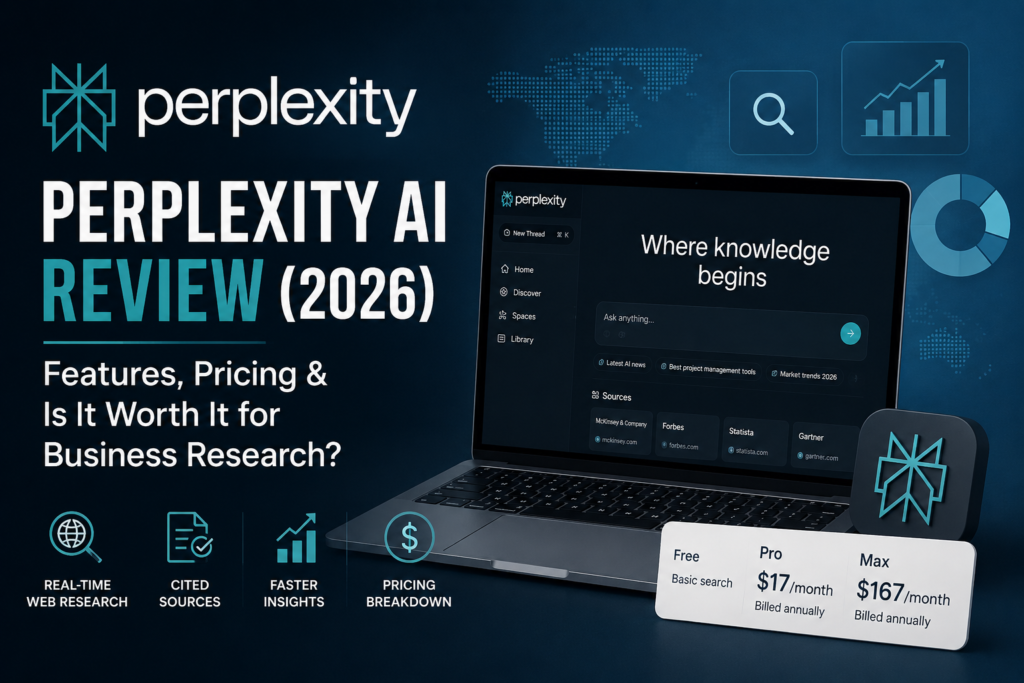
As part of this Perplexity AI Review, the pricing question matters less than whether the additional research capacity produces measurable business value. Perplexity AI plans are designed for different levels of research usage, from occasional searches on the Free plan to heavier individual and organizational workloads on paid plans.
Based on the pricing information reviewed for this article, Perplexity offers Free, Pro, Max, and Enterprise options.
Prices, features, usage limits, included credits, and regional availability can change, so buyers should confirm the current offer on Perplexity’s pricing page before purchasing..
Perplexity Pro vs Free
The Perplexity AI Free plan is suitable for occasional searches, basic fact-checking, and users testing the workflow.
Perplexity Pro is designed for people who conduct research more frequently and need higher usage allowances, additional capabilities, and more advanced research support.
The main difference in Perplexity Pro cost is justified only when the additional capacity saves more time than the subscription price.
For occasional users, Perplexity AI Free may provide better value.
For research-heavy users, Pro can be easier to justify.
This Perplexity Pro review focuses on whether the paid plan provides enough additional research capacity and workflow value to justify its cost.
Pricing at a Glance
| Plan | Best for | What you’re paying for | Pricing |
|---|---|---|---|
| Free | Occasional research and light fact-checking | Basic access to cited answers and a way to test the workflow | Free |
| Pro | Founders, marketers, analysts, consultants, and research-heavy users | Higher usage, deeper research capacity, file workflows, advanced models, and additional capabilities | About $20/month or $200/year |
| Max | Very heavy individual users with advanced research needs | Greater access to advanced models, Research, Computer-related capabilities, and higher capacity | About $200/month or $2,000/year |
| Enterprise Pro | Organizations requiring administration, security, and team controls | Organization-wide collaboration, administration, internal knowledge, and enterprise controls | Starts at about $40/month or $400/year per seat |
| Enterprise Max | Organizations with very high usage and advanced requirements | Higher capacity, advanced enterprise capabilities, security, and collaboration | Contact Perplexity for current pricing |
Pro costs approximately $20 per month when billed monthly, or $200 per year when billed annually. The annual plan works out to approximately $16.67 per month before taxes or regional adjustments.
Max costs approximately $200 per month, or $2,000 per year when billed annually. The annual plan works out to approximately $166.67 per month before taxes or regional adjustments.
Perplexity AI Enterprise is aimed at organizations that need stronger administration, security, collaboration, internal knowledge workflows, and governance controls. Enterprise pricing, included credits, and features can vary, so organizations should confirm the current offer with Perplexity.
From a business perspective, this Perplexity AI review evaluates pricing based on workflow value rather than features alone. The real Perplexity AI cost is not only the subscription fee; it also includes the time required to verify sources, correct unsupported claims, and move findings into your business workflow.
A Perplexity AI subscription is most useful when research is frequent enough to produce measurable time savings after source verification.
Perplexity Deep Research for Business
Perplexity AI Deep Research is designed for questions that require multiple searches, source comparison, and a more structured report-style answer.
Businesses can use Perplexity Deep Research for:
- Market research and customer trends.
- Competitor and vendor comparisons.
- Industry research and regulatory monitoring.
- Product, pricing, and technology research.
- Content research for articles, reports, and marketing campaigns.
- Executive research briefs.
- Decision support.
For example, a business could ask:
“Research the accounting software market for small businesses in India. Compare five major competitors, pricing, target customers, key features, and recent changes. Cite official sources, separate verified facts from assumptions, and identify the most important market trends.”
Deep Research can reduce the time required to collect and organize information, but it does not remove the need for human review.
More sources do not always mean more accurate conclusions.
Check important claims against primary sources before using the findings in:
- Client work.
- Sales materials.
- Financial decisions.
- Legal documents.
- Compliance processes.
Perplexity’s Deep Research availability, usage limits, models, and plan benefits can change. Confirm current limits and capabilities before publishing or purchasing.
How to Decide If Perplexity Pro Pricing Makes Business Sense
You do not need a complex spreadsheet to evaluate an AI research tool.
You need a clear comparison between subscription cost and time saved on research tasks that happen repeatedly.
Use this lightweight calculator:
Step 1: Identify recurring research tasks
List your top three recurring research tasks, such as:
- Competitor monitoring.
- Proposal background research.
- SEO topic research.
- Vendor comparisons.
- Industry monitoring.
Step 2: Measure your current time
Estimate how many minutes each task currently takes and how often you perform it each month.
Step 3: Run the same tasks with Perplexity
Use Perplexity for one week and measure the actual time required.
Include:
- Searching.
- Reading.
- Verification.
- Editing.
- Final formatting.
Step 4: Calculate the value of time saved
Multiply the time saved by your loaded hourly cost or opportunity cost.
Step 5: Compare the result with the subscription
If savings are consistently greater than the subscription cost and quality remains acceptable after verification, Pro is likely justified.
Important: Do not count “time saved” if you later spend that time fixing incorrect claims or re-checking weak citations.
Net time saved is what matters.
Perplexity AI Pros and Cons: A Consultant-Style Assessment
This Perplexity AI Review evaluates Perplexity based on practical business workflows rather than feature count alone.
Where Perplexity AI Is Genuinely Strong
Overall, this Perplexity AI review finds its strongest advantage in research speed, source visibility, and current web information.
- Speed to a cited starting point: You can reach an initial source-backed overview quickly.
- Current web information: It is well suited to fast-changing business topics.
- Research workflow orientation: It is designed around discovery and synthesis rather than open-ended conversation.
- Strong front-end research layer: It works well upstream of strategy documents, content briefs, proposals, and sales enablement.
- Source visibility: Users can move from synthesized answers to underlying sources.
- Follow-up research: You can refine the investigation without restarting from scratch.
Where Perplexity AI Is Weaker
- Citation reliability can vary: Sources still need to be checked before client-facing use.
- Not the best long-form writer: It may be less compelling for polished, brand-consistent long-form output than broader writing assistants.
- Complex reasoning is not its only strength: For nuanced decisions, a general-purpose assistant may be more useful after the research has been validated.
- Execution requires a different workflow: Research does not automatically mean the business work is complete.
- Research quality depends on source quality: A beautifully synthesized answer can still inherit weaknesses from the underlying sources.
Consultant Insight: The most common failure mode with Perplexity is treating a “cited summary” as a final deliverable. The better approach is: (1) use Perplexity to accelerate discovery, (2) open and evaluate the sources, and (3) write a short business conclusion in your own words with assumptions and risks.
Perplexity AI vs ChatGPT, Claude, Gemini, and Google
Most businesses do not need to choose only one AI tool.
The practical approach is to use each tool for the part of the workflow it handles best.
| Tool | Best for | Main strength | Main limitation |
|---|---|---|---|
| Perplexity AI | Cited web research and fact-checking | Fast, current answers with inline citations | Sources and conclusions still require verification |
| Google Search | Broad discovery and primary-source research | Large index and flexible search results | Requires manual reading and synthesis |
| ChatGPT | Drafting, planning, rewriting, and general assistance | Strong for turning research into usable deliverables | Not always citation-first unless browsing and source checking are used |
| Claude | Long documents, analysis, and polished writing | Strong context handling and nuanced writing | Less focused on search-first research than Perplexity |
| Gemini | Google-connected research and productivity | Useful integration with Google services and current information | Output quality and research experience can vary by task |
Perplexity vs ChatGPT
If your main requirement is cited web research, Perplexity is often the more natural first step.
If you already have validated research and need to:
- Write an article.
- Draft a proposal.
- Build a strategy.
- Rewrite content.
- Create an email sequence.
- Structure a business document.
ChatGPT may be the stronger next step.
A practical workflow is:
Perplexity → verify sources → ChatGPT → final deliverable
Perplexity vs Claude
Claude is particularly useful when the workflow involves:
- Long documents.
- Complex analysis.
- Nuanced writing.
- Large amounts of context.
- Careful rewriting.
Perplexity is more naturally positioned around search-first research and source discovery.
The choice therefore depends on where the bottleneck is.
Perplexity vs Gemini
Gemini can be attractive for organizations heavily invested in Google Workspace and Google-connected productivity.
Perplexity is more differentiated when the priority is source-backed web research and fast synthesis.
Perplexity vs Google
Perplexity vs Google is not always an either-or decision.
Perplexity is useful for fast synthesis and cited answers, while Google is valuable for:
- Broader discovery.
- Primary sources.
- Niche documents.
- Independent verification.
- Finding information that may not appear in one synthesized answer.
For business research, using both is often more effective than choosing only one.
A Practical Decision Tree
- Do you need current web information with sources? Start with Perplexity.
- Do you need primary sources, broader discovery, or niche documents? Use Google alongside Perplexity.
- Do you need polished writing, structured deliverables, or general assistance? Use ChatGPT or Claude after validating the research.
- Do you already work heavily inside Google Workspace? Consider Gemini.
- Do you need to assign tasks, track work, and ship deliverables? Push the output into ClickUp or your existing project tool.
Expert Verdict
Expert Verdict: This Perplexity AI review finds that if business research is a weekly activity in your company, Perplexity is one of the strongest first-stop tools in 2026 because it combines search, synthesis, and citations in one workflow.
However, most small businesses should not expect it to replace Google for validation or ChatGPT and Claude for every drafting and execution task.
The winning setup is usually:
Perplexity for discovery → Google and primary sources for verification → ChatGPT or Claude for drafting → your existing business system for delivery
How Businesses Can Use Perplexity AI
Perplexity delivers the most value when you standardize the workflow around a repeatable business output.
For companies using Perplexity AI for business, the strongest opportunities are research-heavy workflows where the information changes frequently and the final output has a defined purpose.
Use Case 1: Competitor Research Brief
Business problem: Competitor research is repetitive, fragmented, and often out of date when sales needs it.
Workflow:
- Ask Perplexity a specific comparison question.
- Open three to five cited sources.
- Confirm important claims, especially pricing, limits, and new features.
- Create a short differentiator summary.
- Save the research in a Project for future reference.
A useful output might include:
- Three competitor strengths.
- Three weaknesses.
- Three positioning opportunities.
- Pricing differences.
- Key product changes.
- Recommended sales talking points.
Why it works: You reduce the “start from scratch” cost every time someone needs a battlecard-style overview.
Use Case 2: Market and Industry Research
Perplexity AI market research is one of the strongest applications for the platform.
This is especially useful for industry research, market research, and decision support when leaders need a current view of demand, competitors, regulations, and emerging trends.
Business problem: Leaders need awareness of market changes without spending hours reading dozens of websites.
Workflow:
- Define three to five recurring research questions.
- Use Deep Research when the topic requires broader investigation.
- Review the underlying sources.
- Extract only the information that affects business decisions.
- Produce a one-page “So what?” summary.
For example:
“What changed in the Indian SaaS market during the last quarter? Identify major product launches, pricing changes, funding developments, customer trends, and regulatory changes. Prioritize primary sources and clearly separate verified facts from interpretation.”
Implementation tip: Keep the deliverable consistent.
A standard format might contain:
- What changed?
- Why does it matter?
- What evidence supports it?
- What should we do?
- What should we monitor next?
That is what turns research into an operational asset rather than random reading.
Use Case 3: Client and Content Research
Business problem: Client research takes time, and output quality varies by who performs it.
Workflow:
- Research the client’s market and competitors using Perplexity.
- Prioritize verifiable sources.
- Organize findings into a structured outline.
- Verify client-facing claims.
- Export the findings into your proposal or onboarding workflow.
Content teams can also use the same workflow for:
- Content research.
- Source collection.
- Article briefs.
- Fact-checking.
- Industry analysis.
- Competitor content research.
- Marketing campaign research.
Common mistake to avoid: Letting the tool write confident conclusions without clearly identifying assumptions and uncertainties.
Use Case 4: Internal Knowledge Lookup
Business problem: Employees waste time searching internal documents for policies, SOPs, and answers to recurring questions.
Workflow:
- Upload approved documents.
- Ask questions in plain English.
- Review the supporting passages.
- Verify important information.
- Use the answer in customer communication only after appropriate review.
Example:
“What is our refund process for annual customers? Use the approved policy documents and identify any exceptions.”
When it is worth it: When you see repeated internal questions, inconsistent answers, and time lost to tribal knowledge.
Perplexity AI Alternatives
The best Perplexity AI alternatives depend on the part of the workflow you want to improve.
- ChatGPT is a strong alternative when you need drafting, planning, rewriting, structured deliverables, and general business assistance.
- Claude is a strong alternative for long-document analysis, nuanced reasoning, and polished writing.
- Gemini can be a useful alternative for businesses that work heavily inside Google Workspace and want Google-connected productivity.
- Google Search remains an important alternative for broad discovery, primary-source research, niche documents, and independent verification.
- Dedicated SEO and market-intelligence platforms may be better alternatives when you need keyword volumes, ranking data, traffic estimates, backlink data, or specialized market metrics.
Perplexity is most differentiated when the priority is fast, current, source-backed web research.
Common Implementation Mistakes
Mistake 1: Treating Citations as Proof
Why it happens: Inline citations create a sense of certainty.
What it causes: Incorrect claims make it into client decks, sales scripts, articles, or internal policies.
Better approach: Create a simple verification standard:
- For high-stakes claims, require at least one primary source.
- Open citations and confirm they support the specific statement.
- Record the source title or link in the final deliverable.
- Flag uncertain claims rather than presenting them as facts.
Mistake 2: Using Perplexity for Work It Is Not Designed to Do
Why it happens: Teams want one tool for everything.
What it causes: Frustration when long-form writing, nuanced reasoning, or execution tasks feel weaker.
Better approach: Use Perplexity as the research layer.
Then hand validated findings to the appropriate drafting or execution tool.
Mistake 3: No Shared Research Structure
Why it happens: “We’ll organize it later.”
Later never comes.
What it causes:
- Duplicated research.
- Inconsistent outputs.
- Poor adoption.
- Difficulty finding previous work.
Better approach: Define a Project template containing:
- Purpose.
- Decisions supported.
- Standard research questions.
- Output format.
- Verification rules.
- Update cadence.
- Owner.
Is Perplexity AI Worth It?
The answer depends less on the number of features and more on how frequently your business performs research.
Perplexity AI Is a Strong Fit If…
- You conduct research weekly or daily.
- Your work depends on current web information.
- You need source-backed answers.
- You regularly research competitors.
- You monitor markets or industries.
- You produce research briefs.
- You create content that requires source validation.
- You need faster decision support.
- You can define a clear output for each research task.
You Should Reconsider or Use It Occasionally If…
- Your main need is long-form writing.
- Your main need is brainstorming.
- You rarely use external sources.
- Your work does not require current information.
- Your team cannot dedicate time to verifying important claims.
- You need a complete project-management system.
- You operate in a high-stakes environment where incorrect synthesis is costly.
- You want to upload sensitive internal documents without first reviewing privacy, security, retention, and access policies.
For teams considering Perplexity AI for work, the tool is most valuable when it supports a repeatable workflow rather than occasional experimentation.
Who Should Use Perplexity AI?
Perplexity AI is a good fit for:
- Small-business owners who regularly research markets, products, or competitors.
- Digital marketers and SEO professionals conducting content or industry research.
- Sales teams creating competitor notes and battlecards.
- Consultants and agencies preparing client briefs.
- Founders and analysts who need current information for decision support.
- Teams that produce repeatable research outputs such as memos, reports, market scans, and executive summaries.
- Content teams that need source-backed research before drafting.
- Researchers who need to investigate multiple sources quickly.
Who Should Not Use Perplexity AI?
Perplexity AI may not be the best primary tool for:
- Users whose main need is creative writing.
- Users focused mainly on brainstorming.
- Teams that rarely use sources.
- Businesses that do not need current information.
- Organizations unable to verify important claims.
- Companies looking for a complete project-management or execution system.
- High-stakes legal, medical, financial, or compliance decisions based only on AI-generated summaries.
- Companies that want to upload sensitive internal documents without first reviewing privacy, security, retention, and access policies.
Free vs Pro vs Max: The Simplest Decision Rule
Start Free if you are validating whether your team will adopt a research workflow at all.
Choose Pro if research volume is consistent and you repeatedly produce research briefs, competitor notes, content research, or market scans.
Consider Max only if research throughput or advanced AI work is a genuine constraint and you already have a mature workflow.
Do not upgrade simply because the higher tier offers more capacity.
Upgrade when the additional capacity produces measurable business value.
Implementation Roadmap: Business-First AI Framework™ Applied
The goal is not “use Perplexity.”
The goal is faster, more reliable business decisions and less wasted time.
Here is a practical rollout.
Start Today: Low Effort, High Signal
- Pick one research deliverable.
- Choose something repeatable, such as a competitor brief or vendor comparison.
- Create a short prompt template.
- Run the task in Perplexity.
- Measure the complete process, including verification.
Improve Next: The Next 30 Days
- Create a Project for that deliverable type.
- Define a consistent structure.
- Establish citation verification rules.
- Decide where the output goes next.
- Create a handoff process to your document, CRM, content, or project system.
Scale Later: After You Have Measurable Wins
- Expand to two or three additional research workflows.
- Explore recurring research checks.
- Train the team on source evaluation.
- Measure adoption.
- Track time saved.
- Review research quality.
- Remove workflows that do not produce meaningful business value.
The objective is not to maximize Perplexity usage.
It is to maximize useful business outcomes per unit of research effort.
Frequently Asked Questions
What Is Perplexity AI?
Perplexity is an AI-powered answer engine with search-engine functionality. It searches or retrieves web information, synthesizes findings, and presents answers with citations that users can investigate.
Is Perplexity AI Good for Business Research?
Yes. It is particularly useful for fast market research, competitor analysis, industry research, content research, and fact-checking where you need current information and want to trace claims back to sources.
What Is the Perplexity AI Search Engine?
The Perplexity AI search engine combines web search with AI-generated synthesis. Instead of simply returning links, it can summarize information and provide citations alongside the answer.
How Does Perplexity AI Search Work?
Perplexity AI search can retrieve online information, synthesize findings, and allow follow-up questions. The exact behavior can depend on the selected mode, query, plan, and available capabilities.
What Is Perplexity AI Web Search?
Perplexity AI web search refers to the product’s ability to retrieve information from the web as part of its answer and research workflow. It is especially useful for current topics where static knowledge may be insufficient.
How Accurate Are Perplexity AI Citations?
Citations improve transparency, but they do not guarantee accuracy.
A citation may point to a source that is:
- Outdated.
- Secondary.
- Incomplete.
- Only partially relevant.
- Not strong enough to support the full claim.
Open and evaluate important citations before relying on them.
What Is Perplexity AI Deep Research?
Perplexity AI Deep Research is a research mode designed for multi-step investigation across multiple sources. It produces a more comprehensive, report-style result than a simple search.
It can be useful for market analysis, competitor research, industry research, product comparisons, and complex content research.
Is Perplexity AI a Research Tool?
Yes. Perplexity can function as an AI research tool because it combines search, source discovery, synthesis, citations, and follow-up research.
It is particularly useful when research requires information from multiple current sources.
Is Perplexity Good for Market Research?
Yes, especially for first-pass market research.
It can help investigate:
- Market trends.
- Competitors.
- Products.
- Pricing.
- Customer trends.
- Industry developments.
- Emerging technologies.
Important findings should still be validated against primary sources and authoritative reports.
Can Perplexity Be Used for Content Research?
Yes.
Content teams can use Perplexity for:
- Topic research.
- Source discovery.
- Fact-checking.
- Competitor research.
- Article briefs.
- Industry research.
- Supporting evidence.
It is usually better to use it for research before writing rather than treating its first generated answer as the final article.
How Much Does Perplexity AI Cost in 2026?
Perplexity offers a Free plan.
Pro is approximately $20 per month or $200 per year, while Max is approximately $200 per month or $2,000 per year in the United States.
Annual billing reduces the effective monthly cost.
Enterprise plans have separate pricing and may depend on the organization’s requirements.
Prices, features, limits, and availability can change, so confirm the current offer before subscribing.
What Is Perplexity Pro?
Perplexity Pro is the paid individual plan intended for users who conduct more frequent or demanding research and need higher usage allowances and additional capabilities.
Is Perplexity Pro Worth It?
Perplexity Pro can be worth it when research is frequent enough that higher capacity and advanced capabilities consistently save more time than the subscription costs.
If you only perform occasional searches, the Free plan may be sufficient.
What Is the Difference Between Perplexity Pro and Free?
The main difference is the amount of usage and access to additional capabilities.
Free is better for occasional research and testing.
Pro is better for users whose research workload is frequent enough to justify higher capacity.
What Is Pro Search in Perplexity?
Pro Search is a deeper research mode designed to produce more comprehensive answers than a basic search.
It can be useful when a business needs broader source coverage and stronger synthesis.
Exact access and limits can change by plan and over time.
Does Perplexity Replace Google Search?
No—not completely.
Perplexity can reduce the time spent manually searching and synthesizing information, but Google remains useful for:
- Primary sources.
- Broad discovery.
- Niche documents.
- Independent verification.
- Exploring multiple search paths.
For business research, the strongest workflow is often Perplexity plus Google, rather than Perplexity instead of Google.
Is Perplexity AI Better Than ChatGPT for Research?
Perplexity is typically stronger for search-first, cited web research and fast fact-checking.
ChatGPT can be stronger for turning validated research into:
- Drafts.
- Plans.
- Proposals.
- Structured documents.
- Business workflows.
The best choice depends on where the bottleneck is.
Is Perplexity AI Better Than Claude for Research?
Perplexity is generally more focused on search-first research and source discovery.
Claude is particularly useful for long-document analysis, nuanced reasoning, and polished writing.
For many business workflows, they are complementary rather than direct replacements.
Is Perplexity vs Gemini Better for Research?
Perplexity is particularly differentiated for cited web research and source-backed synthesis.
Gemini can be attractive for businesses deeply invested in Google Workspace and Google-connected workflows.
The better choice depends on whether your primary requirement is research depth and source visibility or Google ecosystem integration.
Perplexity vs Google: Which Should You Use?
Perplexity is useful for fast synthesis and cited answers, while Google is valuable for broader discovery, primary sources, niche documents, and independent verification.
For important business research, using both is often the strongest approach.
Can Teams Collaborate in Perplexity?
Yes.
Perplexity’s Projects provide persistent workspaces for ongoing work, allowing teams to organize research, files, context, and tasks.
Collaboration capabilities and administrative controls depend on the workspace and plan.
Can Perplexity Be Used for SEO Research?
Yes.
Perplexity can help with:
- Topic discovery.
- Content research.
- Competitor research.
- Search-intent exploration.
- Source discovery.
- Fact-checking.
- Industry analysis.
However, it should not replace dedicated SEO platforms when you need precise keyword volumes, ranking data, backlink information, traffic estimates, or other specialized SEO metrics.
Is Perplexity Good for Decision Support?
Perplexity can be useful for research-based decision support, particularly when leaders need a current view of markets, competitors, products, regulations, or technology.
The AI should support the decision—not make high-stakes decisions without human judgment.
Is Perplexity AI Good for Work?
Perplexity AI can be valuable for work when employees repeatedly perform research-heavy tasks.
The strongest use cases have:
- A clear research question.
- A repeatable process.
- A defined output.
- A verification standard.
- A measurable business outcome.
What Are the Main Perplexity AI Pros and Cons?
Pros:
- Fast web research.
- Inline citations.
- Strong source discovery.
- Current information.
- Useful research workflows.
- Deep Research capabilities.
- Good fit for market and competitor research.
Cons:
- Citations still require verification.
- Source quality varies.
- Not always the best writing tool.
- Not the best choice for every reasoning task.
- Advanced capabilities and usage may depend on plan.
- Research still needs human judgment.
Related Intelligent AI Lab Guides
- AI market research workflow — to turn faster research into a repeatable business process.
- Small business AI tools — to avoid tool sprawl and build a minimal, effective stack.
- Perplexity vs ChatGPT — to choose the right tool for research versus drafting and execution.
- Competitor research automation — to standardize monitoring without adding operational chaos.
- AI SEO research — to connect cited research with content planning and keyword strategy.
- AI research workflow — to design an end-to-end process from question → sources → deliverable.
- Perplexity Pro pricing — to evaluate plan value based on real usage patterns.
Conclusion: Is Perplexity AI Worth It?
This Perplexity AI Review finds that Perplexity’s real advantage in 2026 is not that it is “smarter” than every other AI tool.
Its advantage is that it can be fast at getting you to a defensible starting point: a synthesis that points you toward sources you can investigate and turn into a useful business brief.
If you treat Perplexity as the first step in a business workflow—
discovery → verification → decision → execution
—it is easy to justify for research-heavy teams.
If you treat it as the final step—
“the answer is the deliverable”
—you will eventually pay for that shortcut through rework, confusion, or credibility risk.
Final Recommendation
Choose Perplexity Free if you are still testing whether an AI research workflow fits your business.
Choose Perplexity Pro if research is a recurring activity and the additional capacity produces measurable time savings.
Consider Max only when advanced research or higher-capacity AI work is a genuine constraint and your workflow is already mature.
Consider Enterprise when your organization needs stronger administration, security, collaboration, internal knowledge workflows, and governance.
For most small businesses, the strongest approach is not to replace every other AI tool with Perplexity.
Instead, build a focused workflow:
Perplexity for discovery → Google and primary sources for verification → ChatGPT or Claude for drafting → your existing business system for execution.
The next step is simple: choose one recurring research deliverable your business already produces, run a one-week trial using Perplexity as the research layer, and measure net time saved—including verification.
If the workflow improves, consider upgrading.
If it does not, the problem is probably the process rather than the tool.