
10 Best AI Agent Platforms Compared (2026): A Small-Business Buyer’s Guide
You don’t need “more AI.” You need fewer manual handoffs—less copying between inbox, CRM, calendar, and project tools—and a reliable way to follow up, route requests, and keep work moving without hiring another admin.
This guide compares the Best AI Agent Platforms for small businesses in 2026 using decision criteria that actually matter for buyers: time-to-value, ease of implementation, integration fit, governance, and the hidden cost of maintaining agentic workflows.
Quick Answer (40–60 words): The best AI agent platform is the one that automates one high-value workflow (sales follow-up, support triage, scheduling, or internal ops) with the least complexity. For most non-technical SMBs, start with Zapier Agents or FlowHunt. For technical teams, n8n is often the most flexible foundation.
What is an AI agent platform (and how it’s different from a chatbot)?
AI agent platforms help businesses build or run agents that can take actions—not just generate text. OpenAI’s practical guide to building agents explains how agents use models, tools, instructions, orchestration, and guardrails to execute workflows. In plain English: a chatbot answers; an agent completes steps in a workflow.
For a small business, that difference is huge. A chatbot might draft an email. An agent platform can:
- read an inbound lead email,
- extract the key details,
- create or update a CRM record,
- assign an owner,
- send a follow-up, and
- book a meeting—
…all while logging what happened so you can audit and improve it. The best AI agent platforms combine these capabilities with integrations, workflow logic, monitoring, and controls.
AI Agent Platforms vs AI Agent Builders: What’s the Difference?
An AI agent builder is primarily the environment used to create and configure an agent. AI agent builders are becoming increasingly popular because they let businesses create and configure agents without building an entire agent infrastructure from scratch. It may provide visual workflow design, templates, prompts, knowledge sources, tools, and integrations so a business user or developer can define what the agent should do.
For a broader technical explanation of how AI agents use tools, planning, and external systems, see IBM’s guide to AI agents.
An AI agent platforms are often broader. It can include agent building, but also deployment, integrations, orchestration, monitoring, permissions, audit trails, human approvals, and ongoing workflow management. In short: a builder helps you create an agent; a platform helps you operate it reliably inside the business.
The categories overlap. Many AI agent platforms include AI agent builder features, while many no-code AI agent builders also offer deployment and monitoring. For small businesses, the practical question is not which label a vendor uses. It is whether the product can connect to the systems you already use, complete actions safely, and remain manageable after the first workflow goes live.
| Area | AI Agent Builder | AI Agent Platform |
|---|
| Area | AI Agent Builder | AI Agent Platform |
|---|---|---|
| Main purpose | Create and configure agents | Build, deploy, manage, and operate agents |
| Typical user | Business user, operations lead, or developer | Business and technical teams |
| No-code options | Common | Common, but capability varies |
| Integrations | Important for useful workflows | Critical for end-to-end business actions |
| Governance | May be basic | Becomes essential as usage and risk increase |
| Best SMB use | Quickly creating a focused agent | Running reliable cross-tool workflows at scale |
No-code AI agent builders can be an excellent starting point for small businesses that want to create agents without writing code. But before automating important actions, confirm permissions, monitoring, exception handling, and human approval controls. Agent builders commonly emphasize visual design, templates, integrations, and reduced coding requirements; platform-level capabilities become more important when deployment, observability, and governance matter.
Why this matters for small-business buyers
Most SMBs don’t struggle because they can’t generate content. They struggle because work is stuck in coordination overhead: triage, routing, status updates, scheduling, and repetitive follow-ups across disconnected tools.
Agent platforms are most valuable when they reduce that overhead in a measurable way (hours saved, faster response times, more leads contacted on time), not when they merely “feel intelligent.”
The Business-First AI Framework™ for choosing an agent platform
If you pick an agent platform first, you’ll almost always overpay in complexity. Use this sequence instead:
- Business Problem: What manual work is slowing revenue or service delivery?
- Workflow Improvement: Where are the handoffs, approvals, and repeated steps?
- Choose the Right Solution: Do you need workflow automation, an agent platform, or both?
- Implement with Human Oversight: Add guardrails before autonomy.
- Measure Business Outcomes: Time saved, response time, conversion, resolution speed.
- Standardize and Scale: Only expand after one workflow is stable.
Business-First AI Insight: For most SMBs, “agentic automation” only pays off when your workflow is already clear and repeatable. If your team can’t describe the steps and exceptions, an autonomous agent won’t fix it—it will automate confusion faster.
How to choose the right platform (the criteria buyers forget)
Many “AI tools comparison” lists overweight features and underweight operational fit. For commercial investigation intent, these are the filters that keep you from buying the wrong platform.
1) Workflow fit: sales, support, ops, or internal tools?
- Sales & lead handling: prioritize speed, CRM updates, scheduling, and consistent follow-up.
- Customer support: prioritize reliability, routing, and predictable outcomes over “creative” answers.
- Operations/admin: prioritize approvals, task creation, notifications, and status visibility.
- Internal tools: prioritize secure access, dashboards, and role-based controls.
2) Skill level: No-Code AI Agents vs Low-Code vs Developer-First
This matters more than branding. A tool can be “best overall” and still be a poor SMB choice if it requires prompt maintenance, debugging, and infrastructure work.
No-code AI agents are particularly attractive to small businesses because they let non-technical teams configure agents and workflows without building every component from scratch. They can reduce time-to-value, but “no-code” does not mean “no oversight.” Before using an agent for important business actions, verify its integrations, permissions, activity logs, monitoring, escalation process, and human-approval controls. For many small businesses, AI agent platforms with no-code capabilities can provide the fastest path from an initial experiment to a working business workflow.
- No-code: fastest time-to-value; best for non-technical teams.
- Low-code: flexible, but you’ll need someone comfortable with logic and troubleshooting.
- Developer-first: maximum control; highest setup and maintenance overhead.
3) Integrations: the action layer is the product
An agent that can’t reliably connect to your CRM, inbox, calendar, and project tools is a demo—not an operational system. Integration depth often determines whether AI agent platforms can automate a workflow end-to-end or leave the business stuck with partial automation. Google Cloud’s overview of AI agent concepts covers the major building blocks behind agent systems, including models, grounding, tools, data architecture, orchestration, and runtime. core concepts of AI agents
4) Governance and control: where agent platforms can bite you
Agentic systems can be harder to govern than simple automations. As you scale, buyers should care about:
- permissions and access control,
- audit trails (what the agent did, when, and why),
- human approvals for risky actions (refunds, cancellations, price quotes),
- safe failure modes when data is missing or ambiguous.
For practical guidance on designing safer agent workflows, see OpenAI’s recommendations on agent guardrails and human intervention. OpenAI agent guide — guardrails and safe deployment
5) Pricing reality: “entry price” is not your total cost
Pricing across AI agent platforms can be misleading because the biggest cost is often implementation time and ongoing maintenance. Entry tiers help you start, but your real spend depends on usage volume, number of workflows, seats, and how much human review you keep.
Where pricing in this article is listed, it’s based on the provided research snippets and should be verified on official vendor pricing pages at publish time, because this market changes quickly.
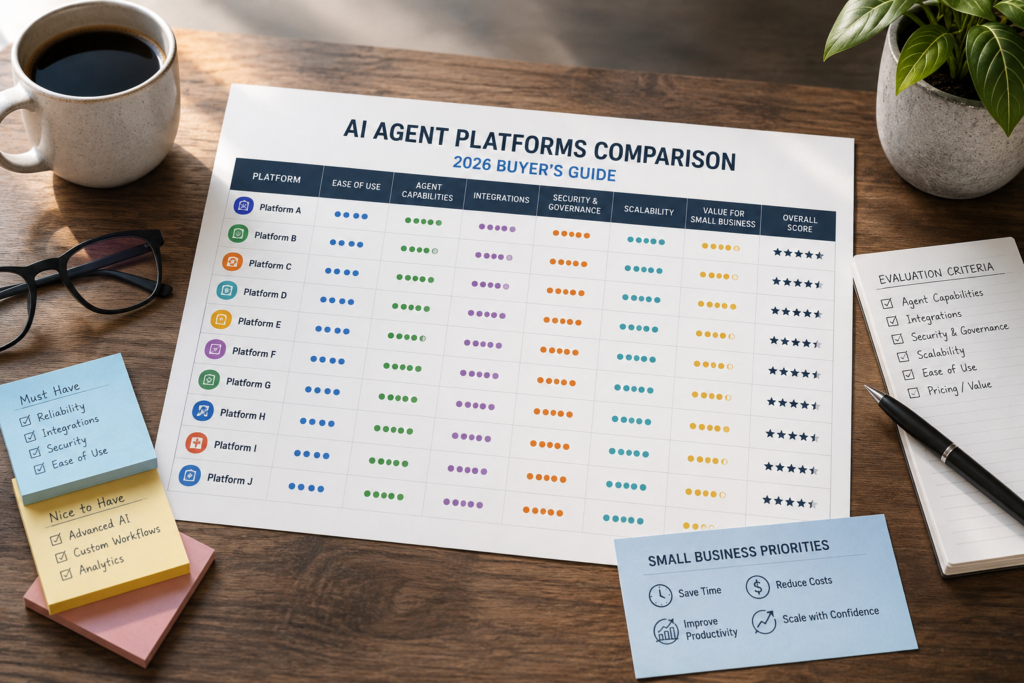
Best AI agent platforms compared (2026): quick comparison table
This comparison helps buyers evaluate AI agent platforms by ease of use, time to value, business fit, and implementation trade-offs.
| Tool | Best For | Ease of Use | Time to Value | Business Size Fit | Notes |
|---|---|---|---|---|---|
| Dapti | SMB ops workflows, including voice scenarios | Medium | Fast (if your use case matches) | SMB | Positioned as SMB-oriented with voice capability; ecosystem depth unclear in research. |
| Lindy | Solo operators and small teams automating admin/sales follow-ups | High | Fast | Solo–SMB | Low entry price signal; integration depth appears more limited vs automation-first platforms. |
| n8n | Technical SMBs/agencies needing flexible, custom automation | Low–Medium | Medium | SMB–mid-market | Cloud + self-hosting option; strong action/integration layer; higher build/maintenance effort. |
| FlowHunt | No-code/low-code agents for support and internal workflows | High | Fast | SMB–enterprise | Free tier + usage-based pricing model; watch usage scaling as you expand. |
| Zapier Agents | Quick wins across common SMB app stacks | Very High | Very fast | SMB | Great for lightweight workflows; may feel limiting for complex agent design. |
| Retool | Internal apps/dashboards with agent capabilities | Medium | Medium | SMB–mid-market | Strong internal-tools story; pricing not provided in research snippet. |
| Hugging Face | Developers experimenting/building custom agent stacks | Low | Slow (for SMB ops) | Technical teams | Large ecosystem; not beginner-friendly; best when you’re building, not “buying a workflow.” |
| Fireworks AI | Model serving/inference layer for advanced builds | Low | Slow (for SMB ops) | Startups/technical | Infrastructure-oriented; not positioned as SMB-first in research snippet. |
| Writer | Business AI workflows (more enterprise-leaning) | Medium | Medium | Mid-market–enterprise | Enterprise positioning; verify fit and integration requirements for SMB use cases. |
| Beam AI | Enterprise agentic automation | Medium | Medium–Slow | Larger teams | Enterprise focus; likely strongest where governance needs are mature. |
Pricing comparison (what we can confirm from the research)
Only some tools had pricing signals in the supplied research. Treat these as starting points, not a full cost forecast.
| Platform | Entry Pricing Signal (from research) | What that likely means for SMB buyers |
|---|---|---|
| Dapti | $99/month entry paid plan | Priced for SMB operations value; good if it replaces real admin time quickly. |
| Lindy | $19.99/month entry paid plan | Low-cost experimentation for small teams; validate integration fit early. |
| Zapier Agents | $19.99/month entry paid plan | Fast adoption if you already live in common SaaS apps; cost rises with volume/advanced usage. |
| n8n | €24/month cloud or free self-hosted | Potentially low software cost; higher internal cost if you self-host and maintain. |
| FlowHunt | Free tier + usage-based pricing | Easy to start; add guardrails so usage doesn’t surprise you as workflows scale. |
Buyer tip: When comparing AI software, ask each vendor (or your internal champion) to estimate monthly cost at your expected automation volume: number of runs, messages, calls, and the percentage that require human review.
The 10 best AI agent platforms (2026): who they’re for, trade-offs, and when to avoid
Below is the practical “buyer’s view” of these AI agent platforms—focused on fit, overhead, and real-world implementation considerations.
1) Dapti
Best for: Small-business operations workflows, especially where voice capability is a differentiator (for example, service businesses that benefit from voice-driven coordination).
Why it matters: Voice can be a real operational unlock for businesses where the “front desk” function is overloaded—if the agent can reliably capture intent and create the right next step.
- Use it when: You want an ops-oriented agent platform and your workflows map cleanly to repeatable processes (routing, scheduling, updates).
- Avoid it when: You need a very mature integration ecosystem and deep community patterns (the research doesn’t confirm ecosystem depth).
- Trade-offs: SMB-oriented positioning can mean faster value, but you should verify connectors, logging/audit controls, and escalation paths.
Expert Verdict: A strong shortlist candidate for service SMBs that can clearly benefit from voice workflows—just confirm integration coverage before committing.
2) Lindy
Best for: Solo operators and small teams who want agents for admin and sales coordination (follow-ups, basic triage, scheduling support).
Why it matters: Low entry pricing makes it easier to run a real pilot without procurement friction—useful when you’re still proving ROI.
- Use it when: You want a beginner-friendly way to automate a limited set of workflows quickly.
- Avoid it when: Your success depends on deep, reliable integrations across a complex stack (the research suggests integration ranking may be lower than some peers).
- Trade-offs: Simplicity usually means fewer advanced controls. Make sure you can review actions and prevent unwanted changes in downstream systems.
Expert Verdict: A practical early-stage choice for small teams—especially for follow-up discipline—if your workflow doesn’t require heavy customization.
3) n8n
Best for: Technical SMBs, agencies, and teams who want a flexible workflow automation foundation that can be paired with AI steps.
Why it matters: In most SMB environments, the “action layer” (connectors + logic + retries + error handling) determines whether automation succeeds. n8n is repeatedly highlighted for flexibility and integrations, plus a self-hosted option.
- Use it when: You have someone who can build and maintain workflows (or you’re willing to invest in that capability).
- Avoid it when: You need non-technical teams to own the system end-to-end without a technical operator.
- Trade-offs: Potentially lower software cost (especially self-hosted) but higher operational overhead (hosting, monitoring, fixes, versioning, access control).
Expert Verdict: If you’re a technical SMB and want long-term flexibility, n8n is often the best “backbone.” Just budget for maintenance—because you’re effectively becoming your own automation team.
official n8n website/documentation.
4) FlowHunt
Best for: SMBs that want no-code/low-code agent deployment for support and internal workflows, with an easy on-ramp (free tier + usage-based pricing model noted in the research).
Why it matters: Ease-of-use is a real competitive advantage for SMBs. The faster you can ship a stable workflow, the faster you can validate ROI.
- Use it when: You want a simpler path to operational agents without building a lot of infrastructure.
- Avoid it when: Your workload is extremely high volume and usage pricing could become unpredictable without strong monitoring.
- Trade-offs: Faster deployment vs. careful cost management and governance setup as you scale.
Expert Verdict: One of the best shortlist options for non-technical SMBs who want to move beyond experimentation into real workflows—provided you track usage and outcomes from day one.
5) Zapier Agents
Best for: SMBs that need fast, lightweight automation across common SaaS apps (CRM, email, forms, calendars, spreadsheets).
Why it matters: For many small businesses, the first real win is not an “autonomous agent.” It’s reducing context switching: moving data between apps and triggering follow-ups reliably.
- Use it when: You want quick wins with minimal setup and you already use many app-based workflows.
- Avoid it when: You need complex multi-step agent logic with custom UIs and deep internal-tool requirements.
- Trade-offs: Speed and simplicity vs. the ceiling you may hit as workflows become more bespoke.
Expert Verdict: For most non-technical SMB buyers, Zapier Agents is one of the smartest starting points because it compresses time-to-value—then you can “graduate” to a more technical stack only if needed.
6) Retool
Best for: Teams building internal tools and dashboards where agents support operations (ticket views, exception handling, approvals, workflows).
Why it matters: Many agent failures happen because there’s no operational interface for humans to supervise and correct. Internal tools can provide that missing layer.
- Use it when: You need structured internal workflows, role-based usage, and a place for humans to manage exceptions.
- Avoid it when: You want a plug-and-play agent with minimal build effort.
- Trade-offs: More build work, but often better long-term control for operations-heavy teams.
Expert Verdict: A strong choice when your “agent” is really part of an internal ops system. If you’re not ready to build internal tools, it may be more platform than you need.
7) Hugging Face
Best for: Developers and technical teams experimenting with models and building custom agent stacks in an open ecosystem.
Why it matters: If you want maximum flexibility and access to a broad model ecosystem, builder ecosystems can be powerful.
- Use it when: You are building differentiated internal capabilities and have engineering capacity.
- Avoid it when: You’re a non-technical SMB looking for quick operational automation.
- Trade-offs: Flexibility vs. time-to-value; you’ll need to assemble components, manage evaluation, and handle deployment.
Expert Verdict: Excellent for builders; rarely the fastest ROI path for typical SMB automation needs.
8) Fireworks AI
Best for: Advanced teams needing an inference/model serving layer to support agent backends.
Why it matters: Some businesses outgrow “one tool” and need infrastructure for scale or specialized performance requirements.
- Use it when: You have a technical product or internal engineering team building agent systems.
- Avoid it when: You want a business-user-friendly platform to automate everyday workflows.
- Trade-offs: Strong infrastructure orientation vs. higher engineering involvement.
Expert Verdict: Consider only if you’re building a custom agent stack and infrastructure is a bottleneck; otherwise start with a workflow-first platform.
9) Writer
Best for: Organizations looking for a more enterprise-oriented business AI platform that supports workflows and governed usage.
Why it matters: As governance needs increase, businesses often move toward platforms positioned for controlled deployment rather than experimentation.
- Use it when: You need more structured business AI workflows and organizational controls.
- Avoid it when: You only need lightweight automation and you’re optimizing for lowest friction.
- Trade-offs: Potentially better governance vs. potentially heavier rollout and change management.
Expert Verdict: Worth evaluating for mature teams that need managed, business-facing AI workflows—verify integration fit and implementation effort for SMB contexts.
10) Beam AI
Best for: Larger teams pursuing enterprise agentic automation.
Why it matters: Enterprise automation often requires more controls, permissions, and operational rigor than small teams need—especially when agents can trigger real-world business actions.
- Use it when: You’re beyond “first automation” and governance, auditability, and standardization are top priorities.
- Avoid it when: You’re an SMB that needs quick wins and minimal overhead.
- Trade-offs: Stronger enterprise fit vs. higher adoption and setup effort.
Expert Verdict: A reasonable shortlist item for bigger operations teams; most small businesses should start simpler and move up only when controls and scale justify it.
Best AI Agent Platforms for Business: SMB Use Cases
AI agents for business are most useful when they take repetitive, multi-step coordination work off your team’s plate—without removing human control over exceptions or high-risk decisions. The right AI agent platforms should make these workflows easier to manage without adding unnecessary technical or operational complexity. If you’re buying in 2026, you’re usually not buying “an agent platform.” You’re buying a solution to one workflow. Use these shortlists to narrow faster.
Lead qualification and inbound response
- Fastest for non-technical SMBs: Zapier Agents, Lindy
- Most flexible for technical teams: n8n
What to optimize for: speed-to-first-response, data capture accuracy, routing logic, CRM write-back.
Customer support triage (inbox overload)
- Strong starting points: FlowHunt, n8n
What to optimize for: classification reliability, escalation rules, resolution logging, and a safe “uncertain” path.
Appointment scheduling and back-and-forth reduction
- Simple scheduling automation: Zapier Agents, Lindy
What to optimize for: fewer messages per booking, reduced no-shows (via reminders), and clean calendar hygiene.
Internal operations assistant (routing + status updates)
- Ops-oriented shortlist: Dapti, n8n
- Internal tool layer if needed: Retool
What to optimize for: task creation, ownership clarity, SLA reminders, and exception handling.
A practical decision tree: pick the right platform in 5 minutes
Use the following decision tree to narrow the AI agent platforms that best match your team’s skills, workflow requirements, and governance needs.
- Do you need to connect many apps and trigger actions?
- If yes and you’re non-technical → start with Zapier Agents.
- If yes and you’re technical → shortlist n8n.
- Is your main goal support triage or internal workflow agents with minimal build?
- If yes → shortlist FlowHunt.
- Is voice a meaningful part of the workflow?
- If yes → evaluate Dapti early, but confirm integrations and governance.
- Do you need internal dashboards and human-in-the-loop operations tooling?
- If yes → consider Retool as the control layer.
- Are you building a custom agent stack with engineering resources?
- If yes → consider builder/infrastructure ecosystems like Hugging Face or Fireworks AI.
Implementation roadmap: get ROI without creating agent chaos
Most SMB disappointments happen because teams try to automate too much, too early. Use a tight pilot with one workflow and one KPI.
Phase 1: Pick one workflow and make it measurable (1–2 days)
- Choose a workflow with clear volume (e.g., inbound leads per week, support tickets per day).
- Define the start trigger and the done condition (what “completed” means).
- Pick 1–2 KPIs: response time, hours saved, booked meetings, resolution time.
Phase 2: Design guardrails before you add autonomy (2–7 days)
- Decide what the agent can do without approval (e.g., draft a reply) vs. what needs approval (e.g., issuing refunds, changing CRM deal stage).
- Define escalation paths for ambiguity (“I’m not sure” becomes a routed task, not a guessed action).
- Set up logging: what inputs were used, what actions were taken, and what failed.
Phase 3: Launch a small pilot and review weekly (2–3 weeks)
- Start with one team or one inbox, not the entire company.
- Review exceptions weekly and update prompts/rules/fields.
- Track automation success rate (how often it completes without human rescue).
Consultant Insight: “Autonomous” isn’t a milestone—it’s a risk decision. The best SMB deployments usually start with AI-assisted workflows (drafting, classification, routing) and earn autonomy only after the error patterns are understood.
Common mistakes SMBs make when buying AI agent platforms
Mistake 1: Buying the most powerful platform instead of the easiest one that works
Why it happens: Buyers assume more power means better ROI.
Consequence: Implementation drags, internal adoption drops, and the tool becomes shelfware.
Better approach: Buy for time-to-first-working-workflow. Complexity is a cost.
Mistake 2: Automating a broken process
Why it happens: Teams treat agents as “magic glue” between messy systems.
Consequence: Inconsistent data, misrouted tasks, and more rework than before.
Better approach: Simplify the workflow first (required fields, standard intake form, clear ownership), then automate.
Mistake 3: Ignoring integrations until after purchase
Why it happens: Demos focus on conversations, not action reliability.
Consequence: The agent can talk, but can’t complete the last mile (CRM updates, scheduling, ticket logging).
Better approach: List your “must-write” systems (CRM, calendar, ticketing). Verify read/write access and logging.
Mistake 4: Not measuring outcomes
Why it happens: Automation feels productive, so teams skip measurement.
Consequence: You can’t prove ROI or decide what to scale.
Better approach: Track a small KPI set: hours saved/week, response time, conversion, resolution time, automation success rate.
Start Today / Improve Next / Scale Later (implementation priorities)
Start Today (low effort)
- Pick one workflow (lead follow-up, support triage, scheduling, or ops routing) and write the steps in plain English.
- Identify the systems involved (inbox, CRM, calendar, project tool) and the required data fields.
- Choose a starter platform based on skill: Zapier Agents/FlowHunt for non-technical, n8n for technical.
Improve Next (next 30 days)
- Add guardrails: approvals for risky actions, escalation rules for ambiguity.
- Create an exception queue (a place for “needs human” items) so issues don’t vanish into chat logs.
- Review outcomes weekly and refine prompts/rules based on real failures.
Scale Later (once one workflow is stable)
- Standardize templates (intake forms, response patterns, CRM field rules) so new workflows are faster to deploy.
- Expand to adjacent workflows (e.g., from lead follow-up to renewal reminders).
- Upgrade governance (permissions, audit trails, role-based access) as agent actions become more consequential.
FAQs: Best AI agent platforms (2026)
What is an AI agent platform?
An AI agent platform helps you build or run agents that can take actions across tools and workflows—like routing requests, updating a CRM, scheduling meetings, or logging support outcomes—rather than only generating text responses.
How is an AI agent platform different from a chatbot?
A chatbot primarily answers questions or generates messages. An AI agent platform adds an action layer: integrations, workflow logic, and the ability to execute tasks in business systems (with appropriate controls and human oversight).
Which AI agent platform is best for small businesses?
It depends on your workflow and skill level. Many SMB-focused comparisons highlight Zapier Agents and FlowHunt for non-technical teams, and n8n for technical teams that want flexibility. Lindy and Dapti can be good fits for specific SMB scenarios.
What is the easiest AI agent platform for non-technical users?
Based on the provided research, Zapier Agents and FlowHunt are commonly positioned as beginner-friendly options, with Lindy also appearing as a small-team-friendly choice. The “easiest” tool is the one that matches your existing app stack and workflow.
What is the cheapest AI agent platform?
From the research pricing signals, Lindy and Zapier Agents have entry pricing at $19.99/month, and n8n offers free self-hosting with a paid cloud option starting at €24/month. Total cost depends on usage and implementation effort, not only the entry tier.
Should I choose no-code or self-hosted for AI agents?
No-code is usually faster to deploy and easier to maintain, which helps SMBs get ROI sooner. Self-hosted can reduce software cost and increase control, but it increases technical overhead (hosting, monitoring, updates). Choose based on your team’s capacity to maintain systems.
What should an SMB measure after launching an AI agent workflow?
Track business outcomes tied to the workflow: hours saved per week, response time, booked meetings, lead-to-meeting conversion rate, ticket resolution time, automation success rate, and cost per resolved ticket or lead handled.
Do small businesses really need autonomous agents?
Often, no. Many SMBs get faster ROI from reliable workflow automation with AI assistance (classification, drafting, routing) rather than fully autonomous agents. Autonomy becomes worthwhile when workflows are stable, exceptions are understood, and governance is in place.
Final recommendation: what most SMB buyers should do next
If you’re choosing among the Best AI Agent Platforms in 2026, don’t start by asking which one is “most advanced.” Start by asking which one will make one workflow measurably better within 30 days—without creating a maintenance burden your team can’t sustain.
In practice, most small businesses should begin with a beginner-friendly platform (often Zapier Agents or FlowHunt) to prove value quickly. If you have technical capacity and want a long-term automation backbone, n8n is frequently the most flexible path—especially when integrations and custom logic matter.
Next step: pick one workflow (lead response, scheduling, support triage, or ops routing), define one KPI, and run a two-week pilot with human oversight. The best platform is the one you can actually operationalize—because ROI comes from adoption, not ambition.