
Last verified: July 2026 — AI tools evolve rapidly. Features and pricing may change, so always check the official website before making a purchasing decision.
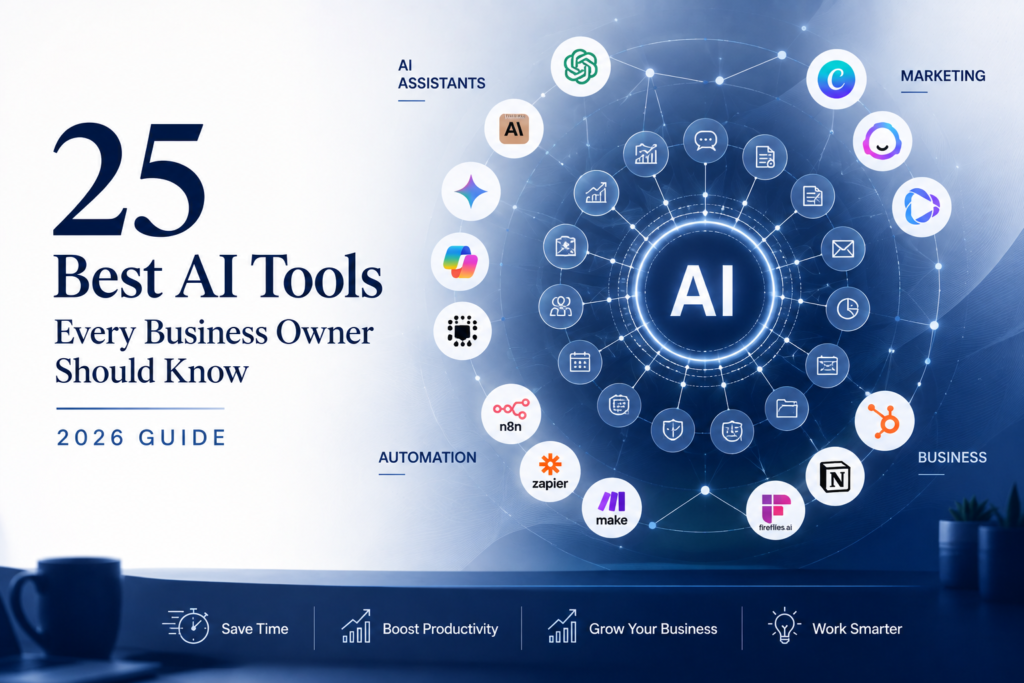
Artificial intelligence has moved from being an experimental technology to becoming a practical business tool. Today, small businesses can use AI to write content, automate repetitive work, improve customer service, generate marketing assets, analyze data, and save hours every week—all without hiring large teams or investing in expensive software.From AI assistants and automation platforms to customer support systems and AI tools for business, organizations now have more options than ever before.
Yet many business owners face a different challenge: too many choices.
Search for “best AI tools” and you’ll find hundreds of products claiming to revolutionize your business. Some overlap in functionality, while others solve highly specific problems that many businesses don’t actually have. The result is often tool overload—multiple subscriptions, duplicated features, and rising costs without meaningful productivity gains.
The challenge is identifying the best AI tools for business rather than simply choosing the newest or most popular products. The best AI tools help solve specific business problems, integrate with existing workflows, and deliver measurable productivity improvements.
The better approach is to focus on business outcomes instead of technology. Start by identifying your biggest bottleneck, choose the right AI tool category to solve it, and expand gradually as your business grows.
This guide does exactly that. Instead of chasing hype, it introduces 25 practical AI tools organized by business function, helping you build an AI stack that delivers measurable value.
To help you evaluate the best AI tools, we’ve grouped these solutions by business function, making it easier to identify the right AI tools for business based on your goals, budget, and workflow requirements.
Quick Summary: Best AI Tools by Category
| Category | Best Tool | Best For |
|---|---|---|
| AI Assistant | ChatGPT | Everyday business productivity |
| AI Research | Perplexity | Research and fact-finding |
| Workflow Automation | n8n | Business process automation |
| CRM & Sales | HubSpot AI | Sales and customer management |
| Meeting Assistant | Fireflies.ai | Meeting summaries and action items |
| Design | Canva Magic Studio | Marketing graphics and presentations |
| Video | HeyGen | AI-generated business videos |
| Presentations | Gamma | AI-powered presentations |
| Email Marketing | Mailchimp AI | Email campaigns |
| Knowledge Management | Google NotebookLM | Internal knowledge and document research |
How We Selected the Best AI Tools for Business Owners
This guide isn’t a collection of the newest AI products. Every recommendation was evaluated using practical criteria that matter to business owners.
| Evaluation Criteria | Importance |
|---|---|
| Ease of Use | ⭐⭐⭐⭐⭐ |
| Business Value | ⭐⭐⭐⭐⭐ |
| AI Capabilities | ⭐⭐⭐⭐⭐ |
| Integrations | ⭐⭐⭐⭐⭐ |
| Pricing | ⭐⭐⭐⭐☆ |
| Customer Support | ⭐⭐⭐⭐☆ |
| Scalability | ⭐⭐⭐⭐⭐ |
| Security & Reliability | ⭐⭐⭐⭐⭐ |
Not every tool on this list will be relevant to every company. Our goal was to identify the best AI tools for business owners, including AI productivity tools, automation platforms, customer support solutions, and marketing applications that deliver practical value.
Priority was given to tools that:
- Solve real business problems
- Are suitable for small businesses
- Offer free plans or affordable entry pricing
- Integrate with popular business software
- Demonstrate proven business value
- Continue to evolve through active product development
AI Assistants
AI assistants represent some of the best AI tools available today because they can support writing, research, planning, customer communication, and decision-making across nearly every department.
AI assistants are often the first—and most valuable—AI investment for a business. They help with writing, brainstorming, research, planning, coding, data analysis, and document creation, making them useful across nearly every department.
Rather than replacing expertise, they act as productivity partners that help teams complete work faster.
ChatGPT
Best For: Everyday business productivity
Key Features
- Writing and editing
- Business research
- Brainstorming ideas
- Data analysis
- Coding assistance
- Image generation (supported plans)
- Custom GPTs
Pros
- Extremely versatile
- Large ecosystem and integrations
- Excellent reasoning capabilities
- Strong community and learning resources
Cons
- Output quality depends on prompt quality
- AI-generated content still requires human review
Pricing: Free plan available with paid tiers for advanced models and features.
Ease of Use: ⭐⭐⭐⭐⭐
Business Value: ⭐⭐⭐⭐⭐
Ideal For: Consultants, agencies, startups, service businesses, and small business owners.
OpenAI continues to expand ChatGPT’s capabilities for business users
Claude
Best For: Long-form writing and document analysis
Key Features
- Long document processing
- Report summarization
- Proposal drafting
- Natural writing style
- Document comparison
Pros
- Excellent writing quality
- Strong handling of lengthy documents
- Clear and conversational responses
Cons
- Smaller ecosystem than ChatGPT
- Fewer third-party integrations
Pricing: Free plan with paid options for higher usage.
Ease of Use: ⭐⭐⭐⭐⭐
Business Value: ⭐⭐⭐⭐⭐
Ideal For: Legal firms, consultants, researchers, writers, and businesses handling extensive documentation.
Businesses evaluating AI writing assistants can explore the latest Claude features, pricing, and capabilities on the official Claude website.
Google Gemini
Best For: Businesses using Google Workspace
Key Features
- Gmail assistance
- Google Docs integration
- Spreadsheet analysis
- Google Drive search
- Multimodal AI capabilities
Pros
- Deep integration with Google’s ecosystem
- Helpful for existing Workspace users
- Strong multimodal capabilities
Cons
- Most valuable within Google products
- Advanced capabilities vary by subscription
Pricing: Free plan with premium Workspace options.
Ease of Use: ⭐⭐⭐⭐⭐
Business Value: ⭐⭐⭐⭐☆
Ideal For: Businesses relying on Gmail, Docs, Sheets, and Drive.
Businesses already using Google Workspace can explore Gemini capabilities through the official Google Gemini platform.
Microsoft Copilot
Best For: Microsoft 365 users
Key Features
- Word document creation
- Excel analysis
- Outlook email drafting
- PowerPoint presentations
- Teams meeting assistance
Pros
- Native Microsoft integration
- Familiar user experience
- Excellent productivity enhancement
Cons
- Best experience requires Microsoft 365
- Premium features require business subscriptions
Pricing: Included with selected Microsoft plans; additional Copilot subscriptions available.
Ease of Use: ⭐⭐⭐⭐⭐
Business Value: ⭐⭐⭐⭐⭐
Ideal For: Enterprises and SMBs using Microsoft 365.
Perplexity
Best For: AI-powered research
Key Features
- Real-time web search
- Source citations
- Research summaries
- Market analysis
- Competitive research
Pros
- Transparent source citations
- Fast access to current information
- Excellent for business research
Cons
- Less focused on long-form content creation
- Research quality depends on available sources
Pricing: Free plan with professional upgrades available.
Ease of Use: ⭐⭐⭐⭐⭐
Business Value: ⭐⭐⭐⭐⭐
Ideal For: Entrepreneurs, analysts, consultants, marketers, and business decision-makers.
These five platforms consistently rank among the best AI tools for communication, research, writing, and everyday business productivity.
AI Assistant Comparison
| Tool | Best For | Biggest Strength |
|---|---|---|
| ChatGPT | Overall business productivity | Versatility |
| Claude | Long-form writing | Natural writing quality |
| Gemini | Google Workspace | Google integration |
| Microsoft Copilot | Microsoft 365 | Office productivity |
| Perplexity | Research | Accurate citations |
Recommendation
If you’re just starting with AI, begin with one assistant, not several.
- Choose ChatGPT if you want the most versatile all-round assistant.
- Choose Claude if writing and document analysis are your priorities.
- Choose Gemini if your business runs on Google Workspace.
- Choose Microsoft Copilot if your team works primarily in Microsoft 365.
- Choose Perplexity when accurate research and cited information are essential.
Master one assistant before experimenting with others. The productivity gains usually come from improving your workflow—not from switching between multiple AI assistants every week.
Workflow Automation
Workflow automation platforms are among the most valuable business AI tools because they eliminate repetitive manual tasks and allow teams to focus on higher-value work.
Once you’ve adopted an AI assistant, the next opportunity is automating repetitive work. Workflow automation platforms connect the software you already use—CRM, email, accounting, spreadsheets, project management, and messaging apps—so information moves automatically without manual data entry.
Instead of copying data between systems, your team can focus on serving customers and growing the business.
n8n
Best For: Advanced AI workflow automation
Key Features
- Visual workflow builder
- AI agent support
- Self-hosting option
- Hundreds of integrations
- Custom JavaScript and Python nodes
- Human approval workflows
Pros
- Extremely flexible
- Cost-effective for growing businesses
- Strong AI automation capabilities
- Large open-source community
Cons
- Slightly steeper learning curve
- Advanced workflows may require technical knowledge
Pricing: Free self-hosted option with cloud plans available.
Ease of Use: ⭐⭐⭐⭐☆
Business Value: ⭐⭐⭐⭐⭐
Ideal For: Growing businesses, agencies, consultants, and companies building AI-powered workflows.
n8n is one of the most flexible AI workflow automation platforms available today
Zapier
Best For: Beginners
Key Features
- No-code workflow builder
- 8,000+ app integrations
- AI-powered automation
- Multi-step workflows
- Templates for common automations
Pros
- Very easy to learn
- Largest integration ecosystem
- Excellent documentation
Cons
- Can become expensive as usage grows
- Less customizable than n8n
Pricing: Free plan with paid tiers based on tasks and features.
Ease of Use: ⭐⭐⭐⭐⭐
Business Value: ⭐⭐⭐⭐☆
Ideal For: Small businesses starting their automation journey.
Make
Best For: Visual workflow design
Key Features
- Drag-and-drop workflow builder
- Complex branching logic
- API integrations
- Scheduling and monitoring
- AI integrations
Pros
- Powerful visual interface
- Handles sophisticated workflows
- Competitive pricing
Cons
- Learning curve for advanced scenarios
- Interface can feel overwhelming for beginners
Pricing: Free plan with scalable paid options.
Ease of Use: ⭐⭐⭐⭐☆
Business Value: ⭐⭐⭐⭐⭐
Ideal For: Marketing teams, operations, and businesses with multi-step workflows.
Pabbly Connect
Best For: Budget-conscious businesses
Key Features
- Workflow automation
- Multi-app integrations
- Email automation
- Webhooks
- Lifetime pricing promotions (when available)
Pros
- Affordable pricing
- Easy setup
- Good value for smaller businesses
Cons
- Smaller integration library than Zapier
- Fewer advanced AI features
Pricing: Affordable paid plans with occasional lifetime offers.
Ease of Use: ⭐⭐⭐⭐☆
Business Value: ⭐⭐⭐⭐☆
Ideal For: Freelancers, startups, and budget-conscious SMBs.
Workflow automation platforms are some of the best AI tools for business because they directly reduce manual work and improve operational efficiency.
Workflow Automation Comparison
| Tool | Best For | Biggest Strength |
|---|---|---|
| n8n | AI-powered automation | Flexibility and AI workflows |
| Zapier | Beginners | Ease of use |
| Make | Complex workflows | Visual automation |
| Pabbly Connect | Budget users | Affordability |
Recommendation
- Choose Zapier if you’re new to automation.
- Choose n8n if you want advanced AI workflows and long-term flexibility.
- Choose Make for visually complex automations.
- Choose Pabbly Connect if cost is your primary concern.
AI Meeting Assistants
Meetings often generate valuable ideas, decisions, and action items—but much of that information is forgotten or buried in handwritten notes.
AI meeting assistants automatically record conversations, generate transcripts, summarize discussions, identify action items, and make meetings searchable.
Fireflies.ai
Best For: Sales teams and client meetings
Key Features
- Automatic meeting recording
- AI summaries
- Action item extraction
- CRM integrations
- Meeting search
Pros
- Excellent meeting summaries
- Strong CRM connectivity
- Supports major meeting platforms
Cons
- Premium features require paid plans
- Recording policies should be communicated to participants
Pricing: Free plan with premium upgrades.
Ease of Use: ⭐⭐⭐⭐⭐
Business Value: ⭐⭐⭐⭐⭐
Fathom
Best For: Individuals and small teams
Key Features
- Free AI meeting summaries
- Action items
- Instant highlights
- Zoom integration
- Meeting clips
Pros
- Generous free plan
- Very easy to use
- Fast summary generation
Cons
- Fewer enterprise integrations
- Designed primarily around online meetings
Pricing: Free plan available with paid team features.
Ease of Use: ⭐⭐⭐⭐⭐
Business Value: ⭐⭐⭐⭐☆
Otter.ai
Best For: Transcription and documentation
Key Features
- Live transcription
- Meeting summaries
- Speaker identification
- Searchable transcripts
- Team collaboration
Pros
- Excellent transcription quality
- Easy note organization
- Strong collaboration features
Cons
- Summary quality can vary with meeting complexity
- Premium plans needed for higher usage
Pricing: Free plan with paid subscriptions.
Ease of Use: ⭐⭐⭐⭐⭐
Business Value: ⭐⭐⭐⭐☆
For organizations that spend significant time in meetings, these are among the best AI tools for capturing knowledge and improving team accountability.
Meeting Assistant Comparison
| Tool | Best For | Biggest Strength |
|---|---|---|
| Fireflies.ai | Client meetings | CRM integration |
| Fathom | Small teams | Excellent free plan |
| Otter.ai | Transcription | Accurate meeting notes |
Recommendation
- Fireflies.ai is the best overall choice for most businesses.
- Fathom is ideal if you want a capable free solution.
- Otter.ai excels when accurate transcription is your top priority.
AI Customer Support
Customers increasingly expect quick responses, even outside business hours. AI-powered customer support tools help businesses answer common questions instantly, qualify leads, book appointments, and escalate complex issues to human agents.
The objective isn’t to replace your support team—it’s to reduce repetitive conversations so people can focus on higher-value interactions.
Tidio AI
Best For: Small businesses
Key Features
- AI chatbot
- Live chat
- Lead capture
- FAQ automation
- Website integration
Pros
- Quick setup
- Affordable pricing
- Excellent for SMBs
Cons
- Advanced customization requires paid plans
- Better suited to smaller support teams
Pricing: Free plan with paid upgrades.
Ease of Use: ⭐⭐⭐⭐⭐
Business Value: ⭐⭐⭐⭐⭐
Intercom AI
Best For: SaaS companies
Key Features
- AI customer support
- Product guidance
- Help center automation
- Customer onboarding
- Advanced workflows
Pros
- Powerful automation
- Excellent customer journey tools
- Enterprise-grade capabilities
Cons
- Higher pricing
- More features than many small businesses need
Pricing: Premium subscription plans.
Ease of Use: ⭐⭐⭐⭐☆
Business Value: ⭐⭐⭐⭐⭐
Zendesk AI
Best For: Established support teams
Key Features
- AI ticket routing
- Knowledge base
- Agent assistance
- Workflow automation
- Omnichannel support
Pros
- Mature support platform
- Strong reporting
- Scales well
Cons
- Premium pricing
- Better suited to larger organizations
Pricing: Business subscription plans.
Ease of Use: ⭐⭐⭐⭐☆
Business Value: ⭐⭐⭐⭐⭐
Customer service teams increasingly rely on the best AI tools for business to improve response times and deliver consistent support experiences.
Customer Support Comparison
| Tool | Best For | Biggest Strength |
|---|---|---|
| Tidio AI | Small businesses | Simplicity and affordability |
| Intercom AI | SaaS | Customer journeys |
| Zendesk AI | Large support teams | Enterprise service management |
Recommendation
Zendesk AI is best for organizations managing large customer support operations.
Tidio AI is the best starting point for most small businesses.
Intercom AI is ideal for SaaS businesses with product-led growth.
Marketing & Content Creation
Many of today’s top AI tools for business are focused on marketing because content creation, social media management, and visual design often consume significant time and resources.
Creating consistent, high-quality marketing content is one of the biggest challenges for small businesses. AI marketing tools help generate blog posts, social media graphics, videos, presentations, and promotional materials in a fraction of the time.
Rather than replacing creativity, these tools accelerate content production so businesses can focus on strategy and customer engagement.
Canva Magic Studio
Best For: Marketing graphics and visual content
Key Features
- AI image generation
- Magic Design
- Magic Write
- Background removal
- Brand Kit
- Presentation design
Pros
- Extremely beginner-friendly
- Thousands of professional templates
- Excellent value for small businesses
- Supports both design and AI writing
Cons
- Limited advanced editing compared to professional design software
- Some AI features require a Pro subscription
Pricing: Free plan with Pro upgrades.
Ease of Use: ⭐⭐⭐⭐⭐
Business Value: ⭐⭐⭐⭐⭐
Ideal For: Every small business creating marketing materials.
Canva Magic Studio combines AI-powered design and content creation tools.
Jasper
Best For: AI marketing copy
Key Features
- Blog writing
- Email campaigns
- Landing page copy
- Social media content
- Brand voice management
Pros
- Built specifically for marketers
- Strong content templates
- Consistent brand voice
Cons
- Higher pricing than general AI assistants
- Less useful outside marketing tasks
Pricing: Paid subscription plans.
Ease of Use: ⭐⭐⭐⭐☆
Business Value: ⭐⭐⭐⭐☆
Descript
Best For: Podcast and video editing
Key Features
- AI transcription
- Video editing
- Audio enhancement
- Screen recording
- AI voice editing
Pros
- Edit videos like a document
- Excellent podcast workflow
- Saves hours of editing
Cons
- Advanced features require paid plans
- Learning curve for first-time users
Pricing: Free plan with premium subscriptions.
Ease of Use: ⭐⭐⭐⭐☆
Business Value: ⭐⭐⭐⭐⭐
HeyGen
Best For: AI avatar videos
Key Features
- AI presenters
- Video translation
- Text-to-video
- Voice cloning
- Multilingual support
Pros
- Produces professional business videos quickly
- Eliminates the need for expensive video production
- Supports multiple languages
Cons
- Premium plans can be costly
- AI avatars may not suit every brand
Pricing: Free trial with paid plans.
Ease of Use: ⭐⭐⭐⭐⭐
Business Value: ⭐⭐⭐⭐☆
CapCut AI
Best For: Short-form video creation
Key Features
- AI captions
- Auto-editing
- Background removal
- Video templates
- Social media optimization
Pros
- Excellent for Instagram, TikTok, and YouTube Shorts
- Beginner-friendly
- Fast editing workflow
Cons
- Designed mainly for short-form content
- Some premium AI features require subscription
Pricing: Free plan with paid upgrades.
Ease of Use: ⭐⭐⭐⭐⭐
Business Value: ⭐⭐⭐⭐☆
Many of the top AI tools for business focus on marketing because content creation remains one of the most time-consuming activities for growing companies.
Marketing Tool Comparison
| Tool | Best For | Biggest Strength |
|---|---|---|
| Canva Magic Studio | Overall marketing | Easy graphic creation |
| Jasper | Copywriting | Marketing-focused AI |
| Descript | Podcasts & video | AI editing |
| HeyGen | AI presenters | Professional avatar videos |
| CapCut AI | Short-form video | Social media content |
Recommendation
- Canva Magic Studio is the best all-round marketing tool for most businesses.
- Jasper is ideal for marketing teams producing large volumes of content.
- Descript is excellent for podcasts and educational videos.
- HeyGen simplifies professional video production.
- CapCut AI is perfect for businesses creating social media videos.
Among today’s AI productivity tools, knowledge management platforms provide some of the fastest returns by reducing time spent searching for information.
Productivity & Knowledge Management
As organizations grow, AI productivity tools become increasingly important for organizing information, managing projects, and improving team collaboration.
As businesses grow, finding information becomes increasingly difficult. AI-powered productivity tools organize notes, documents, projects, and company knowledge so employees spend less time searching and more time working.
Notion AI
Best For: Team knowledge management
Key Features
- AI writing assistance
- Meeting notes
- Project management
- Knowledge base
- Document summarization
Pros
- Combines notes, projects, and AI
- Highly customizable
- Excellent collaboration features
Cons
- Initial setup takes time
- Flexible structure can overwhelm new users
Pricing: Free plan with paid team plans.
Ease of Use: ⭐⭐⭐⭐☆
Business Value: ⭐⭐⭐⭐⭐
Google NotebookLM
Best For: Research and document analysis
Key Features
- AI-powered document search
- Source-grounded responses
- PDF analysis
- Audio overviews
- Research summaries
Pros
- Excellent accuracy using uploaded sources
- Great for internal documentation
- Reduces research time
Cons
- Best suited for document-based workflows
- Requires Google account
Pricing: Free with premium options.
Ease of Use: ⭐⭐⭐⭐⭐
Business Value: ⭐⭐⭐⭐⭐
NotebookLM helps businesses analyze documents using source-grounded AI.
ClickUp AI
Best For: AI project management
Key Features
- AI task creation
- Document writing
- Meeting summaries
- Workflow automation
- Project planning
Pros
- Combines work management and AI
- Strong collaboration features
- Suitable for growing teams
Cons
- Large feature set has a learning curve
- Best value with paid plans
Pricing: Free plan with AI add-on options.
Ease of Use: ⭐⭐⭐⭐☆
Business Value: ⭐⭐⭐⭐⭐
Modern CRM platforms now include some of the best AI tools for lead management, forecasting, and sales automation
CRM & Sales
AI is transforming customer relationship management by helping sales teams prioritize leads, personalize communication, forecast revenue, and automate administrative work.
HubSpot AI
Best For: Small and medium businesses
Key Features
- AI email writing
- Lead scoring
- CRM automation
- Sales forecasting
- Marketing automation
Pros
- Excellent all-in-one platform
- Easy to implement
- Strong free CRM
Cons
- Advanced features require higher-tier plans
- Costs increase as businesses grow
Pricing: Free CRM with paid hubs.
Ease of Use: ⭐⭐⭐⭐⭐
Business Value: ⭐⭐⭐⭐⭐
Salesforce Einstein
Best For: Enterprise sales organizations
Key Features
- Predictive analytics
- AI lead scoring
- Opportunity insights
- Sales forecasting
- Customer intelligence
Pros
- Powerful enterprise AI
- Advanced analytics
- Extensive customization
Cons
- Premium pricing
- Requires Salesforce ecosystem
Pricing: Enterprise subscription plans.
Ease of Use: ⭐⭐⭐⭐☆
Business Value: ⭐⭐⭐⭐⭐
Apollo.io
Best For: B2B prospecting
Key Features
- Lead database
- AI prospecting
- Email sequences
- Sales engagement
- Contact enrichment
Pros
- Large contact database
- Excellent outbound sales tools
- Strong value for B2B businesses
Cons
- Primarily focused on outbound sales
- Some features require premium plans
Pricing: Free plan with paid subscriptions.
Ease of Use: ⭐⭐⭐⭐☆
Business Value: ⭐⭐⭐⭐☆
Best AI Tools by Category
The following selections represent our recommended best AI tools across major business functions based on usability, business value, integrations, and scalability.
Best AI Assistant
| Tool | Best For |
|---|---|
| ChatGPT | Overall business productivity |
| Claude | Writing and long documents |
| Google Gemini | Google Workspace users |
| Microsoft Copilot | Microsoft 365 users |
| Perplexity | Research and fact-checking |
Best Workflow Automation Platform
| Tool | Best For |
|---|---|
| n8n | Advanced AI workflows |
| Zapier | Beginners |
| Make | Visual automation |
| Pabbly Connect | Budget-conscious businesses |
Best Design Tool
| Tool | Best For |
|---|---|
| Canva Magic Studio | Small businesses |
| HeyGen | AI business videos |
| CapCut AI | Social media videos |
| Descript | Podcasts and video editing |
Best Customer Support Platform
| Tool | Best For |
|---|---|
| Tidio AI | Small businesses |
| Intercom AI | SaaS companies |
| Zendesk AI | Enterprise support |
Best Productivity Tool
| Tool | Best For |
|---|---|
| Notion AI | Team knowledge |
| NotebookLM | Research |
| ClickUp AI | Project management |
AI Tool Recommendations by Business Type
Different industries require different combinations of AI tools for small business owners, so the recommendations below provide practical starting points for common business models.
The best AI tools for a marketing agency may be very different from the best AI tools for an accounting firm, consultant, or ecommerce business. Choosing the right AI tools for business depends on your workflows, customer needs, and growth objectives.
Every business has different priorities, so there isn’t a single AI stack that works for everyone. The recommendations below provide a practical starting point based on common workflows and business needs.
| Business Type | Recommended AI Stack |
|---|---|
| Consultant | ChatGPT + Fireflies.ai + Canva Magic Studio |
| Marketing Agency | ChatGPT + n8n + Canva Magic Studio + Descript |
| Ecommerce Store | ChatGPT + Tidio AI + n8n + Canva Magic Studio |
| SaaS Startup | ChatGPT + Intercom AI + HubSpot AI + n8n |
| Local Service Business | ChatGPT + Tidio AI + Canva Magic Studio |
| Accounting Firm | ChatGPT + Fireflies.ai + HubSpot AI |
| Real Estate Agency | ChatGPT + Canva Magic Studio + HubSpot AI |
| Freelancer | ChatGPT + Canva Magic Studio + Notion AI |
These recommendations aren’t fixed rules. Start with the tools that solve your biggest business challenges and expand your AI stack as your needs evolve.
A Practical AI Starter Stack (Under ~$100/Month)
One of the biggest mistakes small businesses make is subscribing to too many AI platforms too quickly. A lean, well-integrated stack often delivers more value than managing ten different subscriptions.
For most businesses, these five tools provide an excellent foundation.
| Category | Recommended Tool | Why It Matters |
|---|---|---|
| AI Assistant | ChatGPT | Writing, planning, brainstorming, research |
| Automation | n8n | Eliminates repetitive manual work |
| Design | Canva Magic Studio | Professional marketing content |
| Meetings | Fireflies.ai | Automatic notes and action items |
| Customer Support | Tidio AI | 24/7 customer engagement |
Together, these tools cover the five activities nearly every business performs every day:
- Communicating with customers
- Creating marketing content
- Automating repetitive tasks
- Managing meetings
- Improving productivity
As your business grows, you can add more specialized tools such as CRM AI, analytics platforms, or industry-specific solutions.
How to Choose the Right AI Tool
Instead of asking, “Which AI tool is the best?”, ask “Which business problem am I trying to solve?”
The best AI tools are not necessarily the most advanced. The right solution depends on your workflow, team size, business goals, and existing technology stack.
Use this simple framework before purchasing any AI software.
Step 1: Identify the Business Problem
Examples include:
- Spending too much time writing emails
- Manual data entry between applications
- Slow customer response times
- Inconsistent marketing content
- Too many administrative tasks
Clearly defining the problem helps narrow the list of possible tools.
Step 2: Choose the Right AI Category
| Business Need | Recommended Category |
|---|---|
| Writing and planning | AI Assistant |
| Repetitive work | Workflow Automation |
| Customer support | AI Chatbot |
| Marketing | AI Content Tools |
| Internal knowledge | Productivity & Knowledge |
| Sales | CRM & Sales AI |
Step 3: Start with the Free Plan
Many AI platforms provide generous free plans that are ideal for learning and testing.
Before upgrading:
- Confirm the tool fits your workflow.
- Measure time saved.
- Check integration with existing software.
- Ensure your team is comfortable using it.
Step 4: Measure Business Impact
Track meaningful business outcomes rather than the number of AI tools you own.
Useful metrics include:
- Hours saved each week
- Faster customer response times
- Lead conversion rate
- Marketing output
- Employee productivity
- Revenue influenced by AI-supported activities
Step 5: Expand Gradually
Once one AI workflow consistently delivers value, introduce another.
A phased rollout is usually more successful than adopting multiple platforms simultaneously.
Common Mistakes to Avoid
Many businesses fail to realize the full value of AI because they focus on technology instead of outcomes.
Avoid these common pitfalls:
| Mistake | Better Approach |
|---|---|
| Buying too many AI tools | Choose one tool per business function |
| Paying before testing | Start with free plans |
| Ignoring integrations | Select tools that work together |
| Expecting AI to replace employees | Use AI to augment human expertise |
| Skipping employee training | Teach prompting and AI best practices |
| Measuring tool usage instead of ROI | Track business outcomes |
| Automating broken processes | Improve the process before automating it |
Remember: the goal isn’t to build the biggest AI stack—it’s to build the most effective one.
Choosing the best AI tools ultimately depends on your business goals, existing workflows, and budget. The recommendations below answer the most common questions business owners ask before investing in AI software.
Frequently Asked Questions
What is the best AI tool for small businesses?
For most businesses, ChatGPT is the best starting point because it supports writing, planning, research, brainstorming, customer communication, and everyday productivity.
Which AI tools are free?
Many leading AI platforms offer free plans, including:
- ChatGPT
- Claude
- Google Gemini
- Microsoft Copilot
- Perplexity
- Canva
- Fireflies.ai
- Zapier
- n8n
- Notion AI
Free plans are often sufficient for learning and light business use.
Which AI assistant should I choose?
It depends on your workflow.
- ChatGPT — Best overall.
- Claude — Best for long-form writing.
- Google Gemini — Best for Google Workspace.
- Microsoft Copilot — Best for Microsoft 365.
- Perplexity — Best for research.
Which automation platform is best?
- Zapier for beginners.
- n8n for advanced AI workflows.
- Make for visual workflow design.
- Pabbly Connect for budget-conscious businesses.
Is AI worth it for small businesses?
Yes. When implemented thoughtfully, AI can reduce repetitive work, improve customer service, increase productivity, and help businesses scale without proportionally increasing headcount.
How much should a business budget for AI?
Many small businesses can build a practical AI stack for approximately $50–100 per month, depending on their needs and usage. Start with free plans and upgrade only when additional features deliver clear value.
Can AI replace employees?
AI is best viewed as an assistant rather than a replacement. It excels at repetitive, data-driven tasks, while people remain essential for strategy, creativity, leadership, relationship building, and decision-making.
How do I measure AI ROI?
Focus on measurable business outcomes such as:
- Time saved
- Cost reduction
- Faster customer responses
- Increased sales conversions
- Higher marketing output
- Improved customer satisfaction
Final Recommendations
If you’re unsure where to begin, these are our top picks for most small businesses.
After reviewing the 25 best AI tools in this guide, it’s clear that businesses achieve the greatest success when they focus on a few well-chosen artificial intelligence tools rather than adopting every new platform that appears on the market.
| Need | Recommendation |
|---|---|
| Best Overall AI Tool | ChatGPT |
| Best Free AI Tool | ChatGPT |
| Best AI Research Tool | Perplexity |
| Best Workflow Automation | n8n |
| Best Design Tool | Canva Magic Studio |
| Best Meeting Assistant | Fireflies.ai |
| Best CRM AI | HubSpot AI |
| Best Knowledge Tool | Google NotebookLM |
| Best Overall Value | Canva Magic Studio |
The most successful businesses don’t adopt technology because it’s trendy, they adopt the best AI tools because they solve real business problems. Whether you’re evaluating AI tools for small business, exploring new business AI tools, or looking for advanced AI productivity tools, the key is to start small, measure results, and expand strategically
Start with one of the best AI tools that solves your most pressing business challenge, automate one repetitive workflow, measure the results, and expand from there.. Over time, you’ll build an AI-powered business that is more productive, more efficient, and better equipped to grow.
References
Official Websites
- OpenAI — https://chatgpt.com/
- Anthropic Claude — https://claude.ai/
- Google Gemini — https://gemini.google.com/
- Microsoft Copilot — https://www.microsoft.com/copilot
- Perplexity — https://www.perplexity.ai/
- n8n — https://n8n.io/
- Zapier — https://zapier.com/
- Make — https://www.make.com/
- Pabbly Connect — https://www.pabbly.com/connect/
- Fireflies.ai — https://fireflies.ai/
- Fathom — https://fathom.video/
- Otter.ai — https://otter.ai/
- Tidio — https://www.tidio.com/
- Intercom — https://www.intercom.com/
- Zendesk — https://www.zendesk.com/
- Canva — https://www.canva.com/
- Jasper — https://www.jasper.ai/
- Descript — https://www.descript.com/
- HeyGen — https://www.heygen.com/
- CapCut — https://www.capcut.com/
- Notion AI — https://www.notion.so/product/ai
- Google NotebookLM — https://notebooklm.google.com/
- ClickUp AI — https://clickup.com/ai
- HubSpot AI — https://www.hubspot.com/
- Salesforce Einstein — https://www.salesforce.com/products/einstein/
- Apollo.io — https://www.apollo.io/
Disclaimer: AI tools evolve quickly. Features, pricing, and availability may change after publication. Always verify the latest information on the vendor’s official website before making a purchasing decision.