
Introduction
Artificial intelligence has become one of the biggest business trends of the past few years. Every week, a new AI tool promises to transform how businesses work.
For many small business owners, however, this creates a new problem: tool overload.
Should you use ChatGPT or Claude? Zapier or Make? Microsoft Copilot or Google Gemini? Do you need AI agents, chatbots, or workflow automation?
These are valid questions, but they focus on the wrong starting point.
At Intelligent AI Lab, we believe in one simple principle:
Business Value First. AI Second.
Instead of asking “Which AI tool should I buy?”, ask:
“Which business process is costing us the most time, money, or opportunities?”
Once you identify that process, choosing the right AI tools becomes much easier.
That’s where AI workflows come in.
An AI workflow combines AI, automation, and your existing business systems into a repeatable process that reduces manual work while improving speed, consistency, and customer experience.
Whether you’re a consultant, retailer, marketing agency, healthcare clinic, law firm, or accounting practice, implementing just a few AI workflows can save several hours every week and free your team to focus on work that creates real business value.
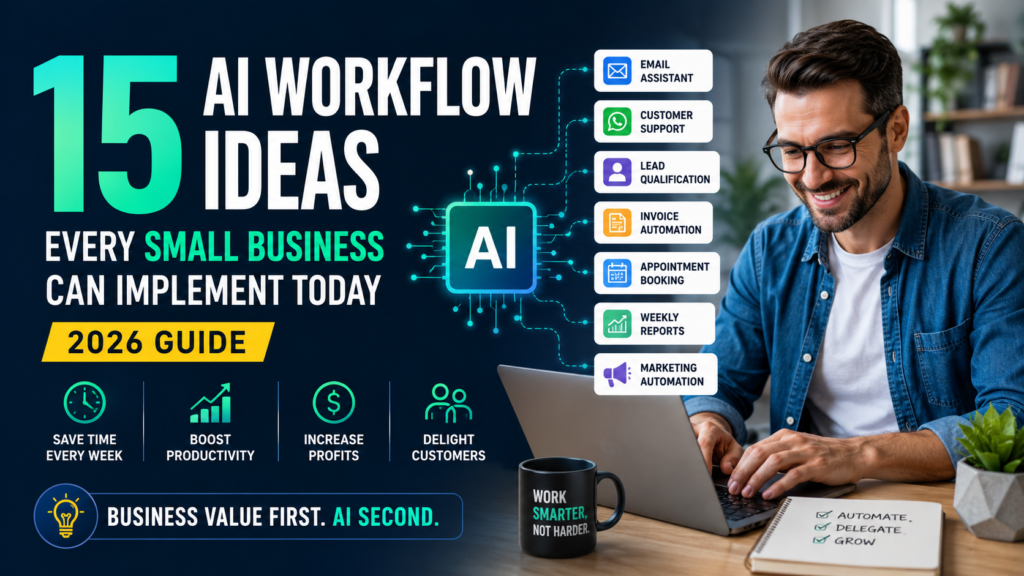
In this guide, you’ll discover 15 practical AI workflows that small businesses can start implementing today—including the business problem each workflow solves, recommended AI tools, difficulty level, expected ROI, and estimated time savings.
Why AI Workflows Matter More Than AI Tools
Many businesses believe AI adoption simply means purchasing the latest chatbot or subscribing to another AI application.
It doesn’t.
AI tools by themselves rarely solve business problems. Well-designed workflows do.
Think about a typical workday inside a small business.
Employees spend hours every week:
- Responding to similar customer emails
- Booking appointments
- Updating CRM records
- Preparing invoices
- Following up with leads
- Writing proposals
- Creating social media posts
- Producing weekly reports
- Searching for company information
- Answering repetitive customer questions
None of these activities are particularly difficult.
They’re simply repetitive.
Individually, each task may only take a few minutes.
Together, they consume dozens of hours every month.
Those lost hours reduce productivity, increase costs, delay customer responses, and prevent employees from focusing on higher-value work like sales, strategy, innovation, and customer relationships.
This is exactly where AI workflows create measurable business value.
Unlike traditional automation that simply follows predefined rules, modern AI can understand language, summarize information, classify requests, generate content, and even support decision-making before triggering automated actions.
Instead of only moving data between applications, AI workflows add intelligence to the process.
For example:
A customer submits a contact form.
Instead of simply sending an email notification, AI can:
- Analyze the enquiry
- Determine whether it’s a sales lead or support request
- Assign priority
- Update the CRM
- Draft a personalized response
- Schedule a follow-up task
- Notify the right employee
—all before a team member opens the email.
This is why businesses shouldn’t think about buying AI tools.
They should think about improving business workflows.
From Manual Work to AI Workflows
| Approach | How It Works | Best For |
|---|---|---|
| Manual Work | Employees perform every task themselves. | Small businesses with low transaction volumes |
| Traditional Automation | Fixed “If This → Then That” rules automate repetitive actions. | Structured and predictable tasks |
| AI Automation | AI understands, classifies, drafts content, and supports decisions before automation executes actions. | Most modern small business workflows |
| AI Agents | AI plans and completes multi-step business tasks with human oversight where required. | Complex, knowledge-intensive work |
Think of it this way:
- Traditional automation behaves like a machine that follows instructions exactly.
- AI automation behaves like an intelligent assistant that understands information before taking action.
- AI agents behave more like digital coworkers capable of planning multiple steps to achieve a business goal.
As AI continues to mature, businesses won’t compete based on how many AI tools they own.
They’ll compete based on how effectively their workflows combine people, AI, and automation.
What Is an AI Workflow?
An AI workflow is a repeatable business process that combines AI, automation, and connected business applications to complete work with minimal manual effort.
Every AI workflow contains five basic components:
1. Trigger
Every workflow starts with an event.
Examples include:
- Customer submits a website form
- Email arrives
- Invoice is received
- Appointment is booked
- CRM record is created
2. AI Processing
Instead of immediately performing an action, AI first understands the information.
Depending on the workflow, AI might:
- Summarize content
- Classify requests
- Score leads
- Extract data
- Generate content
- Recommend actions
3. Business Logic
Once AI understands the information, business rules determine what happens next.
Examples include:
- Is this customer high priority?
- Does the invoice require manager approval?
- Should the lead go to Sales or Support?
- Is this enquiry urgent?
4. Automation
Automation platforms then perform the repetitive work.
Typical actions include:
- Updating CRM records
- Creating tasks
- Sending emails
- Scheduling meetings
- Generating invoices
- Posting Slack notifications
- Updating spreadsheets
Popular workflow automation platforms include:
- Zapier
- Make
- n8n
- Microsoft Power Automate
5. Human Approval
Not every business decision should be fully automated.
High-value proposals, legal documents, financial approvals, HR decisions, and customer complaints should always include human review.
The goal isn’t removing people.
The goal is removing repetitive work while keeping humans responsible for important decisions.
Business-First Tip: Start with workflows that are repetitive, high-volume, and low-risk. These deliver the fastest ROI while helping your team build confidence with AI automation.
The Anatomy of an AI Workflow
Here’s a simple example of how an AI workflow works in practice.
Scenario: A visitor submits a “Contact Us” form on your website.
Step 1: A new enquiry triggers the workflow.
⬇️
Step 2: AI analyzes the message to determine whether it’s a sales enquiry, customer support request, partnership proposal, or spam.
⬇️
Step 3: Based on your business rules, the workflow assigns the enquiry to the appropriate department.
⬇️
Step 4: The CRM is automatically updated, a follow-up task is created, and a personalized acknowledgement email is drafted.
⬇️
Step 5: A salesperson reviews the AI-generated response (if needed) before it is sent.
Within seconds, work that previously required multiple manual steps is completed consistently and accurately.
The 15 AI Workflows Every Small Business Should Consider
Not every business needs all fifteen workflows immediately.
Start with the workflows that solve your biggest operational bottlenecks.
Workflow #1: AI Email Assistant
Email remains the primary communication channel for most businesses, yet many professionals spend several hours every week reading, organizing, and replying to emails.
As your business grows, the inbox becomes a bottleneck. Important messages are missed, customers wait longer for responses, and employees spend valuable time writing nearly identical replies.
An AI email assistant helps eliminate this repetitive work.
Instead of writing every response from scratch, AI can summarize long email threads, draft personalized replies, categorize incoming emails, identify urgent requests, and even create follow-up tasks automatically.
Business Problem
- Inbox overload
- Slow response times
- Missed customer enquiries
- Inconsistent communication
Recommended AI Tools
- ChatGPT
- Claude
- Microsoft Copilot
- Google Gemini
- Zapier or Make
- Gmail or Outlook
Difficulty
Beginner
Estimated Time Savings
3–8 hours per week
Expected ROI
⭐⭐⭐⭐⭐ High
Best For
- Consultants
- Agencies
- Professional services
- Small business owners
- Sales teams
Business-First Tip: Let AI draft emails, but keep humans responsible for approving sensitive customer communications, legal matters, and negotiations.
Workflow #2: WhatsApp Customer Support
Customers increasingly expect businesses to respond instantly, especially through WhatsApp.
Unfortunately, many small businesses still rely on manual replies, causing delayed responses, missed enquiries, and lost sales opportunities.
An AI-powered WhatsApp workflow can instantly answer common questions, provide business hours, share pricing information, book appointments, and escalate complex issues to a human team member.
Instead of replacing your customer service team, AI handles repetitive conversations so your staff can focus on situations that require empathy and judgment.
Business Problem
- Slow customer responses
- Repeated questions
- Missed enquiries
- Limited support outside business hours
Recommended AI Tools
- WhatsApp Business API
- Botpress
- Freshdesk AI
- Intercom
- Dify
- Make
- Zapier
Difficulty
Intermediate
Estimated Time Savings
5–15 hours per week
Expected ROI
⭐⭐⭐⭐⭐ High
Best For
- Restaurants
- Retail stores
- Healthcare clinics
- Travel agencies
- Local service businesses
Business-First Tip: Automate FAQs, booking requests, and order status updates. Always provide customers with an easy option to speak with a human for complaints or complex issues.
Workflow #3: AI Lead Qualification
Not every enquiry is worth the same amount of time.
Sales teams often waste hours chasing prospects who are unlikely to buy while high-quality opportunities wait too long for a response.
An AI lead qualification workflow automatically analyzes incoming enquiries using your qualification criteria—such as industry, company size, budget, urgency, and business needs—and assigns a lead score.
Qualified leads can be routed directly to your sales team, while lower-priority enquiries receive automated follow-up until they are sales-ready.
Business Problem
- Sales teams chasing poor-quality leads
- Slow response to high-value prospects
- Inconsistent lead qualification
- Lost revenue opportunities
Recommended AI Tools
- HubSpot
- ChatGPT
- Zapier
- Make
- CRM software
- Calendly
Difficulty
Intermediate
Estimated Time Savings
4–10 hours per week
Expected ROI
⭐⭐⭐⭐⭐ Very High
Best For
- B2B companies
- Agencies
- Consultants
- SaaS businesses
- Professional services
Business-First Tip: Start with a simple lead-scoring framework based on budget, business need, authority, and timeline before introducing AI.
Workflow #4: Invoice Automation
Manual invoicing is repetitive, time-consuming, and prone to errors.
Employees frequently re-enter information from purchase orders, quotations, or invoices into accounting software. Even small mistakes can delay payments and affect cash flow.
AI-powered invoice workflows can automatically extract information from invoices, classify expenses, validate data, create accounting records, and trigger approval workflows.
Finance teams spend less time entering data and more time analyzing business performance.
Business Problem
- Manual invoice processing
- Data entry errors
- Slow approvals
- Delayed payments
Recommended AI Tools
- QuickBooks
- Xero
- OCR software
- Zapier
- Make
- Microsoft Power Automate
Difficulty
Intermediate
Estimated Time Savings
3–12 hours per week
Expected ROI
⭐⭐⭐⭐ High
Best For
- Accounting firms
- Manufacturers
- Retail businesses
- Professional services
Business-First Tip: AI should prepare invoices and extract data, but financial approvals should always remain under human control.
Workflow #5: AI Meeting Notes & Action Items
Meetings generate valuable ideas, decisions, and commitments.
Unfortunately, much of this information disappears because nobody documents it properly.
Instead of manually taking notes, AI can record meetings, generate summaries, identify key decisions, assign action items, and distribute follow-up notes automatically.
Your team spends less time writing minutes and more time executing decisions.
Business Problem
- Lost meeting decisions
- Missing action items
- Inconsistent follow-up
- Manual documentation
Recommended AI Tools
- Otter.ai
- Fireflies.ai
- Microsoft Copilot
- Google Gemini
- Notion AI
- ClickUp AI
Difficulty
Beginner
Estimated Time Savings
2–6 hours per week
Expected ROI
⭐⭐⭐⭐ High
Best For
Almost every business.
Business-First Tip: Meeting transcripts have limited value unless they are converted into assigned tasks with clear deadlines.
Workflow #6: AI Proposal Generator
Creating business proposals often involves copying previous documents, rewriting similar content, updating pricing, and formatting information.
This repetitive work delays responses to prospective customers.
An AI proposal workflow automatically creates a first draft by combining client requirements, company templates, pricing models, and relevant case studies.
Sales teams can review, personalize, and send proposals much faster.
Business Problem
- Slow proposal creation
- Inconsistent quality
- Missed sales opportunities
- Manual document preparation
Recommended AI Tools
- ChatGPT
- Claude
- Google Docs
- Notion AI
- HubSpot CRM
Difficulty
Beginner to Intermediate
Estimated Time Savings
4–10 hours per week
Expected ROI
⭐⭐⭐⭐⭐ High
Best For
- Consultants
- Marketing agencies
- IT companies
- Professional service firms
Business-First Tip: Build reusable proposal templates first. AI performs much better when it starts with a proven structure.
Workflow #7: CRM Updates
CRM data quickly becomes outdated because sales representatives are busy selling rather than updating records.
Missing notes, forgotten follow-ups, and incomplete customer information reduce forecasting accuracy and create poor customer experiences.
AI workflows automatically capture information from emails, meetings, phone calls, and customer interactions before updating CRM records.
Sales managers gain better visibility while representatives spend more time selling.
Business Problem
- Poor CRM hygiene
- Forgotten follow-ups
- Missing customer notes
- Inaccurate sales pipeline
Recommended AI Tools
- HubSpot
- Salesforce
- Microsoft Copilot
- Zapier
- Make
- Fireflies.ai
Difficulty
Intermediate
Estimated Time Savings
3–8 hours per week
Expected ROI
⭐⭐⭐⭐⭐ Very High
Best For
- Sales teams
- Agencies
- B2B companies
- Consultants
Business-First Tip: A CRM only creates value when your data stays accurate. AI can automate updates, but define clear rules for which records are updated automatically versus those that require manual review.
Workflow #8: Appointment Booking Automation
Many small businesses lose customers simply because booking an appointment takes too long. Endless email exchanges and missed calls frustrate potential customers.
AI-powered appointment booking eliminates this friction.
Business Problem
- Too many scheduling emails
- Missed calls
- Double bookings
- Lost leads
AI Tools Required
- Calendly
- Google Calendar
- Microsoft Bookings
- Zapier / Make
- ChatGPT (optional qualification)
Difficulty Level
⭐ Beginner
Estimated Time Savings
2–5 hours per week
Expected ROI
⭐⭐⭐⭐ High
Example Workflow
Customer requests appointment
→ AI asks qualification questions
→ Available time slots shown
→ Appointment booked
→ Calendar updated
→ Confirmation email sent
→ Reminder sent 24 hours before meeting
Instead of spending time coordinating schedules, your team simply attends meetings.
Workflow #9: Employee Onboarding
Hiring new employees often involves repeating the same process repeatedly.
AI can automate most administrative work.
Business Problem
- Manual onboarding
- Missing documents
- Inconsistent training
- HR workload
AI Tools Required
- Notion AI
- ClickUp AI
- Dify
- Zapier
- E-signature software
Difficulty Level
⭐⭐ Intermediate
Estimated Time Savings
4–10 hours per new employee
Expected ROI
⭐⭐⭐⭐ High
Example Workflow
Employee hired
→ Welcome email sent
→ Accounts created
→ Documents shared
→ Training schedule generated
→ Reminder emails sent
→ Progress tracked automatically
HR teams spend less time chasing paperwork and more time supporting employees.
Workflow #10: Social Media Content Creation
Creating quality content consistently is difficult for most small businesses.
AI dramatically reduces content creation time.
Business Problem
- Inconsistent posting
- Writer’s block
- Lack of time
- Small marketing teams
AI Tools Required
- ChatGPT
- Claude
- Google Gemini
- Notion AI
- Canva AI
Difficulty Level
⭐ Beginner
Estimated Time Savings
3–8 hours per week
Expected ROI
⭐⭐⭐ Medium to High
Example Workflow
Weekly marketing topic selected
→ AI creates LinkedIn post
→ Converts into Facebook version
→ Generates Instagram caption
→ Suggests hashtags
→ Creates email newsletter draft
→ Schedule posts automatically
One idea becomes content across multiple channels.
Workflow #11: Customer Feedback Analysis
Businesses collect reviews every day.
Most never analyze them properly.
AI can summarize thousands of comments within minutes.
Business Problem
- Hundreds of reviews
- Difficult to identify trends
- Slow decision-making
AI Tools Required
- ChatGPT
- Claude
- Google Gemini
- Zapier
- Google Sheets
Difficulty Level
⭐⭐ Intermediate
Estimated Time Savings
2–6 hours per week
Expected ROI
⭐⭐⭐⭐ High
Example Workflow
Reviews collected
→ AI analyzes sentiment
→ Groups complaints by category
→ Identifies recurring issues
→ Creates improvement report
→ Sends weekly summary to management
Instead of reading every review individually, management receives actionable insights.
Workflow #12: Sales Follow-up Automation
Research consistently shows that most sales require multiple follow-ups.
Unfortunately, many small businesses forget to follow up consistently.
Business Problem
- Missed follow-ups
- Lost opportunities
- Manual reminders
AI Tools Required
- HubSpot
- ChatGPT
- Zapier
- Gmail
- Outlook
Difficulty Level
⭐⭐ Intermediate
Estimated Time Savings
4–12 hours per week
Expected ROI
⭐⭐⭐⭐⭐ Very High
Example Workflow
Proposal sent
→ Customer inactive for five days
→ AI drafts personalized follow-up
→ CRM updated
→ Reminder created
→ Sales manager notified if no response
Every lead receives consistent attention.
Workflow #13: Internal Knowledge Base Search
Employees constantly ask the same internal questions.
Instead of interrupting coworkers, AI can provide instant answers.
Business Problem
- Repeated internal questions
- Slow onboarding
- Lost productivity
AI Tools Required
- Notion AI
- Dify
- Flowise
- ChatGPT
- Internal documentation
Difficulty Level
⭐⭐⭐ Intermediate to Advanced
Estimated Time Savings
3–10 hours per week
Expected ROI
⭐⭐⭐⭐ High
Example Workflow
Employee asks:
“How do I process customer refunds?”
AI searches approved documentation
Returns company-approved procedure
Links related documents
Suggests next steps
Employees become productive much faster.
Workflow #14: Weekly Business Reports
Many owners spend several hours every week preparing management reports.
AI can automate most of this work.
Business Problem
- Manual reporting
- Data scattered across systems
- Slow decision-making
AI Tools Required
- ChatGPT
- Microsoft Copilot
- Google Gemini
- Zapier
- Power BI / Google Sheets
Difficulty Level
⭐⭐ Intermediate
Estimated Time Savings
2–6 hours per week
Expected ROI
⭐⭐⭐ Medium to High
Example Workflow
Every Friday
→ Sales data collected
→ Marketing metrics imported
→ Finance dashboard updated
→ AI summarizes key insights
→ Weekly report emailed automatically
Instead of creating reports manually, business leaders receive insights automatically.
Workflow #15: Marketing Campaign Automation
Launching campaigns manually consumes significant time.
AI can automate campaign creation, segmentation, follow-up, and optimization.
Business Problem
- Slow campaign creation
- Generic messaging
- Poor personalization
AI Tools Required
- HubSpot
- Mailchimp
- ChatGPT
- Zapier
- Make
Difficulty Level
⭐⭐⭐ Intermediate to Advanced
Estimated Time Savings
5–15 hours per week
Expected ROI
⭐⭐⭐⭐ High
Example Workflow
Customer downloads ebook
↓
AI qualifies interest
↓
Adds lead to correct email sequence
↓
Personalizes email content
↓
Tracks engagement
↓
Creates follow-up tasks for sales
Marketing becomes significantly more personalized without increasing workload.
Top 5 AI Workflows Every Small Business Should Start With
If you’re new to AI automation, don’t try to automate everything at once.
Start with workflows that deliver quick wins and measurable business value.
1. Lead Qualification
Impact: ⭐⭐⭐⭐⭐
Better leads.
Higher conversion rates.
Immediate revenue improvement.
2. Sales Follow-up Automation
Impact: ⭐⭐⭐⭐⭐
Consistent follow-ups dramatically improve sales performance.
3. AI Email Assistant
Impact: ⭐⭐⭐⭐☆
Saves time every single day.
One of the easiest AI workflows to implement.
4. Meeting Notes & Action Items
Impact: ⭐⭐⭐⭐☆
Never lose important decisions again.
Improves accountability across the team.
5. Appointment Booking
Impact: ⭐⭐⭐⭐☆
Quick to implement.
Highly visible to customers.
Excellent return on investment.
Common Mistakes to Avoid
Many businesses invest in AI but never see meaningful results.
The problem usually isn’t the technology—it’s how it’s implemented.
Avoid these common mistakes:
❌ Buying AI tools before defining the business problem
❌ Automating broken processes
❌ Using too many disconnected AI tools
❌ Removing human approval from important decisions
❌ Ignoring data security and customer privacy
❌ Not measuring business outcomes
❌ Expecting AI to replace employees entirely
❌ Failing to document workflows
❌ Poor integration between business systems
❌ Treating AI as a one-time project instead of continuous improvement
Remember your guiding principle:
Business Value First. AI Second.
Always start with the workflow, not the technology.
The Future of AI Workflows (2026–2030)
AI workflows are evolving rapidly.
Over the next few years, expect to see:
- AI agents coordinating multiple workflows autonomously
- Voice AI handling customer interactions
- Digital workers assisting every department
- Hyperautomation across entire business processes
- Industry-specific AI assistants
- Smarter workflow orchestration through MCP and agent frameworks
- Predictive workflows that anticipate business needs before humans intervene
The future isn’t about replacing people.
It’s about creating intelligent systems where humans focus on creativity, relationships, and strategic decisions while AI handles repetitive operational work.
Businesses that begin documenting and automating workflows today will be well positioned to adopt more advanced AI capabilities tomorrow.
Final Thoughts
Small businesses don’t need dozens of AI tools.
They need a handful of well-designed workflows that solve real business problems.
Start with one repetitive, high-impact process. Measure the results. Refine it. Then expand gradually.
That’s how successful businesses build AI capabilities—one practical workflow at a time.
At Intelligent AI Lab, our philosophy is simple:
Business Value First. AI Second.
The goal isn’t to use AI everywhere. The goal is to use AI where it creates measurable value through higher productivity, lower costs, better customer experiences, and sustainable business growth.
Call to Action
Ready to automate your business?
Explore our practical AI automation tutorials, tool reviews, and implementation guides designed specifically for small businesses.
Whether you’re looking to automate sales, customer support, marketing, or internal operations, Intelligent AI Lab provides practical, business-first strategies to help you implement AI with confidence.
Start with one workflow today—and build your AI-powered business one step at a time
Quick Comparison: 15 AI Workflows at a Glance
Not sure which workflow to implement first? Use the table below to compare the difficulty, business impact, expected time savings, and ideal use cases for each workflow.
| AI Workflow | Difficulty | Time Saved | Expected ROI | Best For |
|---|---|---|---|---|
| AI Email Assistant | Beginner | 3–8 hrs/week | ⭐⭐⭐⭐⭐ High | Every small business |
| WhatsApp Customer Support | Intermediate | 5–15 hrs/week | ⭐⭐⭐⭐⭐ High | Customer-facing businesses |
| Lead Qualification | Intermediate | 4–10 hrs/week | ⭐⭐⭐⭐⭐ Very High | Sales teams, B2B |
| Invoice Automation | Intermediate | 3–12 hrs/week | ⭐⭐⭐⭐ High | Finance & Accounting |
| Meeting Notes & Action Items | Beginner | 2–6 hrs/week | ⭐⭐⭐⭐ High | All businesses |
| Proposal Generator | Beginner–Intermediate | 4–10 hrs/week | ⭐⭐⭐⭐⭐ High | Agencies & Consultants |
| CRM Updates | Intermediate | 3–8 hrs/week | ⭐⭐⭐⭐⭐ Very High | Sales organizations |
| Appointment Booking | Beginner | 2–5 hrs/week | ⭐⭐⭐⭐ High | Clinics, Agencies, Services |
| Employee Onboarding | Intermediate | 4–10 hrs/new hire | ⭐⭐⭐⭐ High | Growing businesses |
| Social Media Content | Beginner | 3–8 hrs/week | ⭐⭐⭐ Medium | Marketing teams |
| Customer Feedback Analysis | Intermediate | 2–6 hrs/week | ⭐⭐⭐⭐ High | Customer-focused businesses |
| Sales Follow-up Automation | Intermediate | 4–12 hrs/week | ⭐⭐⭐⭐⭐ Very High | Revenue teams |
| Internal Knowledge Base Search | Intermediate–Advanced | 3–10 hrs/week | ⭐⭐⭐⭐ High | Growing teams |
| Weekly Business Reports | Intermediate | 2–6 hrs/week | ⭐⭐⭐⭐ High | Business owners & managers |
| Marketing Campaign Automation | Intermediate–Advanced | 5–15 hrs/week | ⭐⭐⭐⭐⭐ High | Marketing & eCommerce |
Which AI Workflow Should You Automate First?
One of the biggest mistakes businesses make is trying to automate everything at once.
Instead, begin with one workflow that delivers measurable business value.
Use this simple decision tree to identify the right starting point.
Step 1: Is the task repetitive?
Examples:
- Responding to emails
- Updating CRM records
- Booking appointments
- Sending invoices
✅ Yes → Continue to Step 2
❌ No → Leave it manual for now.
Step 2: Does it happen every day or every week?
Frequent tasks produce the highest return from automation.
✅ Yes → Continue
❌ No → Lower priority.
Step 3: Does it consume several hours each week?
If your team spends more than 3–5 hours weekly on a task, it’s usually a strong automation candidate.
✅ Yes → Continue
Step 4: Does it directly affect customers or revenue?
Examples include:
- Lead follow-up
- Customer support
- Appointment booking
- Proposal generation
If the answer is Yes, prioritize this workflow.
Frequently Asked Questions (FAQs)
1. What is an AI workflow?
An AI workflow combines automation with artificial intelligence to complete a business process. Instead of only following fixed rules, AI can understand language, classify information, generate content, and support decision-making before triggering automated actions.
2. How is AI workflow automation different from traditional automation?
Traditional automation follows predefined “if-this-then-that” rules. AI workflow automation adds intelligence by understanding context, summarizing information, drafting content, and making recommendations before executing actions.
3. Do I need coding skills to build AI workflows?
No. Most modern platforms such as Zapier, Make, Microsoft Power Automate, and n8n provide visual, no-code or low-code interfaces that allow business users to build workflows without programming.
4. Can ChatGPT automate my business?
ChatGPT can generate content, summarize information, analyze data, and assist with decisions. However, it usually works best when connected to automation platforms like Zapier, Make, or n8n that handle integrations and workflow execution.
5. Which AI workflow should a small business implement first?
Start with a workflow that is:
- Repetitive
- High-volume
- Low-risk
- Easy to measure
For most businesses, Lead Qualification, Sales Follow-up Automation, AI Email Assistance, Appointment Booking, and Meeting Notes are excellent starting points.
6. How much does AI workflow automation cost?
Costs vary depending on the tools and usage. Many businesses can start with affordable subscription plans and scale as their automation needs grow. Focus on the value created rather than the number of tools used.
7. Which tools are best for AI workflow automation?
Popular choices include:
- ChatGPT
- Claude
- Google Gemini
- Microsoft Copilot
- Zapier
- Make
- n8n
- HubSpot
- Notion AI
- Botpress
The best tool depends on your business process and existing software ecosystem.
8. Is AI workflow automation secure?
It can be, provided you implement proper governance. Use role-based access controls, approval workflows, audit logs, and avoid exposing sensitive customer or financial information to unsecured AI systems.
9. What tasks should never be fully automated?
High-impact decisions involving legal matters, finance, hiring, healthcare, or customer disputes should always include human review and approval.
10. How do I measure ROI from AI workflows?
Track metrics such as:
- Hours saved
- Cost reduction
- Revenue growth
- Lead conversion rate
- Customer response time
- Customer satisfaction (CSAT)
- Employee productivity
- Error reduction
Compare results before and after implementation to quantify the business impact.
Final Takeaway
Small businesses don’t win by adopting the most AI tools—they win by improving the right business processes.
Every successful AI journey starts with a single workflow that solves a real problem. Once you’ve demonstrated value, you can expand automation across sales, marketing, customer support, finance, HR, and operations.
We believe AI should deliver measurable business outcomes—not just impressive technology.
That’s why our guiding principle is simple:
Business Value First. AI Second.
Start with one workflow. Measure the results. Improve it. Then scale.
That’s how practical AI creates lasting business value.