
Best AI Use Cases for Small Businesses Across 20 Industries
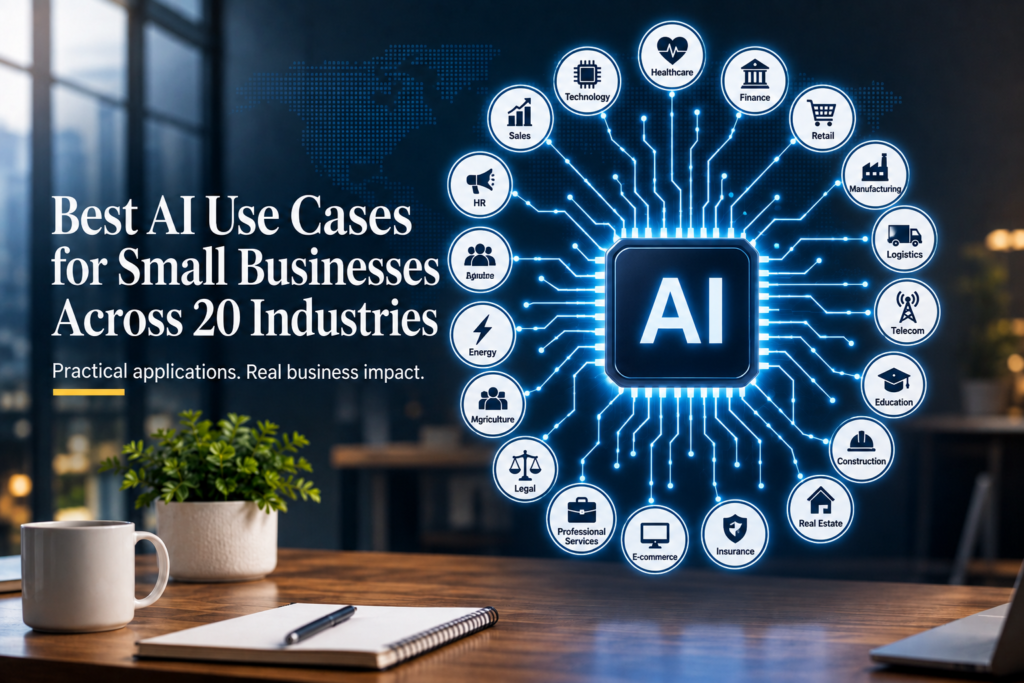
If you’re a small business owner, you don’t need “more AI.” You need fewer repetitive tasks, faster customer responses, fewer errors, and a clearer path to growth.
The practical opportunity with AI for small business is not to automate everything. It is to identify specific workflows where AI can save time, improve consistency, support employees, or help customers get faster answers.
That’s why the most useful AI use cases for small businesses aren’t necessarily the most advanced. They are practical applications that improve a real workflow and produce measurable business outcomes.
In this guide, you’ll find practical AI use cases for small business across 20 industries, ten cross-industry use cases, a framework for choosing where to start, guidance on AI tools and automation, implementation advice, ROI metrics, risks, and practical workflow examples.
The approach throughout is simple:
Business Value First. AI Second.
Start with the business problem. Improve the workflow. Choose the right solution. Keep appropriate human oversight. Measure the outcome. Then standardize and scale what works.
Quick Answer: The most practical AI use cases for small businesses typically involve repetitive, measurable work such as lead qualification, workflow automation, customer service, document processing, sales follow-up, marketing, reporting, scheduling, and knowledge management. Start with a high-volume, low-to-moderate-risk workflow where AI can reduce time or errors, then measure the results before scaling.
What Can AI Do for a Small Business?
An AI use case is not simply buying or using an AI tool. It is a specific business outcome connected to a workflow where AI helps complete, improve, or automate one or more steps. AI for small business is most useful when it improves a specific business workflow or removes repetitive work.
For example, “use AI for accounting” is too broad to be an actionable use case.
A more useful definition would be:
Business problem: Employees spend hours entering invoice information.
Workflow improvement: Extract invoice data automatically, validate it, route exceptions for review, and synchronize approved information with the accounting system.
Business outcome: Less manual data entry and faster invoice processing.
These AI solutions for small business can range from simple AI assistants to document processing, customer-service chatbots, workflow automation, predictive analytics, and AI-supported business processes.
Generative AI and LLM Assistants
Large language models can help draft, summarize, classify, extract, rewrite, and organize information.
Common applications include:
- Emails
- Proposals
- Reports
- Meeting summaries
- Internal SOPs
- Customer communications
- Research
- Content drafts
Generative AI can be relatively easy to introduce into knowledge-work processes, but outputs should be reviewed when accuracy, brand reputation, compliance, or financial impact matters.
AI Customer Service and Chatbots
AI customer service systems and chatbots can answer common questions, classify incoming requests, suggest responses, and route complex issues to employees.
A useful customer service workflow does not necessarily try to remove human interaction. It handles predictable requests while providing a clear escalation path when customers need human assistance.
AI Workflow Automation
Workflow automation connects business applications and moves information between them according to defined rules.
AI becomes useful when a workflow contains information that needs interpretation.
For example:
Email received → AI classifies request → information extracted → task created → employee notified
Traditional automation can handle deterministic steps, while AI can help with classification, summarization, extraction, and other variable inputs.
This combination is particularly useful for AI automation for small business, where the objective is to improve an existing process rather than introduce AI as a standalone technology.
Document AI and OCR
Document AI can extract information from invoices, forms, purchase orders, contracts, receipts, and other documents.
This can reduce manual data entry and help route documents through business processes. However, extraction accuracy can vary with document quality, so validation and exception handling are important.
Predictive Analytics and Machine Learning
Predictive analytics can support use cases such as:
- Demand forecasting
- Lead scoring
- Inventory planning
- Anomaly detection
- Staffing forecasts
- Risk identification
These applications generally require reliable historical data and clearly defined metrics.
Vision AI
Vision AI can analyze images or video for applications such as inspection, quality control, safety monitoring, and visual classification.
These projects can require more setup than text-based AI workflows, so they are generally more appropriate when visual inspection is frequent, valuable, and measurable.
One important point: not every useful AI business application is generative AI.
Some of the most practical applications involve document extraction, classification, workflow routing, forecasting, or traditional automation.
10 Practical AI Use Cases for Small Businesses
Small businesses usually don’t start with an AI technology question.
They start with a business problem:
“We have too many leads to follow up with.”
“Our employees spend hours entering invoice data.”
“Customers keep asking the same questions.”
“Our sales team is missing follow-ups.”
“Weekly reporting takes too long.”
The following ten AI use cases for small business translate those problems into practical workflows.
1. AI Lead Generation and Qualification
AI lead generation can help businesses capture, classify, qualify, and route incoming prospects.
A typical workflow could be:
Lead arrives → information captured → lead classified → qualification criteria checked → priority assigned → salesperson notified
AI can help interpret free-text inquiries, summarize customer requirements, identify qualification signals, and prepare information for sales follow-up.
Where human oversight matters
Lead scoring should support sales decisions rather than automatically eliminate prospects without appropriate controls. Qualification criteria should also be clear enough for the business to understand why a lead received a particular classification.
What to measure
- Lead response time
- Qualified leads per week
- Lead-to-meeting rate
- Lead-to-customer conversion
- Follow-up completion rate
The objective is not simply to generate more AI-scored leads. It is to improve the process from inquiry to qualified opportunity.
2. AI Workflow Automation
AI workflow automation combines AI capabilities with business-process automation.
Traditional automation works well when rules are fixed:
Trigger → rule → action
AI-assisted automation becomes useful when the input requires interpretation:
Trigger → AI interpretation → validation → action → human escalation when required
This is the foundation of AI business process automation for many small businesses.
Examples include:
- Classifying incoming emails
- Extracting information from documents
- Routing customer requests
- Summarizing cases
- Creating tasks from unstructured information
- Updating business systems
Where human oversight matters
Define what the AI is allowed to do automatically and which situations require review.
A useful automation should also have an exception path. The goal is not to automate every possible scenario. It is to automate predictable work while making exceptions easier for employees to handle.
What to measure
- Processing time
- Manual touches per transaction
- Exception rate
- Error/rework rate
- Hours saved
3. AI Marketing Automation
AI marketing automation can help small businesses create, personalize, organize, and analyze marketing activities.
Potential applications include:
- Content briefs and drafts
- Email campaign variations
- Audience segmentation
- Lead nurturing
- Product descriptions
- Campaign reporting
- Review and feedback analysis
A practical workflow might be:
Customer segment → campaign objective → AI-assisted content → human review → campaign → performance analysis
Where human oversight matters
AI-generated marketing content should be reviewed for factual accuracy, brand consistency, customer relevance, and applicable requirements.
What to measure
- Content production time
- Campaign response rate
- Lead engagement
- Conversion rate
- Cost per qualified lead
The goal is not to produce more content simply because AI makes content easier to generate. The goal is to improve marketing effectiveness or reduce the effort required to produce useful content.
4. AI Sales Automation
AI sales automation can support repetitive activities throughout the sales process.
Potential applications include:
- Lead prioritization
- Follow-up reminders
- Personalized outreach drafts
- Proposal assistance
- Sales-call summaries
- CRM updates
- Opportunity summaries
More broadly, AI for sales can reduce administrative work around lead management, customer interactions, proposals, and follow-up.
A typical workflow could be:
Customer interaction → conversation summarized → next action identified → CRM updated → follow-up prepared
AI can reduce administrative work while keeping salespeople responsible for customer relationships and important decisions.
What to measure
- Follow-up completion
- Sales administration time
- Lead-to-meeting rate
- Proposal turnaround time
- Conversion rate
5. AI Customer Service and Chatbots
AI chatbots for customer service can handle repetitive questions and support employees with incoming requests.
Common applications include:
- FAQ automation
- Ticket classification
- Response drafting
- Order-status questions
- Appointment questions
- Basic troubleshooting
- Escalation
A practical workflow is:
Customer question → intent classification → knowledge-base answer → escalation if required
Where human oversight matters
The chatbot should have access only to information it is expected to use and should have clear escalation rules.
If business policies are unclear or frequently changing, improve the underlying knowledge base before attempting extensive automation.
What to measure
- First-response time
- Resolution time
- Escalation rate
- Customer satisfaction
- Staff handling time
Customers generally don’t object to automation simply because it is automated. Problems occur when customers cannot reach a person when they need one.
6. AI Email and Communication
Small businesses often spend significant time reading, writing, summarizing, and responding to emails.
AI can help with:
- Drafting replies
- Summarizing long threads
- Classifying messages
- Extracting action items
- Preparing follow-up messages
- Translating or rewriting communications
- Routing emails to the appropriate employee
A useful workflow is:
Email received → classify → summarize → identify action → draft response → human review → send
What to measure
- Email handling time
- Response time
- Messages processed per employee
- Follow-up completion
- Rework or correction rate
The objective should be reducing communication overhead, not sending more automated messages.
7. AI Document and Invoice Processing
Document processing is one of the clearest areas for practical AI automation.
AI can help extract information from:
- Invoices
- Receipts
- Purchase orders
- Forms
- Contracts
- Delivery documents
- Onboarding documents
A typical workflow is:
Document received → fields extracted → information validated → exceptions identified → human approval → system updated
What to measure
- Minutes per document
- Manual data-entry time
- Error rate
- Exception rate
- Approval cycle time
Document AI should be designed around exceptions rather than assuming every document will be processed perfectly.
8. AI Data Analysis and Reporting
AI can help small businesses turn operational data into more accessible reports and insights.
Applications include:
- Weekly reporting
- Trend identification
- KPI summaries
- Anomaly detection
- Basic forecasting
- Natural-language explanations of data
For example:
Business data → metrics calculated → unusual changes identified → summary generated → manager reviews
What to measure
- Reporting preparation time
- Time to identify anomalies
- Report frequency
- Manual analysis effort
- Decision-cycle time
AI-generated analysis should not be treated as automatically correct. The underlying data and important conclusions should be validated.
9. AI Appointment and Scheduling Automation
Appointment and scheduling workflows are common across healthcare, professional services, home services, hospitality, education, and many other industries.
AI-assisted scheduling can help:
- Capture appointment requests
- Identify the required service
- Check availability
- Send reminders
- Handle rescheduling requests
- Route exceptions to staff
A typical workflow is:
Customer request → service identified → availability checked → appointment proposed → confirmation → reminder
What to measure
- Scheduling time
- No-show rate
- Appointment fill rate
- Calls/messages handled
- Staff administrative hours
The workflow should provide human escalation for unusual requests or scheduling conflicts.
10. AI Knowledge Management
Small businesses often have important information spread across emails, documents, shared drives, SOPs, and employees’ individual knowledge.
An AI knowledge assistant can help employees find information more quickly.
Potential applications include:
- Searching internal documents
- Answering SOP questions
- Summarizing policies
- Finding previous work
- Preparing internal knowledge summaries
- Supporting employee onboarding
A useful workflow is:
Employee question → relevant information retrieved → answer generated → source reviewed when necessary
What to measure
- Search time
- Time to answer internal questions
- Repeated questions
- Employee onboarding time
- Knowledge-base usage
The quality of the underlying information matters as much as the AI interface.
How to Choose the Right AI Use Case
Choosing AI for small business should start with the business problem, not with a specific AI tool. The easiest way to waste time and budget on AI is to start with a tool rather than a workflow.
Instead of asking:
“Which AI tool should we buy?”
start with:
“Which business process is consuming time, creating errors, or slowing customers down?”
Business-First AI Framework™
Use this sequence to keep AI decisions grounded in business value:
1. Business Problem
Identify the specific problem.
What is slowing the business down? Where is avoidable cost being created? Where are employees spending time on repetitive work?
2. Workflow Improvement
Map the current process.
Identify:
- Inputs
- Steps
- Decisions
- Handoffs
- Outputs
- Exceptions
- Ownership
3. Choose the Right Solution
The solution might be:
- Traditional automation
- AI workflow automation
- Document AI
- Chatbot
- LLM assistant
- Predictive analytics
- Vision AI
- A combination of technologies
AI should be selected because it fits the workflow—not because it is the newest technology.
4. Implement With Human Oversight
Define:
- What AI can do
- What AI cannot do
- Which outputs require review
- When escalation is required
- Who owns exceptions
5. Measure Business Outcomes
Select KPIs that connect directly to the workflow.
Examples include:
- Hours saved
- Response time
- Error rate
- Conversion rate
- Cost per transaction
- Resolution time
6. Standardize and Scale
Once the workflow produces measurable results, document it, establish ownership, maintain the necessary knowledge or rules, and then consider expanding it.
Practical Selection Scorecard
Before committing to an AI project, assess the workflow from 1–5 across five dimensions:
| Factor | Question |
|---|---|
| Volume | How frequently does the task occur? |
| Time drain | How much employee time does it consume? |
| Risk | What happens if AI makes a mistake? |
| Clarity | Are inputs, decisions, and outputs clearly defined? |
| Measurability | Can a meaningful KPI be measured within 2–8 weeks? |
A practical first pilot generally has meaningful volume and time-savings potential, clear inputs and outputs, manageable risk, and a measurable outcome.
Business-First AI Insight: The right AI use case is not necessarily the most technically impressive one. A workflow with clear ownership, manageable risk, measurable outcomes, and strong employee adoption can create more practical value than a sophisticated AI project that never becomes part of daily operations.
AI Use Cases Across 20 Industries
The same AI capability can solve very different problems depending on the industry.
The following sections provide a practical starting point for each industry. They are idea generators rather than universal recommendations. The appropriate use case depends on the business’s workflow, data, risk, and measurable objectives.
| Industry | Practical First AI Use Case | Another Potential Use Case | Typical AI Category | Good KPI |
|---|---|---|---|---|
| 1. Retail | Customer support, product Q&A, and returns assistance | Demand forecasting for replenishment | Support AI; predictive analytics | Response time; stockout rate |
| 2. E-commerce | Product descriptions and customer-support triage | Product recommendations and upsell assistance | LLM assistant; support AI | Listing time; conversion rate |
| 3. Restaurants | Reservations and FAQ assistance | Review sentiment analysis | Support AI; analytics | No-show rate; response time |
| 4. Hospitality | Booking questions and itinerary FAQs | Staff scheduling and demand analysis | Support AI; forecasting | Booking conversion; call volume |
| 5. Logistics | Customer updates and delivery exception handling | Demand forecasting and route-related analysis | Automation; predictive analytics | On-time rate; cost per delivery |
| 6. Manufacturing | Production and quality documentation | Vision-based inspection or predictive maintenance | Document AI; vision AI | Defect rate; downtime |
| 7. Construction | Quote/proposal drafting and change-order summaries | Invoice and compliance-document processing | LLM assistant; document AI | Bid cycle time; rework rate |
| 8. Real Estate | Lead qualification and follow-up assistance | Listing descriptions and property FAQ automation | LLM assistant; predictive scoring | Lead-to-showing rate |
| 9. Professional Services | Proposal and report drafting | Internal knowledge assistance | LLM assistant; knowledge management | Turnaround time; utilization |
| 10. Marketing | Content variations and campaign reporting | Lead scoring and outreach personalization | LLM assistant; analytics | Hours per deliverable |
| 11. Accounting | Invoice extraction and coding assistance | Anomaly detection for review prioritization | Document AI; anomaly detection | Time per client; correction rate |
| 12. Finance | Client onboarding document processing | Risk and anomaly monitoring with human review | Document AI; anomaly detection | Onboarding cycle time |
| 13. Healthcare | Scheduling and administrative intake | Non-diagnostic triage and documentation assistance | Automation; LLM assistance | No-show rate; admin hours |
| 14. Dental | Appointment reminders and FAQ assistance | Treatment-plan explanation drafts with professional review | Automation; LLM assistance | Fill rate; call volume |
| 15. Legal | Contract clause extraction and document search | First-draft letters and summaries with review | Document AI; LLM assistant | Time per matter |
| 16. HR & Recruiting | Resume summarization and shortlist assistance | Onboarding workflow automation | LLM assistance; automation | Time-to-shortlist |
| 17. Education | Content outlines and administrative automation | Student/tutor FAQ support | LLM assistant; support AI | Content production time |
| 18. Automotive | Customer updates and estimate-explanation drafts | Parts inventory forecasting | LLM assistance; forecasting | Approval turnaround time |
| 19. Home Services | Booking intake and dispatch-ready summaries | Quote and follow-up automation | Support AI; automation | Time-to-schedule; lead-to-job rate |
| 20. IT Services | Service-desk triage and ticket summarization | Knowledge retrieval and incident documentation | AI support; LLM assistant; workflow automation | Ticket handling time; resolution time |
1. Retail
AI for retail can help small retailers improve customer support, product information, returns handling, and inventory planning.
Practical starting point: Customer support, product Q&A, and returns-policy assistance.
Another opportunity: Demand forecasting for replenishment.
AI categories: Support AI, LLM assistance, predictive analytics.
Useful KPIs: Response time, stockout rate, and inventory turns.
2. E-commerce
AI for ecommerce can help small online businesses improve product content, customer support, and conversion workflows.
Practical starting point: Product descriptions and customer-support triage.
Another opportunity: Product recommendations and upsell assistance.
AI categories: LLM assistants, support AI, analytics.
Useful KPIs: Listing production time, conversion rate, and support response time.
3. Restaurants
AI for restaurants can support reservations, customer questions, review analysis, and repetitive administrative work.
Practical starting point: Reservation and FAQ assistance.
Another opportunity: Review sentiment analysis to identify recurring customer feedback.
AI categories: Support AI, workflow automation, analytics.
Useful KPIs: No-show rate, response time, and administrative hours.
4. Hospitality
AI in hospitality can support booking questions, guest communication, itinerary assistance, and selected staff-planning workflows.
Practical starting point: Booking questions and itinerary FAQs with human handoff.
Another opportunity: Staff scheduling support and demand analysis.
AI categories: Support AI, forecasting, workflow automation.
Useful KPIs: Booking conversion, call volume, and scheduling effort.
5. Logistics
AI for logistics can help small logistics and delivery businesses manage customer communication, delivery exceptions, forecasting, and operational workflows.
Practical starting point: Customer updates and exception handling.
Another opportunity: Demand forecasting and route-related analysis.
AI categories: Classification, workflow automation, predictive analytics.
Useful KPIs: On-time delivery rate, exception handling time, and cost per delivery.
6. Manufacturing
AI for manufacturing can support documentation, quality workflows, inspection, maintenance analysis, and production operations.
Practical starting point: Production and quality documentation.
Another opportunity: Vision-based inspection or predictive maintenance.
AI categories: Document AI, vision AI, predictive analytics.
Useful KPIs: Defect rate, downtime, and processing time.
7. Construction
AI for construction can help small construction businesses with proposals, project documentation, invoices, change orders, and compliance-related workflows.
Practical starting point: Quote and proposal drafting with change-order summaries.
Another opportunity: Invoice and compliance-document processing.
AI categories: LLM assistants, document AI, workflow automation.
Useful KPIs: Bid cycle time, administrative hours, and rework rate.
8. Real Estate
AI for real estate can support lead qualification, customer follow-up, property information, listing content, and administrative workflows.
Practical starting point: Lead qualification and follow-up assistance.
Another opportunity: Listing descriptions and property FAQ automation.
AI categories: LLM assistants, predictive scoring, customer-service AI.
Useful KPIs: Lead-to-showing rate, response time, and follow-up completion.
9. Professional Services
AI for professional services can reduce the time required for proposals, reports, research, documentation, and internal knowledge retrieval.
Practical starting point: Proposal and report drafting.
Another opportunity: Internal knowledge assistance.
AI categories: LLM assistants, knowledge management, workflow automation.
Useful KPIs: Turnaround time, utilization, and hours per deliverable.
10. Marketing
AI for marketing can help small marketing teams produce content variations, analyze campaign performance, support lead scoring, and reduce reporting effort.
Practical starting point: Content variations and campaign reporting.
Another opportunity: Lead scoring and outreach personalization.
AI categories: LLM assistants, analytics, workflow automation.
Useful KPIs: Hours per deliverable, campaign response, and cost per qualified lead.
11. Accounting
AI for accounting can support invoice processing, document extraction, reconciliation assistance, anomaly detection, and reporting.
Practical starting point: Invoice extraction and coding assistance.
Another opportunity: Anomaly detection for review prioritization.
AI categories: Document AI, anomaly detection, workflow automation.
Useful KPIs: Time per client, minutes per invoice, and correction rate.
12. Finance
AI for finance can support client onboarding, document processing, anomaly monitoring, reporting, and selected administrative workflows.
For insurance businesses, AI for insurance can similarly support document-heavy processes, customer communication, claims-related documentation, and anomaly detection, with appropriate human review for higher-risk decisions.
Practical starting point: Client onboarding document processing.
Another opportunity: Risk and anomaly monitoring with review workflows.
AI categories: Document AI, anomaly detection, workflow automation.
Useful KPIs: Onboarding cycle time, exception rate, and manual processing time.
13. Healthcare
AI for healthcare can support scheduling, administrative intake, documentation assistance, customer communication, and non-diagnostic workflows.
Practical starting point: Scheduling and administrative intake.
Another opportunity: Non-diagnostic triage support and documentation assistance.
AI categories: Workflow automation, LLM assistance, customer-service AI.
Useful KPIs: No-show rate, administrative hours, and response time.
High-impact healthcare decisions require appropriate professional oversight. AI should support qualified professionals rather than replace clinical judgment where that judgment is required.
14. Dental
AI for dental practices can support appointment communication, reminders, FAQs, administrative intake, and selected documentation tasks.
Practical starting point: Appointment reminders and FAQ assistance.
Another opportunity: Treatment-plan explanation drafts with professional review.
AI categories: Workflow automation, LLM assistance, customer-service AI.
Useful KPIs: Appointment fill rate, no-show rate, and call volume.
15. Legal
AI for law firms can support contract review workflows, clause extraction, document search, summarization, and drafting assistance.
Practical starting point: Contract clause extraction and document search.
Another opportunity: First-draft letters and summaries with professional review.
AI categories: Document AI, LLM assistants, knowledge management.
Useful KPIs: Time per matter, document-search time, and drafting turnaround.
AI output should not replace qualified legal judgment or final review.
16. HR & Recruiting
AI for recruiting can help recruitment teams summarize resumes, organize candidate information, support shortlisting, and automate parts of onboarding.
Practical starting point: Resume summarization and shortlist assistance.
Another opportunity: Onboarding workflow automation and employee knowledge support.
AI categories: LLM assistants, workflow automation, knowledge management.
Useful KPIs: Time-to-shortlist, administrative hours, and onboarding cycle time.
Employment-related AI workflows require appropriate review and controls because automated classifications can have significant consequences.
17. Education
AI for education can support content development, administrative work, knowledge retrieval, and student or learner support.
Practical starting point: Content outlines and administrative automation.
Another opportunity: Student or tutor support for frequently asked questions.
AI categories: LLM assistants, support AI, workflow automation.
Useful KPIs: Content production time, administrative hours, and response time.
18. Automotive
AI in automotive can help small automotive businesses improve customer communication, estimate handling, inventory planning, and administrative workflows.
Practical starting point: Customer updates and estimate-explanation drafts.
Another opportunity: Parts inventory forecasting.
AI categories: LLM assistance, forecasting, workflow automation.
Useful KPIs: Approval turnaround time, customer response time, and inventory availability.
19. Home Services
AI can help home-service businesses manage booking, customer intake, dispatch preparation, quotations, and follow-up.
Practical starting point: Booking intake and dispatch-ready summaries.
Another opportunity: Quote and follow-up automation.
AI categories: Customer-service AI, workflow automation, LLM assistance.
Useful KPIs: Time-to-schedule, lead-to-job rate, and response time.
20. IT Services
AI for IT services can help small IT service providers improve service-desk operations, ticket handling, documentation, knowledge retrieval, and repetitive support workflows.
Practical starting point: Service-desk triage and ticket summarization.
Another opportunity: Internal knowledge retrieval and incident documentation.
AI categories: AI support, LLM assistants, workflow automation.
Useful KPIs: Ticket handling time, resolution time, first-response time, and escalation rate.
A practical workflow could be:
Support request → issue classified → relevant information retrieved → ticket summarized → next action suggested → human review or escalation
For IT service providers, the objective is not necessarily to automate technical decisions. A lower-risk starting point can be reducing the administrative work around tickets, documentation, and knowledge retrieval while keeping technicians responsible for diagnosis and resolution.
Across all 20 industries, the same principle applies:
Start with the workflow—not the technology.
How to Prioritize AI Use Cases When You Have Limited Time
For AI for small business, prioritization matters because limited time and budget make it important to start with workflows where improvement can be measured. Small businesses rarely have unlimited time, people, or budget for experimentation.
Once you have a shortlist, use two practical filters.
Time to Value
Ask:
- Can the workflow be piloted quickly?
- Can a baseline be established?
- Can improvement be measured within weeks rather than months?
Implementation Complexity
Ask:
- Does the workflow require clean historical data?
- How many systems need to be integrated?
- Is custom model development necessary?
- How difficult will ongoing maintenance be?
Use Cases That Can Be Easier to Pilot
Examples include:
- Support triage and assisted replies
- Document and invoice extraction
- LLM-assisted proposals and emails
- Internal reporting summaries
- Workflow routing between existing applications
These workflows often have clear inputs and outputs and can include human review.
Use Cases That May Require More Preparation
Examples include:
- Predictive forecasting
- Vision AI
- Complex recommendation systems
- High-risk regulated workflows
- Fully autonomous decisions
These can still be valuable, but may require stronger data, governance, integration, and monitoring.
The objective is not to avoid complex AI. It is to sequence AI adoption so that the business learns from smaller workflows before taking on more complex ones.
When Should a Small Business Use AI and When Should It Not?
The right AI for small business opportunity is usually one where the workflow is repetitive, measurable, and suitable for human oversight. AI is not automatically the right solution for every workflow.
Consider AI When:
- The task requires interpretation of variable inputs.
- The workflow occurs frequently enough to justify improvement.
- Employees spend meaningful time on the process.
- AI can assist without creating unacceptable risk.
- A human can review important outputs.
- The business can measure the result.
For example, classifying customer emails can be a useful AI application because messages vary while the business still needs to route them consistently.
Consider Traditional Automation When:
- Rules are fixed.
- Inputs are structured.
- The process is deterministic.
- The same condition always produces the same action.
- AI adds little additional value.
For example, automatically sending a reminder three days before a scheduled appointment may not require AI at all.
A useful principle is:
Use the simplest technology that can reliably improve the workflow.
Sometimes that is AI. Sometimes it is traditional automation. Sometimes it is a combination.
AI Tools vs. AI Automation: What’s the Difference?
The terms AI tools for small business and AI automation are often used interchangeably, but they describe different levels of workflow integration.
AI Tool
An employee uses an AI application manually.
Employee → AI tool → Output
Example:
An employee asks an AI assistant to draft a customer email.
The employee still initiates the task, provides the context, reviews the result, and sends the message.
AI-Assisted Workflow
AI becomes part of a defined business process.
Trigger → AI → Human Review → Action
Example:
A customer inquiry arrives, AI summarizes the request, an employee reviews the suggested response, and the approved response is sent.
AI Automation
AI and automation work together to execute defined steps with appropriate controls.
Trigger → AI interpretation → Validation → Action → Monitoring → Human escalation
For example, an incoming invoice could be extracted, validated against business rules, routed for approval, and synchronized with an accounting system while exceptions are sent to an employee.
The progression is not necessarily:
Tool → automation → full autonomy
Businesses should choose the appropriate level of automation for the workflow’s risk, complexity, and measurable value.
Practical AI Workflow Examples
The following examples show how AI business applications can become operational workflows rather than isolated AI outputs.
Retail: Customer Support Triage
Business problem: Employees repeatedly answer questions about opening hours, product availability, returns, and basic policies.
Workflow
- Customer asks a question through web chat, email, or another supported channel.
- The system classifies the request.
- Common questions receive an answer based on the maintained knowledge base.
- Order issues collect relevant information and route to an employee.
- Complaints or unusual cases receive appropriate escalation.
AI category: Customer support AI + workflow automation.
What to measure: First-response time, escalation rate, and customer satisfaction.
The important design principle is a clear escalation path. Automation should make human support more efficient, not trap customers in an automated loop.
Accounting: Invoice Processing
Business problem: Manual invoice entry creates repetitive work, errors, and approval delays.
Workflow
- Invoices arrive through email, portal upload, or scanned documents.
- Document AI extracts relevant information.
- Validation checks identify missing or unusual information.
- Exceptions are routed to a human.
- Approved information is synchronized with the accounting system.
AI category: Document AI/OCR + workflow automation.
What to measure: Minutes per invoice, correction rate, and approval cycle time.
The workflow should be designed around exceptions rather than assuming every document will be processed without review.
Logistics: Exception Handling
Business problem: Dispatchers and employees spend time responding to delivery delays, address problems, and failed-delivery questions.
Instead of immediately starting with complex route optimization, a business could first improve exception handling.
Workflow
- Capture the exception.
- Classify the issue.
- Generate a customer update.
- Identify the next operational step.
- Route complex cases to a dispatcher with a summary.
AI category: AI classification + workflow automation.
What to measure: Exception handling time, customer response time, and on-time delivery performance.
The sequencing matters. Improving an operational workflow with clear exceptions can provide useful experience before introducing more complex predictive systems.
Legal: Contract Clause Extraction
Business problem: Employees spend significant time searching contracts for specific clauses, obligations, or information.
Workflow
Document uploaded → relevant clauses identified → sections highlighted → summary/checklist generated → professional review
AI category: Document AI + LLM-assisted summarization.
What to measure: Time spent searching documents and time per matter.
In legal workflows, AI can reduce search and drafting effort, but professional judgment and final review remain important.
Common AI Adoption Mistakes for Small Businesses
Mistake 1: Starting With a Tool Instead of a Workflow
Tools are easy to buy. Workflows require analysis.
Without a defined process, AI can produce useful-looking outputs that never become part of daily operations.
Better approach: Map the workflow first. Define inputs, decisions, outputs, handoffs, exceptions, and ownership.
Mistake 2: Choosing High-Risk Use Cases First
Some businesses begin with automated decisions in areas where errors can create significant consequences.
Better approach: Start with lower-risk applications such as drafting, extraction, summarization, classification, and routing. Introduce stronger controls as the business moves toward higher-risk workflows.
Mistake 3: Not Defining KPIs Upfront
“AI will help” is not a measurable objective.
Better approach: Choose one or two workflow-specific KPIs before starting the pilot.
Mistake 4: Treating the Knowledge Base as “Set and Forget”
AI customer-service systems depend on the quality and currency of the information they use.
Better approach: Assign ownership and establish a regular review process for common questions, failed answers, and policy changes.
Mistake 5: Underestimating Exception Handling
Many automation projects are designed around the happy path.
Real business workflows contain unusual documents, incomplete information, customer complaints, system failures, and other exceptions.
Better approach: Design the exception queue and escalation rules from the beginning.
How to Implement an AI Pilot in 30 Days
A practical AI for small business pilot should focus on one workflow, one measurable outcome, and a clear human-review process. A small business does not need a massive transformation program to test an AI use case.
A focused pilot can help establish whether a workflow creates measurable value.
Week 1: Pick One Workflow and Define Success
- Choose one high-volume, manageable-risk use case.
- Document inputs, steps, outputs, owner, and exception path.
- Establish baseline metrics.
- Define what success will mean.
Week 2: Build the Minimum Viable Workflow
- Implement the simplest end-to-end workflow.
- Keep humans involved in approvals and escalations.
- Document operating rules.
- Define what counts as a successful transaction.
Week 3: Run With Monitoring
Start with a controlled scope, such as:
- One inbox
- One location
- One service line
- One team
- One workflow
Track exceptions and gather feedback from employees.
The goal is to identify where the workflow saves time and where it creates friction.
Week 4: Measure and Decide
Compare the pilot results against the baseline.
Then decide whether to:
- Scale
- Iterate
- Change the workflow
- Stop the experiment
If the pilot works, standardize templates, knowledge ownership, quality checks, and exception handling before expanding.
For businesses that want a more structured approach to AI risk management, the NIST AI RMF Playbook provides suggested actions across four functions: Govern, Map, Measure, and Manage. These can help organize risk management alongside the practical work of testing and deploying an AI workflow.
Pilot Readiness Checklist
Before starting, confirm:
- We have a clear workflow owner.
- We can measure at least one meaningful KPI.
- Human review and escalation rules are defined.
- We know where the required data comes from.
- We understand the workflow’s failure modes.
- We have a plan to maintain relevant knowledge and rules.
How to Measure AI ROI
AI activity is not the same as business value.
The number of prompts, AI-generated documents, chatbot conversations, or automated tasks may be useful operational metrics, but they do not by themselves demonstrate ROI.
Measure the change in the business workflow.
Core AI ROI Metrics
| KPI | What it measures |
|---|---|
| Hours saved | Employee time removed from repetitive work |
| Time per task | Efficiency of individual transactions |
| Response time | Speed of customer or internal response |
| Error rate | Quality and accuracy of the workflow |
| Rework rate | Additional effort required to correct outputs |
| Resolution time | Time required to close a customer or operational issue |
| Conversion rate | Business impact on leads or customers |
| Cost per transaction | Operational efficiency |
| Exception rate | Percentage requiring manual intervention |
| Human-review rate | How often employees need to validate AI output |
| Adoption rate | Whether employees actually use the workflow |
The right KPI depends on the workflow.
For a customer-support workflow, first-response time may matter more than hours saved.
For invoice processing, minutes per invoice and correction rate may be more meaningful.
For lead qualification, lead-to-meeting or lead-to-customer conversion may matter more.
The principle is simple:
AI activity is not ROI. Business improvement is ROI.
AI Risks and Human Oversight
AI can improve business workflows, but introducing AI also creates new risks.
For a structured approach to managing AI risks, small businesses can refer to the NIST AI Risk Management Framework (AI RMF). NIST provides the framework as a voluntary resource for organizations that design, develop, deploy, or use AI systems, with a focus on incorporating trustworthiness considerations throughout the AI lifecycle.
The OECD AI Principles provide another useful reference for trustworthy AI, including human agency and oversight, transparency, robustness, security, safety, and accountability.
Accuracy and Hallucinations
Generative AI can produce incorrect or unsupported information.
Use appropriate review controls where incorrect outputs could affect customers, finances, compliance, or reputation.
Data Privacy
Businesses should understand what information is being processed, where it is stored, who can access it, and what controls apply to sensitive business or customer information.
Incorrect Automation
An incorrect AI classification or decision can become more consequential when connected to automated actions.
Start with bounded workflows and clearly define what the system can and cannot do.
Excessive AI Access
AI systems should have only the permissions necessary to perform their assigned workflow.
The more systems and actions an AI workflow can access, the more important access controls, logging, validation, and escalation become.
Human Oversight
Human review is particularly important when AI outputs affect:
- Legal matters
- Healthcare decisions
- Financial decisions
- Employment decisions
- Customer disputes
- Compliance
- High-value transactions
AI can assist with search, summarization, extraction, classification, and drafting without necessarily being responsible for the final decision.
Vendor and Integration Dependency
AI workflows often depend on multiple software systems.
Before scaling, consider:
- Integration reliability
- Data portability
- Vendor dependency
- Maintenance requirements
- Authentication and access controls
- Business continuity
The objective is not to eliminate risk. It is to understand it and design the workflow accordingly.
Decision Tree: Which AI Use Case Should You Start With?
Use this simple decision tree to narrow your first project.
1. Do You Handle Lots of Repetitive Documents?
Examples include invoices, forms, contracts, purchase orders, and receipts.
Yes → Consider Document AI + validation + approval routing.
No → Continue to question 2.
2. Do Customers Ask the Same Questions Repeatedly?
Yes → Consider AI customer support + knowledge base + escalation.
No → Continue to question 3.
3. Does Your Team Produce a Lot of Written Output?
Examples include proposals, reports, emails, listings, and summaries.
Yes → Consider LLM-assisted drafting with templates and human review.
No → Continue to question 4.
4. Do You Have Historical Data and a Planning Problem?
Examples include inventory, demand, staffing, or recurring operational volumes.
Yes → Consider forecasting or predictive analytics, provided the data and KPIs are ready.
No → Consider workflow automation to improve data capture, consistency, and process visibility first.
The purpose of the decision tree is not to identify a universally “best” AI use case. It is to help match the technology to the business problem.
FAQs About AI Use Cases for Small Businesses
What are the best AI use cases for small businesses?
Practical AI use cases often include lead qualification, workflow automation, customer service, document and invoice processing, sales follow-up, marketing assistance, reporting, scheduling, and internal knowledge management.
The appropriate starting point depends on the business’s workflow, risk, data, and measurable objectives.
What is AI for small business?
AI for small business refers to using AI capabilities to improve specific business workflows, such as customer service, lead qualification, document processing, sales follow-up, reporting, scheduling, or internal knowledge management.
The focus should be on measurable business improvement rather than adopting AI simply because it is available.
Which industries can use AI in small businesses?
AI can support workflows across many industries, including retail, e-commerce, restaurants, hospitality, logistics, manufacturing, construction, real estate, professional services, accounting, finance, insurance, healthcare, legal services, education, automotive services, home services, and IT services.
The specific use case should be selected based on the business problem rather than the industry label alone.
What AI use cases should I start with?
Start with a workflow that occurs frequently, consumes employee time, has manageable risk, and has a measurable outcome.
Examples include support triage, document extraction with approval, lead qualification, sales follow-up, and AI-assisted drafting.
Do small businesses need custom AI models?
Usually not.
Many small-business AI applications can begin with existing AI assistants, document-processing capabilities, chatbots, and workflow automation platforms.
Custom models may become relevant when a business has sufficient data, stable processes, specialized requirements, and a clear reason an existing approach cannot meet the need.
Is AI only useful for big companies?
No.
Small businesses can benefit from AI when a workflow has enough volume or time cost to justify improvement.
The opportunity is not to replicate enterprise AI programs. It is to identify a specific process where even a modest improvement has meaningful business value.
What’s the biggest mistake when adopting AI?
Starting with tools before defining the business problem and workflow.
Without a mapped process, clear ownership, appropriate controls, and measurable KPIs, AI can become an isolated experiment instead of an operational improvement.
Which AI use cases need human supervision?
Human oversight becomes particularly important when an AI workflow can create legal, financial, healthcare, employment, compliance, or reputational consequences.
In these environments, AI can often support activities such as search, summarization, extraction, classification, and drafting while qualified people retain responsibility for important decisions.
How do I measure AI success in a small business?
Choose operational KPIs tied to the workflow.
Depending on the use case, these might include:
- Hours saved
- Time per task
- First-response time
- Resolution time
- Error rate
- Rework rate
- Cost per case
- Lead conversion
- Exception rate
- Adoption rate
The KPI should measure business improvement rather than AI activity alone.
Conclusion: The Best AI Use Case Is the One You Can Operationalize
The best AI for small business strategy is not to automate everything. It is to identify the workflows where AI can create measurable business value, implement them with appropriate human oversight, and scale what works. Small businesses don’t need AI everywhere.
They need AI where it can solve a real problem, improve a workflow, and produce measurable business value.
The most useful way to think about AI use cases is not:
“Which AI technology should my business use?”
Instead, ask:
“Which workflow is repetitive, measurable, and ready to improve?”
Start with the business problem. Map the workflow. Decide whether AI is actually appropriate. Choose the simplest solution that can reliably improve the process. Build in human oversight where needed. Then measure the outcome.
The Business-First AI Framework™ provides a practical sequence:
Business Problem → Workflow Improvement → Choose the Right Solution → Human Oversight → Measure Outcomes → Standardize and Scale
You don’t need to automate everything at once.
Pick one workflow, define one meaningful KPI, and run a focused pilot. If the result is measurable, standardize what worked and use what you learned to decide where AI can create value next.
Business Value First. AI Second.