
AI for Accounting Firms: Automate Bookkeeping, Client Communication & Reporting
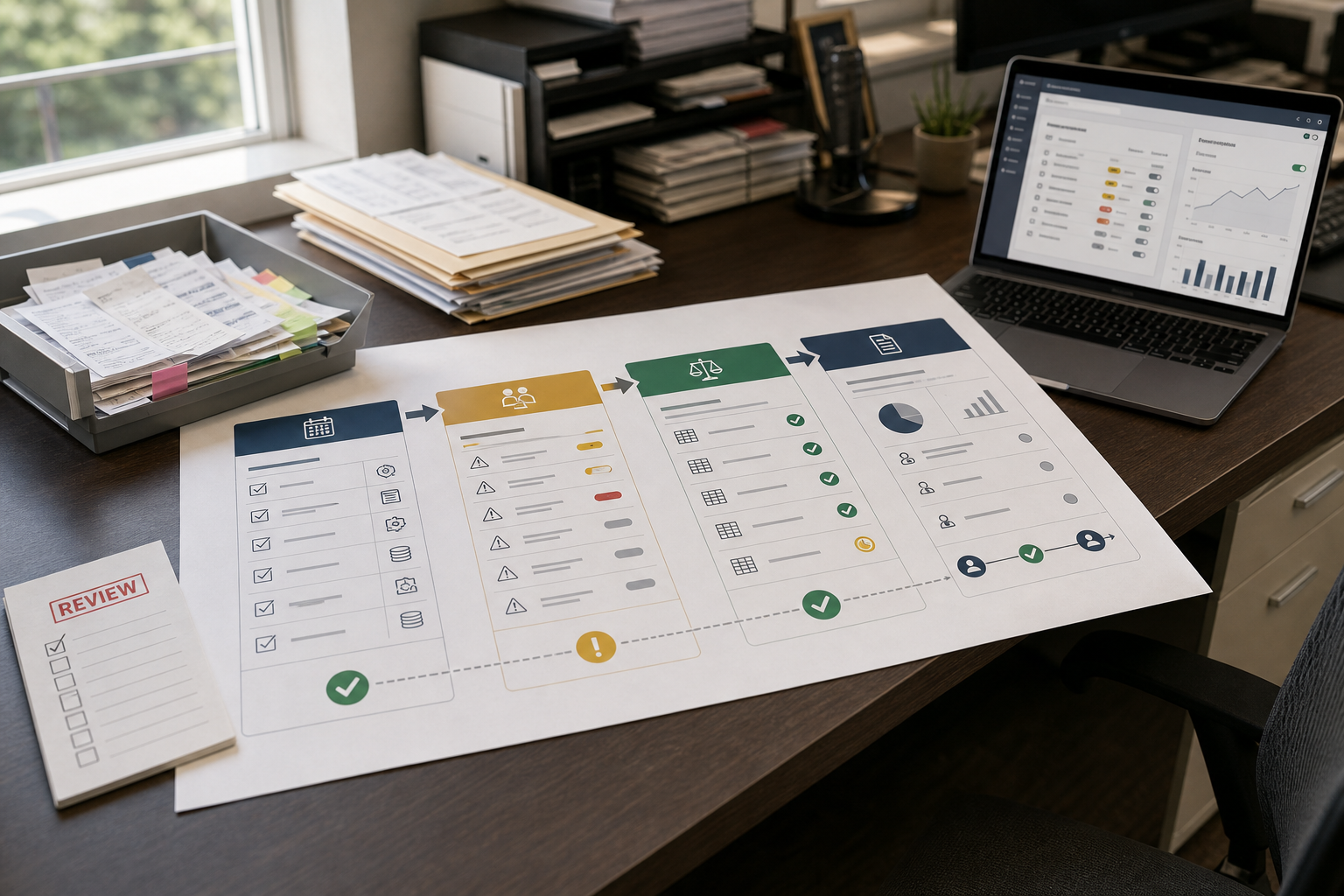
If your firm is growing but month-end close still feels like a scramble, you’re not alone. Most accounting teams don’t struggle because they lack expertise—they struggle because too much work is still manual: transaction coding, reconciliation follow-ups, chasing receipts, and rewriting the same client updates. AI for accounting is becoming practical because artificial intelligence in accounting can reduce repetitive work while improving control over exceptions and review. The broader relationship between AI and accounting is most valuable when technology improves a defined workflow rather than simply adding another tool.
Artificial intelligence in accounting is most useful when it improves a defined workflow rather than simply adding another AI tool to the firm’s technology stack.
Quick Answer (40–60 words): AI for Accounting is most useful when it automates high-volume, repeatable workflows like transaction categorization, receipt/invoice data extraction, reconciliation support, recurring reporting, and routine client communication. The best results come from standardizing your process first, piloting one workflow, measuring hours saved and exception rates, then scaling with human review and clear approvals.
What Is AI for Accounting?
AI for accounting refers to the use of artificial intelligence to support repetitive, data-heavy, and rules-based work across an accounting firm’s workflows. The goal is not to replace professional judgment, but to reduce manual effort and help accountants focus on exceptions, review, analysis, and client service.
Professional guidance is also evolving as AI becomes more common in the profession. AICPA & CIMA provides AI resources for accounting and finance professionals covering responsible and effective use of AI.
Let’s separate reality from hype. In most small and mid-sized accounting firms, “AI” isn’t a magic replacement for accountants. It’s typically one (or more) of these categories:
- Workflow automation: moving data and tasks between systems (document intake → coding → approvals → reporting) with fewer manual steps.
- Bookkeeping automation: transaction capture, categorization suggestions, matching documents to transactions, and reconciliation support.
- Intelligent document processing (IDP): extracting fields from invoices/receipts and validating them before posting.
- Decision support: anomaly detection, trend summaries, and draft commentary for reporting and advisory conversations.
- AI assistants: drafting client emails, summarizing meetings, generating SOPs, and helping staff respond faster (with oversight).
What it usually doesn’t mean (in practical accounting operations): fully autonomous bookkeeping with no review, judgment-free financial reporting, or “set-and-forget” compliance.
The Business-First AI Framework™ for accounting firms
Most firms waste time (and budget) when they start by shopping for tools. A better approach is to start with the bottleneck, then map it to the right automation category.
Business-First AI Insight: In accounting operations, the goal isn’t “maximum automation.” The goal is maximum throughput with control. The best AI implementations act like a control layer for exceptions—auto-handling the routine work while routing edge cases to the right reviewer with clear context.
Use this workflow-first sequence:
- Business problem: What’s slowing capacity or harming client experience? (Example: reconciliation takes too long; client status emails consume hours.)
- Workflow improvement: Standardize documents, define roles, clarify approvals, reduce spreadsheet dependencies.
- Choose the right solution: Pick the minimum tool set that removes the bottleneck.
- Implement with human oversight: Define exception rules, reviews, and approvals.
- Measure business outcomes: Hours saved, exception rate, close speed, response time.
- Standardize and scale: Train the team, document the SOP, then expand to more clients/workflows.
What Can AI Automate in an Accounting Firm?
If you want the fastest time-to-value, focus on the workflows that are (1) repetitive, (2) measurable, and (3) high-volume. In most firms, that’s bookkeeping production and close-related steps.
1) Transaction coding and categorization (your baseline automation win)
Why it matters: Transaction coding is repetitive, constant, and directly tied to time spent per client. It’s also easy to measure.
Where AI helps: suggesting categories, learning recurring patterns, and flagging uncertain transactions as exceptions for review.
Use it when: you have consistent chart-of-accounts rules, recurring vendors, and predictable client behavior.
Avoid (or delay) when: every client’s COA is inconsistent, rules aren’t documented, or the team has no shared coding standards. Fix that first—otherwise you’ll automate confusion.
2) Reconciliation support (speed + control)
Why it matters: Reconciliation delays cascade into late reporting and urgent client requests.
Where AI helps: matching items, highlighting exceptions, and reducing manual searching. The best operational outcome isn’t “zero exceptions”—it’s faster identification of the right exceptions.
3) Receipt and invoice capture (document intake without the back-and-forth)
Why it matters: Data entry and document chasing is where firms quietly lose hours—and where client friction shows up.
Where AI helps: extracting fields, matching documents to transactions, and validating required fields before posting.
Implementation note: This workflow performs best when documents are standardized (consistent naming, required fields, and clear submission channels).
4) Month-end close checklist and exception routing
Why it matters: Close speed is often limited less by accounting logic and more by task coordination: missing items, unclear ownership, late approvals, and repeated review cycles.
Where AI/automation helps: surfacing what’s late, routing tasks, and summarizing what changed since last period so reviewers don’t start from scratch.
5) Recurring reporting + first-draft client commentary
Why it matters: Many firms can generate reports, but still spend too much time turning those reports into a client-ready story.
Where AI helps: drafting variance explanations, highlighting trends, and creating a first-pass narrative that a professional refines.
6) Client communication: status updates, missing-doc requests, and “what’s the status?” replies
Why it matters: Client communication is essential—but it’s also one of the biggest hidden drains on senior time.
Where AI helps: drafting consistent messages, summarizing work status, and responding to repetitive questions faster (with a review step).
AI Bookkeeping and Transaction Processing
For many firms, AI for accounting starts with high-volume bookkeeping tasks where automation can reduce manual data entry and exception-handling effort.
AI bookkeeping uses automated bookkeeping processes such as transaction categorization, document matching, reconciliation support, and exception handling to reduce repetitive bookkeeping work. Depending on the workflow, firms may use AI bookkeeping software or broader accounting automation tools.
The most reliable implementations do not try to eliminate accountant involvement. They automate predictable steps and route uncertain or unusual items to the right reviewer.
Automated bookkeeping software works best when the underlying chart of accounts, transaction rules, and review process are already standardized. If each client uses inconsistent coding practices or staff handle exceptions differently, AI may produce more suggestions without producing better books.
What AI Bookkeeping Can Automate
AI bookkeeping typically sits between a client’s source systems and the accounting platform. It can interpret bank-feed activity, receipts, invoices, bills, and historical coding patterns, then suggest or complete routine bookkeeping actions.
Common workflows include:
- Transaction categorization: suggesting general-ledger accounts based on transaction descriptions, vendor history, client rules, and previous decisions.
- Document matching: connecting receipts, invoices, bills, and payment records to the corresponding transactions.
- Receipt and invoice extraction: capturing vendor names, dates, invoice numbers, totals, tax amounts, and other structured fields from documents.
- Reconciliation support: identifying likely matches, unmatched items, duplicates, and unusual transactions before review.
- Exception routing: sending low-confidence, unusual, material, or unsupported transactions to a human reviewer.
- Missing-document requests: identifying transactions that require supporting evidence and triggering a request rather than allowing the item to remain unresolved.
- Activity tracking: maintaining a record of suggestions, corrections, approvals, and final treatments where the software supports audit history.
The level of automation varies by product. Some tools primarily recommend categories, while others can match documents, prepare reconciliation work, or complete routine bank-feed processing. The important question is not how much a tool can automate, but which steps it can automate reliably within your firm’s controls.
A Practical AI Bookkeeping Workflow
A typical workflow looks like this:
Capture → Interpret → Suggest → Validate → Route Exceptions → Review → Reconcile
- Capture: Bank, credit-card, expense, invoicing, payroll, or point-of-sale activity enters the accounting platform.
- Interpret: The system examines transaction details, historical treatment, related documents, and client-specific rules.
- Suggest: AI recommends an account, category, customer, vendor, tax treatment, or matching record.
- Validate: Supporting documents and available transaction data are checked.
- Route exceptions: Unusual, low-confidence, high-value, or unsupported items are sent to a review queue.
- Review: A bookkeeper or accountant confirms or corrects the suggested treatment.
- Reconcile: Approved transactions remain connected to their supporting information for reconciliation and later review.
This is different from simply applying a traditional bank rule. A rule might categorize every transaction from a particular vendor as “Software.” An AI-assisted workflow can consider additional context such as transaction amount, historical treatment, related documents, and whether the transaction is unusual for that client.
Transaction Coding and Categorization
Transaction coding is often a practical starting point because it is repetitive, frequent, and measurable.
AI can suggest categories using:
- The client’s chart of accounts.
- Vendor and merchant history.
- Transaction descriptions and amounts.
- Previous reviewer decisions.
- Document information.
- Client-specific rules.
For example, recurring charges from an established software vendor may be categorized consistently, while a new or unusual vendor can be routed to a reviewer because there is not enough context for a reliable classification.
AI categorization works best when the firm has a consistent chart of accounts, documented treatment for common transactions, and clear rules for unusual or mixed-use expenses.
The important metric is not simply the percentage of transactions processed automatically. It is how many are processed correctly without creating additional rework.
Document Matching and Receipt Capture
Bookkeeping teams can lose significant time finding supporting documents and connecting them to transactions.
AI can help match receipts, invoices, bills, and payment records using information such as:
- Vendor or merchant name.
- Transaction amount.
- Invoice or receipt date.
- Invoice number.
- Customer or supplier record.
- Historical relationships between documents and transactions.
Intelligent document processing can also extract structured information from receipts and invoices, reducing manual data entry.
However, ambiguous or poor-quality documents still require review. A missing document, duplicate invoice, unusual tax treatment, or document covering multiple expenses should be routed for human validation rather than silently accepted.
Reconciliation Support
AI bookkeeping can also support automated bank reconciliation, making reconciliation more continuous instead of leaving most matching work until month-end.
It can help identify:
- Exact or likely transaction matches.
- Payments against open invoices or bills.
- Transfers between accounts.
- Duplicate or missing transactions.
- Old unmatched items.
- Amounts that differ from expected records.
- Unusual transactions requiring investigation.
The goal should not be to achieve zero exceptions at any cost. A healthy reconciliation workflow makes exceptions visible, explainable, assignable, and resolvable.
For example, a payment processor may deposit a net amount after fees, refunds, or chargebacks. A reliable workflow should preserve the relationship between the underlying transactions and the final deposit rather than forcing an incorrect match simply to clear the reconciliation.
Exception Handling and Human Review
Exception handling is the control layer that separates useful AI bookkeeping from unsupervised data entry.
Common reasons for human review include:
- Low-confidence categorization.
- New or unrecognized vendors.
- Unusual transaction amounts.
- Missing receipts or invoices.
- Potential duplicates.
- Personal or mixed-use expenses.
- Unmatched payments.
- Material transactions.
- Changes to vendor payment information.
- Tax-sensitive classifications.
- Potentially fraudulent or suspicious activity.
- Adjusting entries and other judgment-heavy decisions.
Each exception should have an owner, status, and resolution process. A queue that simply accumulates unresolved items is not automation—it is another backlog.
A useful rule is:
Automate the evidence gathering and first-pass treatment, but preserve professional approval where a decision could materially affect the books, tax position, cash movement, or client advice.
What Should Remain Human-Led?
AI bookkeeping is most effective when it handles routine processing while accounting professionals retain responsibility for interpretation, exceptions, and accountability.
Human review remains particularly important for:
- Unusual or material transactions.
- Mixed personal and business expenses.
- Related-party transactions.
- Payroll corrections.
- Revenue recognition or accrual decisions.
- Tax-sensitive classifications.
- Suspicious activity.
- Final reconciliations and adjusting entries.
- Client-facing explanations of financial results.
The objective is not to remove professional judgment. It is to move professional time away from repetitive processing and toward review, interpretation, and client advice.
Automating Accounting Processes and Workflows
The broader value of AI for accounting goes beyond bookkeeping. Firms can also automate connected workflows across reconciliation, reporting, client communication, and administrative tasks.
Accounting automation connects repetitive accounting tasks into a repeatable workflow rather than automating isolated steps. Accounting process automation can cover activities such as transaction processing, reconciliation, approvals, close management, reporting, and document handling.
The goal is not to automate every accounting decision. It is to reduce repetitive work, improve handoffs, surface exceptions earlier, and give accounting professionals more time for review, analysis, and client advice.
From individual tasks to accounting workflows
A useful accounting workflow connects related activities from the initial transaction or document through review, approval, reconciliation, and reporting.
For example:
Transaction captured → Categorized → Supporting document matched → Exception reviewed → Reconciled → Included in reporting
This is where accounting workflow software can provide value. Instead of automating one task in isolation, it can help coordinate data, tasks, approvals, and exceptions across the process.
Firms evaluating accounting automation software should therefore look beyond the number of AI features. The more important questions are whether the software fits the existing workflow, integrates with core accounting systems, handles exceptions clearly, preserves an audit trail, and produces measurable improvements in time, accuracy, or turnaround.
Bookkeeping Automation vs. Broader Accounting Automation
Many firms stall because they buy an “accounting AI” tool expecting it to fix bookkeeping production, or they buy a bookkeeping tool expecting it to solve reporting/advisory output.
| Area | Bookkeeping automation | Accounting automation | What success looks like |
|---|---|---|---|
| Primary goal | Reduce manual production work | Improve close, reporting, and decision support | Lower hours per client + faster close |
| Typical tasks | Coding, document matching, reconciliation support | Close workflows, reporting packs, anomaly detection, forecasting inputs | Fewer exceptions + clearer review |
| Best fit | High-volume recurring bookkeeping | Firms delivering management reporting/advisory | Clients get timely, consistent deliverables |
| Human role | Review exceptions, enforce standards | Interpret results, validate narratives, advise clients | More analysis, less rework |
The objective is not simply to automate accounting tasks wherever possible. Firms should automate the parts of the workflow that are repetitive, rules-based, measurable, and suitable for controlled human review. Judgment-heavy decisions should remain with accounting professionals.
AI Accounting Software: What Should Firms Look For?
AI accounting software can mean very different things—from bookkeeping automation and document processing to reconciliation, reporting, and workflow management. Accounting firms should evaluate software based on the workflow it improves, the level of human review required, and how well it fits the firm’s existing systems.
When evaluating AI for accounting, firms should assess software based on workflow coverage, integrations, controls, auditability, and measurable business value.
The right product is not necessarily the one with the most AI features. It is the one that reduces a specific bottleneck without weakening accounting controls or creating another disconnected workflow. Before comparing vendors, define the process you want to improve, the tasks that should remain human-led, and the metrics that will determine whether the implementation worked.
What to Evaluate in AI Accounting Software
1. Workflow Coverage
Start with the actual accounting work the software can improve. Depending on the product, AI accounting software may support:
- Transaction categorization and coding
- Receipt, invoice, and bill capture
- Document matching
- Bank and balance-sheet reconciliation
- Accounts payable and accounts receivable workflows
- Month-end close
- Financial reporting and variance analysis
- Anomaly or exception detection
- Client communication and document requests
Look beyond the feature list. Ask whether the software actually completes a step, prepares it for review, or simply helps staff track a task.
A useful question is:
Which steps disappear from the current process, which become faster, and which remain unchanged?
The strongest candidates automate repeatable, high-volume work while making exceptions easier to identify and resolve.
2. Integration With Existing Accounting Systems
AI accounting tools are only useful when they work with the systems the firm already uses.
Evaluate integration with the general ledger, banking, payroll, expense management, invoicing, practice management, document storage, and reporting systems.
Look for:
- Reliable synchronization with core accounting platforms
- Preservation of transaction and supporting-document information
- Clear handling of sync errors and duplicates
- Appropriate data exchange between systems
- Integration options that can scale as the firm’s workflows grow
Test integrations using realistic scenarios rather than relying only on a vendor demonstration. The objective is to confirm that the software reduces work rather than creating additional data-cleaning and reconciliation tasks.
3. Exception Handling
No automation system will process every accounting item correctly. The important question is what happens when the system is uncertain.
Good AI accounting tools should identify and route exceptions rather than forcing low-confidence items through the workflow.
Examples include:
- Unusual transaction amounts
- New vendors
- Missing supporting documents
- Possible duplicates
- Unmatched transactions
- Tax-sensitive items
- Transactions requiring approval
An effective exception workflow should make it clear why an item was flagged, who needs to review it, and what action is required.
The goal is not to eliminate exceptions. It is to make the right exceptions visible and easier to resolve.
4. Human Review and Approval
AI should reduce repetitive review without removing professional accountability.
Evaluate whether the software supports appropriate controls such as:
- Review queues for uncertain items
- Approval thresholds
- Role-based permissions
- Reviewer comments and overrides
- Approval for journals or adjustments
- Escalation for unusual or high-risk transactions
- An audit history of changes and approvals
A useful risk-based model might automatically process routine transactions while requiring human approval for unusual, material, or judgment-heavy items.
This distinction is important when evaluating AI software for accounting: the question is not simply whether a human can correct an AI result, but whether the system directs human attention to the items that genuinely require accounting judgment.
Human review remains important when AI is used for accounting research and financial-reporting judgments. AICPA & CIMA’s recent guidance on accounting research and AI highlights both the opportunities and the risk of over-relying on AI-generated analysis.
5. Auditability
Every AI-assisted accounting action should be traceable.
Evaluate whether the system preserves:
- Source transactions and documents
- AI-generated suggestions
- User changes and overrides
- Approval decisions
- Timestamps
- Links between source documents and accounting entries
- Relevant processing or synchronization history
A strong audit trail should allow the firm to understand how an entry moved from source data to final approved information.
This is useful not only for audits, but also for investigating errors, answering client questions, training staff, and monitoring whether automation is improving the process.
6. Implementation Effort
A product can have strong functionality and still produce a poor return if implementation requires extensive data cleanup, process redesign, or ongoing manual maintenance.
Consider:
- Chart-of-accounts and client-data preparation
- Integration setup
- Workflow and rule configuration
- User permissions
- Staff training
- Testing and validation
- Ongoing maintenance
- Internal ownership after implementation
A focused pilot is usually easier to evaluate than a firm-wide rollout. Start with one repeatable workflow or a group of similar clients, establish a baseline, and measure the results before expanding.
7. Scalability
A solution that works for one client may not work efficiently across a growing accounting firm.
Evaluate whether the software can support:
- Multiple clients and entities
- Different charts of accounts
- Client-specific rules and approval policies
- Increasing transaction volumes
- Role-based access
- Standardized workflows across similar clients
- Centralized monitoring and reporting
For accounting firms, scalability should mean more than handling more users. The software should allow the firm to standardize repeatable processes while keeping each client’s data, rules, and permissions appropriately separated.
8. Data and Security Controls
Accounting firms handle confidential financial and client information, so security should be assessed before connecting production data.
Review areas such as:
- Encryption
- Access controls and permissions
- Multi-factor authentication
- Client data isolation
- Data retention and deletion
- Subprocessors and hosting
- Incident response
- Security certifications or independent assessments
- Whether customer data is used to train shared AI models
For AI-specific tools, also ask how prompts, uploaded documents, model outputs, and human corrections are stored and protected.
Do not rely solely on a vendor’s general statement that its platform is “secure.” Review the actual controls and documentation relevant to the firm’s data and workflow.
9. Measurable ROI
The business case for accounting AI software should be based on workflow outcomes rather than the number of AI features.
Track a baseline and compare it with post-implementation results such as:
- Hours spent per client or workflow
- Percentage of transactions processed automatically
- Exception rate
- Rework or correction rate
- Days required to complete the close
- Time spent chasing missing documents
- Report turnaround time
- Unresolved exceptions
- Staff adoption
A simple ROI calculation is:
Net monthly impact = Value of time saved − Software cost − Implementation and maintenance costs
Time savings alone do not prove success. If automation reduces coding time but increases corrections or review work, the firm may simply be moving the workload rather than reducing it.
The stronger business case combines capacity, speed, accuracy, and control.
Examples of AI and Automation Tools for Accounting Firms
Once the evaluation criteria are clear, the next step is to compare tools by the workflow they support rather than by the number of AI features they advertise.
This section is intentionally practical: not feature lists, but how tools tend to fit real accounting workflows. Pricing and exact integrations change frequently, and several vendors don’t publish pricing publicly—so treat this as a shortlist and verify details on official vendor pages before committing.
| Tool | Best For | Ease of Use | Time to Value | Business Size | Notes |
|---|---|---|---|---|---|
| QuickBooks Online Accountant | Firms already standardized on QuickBooks | High | Fast | Small to mid-sized | Practical baseline automation (bank feeds, batching, reports). Not AI-native, but often the simplest “start here.” |
| Botkeeper | Scaling bookkeeping capacity with firm-oriented workflows | Medium | Medium | Small to mid-sized firms growing fast | Positioned around bookkeeping automation + review workflows for firms; pricing details not always visible publicly. |
| Booke AI | Categorization + matching + exception review before reconciliation | Medium | Medium | US-focused firms doing higher-volume bookkeeping | Workflow fit is strongest when rules and exceptions are clearly defined. |
| Dext | Receipt/invoice capture and document-driven bookkeeping | Medium to high | Fast | Small to mid-sized | Strong for document intake standardization; not a complete bookkeeping automation stack by itself. |
| Fathom | Management reporting and advisory-style analysis packs | Medium | Medium | Small to mid-sized advisory-oriented firms | Great “client-ready” reporting layer; doesn’t replace bookkeeping automation. |
| Trullion | Structured finance workflows, reporting/compliance automation | Medium to advanced | Medium | Mid-market complexity | More finance-ops oriented than pure bookkeeping; best when you have mature processes and governance. |
| Wolters Kluwer / Thomson Reuters AI tools | Tax/audit/compliance-heavy environments | Advanced | Slower | Mid-market and larger firms | Typically deeper professional coverage and governance expectations; may be heavier to implement. |
| Digits | Firms exploring AI-native accounting platforms | Medium | Unclear | Varies | AI-first positioning; evaluate integration fit carefully because migrations and workflow change can be the real cost. |
| Ramp Stack | Firms looking at broader finance automation stacks | Medium | Medium | Varies | Positioned for accounting firms; validate exact workflow fit and integrations during evaluation. |
The right choice depends on the firm’s bottleneck, existing accounting stack, client mix, control requirements, and implementation capacity. Product capabilities, integrations, and pricing can change, so firms should verify current details directly with vendors before making a purchasing decision.
Where Most Small Accounting Firms Should Start
For most small firms, the best starting point is not a big “AI platform.” Start by tightening transaction coding + reconciliation inside your existing accounting system (often QuickBooks Online Accountant if that’s your core). Then add a focused tool for the next bottleneck: document capture (if intake is the pain) or reporting (if advisory output is the pain). Specialist AI bookkeeping platforms become most valuable when you’re scaling client volume and production capacity is your limiting factor.
AI for Client Communication
AI can improve routine client communication by reducing repetitive drafting, follow-ups, information requests, and status updates. The value comes from connecting communication to the underlying accounting workflow—not from using AI simply to generate more messages.
For example, an accounting firm can use AI to help draft responses based on approved client information, identify missing documents, send routine reminders, summarize workflow status, and route questions that require professional judgment to the appropriate team member.
The key control is human review. Client-facing financial information should be checked before it is sent, particularly when the message involves exceptions, unusual transactions, tax matters, financial interpretation, or recommendations.
A Practical “AI-Assisted Communication” Workflow
A controlled communication workflow can look like this:
Trigger → Gather approved data → Draft response → Human review → Send → Log
1. Trigger
A client request, missing document, approaching deadline, workflow status change, or recurring communication requirement starts the process.
2. Gather approved data
The workflow retrieves relevant information from the firm’s accounting or practice-management systems. AI should work from approved information rather than inventing or estimating financial details.
3. Draft the response
AI prepares a draft using the firm’s preferred tone, templates, and available client information.
4. Human review
An accountant or authorized team member checks the draft for accuracy, context, confidentiality, and appropriateness before sending.
5. Send and log
The approved message is sent through the firm’s normal communication channel and recorded where appropriate.
This approach allows firms to automate the repetitive parts of client communication while keeping professional judgment and accountability with the accounting team.
Where AI-Assisted Client Communication Helps
Common opportunities include:
- Document requests: Draft reminders for missing receipts, invoices, statements, or other information.
- Status updates: Prepare routine updates on bookkeeping, reconciliation, or month-end activities.
- Client questions: Classify incoming questions and route them to the appropriate person.
- Follow-ups: Identify outstanding client actions and prepare follow-up messages.
- Onboarding: Help collect standard information and documents while escalating exceptions.
- Recurring communication: Draft consistent messages for recurring reporting or workflow events.
The objective is not to increase the volume of client messages. It is to make necessary communication faster, more consistent, and easier for the team to manage.
Automated Financial Reporting
Reporting is another area where AI and automation can reduce repetitive work, particularly when firms produce similar reports for multiple clients.
Automated financial reporting can reduce the manual work involved in assembling recurring reports, preparing summaries, and organizing supporting data while keeping professional review in the process.
Where AI Helps Reporting the Most
Depending on the firm’s systems and reporting process, AI can assist with:
- Recurring management report preparation — assembling standard reports and supporting information.
- Variance summaries — highlighting significant changes between reporting periods.
- Identification of unusual movements — flagging transactions or balances that may require investigation.
- Draft commentary — preparing first-draft explanations of financial changes for accountant review.
- Period-over-period comparisons — comparing current results with prior periods or defined benchmarks.
- Data collection — gathering information needed for recurring report packs.
- Exception identification — surfacing potential issues before reports are delivered to clients.
A Practical Reporting Workflow
Data collected → Reports prepared → Variances identified → AI drafts commentary → Accountant reviews → Final report delivered
For firms considering AI financial reporting, the important distinction is between generating a draft and approving the financial interpretation. AI can help identify patterns and prepare explanations, but accounting professionals should review material variances, unusual items, and client-facing conclusions before reports are finalized.
The biggest opportunity is often upstream. If transaction coding, reconciliation, document collection, and month-end processes are inconsistent, automating the final report does not solve the underlying problem.
That is why financial reporting automation should be considered as part of the broader accounting workflow rather than as an isolated AI feature. The objective is to reduce repetitive preparation work while preserving the accountant’s role in interpretation, review, and final approval.
Automation of financial statements can be useful where the underlying data, reporting structure, and review process are standardized. However, automation should not remove the controls needed to validate the completeness, accuracy, and appropriate presentation of financial information.
Decision matrix: which AI category should you adopt first?
If you’re deciding where to start, use the simplest rule: pick the automation that removes your highest-friction chokepoint.
| If your main bottleneck is… | Start with… | Why | What to measure |
|---|---|---|---|
| Too much manual coding | Bookkeeping automation (categorization + rules + exception review) | High volume, measurable, fast payoff | % auto-coded, review minutes per client |
| Receipt/invoice chaos | Document capture / IDP workflow | Reduces client back-and-forth and data entry | Missing-doc rate, data-entry time, rework |
| Reconciliation delays | Reconciliation support + exception queue | Speeds close and reduces fire drills | Days to reconcile, exceptions per account |
| Reporting takes forever | Reporting/analysis layer + standardized monthly pack | Turns data into client-ready outputs faster | Report turnaround time, revision cycles |
| Too many repetitive emails | AI-assisted client communication templates + routing | Immediate time savings with controlled risk | Response time, email drafting time |
How to Start With AI in an Accounting Firm (2–8 weeks to a focused pilot)
Most firms don’t need a long “digital transformation” to get value. A focused pilot can be implemented in a few weeks—if you keep scope tight.
Phase 1 (Week 1): pick one workflow and define “done”
- Choose one client segment (e.g., 10 clients with similar transaction patterns).
- Pick one workflow (e.g., coding + reconciliation, or receipt capture).
- Define what success means in numbers (hours saved, exception rate, close speed).
Phase 2 (Weeks 2–3): standardize inputs and exception rules
- Create a simple document standard: naming, required fields, submission channel.
- Define exception rules: what must be reviewed, who reviews it, and what gets escalated.
- Confirm approvals: especially for AP/AR steps if you automate beyond bookkeeping.
Phase 3 (Weeks 3–6): implement, train, and run parallel checks
- Train staff on the workflow (not just the tool): what changes, what stays human, and how to handle edge cases.
- Run parallel checks for one close cycle: compare results, track rework, tighten rules.
- Document a short SOP and a review checklist.
Phase 4 (Weeks 6–8): measure and decide whether to scale
- Review KPI changes (see next section).
- Decide: expand to more clients, or fix upstream process issues first.
- Only then add the next automation layer (reporting or communication).
Start Today / Improve Next / Scale Later
Start Today: Automate one repetitive, high-volume workflow with clear rules and human review.
Improve Next: Measure time saved, exceptions, accuracy, and turnaround time, then refine the workflow.
Scale Later: Expand to similar workflows and clients only after the pilot delivers measurable business value.
Measuring ROI From Accounting AI (what to track so you’re not guessing)
Because many vendors don’t publish consistent benchmarks, your firm’s ROI case should be built from your own baseline metrics. The business case for AI for accounting should therefore be measured through time saved, faster turnaround, reduced rework, capacity created, and improved client service.
Core KPIs to track
- Hours per month-end close (per client segment): the clearest operational KPI.
- Exception rate: how many items require human review.
- % of transactions auto-coded: a practical measure of automation maturity.
- Rework rate: corrections after review (a proxy for quality and controls).
- Client response time: how quickly you reply to routine requests.
- Report turnaround time: from period end to client-ready delivery.
A simple ROI model you can use internally
You don’t need complicated finance modeling to decide whether a pilot worked. Start with:
- Time saved per month = (baseline hours − post-automation hours)
- Value of time saved = time saved × internal hourly cost (or redeployment value)
- Net impact = value of time saved − software + implementation + training time
Then add a qualitative layer:
- Did quality improve or decline?
- Did client experience improve (fewer delays, fewer missing-doc chases)?
- Did staff feel the workflow got simpler—or just different?
Security, privacy, and compliance considerations (before you connect any AI to financial data)
AI can touch highly sensitive client information. Before rollout, treat security and compliance as a gating checklist, not a checkbox.
- Data access scope: only connect what the workflow requires.
- Auditability: can you trace how an output was produced and who approved it?
- Permissions: enforce least-privilege access for staff and tools.
- Vendor posture: confirm security controls and data handling via official vendor documentation.
- Human review: required for any client-facing narrative, classification edge cases, and unusual anomalies.
If you’re unsure, start with automation that doesn’t require broad data access (for example, standardizing document intake and using AI only for internal drafts).
For firms introducing AI into accounting workflows, the NIST AI Risk Management Framework provides a voluntary framework for managing AI risks and promoting trustworthy AI use.
For firms using electronic accounting systems, the IRS guidance on recording business transactions explains that electronic records must provide a complete and accurate record of the data and remain accessible to the IRS.
Common mistakes accounting firms make with AI automation (and better alternatives)
Mistake 1: buying tools before defining the bottleneck
Why it happens: tool demos feel productive, and “AI accounting software” sounds like a one-stop solution.
Consequence: you end up with tool sprawl, low adoption, and unclear ROI.
Better approach: choose one measurable workflow (coding + reconciliation is the usual best start) and pilot it first.
Mistake 2: automating messy processes
Why it happens: firms try to “AI their way out” of inconsistent coding standards or chaotic client document intake.
Consequence: automation amplifies inconsistency—more exceptions, more rework, less trust.
Better approach: standardize inputs and define exception rules before expanding automation.
Mistake 3: treating AI as a speed tool instead of a control tool
Why it happens: the first promise most teams hear is “do work faster.”
Consequence: speed increases, but review becomes harder because outputs aren’t explainable or consistent.
Better approach: design for exception handling first: clear queues, ownership, and review checklists.
Mistake 4: skipping training and change management
Why it happens: firms assume “the tool is intuitive” and under-invest in workflow training.
Consequence: inconsistent usage, workarounds, and the old process creeping back.
Better approach: train on the new workflow, define roles, and document an SOP that’s easy to follow.
FAQs
What can AI automate in an accounting firm?
AI can help automate transaction categorization, reconciliation support, receipt/invoice data extraction, recurring reporting drafts, anomaly detection prompts, and routine client communication drafts. In most firms, it works best as workflow automation plus decision support, with humans reviewing exceptions and client-facing outputs.
Which bookkeeping tasks are the best to automate first?
Most firms start with transaction coding and reconciliation because those steps are high-volume, repetitive, and easy to measure. Receipt capture and invoice extraction often follow, especially if document intake is a major bottleneck.
What’s the difference between bookkeeping automation and accounting automation?
Bookkeeping automation focuses on capture, categorization, document matching, and reconciliation support. Accounting automation extends into close workflows, reporting packs, compliance-oriented processes, and decision support for advisory conversations.
Do accounting firms need AI-native accounting software to benefit from AI?
Not always. Many firms get strong results by improving workflows inside their existing accounting platform and adding targeted tools for the next bottleneck (document capture or reporting). AI-native platforms can be worth exploring, but integration fit and migration effort often determine real ROI.
Is AI safe for accounting data?
Safety depends on vendor controls, permissions, auditability, and how data is accessed and stored. Before connecting any AI tool to sensitive financial data, review official vendor security documentation and implement least-privilege access, clear approval steps, and human review for exceptions and client-facing outputs.
How do you measure ROI from accounting AI?
Track hours saved per close, exception rate, rework rate, report turnaround time, client response time, and the percentage of transactions auto-coded. A pilot is successful when it measurably reduces time and improves control (not just when it “feels faster”).
Will AI replace accountants?
Most practical implementations position AI as a way to reduce repetitive production work and improve review focus—not as a replacement for professional judgment. The firms that win use AI to free capacity for analysis, client guidance, and higher-value advisory services.
Conclusion: automate for capacity, not novelty
The most successful AI for Accounting implementations don’t start with ambitious tool stacks. They start with one stubborn bottleneck—transaction coding, reconciliation, document intake, reporting production, or repetitive communication—and they redesign that workflow so automation can actually work. When you treat AI as a control layer for exceptions (not just a speed boost), you get the real prize: more capacity, cleaner closes, and a client experience that feels proactive instead of reactive.
The goal of AI for accounting is not to automate everything. It is to remove repetitive work so accounting professionals can spend more time on review, advice, and higher-value client work.
Next step: If you want a practical starting point, build a one-page workflow map of your current bookkeeping-to-reporting process and mark where time is lost (handoffs, missing docs, rework, approvals). Then choose one workflow to pilot and measure. If you’d like a structured approach, consider using an Accounting Automation Checklist (lead magnet idea) to score readiness, risks, and ROI before you buy anything.