
How to Build a Botpress WhatsApp Chatbot (Step-by-Step Guide)
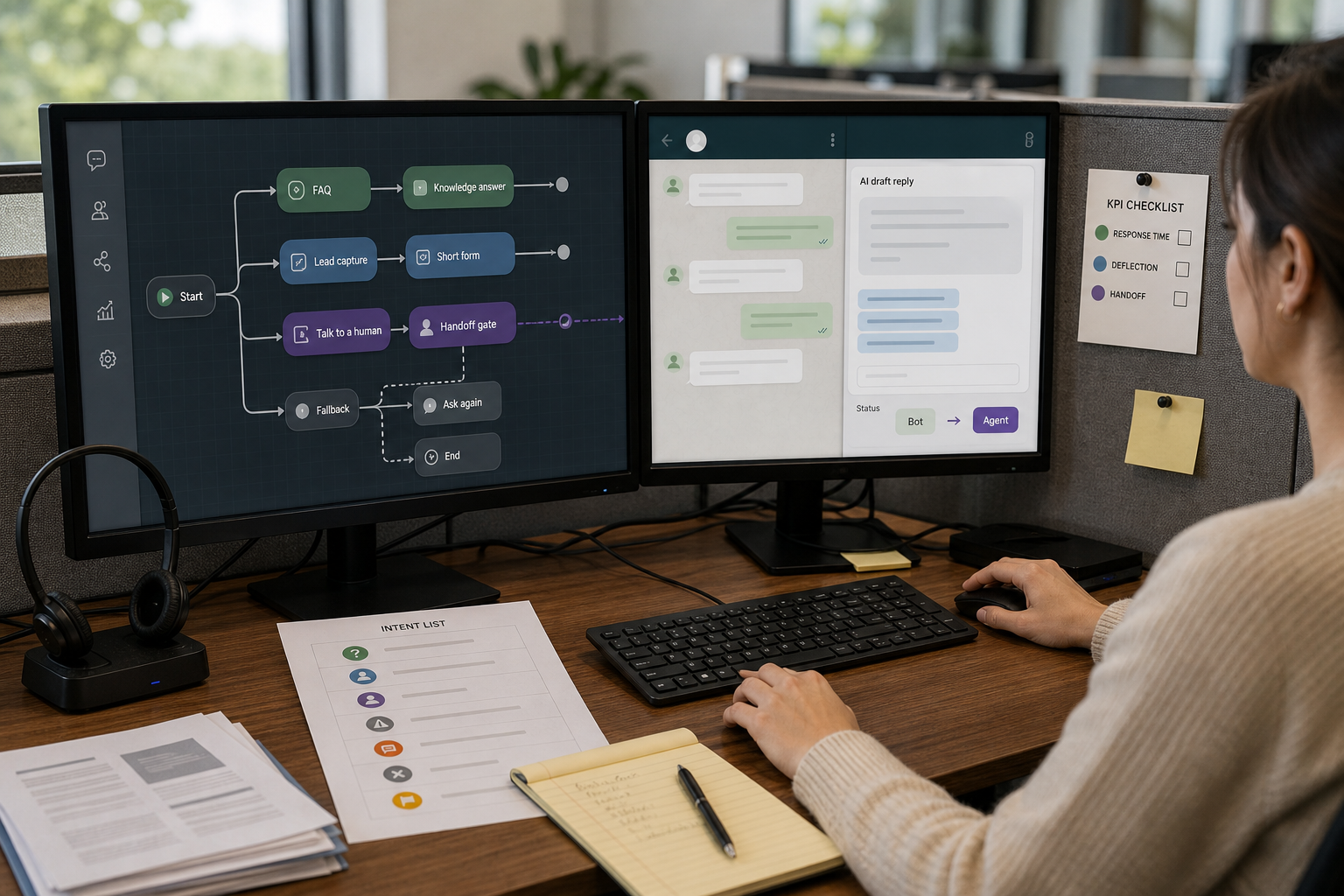
If your customers message you on WhatsApp, your response speed becomes part of your brand. The problem is that most small teams can’t answer the same “price?”, “hours?”, “do you deliver?”, and “where’s my order?” questions all day (and all night) without dropping leads or burning out support. A WhatsApp AI Chatbot built in Botpress can handle first-line questions, capture lead details, and route edge cases to a human—without making WhatsApp feel like a ticketing system.
If you’re looking for how to create a WhatsApp bot, the process involves more than building the conversation flow. You also need to connect the bot to WhatsApp’s business messaging infrastructure, configure the integration, test incoming messages, and establish a clear path for human handoff.
Quick Answer (40–60 words): To build a WhatsApp AI chatbot in Botpress, first define one narrow business use case (FAQ support or lead capture), then create your bot in Botpress Studio, add a knowledge base, install the WhatsApp integration (Explore Hub → WhatsApp → Install), authorize WhatsApp, connect your Meta/WhatsApp Business setup, test in a safe environment, and only then publish and monitor handoff and deflection KPIs.
What Is a Botpress WhatsApp Chatbot?
A Botpress WhatsApp chatbot is an AI-powered chatbot built with Botpress and connected to WhatsApp so it can answer common customer questions, use your business knowledge, capture lead details, and route complex requests to a human when needed.
In simple terms, WhatsApp is the customer communication channel, while Botpress provides the platform for building the chatbot’s AI, knowledge, conversation workflows, and business logic.
Before you connect WhatsApp to Botpress, it helps to understand what the chatbot does in operational terms:
- A front door for repetitive questions: It handles common support and inbound sales questions before they reach your team.
- A routing layer: It identifies what the customer needs—such as an FAQ, booking request, order-status question, or request to speak with a human—and moves the conversation to the appropriate next step.
- A knowledge-based assistant: It can use your approved business information, such as product details, policies, service information, and FAQs, to provide more consistent answers.
- A quality-control layer: It helps standardize responses about business hours, policies, products, and next steps so your team isn’t constantly improvising.
- A human handoff point: When a request is sensitive, complex, unclear, or outside the bot’s scope, the conversation can be routed to a human.
This is why the most important design decision isn’t which AI model to use or how advanced your Botpress setup is. It is deciding which conversations should be automated and which should be handed off to a human.
For a small business, the best starting point is usually one high-volume, low-risk workflow—such as answering FAQs or qualifying leads—rather than trying to automate every WhatsApp conversation at once.
How the Botpress WhatsApp Chatbot Works
A Botpress WhatsApp chatbot connects your customer conversations on WhatsApp with Botpress, where AI, business knowledge, conversation workflows, and human handoff rules determine how each message is handled.
The basic architecture looks like this:
Customer → WhatsApp → Meta / WhatsApp Business Platform → Botpress → AI + Knowledge Base → Conversation Workflow → AI Response or Human Handoff → WhatsApp
Here is what each component does:
- Customer: Sends a question, request, or message through WhatsApp.
- WhatsApp: Delivers the customer message through the business messaging infrastructure.
- Meta / WhatsApp Business Platform: Provides the messaging infrastructure that allows businesses and connected applications to exchange WhatsApp messages.
- Botpress: Receives the conversation and applies your chatbot’s instructions, workflows, integrations, and business logic.
- AI + Knowledge Base: Helps the chatbot understand the request and answer using your approved business information.
- Conversation Workflow: Determines what should happen next—for example, answer an FAQ, collect lead information, check a workflow, or ask for clarification.
- Human Handoff: Routes the conversation to a person when the request is sensitive, complex, unclear, or outside the bot’s scope.
- WhatsApp: Delivers the response back to the customer.
This distinction is important: WhatsApp is the communication channel, while Botpress is where you build and manage the chatbot experience.
Your goal is not simply to connect an AI model to WhatsApp. It is to create a reliable business workflow that can answer appropriate questions automatically while giving customers an easy path to a human when automation is not appropriate.
Business-First AI Framework™: start with the workflow, not the bot
Botpress can build the chatbot. WhatsApp can deliver messages. But if you don’t define a workflow, you’ll still get messy conversations—just faster.
A Botpress WhatsApp chatbot works best when it is designed around a specific business workflow rather than treated as a general-purpose AI assistant.
Business-First AI Insight: The fastest way to get value from a WhatsApp bot is to automate one high-volume, low-risk workflow (like FAQs) and measure deflection and handoff. A “do-everything” bot usually ships later, breaks more often, and creates more customer frustration than it removes.
Use this simple blueprint before you build:
- Business problem: What’s causing lost time or lost leads on WhatsApp?
- Workflow improvement: What should happen every time someone asks that question?
- Right solution: Botpress + WhatsApp integration (and optionally automation tools for CRM, notifications, etc.).
- Human oversight: Clear escalation rules and “talk to a human” paths.
- Measure outcomes: Deflection, response time, lead capture, handoff rate.
- Standardize and scale: Add new intents only after the first one is stable.
What You Need to Build a WhatsApp AI Chatbot with Botpress
The Botpress build is usually not the hardest part. The most common friction is the Meta / WhatsApp Business setup and authorization path.
Minimum prerequisites
- A Botpress account (so you can access Botpress Studio).
- A WhatsApp Business setup that can be connected (production typically requires WhatsApp Business API access via Meta/WhatsApp Business).
- A defined first use case (FAQ support or lead capture is ideal).
- Basic business content: hours, location/service area, pricing rules (if any), return/refund policy, booking process, common troubleshooting steps.
What to expect from the WhatsApp side
- Authorization and account linking: many setups require you to connect the chatbot platform to an approved WhatsApp business account.
- Template considerations: if you want outbound or initiated messaging, WhatsApp template rules commonly apply. Plan for this early so you don’t design a workflow you can’t legally/technically trigger later.
- Testing vs production: you’ll want a safe test flow before real customers see it.
Why Use Botpress for a WhatsApp Chatbot?
A Botpress WhatsApp chatbot combines Botpress’s conversational AI and workflow tools with WhatsApp as the customer messaging channel.
Botpress is a good fit for small and mid-sized businesses that want to build a WhatsApp AI chatbot without developing the entire conversational infrastructure from scratch. Botpress Studio brings together visual workflow building, AI capabilities, knowledge bases, integrations, testing, and bot management in one environment.
For a small business, the main advantage isn’t simply that Botpress can connect to WhatsApp. It’s that you can build the Botpress WhatsApp chatbot around a specific business workflow and gradually make it more capable as your needs grow.
Here are the main advantages:
- Botpress Studio: Use a visual development environment to build and test conversation workflows, nodes, and actions without having to code the entire chatbot from scratch.
- Knowledge base: Give your bot access to business information such as FAQs, policies, documents, websites, and structured data so it can use your approved sources when answering questions.
- Conversation workflows: Design specific paths for use cases such as FAQs, lead qualification, booking requests, order-status questions, and human escalation.
- WhatsApp integration: Botpress provides an official WhatsApp integration that lets you connect a published bot to a WhatsApp number. The setup can use the standard authorization flow or, for advanced use cases, a manually configured Meta app.
- AI capabilities: Botpress provides the tools to build a Botpress AI chatbot that can use business knowledge, conversation logic, and workflow actions rather than relying on generic AI responses alone.
- Human handoff: You can design explicit escalation paths for situations where the bot should stop and involve a person. Botpress also supports live-agent handoff patterns in its workflows.
- SMB-friendly approach: You can start with a narrow workflow—such as FAQ support or lead capture—measure the results, and add more intents and automation after the first version is stable.
The key is to treat Botpress as the platform for building a business workflow, not simply as a way to make a chatbot. Before connecting WhatsApp, build and test your Botpress chatbot around one clear use case, define when it should answer, and decide when a human should take over.
Step 1: Create Your Bot in Botpress
Start by creating the chatbot in Botpress Studio before connecting WhatsApp.
The exact Botpress interface can change over time, but the basic process is:
- Sign in to Botpress.
- Create a new bot.
- Give your bot a clear name based on its business purpose.
- Define what the bot should accomplish on day one.
- Open the bot in Botpress Studio and begin configuring its knowledge and conversation workflows.
For example, a Botpress WhatsApp chatbot could be created specifically to answer FAQs, qualify new leads, or route support requests to your team. Instead of creating a general-purpose customer service bot, you could define the first version like this:
“Help customers answer common questions about our services, collect basic lead information, and connect customers to a human when the request requires personal assistance.”
At this stage, don’t try to build every possible customer interaction. A focused Botpress WhatsApp chatbot is easier to test, launch, and improve.
Pick one beginner-friendly first bot
- FAQ Support Bot: Answers store hours, pricing ranges, service area, policies, basic troubleshooting, and routes complex cases to a human.
- Lead Qualification Bot: Collects name, need, location, preferred callback time, and routes qualified leads to sales.
Consultant Insight: The bot that ships wins. A simple FAQ bot can go live quickly and start deflecting repetitive questions. You can add lead qualification next—once you know customers are getting accurate answers and your handoff works.
Step 2: Define the business use case (intent list + success criteria)
A WhatsApp chatbot feels “smart” when it correctly identifies what the customer wants and moves them forward with minimal friction. The easiest way to do that is to define intents (the reason someone is messaging you).
Create a small intent list (start with 5–8)
- Business hours / availability
- Pricing / packages (high-level)
- Location / service area
- Booking / appointment request
- Order status / delivery question (if applicable)
- Return/refund policy (if applicable)
- Speak to a human
- Other / unclear
Define what “success” means for each intent
- FAQ intents: customer gets an accurate answer + a next step (e.g., link-free next step such as “Reply 1 to book, 2 to talk to a person”).
- Lead intents: you capture the minimum details needed for follow-up without annoying the user.
- Human handoff: the user reaches a person with context, not forced to repeat everything.
Step 3: Build your knowledge base (so the AI answers consistently)
If you want your WhatsApp AI chatbot to answer real customer questions reliably, you need to ground it in your business information. In Botpress, a common approach is to add a knowledge base and upload business documents or structured content that the bot can reference.
What to include in your first knowledge base
- One “Source of Truth” FAQ document (even a well-structured document is better than scattered info across chat logs).
- Policies (returns, cancellations, service boundaries).
- Operational facts (hours, address/service area, booking windows, payment methods).
- Support playbook snippets for common issues (the steps your team repeats daily).
The quality of your Botpress WhatsApp chatbot depends heavily on whether its knowledge base contains accurate, current, and approved business information.
Knowledge base quality rules (practical, not theoretical)
- Write like customers ask, not like internal SOPs. If customers say “Where are you located?” include that phrasing.
- Don’t bury the answer. Put the direct answer first, then details.
- Decide what you won’t answer (e.g., legal/medical advice, custom quotes without a human review).
Business Tip: If your team can’t agree on the “official” answer to a question, don’t ask the chatbot to guess. Fix the policy or script first—then automate it.
Step 4: Install the WhatsApp integration in Botpress
Now you’ll connect the channel. At this stage, your WhatsApp AI chatbot is ready to be connected to the WhatsApp messaging channel. In Botpress Studio, the documented path typically looks like:
- Open Botpress Studio.
- Go to Explore Hub.
- Search for WhatsApp.
- Select the WhatsApp integration and click Install.
- Open the integration configuration.
Installing the WhatsApp integration gives your Botpress WhatsApp chatbot the connection it needs to communicate with customers through WhatsApp.
At this step, Botpress is ready to connect—but whether you can complete authorization depends on your WhatsApp/Meta setup.
For the latest installation and authorization instructions, see the official WhatsApp Setup – Docs from Botpress.
The WhatsApp API integration connects your WhatsApp business messaging channel with Botpress so incoming customer messages can enter your chatbot workflow.
Step 5: Connect Botpress to WhatsApp
Most production WhatsApp bots require access to WhatsApp’s business messaging infrastructure and a properly configured Meta/WhatsApp business setup. This is the part that can vary by account type and region, and it’s where many “quick tutorials” skip important details.
Once connected, your Botpress WhatsApp chatbot can receive customer messages through WhatsApp and route them into your Botpress conversation workflow.
Authorize WhatsApp
For the standard Botpress setup, use the authorization flow provided by the WhatsApp integration you installed in Botpress.
Follow the prompts to connect the required WhatsApp and Meta business assets. The exact screens and account options can vary depending on your setup.
Connect Your WhatsApp Business Setup
There are two common connection realities:
- Standard Botpress path: Install the WhatsApp integration in Botpress and complete the built-in authorization flow.
- Advanced/manual path: Configure the connection through Meta’s developer tools, which may involve permissions, access tokens, business assets, and webhook settings.
For most small businesses, start with the standard Botpress connection path unless your use case requires a custom Meta configuration.
Set Up the WhatsApp Business Platform
Meta’s WhatsApp Business Platform provides the infrastructure for business messaging. Depending on your setup, you may need to connect your business assets, authorize permissions, and link your WhatsApp Business Account.
Advanced configurations can involve the WhatsApp Business Platform API, permissions, access tokens, and webhooks. The exact requirements depend on how your Botpress integration is configured.
Set Up WhatsApp Cloud API
WhatsApp Cloud API provides the API-based connection used to send and receive WhatsApp messages.
A WhatsApp bot API connection allows your chatbot to exchange messages with customers through WhatsApp. If you are using the standard Botpress integration, follow the connection method supported by the current Botpress setup rather than creating a custom API configuration unless you specifically need one.
Configure the WhatsApp Webhook
A WhatsApp webhook allows incoming events, such as customer messages, to be delivered to the connected application.
If the Botpress integration handles webhook configuration automatically, you do not need to configure a separate webhook manually. Follow the Botpress authorization and connection process, then test by sending an incoming WhatsApp message.
Plan for WhatsApp Message Templates
Some WhatsApp business workflows require approved message templates, particularly when a business initiates or sends certain outbound messages.
Examples include:
- Appointment reminders
- Quote or lead follow-ups
- Order updates
- Customer notifications
Before launching, identify which outbound messages your business needs and verify the current WhatsApp requirements for templates and message delivery.
Step 6: Design the Conversation Flow
A WhatsApp AI chatbot isn’t a website. People message in fragments, change their mind mid-conversation, and send voice notes or images. Your flow needs to be forgiving.
A Botpress WhatsApp chatbot should keep conversations short, clear, and easy for customers to navigate on a mobile screen.
Pattern A: FAQ support bot (fastest path to value)
A simple, reliable structure:
- Greeting + expectation setting: what the bot can help with.
- Intent capture: quick menu buttons (when appropriate) plus free-text handling.
- Answer from knowledge base: concise answer + next step.
- Fallback: ask a clarifying question or offer handoff.
- Handoff: “Talk to a human” always available.
Pattern B: Lead qualification bot (simple, structured, measurable)
For lead capture, keep it short:
- Ask what they need (choose from 3–5 options)
- Ask location/service area (if relevant)
- Ask timeline/urgency
- Ask best contact detail (if not already available) and permission to follow up
- Route to human if high intent or complex request
Consultant Insight: Lead bots fail when they interrogate users. If you need more than 3–5 questions, collect the minimum, then hand off to a human with context.
Handling Images, Audio, and Files
WhatsApp is not text-only. Customers may send:
- Photos of a product issue
- Audio messages explaining the problem
- Receipts, documents, or screenshots
At least one Botpress WhatsApp walkthrough demonstrates handling text, images, audio, and files, which is useful—but it’s also where complexity increases.
Botpress’s WhatsApp integration supports incoming text, images, audio, video, documents, locations and other supported WhatsApp message types. See Botpress’s WhatsApp message mapping documentation
A practical “version 1” approach to media
- Acknowledge receipt: “Got it—thanks. Give me a moment to review.”
- Ask one clarifying question: “Is this about an order, a return, or product support?”
- Route to the right path: KB answer, structured intake, or human handoff.
This keeps the bot helpful without pretending it can solve every media-heavy case automatically.
Step 7: Add Human Handoff
Human handoff (human-in-the-loop) is not optional in real businesses. It’s how you protect customer trust, handle exceptions, and avoid compliance problems.
When Should a Bot Hand Off to a Human?
Use a simple decision rule to determine which conversations your Botpress WhatsApp chatbot should handle automatically and which should be routed to a person.
| Customer message type | Recommended action | Why |
|---|---|---|
| Common FAQ (hours, address, basic policy) | Automate with knowledge base answer | Low risk, high volume, easy to standardize |
| Lead inquiry with clear intent (“I want to book”, “price for X?”) | Automate short qualification, then route | Fast response improves conversion; collect minimum details |
| Ambiguous question or multiple topics | Ask 1 clarifying question, then decide | Prevents wrong answers and reduces frustration |
| Complaint, refund dispute, legal/medical/sensitive topic | Immediate human handoff | Higher risk; tone and policy exceptions matter |
| Media-heavy support (photos/audio) with unclear issue | Acknowledge + route to human or structured intake | Often needs judgment and back-and-forth |
Design the Handoff Workflow
Some teams use keyword triggers and dedicated handoff tooling to manage live takeover. If you expect many escalations, plan handoff as a first-class workflow, not an afterthought.
A practical workflow is:
Customer message → Bot assesses request → Automate if safe → Ask for clarification if needed → Hand off to human when required
The goal is not to make the chatbot handle every conversation. The goal is to let AI handle predictable, low-risk requests while giving your team a clear path to take over when human judgment is needed.
Step 8: Test Your Bot Before Launch
Testing is where you prevent customer-facing failures. Most teams should test in a sandbox or test mode/number before publishing widely. Before customers use your Botpress WhatsApp chatbot, test common questions, unexpected inputs, knowledge-base answers, and human handoff scenarios.
Use a practical test checklist
- Intent recognition: does it correctly handle 10–20 real messages from your chat history?
- KB accuracy: does it answer policies correctly and consistently?
- Fallback behavior: when it’s unsure, does it ask a clarifying question instead of guessing?
- Handoff: can a user reach a human quickly, and does the agent get conversation context?
- After-hours flow: does it set expectations and capture details for next-day follow-up?
- Media handling (if enabled): does it acknowledge and route images/audio/files properly?
Consultant Insight: The best test inputs are not what you want customers to type. They’re the messy, typo-filled, multi-message threads you already have in WhatsApp today.
Step 9: Publish Your Bot to WhatsApp
Once your integration is connected and your Botpress WhatsApp chatbot has been tested, publish it to your WhatsApp setup.
Before going live, complete a final configuration check and confirm that your WhatsApp connection, conversation flows, knowledge base, and human handoff are working as expected.
A simple launch sequence is:
Final configuration → Publish → Connect production number → Send live test → Confirm response → Begin monitoring
Send a live test message from a customer WhatsApp account and confirm that the chatbot receives the message and responds correctly.
Once the test succeeds, your bot is ready to handle real customer conversations.
Step 10: Monitor and Improve Your Bot
Publishing is not the end of the implementation. A Botpress WhatsApp chatbot is a business process that should be monitored after launch so you can identify knowledge gaps, conversation problems, and opportunities to improve the customer experience.
Once launched, review how your Botpress WhatsApp chatbot performs in real customer conversations and use the results to improve its knowledge, workflows, and handoff rules.
KPIs to Track in the First 2–4 Weeks
Track a small set of practical KPIs during the first few weeks:
| KPI | What it tells you |
|---|---|
| First response time | How quickly customers receive an initial response |
| Ticket deflection rate | How many routine conversations are handled without human intervention |
| Human handoff rate | How often conversations require human assistance |
| Conversation completion rate | How often customers reach the intended outcome |
| Lead capture rate | How effectively the chatbot collects usable lead information |
Use these metrics together rather than judging the chatbot by a single number.
For example:
- A high human handoff rate may indicate that the knowledge base or conversation flows need improvement.
- A low conversation completion rate may indicate confusing questions or unnecessary steps.
- A low lead capture rate may indicate that the qualification flow asks for too much information.
- A slow first response time may point to an integration or workflow issue.
What to Do When Performance Is “Fine” but Not Great
Use your early conversations and KPI data to identify where the chatbot needs improvement.
- Improve your knowledge base before adding more flows.
- Add clarifying questions to reduce wrong answers.
- Adjust handoff triggers so customers don’t feel trapped.
- Review conversations where the bot failed to answer or required unnecessary human intervention.
- Test changes before rolling them out to all customers.
A practical improvement cycle is:
Monitor → Identify problems → Update knowledge or workflows → Test → Improve → Monitor again
The goal is not simply to keep the chatbot running. It is to continuously improve its ability to resolve useful customer requests while keeping humans responsible for situations that require judgment.
Common Botpress WhatsApp Chatbot Problems
Even when the Botpress workflow is configured correctly, WhatsApp chatbot projects can run into connection, knowledge, handoff, or message-delivery problems. Troubleshooting is easier when you isolate the problem by layer. When a Botpress WhatsApp chatbot does not behave as expected, the problem is usually related to the WhatsApp connection, knowledge base, conversation logic, or handoff configuration.
WhatsApp connection isn’t working
If your Botpress WhatsApp chatbot isn’t receiving or sending messages, check:
- WhatsApp authorization status
- Connected WhatsApp business account
- Phone number configuration
- Meta business setup
- Botpress WhatsApp integration status
- API credentials if using a manual configuration
- Webhook configuration where applicable
Start with the simplest connection test: send a WhatsApp message to the connected number and confirm whether the message reaches the Botpress conversation.
The bot gives incorrect answers
If the chatbot responds with inaccurate business information, review:
- Knowledge base content
- Outdated documents
- Conflicting information between sources
- Missing business policies
- Bot instructions
- Questions that fall outside the bot’s intended scope
Don’t solve a knowledge problem by simply adding more AI instructions. First check whether the chatbot has a clear, current source of truth.
Human handoff isn’t working
If customers cannot reach a person when they should, check:
- Handoff triggers
- “Talk to a human” intent
- Escalation workflow
- Agent availability
- Context passed to the human
- Fallback behavior
Test handoff separately from normal FAQ conversations so you know that escalation works before customers depend on it.
WhatsApp messages aren’t being delivered
If the bot generates a response but the customer doesn’t receive it, investigate the WhatsApp integration, account configuration, message type, template requirements for outbound messaging, and any API or webhook configuration involved in your setup.
For channel-specific problems, check the current Botpress and official WhatsApp documentation rather than relying on an outdated tutorial.
How Much Does a Botpress WhatsApp Chatbot Cost?
The total cost of a Botpress WhatsApp chatbot depends on more than the chatbot builder itself. The cost of a Botpress WhatsApp chatbot depends on more than the chatbot platform itself, because WhatsApp messaging, AI usage, integrations, and implementation can also contribute to the total cost.
A practical cost model is:
Botpress/platform costs + WhatsApp/Meta messaging costs + AI model costs + implementation and automation costs
Your actual cost can vary based on:
- Botpress plan and usage
- WhatsApp messaging volume and applicable Meta charges
- AI model usage
- CRM or other system integrations
- Automation tools
- Initial development
- Ongoing maintenance and optimization
For a small business, the best approach is to estimate the cost of your first workflow rather than trying to build a large chatbot architecture from day one.
Start with one high-volume, low-risk use case, measure the business value, and expand only when the results justify the additional complexity.
Important: WhatsApp pricing, messaging rules, and platform requirements can change. Check the current official WhatsApp Business documentation before finalizing your implementation budget.
Botpress vs alternatives: choosing the least complex stack that works
For small businesses, the goal is not the most advanced architecture—it’s the most reliable workflow with the fewest moving parts.
| Approach | Best for | Ease of implementation | Time to value | Business size fit | Notes |
|---|---|---|---|---|---|
| Botpress + built-in WhatsApp integration | FAQ bots, lead capture, guided workflows | Low to medium | Fast (once authorized) | SMB to mid-market | Often the most straightforward path; Meta setup may still be the bottleneck |
| Meta/WhatsApp Business API direct (developer-heavy) | Highly custom needs, deep control, custom infrastructure | Medium to high | Slower | Dev-ready orgs | Powerful but can be intimidating; more maintenance overhead |
| Botpress + automation layer (e.g., webhook automation) | CRM sync, notifications, operational workflows | Medium | Medium | Growing SMBs | Great for lead routing and ops, but adds debugging complexity |
| Botpress + dedicated human handoff layer | Compliance-sensitive support, guaranteed live takeover | Medium | Medium | Support teams | Worth it when escalation is frequent and you need stronger controls |
Common mistakes to avoid (the ones that cause failed launches)
Mistake 1: Building the bot before defining the workflow
Why it happens: Bot builders feel fast, so teams start clicking before deciding what “done” means.
Consequence: a bot that talks but doesn’t resolve anything, leading to more handoffs and frustrated customers.
Better approach: define 5–8 intents, success criteria, and escalation rules first.
Mistake 2: Assuming the chatbot replaces your team
Why it happens: AI demos look like full automation.
Consequence: customers get stuck on edge cases and lose trust.
Better approach: treat the bot as first-line triage with fast escalation.
Mistake 3: Skipping Meta/WhatsApp compliance realities
Why it happens: tutorials focus on the bot builder UI, not the channel governance.
Consequence: delays, blocked outbound workflows, or last-minute redesign.
Better approach: plan for authorization and template requirements early and verify current rules in official WhatsApp resources.
Mistake 4: Launching without a testing checklist
Why it happens: pressure to “just ship.”
Consequence: wrong answers in production, broken handoff, and support load actually increases.
Better approach: test with real message history, including messy media and ambiguous questions.
Best practices for small business WhatsApp automation
These practices help keep a Botpress WhatsApp chatbot useful, predictable, and manageable as your customer conversations grow.
Design for speed, not speeches
- Keep answers short; offer a next step.
- Use 1 clarifying question at a time.
- Make “talk to a human” easy to find.
Make your bot predictable
- Use consistent phrasing for key policies.
- Standardize how you capture lead details.
- Set expectations: “I can help with X, Y, Z.”
Treat the knowledge base like a product
- Update it when policies or hours change.
- Add missing Q&A entries based on real conversations weekly.
- Remove outdated content—wrong answers are worse than “I’ll connect you to a human.”
Implementation priority: Start Today → Improve Next → Scale Later
Start Today (1–2 hours)
- Pick one use case: FAQ support or lead qualification.
- List your top 20 WhatsApp questions from chat history.
- Draft a one-page “official answers” FAQ document (your initial knowledge base source).
Improve Next (next 30 days)
- Build the bot in Botpress Studio and add a knowledge base.
- Install WhatsApp integration (Explore Hub → WhatsApp → Install) and begin authorization.
- Implement human handoff rules and a clear fallback message.
- Test with real transcripts and track deflection/handoff manually at first.
Scale Later (once version 1 is stable)
- Add lead routing automation to your CRM or shared inbox workflow (only if you can maintain it).
- Add media handling flows (images/audio/files) for your highest-volume media use case.
- Add additional intents (order status, appointment reminders) one at a time with KPI tracking.
Botpress WhatsApp Chatbot Launch Checklist
Before sending real customers to your chatbot, confirm that:
Use this checklist to confirm that your Botpress WhatsApp chatbot is ready for real customer conversations.
- ☐ Your first business use case is clearly defined
- ☐ Your Botpress bot has been created
- ☐ Your initial intents are defined
- ☐ Your knowledge base contains current business information
- ☐ Conversation flows have been tested
- ☐ The WhatsApp integration is installed
- ☐ WhatsApp and Meta business accounts are connected
- ☐ API credentials and webhook configuration are completed where required
- ☐ Message template requirements have been reviewed
- ☐ Human handoff is configured
- ☐ Fallback behavior has been tested
- ☐ Real customer-style messages have been tested
- ☐ The production WhatsApp number is ready
- ☐ Key KPIs have been defined
- ☐ Someone on the team is responsible for monitoring and improving the bot
FAQ
Do I need WhatsApp Business API to use Botpress on WhatsApp?
In most production setups, yes. WhatsApp business messaging commonly requires WhatsApp Business API access and linking your chatbot platform to an approved WhatsApp business account. The exact steps can vary, so confirm requirements in the official WhatsApp/Meta documentation for your setup.
Where do I install WhatsApp inside Botpress?
In Botpress Studio, go to Explore Hub, search for WhatsApp, then install the integration. In configuration, follow the prompt to Authorize WhatsApp.
What’s the hardest part of building a WhatsApp AI chatbot?
For many teams, it’s not the bot builder—it’s the Meta/WhatsApp side: account setup, authorization, and any approval or template requirements. Plan time for this so your project timeline isn’t built on “best case” assumptions.
Can Botpress respond to images and audio on WhatsApp?
At least one Botpress WhatsApp tutorial demonstrates handling text, images, audio, and files. Practically, media handling increases complexity, so most small businesses should start with stable text workflows first, then add media intake once the core bot is working reliably.
How do I test a WhatsApp chatbot before publishing it?
Use a test environment or test number where available, and test with real chat history. Validate intent detection, knowledge base answers, fallback behavior, and human handoff. Don’t just test the “happy path”—test vague messages, typos, and multi-topic questions.
How do I set up human handoff for a WhatsApp chatbot?
Design explicit escalation rules (complaints, sensitive topics, unclear intent after one clarification, and “talk to a human” requests). Then route those conversations to a live agent workflow that preserves context. Many teams use keyword triggers and handoff tooling to manage agent takeover cleanly.
Should my WhatsApp bot try to answer everything?
No. The most effective first version solves one narrow problem reliably (like FAQs or lead capture). Expanding too early usually increases incorrect answers and escalations, which hurts customer trust and creates more support work.
Can I automate outbound WhatsApp messages with a bot?
Often yes, but outbound messaging commonly depends on WhatsApp message templates and approval rules. If outbound is part of your plan (reminders, follow-ups, updates), design around template constraints and verify the current official requirements before building the workflow.
Conclusion: build a bot that your team can operate, not just demo
A WhatsApp AI chatbot is only “successful” when it reliably reduces repetitive work, captures leads you would have missed, and escalates edge cases without friction. Botpress can get you to a working bot quickly—but the business value comes from doing the unglamorous parts well: a tight intent list, a clean knowledge base, and human handoff that protects customer trust.
Next step: pick one WhatsApp workflow you want to automate this month (FAQ deflection or lead qualification), draft your first knowledge base document from real chat history, then build and test version 1 in Botpress before you expand scope.
If you want a faster, lower-risk rollout, create a simple launch checklist for your team (Meta setup, templates, handoff rules, and KPI tracking) and treat your bot like a living workflow you improve weekly—not a one-time “AI project.”