
AI Agent Frameworks Compared: CrewAI vs LangGraph vs AutoGen vs Dify
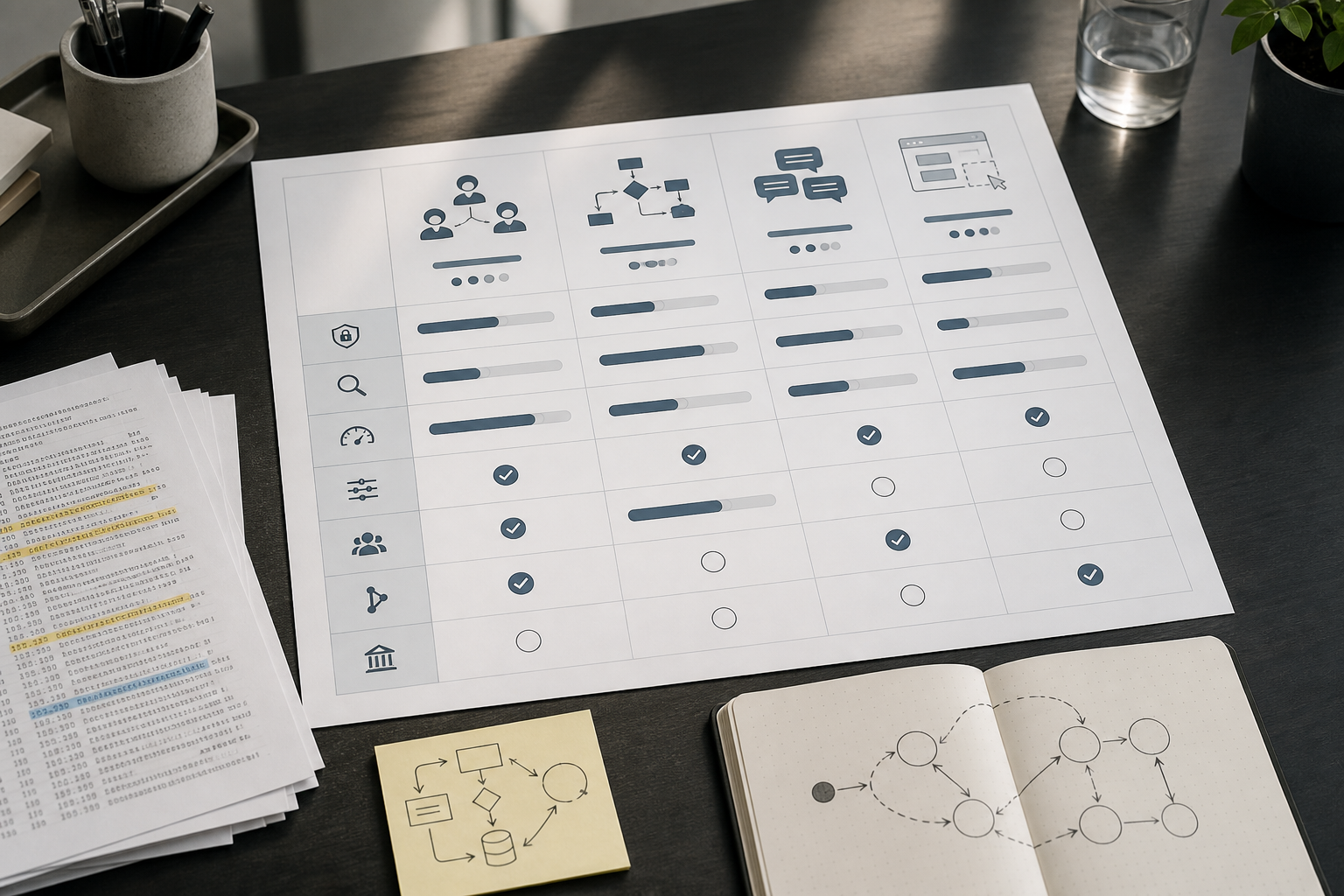
If you’re evaluating AI Agent Frameworks, the real risk isn’t picking the “wrong” library. It’s picking a framework whose workflow model doesn’t match the system you actually need to ship—then paying for it later in debugging, rewrites, and fragile production behavior. CrewAI, LangGraph, AutoGen, and Dify can all build agentic experiences, but they’re optimized for different workflow shapes and delivery constraints.
Quick Answer (commercial investigation): Choose CrewAI when your workflow looks like a role-based team executing tasks quickly. Choose LangGraph when you need production-grade stateful orchestration with branching, cycles, and checkpoints. Choose AutoGen when your core interaction is iterative multi-agent conversation. Choose Dify when you need low-code delivery and operationalization fast, especially with non-engineers involved.
What this AI agent frameworks comparison covers
This AI agent frameworks comparison evaluates four leading options for building agentic systems: CrewAI, LangGraph, AutoGen, and Dify. These AI agent development frameworks and AI agent platforms overlap in capabilities, but they differ substantially in how they model workflows, manage state, support collaboration, and handle production requirements.
If you are comparing agentic AI frameworks, do not assume that every multi-agent tool solves the same problem. A role-based AI agent framework may be excellent for coordinating research, writing, and review tasks, while a graph-based system may be better for a long-running process with retries, approvals, and persistent state. Likewise, an AI agent platform can be the practical choice when speed, visual workflow building, and non-engineering collaboration matter more than deep orchestration customization.
The best AI agent frameworks are not necessarily the ones with the most agent features. They are the ones whose execution model fits the business workflow, delivery constraints, governance requirements, and failure modes your team must support.
Key takeaways for developers and solution architects
- Start with workflow shape, not popularity. Team-shaped (CrewAI), process-shaped (LangGraph), conversation-shaped (AutoGen), or low-code productized (Dify) is the fastest way to narrow options.
- Production readiness is mostly about control. Durable state, checkpoints, and observability tend to matter more than how quickly you can get a demo running.
- Low-code vs code-first is a governance decision. It affects reviewability, testing strategy, deployment model, and long-term maintainability—not just developer convenience.
- Multi-agent isn’t automatically better. Coordination overhead can make simple workflows slower, harder to debug, and more expensive to run.
The problem: why AI agent framework choice gets expensive later
Most teams can get a prototype working in days. The painful part shows up later:
- Framework mismatch: you picked a conversation-first system, but what you really needed was an auditable business process with retries, branches, and human approvals.
- Hidden complexity: the first demo is easy, but the second and third workflows introduce state, long-running tasks, and error handling that the abstraction doesn’t model cleanly.
- Debugging and reliability gaps: when agents fail in production, you need traceability, checkpoints, and the ability to reproduce what happened.
- Collaboration friction: developers, architects, and non-engineers don’t read the same abstractions equally well; the wrong model slows everyone down.
For small businesses building agentic features (or internal automations), this isn’t academic. A framework choice can decide whether your first agent becomes a reliable product capability—or a brittle demo you’re afraid to touch.
A Practical Comparison Lens: Workflow Shape
Here’s the most useful mental model from the research: compare AI Agent Frameworks by the shape of the workflow they’re best at running.
- Team-shaped workflows (roles + tasks + delegation): usually a great fit for CrewAI.
- Process-shaped workflows (explicit steps, branching, cycles, state, retries, checkpoints): usually a great fit for LangGraph.
- Conversation-shaped workflows (multi-agent dialogue, negotiation, iterative refinement): usually a great fit for AutoGen.
- Productized low-code workflows (visual assembly, faster operationalization, mixed technical teams): usually a great fit for Dify.
CrewAI vs LangGraph vs AutoGen vs Dify (business-focused comparison table)
This is an AI tools comparison table designed for solution architects and technical founders who need to ship and maintain systems.
| Framework / Platform | Best For | Workflow Model | Ease of Use | Time to First Demo | Production Fit (typical) | Notes / Trade-offs |
|---|---|---|---|---|---|---|
| CrewAI | Role-based task teams and fast prototypes | Team/roles + tasks | High | Fast | Good for simpler/linear flows; can become strained for complex stateful pipelines | Readable abstractions; less natural for heavy branching + durable state compared to LangGraph |
| LangGraph | Production-grade stateful orchestration | Graph/state machine | Moderate | Moderate | Strong when you need checkpoints, durable state, and controlled execution | More engineering overhead; typically steeper learning curve |
| AutoGen | Conversation-driven multi-agent systems | Conversational / group chat coordination | Moderate | Fast to moderate | Varies by design; reproducibility/debugging often harder than explicit graphs | Excellent for iterative dialogue; be careful when you need deterministic process control |
| Dify | Low-code agent apps and fast operationalization | Visual/low-code app + agent building | High | Fastest | Strong for internal tools and lightweight agent apps; less flexible for deep custom orchestration | Great for speed and collaboration; trade flexibility and some architectural control for delivery velocity |
CrewAI vs LangGraph: which AI agent framework fits your workflow?
The most important comparison for many technical teams is CrewAI vs LangGraph. Both can support agentic workflows, tool use, and multi-step execution, but they encourage different architecture decisions from the beginning.
CrewAI is the more natural fit when the workflow resembles a small working team. You define specialized roles, assign tasks, and coordinate handoffs between agents. This makes CrewAI approachable for stakeholder discussions and fast prototypes because people can understand a workflow such as Researcher → Analyst → Writer → Reviewer without needing to read a state-machine diagram.
LangGraph is the stronger fit when the workflow resembles an explicit business process. Instead of centering the system around agent roles and delegation, it centers the system around state, nodes, branches, cycles, execution paths, and checkpoints. That is particularly useful when workflows need to survive tool failures, pause for approval, route low-confidence cases to a human, or resume after a long-running operation.
Choose CrewAI when:
- Your workflow is mainly role-based and task-oriented.
- You need a readable prototype that business stakeholders can understand quickly.
- The sequence is mostly linear, with limited branching and recovery requirements.
- You are validating the value of a “team-shaped” agent workflow.
Choose LangGraph when:
- Your workflow needs explicit branching, retries, cycles, and long-running state.
- You need a controlled process for customer-facing, regulated, or high-risk actions.
- Reproducibility, debugging, observability, and checkpointing are central requirements.
- The workflow is likely to grow into a production service rather than remain a lightweight prototype.
In short, the LangGraph vs CrewAI decision is not primarily about which tool is more capable. It is about whether your workflow behaves more like a team completing tasks or a process that requires deliberate control over every execution path.
Other AI agent framework comparisons
The four-way comparison gives the broad answer, but buyers often reach a decision after evaluating two options directly. These shorter comparisons clarify the practical differences without treating every framework as interchangeable.
LangGraph vs AutoGen
LangGraph vs AutoGen, or AutoGen vs LangGraph, is essentially a comparison between process control and conversational flexibility. LangGraph is usually the better match when teams need a predictable sequence of steps, durable state, checkpoints, recovery logic, and human approvals. AutoGen is more natural when the value comes from iterative discussion among specialized agents.
Choose LangGraph if the workflow must be auditable and repeatable. Choose AutoGen if the workflow benefits from agents debating, refining, challenging assumptions, or collaborating through conversation.
LangGraph vs Dify
The LangGraph vs Dify choice usually comes down to engineering control versus delivery speed. LangGraph gives developers a code-first model for building deeply customized, stateful orchestration. Dify AI provides a faster route to assembling and deploying an AI app or agent workflow through a platform-oriented, low-code experience.
Choose LangGraph when the workflow requires custom state models, complex branches, bespoke integrations, and engineering-led governance. Choose Dify when the priority is getting an internal assistant or lightweight agent application into use quickly with limited engineering capacity.
CrewAI vs AutoGen
CrewAI vs AutoGen compares two different forms of multi-agent coordination. CrewAI organizes agents around roles, assigned tasks, delegation, and expected outputs. AutoGen organizes agents around iterative dialogue, group interaction, and conversational refinement.
Choose CrewAI when you can clearly define responsibilities and handoffs. Choose AutoGen when the task requires agents to explore, discuss, critique, and converge on an answer through dialogue.
CrewAI vs Dify
The CrewAI vs Dify comparison is primarily about framework versus platform. CrewAI is a code-first AI agent framework that helps developers construct role-driven agent teams. Dify AI is an AI agent platform focused on visual assembly, faster operationalization, and easier collaboration across product, operations, and engineering teams.
Choose CrewAI when you need custom code-level control over a role-based workflow. Choose Dify when you need to launch an internal AI application quickly and allow non-engineering stakeholders to participate in iteration.
AutoGen vs Dify
AutoGen vs Dify is a comparison between custom conversational systems and productized AI application delivery. AutoGen is useful when multi-agent dialogue and iterative reasoning are fundamental to the product experience. Dify is useful when the goal is to operationalize an assistant, retrieval-based application, or lightweight agent workflow without building a complete orchestration layer from scratch.
Choose AutoGen when conversation between specialized agents is the product logic. Choose Dify when usability, deployment speed, visual workflow design, and operational collaboration are the immediate priorities.
What Each Framework Is Designed to Do
Instead of re-listing features you can find in documentation, this section focuses on design intent—what each tool naturally encourages you to build, and what usually becomes awkward as requirements grow.
CrewAI: role-based “teams” that move fast
What it’s designed for: workflows that read like a small team: a researcher gathers context, an analyst structures it, a writer drafts, a reviewer checks. The role-based abstraction makes responsibilities legible—which is valuable when you’re aligning a technical team with a business stakeholder.
The CrewAI framework is useful for teams building CrewAI AI agents around defined roles, task delegation, and readable handoffs.
Use it when:
- You need a rapid prototype for a role-driven workflow.
- The flow is mostly linear or has limited branching.
- You care about readability and communication of agent responsibilities.
Avoid it (or be cautious) when:
- You need complex branching, retries, cycles, or long-running orchestration with durable state.
- The workflow is closer to a business process engine than a “team.”
Implementation trade-off: CrewAI’s strength (simple, human-readable role/task decomposition) can become a constraint if you later need explicit state modeling and execution control. You can still build those things, but you may be fighting the abstraction.
LangGraph: explicit stateful orchestration for production workflows
What it’s designed for: agent workflows that behave like processes: branching logic, cycles, state transitions, and checkpoints. The research repeatedly positions LangGraph as a stronger match for production-grade needs like durable state and observability (often paired with the LangSmith ecosystem).
The LangGraph framework is commonly selected for building LangGraph AI agents that require explicit state, branching logic, checkpoints, and recoverable execution.
Use it when:
- You need predictable execution across many steps and tools.
- You need checkpoints, traceability, and human-in-the-loop control as core requirements.
- You’re building long-running workflows where failures and retries are normal.
Avoid it (or defer it) when:
- You’re still validating whether the workflow is valuable at all and want the simplest path to a demo.
- Your workflow is straightforward and doesn’t justify the modeling overhead.
Implementation trade-off: you pay an upfront cost—learning curve and engineering structure—in exchange for less chaos later. This is often the right business trade when the workflow is mission-critical or regulated.
AutoGen (AG2): conversational multi-agent systems
What it’s designed for: workflows where the “engine” is dialogue between agents: iterative reasoning, negotiation, refinement, collaborative problem-solving, and research-style exploration. The conversation model can be a better match than a rigid process graph when requirements are fuzzy and solutions emerge through iteration.
The AutoGen framework is suited to AutoGen AI agents that collaborate through iterative dialogue, group-chat patterns, and conversational refinement.
Use it when:
- Your system is fundamentally an iterative conversation between specialized agents.
- You’re building research copilots, collaborative reasoning, or code-generation-style workflows.
Avoid it (or constrain it) when:
- You must guarantee deterministic, auditable step execution for a business process.
- You need reproducibility and tight debugging loops more than conversational flexibility.
Implementation trade-off: conversational flexibility often increases debugging complexity. If you go this route, plan for stronger logging, constraints, and human oversight earlier than you think.
Dify: low-code/no-code agent building and deployment
What it’s designed for: faster delivery through a platform approach: visual building, quick iteration, and easier collaboration with non-engineers. The research positions Dify as a low-code/no-code route to building and deploying AI apps and agents, with built-in patterns like RAG and agent behaviors (for example, ReAct-style reasoning).
As a Dify AI platform, Dify helps teams build Dify AI agents and retrieval-based applications through a more visual, operationally accessible workflow model.
Use it when:
- You need to ship an internal assistant or lightweight agent app quickly.
- You want non-engineers to participate in building and iteration.
- You have limited engineering bandwidth and need operationalization speed.
Avoid it (or plan an exit) when:
- You need deep, custom orchestration control, bespoke state models, or complex branching.
- You need a code-review-centric governance model for all logic and changes.
Implementation trade-off: the platform accelerates time-to-value, but you should be explicit about what “production” means for your organization: audit requirements, change control, portability, and long-term maintainability.
Production readiness: what matters more than “agent features”
Teams often evaluate AI software by whether it supports multi-agent or tool calling. In production, the questions change:
- Can you reproduce failures? If you can’t, mean time to recovery goes up and confidence goes down.
- Do you have durable state? Long-running workflows need persisted progress, not just in-memory variables.
- Do you have checkpoints? Being able to resume from a known state reduces rework and manual intervention.
- Do you have observability? You need traces/logs that help you understand what happened across model calls and tool calls.
- Do you support human-in-the-loop (HITL)? Especially for high-risk decisions, regulated workflows, or customer-facing actions.
Consultant Insight: “Production-grade” usually means “debuggable under pressure”
When an agent fails in production, you don’t have time to argue about frameworks—you need to see what it did, why it did it, and how to resume safely. In practice, observability + state + checkpoints are often more valuable than another prompt optimization.
How the four options typically map to production controls
- LangGraph: consistently positioned as strongest for stateful orchestration and checkpointing; commonly paired with LangSmith for observability in the broader ecosystem.
- CrewAI: strong for structuring team-like task flows; production hardening depends on how you implement state, logging, retries, and guardrails around it.
- AutoGen: powerful for conversation patterns; production reliability often depends on how tightly you constrain dialogue and how well you instrument and test it.
- Dify: accelerates deployment; production fit is strongest for internal tools and lighter-weight agent apps, but deep custom orchestration may be limiting.
Which framework fits your workflow? (a decision tree you can actually use)
Use this as a practical shortlisting flow before you get pulled into “framework wars.”
- Is your primary constraint delivery speed with limited engineering bandwidth?
- If yes, shortlist Dify first (then validate governance and portability requirements).
- If no, continue.
- Does your workflow look like an explicit business process with branching, retries, and long-running state?
- If yes, shortlist LangGraph.
- If no, continue.
- Does your workflow look like a team with roles completing tasks?
- If yes, shortlist CrewAI.
- If no, continue.
- Is the core value an iterative, conversational multi-agent exchange?
- If yes, shortlist AutoGen.
- If no, you may not need a multi-agent framework at all—consider a simpler single-agent orchestration pattern first.
Decision matrix: pick the framework based on delivery constraints
Commercial investigation readers usually want a way to justify a decision to the team. This scorecard-style matrix is meant to support that conversation.
| Decision Criterion | CrewAI | LangGraph | AutoGen | Dify |
|---|---|---|---|---|
| Best-fit workflow shape | Team-like roles & tasks | Process-like state machine/graph | Conversation-like multi-agent dialogue | Visual/low-code app + agent delivery |
| Statefulness & checkpointing needs | Depends on your implementation | Strong match (core design goal) | Typically harder to make deterministic | Platform-dependent; validate capabilities |
| Observability expectations | Add via logging/tracing | Strong ecosystem story (often LangSmith) | Needs careful instrumentation | Validate platform logs, audit needs |
| Learning curve | Lower | Higher | Moderate to higher | Lower |
| Speed to prototype | Fast | Moderate | Fast to moderate | Fastest |
| Best for regulated / high-risk workflows | Only with strong guardrails | Most natural fit | Usually not first choice | Possible, but confirm governance controls |
| Team composition fit | Developer-first with business-readable roles | Architect + backend engineering heavy | R&D / experimentation heavy | Mixed teams (ops/product + dev) |
Practical examples: one realistic “small business” workflow per option
These are deliberately grounded examples to help you map workflow shape to a framework choice. They’re not claims of performance or ROI—just architecture-fit illustrations.
CrewAI example: sales research agent (team-shaped)
Business problem: account research and outreach prep takes too long, so reps do fewer high-quality touches.
Why CrewAI fits: the workflow reads like a team: Researcher → Analyst → Writer → Reviewer.
- Agent roles: Researcher gathers sources; Analyst extracts key points; Writer drafts outreach; Reviewer checks compliance and tone.
- Human oversight: keep a final approval step before any customer-facing message is sent.
- Where teams get stuck: as soon as you add “if data is missing, branch to enrichment; if confidence is low, escalate,” you may want a more explicit process model.
LangGraph example: customer support triage (process-shaped)
Business problem: ticket volume grows, and routing + drafting consumes senior agents’ time.
Why LangGraph fits: triage is a process: classify → route → draft → verify → escalate → log. It benefits from branching, retries, and durable state.
- State: ticket metadata, classification confidence, customer tier, escalation history.
- Branches: billing vs technical vs cancellation; low confidence routes to a human; VIP customers route differently.
- Checkpoints: resume after tool/API failures or when waiting on a human response.
- Observability: critical for understanding why misroutes happen and how often humans intervene.
AutoGen example: research copilot (conversation-shaped)
Business problem: analysts spend hours synthesizing sources, comparing claims, and producing a structured brief.
Why AutoGen fits: the value is iterative conversation: one agent challenges assumptions, another summarizes, another checks sources, and the group converges on a deliverable.
- Pattern: group chat style coordination for iterative refinement.
- Where teams get stuck: conversation can sprawl; without constraints, costs and unpredictability rise. Add guardrails and stopping conditions early.
Dify example: low-code internal assistant (productized delivery)
Business problem: the company needs an internal assistant (policies, SOPs, FAQs) but doesn’t have enough engineering capacity to build and maintain a full orchestration service.
Why Dify fits: faster operationalization with low-code building and easier collaboration.
- Pattern: prompt UI → retrieval (RAG) → response → logging.
- Human oversight: add a “suggested response” mode for sensitive categories instead of auto-action.
- Where teams get stuck: when requirements expand into complex branching and deep custom toolchains, platform constraints become more visible.
Learning curve and developer experience: what slows teams down in real life
In evaluation, learning curve is often treated as “how fast can I run the hello-world example?” The more useful question is: how fast can your team debug and change the workflow safely?
Typical DX patterns to expect
- CrewAI: easier mental model for many teams because roles and tasks map to how people already think about work. Great for early alignment and quick demos.
- LangGraph: steeper because you must model the process explicitly. The payoff is fewer “mystery failures” when the workflow grows.
- AutoGen: comfortable if you’re thinking in dialogues, less comfortable if you need strict process control. Expect more time spent on bounding behavior.
- Dify: quickest for getting something usable in front of stakeholders. The main DX question becomes: how do you version, review, and promote changes?
Common implementation mistake: prototyping with the wrong success metric
A prototype shouldn’t be judged by “does it work once?” It should be judged by:
- How often does it fail?
- How fast can we find out why it failed?
- How safely can we resume or roll back?
- How much human intervention is required per 100 runs?
This is where the research trend matters: the market is moving from “can it build an agent?” to “can it run reliably in production?”
Pricing and ecosystem considerations (what we can and can’t responsibly say)
The research you provided notes that current pricing is not consistently available across sources for these frameworks/platforms. That’s common in AI software comparisons because pricing and hosted offerings change quickly.
What you should do during evaluation:
- Verify the latest pricing and plan limits on official vendor documentation and pricing pages (especially for any hosted/managed components).
- Separate framework cost (often open-source) from operational cost (hosting, observability tooling, model usage, vector storage, logging retention).
- Estimate total cost of ownership around engineering hours, not just subscription fees—especially if a mismatch causes a rewrite.
Ecosystem signals (use carefully): Some competitor posts cite adoption signals like downloads and GitHub stars. Those can indicate community interest and momentum, but they do not prove production success, security posture, or ROI. Use them as a tiebreaker, not a primary selector.
Open-source AI agent frameworks vs AI agent platforms
When evaluating open source AI agent frameworks, it is important to distinguish between a framework and a platform. The terms are often used interchangeably in AI tool comparisons, but they imply different delivery and governance models.
Code-first AI agent development frameworks generally give engineering teams more direct ownership of workflow logic, integrations, deployment architecture, testing, version control, and custom orchestration. In this comparison, CrewAI, LangGraph, and AutoGen are best understood through that framework-oriented lens: they are tools for developers who want to program and control agent behavior directly.
Dify AI is better evaluated as an AI agent platform. Its strength is not simply that it can support agents, prompts, retrieval, and workflows. Its value is that it packages these capabilities into a more visual, operationally accessible product experience that can help mixed technical and non-technical teams move faster.
For buyers comparing open-source AI agent frameworks, ask these questions:
- Do we need code-level control over state, branching, tools, and deployment?
- Can our developers support testing, observability, maintenance, and upgrades?
- Do non-engineers need to create, review, or iterate on workflows directly?
- Are portability, self-hosting, and architectural flexibility more important than delivery speed?
- Will this remain a lightweight internal assistant, or grow into a complex production workflow?
The right answer is not automatically “open source” or “low code.” A code-first AI agent framework may reduce platform constraints later, while an AI agent platform may reduce the time and operational effort required to deliver useful capabilities now.
Business-First AI Framework™: the selection workflow that reduces architecture churn
For small businesses (and teams building for them), the highest leverage move is to treat framework selection like a workflow and risk decision—not an enthusiasm decision.
- Business problem: what outcome are you optimizing (time-to-resolution, fewer retries, faster onboarding, higher throughput)?
- Workflow improvement: map the process in plain language, including failure paths and approvals.
- Choose the right solution: select the orchestration model that matches the workflow shape.
- Implement with human oversight: define where humans approve, where the system can auto-act, and what happens on low confidence.
- Measure business outcomes: track reliability and intervention rates, not just “agent accuracy.”
- Standardize and scale: only after one workflow is stable and measurable.
Business-First AI Insight (worth putting on a slide)
The most expensive agent framework is the one that makes your second workflow harder than your first. Choose an orchestration model that matches your workflow’s failure modes (state, retries, approvals), not the one that produces the quickest demo.
Expert verdicts: which option should you shortlist first?
Commercial investigation content should provide judgment—not just neutrality. Based on the research angle (workflow shape + production controls), here are the most practical shortlist recommendations.
Expert Verdict: Most production teams should start their shortlist with LangGraph if the workflow is complex
If your agent will touch customer outcomes, money, compliance, or multi-step processes, LangGraph is usually the first serious shortlist candidate because it’s designed around stateful orchestration, checkpoints, and controlled execution. The steeper learning curve is often a fair trade for reliability and debuggability.
Expert Verdict: CrewAI is the best starting point for role-based prototypes and stakeholder alignment
If you need to validate the business value quickly and the workflow is naturally “team-like,” CrewAI is often the most efficient path to a demo that stakeholders can understand. It’s also a good way to clarify roles, responsibilities, and handoffs before committing to heavier production orchestration.
Expert Verdict: AutoGen is ideal when conversation is the product, not just the interface
Choose AutoGen when the main value is multi-agent dialogue—research, collaborative reasoning, negotiation-style tasks. If you’re building something that needs strict process control, you’ll likely spend significant effort constraining conversational freedom anyway.
Expert Verdict: Dify is the fastest way to operationalize an internal assistant when engineering bandwidth is scarce
If you need a usable internal tool quickly, and you want non-developers involved, Dify is the pragmatic shortlist choice. Just be explicit about governance: versioning, review, audit needs, and how you’ll handle requirements that push beyond the platform’s flexibility.
Implementation checklist: pilot → harden → scale
Regardless of which framework you choose, most agent failures in small business environments come from the same set of operational gaps. Use this checklist as your baseline.
Pilot (get to a real workflow, not a toy demo)
- Define success metrics: time-to-first-result, intervention rate, failure rate, and average debug time.
- Start with one workflow: pick a process with clear inputs/outputs and a known pain point (e.g., ticket triage, sales research, internal FAQ assistant).
- Design the “escape hatch”: what happens when the agent is unsure? Who gets notified? What’s the safe fallback?
Harden (make it supportable by the team)
- Add observability: trace model calls, tool calls, prompts, decisions, and outcomes. Make it searchable.
- Introduce checkpoints/state: long workflows should resume safely after failure.
- Constrain behavior: guardrails, allowed tools, stopping conditions, and explicit confidence thresholds.
- Human-in-the-loop gates: approvals for customer-facing actions, refunds, policy decisions, or sensitive data handling.
Scale (standardize and reduce future build cost)
- Template your workflows: standard patterns for retrieval, tool calling, escalations, and logging.
- Define a governance path: who can change prompts/workflows, how changes are reviewed, and how they’re promoted to production.
- Measure outcomes continuously: track failure types and intervention patterns and iterate on the workflow—not just the prompts.
FAQs (AI Agent Frameworks)
What are the best AI agent frameworks?
The best AI agent frameworks depend on the workflow you need to build. LangGraph is often the strongest shortlist option for stateful, production-oriented orchestration. CrewAI is a strong choice for role-based agent teams and fast prototypes. AutoGen is useful for conversation-driven multi-agent systems, while Dify AI is a practical platform option for fast, low-code delivery of internal assistants and lightweight agent applications.
What is the difference between AI agent frameworks and AI agent platforms?
AI agent frameworks are generally code-first tools that developers use to define agent behavior, orchestration logic, tools, state, and integrations. AI agent platforms usually provide more packaged capabilities, such as visual building, deployment features, prompt management, retrieval workflows, and operational interfaces. CrewAI, LangGraph, and AutoGen are typically evaluated as AI agent development frameworks, while Dify AI is more accurately evaluated as an AI agent platform.
Are CrewAI, LangGraph, AutoGen, and Dify open-source AI agent frameworks?
CrewAI, LangGraph, and AutoGen are commonly considered in discussions about open-source AI agent frameworks because they support code-first development and customizable orchestration. Dify also has a platform-oriented approach and should be evaluated separately based on its deployment, governance, workflow flexibility, and collaboration requirements. Before choosing any option, verify the current licensing, hosting model, and managed-service costs for the specific components you plan to use.
Is LangGraph better than AutoGen for production workflows?
LangGraph is usually the more natural choice when production workflows require explicit state, retries, branching, checkpoints, and controlled execution. AutoGen may be the better choice when iterative multi-agent conversation is central to the task. The decision depends on whether your system needs to behave more like an auditable business process or a collaborative conversation.
Should I choose Dify or LangGraph for an internal AI assistant?
Choose Dify when you need to launch an internal assistant quickly, want visual workflow building, and need non-engineers to contribute to iteration. Choose LangGraph when the assistant requires complex custom orchestration, detailed state management, advanced routing, or deeper code-first control. A straightforward internal knowledge assistant may fit Dify well; a high-risk support, operations, or approval workflow may justify LangGraph’s additional engineering effort.
Is CrewAI better than Dify for building custom AI agents?
CrewAI is generally the stronger fit when developers need to build a custom, role-based agent workflow in code. Dify is generally the stronger fit when the business needs a usable AI application or agent experience quickly, especially with a visual interface and mixed technical team involvement. The deciding factor is whether custom orchestration control or operational delivery speed matters more for the first version of the workflow.
What is the best AI agent framework for production?
Based on the research comparisons, LangGraph is most often positioned as the strongest fit for production-grade agent workflows when you need durable state, checkpoints, and predictable execution. Production readiness should be evaluated through observability, failure recovery, and human-in-the-loop controls—not just how quickly you can prototype.
Which AI agent framework is easiest for developers to learn?
CrewAI is commonly described as the easiest among the code-first options in the research because role-based tasks are intuitive and readable. The key caveat is that ease-of-start isn’t the same as ease-of-maintain once workflows become stateful and complex.
What’s the difference between CrewAI and LangGraph?
CrewAI is optimized for role-based, team-like task delegation. LangGraph is optimized for explicit, stateful process orchestration with branching, cycles, and checkpoints. If your workflow looks like a business process engine, LangGraph is usually the more natural match. If it looks like a small team executing tasks, CrewAI tends to be faster.
Is AutoGen still relevant for multi-agent systems?
Yes—AutoGen remains highly relevant when your system’s value comes from iterative multi-agent conversation and collaborative reasoning. The main trade-off is that conversation-first designs can be harder to make deterministic and easier to let sprawl without strong constraints and observability.
Is Dify a framework or a platform?
In the research sources, Dify is presented as a low-code/no-code platform for building and deploying AI apps and agents. That platform orientation can speed delivery, especially with mixed teams, but it also means you should validate governance, portability, and orchestration flexibility for your specific requirements.
Do these frameworks support human-in-the-loop workflows?
Human-in-the-loop (HITL) should be treated as an architecture requirement for high-risk workflows. LangGraph is repeatedly discussed in the context of controlled orchestration and production needs; CrewAI and AutoGen can support HITL patterns but often require more deliberate design of approvals and fallback behavior. For Dify, validate the platform’s workflow controls against your audit and approval requirements.
Can I prototype in CrewAI or Dify and later migrate to LangGraph?
Often, yes, and the research suggests this can be a pragmatic path: use CrewAI or Dify to validate value quickly, then “graduate” to LangGraph when you need stronger control, checkpoints, and observability. The success factor is whether you documented the workflow clearly enough to re-implement it as an explicit process.
What matters most when choosing between AI Agent Frameworks?
The highest-leverage criteria are: workflow shape, production needs (state, checkpoints, observability), team skill mix, and delivery constraints. Popularity signals like stars and downloads can help as secondary indicators, but they shouldn’t override architecture fit.
Conclusion: the framework that fits your workflow is the “best” one
For developers and solution architects, comparing AI Agent Frameworks is less about feature checklists and more about choosing the right execution model for the workflow you’re responsible for supporting. CrewAI shines when work looks like a team. AutoGen shines when work looks like a conversation. Dify shines when speed and collaboration matter most. LangGraph shines when work looks like a production process that must be observable, recoverable, and controllable.
The strategic insight to carry forward is simple: your second workflow will expose your first framework decision. If you choose based on workflow shape and production controls now, you’ll reduce rework, shorten time-to-reliability, and ship agentic features your business can actually trust.
Next steps: Map one real workflow, identify its shape (team/process/conversation/low-code), define your production controls (state, checkpoints, observability, HITL), and shortlist one framework to pilot. If you want help making the selection decision defensible, consider a focused framework selection session or an architecture review before you standardize.