
ChatGPT vs Claude vs Gemini: Which AI Assistant Is Best for Your Business?
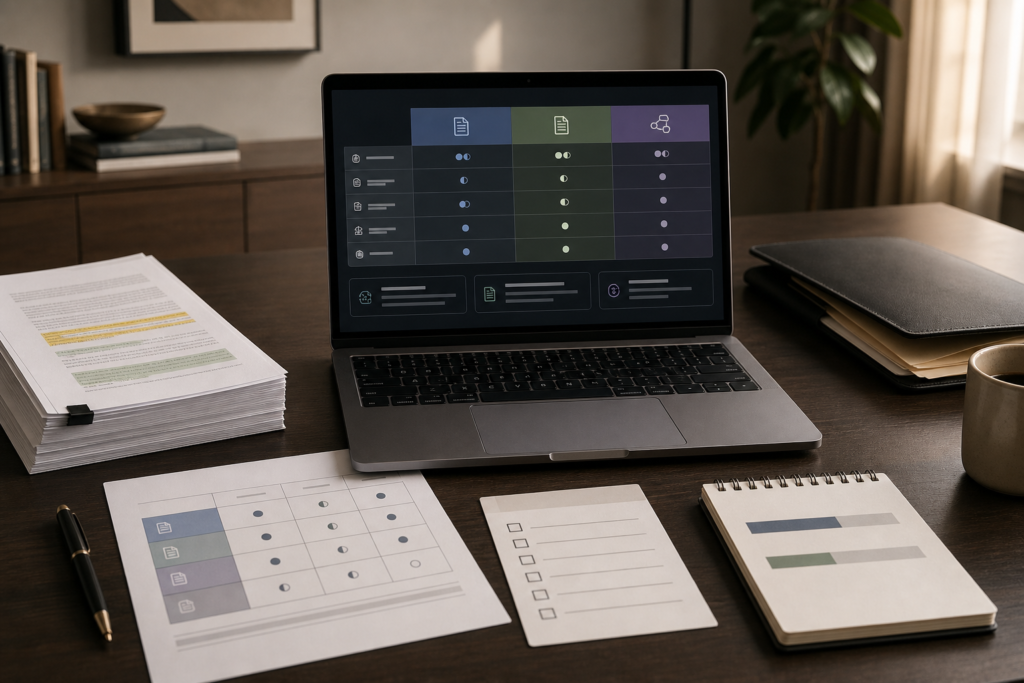
If you’re trying to standardize on one AI assistant, the hardest part usually isn’t “which model is best?”—it’s that your team uses AI for different work: drafting emails, writing proposals, summarizing documents, researching competitors, and helping with code or data. That’s why the real question behind ChatGPT vs Claude vs Gemini is: Which assistant best fits your workflow and your tools?
Quick Answer: Which Tool Should You Choose?
ChatGPT is typically the best AI assistant for everyday business tasks and versatility. Claude is usually the best choice for long-form writing, instruction-following, and document-heavy work. Google Gemini is often the best fit for teams deep in Google Workspace and for research-oriented or multimodal workflows. Entry-level premium plans are commonly cited around $20/month, so workflow fit matters more than price.
Quick Comparison
| Feature | ChatGPT | Claude | Gemini |
|---|---|---|---|
| Best Overall | ⭐⭐⭐ | ⭐⭐ | ⭐⭐ |
| Writing Quality | ⭐⭐ | ⭐⭐⭐ | ⭐⭐ |
| Research | ⭐⭐ | ⭐⭐ | ⭐⭐⭐ |
| Business Productivity | ⭐⭐⭐ | ⭐⭐ | ⭐⭐ |
| Google Workspace Integration | ⭐ | ⭐ | ⭐⭐⭐ |
| Document Analysis | ⭐⭐ | ⭐⭐⭐ | ⭐⭐ |
| Coding Assistance | ⭐⭐⭐ | ⭐⭐ | ⭐⭐ |
| Creative Brainstorming | ⭐⭐⭐ | ⭐⭐ | ⭐⭐ |
Choose ChatGPT if: You want one AI assistant for marketing, operations, customer support, automation, and everyday productivity.
Choose Claude if: Your business creates reports, proposals, policies, contracts, and long-form documents.
Choose Gemini if: Your team primarily works in Gmail, Google Docs, Google Sheets, Drive, and other Google Workspace tools.
In this ChatGPT vs Claude vs Gemini comparison, the right choice depends on your business priorities rather than a single feature or benchmark. If versatility matters most, start with ChatGPT; if long-form document quality is critical, consider Claude; and if your team works primarily in Google Workspace, Gemini may be the better fit.
| Decision Factor | ChatGPT | Claude | Gemini |
|---|---|---|---|
| Best For | Everyday business productivity | Long documents & structured writing | Google Workspace workflows |
| Writing Quality | Very Good | Excellent | Good |
| Research & Information Gathering | Very Good | Good | Excellent |
| Document Analysis | Good | Excellent | Very Good |
| Coding & Automation Support | Excellent | Very Good | Good |
| Google Workspace Integration | Good | Good | Excellent |
| Ease of Adoption | Excellent | Very Good | Excellent |
| Best Choice For Most SMBs | 🏆 Yes | Depends on use case | Depends on Workspace usage |
Quick takeaway: If you need one AI assistant for marketing, operations, support, and general business productivity, start with ChatGPT. Choose Claude when document quality matters most, and choose Gemini when Gmail, Docs, Drive, and Sheets are central to how your team works.
ChatGPT vs Claude vs Gemini at a Glance (Business-Focused)
This AI assistant comparison is ultimately less about which AI model wins a benchmark and more about how ChatGPT vs Claude vs Gemini fit your business workflow. For small businesses, the practical differences show up in time-to-value, editing time, adoption friction, and how well the tool fits your daily environment.
| Tool | Best For | Ease of Use | Time to Value | Business Size Fit | Notes |
|---|---|---|---|---|---|
| ChatGPT | General-purpose business help (writing, ideation, quick analysis, support drafts) | High | Fast (often same day) | Solo → SMB → teams | Strong generalist with broad ecosystem; can be less precise than Claude for instruction-heavy long docs |
| Claude | Long documents, polished writing, structured thinking, instruction-following | High | Fast (1–3 days) | SMB teams; doc-heavy roles | Often preferred for tone consistency and professional writing quality; ecosystem breadth is typically smaller than ChatGPT |
| Gemini | Google Workspace-centric teams, research-oriented work, multimodal input | High | Fast (especially in Workspace) | Solo → SMB → teams | Best fit when Gmail/Docs/Drive are “where work happens”; writing polish is sometimes rated behind Claude in comparisons |
Start With the Business-First AI Framework™ (So You Don’t Buy the Wrong Tool)
Small businesses often make the same expensive mistake: choosing an assistant first, then trying to “find uses” for it. Intelligent AI Lab’s approach is the opposite:
- Business Problem (What’s slow, inconsistent, or stuck?)
- Workflow Improvement (Where does work get blocked—drafting, review, approvals, handoffs?)
- Choose the Right Solution (One assistant? Two? Or a non-AI fix?)
- Implement with Human Oversight (Quality control, brand tone, accuracy checks)
- Measure Business Outcomes (Time per draft, revision cycles, response time, output per employee)
- Standardize and Scale (Prompt templates, training, governance)
Business-First AI Insight: In most small businesses, the “best AI assistant” is the one that removes the most workflow friction with the least change management. If the tool doesn’t fit where your team already works (Docs, email, tickets, CRM notes), adoption drops—and ROI disappears.
Where Each Assistant Wins (And Where It Usually Doesn’t)
This section is deliberately opinionated—because business owners need a decision, not a tie. The goal is to match each assistant to the situations where it most often reduces rework.
ChatGPT: The Versatile Generalist
Why it matters: General-purpose versatility is valuable when your team’s requests are unpredictable: marketing one minute, customer support the next, then an operations SOP.
- Use ChatGPT when you need broad help: brainstorming, drafting, quick summaries, “good enough” first passes across many business functions.
- Avoid relying on it when you need very strict instruction-following across long documents where small deviations create big downstream edits.
Trade-off to understand: A flexible generalist can be faster for many tasks, but sometimes costs more in final polishing for high-stakes client-facing documents compared to a tool that’s more consistently structured.
Claude: The Long-Form Writing and Instruction-Following Specialist
Why it matters: For proposals, reports, policies, and contracts-adjacent drafts, “almost right” can mean hours of cleanup. Claude is often favored in Claude vs ChatGPT comparisons for professional tone consistency and following nuanced instructions.
- Use Claude when your work is document-heavy: long emails, reports, internal policy docs, client deliverables, structured analysis.
- Avoid using Claude as your only assistant when you need the broadest ecosystem and cross-tool workflows and your team wants one “do everything” assistant.
Trade-off to understand: You may get higher-quality first drafts for long documents, but you may still want a second tool in a broader stack if your workflows span many apps.
Gemini: Best Fit for Google Workspace + Research-Oriented Work
Why it matters: When your team lives in Gmail, Docs, and Drive, the cost of switching contexts is real. Gemini is repeatedly positioned as a strong choice for Google-native workflows, research, and multimodal tasks. The Claude vs Gemini decision is therefore less about which model is universally better and more about whether your business prioritizes document quality or Google Workspace integration.
- Use Gemini when your daily work happens in Google Workspace and you want AI directly inside those workflows, plus strong research-oriented behavior and multimodal understanding.
- Avoid choosing Gemini purely for “big context” if the main business requirement is polished long-form writing—because context size isn’t the same as writing quality.
Trade-off to understand: You may gain adoption speed and research convenience in Google tools, but still prefer Claude for final client-ready writing in some workflows.
Best AI Assistant by Business Use Case (What Small Businesses Actually Do)
In the ChatGPT vs Gemini vs Claude decision, small businesses should choose based on the workflow they want to standardize first—not on a generic “best chatbot” ranking.
1) Marketing content: blogs, ads, landing pages, repurposing
- Best default choice: ChatGPT for ideation + drafting across many formats.
- Best for polished long-form brand voice drafts: Claude is often preferred when you want structured, professional writing with fewer tone inconsistencies.
- Where Gemini fits: Strong when your content workflow is heavily Google Docs-based and you want tighter Workspace integration.
Implementation tip: Standardize a small “content assembly line” (outline → draft → edit → approve → publish). AI speeds up the first two steps; your business wins when approvals and edits don’t become the new bottleneck.
2) Sales and proposals: discovery summaries, proposal drafts, follow-ups
- Best for proposal drafts and long client deliverables: Claude.
- Best for fast prospecting messages and iteration: ChatGPT.
- Best for Google-centric teams sharing proposal packets in Drive: Gemini can reduce friction.
Common mistake: Letting AI write final promises or scope language without human review. Your risk isn’t “bad grammar”—it’s misalignment between the proposal and what your team can actually deliver.
3) Customer support: response drafts, macros, tone consistency
- Best default: ChatGPT for quick response drafting and flexible tone control.
- Best for Google Workspace-based support ops: Gemini (especially if your internal KB and drafts are in Google Docs/Drive).
- Where Claude fits: When your support responses are longer, higher-stakes, or need more consistent structure and careful instruction-following.
Operational trade-off: Faster replies are great—but only if you add a lightweight QA step for accuracy and policy compliance. Otherwise you just accelerate mistakes.
4) Research and competitive analysis: “get me up to speed fast”
- Best commonly-favored option: Gemini for research-heavy workflows and current-information style tasks.
- Strong alternatives: ChatGPT and Claude can still be very effective—especially when you provide the source material (notes, PDFs, call transcripts) to summarize and analyze.
Consultant insight: Research quality depends more on your process than the assistant. The simplest high-ROI approach is: collect sources → force the AI to cite which source each claim comes from (in your internal doc) → have a human validate the top 5 decisions you’re going to act on.
5) Coding, scripting, and automation support
Coding is a split decision in many comparisons: Claude is often favored for complex reasoning and debugging, while ChatGPT remains strong for quick solutions and broad developer support. Gemini can also help, especially when the workflow connects to Google’s ecosystem.
- Best for complex debugging/reasoning: Claude (commonly cited).
- Best for quick code generation and iteration: ChatGPT.
- Gemini fit: When your team is building around Google services or wants multimodal help (e.g., understanding screenshots, diagrams).
Practical guardrail: Treat AI-generated code like a junior developer’s first draft: review, test, and document it. The business risk is not “ugly code”—it’s fragile automation that breaks silently.
Google Gemini vs ChatGPT vs Claude: The Core Comparison That Actually Matters
Google Gemini vs ChatGPT is one of the most common decisions businesses face when choosing an AI assistant, but the better comparison also includes Claude. This ChatGPT vs Claude vs Gemini comparison takes a workflow-first approach. It intentionally avoids deep feature trivia and focuses on what changes costs, quality, and adoption
| Decision Factor | ChatGPT | Claude | Gemini |
|---|---|---|---|
| Everyday versatility | Often strongest generalist for varied tasks | Strong, but typically chosen for deeper document work | Strong, especially in Google-native workflows |
| Long-form writing quality | Good, can require more polishing on instruction-heavy docs | Often favored for polished, structured writing and instruction-following | Can be solid, but often rated behind Claude for final writing polish |
| Research-oriented workflows | Good (process matters most) | Good for analyzing provided material | Frequently favored for research and current-info style work |
| Google Workspace fit | Works, but not natively embedded in the same way | Works, but not a Google-native workflow tool | Best fit for Gmail/Docs/Drive-centric teams |
| Coding support | Strong for quick solutions and iteration | Often preferred for complex debugging and reasoning | Useful, especially alongside Google ecosystem workflows |
| Adoption likelihood | High for general teams | High in documentation-heavy roles | High in Workspace-first organizations |
Pricing and Plan Differences (What You Can Assume vs What You Must Verify)
Multiple comparisons commonly cite entry premium plans around $20/month for ChatGPT Plus and Claude Pro, and $19.99/month for Gemini AI Pro. Plans and limits change frequently, so businesses should verify current details on the ChatGPT pricing page, Claude pricing page, and Google’s Gemini plans before committing.
Business takeaway: If entry pricing is in the same ballpark, don’t optimize for a $1 difference. Optimize for the assistant that:
- reduces your team’s editing and rework,
- fits where work already happens (Workspace vs mixed tools),
- and can be standardized with simple prompts and review steps.
Which AI Assistant Is Best for Small Business Teams? (Recommendations by Situation)
Here’s the most practical way to decide: choose the tool that best matches your dominant workflow, then add a second assistant only if you can name a measurable gap.
If you’re a solo business owner or founder
- Default recommendation: Start with ChatGPT as your generalist.
- Add Claude only if you routinely produce long client deliverables (proposals, reports) and you want more consistent structure.
- Add Gemini if your business runs on Google Workspace and you want research + Docs/Gmail-native drafting.
If you’re a growing SMB with marketing + ops + support
- Best “single standard” choice: ChatGPT (most versatile across departments).
- Best “document excellence” choice: Claude if proposals, documentation, and long-form writing are the majority of your value delivery.
- Best “Workspace-first” choice: Gemini if Gmail/Docs/Drive are the operating system of your business.
If you run an agency or professional services firm
- Primary: Claude for client-ready drafts and long deliverables.
- Secondary: ChatGPT for creative ideation, variations, and fast turnaround tasks.
Expert Verdict (Most Small Businesses)
Most small businesses should start with ChatGPT as the primary assistant because it’s the strongest general-purpose option across varied work. Choose Claude instead if your business produces long, high-stakes documents and you want more consistent instruction-following and writing quality. Choose Gemini when Google Workspace is your team’s home base and you want the lowest adoption friction for Workspace-native and research-oriented workflows.
Who Should Not Choose Each Assistant?
ChatGPT may not be ideal if:
- Most of your work involves lengthy reports or policy documents
- You require extremely strict instruction-following
- Your team primarily works inside Google Workspace
Claude may not be ideal if:
- You want one AI assistant for a wide variety of business tasks
- You rely heavily on third-party integrations and automation tools
- Fast creative ideation is more important than document quality
Gemini may not be ideal if:
- Your organization is not invested in Google Workspace
- Long-form writing quality is your highest priority
- You need the broadest ecosystem of AI tools and extensions
How to Choose Based on Your Workflow (A Simple Decision Matrix)
If you want to make this decision like an operator (not a tool collector), score each assistant against the first workflow you plan to standardize.
Step 1: Pick one workflow to standardize first
- Support reply drafting
- Proposal writing
- Weekly research briefs
- Internal SOP creation
- Marketing content production
Step 2: Score what “good” means in your business
Use a simple 1–5 scale (5 = critical).
| Scoring Question | Why It Matters | Your Weight (1–5) |
|---|---|---|
| Does it reduce editing time? | Editing is where AI “time savings” often disappears | __ |
| Does it follow instructions reliably? | Higher fidelity = fewer revisions and fewer mistakes | __ |
| Does it fit where our team works daily? | Lower switching friction improves adoption | __ |
| Can we standardize prompts and outputs? | Standardization drives consistent quality across staff | __ |
| Can we review and control risk easily? | Human oversight is essential for client-facing accuracy | __ |
Step 3: Make the decision
- If instruction-following + long-form quality are your top weights, Claude often wins.
- If versatility across many roles is your top weight, ChatGPT usually wins.
- If Workspace fit + research workflows are your top weights, Gemini is typically the best fit.
Practical Examples: Prompts That Work for Real Business Tasks
Prompt quality changes everything. The goal isn’t clever prompts—it’s prompts your team can reuse consistently.
Example 1: Support reply drafting (ChatGPT or Gemini)
Prompt template:
You are a customer support specialist. Draft a reply to the customer message below. Constraints: keep it under 150 words, confirm understanding, propose the next step, and use a calm, professional tone. If information is missing, ask 1–2 clarifying questions. Customer message: [paste message]
Why this works: It standardizes tone, length, and next steps—reducing variability between staff members.
Example 2: Proposal outline + first draft (Claude)
Prompt template:
Create a proposal outline for [service] for a [type of client]. Include: objectives, scope, assumptions, timeline, responsibilities, and acceptance criteria. Then draft the first version in a formal but clear style. Keep claims conservative and avoid guaranteeing results. Inputs: [paste discovery notes]
Why this works: It forces structure and reduces sales-risk language (overpromising) while producing a client-ready starting point.
Example 3: Weekly competitive brief (Gemini, or any assistant with your sources attached)
Prompt template:
Summarize the attached notes and sources into a weekly brief. Output: (1) 5 key updates, (2) what changed vs last week, (3) implications for our business, (4) recommended actions. If any point is uncertain, label it “Needs verification.”
Why this works: It separates signal from noise and builds a simple governance habit: uncertain claims get flagged instead of stated confidently.
Common Mistakes When Choosing an AI Assistant (And What to Do Instead)
Mistake 1: Standardizing too early
Why it happens: Leaders want consistency and predictable cost.
What it breaks: You force one tool to serve workflows it’s not best at, increasing edits and frustration.
Better approach: Standardize one workflow first (e.g., support macros), measure time saved, then decide whether a single-tool standard still makes sense.
Mistake 2: Treating context window size as “quality”
Why it happens: Bigger numbers feel like better capability.
What it breaks: You may pick the wrong assistant for writing polish and reliability.
Better approach: Test with your real documents and score outputs on editing time, accuracy, and instruction-following.
Mistake 3: No governance for client-facing or regulated content
Why it happens: Teams want speed; they assume AI is “good enough.”
What it breaks: Accuracy, compliance, and trust.
Better approach: Add a simple human review gate for anything customer-facing, legal-adjacent, or policy-related.
Mistake 4: Buying multiple tools without a measurable workflow gap
Why it happens: Tool sprawl feels like progress.
What it breaks: Training time, consistency, and budgets.
Better approach: Use one primary assistant, then add a second only when you can point to a workflow where the primary tool consistently underperforms and the improvement is measurable.
Implementation: A Simple 7-Day Adoption Plan (Any of the Three)
The fastest wins come from standardizing one repeatable workflow with templates and review steps.
- Day 1: Choose one workflow (e.g., support replies or proposal drafting) and define “done.”
- Day 2: Write 2–3 prompt templates and a “quality checklist” (tone, length, required fields, must-not-say items).
- Day 3: Run a pilot with 10 real tasks. Track time per task and revision count.
- Day 4: Refine templates based on failures (missing details, wrong tone, hallucinated facts).
- Day 5: Add a lightweight review step (who approves what; what requires escalation).
- Day 6: Train the team in 30 minutes using examples of good vs bad outputs.
- Day 7: Decide whether to standardize, switch tools, or run a second pilot on a different workflow.
Implementation Priority: Start Today → Improve Next → Scale Later
Start Today (low effort, immediate value)
- Pick one workflow and run 10 real tasks through ChatGPT, Claude, and Gemini.
- Measure: time to first draft, number of revisions, and user satisfaction.
- Create one reusable prompt template and store it in a shared doc.
Improve Next (next 30 days)
- Standardize outputs (headings, format, tone rules) so work looks consistent across employees.
- Define a human review rule for client-facing or high-risk content.
- Track KPIs: time per draft, revision count, lead response time, support response time, monthly tool spend.
Scale Later (after you have measurable wins)
- Decide whether a hybrid setup (e.g., ChatGPT + Claude, or Gemini + Claude) is justified by workflow gaps.
- Build a prompt library by role (support, marketing, ops, sales).
- Add automation only after the manual workflow is stable (so you don’t automate chaos).
FAQ: ChatGPT vs Claude vs Gemini
Which AI assistant is best overall for business?
ChatGPT vs Claude vs Gemini ultimately comes down to your business workflow. For most small businesses, ChatGPT is often the best overall generalist. Claude is frequently preferred for long-form writing and instruction-following, while Gemini is commonly the best fit for Google Workspace-centric teams and research-oriented workflows.If you’re looking for the best AI chatbot for everyday business use, ChatGPT is a strong starting point for most small businesses.
Is Claude better than ChatGPT for writing?
In many comparisons, Claude is favored for polished, structured long-form writing and consistent instruction-following. ChatGPT remains strong for creative iteration and versatility, but may require more editing in instruction-heavy documents.
Is Google Gemini better than ChatGPT for Google Workspace?
Gemini is typically the most natural choice for Google Workspace workflows because it’s positioned around Gmail, Docs, Drive, and Google-native productivity. If your team lives in Workspace, Gemini can reduce switching friction and improve adoption.
Which is best for research?
Gemini is frequently favored for research-heavy work and “current information” workflows. However, research quality also depends heavily on your process—clear questions, source collection, and a human verification step for key decisions.
Which is best for coding and debugging?
Many comparisons cite Claude as strong for complex debugging and reasoning, while ChatGPT is widely used for quick code generation and iteration. The best choice depends on whether your team values deep reasoning or fast prototyping more.
Which AI has the best free plan?
Gemini is often described as having a generous free tier compared with other assistants. Free plan limits change, so confirm current allowances and restrictions on official vendor pages before standardizing.
Do we need all three tools?
Usually, no. A practical approach is one primary assistant for most work, and a second tool only when you have a specific workflow gap you can measure (for example: proposal writing quality, or Workspace-native adoption).
How do we measure ROI from an AI assistant?
Track simple operational metrics: time per draft, revision count, time to first response, content output per employee, lead response time, support resolution time, and monthly tool spend. ROI typically becomes visible when you standardize one workflow, not when you “try AI in general.”
Suggested Next Reads (Internal Resources to Build Your AI Workflow)
- best AI tools for small business — to compare assistants alongside automation tools
- AI email automation — to turn drafting into a repeatable workflow
- AI content workflow — to standardize content production and approvals
- ChatGPT for business writing — practical templates and quality controls
- Claude for long-form content — long-document workflows and review tips
- Gemini for Google Workspace — Workspace-first adoption guidance
- AI ROI calculator — to estimate time savings by role
- AI implementation checklist — governance, rollout, and standardization
Conclusion: Make the Tool Choice Boring—Make the Workflow Win
If you take one thing from this AI assistant comparison, it should be this: the best assistant isn’t the one with the most hype, the biggest context window, or the flashiest demo. It’s the one that reduces real operational friction—less time staring at blank pages, fewer revisions, faster responses, and easier collaboration in the tools your team already uses.
Start with one workflow, test ChatGPT vs Claude vs Gemini on real tasks, measure the outcome, and only then standardize. When you make the decision that way, you’re not buying an AI tool—you’re buying back time.
Next step: If you want help mapping your highest-leverage workflow and choosing the right assistant (or a hybrid setup) without tool sprawl, request a free AI workflow assessment and we’ll identify the fastest path to measurable time savings.