
LangGraph Review (2026): Build Reliable AI Agents with LangChain
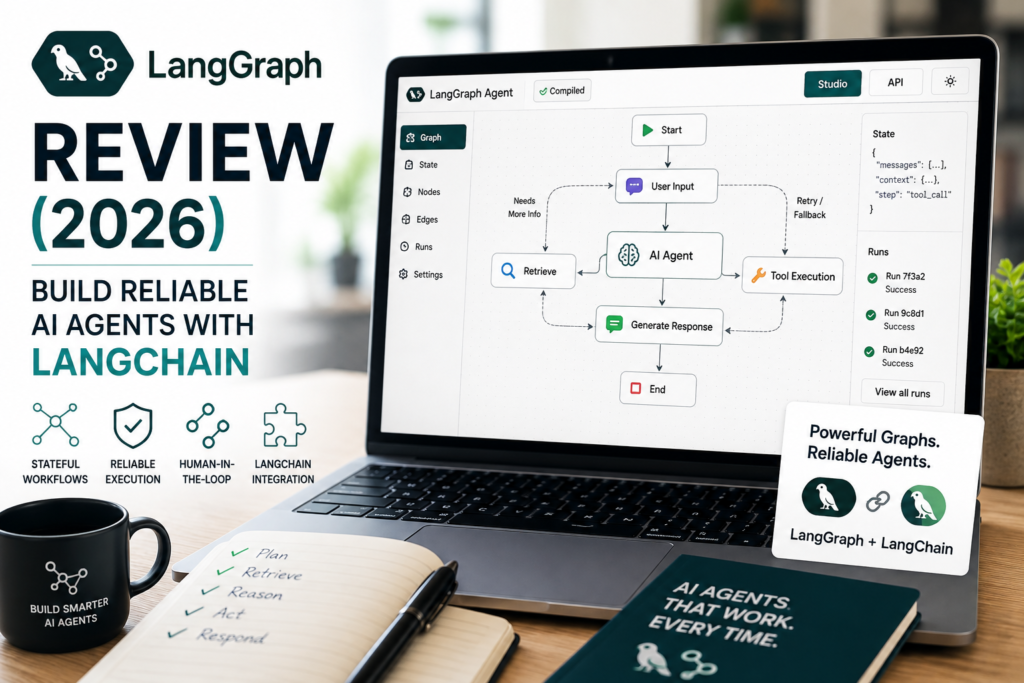
If you’re building an AI product that has to finish a multi-step task—not just chat—you’ve probably hit the same wall: the agent works in a demo, then behaves unpredictably in production.
That’s where LangGraph becomes particularly relevant. This LangGraph agents review examines how it handles stateful AI agents, branching workflows, human-in-the-loop approvals, durable execution, pricing, and production deployment—and when a simpler framework may be the better choice.
Quick Answer: LangGraph is a production-oriented agent orchestration framework designed for explicit control over multi-step, stateful AI workflows. Choose it when reliability, branching logic, human-in-the-loop review, and durable execution matter more than rapid prototyping. Skip it for simple chatbots or lightweight assistants where a simpler SDK ships faster.
Key takeaways for technical founders and AI developers
- LangGraph is an agent runtime for workflow control, not just a prompt wrapper. Its core value is explicit state and transitions.
- It is best suited to production pipelines with branching, retries, tool use, and human approvals.
- Its primary trade-off is a steeper learning curve and more setup overhead than lightweight agent SDKs.
- LangGraph complements LangChain and LangSmith: LangChain provides building blocks and integrations, while LangSmith supports observability, evaluation, and deployment workflows.
- LangGraph can be used independently of LangChain, although the two integrate closely.
- Decision rule: if your agent workflow needs to be visible, testable, reviewable, and recoverable, LangGraph is usually worth evaluating.
The real business problem LangGraph solves
Most “agent” prototypes are essentially a loop: the model decides what to do next, calls a tool, reads the result, and repeats. That can work for small tasks. But in production—especially for small businesses trying to save time through automation—the failures tend to cluster in predictable places:
- Branching decisions are implicit: the model “chooses” a path, but you cannot easily enforce which paths are allowed.
- No durable state: long workflows cannot reliably pause and resume for approvals, rate limits, outages, or scheduled steps.
- Retries are messy: you either re-run everything, wasting cost, or write ad-hoc retry logic everywhere.
- Debugging is slow: without clear execution traces, teams burn engineering time reproducing failures.
- Human review is bolted on: approvals happen outside the workflow, which breaks auditability and consistency.
- Tool calls can fail halfway through a workflow, creating duplicate actions or incomplete records.
- Prompt or model changes can silently alter routing behavior without an obvious test failure.
LangGraph is built to address those pain points through stateful, multi-step, controllable AI agent workflows with explicit routing and durable execution.
For teams building agents, the goal is not simply to make an LLM “reason” for more steps. The goal is to make an AI workflow behave predictably when it encounters normal production realities: incomplete data, unavailable tools, policy exceptions, approval delays, changing rules, and unpredictable user requests.
What Is LangGraph?
LangGraph is a low-level agent orchestration framework for building LangGraph agents that execute multi-step workflows. “Stateful” means the workflow maintains structured information about what has happened so far—inputs, intermediate results, decisions, approvals, tool outputs, and current status—and can use that state to decide what happens next.
LangGraph is designed for building stateful, multi-step agents with explicit control over routing, tools, memory, and human approval.
The simplest mental model is:
- You define a graph of steps, called nodes.
- Each node does a piece of work, such as an LLM call, tool call, validation, routing decision, or approval request.
- Edges define how execution moves between nodes, including conditional branching.
- State is passed and updated across the workflow so the agent can run reliably over time.
In commercial terms, LangGraph is designed to make AI agents less like “a clever chatbot” and more like “a controlled workflow engine that can use AI when appropriate.”
LangGraph is a low-level orchestration framework and runtime for building, managing, and deploying long-running, stateful agents. It does not require LangChain, although many teams use LangChain components alongside it for models, tools, retrievers, and integrations.
For teams comparing a LangGraph agent framework with higher-level alternatives, the key question is whether they need explicit control over state, branching, persistence, and long-running execution.
The open-source project is available in the LangGraph GitHub repository, where developers can review the current implementation, release history, license, and official links to documentation and quickstarts.
LangGraph Architecture: State, Nodes, Edges, and Conditional Routing
LangGraph architecture is based on a graph model that makes an AI workflow explicit. Rather than letting a language model determine every possible next action in an opaque loop, the developer defines the available steps, the data shared between them, and the rules that determine what happens next. This architecture gives LangGraph agents a structured way to manage state, routing, tool calls, and workflow transitions.
At a conceptual level, a LangGraph workflow is built around state, nodes, and edges, with conditional routing used to control branching between nodes.
- State: A shared data structure that stores the information the workflow needs. This may include the user request, retrieved documents, tool outputs, confidence scores, approval status, retry count, and final result.
- Nodes: Individual units of work. A node might classify a request, call an LLM, retrieve information, validate data, invoke a business-system API, request human approval, or send a final response.
- Edges: The allowed connections between nodes. An edge determines how execution moves from one step to another.
- Conditional routing: Branching logic that decides which node runs next based on workflow state, business rules, validation results, confidence scores, policy constraints, or tool outcomes.
For example, a support workflow might route a high-risk refund request to a human reviewer, send a billing question to an account lookup node, and send a product question to a retrieval node.
At a conceptual level, a LangGraph state machine moves an application through defined states and transitions while allowing nodes to update shared workflow state. This is why LangGraph is useful when your workflow must be inspectable, testable, recoverable, and governed rather than simply conversational.
For deeper technical detail, see the official LangGraph Graph API overview.
How LangGraph Works
A LangGraph workflow typically runs through a controlled sequence:
- A workflow begins with an input, such as a customer ticket, document, sales lead, user request, or scheduled event.
- The graph initializes or loads the relevant workflow state.
- A node performs the first task, such as classification, extraction, retrieval, or validation.
- The node updates the state with its output.
- An edge determines the next step.
- A conditional edge can route the workflow differently based on confidence, business policy, user intent, risk level, missing data, or a previous tool result.
- The workflow may call tools, request human approval, retry a failed action, or wait for an outside event.
- Checkpointing and persistence can save progress so the workflow can resume later rather than start again.
- The graph reaches a final node and produces a result, records an audit trail, or hands off work to another system.
For example, a customer-support workflow could look like this:
New support request
→ Classify intent
→ Retrieve customer and order data
→ Check policy and risk level
→ Draft a response
→ If high-risk: pause for human approval
→ If approved: send response
→ Log outcome and update workflow state
This is the key difference between a production workflow and an open-ended chat loop. For LangGraph agents, this controlled execution model is particularly useful when individual steps can fail, require approval, or need to resume later. A model can still make useful decisions, but the surrounding system limits which actions are allowed, records what happened, and provides defined paths for errors, approvals, and recovery.
Who LangGraph Is For—and Who Should Avoid It
LangGraph is a strong fit if you’re building:
- Customer-facing agent features where failures are visible and costly, such as support triage, onboarding flows, and document intake.
- Long-running workflows that must pause and resume for approvals, scheduled follow-ups, or multi-system processes.
- Branching pipelines where outcomes depend on rules, validation, or routing, such as escalations and compliance checks.
- Audit-friendly automation where you need to prove what happened and why.
- AI workflows that call multiple internal or external tools and need safe retry or recovery behavior.
- Products where agent reliability is part of the customer experience or operating model.
LangGraph is usually the wrong choice if:
- You are building a simple chatbot or FAQ assistant with minimal tool use.
- You need a fast prototype to validate demand within days, and workflow complexity is still unknown.
- Your team lacks the bandwidth for a steep learning curve and operational discipline, including testing, observability, and structured state.
- You can solve the problem with non-agent workflow automation using deterministic steps, forms, rules, and simple integrations.
- Your workflow has one short path, low business risk, and no pause/resume requirement.
Consultant Insight: Many teams adopt AI agent frameworks too early. If you do not yet know the workflow you are automating—inputs, decisions, failure modes, and handoffs—a heavier orchestration framework can slow you down. Map the business workflow first, then choose the orchestration layer that matches your needed control.
Business-First AI Framework™: Decide on Workflow Needs Before Choosing LangGraph
At Intelligent AI Lab, we use a simple sequence because it prevents expensive tool churn:
- Business Problem: What outcome must improve? Faster triage? Fewer escalations? Lower handling time?
- Workflow Improvement: What steps exist today, and where do errors or handoffs occur?
- Choose the Right Solution: Do you need a graph-based agent runtime, or a simpler automation?
- Implement with Human Oversight: Where are approvals mandatory?
- Measure Business Outcomes: Track success rate, review rate, retry rate, and cost per completion.
- Standardize and Scale: Expand only after one workflow is stable.
Business-First AI Insight: LangGraph is most valuable when your competitive advantage depends on repeatable execution, not creative text generation. If the hard part of your product is orchestration—routing, approvals, retries, state, and auditability—LangGraph directly targets that value.
LangGraph Workflow and Core Capabilities
LangGraph’s value centers on reliability: stateful orchestration, branching flows, human-in-the-loop checkpoints, and durable execution for complex pipelines.
1. Explicit workflow control
Instead of letting the model improvise the entire plan in a loop, you design the allowed steps and transitions. This matters when you need predictable routing.
For example:
If the request is billing-related
→ Route to billing-policy checks

If the request is technical
→ Retrieve product logs and known issues

If the request is unclear or high-risk
→ Escalate to a human reviewer
The trade-off is that you move some decision-making from the model into your workflow definition. That is usually good for reliability, but it requires discipline: you must define states, transitions, error paths, and escalation criteria.
2. LangGraph memory and stateful execution
For LangGraph agents, memory and state management become especially important when a workflow spans multiple interactions or execution stages.
“Memory” in agent systems is often misunderstood. In production automation, the most valuable memory is frequently structured workflow state: what was approved, what tools ran, what data was retrieved, what decisions were made, and what the latest status is.
Short-term memory is typically associated with a conversation or workflow thread, helping the graph retain useful context during a specific process. Long-term memory can persist information that needs to be reused across different runs or threads, such as customer preferences, recurring facts, prior decisions, or organizational knowledge.
When stateful execution matters most:
- Document processing
- Multi-step onboarding
- Research synthesis
- Sales qualification
- Customer support
- Human approval workflows
- Long-running processes involving several business systems
3. Human-in-the-loop checkpoints
Many real-world workflows should not be fully autonomous. Human review is often a product requirement for quality control, brand risk, compliance, and customer safety.
LangGraph supports human-in-the-loop workflows in which execution can pause for review, a person can inspect or modify workflow state, and the graph can resume from the saved state after a decision is made.
Implementation consideration: treat human review as a first-class node with clear approve, reject, or request-changes transitions. Do not hide approvals in Slack messages or email threads with no captured workflow state.
4. Durable execution for long-running workflows
Production workflows do not always finish in one request-response cycle. They may pause for approvals, wait for external systems, hit rate limits, or encounter temporary outages.
Durable execution means designing workflows that can survive interruptions and resume cleanly without starting over.
Business impact:
- Fewer failed runs
- Less wasted model spend
- Reduced duplicate tool actions
- Less engineering time spent rebuilding context after partial failures
- More reliable customer-facing automation
- Better auditability when exceptions occur
5. LangGraph multi-agent architecture
LangGraph supports multi-agent workflows and structured transitions between steps. In practice, multi-agent systems can be useful when you want separation of responsibilities, such as a retrieval role, a policy-check role, and a drafting role.
A simple LangGraph multi-agent architecture might look like this:
Supervisor or router node
→ Retrieval specialist
→ Policy and compliance reviewer
→ Drafting specialist
→ Human approval node for high-risk cases
→ Final response or escalation
Use a multi-agent approach when different parts of the workflow need distinct tools, permissions, prompts, policies, or quality controls.
Common mistake: adding agents to compensate for unclear workflow design. If you cannot describe the workflow in plain English, adding more agents usually increases entropy, not reliability.
Use a single controlled graph instead when the workflow is mostly sequential, shares the same state, uses similar tools, and does not benefit from specialized agent roles.
How to Build an AI Agent with LangGraph
A LangGraph tutorial for building LangGraph agents does not need to begin with a complex autonomous system. The best starting point is one business workflow with a clear input, output, routing decision, and failure mode.
For example, imagine a support-ticket triage agent. Its job is not to solve every customer problem autonomously. Its job is to classify a ticket, retrieve relevant account information, draft a response, request approval when necessary, and record what happened.
Step 1: Define the agent goal
Write the workflow goal in a measurable form:
Classify inbound support tickets, retrieve relevant customer context, draft a policy-safe response, and escalate risky cases for human approval.
Avoid vague goals such as “make customer support more intelligent.” A useful LangGraph agent should have a defined completion state, a clear success condition, and known exception paths.
Step 2: Define the workflow state
State is the information the workflow needs to do its job and resume safely later.
For a support workflow, that might include:
- Ticket ID
- Customer ID
- Customer request
- Ticket category
- Retrieved account or order details
- Policy result
- Draft response
- Risk score
- Approval status
- Retry count
- Final workflow outcome
Define the smallest useful state schema first. If every node can write arbitrary information without a shared schema, the graph quickly becomes difficult to debug and maintain.
Step 3: Create your nodes
Each node should perform one understandable task.
For example:
classify_ticketretrieve_customer_datacheck_policydraft_responserequest_human_approvalsend_responselog_outcome
A well-designed node has a specific purpose, a defined input, and a predictable state update.
Step 4: Connect nodes and edges
Edges determine the normal workflow sequence:
START
→ classify_ticket
→ retrieve_customer_data
→ check_policy
→ draft_response
→ send_response
→ END
This is the happy path. Production workflows also need exception paths for missing customer data, failed API requests, low model confidence, policy conflicts, and high-risk decisions.
Step 5: Add conditional routing
Conditional edges make the workflow react to business conditions.
For example:
If risk score is low
→ Send response

If risk score is high
→ Request human approval

If customer data is missing
→ Request more information

If a tool call fails
→ Retry or escalate
This is where LangGraph becomes more valuable than a loosely structured agent loop. The application defines the valid routes, while the model contributes useful decisions within those boundaries.
Step 6: Add tools
A production AI agent often needs more than an LLM. It may need to call tools or APIs to retrieve data, check inventory, query a CRM, generate a document, create a ticket, or update an internal record.
Treat tool calling as an explicit workflow step. Capture the input, output, error state, and retry behavior in workflow state. Do not rely on invisible or unlogged tool use when actions affect customers, money, access, compliance, or reputation.
Step 7: Add memory, persistence, and checkpointing
If the workflow must pause, wait for a customer reply, wait for manager approval, or survive a system interruption, configure persistence and checkpointing.
This lets the agent resume from saved workflow state rather than repeating completed steps and potentially triggering duplicate actions.
Step 8: Add human approval
For high-risk decisions, use a human-in-the-loop node.
A reviewer should see:
- The original request
- Relevant retrieved context
- The draft response or proposed action
- The reason for escalation
- The policy result or confidence score
- Clear approve, reject, or request-changes options
The approval result should become part of workflow state so the action remains auditable.
Step 9: Test and observe the workflow
Before deployment, test the happy path and the paths that fail:
- Missing information
- Tool outages
- Low-confidence classifications
- Policy conflicts
- Duplicate requests
- Approval rejection
- Retries
- Resume-after-interruption behavior
For a deeper build guide, see the official LangGraph Quickstart.
Minimal LangGraph Python Example: Build Your First Graph
This example demonstrates the core LangGraph graph structure rather than a complete LLM-powered agent. It shows state, a node, edges, compilation, and invocation—the building blocks you extend with models, tools, conditional routing, persistence, and human approval.
Install the base LangGraph package:
pip install -U langgraphFor a basic graph-only example, LangGraph itself is enough. Add LangChain or provider-specific packages only when your workflow needs higher-level integrations, models, tools, or provider connectors.
from typing import TypedDict
from langgraph.graph import StateGraph, START, END

class AgentState(TypedDict):
    request: str
    result: str

def process_request(state: AgentState):
    return {
        "result": f"Processed request: {state['request']}"
    }

workflow = StateGraph(AgentState)

workflow.add_node("process_request", process_request)
workflow.add_edge(START, "process_request")
workflow.add_edge("process_request", END)

graph = workflow.compile()

result = graph.invoke({
    "request": "Classify this support ticket"
})

print(result["result"])
This minimal LangGraph Python example demonstrates the essential pattern:
AgentStatedefines structured workflow state.process_requestis a node.STARTandENDdefine the workflow boundary.- Edges define execution order.
compile()creates the runnable graph.invoke()runs the workflow with an initial state.
These are the core building blocks developers use when creating LangGraph agents in Python.
A production implementation would extend this with model calls, conditional edges, tool calling, persistence, checkpointing, human approval, retries, tracing, and evaluation.
For installation and API details, see the official LangGraph installation guide and Graph API documentation.
LangGraph Memory, Persistence, and Checkpointing
LangGraph memory, persistence, and checkpointing are related concepts, but they are not identical. Understanding the distinction matters if you are building long-running, production-ready agents.
Workflow state
Workflow state is the structured information a graph uses as it runs. It can include the user request, tool outputs, retrieved documents, routing decisions, approval status, retry count, and latest result.
Short-term memory
Short-term memory is typically tied to a conversation or workflow thread. It helps the graph retain context during the current process, such as earlier messages, previously retrieved records, completed steps, or a pending approval.
Long-term memory
Long-term memory stores information that needs to be reused across different runs or threads. Examples include customer preferences, business rules, recurring facts, user profiles, and organizational knowledge.
LangGraph persistence
LangGraph persistence allows workflow state to be saved so long-running executions can resume after interruptions. This matters when a workflow waits for human approval, pauses for a scheduled event, encounters a temporary service failure, or needs to continue after a process restart.
Persistence is not simply chat memory. It is part of the reliability model for an AI workflow.
LangGraph checkpointing
LangGraph checkpointing saves snapshots of graph state during execution. This makes it possible to pause a workflow for approval, inspect or update state, recover after failure, and resume from the last saved point rather than rerunning the entire process.
A checkpoint is especially valuable when a workflow includes consequential tool use. If a process has already retrieved data, run a policy check, drafted a response, and received approval, it should not repeat every earlier step because a later API call fails.
LangGraph checkpointers persist a thread’s graph state as checkpoints. They support short-term memory, human-in-the-loop review, time-travel debugging, and fault-tolerant workflow recovery.
For implementation details, see the official persistence documentation and checkpointers guide.
Memory, persistence, and business value
For small-business automation, these concepts quickly become practical:
- A sales workflow can retain lead qualification status and avoid repeating enrichment calls.
- A document-processing workflow can resume after a reviewer corrects a low-confidence extraction.
- A support workflow can pause until a manager approves an exception.
- A compliance workflow can preserve the full decision trail for audit or quality review.
- A research workflow can record retrieved sources, intermediate findings, and open questions for later continuation.
The business value is less rework, fewer duplicate actions, lower API waste, stronger auditability, and more reliable execution.
Human-in-the-Loop and Reliable AI Agents
LangGraph agents with human-in-the-loop workflows are useful when an agent can prepare, recommend, classify, retrieve, or draft—but a person must authorize the final action.
This is particularly useful for:
- Customer-facing messages that may create brand risk
- Refunds, credits, pricing exceptions, or account changes
- Compliance-sensitive documents
- Legal, HR, healthcare, or financial workflows
- Destructive tool actions, such as deleting records or sending irreversible communications
- Low-confidence classifications or unusual edge cases
The best human-in-the-loop systems do not send every case to a reviewer. They automate low-risk, high-confidence work and escalate the exceptions that genuinely need judgment.
A good approval node should capture:
- The workflow’s current state
- The proposed action
- The reason for escalation
- Relevant policy or validation results
- The reviewer’s decision
- Any reviewer edits
- The final transition taken after review
This turns human oversight into a visible, measurable part of the workflow rather than an untracked side conversation.
For technical implementation patterns, see the official LangGraph human-in-the-loop documentation.
LangGraph Pricing: Framework Cost vs Managed Platform Cost
LangGraph is an open-source project released under the MIT License, so there is no separate framework license fee to use the core package in your own application.
Teams can build and run LangGraph workflows on infrastructure they manage, but the total cost of ownership still includes engineering time, model/API usage, infrastructure, state persistence, observability, testing, monitoring, and ongoing operational support.
The key distinction is:
- LangGraph framework: An open-source orchestration framework and runtime.
- Your infrastructure: Hosting, databases, queues, storage, secrets management, and operational tooling that you choose and pay for.
- Model and tool costs: Charges from LLM providers, vector databases, APIs, SaaS tools, and external services used by your workflow.
- LangSmith services: Optional managed products for observability, evaluation, deployment, and related agent-development capabilities.
As of August 29, 2026, the official LangSmith pricing page lists:
| Plan | Current listed price | Best for |
|---|---|---|
| Developer | $0 per seat/month | Individual developers getting started |
| Plus | $39 per seat/month | Small teams building and operating agent applications |
| Enterprise | Custom pricing | Larger organizations needing enterprise controls and support |
Usage-based charges can apply beyond included allowances, and managed deployment services can incur additional resource-based costs.
The Plus plan currently includes one small serverless deployment; additional usage is billed according to the platform’s applicable usage-based pricing. Pricing, included usage, and managed-service capabilities can change, so verify current details on the official LangSmith pricing page before budgeting.
In practical terms, the framework itself may be free to use, but a production LangGraph system is not “free.” Budget for model calls, retries, persistence, monitoring, human review, infrastructure, engineering maintenance, and the cost of failures that the workflow is designed to prevent.
LangGraph Pros and Cons
| Dimension | What you gain with LangGraph | What you pay for or risk |
|---|---|---|
| Reliability | Explicit routing, stateful flows, better control for production agents | You must design and maintain workflow logic deliberately |
| Human oversight | Cleaner approval gates and reviewable transitions | More product and UX work to make reviews fast and consistent |
| Debuggability | Clearer execution structure; pairs well with observability tooling | If you skip observability, complexity can make debugging worse |
| Speed to prototype | Strong foundation once the workflow is defined | Slower initial build than lightweight agent SDKs |
| Scalability of complexity | Handles branching, retries, and long-running tasks more cleanly than ad-hoc loops | Workflow sprawl can grow without governance |
| Auditability | A clearer record of decisions, transitions, and approvals | Requires thoughtful state retention and data-management policies |
| Multi-agent design | Supports structured specialist-agent workflows | More agents can increase cost, complexity, and testing requirements |
LangGraph vs LangChain: What’s the Difference?
This is one of the most common sources of confusion, and it affects buying decisions.
LangChain is the broader application framework: it provides components, integrations, and patterns for building LLM-powered applications, including chains, tools, retrievers, and higher-level agent abstractions.
LangGraph is the orchestration and runtime layer designed for stateful, multi-step agent workflows with explicit control over graphs, branching, durable execution, and human-in-the-loop patterns.
How to decide:
- If you are building a straightforward LLM application with limited branching, you may only need LangChain components.
- If you are building an agent that must execute a controlled workflow across multiple steps, especially if it must pause and resume, LangGraph becomes the more relevant layer.
- If you need a fast start with common agent patterns, LangChain may provide useful higher-level abstractions.
- If you need custom execution control, complex branching, detailed state management, or recovery behavior, LangGraph gives you more control.
Expert Verdict: LangGraph is not “LangChain 2.0”—it is the control plane for agents.
“Control plane” is an editorial metaphor, not an official product classification. A more precise description is that LangGraph is a lower-level orchestration runtime for agents, while LangChain supplies higher-level application and agent-building abstractions.
If your biggest pain is unreliable multi-step execution, LangGraph is the part to evaluate. If your biggest pain is “I need integrations and building blocks,” start with LangChain components and add LangGraph only when workflow control becomes the bottleneck.
For official product context, see the LangGraph overview.
LangGraph Examples: 4 Practical AI Agent Workflows
LangGraph is best suited to complex agent pipelines with branching, human review, state, and durable execution. Here are practical examples aligned with small-business automation outcomes: saving time, reducing rework, and improving customer experience.
1. Customer support triage with approval gates
Workflow: Classify ticket → retrieve account/order history → draft response → human approval → send → log outcome.
Why LangGraph fits: Classification and routing are branching decisions; approvals are first-class workflow steps; state must persist across the process.
2. Sales qualification and routing
Workflow: Capture lead → enrich data → score → route to rep or sequence → notify → record decision trace.
Why LangGraph fits: Conditional routing and auditability matter, especially as lead volume grows. The workflow can explain why a lead was routed, escalated, or excluded.
3. Document intake, validation, and routing
Workflow: Ingest → extract fields → validate → route to correct queue → archive → handle exceptions.
Why LangGraph fits: Validation failures need controlled retries and exception paths. Human review may be required for low-confidence extractions or sensitive documents.
4. Compliance-style review workflows
Workflow: Generate draft → check policies → flag issues → approve or revise → publish with trace.
Why LangGraph fits: Explicit checkpoints and auditable transitions are the whole point. The workflow can document which checks ran, which issues were found, and who approved the final output.
LangGraph vs CrewAI vs AutoGen: Alternatives Compared
When comparing frameworks for LangGraph agents, the important question is not simply which tool has the most features. For commercial investigation intent, the goal is not to find the “best” framework in the abstract. The goal is to pick the one that matches your product’s reliability needs, your team’s experience, and your time-to-market constraints.
Note: These tools overlap in agent development but are not identical product categories. The ease-of-use and production-control ratings below are editorial assessments based on typical workflow requirements, not vendor benchmarks.
| Tool | Best for | Ease of use | Time to value | Production control | Notes |
|---|---|---|---|---|---|
| LangGraph | Stateful, branching, reviewable production agents | Hard | Medium | High | Strong fit when precision and durable execution matter; pairs well with the LangChain ecosystem and LangSmith |
| CrewAI | Role-based multi-agent collaboration and quicker multi-agent prototyping | Medium | Fast | Medium | Often has a simpler mental model; less explicit control than LangGraph for strict workflows |
| AutoGen / AG2 | Conversational multi-agent interaction patterns | Medium | Fast to Medium | Medium | Strong for dynamic agent-to-agent dialogue; may be less structured for strict production workflows |
| OpenAI Agents SDK | Quick prototypes and simpler assistants in the OpenAI ecosystem | Easy | Fast | Medium | Lower complexity and fast onboarding; may be less flexible for advanced orchestration |
| LlamaIndex Workflows | Retrieval-heavy, document-centric workflows and RAG systems | Medium | Medium | Medium | Strong when the core challenge is documents and retrieval rather than explicit graph orchestration |
How to pick between them
- Choose LangGraph when you need explicit workflow control: branching, approvals, durable state, and auditability.
- Choose CrewAI when the main value is role-based collaboration and you want faster multi-agent prototyping with a simpler mental model.
- Choose AutoGen/AG2 when your architecture is fundamentally agents conversing and you benefit from dynamic dialogue patterns.
- Choose OpenAI Agents SDK when you need to ship quickly and your orchestration needs are modest.
- Choose LlamaIndex Workflows when retrieval and document pipelines are the core problem.
When LangGraph Is Overkill
A trustworthy LangGraph review should be explicit here: many teams do not need graph orchestration yet.
LangGraph is often overkill when:
- Your agent is basically retrieve context → draft response with minimal branching.
- You do not have human approval requirements.
- Your workflow completes in a single short execution path and failures are low impact.
- You are still discovering the product’s real workflow through user feedback.
- A deterministic process plus one LLM call solves the business problem.
- You do not yet have enough workflow volume or risk to justify a more complex runtime.
What to do instead:
- Start with a smaller orchestration surface area: a simpler agent SDK, or even a deterministic workflow with one LLM step.
- Instrument from day one with logging, basic traces, and cost tracking.
- Promote to LangGraph when you see repeatable needs for branching, approvals, retries, long-running tasks, or auditability.
Implementation Considerations That Usually Decide Success or Failure
Competitor content often lists features but skips the operational realities. If you are evaluating LangGraph as AI software for production agent systems, these implementation patterns matter more than the marketing narrative.
1. Define your state schema before you build nodes
LangGraph is state-centric. If you do not define what “state” means in your workflow, your graph becomes a tangle of implicit assumptions.
Practical approach:
- List the minimum fields needed to run and resume, including inputs, retrieved documents, tool outputs, approvals, and status.
- Decide what must be persisted for audit and debugging versus what is ephemeral.
- Establish versioning rules so you can evolve state without breaking old runs.
- Avoid putting secrets, raw credentials, or unnecessary sensitive data directly into workflow state.
2. Treat branching as a product decision, not just a technical one
Branching logic is where reliability is won or lost. Branches represent business policies: escalation thresholds, validation rules, confidence boundaries, customer-segment handling, and exception management.
More branches increase control but also increase the test surface area. Keep branches aligned to meaningful business outcomes, such as risk, cost, customer impact, compliance, or service quality.
3. Build human-in-the-loop for speed, not just safety
Human review is often framed as “slower but safer.” In practice, the fastest systems are often the ones that:
- Auto-complete low-risk cases.
- Route only ambiguous cases to review.
- Provide reviewers with the exact context needed to approve quickly.
- Capture reviewer decisions as structured workflow state.
- Measure human-review rate and optimize it over time.
A well-designed approval gate can be a throughput accelerator.
4. Observability is not optional for agents
Whether you use LangSmith or another stack, you need a way to answer:
- Where does the workflow fail?
- Which branches are most common?
- What is the retry rate and why?
- Which tools fail most often?
- What is the cost per completed workflow?
- Which prompts or model changes altered behavior?
- How often do workflows require human review?
- Which workflow versions are performing best?
Without that, agent reliability becomes guesswork—and your team will spend time arguing with anecdotes instead of improving the system.
5. Plan for testing like you would any workflow engine
Agent systems fail in unusual ways, but the fix is often boring: treat workflows as software.
- Unit test deterministic nodes, such as parsers, validators, and routers.
- Use golden test cases for representative inputs and expected transitions.
- Regression test after prompt or model changes, because behavior shifts can change branching.
- Test checkpoint recovery, approval interruptions, tool failures, timeout paths, and state migrations.
- Test failure handling before production volume exposes gaps.
- Record representative real-world examples so you can measure improvement over time.
Business Tip: If you cannot describe your agent workflow as a flowchart that a non-ML stakeholder understands, you will struggle to operate it. LangGraph rewards teams that can turn “agent magic” into a workflow everyone can reason about.
LangGraph Deployment and Production Operations
A graph that works locally is not necessarily ready for production. LangGraph deployment should be treated as an operational discipline, not just the final step after coding.
LangGraph itself is an open-source framework that teams can run as part of their own application infrastructure. Managed deployment, observability, evaluation, and platform capabilities are separate considerations.
Teams can package and deploy their own LangGraph applications on infrastructure they manage. LangSmith provides managed deployment capabilities, while Enterprise customers can also access self-hosted and hybrid deployment options.
Before deploying a LangGraph workflow, define:
- Where workflow state and checkpoints will be stored.
- How secrets, API credentials, and tool permissions will be managed.
- Which nodes can take customer-facing or irreversible actions.
- How retries, timeouts, and rate-limit failures will be handled.
- Which workflow versions are currently live.
- How you will monitor cost per run, latency, failures, and approval rates.
- How old checkpoints, traces, and customer data will be retained or deleted.
- How state-schema changes will be tested before rollout.
- What happens when a tool returns inconsistent or partial data.
- When a workflow should stop, retry, escalate, or fall back to a manual process.
For production systems, versioning matters. If you change a state schema, node behavior, prompt, routing rule, or tool contract, existing in-progress workflows may still depend on the previous version. Plan for backward compatibility, controlled migrations, or graceful handling of old workflow states.
Security note: Keep LangGraph and its checkpoint, serialization, and storage dependencies updated in production—especially when persisted workflow state may contain customer, financial, operational, or other sensitive business data. Review security advisories as part of routine dependency management and deployment maintenance.
For deployment options, see the official LangGraph deployment documentation and LangSmith deployment guidance.
A Mini ROI Model: Where LangGraph Typically Pays Back
In production, LangGraph’s ROI is more likely to appear in reduced debugging time, safer retry handling, lower manual coordination, and better workflow recovery than simply in faster prompt development.
Use these KPIs to quantify payback:
- Workflow success rate: Percentage completed without manual rescue.
- Human-review rate: How often approvals are needed.
- Retry rate: How often a node or tool needs to run again.
- Retry reasons: Tool errors vs model errors vs missing data.
- Time-to-resolution: For support, document processing, onboarding, or sales qualification.
- Cost per completed workflow: Model calls + tool costs + infrastructure cost.
- Developer time to ship changes: Time spent debugging and reproducing issues.
- Recovery rate: How often interrupted workflows resume successfully rather than restarting.
- Escalation rate: How often the workflow routes a case to a human or fallback process.
How to interpret results: LangGraph wins when the cost of failures—brand risk, support escalations, engineer time, compliance exposure, or lost customer trust—exceeds the cost of building a more controlled workflow.
Start Today / Improve Next / Scale Later
Start Today
- Write the workflow in plain English with inputs, outputs, branches, and approval points.
- Define what “done” means and list your top five failure modes.
- Pick 5–10 real examples, such as tickets, leads, or documents, and label the expected path for each.
- Identify the actions that require human approval or cannot safely be retried automatically.
- Decide what information must be stored to resume the workflow safely.
Improve Next
- Build a minimal graph that covers the happy path plus one exception path.
- Implement a human-in-the-loop node for the highest-risk step.
- Add observability for transitions and cost tracking.
- Configure persistence and checkpointing for workflows that can pause, wait, or fail mid-process.
- Add regression tests for your most valuable and risky workflow paths.
- Establish a baseline for success rate, review rate, retries, and cost per completion.
Scale Later
- Expand branching only after metrics show where it is needed.
- Harden retries, timeouts, and partial-failure recovery.
- Standardize state schemas and workflow versioning so multiple teams can contribute safely.
- Create reusable templates for approval nodes, retry logic, tool permissions, state storage, and observability.
- Consider a multi-agent architecture only where specialist roles clearly reduce complexity or improve quality.
- Create governance rules for prompt changes, model swaps, tool access, and workflow deployments.
Is LangGraph Worth Using in 2026?
LangGraph agents are worth serious consideration when you are building production AI systems that must execute stateful, multi-step workflows with branching, approvals, and durable execution.
Choose LangGraph when:
- Your agent must follow defined business rules.
- The workflow branches based on risk, policy, customer type, confidence, or data quality.
- Human approval is required for some actions.
- Workflows must pause and later resume.
- Tool failures and retries must be handled safely.
- You need an auditable execution history.
- Your team can invest in state design, testing, observability, and workflow governance.
Consider a simpler option when:
- You are validating an idea quickly.
- Your workflow is a simple retrieve-and-answer process.
- You have no meaningful branching or approval requirements.
- Failures are low impact and easy to recover from.
- A deterministic automation with one LLM step can accomplish the task.
For teams building agents that must reliably execute complex workflows, LangGraph is worth serious consideration. Its main value is not that it makes an LLM sound more intelligent. Its value is that it helps product teams make multi-step AI behavior more explicit, controlled, recoverable, and reviewable.
Final Verdict
Our LangGraph review verdict: LangGraph is one of the stronger choices for teams that need explicit control over complex, stateful AI workflows—but its additional complexity is justified only when the workflow actually demands that control.
Its main commercial value is reliability: making the workflow explicit and controllable so you can ship advanced automation without living in debugging purgatory.
LangGraph is not a default choice for every agent. If your workflow is simple, a lighter framework can ship faster. The strategic decision is not “Which agent framework is best?” It is “How much execution control do we need to deliver business outcomes consistently?”
Memorable strategic insight: In production, your competitive edge is rarely the cleverest prompt. It is the workflow that reliably finishes the job—every time, with the right approvals, and a trace you can defend.
Next Steps
If you are evaluating LangGraph, start by mapping one high-value workflow and identifying where it must branch, pause, and resume.
Decide your success metrics—success rate, review rate, retry rate, cost per completion, and escalation rate—before you scale.
If you want an outside perspective, request a framework-fit assessment focused on workflow control, observability, deployment readiness, and production reliability so you choose the simplest stack that can consistently deliver the outcome you need.
FAQs
What is LangGraph used for?
LangGraph is used to build stateful, controllable AI agent workflows that run across multiple steps, can branch based on conditions, and can include human approval checkpoints. It is most relevant when you need predictable orchestration rather than a simple chat loop.
Is LangGraph better than LangChain?
They solve different layers. LangChain is a broader framework for building LLM applications and integrations, while LangGraph is an orchestration runtime for stateful, multi-step agent workflows. If your challenge is reliable execution with branching and approvals, LangGraph is often the better fit.
Can I use LangGraph without LangChain?
Yes. LangGraph can be used independently of LangChain. The two integrate closely, but they serve different layers: LangGraph provides lower-level orchestration and runtime capabilities for stateful workflows, while LangChain provides higher-level components, integrations, and agent-building abstractions.
Is LangGraph open source?
Yes. LangGraph is an open-source project released under the MIT License. You can use the core framework in your own application, although production costs may still include models, APIs, infrastructure, persistence, observability, engineering, and managed platform services.
How steep is the LangGraph learning curve?
LangGraph has a relatively steep learning curve because it asks developers to think explicitly about workflow state, nodes, edges, transitions, persistence, testing, and failure recovery. That complexity is often the price of stronger production control.
Does LangGraph support human-in-the-loop workflows?
Yes. LangGraph supports workflows that can pause for human review, preserve workflow state, accept a reviewer’s decision or edits, and resume execution afterward. This is especially useful for approval gates involving quality, compliance, customer safety, and brand risk.
What are the best alternatives to LangGraph?
Common alternatives depend on your use case: CrewAI for faster role-based multi-agent prototyping, AutoGen/AG2 for conversational multi-agent interaction patterns, OpenAI Agents SDK for quick and simpler assistants in the OpenAI ecosystem, and LlamaIndex Workflows for retrieval- and document-centric workflows.
Is LangGraph suitable for simple chatbots?
Generally, no. LangGraph is often overkill for simple chatbots or no-code assistants. If you do not need branching, durable state, approvals, or recoverable long-running workflows, a simpler approach will usually deliver faster time to value.
What makes LangGraph production-friendly?
Its production-oriented strengths come from explicit workflow orchestration for stateful execution, support for branching and checkpoints, human-in-the-loop patterns, and an architecture that makes multi-step behavior more visible and testable. In practice, it is most valuable when combined with strong observability and testing discipline.
How do I know if I need graph-based orchestration?
You likely need it if your workflow must branch based on validations or policies, pause for human approval, resume reliably after failures, call tools safely across multiple steps, or provide an auditable trace of what happened. If none of those apply, start simpler and upgrade when the workflow demands it.
What is LangGraph checkpointing?
LangGraph checkpointing saves graph state during workflow execution. It supports pause-and-resume behavior, fault tolerance, human approval, and debugging because the workflow can continue from a saved state instead of restarting from the beginning.
What is a LangGraph state machine?
A LangGraph state machine is a way of modeling an AI workflow as defined states, nodes, transitions, and conditional routes. Each node can update shared workflow state, and edges determine which node runs next.
Can LangGraph handle multi-agent systems?
Yes. LangGraph can orchestrate multi-agent systems by coordinating specialist agents or nodes with distinct responsibilities, tools, policies, and transitions. However, a multi-agent architecture should be used only when it improves clarity or separation of responsibility. A single controlled graph is often simpler and easier to maintain for sequential workflows.