
Google NotebookLM Review (2026): Google’s AI Knowledge Assistant Explained
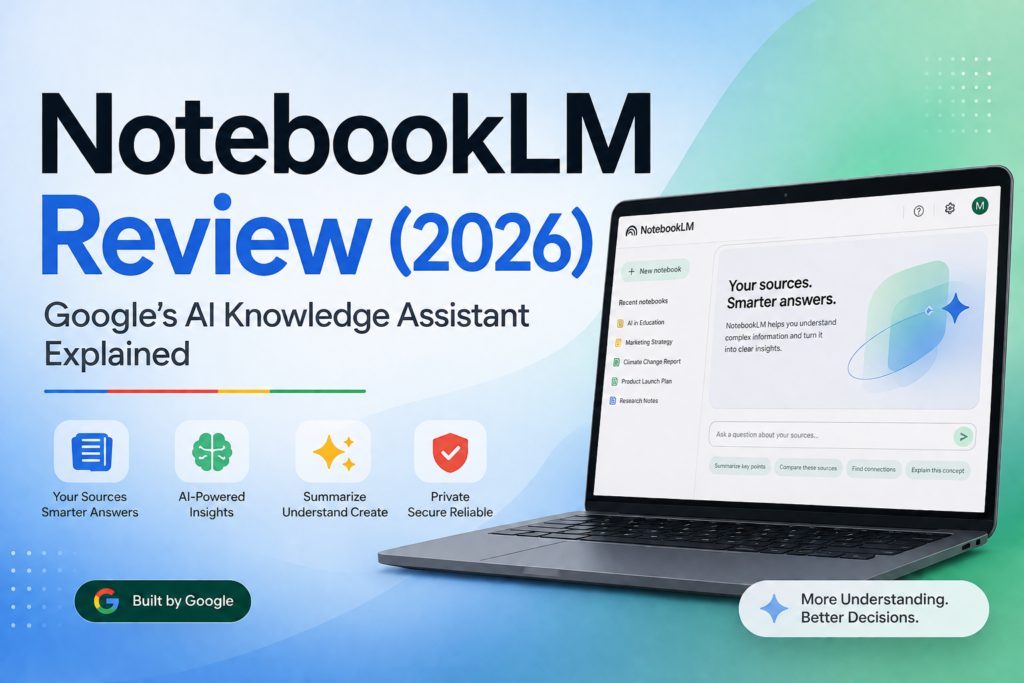
You don’t usually lose time because you can’t find information. You lose time because you can’t trust what you found, can’t remember where it came from, and can’t turn it into something usable fast enough.
That’s the real promise behind NotebookLM: it’s a Google AI knowledge assistant designed to answer questions and create structured outputs grounded in the sources you provide, with citations. In this Google NotebookLM Review, I’ll explain what it does in 2026, where it genuinely saves time for small businesses, and when you should choose a different tool
Quick Answer (2026): Google NotebookLM is best for document-heavy work where accuracy and traceability matter—summarizing PDFs, turning scattered notes into briefs, generating FAQs, and building onboarding packs—because it answers from your uploaded sources and shows citations. It’s not the best choice for open-web research, highly creative writing, or replacing subject-matter review.
For businesses evaluating AI research tools and AI tools for research, NotebookLM stands out because of its source-grounded approach and citation-backed outputs.
What is Google NotebookLM AI (and what it isn’t)?
Google NotebookLM is an AI knowledge assistant that helps you study, summarize, ask questions, and generate structured outputs from specific source material you upload or link (for example PDFs, Google Docs, Google Slides, websites, YouTube videos, and audio files). A defining characteristic is that it produces answers with citations pointing back to your sources.
Naming note: Google now uses the name Gemini Notebook on some product and plans pages. Because “Google NotebookLM” remains the familiar and commonly searched name, this review uses “NotebookLM” throughout.
What it is in practical terms:
- An AI research tool for making sense of long, messy, multi-document information packs.
- An AI note taking and synthesis workspace: it can transform sources into study guides, FAQs, briefing docs, timelines, and other structured assets.
- A tool for traceable synthesis: the goal is not only to get an answer, but to know where it came from.
What it isn’t (common expectation traps):
- Not a general “answer anything from the internet” chatbot by default. Its strength is working from selected sources.
- Not a complete enterprise knowledge management (KM) system (permissions, governance, lifecycle management, and deep integrations may require other platforms).
- Not a replacement for expertise. It can speed up first-pass analysis and drafting, but it doesn’t remove the need for review—especially for policy, legal, medical, financial, or client-facing claims.
Why NotebookLM matters for small businesses
Many people describe NotebookLM as a powerful NotebookLM AI platform because it combines source-grounded analysis, summarization, and content generation in a single workspace. Unlike many AI assistants, NotebookLM focuses on trusted information rather than open-ended responses.
Small teams don’t have the luxury of separate “research,” “enablement,” and “documentation” departments. The same person might be doing sales calls in the morning, writing a proposal in the afternoon, and onboarding a new hire next week.
NotebookLM becomes valuable when you’re dealing with document friction:
- Too many long PDFs, SOPs, notes, and decks to read end-to-end.
- Too much time spent extracting the same information repeatedly for different audiences (sales, support, ops, leadership).
- Too much risk from copying an AI-generated answer that you can’t trace back to a source.
NotebookLM’s “business value story” is straightforward: turn many documents into one usable asset (a brief, a FAQ, a report, a study guide) faster—while keeping your work auditable through citations.
How NotebookLM works (source-grounded answers + citations)
This Google NotebookLM Review finds that NotebookLM is built around a simple workflow: you create a notebook, add sources, then ask questions or request outputs that stay grounded in those sources.
- Collect sources: PDFs, Google Docs, Slides, web pages, YouTube videos, audio files, and other supported materials.
- Add them to a notebook: think of this as your “approved reading list” for a topic or project.
- Ask questions and generate outputs: summaries, Q&A, study guides, briefing docs, timelines, and other formats.
- Validate with citations: follow citations back to your source material to confirm the answer (and catch missing context).
- Share and collaborate (when needed): shared notebooks let teams reuse the same source pack and outputs.
Google indicates NotebookLM can support very large sources (for example, up to 500,000 words or 200 MB per uploaded file). This matters if your “source pack” is a policy manual, a research binder, or a long internal playbook.
Web research nuance
NotebookLM is not designed primarily as a general-purpose web chatbot. Instead, it helps users build a source-grounded knowledge base. While NotebookLM can discover relevant web content and Google Drive files through features such as Discover Sources and Deep Research, users should still review and intentionally select which sources to add to a notebook.
Treat source discovery as a way to build a high-quality source pack—not as a substitute for evaluating source quality.
Source freshness warning
NotebookLM answers are only as current as the sources available in the notebook. Google describes a source as a copy or an auto-synced version of material that has been added to the notebook.
For policies, pricing, product documentation, compliance guidance, and other fast-changing information, assign an owner and a review schedule. A cited answer can still be outdated if the underlying source is outdated, incomplete, or no longer authoritative.
What “citations” change in day-to-day work
Citations are not just a nice feature—they change the workflow. In a typical small business, the cost of a wrong answer isn’t theoretical. It shows up as:
- Incorrect promises in a proposal
- Support reps giving the wrong policy guidance
- Operations teams following an outdated process
- Leadership decisions based on misread research
With citations, your team can treat NotebookLM output as a draft with evidence attached. That is much easier to operationalize than “trust me” text from a general chatbot.
Business-First AI Insight: If a task has a “show me where that came from” moment, it’s a strong candidate for a source-grounded tool like NotebookLM. If nobody would ever ask for the source, you might get more value from a faster, more flexible general chatbot—or even a non-AI template.
NotebookLM features in 2026 (what’s actually useful)
In this Google NotebookLM Review, the most important shift is that NotebookLM has moved beyond basic source-grounded Q&A into a broader workspace for producing learning and work outputs—including audio and more structured formats. The question for a small business isn’t “does it have features?” It’s “which features reduce cycle time in a repeatable workflow?”
1) Broad source support (the practical advantage)
NotebookLM supports multiple source types commonly used in small businesses: PDFs, Google Docs, Google Slides, websites, YouTube videos, and audio files. That matters because your knowledge rarely lives in a single format.
Implementation note: output quality is strongly influenced by how clean and current your sources are. If you upload drafts, outdated policies, or inconsistent notes, NotebookLM will faithfully reflect those problems.
2) Structured outputs (briefs, study guides, FAQs, timelines)
NotebookLM can generate structured documents such as:
- Briefing docs for meetings, client calls, or internal reviews
- FAQs from policy documents or product documentation
- Study guides for training and onboarding
- Timelines from project notes or planning documents
For small businesses, this is where “AI note taking” becomes operational: you’re not just storing notes, you’re converting them into reusable assets.
3) Audio Overviews (useful for review, not for precision)
Audio Overviews turn your source material into a podcast-style conversation or audio summary. This is most valuable when you need to:
- Review a long source pack while commuting or between meetings
- Reinforce learning for onboarding or training
- Get an accessible first pass before doing deeper reading
Where it’s not the right fit: anything requiring precise language (legal clauses, compliance requirements, exact numbers). Use audio as a learning layer, then verify with citations in the source text.
4) Video Overviews
NotebookLM can also generate Video Overviews from notebook sources. Google provides official guidance for this feature, while noting that the mobile app may have limitations.
For onboarding, training, and executive communication, Video Overviews can provide a fast orientation to a source pack. Treat them as learning and communication assets—not as replacements for policy documents, exact instructions, or human review.
5) Visual formats (mind maps, reports, and related outputs)
NotebookLM has expanded into more visual and report-style outputs (such as mind maps, reports, and other presentation-friendly formats). These help when you’re trying to:
- See themes across many sources
- Turn reading into a decision-ready summary
- Share understanding quickly with a team
Practical trade-off: visual outputs can be compelling, but they can also create false confidence. Treat them as navigation aids, not final truth—use citations and spot-check source passages.
6) Collaboration (shared notebooks for teams)
Collaboration matters because the real ROI shows up when one person’s “research pack” becomes a reusable team asset. Shared notebooks work well for:
- Sales enablement (capabilities decks, pricing rules, case studies, objection handling)
- Support knowledge packs (SOPs, policies, troubleshooting steps)
- Onboarding (role guides, process docs, glossary, internal FAQs)
Common rollout mistake: teams share notebooks without standard naming, ownership, or source curation rules. The result is a messy library that nobody trusts.
7) Mobile-app considerations
NotebookLM’s mobile app supports many core capabilities, but Google notes that some features may be limited on mobile, including certain source-related workflows and Video Overviews.
Teams that rely on source discovery, complex notebook setup, or advanced outputs should validate their core workflow in the browser before standardizing on mobile usage.
Google NotebookLM pricing (what to know in 2026)
As this Google NotebookLM Review shows, pricing should be evaluated based on the workflows you plan to run, not simply the monthly cost. Pricing and plan packaging for NotebookLM can change, and the research indicates that Google provides a plans page for premium access but that current full pricing details should be verified on the live pricing/plans page before publishing or purchasing.
Plan-limit check
Before adopting NotebookLM for a team, verify the limits that affect operations:
- Number of notebooks per user.
- Sources allowed per notebook.
- Daily chat and output-generation limits.
- Collaboration and sharing controls.
- Administrative controls and enhanced privacy options.
- Availability in your country or region.
Google’s official upgrade page currently lists source allowances ranging from 50 sources per notebook on the standard tier to 600 sources per notebook on the highest listed tier. These limits are subject to change.
How to evaluate pricing
- For solo productivity: Confirm that the entry plan supports your normal source sizes and core outputs, such as briefs, FAQs, study guides, and Audio Overviews.
- For team workflows: Confirm collaboration rules, higher source limits, premium output allowances, and any administrative or privacy controls your organization needs.
- For high-volume use: Estimate how often your team will create reports, audio or video overviews, research outputs, and other generated assets—not just how many documents you plan to upload.
Google also offers higher-tier access through Google AI plans, which can provide additional capabilities and higher limits
NotebookLM Plus
Google also offers NotebookLM Plus for users who need higher limits and additional capabilities. Because pricing and feature availability can change, always verify the latest details on Google’s official plans page before making a purchasing decision.
Pros and cons (real business trade-offs)
One of the strongest findings from this Google NotebookLM Review is that NotebookLM’s advantages are closely tied to source-grounded work. Its biggest strengths are traceability, document synthesis, and fast conversion of source material into reusable business assets. The trade-offs become more noticeable when you need open-ended creativity, live web research, or a full enterprise knowledge management system.
| Area | Pros | Cons / Trade-offs |
|---|---|---|
| Accuracy approach | Source-grounded answers with citations reduce “unguarded” hallucinations and improve auditability. | Still requires review; if sources are wrong or incomplete, output will reflect that. |
| Time to value | Fast to start (same day) for individual use; strong immediate payoff in summarization and briefing creation. | Team-level value usually needs 1–2 weeks to standardize notebooks, naming, and source intake. |
| Output formats | Creates structured assets (FAQs, guides, briefs) that are easier to operationalize than raw chat. | Structured outputs can look “finished” even when they still need validation and editing. |
| Source support | Works across common business formats (Docs, Slides, PDFs, web pages, YouTube, audio). | Not a substitute for good document hygiene; messy inputs create messy outputs. |
| Best-fit use | Excellent for document-heavy workflows where traceability matters (policies, SOPs, research packs, proposals). | Less useful for open-ended creativity or tasks where sources aren’t available or aren’t the ground truth. |
NotebookLM use cases (where NotebookLM consistently saves time)
This Google NotebookLM Review finds that NotebookLM delivers the most consistent value when you have high-quality source material and your real bottleneck is turning it into decisions, drafts, or training—not brainstorming from scratch.
Use case 1: Research briefing workflow (market, vendor, or internal)
When to use it: you have multiple PDFs, web pages, notes, or slides and need a decision-ready summary.
This is one of the strongest examples of NotebookLM for research, especially when analyzing multiple documents and extracting evidence-backed insights.
What to do:
- Create one notebook per decision (example: “New POS system evaluation”).
- Add only “decision-grade” sources (vendor docs, internal requirements, key reviews you trust).
- Ask for a briefing doc with sections you’ll actually use (requirements, risks, open questions, recommendation).
- Spot-check citations for critical claims before sharing.
Why it works: it compresses reading time and reduces rework caused by losing track of where key information came from.
Use case 2: Sales proposals and RFP/RFI first drafts
When to use it: you repeatedly build proposals from scattered assets (capabilities decks, service descriptions, discovery notes, case study snippets).
Practical workflow:
- Notebook sources: capabilities overview, service packages, standard scope language, discovery notes, approved case study text.
- Generate: proposal outline, draft sections, and a “claims checklist” that links claims back to sources.
Key control: never allow NotebookLM to “invent” credentials or results. Keep your source pack limited to approved, current materials and verify citations for any client-facing statement.
Use case 3: Customer support knowledge packs
When to use it: reps spend too long searching SOPs and policy documents.
How to implement safely:
- Create a notebook per product line or policy area.
- Add only the current SOP and policy sources (remove outdated versions).
- Generate an internal FAQ and escalation playbook, then have an owner review it.
Trade-off: NotebookLM can help teams answer faster, but it’s not a help desk system. Many teams pair it with existing ticketing workflows rather than replacing them.
Use case 4: Team onboarding and training
When to use it: new hires need context across many documents and you don’t have time for repeated 1:1 explanations.
What to generate:
- Role overview study guide
- Glossary of internal terms
- Quizzes or checkpoints (where available)
- “First week” briefing doc: systems, rules, and top mistakes to avoid
Why it matters: onboarding is often where small businesses waste senior time. Compressing reading and creating consistent training assets can reduce interruptions and speed ramp-up.
Use case 5: Content research (marketing and thought leadership)
When to use it: you already have strong sources (transcripts, research notes, internal insights) and need to extract themes, quotes, and outline structure.
Where to be careful: NotebookLM is source-grounded—if you need up-to-the-minute web research, use a web-first research assistant and then bring the final curated sources into NotebookLM for synthesis and drafting.
NotebookLM for business: where it fits in the Business-First AI Framework™
As this Google NotebookLM Review shows, NotebookLM works best when you treat it like a workflow component, not a shiny new tool. Here’s a practical way to map it using the Business-First AI Framework™:
- Business Problem: Too much time reading, summarizing, and re-explaining documents; too much risk of losing traceability.
- Workflow Improvement: Standardize how you collect sources and turn them into reusable briefs, FAQs, and onboarding packs.
- Choose the Right Solution: Use NotebookLM when source fidelity and citations matter; use general chatbots when you need flexible drafting beyond a specific source pack.
- Implement with Human Oversight: Require citation checks for client-facing or policy-sensitive outputs.
- Measure Business Outcomes: Track time-to-brief, time-to-first-draft, onboarding time, and number of reusable knowledge assets created.
- Standardize and Scale: Create notebook templates, naming conventions, and source curation rules so outputs stay trustworthy over time.
Common implementation mistakes (and how to avoid them)
- Mistake: Uploading “everything” from Drive.
Why it happens: It feels faster than curating.
Consequence: Conflicting sources, outdated policies, and unreliable answers.
Better approach: Create a small “approved sources” pack per notebook and assign an owner. - Mistake: Expecting open-web answers or current events coverage.
Why it happens: Confusion with web search tools.
Consequence: Wrong tool for the job, leading to frustration.
Better approach: Use web research tools to curate sources, then use NotebookLM to synthesize and draft with citations. - Mistake: Treating output as final copy.
Why it happens: The writing looks polished.
Consequence: Risky inaccuracies in proposals, policies, or customer responses.
Better approach: Make “citation spot-check + owner approval” a non-negotiable step for sensitive outputs. - Mistake: No standards for notebook naming and scope.
Why it happens: Teams start fast and skip structure.
Consequence: A cluttered library nobody trusts.
Better approach: Adopt a simple convention (department + topic + date range) and keep notebooks tightly scoped. - Mistake: Failing to refresh sources.
Why it happens: The notebook initially works well, so nobody monitors it afterward.
Consequence: Teams trust citations that lead to old policy versions, expired pricing, or outdated product information.
Better approach: Assign a notebook owner, record the source-review date, and set a refresh trigger when a policy, process, or product changes.
Google NotebookLM vs alternatives (what to choose and why)
For this Google NotebookLM Review, the key comparison is not simply which AI tool is “better.” It is which tool fits the workflow. NotebookLM is strongest when you already have trusted sources and need citation-backed synthesis, while other AI assistants may be better for open-ended writing, reasoning, or current web research.
Most people don’t need “the best AI.” They need the best fit for a workflow: source-grounded synthesis, open-ended drafting, or current web research.
Organizations looking for an AI research assistant often choose NotebookLM when they need trusted answers derived from internal documents rather than open-web search results.
| Tool | Best for | Ease of use | Time to value | Business size fit | Notes |
|---|---|---|---|---|---|
| NotebookLM | Source-grounded synthesis with citations; turning documents into briefs, FAQs, and training assets | High | Fast for individuals; moderate for teams | Solo to SMB teams | Strong when you already have quality sources and need traceability |
| Gemini | General productivity, drafting, and broad assistance across tasks | High | Fast | All sizes | More flexible, but not as inherently constrained to your selected sources as NotebookLM |
| ChatGPT | Broad reasoning, writing, and file-based analysis across many business tasks | High | Fast | All sizes | Excellent generalist; source-grounding depends on how you set up your workflow and what you provide |
| Perplexity | Open-web research with citations and summaries | High | Fast | All sizes | Best when you need current information; not centered on your private internal source library |
Google NotebookLM alternatives
Popular NotebookLM alternatives include ChatGPT, Gemini, Claude, and Perplexity. Each serves a different purpose depending on whether your priority is document analysis, reasoning, creative writing, or web research.
NotebookLM vs Gemini
NotebookLM is generally stronger for source-grounded document analysis and citations, while Gemini is better suited for broader productivity, drafting, and conversational assistance across different tasks.
NotebookLM vs Claude
Claude is often preferred for long-form writing and nuanced reasoning, while NotebookLM is typically the better choice when traceability, citations, and source-backed answers are required.
Decision checklist: choose NotebookLM if…
- You need answers grounded in specific documents, not broad internet knowledge.
- You want citations so you can verify and reuse outputs confidently.
- Your team does recurring work like onboarding, proposals, policy reviews, or research briefings.
- Your bottleneck is reading and synthesis, not idea generation.
Choose a general chatbot instead if…
- Your tasks are mostly open-ended drafting, brainstorming, or multi-purpose productivity work.
- You don’t have stable source packs (or you’re not willing to curate them).
- You need creative exploration more than traceability.
Choose an AI search/research assistant instead if…
- You need current web information and comparisons.
- Your primary workflow is discovery (finding sources), not synthesis (compressing sources you already trust).
Google NotebookLM Review: Expert Verdict (2026)
Expert Verdict: For most small businesses, NotebookLM is worth using when you have recurring, document-heavy workflows and you care about traceability—especially onboarding packs, policy/SOP synthesis, research briefs, and proposal drafting from approved assets. If your work is mostly open-ended writing or you need live web research, start with a general chatbot or a web research tool and bring curated sources into NotebookLM for the final, citation-backed synthesis.
Privacy, security, and limitations (what to think through)
NotebookLM is designed around user-provided sources, which is helpful for controlling what the model references. However, privacy, data handling, and plan-specific controls can vary by product tier and can change over time.
Practical guidance for small businesses:
- Be cautious with sensitive data (health data, legal privileged material, regulated financial info) unless you’ve verified the exact plan terms and your compliance requirements.
- Create a data policy for what may be uploaded (and what must never be uploaded).
- Keep “approved sources” separate from drafts and personal notes to avoid accidental leakage of incorrect or confidential details into shared notebooks.
- Assume review is mandatory for any customer-facing output, even with citations.
Core limitation to remember: NotebookLM can reduce ungrounded output by grounding in sources, but it cannot fix missing context, outdated documents, or ambiguous source language. Your process still owns quality.
How to implement NotebookLM in a small business (a practical rollout plan)
One practical conclusion from this Google NotebookLM Review is that NotebookLM is easy to try, but the business value comes from repeatable workflows. Here’s a pragmatic approach that avoids tool sprawl and builds trust.
Step 1: Pick one high-value workflow (not “general productivity”)
Good first workflows are ones with lots of reading and recurring reuse:
- Client proposal first drafts from approved sources
- Onboarding packs for one role
- Support policy FAQs
- Monthly research briefings
Step 2: Curate the source pack (quality over quantity)
- Remove outdated versions.
- Prefer “final” docs over drafts.
- Include the documents you’d actually cite in real work.
- Keep the notebook scope tight (one topic, one department, one decision).
Step 3: Standardize prompts into reusable templates
You don’t need a giant prompt library. You need 5–10 prompts that match your workflow. Examples:
- “Create a one-page briefing with: objective, key findings, risks, and 5 open questions.”
- “Generate an internal FAQ. For each answer, include the citation and a confidence note if the source is ambiguous.”
- “Draft a proposal outline using only approved claims from the sources. Flag any missing details as questions.”
- “Identify claims that may be outdated based on the source dates and list the source passages that should be refreshed.”
Step 4: Add a review gate (make trust operational)
- Define what must be citation-checked (pricing rules, policies, promises, metrics).
- Assign an owner who approves final outputs for shared use.
- Track corrections so you improve the source pack over time.
Step 5: Measure outcomes with simple KPIs
Useful KPIs that don’t require complex analytics:
- Time to produce a first draft (proposal/brief/FAQ)
- Time to summarize a standard PDF/report
- Research turnaround time for internal questions
- Onboarding ramp time (qualitative + checklist completion)
- Number of reusable knowledge assets created per month
- Percentage of active notebooks with a named owner and current source-review date.
Is NotebookLM right for you? (decision tree)
Based on this Google NotebookLM Review, choose NotebookLM if your work depends on trusted source material, recurring document analysis, and traceable answers. The following decision tree can help determine whether it fits your workflow.
- Do you have reliable sources (PDFs, SOPs, Docs, Slides, transcripts) that you trust?
- If no: fix the source problem first or use a general chatbot for drafting (with caution).
- If yes: continue.
- Do you need traceability (citations) because someone will ask “where did that come from?”
- If yes: NotebookLM is a strong fit.
- If no: a general chatbot may be enough.
- Is your main bottleneck reading and synthesis, not ideation?
- If yes: NotebookLM is likely to save time quickly.
- If no: consider Gemini/ChatGPT first.
- Do you need current web discovery?
- If yes: start with a web research tool, then curate sources into NotebookLM for synthesis.
- If no: NotebookLM can be your primary workspace for that topic.
FAQs
What is NotebookLM?
NotebookLM is Google’s source-grounded AI knowledge assistant that answers questions and produces structured outputs using the materials you upload or link, with citations back to the sources.
Is NotebookLM accurate?
NotebookLM is designed to reduce ungrounded answers by grounding outputs in your sources and showing citations. Accuracy still depends on the quality, completeness, and freshness of the uploaded material, so review remains important.
What sources does Google NotebookLM support?
Based on available information, NotebookLM supports common formats such as PDFs, Google Docs, Google Slides, websites, YouTube videos, and audio files. Always verify current supported source types in Google’s official documentation because capabilities can change.
Does NotebookLM include citations?
Yes. In-line citations are a core feature and are one of the main reasons businesses use NotebookLM for auditable summaries and document-heavy workflows.
What are Audio Overviews in NotebookLM?
Audio Overviews convert your source material into podcast-style discussions or audio summaries. They’re useful for learning and review, but you should still verify any critical details in the original sources.
What are Video Overviews?
Video Overviews turn notebook material into a video-style learning or presentation asset. They can be useful for orientation, training, and communication, but should not replace the original source materials for precise, high-stakes information.
Is NotebookLM good for business use?
Yes—especially for teams that need faster synthesis of internal documents into briefs, FAQs, onboarding guides, and proposal drafts. It’s most valuable when you already have strong source material and want traceability via citations.
NotebookLM vs ChatGPT: which is better?
NotebookLM is typically better for source-grounded document analysis where citations matter. ChatGPT is usually better as a broad generalist for open-ended tasks. Many teams use both: ChatGPT for flexible drafting and NotebookLM for citation-backed synthesis from approved sources.
What are the biggest limitations of NotebookLM?
The biggest limitation is that output quality depends heavily on the sources you provide. It’s also not a full knowledge management platform, and it shouldn’t be treated as a replacement for expert review in high-stakes areas like legal, compliance, or medical guidance.
Is NotebookLM available on mobile?
Yes, but the mobile experience may have limitations compared with the browser version. Validate important source-management and advanced-output workflows on desktop before standardizing your business process around mobile use.
Conclusion: the real value is “document compression,” not novelty
This Google NotebookLM Review comes down to one core benefit: document compression with traceability. NotebookLM’s most important business benefit in 2026 isn’t that it can generate content. It’s that it can compress large, scattered information packs into usable assets—briefs, FAQs, onboarding guides, and proposal drafts—while keeping a clear trail back to the source.
If you want NotebookLM to actually save time (not just feel interesting), start with one workflow where citations matter, curate a small set of approved sources, and make review a standard step. When you do that, NotebookLM becomes less of an AI experiment and more of a reliable part of how your business thinks and learns.
Next steps
- Start today: Create one notebook for a single project (a proposal, policy, or research decision) and add 5–10 high-quality sources.
- Improve next (30 days): Standardize notebook naming, assign an owner, and turn your best prompts into templates.
- Scale later: Build a shared library of “approved notebooks” for sales, onboarding, and support—and track a few simple KPIs to prove time saved.
If you’re trying to turn document chaos into a repeatable research, onboarding, or proposal workflow, a short setup audit (sources, notebook structure, prompts, and review gates) is often the difference between “cool tool” and measurable time savings.