
How to Build Your First AI Workflow with n8n (Step-by-Step Guide for Small Businesses in 2026)
Introduction: Why AI Workflows Are Becoming Essential for Small Businesses in 2026
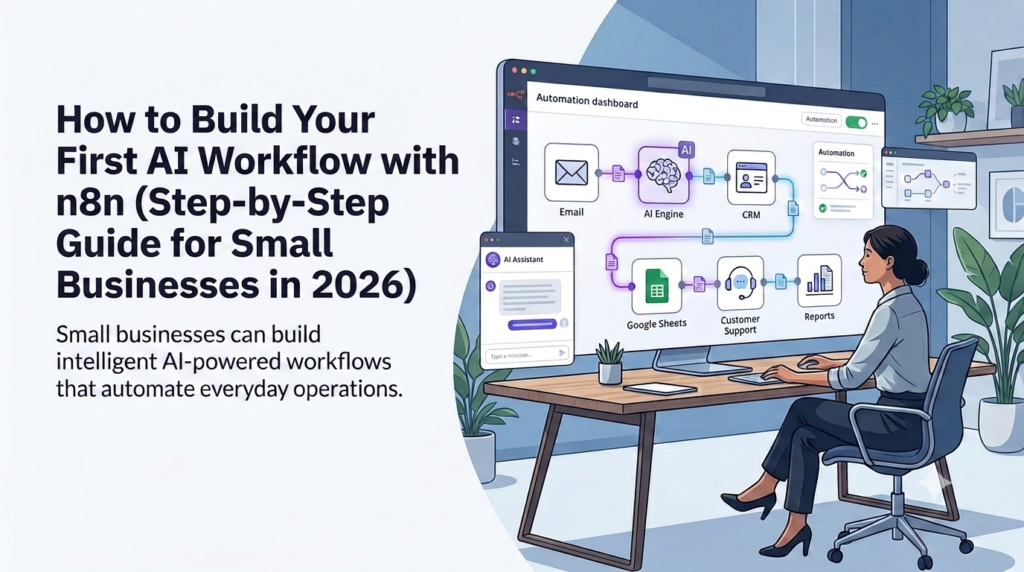
An n8n workflow can help small businesses connect AI with their everyday operations and automate repetitive work. Instead of using AI only for occasional tasks such as writing emails, generating ideas, or creating social media posts, businesses can build intelligent workflows that connect AI models with the tools they already use.
The first wave of AI was about experimentation.
Business owners tried ChatGPT for writing emails, generating ideas, creating social media posts, or answering questions. While these experiments showed the potential of AI, many businesses quickly discovered an important limitation:
Using AI occasionally does not transform a business.
Real business impact comes when AI becomes part of everyday operations.
In 2026, the competitive advantage will not come from businesses that simply use AI tools. It will come from businesses that redesign their workflows around intelligent automation.
A typical small business owner spends countless hours every week on repetitive tasks:
- Responding to customer emails
- Following up with leads
- Updating spreadsheets
- Preparing reports
- Summarizing meetings
- Creating marketing content
- Processing documents
- Answering frequently asked customer questions
These tasks are necessary, but they often consume time that could be spent on growth, customer relationships, and strategic decisions.
Traditionally, automating these processes required expensive software, complex integrations, or dedicated developers.
n8n workflows and AI automation are changing this.
Today, small businesses can combine:
- AI models like ChatGPT, Claude, and Gemini
- Automation platforms like n8n
- Business applications like Gmail, Google Sheets, CRMs, Slack, WhatsApp, and databases
to create intelligent systems that work continuously.
The future is not about asking:
“How can I use AI?”
The better question is:
“Which business process creates the biggest bottleneck, and how can AI remove it?”
The businesses that win with AI will not simply use AI tools.
This n8n tutorial takes a business-first approach, showing small businesses how to identify a useful automation opportunity and build a practical AI workflow step by step.
They will build AI-powered systems that improve how work gets done.
From AI Experiments to Everyday Business Operations
A few years ago, AI adoption often looked like this:
A business owner opens ChatGPT.
They type a prompt.
They generate some content.
Then they return to their normal workflow.
This creates small productivity improvements, but the process remains manual.
AI workflows create a different model.
Instead of using AI as a separate tool, businesses connect AI directly into their existing operations.
For example:
A customer sends an email.
Instead of an employee manually reading the message, understanding the request, searching information, writing a response, and updating records, an AI workflow can:
Customer Email Received
        ↓
AI Reads and Understands Request
        ↓
Customer Intent Identified
        ↓
Information Extracted
        ↓
CRM Updated
        ↓
Response Draft Created
        ↓
Human Reviews and Approves
        ↓
Customer Receives Reply
The result is not replacing people.
The result is allowing people to focus on higher-value activities.
Employees spend less time performing repetitive administrative work and more time solving problems, building relationships, and making decisions.
Why AI Workflows Matter for Small Businesses
Large enterprises have used automation for years because they have dedicated technology teams.
Small businesses often face a different reality:
- Limited budgets
- Small teams
- Multiple responsibilities per employee
- Too much manual work
- Limited time for process improvement
AI workflows help close this gap.
A small consulting company can automate proposal preparation.
A local business can automate customer communication.
A marketing agency can automate content production.
An online business can automate lead nurturing.
A professional services firm can automate reporting.
The advantage is not simply saving time.
The bigger advantage is creating operational capacity without immediately hiring more people.
A business that saves 10 hours every week through intelligent automation has effectively created additional working capacity.
The goal of AI workflow automation is not to automate every task. It is to combine AI capabilities with repeatable business processes where automation can create measurable value
Understanding AI Workflows
What Is an AI Workflow?
An AI workflow is a connected sequence of steps where software automation and artificial intelligence work together to complete a business process. An n8n workflow uses this approach to connect applications, AI models, business rules, and automated actions into a repeatable process.
A normal workflow moves information from one step to another.
For example:
New Customer Form Submitted
        ↓
Customer Information Saved
        ↓
Notification Sent
This is traditional automation.
An AI workflow adds intelligence.
It can:
- Understand natural language
- Classify information
- Extract important details
- Generate responses
- Make recommendations
- Decide the next action based on context
Example:
Customer Inquiry Received
        ↓
AI Understands Customer Intent
        ↓
Classifies Request:
(Sales / Support / Complaint)
        ↓
Applies Business Rules
        ↓
Creates Response or Task
        ↓
Updates Business System
The key difference is that AI workflows do not only move information.
They understand information.
Traditional Automation vs AI Workflow
| Traditional Automation | AI Workflow |
|---|---|
| Follows predefined rules | Understands context |
| Requires structured inputs | Handles natural language |
| Works well for repetitive tasks | Handles knowledge-based work |
| Uses fixed decision paths | Can analyze and recommend actions |
| Limited flexibility | Adapts to different situations |
Consider customer support.
Traditional automation:
IF email contains "invoice"
THEN send invoice instructions
AI workflow:
Read customer message

Understand the customer's problem

Identify whether they need:
- Invoice copy
- Payment support
- Refund information
- Product assistance

Generate appropriate response

Update customer record
The second approach is closer to how a human employee works.
How Businesses Use AI Workflows
AI workflows can support almost every business function.
Marketing Automation
Businesses can automate:
- Content research
- Blog outlines
- Social media drafts
- Email campaigns
- Marketing reports
Example:
New Content Idea
        ↓
AI Research
        ↓
Article Outline Generated
        ↓
Draft Created
        ↓
Social Media Posts Generated
        ↓
Content Calendar Updated
Sales Automation
Sales teams can use AI workflows to:
- Qualify leads
- Prioritize opportunities
- Draft follow-up emails
- Update CRM systems
Example:
Website Lead Submitted
        ↓
AI Reviews Requirement
        ↓
Lead Score Created
        ↓
CRM Updated
        ↓
Sales Notification Sent
Customer Support Automation
AI workflows can:
- Understand customer questions
- Search knowledge bases
- Draft responses
- Escalate complex issues
Example:
Customer Message
        ↓
AI Intent Detection
        ↓
Knowledge Search
        ↓
Response Draft
        ↓
Human Approval
        ↓
Customer Reply
Operations and Reporting
Businesses can automate:
- Weekly reports
- Meeting summaries
- Document creation
- Data collection
Example:
Business Data Collected
        ↓
AI Analysis
        ↓
Summary Report Generated
        ↓
Manager Notification
What Is n8n?
n8n Explained for Business Owners
n8n is a workflow automation platform that helps businesses create an n8n workflow connecting applications, data, AI models, and automated actions. An n8n workflow can connect these components into a visual sequence of triggers, processing steps, decisions, and business actions.
For a business owner, the simplest way to understand n8n is:
n8n is the nervous system that connects different parts of your business.
Your business already uses multiple tools:
- CRM
- Accounting software
- Spreadsheets
- Communication platforms
- AI assistants
- Databases
The problem is that these systems often work separately.
Employees manually copy information between them.
n8n creates connections between these systems.
For example:
Gmail
 ↓
n8n
 ↓
AI Model
 ↓
Google Sheets
 ↓
CRM
 ↓
Slack Notification
Instead of employees moving information manually, workflows do it automatically.
This n8n tutorial for beginners focuses on the business logic behind automation rather than requiring you to start with complex code or advanced infrastructure.
Why n8n Matters for Small Businesses
n8n automation can go beyond simple “if this happens, do that” workflows.
n8n goes further by allowing businesses to create more intelligent workflows involving:
- Multiple applications
- Complex decision logic
- AI processing
- Custom business rules
- Data handling
- Human approval steps
This makes n8n workflow automation especially interesting for businesses that want to move from basic automation toward n8n workflow automation and AI-powered operations.
Key Capabilities of n8n
1. Connects Multiple Business Applications
n8n can connect with many popular business tools:
- Gmail
- Google Sheets
- Slack
- Notion
- Airtable
- HubSpot
- Databases
- OpenAI
- Claude
- Gemini
This allows businesses to create workflows across their entire technology ecosystem.
2. Visual Workflow Builder
n8n uses a visual approach to help users build an n8n workflow by connecting blocks called nodes. Each node performs a specific activity, such as receiving an email, analyzing text, generating an AI response, or updating a spreadsheet. Businesses can learn more about building workflows and connecting nodes in the official n8n documentation
Instead of writing large amounts of code, users build workflows using connected blocks called nodes.
A typical n8n workflow looks like:
Trigger
   ↓
Process
   ↓
AI Analysis
   ↓
Business Action
Each node performs one activity.
Examples:
- Receive email
- Analyze text
- Generate AI response
- Update spreadsheet
- Send notification
3. AI Capabilities
Modern n8n workflows can include AI capabilities such as:
- Text understanding
- Classification
- Summarization
- Content generation
- Decision support
- AI agents
Businesses can combine automation logic with AI reasoning.
4. Self-Hosting Option
One important advantage of n8n is flexibility.
Businesses can use:
- n8n Cloud
- Self-hosted n8n
Self-hosting can provide:
- More control over data
- Greater customization
- Additional privacy options
This can be valuable for businesses handling sensitive information.
Finding Your First AI Automation Opportunity
Before building an n8n workflow, identify the business process you want to improve and define what success looks like. The biggest mistake businesses make is starting with technology instead of problems.
The goal is not to automate everything.
The goal is to automate the right things.
A good first AI workflow should:
- Solve a real business problem
- Save measurable time
- Be simple enough to implement
- Create visible business value
Before building anything, identify where your business loses the most time.
Finding Your First AI Automation Opportunity
Before building your first n8n workflow, you need to answer one important question:
“Which business process should I automate first?”
Many businesses make the mistake of starting with the technology.
They hear about AI agents, automation platforms, and new tools and immediately try to build complex systems.
A better approach is:
Start with a business bottleneck. Then select the technology.
The best first AI workflow is usually not the most impressive one.
It is the one that solves a painful problem quickly.
Step 1: Identify Repetitive Tasks
Every business has repetitive activities.
The first step is to identify tasks that happen frequently and consume valuable time.
Ask these questions:
- What tasks do employees repeat every day?
- Where do people manually copy information between systems?
- Which activities delay customers?
- What work requires many hours but little creativity?
- What processes depend on one person’s knowledge?
Common examples:
| Business Activity | Typical Challenge |
|---|---|
| Customer emails | Too much time spent reading and replying |
| Lead management | Slow follow-up and missed opportunities |
| Reporting | Manual data collection and formatting |
| Content creation | Too much time creating first drafts |
| Meeting management | Manual notes and action tracking |
| Document processing | Reading and extracting information manually |
These are excellent candidates for AI automation.
Step 2: Select High-Value Automation Opportunities
Not every repetitive task should be automated.
A good AI workflow opportunity usually has four characteristics:
1. High Frequency
The task happens often.
Example:
A company receives 100 customer emails every week.
Automating email processing can create significant savings.
2. Time Consumption
The task consumes meaningful employee time.
Example:
A manager spends 5 hours every week preparing reports.
An AI reporting workflow could reduce this effort significantly.
3. Predictable Process
The workflow follows a repeatable pattern.
Example:
Customer inquiry arrives → information is collected → response is prepared.
4. Business Impact
The workflow improves an important business outcome.
Examples:
- Faster customer response
- More qualified leads
- Reduced operational cost
- Higher employee productivity
A Simple AI Automation Scoring Model
You can evaluate potential workflows using a simple scoring system.
Score each area from 1 to 5.
| Criteria | Score |
| Frequency of task | 1-5 |
| Time consumed | 1-5 |
| Business impact | 1-5 |
| Ease of automation | 1-5 |
The highest-scoring workflows should usually be automated first.
Example:
| Workflow | Frequency | Time Saving | Impact | Total |
| Customer email handling | 5 | 5 | 5 | 15 |
| Social media posting | 4 | 3 | 3 | 10 |
| Monthly reporting | 3 | 5 | 4 | 12 |
In this example, customer email automation becomes the best starting point.
Build Your First n8n Workflow: AI Email Assistant
Email is one of the best starting points for AI automation.
Almost every business receives customer communication.
The challenge is that email management creates hidden operational costs.
Business owners and employees spend hours every week:
- Reading emails
- Understanding customer requests
- Writing responses
- Searching information
- Updating records
An AI email assistant can reduce this workload.
Business Scenario: Email Overload in a Small Business
Imagine a small consulting company.
Every day they receive:
- New customer inquiries
- Existing customer questions
- Project updates
- Support requests
The owner personally reviews every message.
The process looks like this:
Customer Email Arrives

↓

Owner Reads Email

↓

Understands Customer Request

↓

Searches Information

↓

Writes Response

↓

Updates Customer Records
This may take 2–3 hours every day.
The goal is not to remove human involvement.
The goal is to create an intelligent assistant that handles the repetitive work.
AI Email Assistant Workflow Architecture
The n8n workflow architecture looks like this:
Customer Email Received

        ↓

n8n Email Trigger

        ↓

AI Analysis

        ↓

Customer Intent Detection

        ↓

Business Rules

        ↓

CRM / Google Sheets Update

        ↓

Response Draft Generated

        ↓

Human Approval

        ↓

Customer Reply Sent
This workflow combines:
- Automation
- AI reasoning
- Business rules
- Human decision-making
Step-by-Step Implementation Using n8n
Step 1: Create Your n8n Account
If you’re wondering how to use n8n, the basic process is straightforward: create a workflow, select a trigger, connect the required nodes, configure the actions, and test the workflow before putting it into production.
The first step is setting up n8n.
Businesses have two options:
Option 1: n8n Cloud
Best for beginners.
Advantages:
- No server management
- Faster setup
- Easier maintenance
- Suitable for small businesses
This is usually the recommended starting point.
Option 2: Self-Hosted n8n
Best for businesses that need more control.
For businesses considering self-hosting, the official n8n self-hosting documentation provides guidance on deployment and infrastructure requirements.
Advantages:
- Greater customization
- More control over infrastructure
- Potential data privacy benefits
Self-hosting may require technical knowledge.
Step 2: Create a New Workflow
An n8n workflow contains three main components:
Trigger
The event that starts the workflow.
Examples:
- New email received
- New form submission
- New customer created
- Scheduled time reached
Nodes
Nodes perform individual actions.
Examples:
- Gmail node
- AI node
- Google Sheets node
- CRM node
Actions
The final outcome.
Examples:
- Send email
- Create customer record
- Notify employee
- Generate report
A simple workflow structure:
Trigger

↓

AI Processing

↓

Business Action
Step 3: Connect Email Trigger
In this n8n workflow, the email trigger is the starting point for the automation. The first node connects your email system.
Example:
New Gmail Message

↓

n8n Receives Email Data
The workflow can capture:
- Sender information
- Subject
- Message content
- Attachments
- Date and time
Now the workflow can understand incoming communication.
Step 4: Add AI Processing
The next step adds AI intelligence to the n8n workflow
You can connect AI models such as:
The AI receives the customer message and performs analysis.
Example prompt:
You are an AI customer support assistant.

Analyze this customer email.

Identify:

1. Customer intent
2. Urgency level
3. Required action

Create a professional response draft.
The AI can determine:
- Is this a sales inquiry?
- Is this a complaint?
- Is this a support request?
- Does this require escalation?
Step 5: Add Business Rules
AI provides understanding within the n8n workflow, while business rules determine what happens next.
Business rules decide what happens next.
Example:
IF customer complaint

↓

Notify manager


IF sales inquiry

↓

Create CRM lead


IF general question

↓

Generate response draft
This creates a controlled n8n workflow that combines AI understanding with predefined business rules.
The workflow does not blindly perform actions.
It follows business logic.
Step 6: Store Information
Important information should be saved.
The workflow can update:
- Google Sheets
- CRM systems
- Airtable
- Databases
Example information:
| Data | Example |
| Customer Name | John Smith |
| john@example.com | |
| Request Type | Product Inquiry |
| Priority | High |
| Status | Follow-up Required |
This creates a structured business record.
Step 7: Add Human Approval
Human oversight is one of the most important principles of AI automation.
AI should assist humans.
It should not automatically make risky decisions.
For customer emails:
AI Creates Response

↓

Human Reviews

↓

Approve / Edit

↓

Send
Human approval is especially important for:
- Complaints
- Financial decisions
- Legal communication
- Customer commitments
This creates the ideal balance:
AI speed + Human judgment
Real Small Business AI Workflow Examples
These n8n workflow examples show how a small business can turn a repetitive process into a practical AI-powered workflow.
1. AI Lead Qualification n8n Workflow
Many businesses lose opportunities because leads are not followed up quickly.
Before AI
A salesperson manually:
- Reads every inquiry
- Determines customer interest
- Copies information into CRM
- Sends follow-up messages
AI Workflow
Website Form Submission

↓

n8n Trigger

↓

AI Analyzes Customer Need

↓

Lead Score Created

↓

CRM Updated

↓

Sales Notification Sent
AI can identify:
- Customer requirements
- Budget signals
- Urgency
- Potential value
Business Impact
Results can include:
- Faster lead response
- Better sales prioritization
- Reduced manual data entry
- Higher conversion opportunity
2. AI Meeting Assistant n8n Workflow
Meetings create another major administrative burden.
After every meeting, someone must:
- Write notes
- Extract decisions
- Assign tasks
- Send follow-ups
AI workflows can automate this process.
Meeting Transcript

↓

AI Summary

↓

Action Items Extracted

↓

Tasks Created

↓

Follow-up Email Generated
Benefits:
- Less administrative work
- Better accountability
- Faster execution
3. AI Content Creation Workflow
Marketing teams constantly need content.
AI workflows can support:
- Research
- Writing
- Social media creation
- Content planning
Example:
Content Idea

↓

AI Research

↓

Article Outline

↓

Draft Content

↓

Social Media Posts

↓

Content Calendar Update
The goal is not replacing marketers.
The goal is removing repetitive first-draft work.
4. AI Customer Support Assistant n8n Workflow
Customer support is one of the strongest AI automation opportunities.
Workflow:
Customer Message

↓

AI Understands Question

↓

Search Knowledge Base

↓

Generate Response

↓

Human Approval

↓

Customer Reply
The system can handle common requests while allowing employees to focus on complex customer issues.
Common Mistakes When Building AI Workflows
Building n8n workflows can create significant business value, but many companies fail because they approach automation incorrectly.
The biggest mistake is thinking:
“Which AI tool should we buy?”
The better question is:
“Which business problem should we solve first?”
Successful AI automation starts with process improvement, not technology adoption.
A well-designed n8n workflow should simplify a business process rather than add unnecessary complexity.
Mistake 1: Automating Broken Processes
One of the most common mistakes is automating a process that is already inefficient.
AI cannot fix a broken workflow.
It can only make the existing workflow faster.
For example:
A company has a confusing customer onboarding process.
Employees do not know:
- Who owns each step
- What information is required
- When customers should be contacted
The company decides to automate onboarding.
The result?
A faster version of a broken process.
The better approach:
First improve the process.
Define:
- What happens?
- Who is responsible?
- What information is needed?
- What decisions are required?
Then automate.
A simple rule:
Improve the process first. Automate second.
Mistake 2: Building Complex Workflows Too Early
Many businesses become excited about AI automation and try to build advanced systems immediately.
They attempt to create:
- Fully autonomous AI agents
- Multiple AI models
- Complex integrations
- Large business automation systems
before proving a simple workflow.
This creates unnecessary complexity.
A better approach is the 1-1-1 rule:
One problem.
One workflow.
One measurable result.
Example:
Instead of:
“Create a complete AI-powered sales department.”
Start with:
“Automatically qualify website leads and notify sales.”
Small wins create confidence.
Mistake 3: Ignoring Data Quality
AI systems depend on the information they receive.
Poor data creates poor results.
Common data problems include:
- Outdated documents
- Duplicate customer records
- Missing information
- Inconsistent processes
Before building AI workflows:
Review your business data.
Ask:
- Is the information accurate?
- Is it organized?
- Can employees find it easily?
- Does AI have access to the right knowledge?
Better inputs create better AI outcomes.
Mistake 4: Removing Human Oversight
AI is powerful, but important business decisions still require human judgment.
Businesses should be careful with automatic decisions involving:
- Customer complaints
- Financial transactions
- Legal documents
- Pricing decisions
- Sensitive communication
A strong AI workflow includes human approval when needed.
Example:
AI Creates Recommendation

↓

Human Reviews

↓

Final Decision

↓

Action Completed
This approach creates trust and reduces risk.
Mistake 5: Forgetting Employee Adoption
Technology alone does not create transformation.
People do.
A company can build excellent AI workflows, but employees must understand:
- Why the workflow exists
- How to use it
- When to trust AI
- When human judgment is required
Successful businesses combine:
- Technology
- Training
- Process improvement
- Leadership support
Mistake 6: Treating AI as a Gadget
Many businesses experiment with AI but never integrate it into operations.
They use AI occasionally for:
- Writing a social post
- Generating ideas
- Asking questions
but their core processes remain unchanged.
The real opportunity is embedding AI into daily workflows.
The difference:
Using AI:
“I ask AI questions when I remember.”
AI-powered business:
“AI systems continuously support my operations.”
Measuring Business Impact of AI Workflows
AI automation should not be measured by how impressive the technology looks.
It should be measured by business results.
A successful AI workflow should improve one or more areas:
- Time savings
- Productivity
- Output
- Customer experience
- Revenue opportunities
1. Time Savings
The easiest benefit to measure is saved employee time.
Example:
Before AI:
Customer email management:
2 hours/day
After AI workflow:
30 minutes/day
Savings:
1.5 hours/day
Over five working days:
7.5 hours saved per week.
2. Productivity Improvement
AI workflows allow employees to complete more work with the same resources.
Example:
Before AI:
A marketing employee creates:
5 social posts/week
After AI workflow:
20 social posts/week
The employee is not replaced.
Their productivity increases.
3. Increased Business Output
AI automation creates additional capacity.
Examples:
A consultant can:
- Create more proposals
- Respond faster
- Handle more customers
A sales team can:
- Follow up with more leads
- Prioritize better opportunities
A marketing team can:
- Produce more campaigns
Simple AI Workflow ROI Formula
A simple calculation:
Weekly Hours Saved × Hourly Business Value = Weekly BenefitExample:
10 hours saved per week
× ₹1,000 value per hour
=
₹10,000 weekly productivity benefit
Monthly impact:
Approximately ₹40,000+
This helps businesses evaluate whether automation investment makes sense.
Building an AI Workflow ROI Dashboard
Track these metrics:
| Metric | Example |
| Time saved | 10 hours/week |
| Faster response | Customer replies within minutes |
| Output increase | 3x content production |
| Error reduction | Fewer manual mistakes |
| Customer satisfaction | Faster support |
The purpose is continuous improvement.
Measure.
Learn.
Improve.
Expand.
From AI Workflows to AI Agents
AI workflows are the foundation for the next stage of business automation: AI agents.
The evolution looks like this:
Automation

↓

AI Workflow

↓

AI Agent

↓

Autonomous Business Operations
Level 1: Traditional Automation
Systems follow predefined rules.
Example:
New Order Received

↓

Send Confirmation Email
The system does exactly what it is programmed to do.
Level 2: AI Workflow
AI adds understanding.
Example:
Customer Message

↓

AI Understands Intent

↓

Creates Response

↓

Updates System
The workflow can handle unstructured information.
Level 3: AI Agents
AI agents go further.
They can:
- Understand goals
- Decide next steps
- Use multiple tools
- Maintain context
- Complete tasks independently
Example:
AI sales assistant:
Find New Lead

↓

Research Company

↓

Prepare Personalized Message

↓

Update CRM

↓

Schedule Follow-up
Level 4: AI-Powered Business Operations
The future is a business where many routine processes operate continuously.
Examples:
- AI customer support agent
- AI marketing assistant
- AI reporting assistant
- AI sales assistant
These systems become digital workers supporting human teams.
How n8n Supports AI Agents
n8n provides building blocks for advanced AI systems:
- AI model connections
- Tool integration
- Workflow logic
- Data access
- Human approval steps
This allows businesses to gradually move from automation toward intelligent agents.
n8n provides dedicated capabilities for building AI-powered workflows and connecting AI models with business tools. See the n8n AI documentation for more details.
The recommended path:
Start simple.
Automate one workflow.
Learn.
Expand.
Business-First AI Framework™
Most businesses make the same mistake when starting with AI automation.
They begin with the technology:
“Which AI tool should we buy?”
A better question is:
“Which business problem is slowing us down, and how can AI remove that bottleneck?”
At Intelligent AI Lab, we believe successful AI adoption starts with business outcomes, not tools.
The Business-First AI Framework™ helps small businesses move from AI experimentation to practical implementation.
The framework has three steps:
- Identify the business bottleneck
- Design the AI workflow around the problem
- Measure results and improve continuously
Step 1: Identify the Business Bottleneck
Every business has processes that consume unnecessary time.
The first step is finding where AI can create the biggest impact.
Ask these questions:
- What tasks are repeated every day or every week?
- Where do employees spend hours copying, summarizing, or organizing information?
- Which processes create delays?
- Which activities require human judgment but not necessarily human effort?
Common small business bottlenecks include:
| Business Area | Common Problem | AI Workflow Opportunity |
|---|---|---|
| Sales | Slow lead response | AI lead qualification and follow-up |
| Customer Support | Repetitive questions | AI support assistant |
| Marketing | Content creation takes too long | AI content workflow |
| Operations | Manual reporting | AI reporting assistant |
| Administration | Too much email processing | AI email assistant |
| Finance | Invoice processing delays | AI document workflow |
The goal is not to automate everything.
The goal is to automate the processes where AI creates measurable business value.
Step 2: Design the AI Workflow Around the Problem
Once you identify a bottleneck, design the workflow.
A simple AI workflow follows this pattern:
Business Input
      ↓
AI Understanding
      ↓
Business Decision
      ↓
Automated Action
      ↓
Human Review (if required)
      ↓
Business Outcome
For example:
A customer sends a product inquiry.
Traditional process:
Customer Email
      ↓
Employee Reads Email
      ↓
Employee Understands Request
      ↓
Employee Writes Reply
      ↓
Employee Updates Records
AI workflow:
Customer Email
      ↓
n8n Receives Email
      ↓
AI Understands Customer Intent
      ↓
AI Creates Response Draft
      ↓
CRM Updated Automatically
      ↓
Employee Reviews
      ↓
Customer Receives Reply
The difference is not just automation.
The difference is intelligence.
The workflow can understand information, make decisions, and assist employees.
Step 3: Measure Results and Improve Continuously
A workflow is not successful because it runs automatically.
It is successful because it improves the business.
Measure:
Time Saved
Example:
Before AI:
- Email processing: 2 hours/day
After AI workflow:
- Email review: 30 minutes/day
Time saved:
- 7.5 hours/week
Productivity Improvement
Measure whether employees can complete more valuable work.
Example:
Before:
A marketing employee creates 5 social posts per week.
After AI workflow:
The same employee creates 20 posts per week with AI assistance.
Output Increase
AI workflows can increase business capacity.
Examples:
- More proposals created
- More customers supported
- More marketing campaigns launched
- More reports generated
Business Impact
The ultimate measurement is business improvement.
Examples:
- Faster customer response
- Higher conversion rates
- Reduced operational cost
- Better customer experience
The objective is not simply reducing work.
The objective is creating a smarter business.
Frequently Asked Questions
What is an AI workflow?
An AI workflow is an automated business process where artificial intelligence works together with software applications to complete tasks.
Unlike traditional automation, AI workflows can understand language, analyze information, make decisions, and generate content.
Examples include AI email assistants, customer support systems, lead qualification workflows, and automated reporting.
Is n8n suitable for small businesses?
Yes.
n8n is suitable for small businesses that want flexible automation connecting their apps, data, and AI models.
It is especially useful for businesses that want to move beyond simple automation and build more intelligent workflows.
Small businesses can start with simple workflows and gradually expand into AI-powered operations.
Do I need coding skills to use n8n?
No, not for basic workflows.
n8n provides a visual workflow builder where users connect triggers, applications, and actions.
However, advanced workflows involving APIs, databases, or custom logic may require technical knowledge.
Many businesses start with simple workflows and get technical assistance as they scale.
Can n8n connect with ChatGPT?
Yes.
n8n can connect with AI models including:
- OpenAI models
- Claude
- Google Gemini
- Other AI APIs
This allows businesses to create workflows where AI analyzes information, generates content, summarizes data, and supports decision-making.
How long does it take to build an AI workflow?
The time depends on complexity.
Simple workflows can be created within hours.
Examples:
- Email summarization
- Content generation
- Data transfer between applications
More advanced workflows involving CRM systems, databases, and AI agents may require more planning.
The best approach is to start with one simple business problem.
Is n8n better than Zapier?
It depends on the business requirement.
Zapier is excellent for simple automation and beginners.
n8n is better when businesses need:
- More flexibility
- Complex workflows
- AI integrations
- Data control
- Self-hosting options
The right platform depends on the workflow complexity, not popularity.
Can small businesses use AI workflows without a technical team?
Yes.
Many AI workflows can be created without programming.
Business owners should focus on:
- Identifying problems
- Designing processes
- Measuring results
Technical support may be helpful for advanced integrations.
Are AI workflows safe for customer data?
AI workflows can be safe when implemented properly.
Businesses should:
- Use secure API connections
- Control user access
- Avoid sharing unnecessary sensitive information
- Maintain approval processes for important decisions
- Review AI provider privacy policies
Security should be considered during workflow design, not after implementation.
Can AI workflows replace employees?
AI workflows are designed to support employees, not replace human judgment.
AI is excellent at:
- Processing information
- Drafting content
- Summarizing data
- Handling repetitive tasks
Humans remain responsible for:
- Strategy
- Relationships
- Decisions
- Creativity
- Accountability
The future belongs to businesses where humans and AI work together.
What should I automate first in my business?
Start with a process that is:
- Repetitive
- Time-consuming
- Easy to measure
- Important to business operations
Good first workflows include:
- Email assistants
- Lead qualification
- Customer support
- Meeting summaries
- Reporting automation
Start small, prove value, then expand.
Final Recommendation: Start With One Intelligent Workflow
The biggest mistake businesses make with AI is starting with tools instead of problems.
The question is not:
“Which AI platform should we buy?”
The better question is:
“Which business process creates the biggest bottleneck today?”
A practical AI automation journey looks like this:
Your first n8n workflow should be simple enough to build, test, measure, and improve before you expand automation across other business processes.
Identify a Business Problem

        ↓

Design One AI Workflow

        ↓

Measure Results

        ↓

Improve the Workflow

        ↓

Automate More Processes
For most small businesses, the first step does not need to be a complex AI agent. This is the practical approach to AI automation for small business: start with one measurable problem, build one workflow, prove the value, and then expand.
It can be something simple:
- An AI email assistant
- An AI lead qualification workflow
- An AI customer support assistant
- An AI reporting system
The important thing is to begin.
A Simple 30-Day AI Workflow Implementation Plan
Week 1: Identify the Opportunity
Choose one repetitive process.
Document:
- Current workflow
- Time spent
- Problems created
- Desired outcome
Week 2: Build the First Workflow
Create the initial automation:
- Connect applications
- Add AI capability
- Configure business rules
- Test the workflow
Week 3: Improve and Validate
Measure:
- Time saved
- Accuracy
- Employee feedback
- Customer impact
Improve the workflow based on real usage.
Week 4: Expand
Once the first workflow works:
Identify the next opportunity.
Possible next workflows:
- AI sales assistant
- AI marketing workflow
- AI reporting assistant
- AI customer service system
The next generation of successful small businesses will not compete only by hiring more people.
They will compete by building smarter systems.
AI workflows represent the foundation of the AI-native business.
The businesses that win will not simply use AI tools.
They will redesign their operations around intelligent automation.