
Last verified: July 2026 — AI platforms, features, and pricing evolve rapidly. Always verify the latest information on the vendor’s official website before making purchasing decisions.
AI automation for small business is rapidly becoming one of the most effective ways to save time, reduce manual work, and improve productivity. Running a small business has never been easy. Owners juggle sales, customer service, marketing, finance, operations, and administration—often with limited staff and tight budgets. As businesses grow, repetitive tasks consume more time, leaving less opportunity to focus on customers, innovation, and strategic growth
For many organizations, AI automation for small business is becoming one of the most effective ways to reduce manual work, improve customer service, and scale operations without increasing headcount.
This is where AI automation is making a real difference.
Unlike traditional software that simply records information, modern AI tools can understand requests, make decisions based on predefined rules, and trigger actions across multiple business applications. The result is less manual work, faster response times, and more consistent business processes.
The biggest mistake many businesses make is chasing the latest AI tool instead of solving their biggest operational problems. Purchasing multiple subscriptions without a clear implementation strategy often leads to higher costs, low adoption, and little measurable value.
The most successful businesses take a different approach. They start by identifying repetitive, rule-based processes that consume valuable employee time, automate one workflow at a time, measure the results, and gradually expand their AI capabilities.
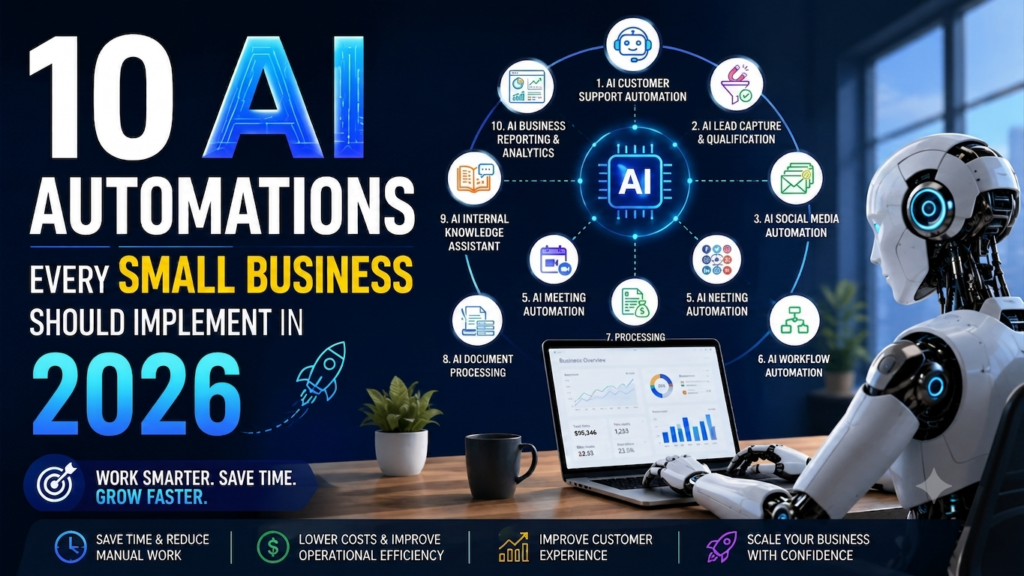
This article focuses on 10 proven AI automations that deliver practical business value today. These are not experimental AI projects or enterprise-only technologies—they are workflows that thousands of businesses are already using to save time, improve customer experiences, and scale operations more efficiently.
What Is AI Automation for Small Business?
Many experts view AI as the next generation of business automation, enabling workflows to operate with greater intelligence and adaptability.
Many business owners use the terms AI assistant and AI automation interchangeably, but they solve different problems.
An AI assistant helps an individual complete a task. It generates content, answers questions, summarizes documents, or brainstorms ideas, but a person still performs the next action.
For example:
AI Assistant

Write a customer follow-up email.

↓

Human reviews it.

↓

Human clicks Send.
An AI automation, on the other hand, executes an entire workflow with minimal human intervention by connecting multiple applications and triggering actions automatically.
Website Lead

↓

AI Qualifies Lead

↓

CRM Updated

↓

Welcome Email Sent

↓

Sales Team Notified

↓

Follow-up Task Created

↓

Workflow Completed
Understanding AI automation for small business helps owners identify which processes can be streamlined and which tasks still require human involvement.
Instead of helping one employee work faster, AI automation helps the entire business operate more efficiently.
For small businesses, this means:
- Responding to customers faster
- Eliminating repetitive manual work
- Reducing human errors
- Improving employee productivity
- Scaling operations without immediately hiring additional staff
The goal isn’t to replace people. It’s to allow employees to spend more time on work that requires creativity, problem-solving, and customer relationships while AI handles repetitive operational tasks.
Why AI Automation for Small Business Matters in 2026
AI automation for small business is no longer a technology reserved for large enterprises. Affordable platforms now allow small organizations to automate customer support, lead management, marketing, finance, and reporting processes. By implementing the right combination of AI automation tools and business automation workflows, companies can reduce repetitive work, improve customer experiences, and increase productivity without significantly increasing operating costs. As competition intensifies, businesses that adopt automation strategically will be better positioned to scale and adapt in 2026 and beyond.
How We Selected These AI Automations
Not every automation delivers the same business value. Some save only a few minutes each week, while others eliminate hours of repetitive work every day. The goal was to identify AI automations that deliver measurable business value rather than simply showcasing new technology.
The automations in this guide were selected using six practical evaluation criteria.
| Criteria | Why It Matters |
|---|---|
| Time Saved | Reduces repetitive manual work across the business. |
| Business Impact | Improves customer experience, productivity, or revenue. |
| Return on Investment (ROI) | Produces measurable value relative to implementation cost. |
| Ease of Implementation | Can be deployed without lengthy or expensive projects. |
| Cost | Affordable for startups and small businesses. |
| Scalability | Continues delivering value as the business grows. |
These recommendations prioritize automations that are practical, affordable, and suitable for most small businesses—not just large enterprises with dedicated IT teams.
The most successful AI automation for small business initiatives focus on solving operational bottlenecks rather than adopting technology for its own sake.
The 10 AI Automations Every Small Business Should Implement
1. AI Customer Support Automation
Business Problem
Customers expect immediate responses, but small businesses rarely have the resources to provide 24/7 support.
Employees often spend hours every week answering the same questions repeatedly:
- What are your business hours?
- How much does this service cost?
- Can I schedule an appointment?
- Where is my order?
- How do I contact support?
These repetitive conversations reduce productivity and delay responses to more complex customer issues.
How the Automation Works
Customer Question

↓

AI Chatbot

↓

Answers FAQs

↓

Books Appointment

↓

Creates Support Ticket

↓

Escalates Complex Issues to Human Agent
Modern AI chatbots understand natural language, access your business knowledge base, qualify customer enquiries, and transfer conversations to staff only when human expertise is required.
Recommended Tools
- Tidio AI
- Intercom
- Zendesk AI
- Chatbase
- Freshdesk AI
Today’s AI automation tools can handle customer interactions, lead qualification, and workflow execution with minimal human intervention.
Tidio AI and Intercom are popular platforms for automating customer support conversations.
Benefits
- 24/7 customer support
- Faster response times
- Lower support costs
- Higher customer satisfaction
- Improved lead capture
- Reduced workload for support teams
Implementation Difficulty: ⭐⭐☆☆☆
Expected ROI: ⭐⭐⭐⭐⭐
Practical Example
A local accounting firm can use an AI chatbot to answer questions about tax deadlines, required documents, appointment availability, and service pricing. More complex financial enquiries are automatically forwarded to an accountant, allowing the team to focus on high-value client conversations instead of repetitive administrative work.
2. AI Lead Capture & Qualification
Business Problem
Many businesses lose potential customers because website enquiries are not followed up quickly enough.
Sales teams also spend valuable time contacting prospects who are unlikely to become customers.
AI lead automation improves both speed and quality by qualifying enquiries before they reach the sales team.
How the Automation Works
Website Form

↓

AI Scores Lead

↓

CRM Updated

↓

Welcome Email Sent

↓

Sales Team Notified

↓

Meeting Scheduled
The workflow automatically captures enquiries, enriches customer information, prioritizes high-quality leads, and ensures every prospect receives a timely response.
Recommended Tools
- HubSpot AI
- Apollo.io
- Salesforce Einstein
- Zoho CRM AI
- n8n
- Zapier
HubSpot AI helps businesses automate lead qualification and CRM workflows.
Benefits
- Faster lead response times
- Improved sales productivity
- Better lead prioritization
- Higher conversion rates
- Consistent follow-up
- Reduced manual CRM updates
Implementation Difficulty: ⭐⭐⭐☆☆
Expected ROI: ⭐⭐⭐⭐⭐
Practical Example
A digital marketing agency receiving dozens of website enquiries each week can automatically score prospects based on company size, budget, and requested services. Qualified leads are routed directly to the sales team, while lower-priority enquiries receive automated nurturing emails until they’re ready to engage.
3. AI Email Marketing Automation
Business Problem
Email remains one of the highest-performing digital marketing channels, but creating personalized campaigns manually is time-consuming.
Without automation, businesses often struggle to maintain consistent communication with prospects and customers.
How the Automation Works
Customer Action

↓

AI Segments Audience

↓

Personalized Email Created

↓

Optimal Send Time Selected

↓

Campaign Delivered

↓

Performance Tracked
AI can personalize email content, recommend subject lines, optimize delivery times, and trigger follow-up sequences based on customer behaviour.
Recommended Tools
- Mailchimp
- ActiveCampaign
- Brevo
- HubSpot
- Klaviyo
Benefits
- Personalized customer communication
- Higher open and click-through rates
- Increased conversions
- Reduced manual effort
- Better customer engagement
- Automated follow-up sequences
Implementation Difficulty: ⭐⭐☆☆☆
Expected ROI: ⭐⭐⭐⭐☆
Practical Example
An online retailer can automatically send welcome emails to new subscribers, abandoned cart reminders to shoppers, and personalized product recommendations based on previous purchases—keeping customers engaged without requiring manual campaign management.
4. AI Social Media Automation
Business Problem
Maintaining an active social media presence requires consistent effort. Many small business owners struggle to create fresh content, design graphics, publish posts regularly, and monitor engagement while managing daily operations.
AI automation simplifies the entire content lifecycle—from idea generation to scheduling and performance tracking.
How the Automation Works
Blog Article

↓

AI Creates LinkedIn Post

↓

Generates Facebook & X Posts

↓

Creates Social Graphics

↓

Schedules Content

↓

Tracks Performance
Instead of manually creating every post, businesses can repurpose a single piece of content into multiple social media formats.
Recommended Tools
- ChatGPT
- Canva Magic Studio
- Buffer AI
- Publer
- Hootsuite AI
- SocialBee
Benefits
- Consistent posting schedule
- Faster content creation
- Better brand visibility
- Improved audience engagement
- Significant time savings
Implementation Difficulty: ⭐☆☆☆☆
Expected ROI: ⭐⭐⭐☆☆
Practical Example
A business consultant publishes one blog article each week. AI automatically transforms it into multiple LinkedIn posts, Facebook updates, short captions, and branded graphics before scheduling everything across social channels, reducing several hours of marketing work to less than one hour.
5. AI Meeting Automation
Business Problem
Meetings generate valuable information, but handwritten notes are often incomplete, action items get forgotten, and follow-up emails consume valuable time.
AI meeting assistants automatically capture and organize everything discussed.
How the Automation Works
Online Meeting

↓

AI Records Conversation

↓

Creates Transcript

↓

Generates Summary

↓

Identifies Action Items

↓

Sends Follow-up Notes
The result is better documentation without distracting participants from the discussion.
Recommended Tools
- Fireflies.ai
- Fathom
- Otter.ai
- Microsoft Copilot
- Zoom AI Companion
Tools such as Fireflies.ai and Otter.ai can automatically generate meeting summaries and action items.
Benefits
- Automatic meeting summaries
- Accurate transcripts
- Clear action items
- Faster follow-up
- Better team accountability
- Searchable meeting history
Implementation Difficulty: ⭐☆☆☆☆
Expected ROI: ⭐⭐⭐⭐☆
Practical Example
A consulting company conducting multiple client meetings every week automatically records discussions, generates summaries, assigns follow-up tasks, and stores searchable meeting notes, eliminating hours of administrative work while improving customer communication.
6. AI Workflow Automation
Business Problem
Employees waste significant time moving information between business systems.
For example:
- Copying website enquiries into the CRM
- Sending welcome emails manually
- Updating spreadsheets
- Creating project tasks
- Uploading files to cloud storage
These repetitive processes add little business value but consume hours every week.
Workflow automation connects your existing applications and completes these tasks automatically.
For many organizations, AI workflow automation becomes the foundation for connecting sales, marketing, finance, and operations.
How the Automation Works
Customer Enquiry

↓

CRM Updated

↓

AI Summarizes Requirements

↓

Sales Team Notified

↓

Proposal Generated

↓

Invoice Created

↓

Project Task Assigned
This automation becomes the central nervous system of your business, connecting applications so information flows automatically.
Recommended Tools
- n8n
- Make
- Zapier
- Microsoft Power Automate
- Pabbly Connect
Platforms such as n8n, Zapier, and Make allow businesses to automate repetitive workflows without extensive coding.
Benefits
- Eliminates repetitive data entry
- Reduces manual errors
- Faster business processes
- Better collaboration
- Improved customer response times
- Scales without additional administrative staff
Implementation Difficulty: ⭐⭐⭐☆☆
Expected ROI: ⭐⭐⭐⭐⭐
Practical Example
A web design agency receives a new enquiry through its website. Within seconds, AI creates a CRM record, summarizes the client’s requirements, notifies the sales consultant, schedules a follow-up task, sends a welcome email, and prepares a proposal template. What previously required multiple manual steps now happens automatically.
This example demonstrates how workflow automation for small business can eliminate repetitive administrative tasks while improving response times.
Why it matters: For many small businesses, workflow automation delivers the highest long-term return because it connects existing systems instead of replacing them.
7. AI Invoice & Finance Automation
Business Problem
Financial administration is essential but time-consuming. Creating invoices, recording expenses, sending payment reminders, and reconciling transactions often consume hours that could be spent serving customers.
AI simplifies these repetitive accounting tasks while reducing manual errors.
How the Automation Works
Completed Project

↓

Invoice Generated

↓

Customer Receives Invoice

↓

Payment Reminder Sent

↓

Expense Categorized

↓

Financial Dashboard Updated
Recommended Tools
- QuickBooks
- Xero
- FreshBooks
- Zoho Books
Benefits
- Faster invoicing
- Improved cash flow
- Reduced bookkeeping errors
- Automated payment reminders
- Better financial visibility
- Less administrative work
Implementation Difficulty: ⭐⭐⭐☆☆
Expected ROI: ⭐⭐⭐⭐☆
Practical Example
A consulting firm automatically generates invoices when projects are completed, sends payment reminders before due dates, categorizes expenses, and updates financial reports without requiring manual data entry for every transaction.
“`
8. AI Document Processing
Business Problem
Many businesses still spend hours manually reviewing invoices, contracts, purchase orders, application forms, and PDFs. Besides being time-consuming, manual data entry increases the risk of errors and slows business operations.
AI document processing uses Optical Character Recognition (OCR) and machine learning to extract, classify, and validate information automatically.
How the Automation Works
Document Uploaded

↓

AI Reads Document

↓

Extracts Key Information

↓

Validates Data

↓

Updates Business System

↓

Stores Document
Recommended Tools
- Google Document AI
- Microsoft AI Builder
- Rossum
- ABBYY
Benefits
- Faster document processing
- Reduced manual data entry
- Fewer processing errors
- Improved compliance
- Better document searchability
- Increased employee productivity
Implementation Difficulty: ⭐⭐⭐☆☆
Expected ROI: ⭐⭐⭐⭐☆
Practical Example
An accounting firm receives hundreds of invoices every month. Instead of manually entering supplier names, invoice numbers, and payment amounts, AI extracts the information automatically and sends it to the accounting system for review and approval.
9. AI Internal Knowledge Assistant
Business Problem
As businesses grow, valuable knowledge becomes scattered across documents, emails, shared drives, and messaging platforms. Employees spend unnecessary time searching for information instead of doing productive work.
An AI knowledge assistant provides instant answers using your organization’s internal documentation.
How the Automation Works
Employee Asks Question

↓

AI Searches Knowledge Base

↓

Finds Relevant Information

↓

Generates Answer

↓

Links Original Documents
Employees can ask questions naturally instead of searching through folders.
Examples include:
- “Where is our onboarding checklist?”
- “What is our refund policy?”
- “Show the proposal template.”
- “What are our travel reimbursement rules?”
Recommended Tools
- Google NotebookLM
- Notion AI
- ChatGPT Enterprise
- Microsoft Copilot
- Glean
Knowledge management platforms such as Google NotebookLM and Notion AI help employees find information faster across company documents.
Benefits
- Faster information retrieval
- Improved employee productivity
- Better knowledge sharing
- Reduced onboarding time
- Consistent answers across teams
Implementation Difficulty: ⭐⭐☆☆☆
Expected ROI: ⭐⭐⭐⭐☆
Practical Example
A growing marketing agency stores hundreds of SOPs, proposal templates, client guidelines, and training documents. Instead of asking colleagues where information is located, employees simply ask the AI assistant and receive accurate answers within seconds.
10. AI Business Reporting & Analytics
Business Problem
Business data often lives in multiple systems—including CRM, accounting software, marketing platforms, and website analytics. Preparing reports manually is time-consuming and often results in outdated information.
AI analytics platforms consolidate data and automatically generate dashboards, trends, and recommendations.
How the Automation Works
CRM

↓

Marketing Platform

↓

Accounting System

↓

Website Analytics

↓

AI Dashboard

↓

Business Insights
Instead of spending hours creating reports, business leaders receive real-time insights that support faster decision-making.
Recommended Tools
- Microsoft Power BI Copilot
- Looker Studio
- Tableau AI
- HubSpot AI
Benefits
- Automated reporting
- Real-time dashboards
- Faster decision-making
- Improved forecasting
- Better visibility into business performance
- Reduced manual reporting effort
Implementation Difficulty: ⭐⭐⭐☆☆
Expected ROI: ⭐⭐⭐⭐☆
Practical Example
A retail business combines sales, inventory, website traffic, and marketing performance into a single AI-powered dashboard. Managers can immediately identify top-selling products, declining sales trends, and campaign performance without manually exporting spreadsheets.
Automation Comparison
| AI Automation | Business Impact | Difficulty | Expected ROI |
|---|---|---|---|
| Customer Support | ⭐⭐⭐⭐⭐ | ⭐⭐☆☆☆ | ⭐⭐⭐⭐⭐ |
| Lead Capture & Qualification | ⭐⭐⭐⭐⭐ | ⭐⭐⭐☆☆ | ⭐⭐⭐⭐⭐ |
| Email Marketing | ⭐⭐⭐⭐☆ | ⭐⭐☆☆☆ | ⭐⭐⭐⭐☆ |
| Social Media | ⭐⭐⭐☆☆ | ⭐☆☆☆☆ | ⭐⭐⭐☆☆ |
| Meeting Automation | ⭐⭐⭐⭐☆ | ⭐☆☆☆☆ | ⭐⭐⭐⭐☆ |
| Workflow Automation | ⭐⭐⭐⭐⭐ | ⭐⭐⭐☆☆ | ⭐⭐⭐⭐⭐ |
| Invoice & Finance | ⭐⭐⭐⭐☆ | ⭐⭐⭐☆☆ | ⭐⭐⭐⭐☆ |
| Document Processing | ⭐⭐⭐⭐☆ | ⭐⭐⭐☆☆ | ⭐⭐⭐⭐☆ |
| Internal Knowledge Assistant | ⭐⭐⭐⭐☆ | ⭐⭐☆☆☆ | ⭐⭐⭐⭐☆ |
| Business Reporting & Analytics | ⭐⭐⭐⭐☆ | ⭐⭐⭐☆☆ | ⭐⭐⭐⭐☆ |
Which AI Automation Should You Implement First?
There is no single best AI automation for small business. The right starting point depends on your biggest operational challenge and expected business impact.
Not every business has the same priorities. Start with the automation that addresses your biggest operational bottleneck.
| If You Want To… | Start With |
|---|---|
| Reduce customer support workload | AI Customer Support Automation |
| Save administrative time | AI Workflow Automation |
| Increase sales conversions | AI Lead Capture & Qualification |
| Improve customer communication | AI Email Marketing Automation |
| Eliminate meeting notes | AI Meeting Automation |
| Simplify accounting | AI Invoice & Finance Automation |
| Find internal information faster | AI Knowledge Assistant |
| Make better business decisions | AI Reporting & Analytics |
The best strategy is to automate one high-impact workflow first, measure the results, and then expand gradually. Small, successful implementations build confidence and encourage broader adoption across the business.
A Practical 90-Day AI Automation Roadmap
Trying to automate everything at once usually creates confusion rather than efficiency. A phased approach allows employees to adapt while delivering measurable improvements.A phased approach to small business automation helps teams adapt more effectively while minimizing disruption.
Month 1 — Build the Foundation
Focus on tools that improve individual productivity.
- Adopt an AI Assistant
- Implement an AI Meeting Assistant
- Train employees on prompt writing
- Identify repetitive business processes
Month 2 — Automate Core Workflows
Begin connecting business applications.
- Deploy Workflow Automation
- Automate Lead Capture
- Integrate CRM with email marketing
- Measure time savings
Month 3 — Enhance Customer Experience
Expand automation to customer-facing processes.
- Launch AI Customer Support
- Automate Email Marketing
- Build management dashboards
- Review ROI and optimize workflows
By the end of 90 days, most businesses can automate several high-volume, repetitive processes while giving employees enough time to adapt to new ways of working.
Common Mistakes to Avoid
Effective business process automation starts with simplifying workflows before introducing AI-powered technology.
Even the best AI tools can disappoint if they’re implemented without a clear strategy. Avoid these common pitfalls to maximize your return on investment.
| Mistake | Better Approach |
|---|---|
| Automating inefficient processes | Simplify and standardize the workflow before automating it. |
| Buying too many AI tools | Start with one high-impact automation and expand gradually. |
| Skipping employee training | Teach employees how to use AI tools effectively and responsibly. |
| Ignoring security and privacy | Protect sensitive business data with proper governance. |
| Not measuring ROI | Track business outcomes such as time saved and cost reduction. |
| Over-automating customer interactions | Always provide an easy path to a human when needed. |
| Choosing tools that don’t integrate | Prioritize platforms that work with your existing software ecosystem. |
Remember that AI should improve your existing business processes—not add unnecessary complexity.
Measuring the ROI of AI Automation
The success of AI automation shouldn’t be measured by the number of tools you implement. Instead, focus on business outcomes that directly impact growth, efficiency, and customer satisfaction.
Track these key performance indicators (KPIs):
| KPI | Example Measurement |
|---|---|
| Hours Saved | Administrative hours eliminated each week |
| Cost Reduction | Lower operational or labor costs |
| Response Time | Faster replies to customer enquiries |
| Lead Conversion | More qualified leads becoming customers |
| Customer Satisfaction | Higher CSAT or Net Promoter Score (NPS) |
| Revenue Growth | Increased sales from faster follow-up and better customer engagement |
| Error Rate | Fewer manual mistakes in repetitive processes |
Rather than evaluating AI based on technical features, ask practical questions such as:
- Are employees spending less time on repetitive work?
- Are customers receiving faster responses?
- Are sales teams closing more qualified opportunities?
- Has administrative overhead decreased?
- Has customer satisfaction improved?
If the answer to these questions is “yes,” your AI investment is delivering measurable business value.
Frequently Asked Questions
What is the easiest AI automation to implement?
AI Meeting Assistants and AI Customer Support Chatbots are among the easiest to deploy. Most businesses can start using them within a few hours without technical expertise.
Which AI automation delivers the fastest ROI?
Workflow Automation and AI Lead Qualification often produce the fastest return because they eliminate repetitive manual work and improve response times across multiple business processes.
Do I need coding skills?
No. Most modern AI platforms offer no-code or low-code interfaces, allowing business users to build automations through visual workflow builders.
Can AI automate work without replacing employees?
Yes. The primary purpose of AI automation is to eliminate repetitive administrative tasks, allowing employees to focus on customer relationships, strategic thinking, creativity, and problem-solving.
How much does AI automation cost?
Many AI platforms offer generous free plans, while paid plans typically start between $20 and $50 per month for small businesses. Your total investment depends on the number of workflows, users, and integrations you require. Always verify current pricing on the vendor’s website before purchasing.
Which workflow automation platform should I choose?
The right platform depends on your requirements:
| Platform | Best For |
|---|---|
| n8n | Flexible, scalable workflows with self-hosting options |
| Zapier | Beginners who want fast, no-code automation |
| Make | Visual workflow design with advanced customization |
| Microsoft Power Automate | Organizations already using Microsoft 365 |
Businesses evaluating workflow automation platforms can compare features directly on the official websites of
n8n, Zapier, and Make.
How do I decide which process to automate first?
Start with a process that:
- Happens every day.
- Is repetitive and rule-based.
- Consumes significant employee time.
- Has a measurable business impact.
For many businesses, customer enquiries, lead management, and internal workflow automation are excellent starting points.
Final Thoughts
AI automation is no longer a competitive advantage reserved for large enterprises. Affordable, easy-to-use AI platforms now enable small businesses to automate repetitive work, improve customer experiences, and operate more efficiently than ever before.
As AI capabilities continue to evolve, AI automation for small business will become an increasingly important driver of efficiency, growth, and competitive advantage. The key isn’t implementing the largest number of automations—it’s implementing the right ones.
Start by identifying one repetitive process that consumes valuable time. Automate it, measure the results, gather employee feedback, and refine the workflow. Once you’ve demonstrated success, expand into additional areas such as customer support, marketing, finance, or business analytics.
Businesses that adopt AI thoughtfully today will be better positioned to scale, compete, and adapt as AI capabilities continue to evolve.
Key Takeaways
- Focus on solving business problems rather than adopting AI for its own sake.
- Start with one high-impact automation before expanding further.
- Prioritize repetitive, rule-based processes for the quickest wins.
- Workflow Automation often delivers the highest long-term ROI because it connects multiple business systems.
- Measure success using business KPIs such as time saved, cost reduction, customer satisfaction, and revenue growth.
- Train employees and maintain human oversight for customer-facing and business-critical decisions.
- Choose AI platforms that integrate well with your existing software stack.
- Build AI adoption gradually to create sustainable, long-term business value.
Related Articles
- The 5 Core AI Tools Every Small Business Actually Needs (and What to Skip)
- 25 Best AI Tools Every Business Owner Should Know (2026 Guide)
- Best Free AI Tools for Small Businesses (That Actually Save Time)
- ChatGPT vs Claude vs Gemini: Which AI Assistant Should You Choose?
- How to Build Your First AI Workflow with n8n
References
- OpenAI — https://openai.com/
- Anthropic — https://www.anthropic.com/
- Google AI — https://ai.google/
- Microsoft AI — https://www.microsoft.com/ai
- n8n — https://n8n.io/
- Zapier — https://zapier.com/
- Make — https://www.make.com/
- HubSpot — https://www.hubspot.com/
- Salesforce — https://www.salesforce.com/
- Fireflies.ai — https://fireflies.ai/
- Tidio — https://www.tidio.com/
- Google NotebookLM — https://notebooklm.google/
Disclaimer: This article is intended for educational purposes. AI products, features, integrations, and pricing change frequently. Always review the latest information on the vendor’s official website before making implementation or purchasing decisions.