
Descript Review 2026: Features, Pricing, Use Cases & Is It Worth It for Small Businesses?
Review type: Research-Based Assessment
Last verified: 21 October 2026
Target audience: Podcasters, marketers, educators, course creators, sales teams, and content-led small businesses
Primary business problem: Producing, editing, and repurposing audio and video content without relying entirely on complex traditional editing workflows.
Disclosure notice: This review is based on publicly available product information, official pricing details, and other research identified in the accompanying research summary. Intelligent AI Lab has not independently tested Descript. Features, prices, usage limits, integrations, and policies may change. Verify current details with Descript before making a purchase decision.
Quick Verdict: Descript
| Review detail | Assessment |
|---|---|
| Primary business problem | Editing and repurposing spoken audio and video content |
| Best-fit audience | Podcasters, marketers, educators, and content-led small businesses |
| Not ideal for | Filmmakers requiring advanced cinematic editing and detailed timeline control |
| Main purpose | Transcript-based editing, AI transcription, audio enhancement, captions, and content repurposing |
| Strongest documented advantage | Editing audio and video by editing text, supported by AI-assisted editing tools |
| Main trade-off | Plan-specific media minutes and AI credits; advanced capabilities may require higher tiers |
| Starting price | Free plan; Hobbyist starts at $16/month with annual billing |
| Free plan or trial | Free plan with 60 media minutes/month, 100 one-time AI credits, and 720p watermarked export |
| Business-fit verdict | Good Fit for content-led businesses |
| Research-based rating | 4/5 — analyst judgment, not a performance benchmark |
| Assessment type | Research-Based Assessment |
| Last verified | 21 October 2026 |
Our Verdict
Descript is worth considering for businesses that regularly produce podcasts, interviews, tutorials, product demonstrations, training videos, or marketing content. Its transcript-based editing, Underlord AI co-editor, Studio Sound, dynamic captions, and content-repurposing capabilities align with these workflows. Its documented API and Zapier integration may also support more structured production processes.
However, the product is not a universal replacement for professional video-editing software. Media minutes and AI credits are limited by plan, multilingual dubbing is restricted to higher tiers, and the practical quality of transcription, audio enhancement, and AI-generated edits has not been independently benchmarked in this review. Descript is a promising option for content-led businesses, but the sensible next step is a limited pilot with measurable quality, time, and cost criteria.
Key Takeaways
- Best reason to consider it: Transcript-based audio and video editing with supporting AI tools.
- Main limitation: Usage allowances and feature availability vary by plan; output quality needs validation.
- Best business application: Podcast production and repurposing long-form recordings into shorter content.
- Pricing consideration: Paid plans differ in media minutes, AI credits, export resolution, storage, and collaboration allowances.
- Alternative to consider: Adobe Premiere Pro or DaVinci Resolve for advanced editing; Riverside when remote recording is the primary requirement.
- Our recommendation: Pilot Descript on one recurring content workflow and measure editing time, output quality, credit consumption, and cost per approved asset.
1. Introduction
Producing audio and video content is part of everyday work for many small businesses. Podcasts, product demonstrations, customer tutorials, webinars, training materials, and marketing videos all require recording, editing, review, and distribution. Traditional editing software can offer extensive control, but teams that primarily edit spoken content may not need every advanced production feature.
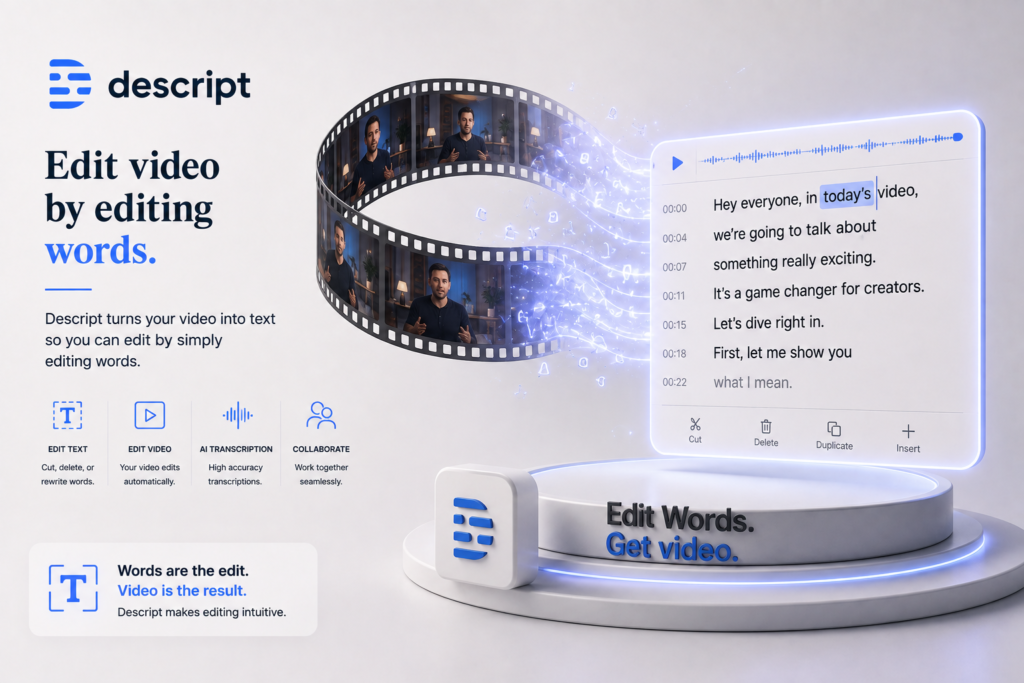
Descript is an AI-powered audio and video editing platform that lets users edit media by editing its transcript. It also documents capabilities such as AI transcription, Studio Sound, filler-word removal, screen recording, captions, and Underlord, its AI-powered co-editor.
For content-led businesses, the key question is whether these capabilities fit the existing production process at an acceptable cost and quality level. This review examines Descript’s features, pricing, business applications, integrations, limitations, alternatives, and suitability for small businesses. It distinguishes documented functionality from potential benefits that still need practical validation.
2. What Is Descript?
Descript is an audio and video editing platform designed around transcript-based editing and AI-assisted media production.
| Attribute | Finding |
|---|---|
| Provider | Descript |
| Product category | AI-powered audio and video editing |
| Core functionality | Transcript-based editing, transcription, audio enhancement, captions, screen recording, and content repurposing |
| Target audience | Creators, podcasters, marketers, educators, and businesses producing spoken content |
| Availability | Cloud-based product; confirm current desktop and operating-system requirements with the provider |
| Business problem addressed | Editing and repurposing audio/video without relying entirely on traditional timeline editing |
| Deployment model | Cloud-based service, with enterprise options documented by the provider |
| Pricing model | Free plan, paid subscriptions, and custom Enterprise pricing |
Descript is best understood as a content-production tool rather than a complete cinematic post-production suite. Its transcript-first approach is especially relevant to spoken content. Workflows involving sophisticated visual effects, motion graphics, or extensive color grading may still require a specialist editor.
How It Works
- Input: A user imports or records audio and video.
- Processing: Descript transcribes the media and provides editing tools such as Studio Sound and Remove Filler Words.
- Editing: The user edits the transcript and applies relevant audio, video, caption, or AI-assisted editing features.
- Review: A person checks the transcript, edited media, captions, and final content.
- Output: The approved project can be exported or shared through supported publishing and export options.
The exact workflow depends on the selected features, plan, and any external services used. The process above describes a documented product workflow; it does not imply that every step is fully automated.
3. Research Methodology and Evidence Standards
How This Review Was Prepared
This is a research-based review, not a hands-on product test. The assessment uses the Perplexity research summary dated 21 October 2026, which reports findings from Descript’s official pricing and product documentation.
The research prioritizes:
- Official product documentation and feature descriptions.
- Current pricing, billing, and plan restrictions.
- API, MCP, and integration information.
- Published privacy, security, and compliance statements.
- Independent coverage and user reports where available.
The review assesses documented capabilities, workflow fit, pricing, usage limits, integrations, governance considerations, alternatives, and suitability for the target audience.
Important source limitation: The research summary identifies several official documents by name but does not include their individual URLs. The links below provide access to the official website, pricing page, and Help Center. The exact feature-specific and security-documentation URLs should be confirmed and added by the editor before publication.
Evidence Source Hierarchy
| Priority | Source type | Appropriate use |
|---|---|---|
| 1 | Official product documentation | Features, technical requirements, and usage restrictions |
| 2 | Official pricing page | Plans, prices, billing terms, and plan-specific features |
| 3 | Official privacy and security documentation | Data handling, security controls, and compliance statements |
| 4 | Official changelog and release notes | Product changes, feature launches, and deprecations |
| 5 | Reputable independent analysis | Independent performance or comparative evidence |
| 6 | User reviews and community discussions | Directional user experiences, not proof of performance |
Evidence Classification
| Label | Meaning |
|---|---|
| Verified from identified sources | Reported as confirmed against an identified source in the research summary |
| Research-Based Analysis | An interpretation of documented capabilities and likely workflow fit |
| Not Independently Verified | Not sufficiently confirmed through the evidence available for this review |
| Illustrative Scenario | A proposed workflow, not one implemented or tested by Intelligent AI Lab |
What We Could Not Verify
| Evidence area | Finding |
|---|---|
| Transcription accuracy | No independent benchmark was supplied or identified in the research summary. |
| Audio enhancement quality | Studio Sound is documented, but real-world quality was not independently benchmarked. |
| AI editing reliability | Underlord, Green Screen, Eye Contact, and other AI features were not independently tested. |
| Dubbing quality | The provider documents multilingual dubbing, but output quality was not independently benchmarked. |
| Exact AI-credit consumption | Credit costs for specific operations, video lengths, and languages require further verification. |
| Ease of use | The text-based workflow is documented; beginner-friendliness was not independently tested. |
| Shared media libraries | This was not verified as a named feature. |
| Publishing workflows | Sharing and export capabilities are documented, but the broader phrase “publishing workflows” was not verified as a named feature. |
| Enterprise pricing | Custom pricing was reported; no public Enterprise price was identified. |
| Business outcomes | Editing-time savings, cost reductions, and improved content quality were not independently demonstrated. |
| User-base claim | The reported figure of more than six million creators and teams is a vendor claim, not an independently verified count. |
Sources Consulted
| Source | Information Used |
|---|---|
| Descript pricing | Plans, prices, media minutes, AI credits, features, and Enterprise details |
| Descript billing overview | Drive-specific billing, upgrades, downgrades, and billing cadence |
| Descript API | API capabilities and AI-credit usage |
| Descript Zapier integration | Zapier integration capabilities |
| Descript MCP overview | MCP for AI-assisted editing |
| Descript AI tools overview | Studio Sound, filler-word removal, and word-gap tightening |
| Descript Sound Good tools | Studio Sound and voice-quality enhancement |
| Descript legacy/sunset plans | Legacy plan limits for reference |
4. Key Features of Descript
| Feature | What it does | Potential business value | Availability and limitations |
|---|---|---|---|
| Transcript-based editing | Lets users edit audio/video by editing text | May simplify editing of spoken content | Core product capability; practical time savings require validation |
| AI transcription | Converts speech into editable text | May support transcript editing and caption creation | Research reports support for 25 languages and speaker detection for 8+ speakers |
| Studio Sound | Removes background noise and enhances speech | May help improve recordings made outside a studio | Availability and feature allowances vary by plan |
| Remove Filler Words | Removes filler words from recordings | May reduce repetitive manual editing | Plan-specific limits apply |
| Shorten Word Gaps | Reduces gaps and silences in speech | May help tighten spoken content | Output requires review |
| Underlord | AI co-editor that assists with editing and content creation | May support clip creation and other editing tasks | Free access is limited; full access is reported on Creator and higher tiers |
| Dynamic captions | Generates animated captions | May support accessible and social-ready video | Confirm exact styling and export restrictions for the selected plan |
| Screen recording | Records presentations, tutorials, and demos | May help teams create training and product walkthroughs | Research reports support for recording up to two screens |
| Remote recording | Supports recording interviews and podcasts | May support remote content production | Reported allowances range from 2 to 25 hours/month by plan |
| Translation and dubbing | Translates captions and creates dubbed audio | May help localize content | Research reports captions in 61 languages and dubbing in 30 languages; dubbing is reported for Business and Enterprise |
| AI Speech and avatars | Generates speech and supports avatar-based video features | May help produce voiceovers or avatar-led content | Check the selected plan, consent requirements, and current limits |
| API and MCP | Support programmatic or AI-assisted editing workflows | May enable more structured content operations | Technical limits and credit consumption need confirmation |
| Zapier integration | Connects Descript with supported third-party workflows | May reduce manual handoffs between systems | Confirm currently available triggers and actions |
The Features That Matter Most for Businesses
1. Transcript-based editing
This is Descript’s central differentiator. Instead of relying entirely on timeline editing, users can work with the text of spoken content. It is most relevant when editing interviews, podcasts, tutorials, and product demonstrations.
The potential advantage is a more accessible editing workflow for teams that frequently revise spoken material. Whether it reduces total editing time depends on transcription quality, recording conditions, and the amount of manual review required.
2. Underlord and content repurposing
Descript documents Underlord as an AI co-editor that can assist with editing and creating clips or highlights. This is relevant to teams that want to repurpose long recordings for shorter formats.
The editor should still check whether clips preserve the original meaning, comply with brand guidelines, and avoid removing important context.
3. Studio Sound and speech-editing tools
Studio Sound, Remove Filler Words, and Shorten Word Gaps address recurring editing tasks. They may be useful for recordings made with ordinary microphones or in less-than-ideal environments.
These capabilities should not be interpreted as a guarantee of professional audio quality. Test them using representative recordings before relying on them for customer-facing or high-stakes content.
4. Captions, translation, and dubbing
Descript reports support for captions in 61 languages and dubbing in 30 languages. These features may be relevant to businesses producing multilingual training, marketing, or customer-education material.
Translation and dubbing still require human review for terminology, cultural meaning, pronunciation, and brand consistency. Confirm the relevant plan and language-specific quality before committing to a production workflow.
5. How Businesses Can Use Descript
| Business function | Example problem | How Descript may help | Human oversight or requirement |
|---|---|---|---|
| Podcast production | Editing interviews and episodes requires repeated manual work | Transcript-based editing, filler-word removal, audio enhancement, and clip creation | Check transcript accuracy, edits, and audio quality |
| Marketing | One recording needs to support several content formats | Use editing and clip-creation features to prepare shorter assets | Review claims, brand fit, and platform requirements |
| Employee training | Training videos need updates when procedures change | Edit transcripts and revise the relevant content | Recheck policy accuracy and publish the approved version |
| Customer education | Product tutorials need captions and clear explanations | Produce captioned tutorials and demonstrations | Verify instructions against the current product |
| Sales enablement | Sales teams need consistent demo and walkthrough videos | Edit and export product demonstrations | Review claims, customer information, and messaging |
| Education and courses | Instructors need to edit lessons and prepare captions | Edit spoken lessons and generate captions | Check subject accuracy and accessibility |
Best-Fit Business Use Case: Podcast Production and Repurposing
Business problem: A small business produces recurring podcast episodes and wants to turn each episode into shorter content.
Relevant capabilities: Transcript-based editing, Studio Sound, Underlord, and captions.
Inputs required: A recorded episode, brand guidelines, target content formats, and a review process.
Proposed workflow:
- Import or record the episode.
- Review and edit the transcript.
- Apply suitable audio-enhancement and speech-editing tools.
- Create candidate clips and captions.
- Have a person review the edits and approve the final assets.
- Export the approved content for distribution.
Risks and limitations: Transcription errors, unwanted edits, loss of context, inconsistent audio, and AI-credit consumption.
Pilot metrics: Editing time per episode, transcription error rate, usable clips per recording, revisions required, and cost per approved asset.
This is a research-based use-case recommendation. The benefits should be measured in a pilot rather than assumed.
6. Intelligent AI Lab Business Decision Analysis
The Business Problem Descript Is Best Suited to Address
Descript is most relevant to a business that repeatedly edits spoken audio and video and needs to repurpose it for different audiences or channels.
Examples include a podcast team preparing episodes and short clips, a marketing team converting product demonstrations into campaign assets, or an educator revising training videos.
Its documented capabilities align with those activities. However, the actual business outcome depends on recording quality, the complexity of each edit, review effort, plan limits, and whether the final output meets the business’s quality standards.
Is This the Right Tool for the Job?
| Decision factor | Assessment |
|---|---|
| Primary use case | Transcript-based editing and repurposing of spoken content |
| Capability fit | Strong for spoken-content workflows; more limited for advanced cinematic editing |
| Main advantage | Text-based editing supported by AI audio and content-repurposing tools |
| Main trade-off | Plan-specific limits and unverified real-world editing quality |
| Cost consideration | Subscription, media minutes, AI credits, additional usage, and human review |
| Implementation consideration | Requires recording standards, brand guidelines, output review, and an appropriate plan |
| Key uncertainty | Whether the workflow produces acceptable output quality and total cost for the business’s actual content |
When to Choose Descript
Consider Descript when:
- Your team regularly produces podcasts, interviews, tutorials, webinars, or product demonstrations.
- Editing spoken content is a recurring bottleneck.
- Transcript-based editing fits how your team works.
- You want to create captions and candidate clips from longer recordings.
- Your expected volume fits the selected plan’s media-minute and AI-credit allowances.
- You can review and approve outputs before publication.
When to Choose an Alternative
Consider another tool when:
- Advanced cinematic editing: Adobe Premiere Pro or DaVinci Resolve may be a better fit for complex timelines, effects, and color grading.
- Remote recording first: Riverside may be more appropriate if recording remote interviews is the main requirement.
- Quick social-video editing: CapCut may fit lightweight social-media workflows.
- Avatar-led content: Synthesia is worth evaluating when the core requirement is AI-avatar video production.
These are workflow-based recommendations, not claims that one product is universally better. Compare current features, pricing, and export requirements before choosing.
When Not to Use AI
Descript may not be necessary when a business produces only occasional, simple videos and its existing software already meets the need.
A conventional editor, template, or improved recording process may be more cost-effective. Similarly, AI-generated edits should not replace expert review for regulated training, legal statements, medical information, or other content where errors could have serious consequences.
Our Recommended Next Step: Conduct a Limited Pilot
Start with one recurring workflow, such as editing a podcast episode and producing several candidate clips.
Before the pilot, record a baseline for editing time, revision effort, and cost. During the pilot, measure:
- Time per completed project.
- Transcription errors in a representative sample.
- Number of usable clips or assets.
- Revisions required before approval.
- AI-credit and media-minute consumption.
- Total cost per approved asset.
Define success criteria before starting. Expand only if the tool meets the required quality threshold and demonstrates sufficient business value.
Evidence note: This recommendation is a research-based business decision analysis. Intelligent AI Lab has not implemented or tested the workflow.
7. Illustrative Business Automation Examples
The following scenarios are illustrative. They have not been implemented or tested by Intelligent AI Lab.
Example 1: Podcast Production Workflow
Business scenario: A small business records interviews and wants to produce an edited episode and shorter promotional clips.
Tools involved: Descript, a recording source, brand guidelines, and the business’s chosen publishing channels.
Before
The team records an episode, edits the audio and video, removes filler words, creates clips, adds captions, reviews the output, and exports each asset.
Proposed workflow
- Trigger: A new podcast recording is ready.
- Input: The recording, the intended audience, and brand guidelines.
- AI processing: Descript transcribes the media and provides editing, audio-enhancement, and clip-creation capabilities.
- Human oversight: An editor checks the transcript, context, audio, clip selection, and captions.
- Integration or action: Approved assets are exported for the publishing process.
- Output: An approved episode and selected short-form assets.
Potential benefits
- Less repetitive manual editing, if the tools perform well on the recordings.
- A more structured process for repurposing content.
- A repeatable review and approval workflow.
Requirements and limitations
- Clear recordings and appropriate source-media rights.
- Human review of transcription, audio, and clip quality.
- An appropriate plan and sufficient media minutes and AI credits.
- A separate publishing service or manual publishing step where needed.
Suggested success metrics
- Editing time per episode.
- Usable clips per recording.
- Error and revision rate.
- AI-credit consumption.
- Cost per approved asset.
Example 2: Marketing Video Repurposing
Business scenario: A marketing team wants to turn a product demonstration into shorter promotional videos.
Proposed workflow
- Trigger: A product demonstration is approved for editing.
- Input: The video, campaign requirements, and brand guidelines.
- AI processing: Descript transcribes the recording and provides editing, audio-enhancement, caption, and clip-creation tools.
- Human oversight: The marketing team checks factual claims, brand consistency, and whether clips retain the necessary context.
- Integration or action: Approved versions are exported for the relevant publishing channels.
- Output: A set of reviewed campaign assets.
Potential benefits
- A more repeatable content-repurposing process.
- Fewer manual steps if the generated edits meet the required standard.
- Easier reuse of existing recorded material.
Requirements and limitations
- Human approval of marketing claims and final assets.
- Plan allowances appropriate to the team’s content volume.
- Separate publishing or scheduling tools if required.
- Measurement of actual editing effort rather than assuming a time saving.
Suggested success metrics
- Time to prepare each approved asset.
- Number of usable clips per demonstration.
- Rework rate.
- Cost per asset.
- Engagement or conversion measures, where appropriate and measurable.
Evidence note: Both workflows are proposed examples. Their feasibility and business impact should be validated in a controlled pilot before deployment at scale.
8. Pros and Cons of Descript
| Pros | Cons |
|---|---|
| Supports transcript-based audio and video editing. | Not positioned as a complete replacement for advanced cinematic editing suites. |
| Documents AI-assisted editing through Underlord. | The practical reliability and output quality of AI features were not independently tested. |
| Includes Studio Sound and speech-editing tools. | Output quality can vary with source material and needs review. |
| Supports captions and content-repurposing features. | Exact credit consumption for individual operations needs confirmation. |
| Documents API and Zapier integration options. | Technical limits and the precise scope of integrations should be verified. |
| Offers a Free plan and multiple paid tiers. | Media minutes, AI credits, storage, export resolution, and other allowances differ by plan. |
| Reports SOC 2 Type II compliance and additional Enterprise controls. | Buyers still need to review current security documentation and contractual terms. |
| Offers multilingual captioning and dubbing capabilities. | Dubbing quality and suitability for each target language were not independently benchmarked. |
What These Pros and Cons Mean for Buyers
Descript’s most relevant advantage is its fit with spoken-content production. Businesses should evaluate the complete workflow—not just whether the software can perform an edit.
A tool that generates clips quickly may still require substantial human correction. A subscription that appears affordable may also involve credit limits, review labor, and additional usage costs.
The key question is whether Descript produces approved content at an acceptable total cost. The strongest way to answer that question is to compare it with the existing process using representative recordings and consistent evaluation criteria.
9. Descript Pricing and Plans
Pricing verification date: 21 October 2026
The prices below are those reported from Descript’s official pricing page in the supplied research. Recheck the live page before publication or purchase.
Official pricing page: https://www.descript.com/pricing
| Plan | Price | Billing basis | Best for | Important limits and features |
|---|---|---|---|---|
| Free | $0 | Free monthly allowance | Initial evaluation | 60 media minutes/month; 100 one-time AI credits; 720p watermarked export; limited Underlord access |
| Hobbyist | $16/month with annual billing, or $24/month monthly | Subscription | Individual creators and lighter recurring use | 600 media minutes/month; 400 AI credits/month; 1080p watermark-free export |
| Creator | $24/month with annual billing, or $35/month monthly | Subscription | Frequent creators and content producers | 1,800 media minutes/month; 800 AI credits/month; 4K watermark-free export; full Underlord access; 20+ AI tools |
| Business | $50/month with annual billing, or $65/month monthly | Subscription | Teams and business content operations | 2,400 media minutes/month; 1,500 AI credits/month; Brand Studio; 30+ language dubbing; priority support with SLA, as reported in the research |
| Enterprise | Custom pricing | Custom contract | Larger organizations with additional requirements | Custom media-minute and AI-credit allowances; AI/data controls; SSO/SCIM; audit logs; dedicated customer success management, as reported in the research |
Important: The figures above are the reported prices per plan, not a guarantee of the final amount for every billing configuration, region, tax treatment, or team setup. Confirm the applicable seat, drive, and billing terms on the official pricing page.
What to Know Before Paying
Media minutes and AI credits: Each plan has allowances. Confirm how the specific editing and AI operations you intend to use consume these allowances.
Free plan: The reported allowance is 60 media minutes per month and 100 one-time AI credits. The plan includes 720p watermarked exports and limited Underlord access.
Export quality: The research reports 1080p watermark-free export on Hobbyist and 4K watermark-free export on Creator and Business. Confirm your required resolution and export options before subscribing.
Team and drive billing: Descript’s reported billing documentation says that each drive has its own plan and billing cycle and that paid Editor members affect billing. Confirm how this applies to your proposed workspace.
Upgrades and downgrades: The research reports that upgrades take effect immediately with prorated charges, while downgrades take effect at the end of the current billing cycle.
Additional usage: The research reports paid-plan top-ups for media minutes and AI credits. Confirm the current rates and whether your expected workflow will require them.
Education and nonprofit rates: Special rates are reported for eligible students, educators, and nonprofits. Confirm eligibility and terms with Descript.
Enterprise: Pricing is custom. Obtain a written quote and confirm security, administration, support, and contractual requirements.
Is Descript Worth the Price?
Descript may be worth evaluating if your business produces spoken content regularly and transcript-based editing fits your workflow. It is less compelling if you edit only occasionally, already have a suitable editor, or need extensive cinematic controls.
Evaluate the total cost rather than the subscription alone:
- Subscription and applicable taxes.
- Media minutes and AI-credit consumption.
- Additional usage or top-ups.
- Human review and corrections.
- Other recording, publishing, or integration services.
- Time needed to maintain the workflow.
Actual return on investment cannot be established from the supplied evidence. A pilot should measure cost per approved asset and compare it with the existing workflow.
Best Plan Recommendation
| Buyer type | Recommended plan | Reason | What to verify |
|---|---|---|---|
| Individual exploring Descript | Free | Provides a limited way to evaluate the workflow | Watermark, monthly minutes, one-time credits, and AI-feature restrictions |
| Freelancer or solo podcaster | Hobbyist | Provides reported 1080p watermark-free export and 600 media minutes/month | Expected media volume, credit consumption, and billing basis |
| Frequent creator or marketer | Creator | Provides reported 4K export, full Underlord access, and 1,800 media minutes/month | Whether the monthly allowances fit the workload |
| Small team or agency | Business | Provides reported Brand Studio, dubbing, and team-oriented capabilities | Seat requirements, drive billing, usage limits, and whether higher-tier features are necessary |
| Enterprise organization | Enterprise | Offers custom allowances and additional administration and security controls | Contract pricing, security documents, data terms, support commitments, and compliance needs |
These are starting points for evaluation, not universal recommendations. Choose the least expensive plan that demonstrably supports the intended workflow.
10. Integrations and Technical Requirements
| Integration or requirement | What to check | Findings |
|---|---|---|
| CRM and sales systems | Native connectors, data synchronization, and supported actions | Descript is primarily a content-editing platform. Specific native CRM integrations were not verified in the supplied research. |
| Email and collaboration | Sharing, comments, seats, and export options | The research reports commenting, export/publish capabilities, and plan-specific seat allowances. |
| Automation platforms | Available triggers, actions, and restrictions | Zapier integration is reported. Specific current actions should be verified. |
| API and webhooks | Authentication, rate limits, usage restrictions, and supported operations | An API for project creation, media import, and editing is reported. Exact API limits and authentication details require verification. |
| MCP | Supported AI clients and editing commands | An MCP for AI-assisted editing is reported. Confirm supported commands and configuration requirements. |
| Media import and export | Supported formats, upload limits, and output options | The research reports plan-specific upload limits, timeline export, and support for selected advanced media formats. |
| LMS and SCORM | Native export, supported LMS systems, and format requirements | Native SCORM export was not identified in the supplied research. Confirm requirements if learning-platform compatibility is essential. |
| Security and administration | Roles, permissions, SSO, audit logs, and security documentation | SOC 2 Type II and Enterprise SSO/SCIM and audit logs are reported. Obtain current supporting documents. |
| Implementation | Account setup, permissions, technical skills, and workflow maintenance | Requirements depend on whether the workflow is manual, integrated through Zapier, or built using the API. |
Native vs. Third-Party Integrations
Native capabilities: Transcript-based editing, transcription, audio-enhancement tools, captions, screen recording, and other documented editing features are part of Descript.
Third-party integration: Zapier is reported as a supported integration. Verify the currently available actions before designing a workflow around it.
API or custom integration: Descript’s API may support custom editing workflows. These may require technical implementation and maintenance.
MCP: Descript’s reported MCP support offers another route for AI-assisted editing commands. It should not be assumed to provide unrestricted automation or to replace API integration requirements.
Unverified: The supplied research did not independently establish current native integrations with n8n or Make. Do not advertise either as a supported native integration without confirmation.
Implementation Considerations
Before adopting Descript, identify the source of the media, who can access it, how projects will be reviewed, and where approved files will be stored or published.
For automated workflows, document the handoffs between Descript and any other services. Confirm error handling, permissions, supported actions, usage limits, and the process for correcting or withdrawing an incorrect output.
Start with a manual or limited workflow unless the expected business value justifies the additional complexity of custom automation.
11. Descript vs. Alternatives
The right comparison depends on the output you need. Descript is designed around transcript-based editing, while the alternatives below address different aspects of video production.
| Tool | Best for | Key difference | Pricing position | Consider it instead when |
|---|---|---|---|---|
| Descript | Transcript-based editing and repurposing | Text-based editing with AI-assisted content tools | Free; Hobbyist from $16/month with annual billing; higher tiers available | Spoken-content editing is the main workflow |
| Adobe Premiere Pro | Professional video production | Advanced timeline-based editing and production controls | Verify current pricing with Adobe | You need sophisticated editing, effects, or cinematic workflows |
| DaVinci Resolve | Advanced post-production and color grading | Professional color-grading and finishing capabilities | Free and paid Studio versions are reported; verify current terms | Color grading and detailed post-production are central |
| CapCut | Quick social-media editing | Social-focused editing workflows | Free and paid options; verify current terms | You primarily need lightweight social content editing |
| Riverside | Remote podcast and interview recording | Recording-focused workflow | Verify current pricing with Riverside | Remote recording is the main requirement |
Pricing comparisons are not fully like-for-like. Verify current prices, plan restrictions, export limits, and required add-ons directly with each provider.
Which Tool Should You Choose?
- Choose Descript if transcript-based editing, spoken-content production, and repurposing are central to your workflow.
- Choose Adobe Premiere Pro if you need more extensive professional video-editing controls.
- Choose DaVinci Resolve if advanced color grading and post-production are priorities.
- Choose CapCut if your requirements are primarily quick social-media edits.
- Choose Riverside if recording remote interviews and podcasts is the primary challenge.
If you need avatar-led videos, Synthesia is another relevant option to evaluate. It serves a different core purpose from transcript-based editing, so compare it only when avatar production is an actual requirement.
12. Who Should Use Descript?
Recommended For
- Podcasters: For transcript-based editing, speech cleanup, and repurposing episodes.
- Marketing teams: For preparing product demonstrations, tutorials, and short-form content.
- Educators and course creators: For editing lessons and generating captions.
- Sales teams: For producing product demonstrations and walkthroughs.
- Founders and small businesses: For creating customer education and explainer videos without depending entirely on specialist editors.
These are potential use cases based on documented capabilities, not claims of demonstrated business outcomes.
Not Ideal For
- Professional filmmakers: Those requiring extensive cinematic controls, effects, and advanced timeline editing may prefer dedicated editing software.
- Occasional editors: A paid subscription may be unnecessary if content production is infrequent and the Free plan or existing software is sufficient.
- Teams requiring native SCORM export: The supplied research did not identify native SCORM export. Verify this requirement before choosing Descript for an LMS workflow.
- Businesses with strict integration requirements: Confirm the necessary connectors, API capabilities, and administrative controls before committing.
Best-Fit Buyer Profile
The strongest prospective buyer is a content-led small business, podcaster, educator, or marketing team that produces spoken content regularly. The team should have a clear editing workflow, a process for reviewing outputs, and a measurable reason to improve its current production process.
Its main decision criteria should be output quality, editing effort, total cost per approved asset, integration needs, and governance requirements.
13. How to Get Started With Descript
This is a research-based implementation guide, not a report of a completed setup.
Step 1: Identify One Business Problem
Choose a recurring task, such as editing a podcast episode, updating a tutorial, or creating clips from a product demonstration.
Define the current process and its main constraint.
Step 2: Confirm Product Fit
Check whether Descript supports the required editing features, media formats, export quality, languages, and workflow.
Confirm the selected plan’s media minutes and AI credits.
Step 3: Review Data and Permissions
Identify what media and business information will be uploaded. Review current privacy, security, retention, and contractual terms before using sensitive or confidential content.
Step 4: Design a Limited Pilot
Define the input, expected output, review steps, exception handling, and fallback process.
Keep a person responsible for checking transcription, edits, audio, captions, and final content.
Step 5: Establish a Baseline
Record the existing workflow’s:
- Editing time per project.
- Revision and correction effort.
- Number of approved assets produced.
- Cost per approved asset.
- Error rate or quality-review findings.
Step 6: Evaluate the Pilot
Compare Descript-assisted work with the baseline using the same quality criteria.
Include subscription costs, media-minute and AI-credit usage, review effort, and any additional tools.
Step 7: Decide Whether to Expand
Continue, revise, or stop based on measured results. Expand only if the output meets the required standard and the workflow demonstrates business value.
14. Limitations, Risks, and Governance
| Risk area | Questions to investigate | Research findings |
|---|---|---|
| Accuracy and reliability | Can transcription or AI editing introduce errors? | Transcription and AI-editing capabilities are documented, but real-world accuracy and reliability were not independently benchmarked. |
| Privacy and data retention | What information is stored, retained, or shared? | The research reports that Descript describes Project Information as confidential even from Descript. Review the current privacy and security documentation to understand the precise scope. |
| Model training and data use | Are inputs used for model training? What controls apply? | Enterprise AI/data controls are reported. Confirm current terms, opt-out options, and retention controls directly with the provider. |
| Security | What controls and certifications are documented? | SOC 2 Type II compliance is reported. Obtain the current report or trust documentation; a vendor statement alone is not an independent security assessment. |
| Compliance | Are contractual and regulatory requirements met? | Suitability for a specific regulated workflow cannot be established from the supplied summary alone. Conduct the required legal and compliance review. |
| Access and permissions | Can access be managed appropriately? | Enterprise SSO/SCIM and audit logs are reported. Confirm role-specific permissions and the controls available under the proposed plan. |
| Usage limits | What happens when credits or minutes are exhausted? | Plan allowances and paid top-ups are reported. Confirm current top-up pricing and operational behavior when limits are reached. |
| Human oversight | Which outputs require approval? | Transcripts, clips, captions, dubbing, and training or marketing content should be reviewed before use. |
| Vendor dependency | Can content be exported or migrated? | Media export and selected timeline-export capabilities are reported. Confirm whether the available exports meet long-term retention and migration needs. |
| Support and continuity | What support commitments apply? | Priority support with SLA is reported for Business; Enterprise support options are also reported. Verify the contractual terms and coverage. |
What Businesses Should Check Before Adoption
- Pricing and usage: Confirm plan prices, billing basis, media-minute allowances, AI credits, and top-up costs.
- Feature availability: Verify which AI tools, languages, export formats, and resolutions are included in the intended plan.
- Privacy and security: Review current policies and obtain relevant security documents, including the SOC 2 Type II report and applicable data-processing terms.
- Integration scope: Confirm the exact Zapier actions, API limits, MCP requirements, and any custom development needed.
- Content rights: Check that the business has appropriate rights to upload, edit, dub, and distribute the source material and generated content.
- Human approval: Assign responsibility for reviewing edits, captions, translations, and claims.
- Business value: Define the baseline and success criteria before expanding beyond the pilot.
For sensitive, regulated, or high-impact workflows, obtain the appropriate technical, security, legal, and compliance review before deployment.
15. Final Verdict: Is Descript Worth It?
Descript is worth considering for businesses that regularly produce spoken audio and video and want a transcript-based editing workflow. Its documented capabilities include AI transcription, text-based editing, Studio Sound, Remove Filler Words, dynamic captions, Underlord, and content-repurposing tools. These features make it relevant to podcasts, marketing videos, tutorials, customer education, and training content.
Its strongest reason to be considered is the alignment between transcript-based editing and recurring spoken-content work. Rather than requiring every task to be handled through a traditional video timeline, the product lets users work with the text associated with their media.
The main trade-offs are plan-specific usage limits, the cost of advanced capabilities, and the lack of independent performance evidence in this review. Multilingual dubbing is reported for Business and Enterprise plans, and businesses should confirm credit consumption and quality for their intended languages. Teams needing advanced cinematic editing should compare Descript with Adobe Premiere Pro or DaVinci Resolve.
Before committing, verify current pricing, feature availability, integrations, and security terms. Then test the workflow using representative recordings and measure editing time, quality, revisions, and total cost per approved asset.
Final Buying Recommendation: Pilot. Descript merits a limited pilot for content-led teams because its documented capabilities fit their workflow. Scale only if the pilot demonstrates acceptable output quality, manageable usage costs, and measurable value compared with the existing process.
16. Intelligent AI Lab Rating and Scorecard
A. Business-Fit Verdict
Good Fit for content-led businesses that regularly edit podcasts, interviews, tutorials, and marketing content.
Conditional Fit for casual creators;
Poor Fit for cinematic filmmakers.
B. Assessment Type
Research-Based Assessment. No hands-on product test or business pilot was performed for this review.
C. Evidence Confidence
Moderate overall.
The supplied research reports official documentation for features, pricing, allowances, and Enterprise controls. However, the exact URLs for several feature-specific, API, and security sources were not included in the research packet. More importantly, transcription accuracy, audio quality, dubbing quality, and business outcomes were not independently benchmarked.
Confidence in the reported pricing and feature details is higher than confidence in real-world performance or ROI.
D. Numerical Rating
Research-based rating: 4.1/5
Rating date: 21 October 2026
This score is Intelligent AI Lab’s analyst judgment of Descript’s documented suitability for the selected content-production use case. It is not a hands-on performance benchmark or an independent customer-satisfaction score.
Research-Based Weighted Scorecard
The following weights are Intelligent AI Lab’s proposed evaluation rubric, not a validated industry standard.
| Criterion | Weight | Score | Evidence and rationale |
|---|---|---|---|
| Core capability fit | 25% | 5/5 | Documented transcript-based editing, transcription, audio tools, captions, and AI-assisted editing align with spoken-content production. Actual output quality remains untested. |
| Business workflow fit | 20% | 4/5 | The documented capabilities map well to podcasts, tutorials, and marketing repurposing; business outcomes were not demonstrated. |
| Implementation feasibility | 15% | 4/5 | The transcript-based workflow is relevant to non-specialist content teams, but ease of use was not independently tested. |
| Integrations and interoperability | 15% | 3/5 | API, MCP, and Zapier support are reported, but exact limits and some integration details need verification. |
| Pricing and cost suitability | 15% | 4/5 | Multiple reported plan options and a Free plan provide entry points, but media minutes, AI credits, and total usage costs need evaluation. |
| Governance and operational readiness | 10% | 4/5 | SOC 2 Type II and Enterprise controls are reported; current supporting documents and suitability for specific regulated use cases require verification. |
Weighted calculation:
(5 × 0.25) + (4 × 0.20) + (4 × 0.15) + (3 × 0.15) + (4 × 0.15) + (4 × 0.10) = 4.10/5
The scores are analyst judgments based on reported product capabilities and business fit. They should not be interpreted as evidence that Descript outperforms competing tools in real-world tests. The scorecard should be revisited if direct testing or more complete technical evidence changes the assessment.
Overall Assessment Summary
- Business-fit verdict: Good Fit for content-led businesses
- Research-based rating: 4.1/5
- Evidence confidence: Moderate overall; stronger for reported pricing and documented features than for performance and business outcomes
- Assessment type: Research-Based Assessment
- Overall conclusion: Descript is a credible candidate for businesses that regularly edit and repurpose spoken content. Its transcript-based workflow and associated AI tools align with that need. The principal uncertainties are actual output quality, workflow reliability, credit consumption, and the complete cost of producing approved assets. Pilot the intended workflow before committing to wider deployment.
17. Decision Checklist: Should You Choose Descript?
Choose or Shortlist Descript If:
- You regularly produce podcasts, interviews, tutorials, or marketing videos.
- Transcript-based editing fits your workflow.
- You need captions, audio-enhancement tools, or content-repurposing capabilities.
- An appropriate plan fits your expected media volume and AI-credit usage.
- You can review and approve outputs before publication.
- You can measure value against the existing production process.
Consider an Alternative If:
- You need advanced cinematic editing or detailed timeline control.
- Remote recording, rather than editing, is the primary problem.
- Your workflow depends on a specific integration that has not been verified.
- Your required export format or learning-platform workflow is unsupported.
- A paid subscription adds more complexity or cost than your content volume justifies.
- Existing software can meet the need with less effort and expense.
Decision guidance: If output quality, dubbing, integration behavior, or data governance is critical, resolve those uncertainties through a controlled pilot and current provider documentation before committing.
18. Frequently Asked Questions About Descript
What is Descript used for?
Descript is used for transcript-based audio and video editing, AI transcription, podcast production, screen recording, captions, audio enhancement, and content repurposing. It is particularly relevant to spoken-content workflows such as interviews, tutorials, and marketing videos.
Is Descript free?
Yes. The research reports a Free plan with 60 media minutes per month, 100 one-time AI credits, limited Underlord access, and 720p watermarked export. Check the official Descript pricing page for current terms.
How much does Descript cost?
The reported pricing is Hobbyist at $16/month with annual billing or $24/month monthly; Creator at $24/month annually or $35/month monthly; Business at $50/month annually or $65/month monthly; and custom pricing for Enterprise. These figures were reported as verified on 21 October 2026. Confirm current prices, taxes, billing terms, and plan allowances directly with Descript.
Is Descript suitable for small businesses?
It may be a good fit for small businesses that regularly produce podcasts, product demonstrations, training videos, tutorials, or marketing content. Suitability depends on editing needs, output quality, plan limits, credit consumption, and the team’s ability to review final assets.
Is Descript better than Adobe Premiere Pro?
They address different editing needs. Descript emphasizes transcript-based editing and spoken-content workflows. Adobe Premiere Pro is a relevant alternative for professional video production and advanced timeline editing. The better choice depends on the required output and the complexity of the editing workflow.
Can businesses automate workflows using Descript?
Descript documents editing features and reports API, MCP, and Zapier support. These may support structured content-production workflows, but the extent of automation depends on available actions, technical limits, third-party services, and human review. Do not assume the entire production and publishing process can be automated without additional configuration.
Does Descript integrate with Zapier, Make, or n8n?
Zapier integration is reported in the supplied research. Current actions should be checked in Zapier’s Descript integration directory. Support for Make and n8n was not independently verified in the supplied research; confirm compatibility before designing a workflow around either platform.
Is Descript safe for business data?
The research reports SOC 2 Type II compliance and states that Descript treats Project Information as confidential even from Descript. These provider statements are not a guarantee that every use case meets your security or compliance requirements. Review the current privacy and security documentation, contractual terms, data retention, access controls, and any relevant data-processing agreement before uploading sensitive business information.