
HubSpot AI Review 2026: Features, Pricing, Use Cases & Is It Worth It for Small Businesses?
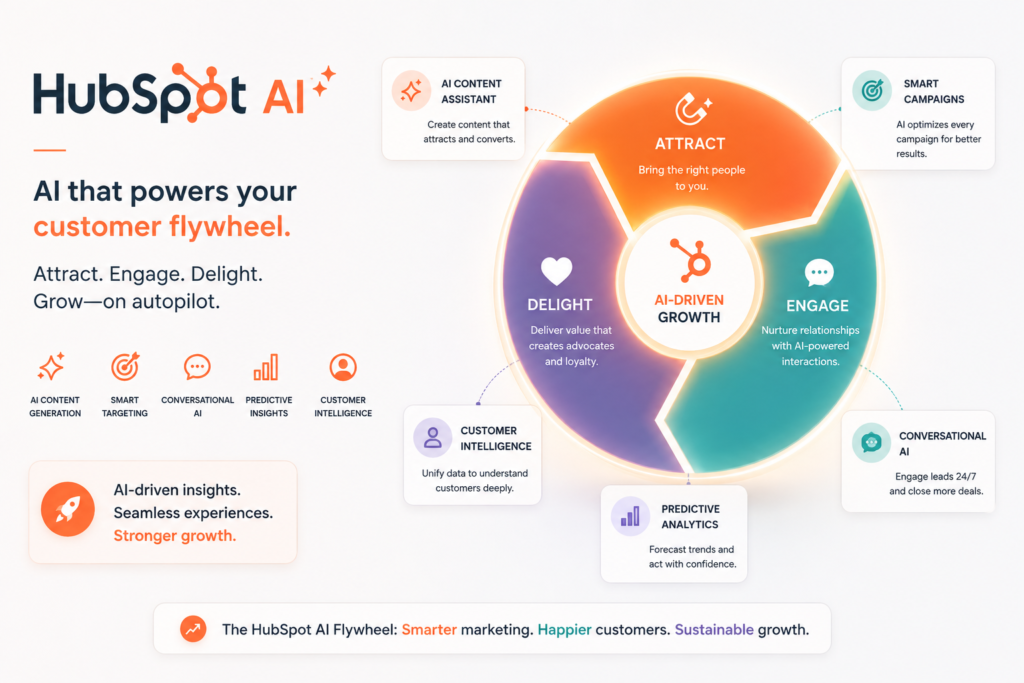
Review type: Research-Based Assessment
Last verified: 17 October 2026
Target audience: Small businesses, growing marketing and sales teams, agencies, and service businesses
Primary business problem: Fragmented customer data and repetitive work across marketing, sales, customer support, and CRM management
Disclosure notice: This review is based on publicly available product documentation, official pricing information, and other relevant research. Intelligent AI Lab has not independently tested the product. Features, pricing, integrations, and policies may change; verify current details with HubSpot before making a purchase decision.
Quick Verdict: HubSpot AI
| Review detail | Assessment |
|---|---|
| Primary business problem | Manual CRM administration and fragmented marketing, sales, and service workflows |
| Best-fit audience | Small and growing businesses using or planning to adopt HubSpot CRM |
| Not ideal for | Businesses needing only a standalone AI assistant or a basic contact-management system |
| Main purpose | Embed AI assistance, agents, and automation across HubSpot’s customer platform |
| Strongest documented advantage | AI capabilities integrated with CRM data, customer interactions, and business workflows |
| Main trade-off | Advanced functionality can involve higher subscription costs, additional seats, credits, and onboarding fees |
| Starting price | Free CRM; paid Starter pricing reportedly starts at $7 per seat/month billed annually, subject to product and seat eligibility |
| Free plan | Available, with limitations including up to two users according to the research reviewed |
| Business-fit verdict | Good Fit for HubSpot-centered small businesses |
| Research-based rating | 4.3/5 |
| Evidence confidence | Moderate overall; stronger for reported pricing and documented product capabilities than for real-world performance |
| Assessment type | Research-Based Assessment |
| Last verified | 17 October 2026 |
Our Verdict
HubSpot AI, primarily delivered through its Breeze AI capabilities, is worth considering for businesses that want to connect AI assistance with their customer relationship management, marketing, sales, and support processes. Its strongest advantage is that AI operates within the HubSpot customer platform rather than functioning only as a separate chatbot or writing assistant. Documented capabilities include AI-assisted content production, sales prospecting, customer support, data enrichment, and workflow automation.
However, the cost of adopting HubSpot AI depends on more than a headline subscription price. Buyers must consider the Hub they need, seat types, marketing-contact tiers, HubSpot Credits, and applicable onboarding fees. Actual agent reliability and business outcomes have not been independently tested by Intelligent AI Lab. Our recommendation is to shortlist HubSpot AI if you already use HubSpot or genuinely need a unified CRM, then pilot one workflow before expanding your investment.
Key Takeaways
- Best reason to consider it: Breeze AI connects AI assistance to customer records and workflows across HubSpot.
- Main limitation: Advanced agents and automation can require higher-tier subscriptions and usage credits.
- Best business application: Lead follow-up, CRM data maintenance, marketing-content production, and routine customer-support workflows.
- Pricing consideration: Evaluate seats, product subscriptions, contacts, credits, and onboarding together.
- Alternative to consider: Zoho CRM with Zia for budget-conscious CRM adoption, or ChatGPT for general-purpose AI assistance.
- Our recommendation: Pilot a clearly defined workflow and measure its cost, accuracy, and business value before scaling.
1. Introduction
Managing leads, customer relationships, marketing campaigns, sales pipelines, and support requests can consume significant time in a small business. When customer information is spread across disconnected systems, teams may struggle to maintain accurate records, respond promptly, and coordinate follow-up activities.
HubSpot AI brings artificial intelligence into HubSpot’s customer platform through its Breeze capabilities. These include AI assistance, specialized agents, and embedded features supporting marketing, sales, customer service, and data-related workflows.
For businesses already using HubSpot, the attraction is not simply the ability to generate text. It is the opportunity to apply AI within existing customer records, deals, tickets, campaigns, and workflows.
That integration may make HubSpot AI a practical option for businesses seeking to reduce repetitive work without introducing another disconnected application. However, the value depends on the subscription, available features, quality of customer data, and amount of human review required.
This review examines HubSpot AI’s features, pricing, practical applications, integrations, limitations, alternatives, and suitability for small businesses.
2. What Is HubSpot AI?
HubSpot AI refers to AI-powered capabilities embedded in the HubSpot customer platform. Its current AI branding primarily centers on Breeze, including Breeze Copilot, Breeze Agents, and Breeze Studio.
| Attribute | Details |
|---|---|
| Provider | HubSpot, Inc. |
| Product category | AI-powered CRM and customer-platform tools |
| Core AI capabilities | AI assistance, content generation, prospecting, customer support, data enrichment, and automation |
| Target audience | Small businesses, marketing teams, sales teams, service teams, agencies, and enterprises |
| Availability | Cloud-based platform with supported web, mobile, and integration experiences |
| Main business problem | Repetitive customer-management work and disconnected marketing, sales, and service processes |
| Deployment model | Cloud-based software as a service |
HubSpot AI is not simply a standalone chatbot. Its capabilities are designed to operate within HubSpot’s broader CRM environment, where customer records, marketing activities, deals, and support interactions can provide relevant business context.
The distinction matters: businesses that already manage their customer relationships in HubSpot may find CRM-connected AI more useful than a general-purpose assistant that operates separately.
How It Works
A typical documented AI-assisted workflow can be understood in five steps:
- Input: A user provides a prompt, campaign brief, customer record, deal, support ticket, or other supported business context.
- Processing: The relevant Breeze capability processes the request using available information and its supported AI functionality.
- Output: The system produces a draft, summary, recommendation, data update, or other supported result.
- Review: A team member checks accuracy, customer details, tone, and compliance with business rules.
- Action or integration: Depending on the product, subscription, permissions, and configuration, the result can support a CRM update, follow-up task, workflow, or customer interaction.
Not every feature is available on every subscription. AI agents, automation capabilities, and usage allowances should be checked against the specific Hub and edition being considered.
3. Research Methodology and Evidence Standards
How This Review Was Prepared
This is a research-based assessment, not a hands-on product test or a business pilot.
The research supplied for this review prioritizes official HubSpot product information, pricing documentation, product-catalog information, AI settings, and relevant technical documentation. Independent coverage and user discussions may provide additional context, but they do not substitute for direct verification of product claims.
The assessment considers:
- Documented product capabilities and feature availability.
- Pricing, billing terms, seat models, and usage limits.
- Potential fit with common small-business workflows.
- Integrations and automation requirements.
- Privacy, data handling, and governance considerations.
- Implementation complexity and operational risks.
- Relevant alternatives and buyer decision criteria.
We distinguish between verified product information reported by the research, our business-focused analysis, and illustrative workflows. We do not present untested workflows, projected savings, or vendor-reported performance claims as independently demonstrated results.
Evidence Classification
| Label | Meaning |
|---|---|
| Verified from identified sources | A claim confirmed against an identified reliable source, preferably official documentation |
| Research-Based Analysis | An interpretation of documented capabilities and their potential business relevance |
| Not Independently Verified | A detail that could not be sufficiently confirmed or tested |
| Illustrative Scenario | A proposed workflow that has not been implemented or tested by Intelligent AI Lab |
Evidence limitation: The supplied research reports that official HubSpot sources were checked on 17 October 2026. However, the research material does not provide a complete set of direct source URLs for every individual claim. The pricing and feature details below reflect the supplied findings and should be checked against the corresponding official pages before publication.
What We Could Not Verify
| Evidence area | Finding |
|---|---|
| Real-world reliability | No independent benchmark of Breeze AI accuracy or consistency across business workflows was established. |
| Ease of use | The integrated product design is documented, but actual learning time and usability were not independently measured. |
| Support quality | The quality of support for Free and Starter users was not independently established. |
| Security and compliance | HubSpot’s published policies and controls require review; this assessment is not an independent security audit. |
| Integration behavior | HubSpot documents a broad app ecosystem, but connector reliability and real-world synchronization behavior were not tested. |
| Business performance | Productivity gains, conversion improvements, and cost reductions were not independently demonstrated. |
| Credit consumption | Exact credit requirements for every AI action or agent were not fully established in the supplied research. |
Sources Consulted
| Source | Information Used |
|---|---|
| HubSpot Free CRM pricing | Free CRM, Starter pricing, seats, credits, and product limits |
| HubSpot Marketing Hub pricing | Marketing Hub plans, credits, onboarding, contact tiers, and AI-agent features |
| HubSpot Sales Hub pricing | Sales Hub edition pricing |
| HubSpot Service Hub pricing | Service Hub edition pricing |
| HubSpot Product & Services Catalog | Core Seat, Sales Seat, and Service Seat definitions and pricing |
| Breeze partner resources | Breeze Copilot, Breeze Agents, and embedded AI features |
| Manage AI settings | AI model-training controls |
| HubSpot AI model training | Customer-data training practices |
| Breeze Studio assistants and agents | Assistant/agent availability and configuration |
4. Key Features of HubSpot AI
The most relevant features are those that connect AI assistance to existing customer workflows, rather than those that merely generate content.
| Feature | What It Does | Potential Business Value | Availability and Limitations |
|---|---|---|---|
| Breeze Copilot | Provides AI assistance and CRM-aware insights or recommendations | May reduce time spent reviewing customer and engagement information | Access and context depend on the product, permissions, and subscription |
| Breeze Content Agent | Supports content creation for supported marketing formats | May help marketing teams produce drafts more efficiently | Verify eligible plans, available formats, and credit requirements |
| Breeze Social Media Agent | Supports social-media content workflows | May help standardize recurring social content | Verify availability, publishing permissions, and usage costs |
| Breeze Prospecting Agent | Supports sales prospecting and outreach-related activities | May assist with prospect research and follow-up | Verify eligible products, agent capabilities, and credit consumption |
| Breeze Customer Agent | Supports automated customer interactions and service workflows | May help handle routine questions and route complex requests | Requires appropriate configuration, knowledge sources, and human escalation |
| Breeze Data Agent | Supports data-related research, enrichment, and CRM workflows | May help maintain customer information and identify relevant signals | Verify data sources, permissions, feature availability, and credit requirements |
| Breeze Studio | Supports the creation or customization of assistants and agents | May help businesses standardize recurring AI-assisted tasks | Availability and configuration options depend on eligible subscriptions |
| Workflow automation | Connects business triggers with supported CRM and process actions | May reduce repetitive handoffs and follow-up work | Automation depth varies by Hub and edition |
| HubSpot Credits | Provides usage-based capacity for eligible AI features | Makes usage more flexible but introduces variable cost | Allowances and consumption depend on the applicable plan and feature |
| App ecosystem | Connects HubSpot to external business applications | May extend CRM workflows into other systems | Specific integration behavior must be checked |
The Features That Matter Most for Businesses
1. CRM-native AI assistance
Breeze Copilot is designed to assist users within HubSpot’s customer platform. When a business already maintains customer records and engagement history in HubSpot, contextual AI assistance may be more relevant than a separate assistant that requires information to be copied between applications.
The potential value depends on the accuracy, completeness, and accessibility of the underlying CRM data.
2. AI agents for recurring work
HubSpot documents several specialized Breeze agents, including capabilities for content, social media, prospecting, customer interactions, and data-related tasks.
These capabilities may support recurring workflows that otherwise require manual research, drafting, or administration. However, an agent’s availability does not establish that it will complete a particular workflow accurately or independently.
Businesses should verify supported actions, credit consumption, approval requirements, and failure-handling options before relying on an agent.
3. Automation connected to business processes
HubSpot combines CRM functionality with marketing, sales, and service workflows. This creates an opportunity to connect AI-assisted tasks to existing customer processes.
The important qualification is that workflow depth varies across products and subscriptions. A buyer should confirm that the specific triggers, actions, and automation features required are included in the intended plan.
4. Usage-based AI costs
HubSpot Credits power eligible AI agents and features. The supplied research reports that included credits vary by plan and that unused monthly credits do not roll over.
This means businesses should assess both subscription cost and expected usage. The precise credit cost of a workflow may not be clear until the relevant feature documentation and current credit schedule are reviewed.
5. How Businesses Can Use HubSpot AI
The most useful applications address identifiable business problems and retain human accountability for important decisions.
| Business function | Example problem | How HubSpot AI may help | Human oversight or requirement |
|---|---|---|---|
| Marketing | Producing campaign content takes too much time | Assist with drafts for blogs, emails, social posts, and landing pages | Check factual claims, brand voice, and publication readiness |
| Sales | Leads receive inconsistent or delayed follow-up | Support prospect research, outreach drafting, and follow-up workflows | Validate prospect information and approve customer-facing messages |
| Customer support | Staff repeatedly answer routine questions | Support customer-agent interactions and ticket workflows | Escalate sensitive, complex, or unresolved cases |
| Operations | Customer records contain missing or inconsistent information | Support data research, enrichment, and record-maintenance workflows | Validate source quality and automated updates |
| Reporting | Managers need to interpret CRM information | Support reporting and analysis using available platform data | Check definitions, calculations, and business conclusions |
| Agencies | Client marketing and customer workflows are fragmented | Centralize supported CRM, campaign, sales, and service activities | Maintain client approval, account separation, and access controls |
Best-Fit Business Use Case: Lead Follow-Up and CRM Data Quality
Business problem: A small B2B company receives leads but spends considerable time researching prospects, drafting outreach, updating customer records, and scheduling follow-ups.
Relevant capabilities: Breeze Copilot, prospecting-related features, data-related capabilities, and supported HubSpot workflows.
Required inputs: Appropriate CRM records, reliable lead information, an agreed sales process, approved messaging, and clearly defined permissions.
Proposed workflow:
- A new lead enters the CRM.
- The sales team uses supported AI assistance to review available context and prepare outreach.
- Relevant CRM fields or follow-up tasks are updated through supported functionality.
- A salesperson checks the message, prospect details, and next action.
- The approved follow-up is sent and tracked.
Risks and limitations: Inaccurate enrichment, generic messaging, incorrect assumptions, credit costs, and excessive automation could undermine the workflow.
Suggested pilot metrics:
- Time from lead creation to first personalized follow-up.
- Percentage of CRM records meeting agreed completeness standards.
- Follow-up completion rate.
- Human-editing time per message.
- Cost per completed workflow.
These metrics provide a way to test business value. No improvement in these measures has been demonstrated by Intelligent AI Lab.
6. Intelligent AI Lab Business Decision Analysis
The Business Problem It Is Best Suited to Address
HubSpot AI is best suited to businesses whose recurring bottleneck is managing customer relationships across marketing, sales, and customer service, particularly when customer data and workflows already reside in HubSpot.
For example, a growing service business may manage leads, sales opportunities, email campaigns, and support requests in the same platform. AI assistance embedded in those workflows may be more useful than adding a separate tool that requires manual transfers of customer information.
The objective should not be to introduce AI for its own sake. It should be to determine whether a specific workflow can be completed more efficiently or consistently without introducing unacceptable errors, cost, or review burden.
Is This the Right Tool for the Job?
| Decision factor | Assessment |
|---|---|
| Primary use case | AI-assisted CRM, marketing, sales, and service workflows |
| Capability fit | Strong for businesses centered on HubSpot; limited as a standalone AI assistant |
| Main advantage | AI capabilities are integrated with customer records and supported business workflows |
| Main trade-off | Advanced features can involve additional subscription, seat, credit, and implementation costs |
| Cost consideration | Evaluate product subscriptions, seats, marketing contacts, credits, onboarding, integrations, and review time |
| Implementation consideration | Requires suitable CRM data, workflow design, permissions, and monitoring |
| Key uncertainty | Whether the specific AI-assisted workflow performs reliably and economically in the buyer’s environment |
When to Choose HubSpot AI
Consider HubSpot AI when:
- Your business already uses HubSpot or has a clear requirement for a unified CRM.
- Marketing, sales, and service teams need to work with shared customer information.
- You have recurring tasks suitable for AI assistance or controlled automation.
- The relevant features are available within an affordable subscription.
- You can monitor usage, review AI-generated outputs, and manage permissions.
- You can define a measurable pilot before committing to a larger implementation.
When to Choose an Alternative
An alternative may be more suitable when:
- You need general-purpose writing, research, or analysis rather than CRM automation.
- Your main requirement is AI assistance inside Microsoft 365.
- You need highly customized enterprise CRM workflows and governance.
- You want a lower-cost CRM with AI assistance.
- Your existing tools already solve the problem adequately.
ChatGPT may be more appropriate for general-purpose AI assistance, Microsoft 365 Copilot for workflows centered on Microsoft applications, Zoho CRM with Zia for budget-conscious CRM adoption, and Salesforce for complex enterprise CRM requirements.
The best choice depends on the actual workflow, budget, technical environment, and governance requirements.
When Not to Use AI
AI may be unnecessary when a business has very few contacts, infrequent campaigns, or a simple sales process that can be handled through existing CRM features.
A spreadsheet, basic CRM, email template, or rules-based workflow may deliver sufficient value with less cost and complexity.
AI should not be the sole decision-maker for sensitive customer disputes, legal commitments, pricing approvals, refunds, or other consequential decisions. Human accountability should remain explicit.
Our Recommended Next Step
Recommendation: Conduct a limited pilot.
Choose one workflow, such as inbound lead follow-up, routine support-ticket handling, or marketing-content drafting.
Before testing, document the current process and establish a baseline. Then define measurable success criteria, including time per task, error rate, rework, credit consumption, and total cost.
For a lead-follow-up pilot, for example, compare the time from lead creation to first reviewed outreach, the completeness of CRM records, and the amount of human editing required.
Proceed only if the workflow is sufficiently reliable, fits the budget, and meets the agreed business criteria.
Evidence note: This is a research-based recommendation. It does not imply that Intelligent AI Lab has implemented or tested the workflow.
7. Illustrative Business Automation Examples
The following are illustrative scenarios, not workflows personally implemented or tested by Intelligent AI Lab.
Example 1: New-Lead Follow-Up
Business scenario: A small B2B services company receives inbound enquiries and wants a more consistent follow-up process.
Tools involved: HubSpot CRM, eligible Breeze capabilities, supported workflows, and the sales team’s approval process.
Before: A salesperson reviews the enquiry, researches the company, drafts an email, updates the CRM, and schedules a reminder manually.
Proposed workflow:
- Trigger: A new lead enters HubSpot.
- Input: The enquiry, available company details, and relevant CRM history.
- AI processing: Supported Breeze functionality assists with prospect research or outreach drafting.
- Action: The workflow creates or updates appropriate records and follow-up tasks where supported.
- Human oversight: The salesperson validates the information, offer, and message before sending.
- Output: Reviewed outreach and an appropriately maintained CRM record.
Potential benefits:
- More consistent follow-up.
- Potentially less repetitive drafting and administration.
- Better visibility into lead status.
Requirements and limitations:
- Suitable HubSpot subscription and feature access.
- Reliable lead information and approved messaging.
- Verification of automated actions and credit consumption.
- Human review before external communication.
Suggested success metrics: Time to first follow-up, record completeness, follow-up completion rate, editing time, and cost per completed lead workflow.
Example 2: Customer-Support Triage
Business scenario: A small SaaS or service business receives recurring questions through supported customer-service channels.
Tools involved: HubSpot Service Hub, eligible Breeze Customer Agent functionality, a maintained knowledge base, and support-team procedures.
Before: Support staff read each ticket, search for relevant documentation, draft a response, and route complex cases.
Proposed workflow:
- Trigger: A customer submits a supported enquiry.
- Input: The customer message, relevant account context, knowledge-base content, and approved policies.
- AI processing: The eligible customer-service capability generates or provides an appropriate response and supports escalation.
- Action: The system handles supported ticket or routing steps.
- Human oversight: Staff review unresolved, sensitive, or consequential issues.
- Output: A response to a routine enquiry or escalation to the appropriate employee.
Potential benefits:
- More consistent handling of routine questions.
- Potentially faster access to relevant support information.
- Improved visibility into recurring enquiries.
Requirements and limitations:
- Suitable subscription, configuration, and knowledge sources.
- Clear escalation rules.
- Human review for refunds, complaints, account changes, and other sensitive issues.
- Monitoring of credit consumption and unresolved cases.
Suggested success metrics: First-response time, resolution time, escalation rate, customer satisfaction, and the percentage of eligible routine enquiries resolved appropriately.
Evidence note: Both examples require a controlled pilot to establish technical feasibility and business impact.
8. Pros and Cons of HubSpot AI
| Pros | Cons |
|---|---|
| Breeze AI is integrated into HubSpot’s customer platform. | Advanced features may require higher-tier subscriptions. |
| CRM context can support relevant customer and sales workflows. | Output quality depends on data quality, configuration, and human review. |
| Specialized agents support different business tasks. | Eligible AI features can consume credits and introduce variable costs. |
| A free CRM provides an entry point for evaluation. | The subscription model can be complex, particularly across multiple Hubs and seat types. |
| HubSpot has a broad documented app ecosystem. | Real-world connector reliability was not independently tested. |
| AI-related account settings provide controls for data use. | Buyers must review settings, privacy terms, and governance requirements before adoption. |
| HubSpot combines CRM, marketing, sales, and service functionality. | Businesses that do not need a CRM may find the platform unnecessarily complex. |
What These Pros and Cons Mean for Buyers
HubSpot AI’s main strength is its relationship with the broader CRM platform. For businesses already using HubSpot, the integration may reduce the need to transfer information between separate tools.
Its most important limitation is the combination of cost and implementation requirements. Buyers must establish which features are included, how many seats are required, what credit consumption looks like, and how much review and maintenance the workflow will require.
The availability of an AI feature does not prove that it will deliver a particular productivity gain. Businesses should evaluate output quality and total workflow cost before scaling.
9. HubSpot AI Pricing and Plans
Pricing verification date reported by the supplied research: 17 October 2026.
HubSpot AI is not priced as one standalone product. Pricing depends on the relevant Hub, edition, seat type, contact tier, and use of HubSpot Credits.
The following figures are reported in the supplied Perplexity research. They are expressed in US dollars and should be checked against the current official pricing pages before publication or purchase.
Pricing Overview
| Plan or pricing component | Reported price | Billing basis | Important notes |
|---|---|---|---|
| Free CRM | $0 | Free | Reportedly supports up to two users and a 1,000-contact limit |
| Starter | From $7/seat/month annually or $20/seat/month monthly | Per seat | Actual functionality depends on the product and applicable seat |
| Core Seat — Starter access | $20/month per seat | Per seat | Research reports access to core CRM and Breeze Assistant functionality |
| Core Seat — Professional access | $50/month per seat | Per seat | Applies to Professional-level access as described in the supplied research |
| Core Seat — Enterprise access | $75/month per seat | Per seat | Applies to Enterprise-level access as described in the supplied research |
| Sales Hub Professional | $100/seat/month | Per seat | Confirm the seat type and any additional requirements |
| Sales Hub Enterprise | $150/seat/month | Per seat | Confirm contract terms and seat requirements |
| Service Hub Professional | $100/seat/month | Per seat | Confirm the seat type and any additional requirements |
| Service Hub Enterprise | $150/seat/month | Per seat | Confirm contract terms and seat requirements |
| Marketing Hub Professional | $800/month billed annually | Platform subscription | Research reports three included Core Seats, 3,000 credits, 2,000 marketing contacts, and a $3,000 onboarding fee |
| Marketing Hub Enterprise | $3,600/month | Platform subscription | Research reports five included Core Seats, 5,000 credits, 10,000 marketing contacts, and a $7,000 onboarding fee |
| Additional HubSpot Credits | $0.010 per credit | Usage-based | Research reports monthly reset behavior and a Pay-as-You-Go option |
Important: The Starter headline price and the separate Core Seat price are not interchangeable. They refer to different pricing descriptions in the supplied research. Buyers must confirm the exact product, seat type, included functionality, and total subscription cost rather than assuming that every Breeze feature is available at the lowest advertised price.
What to Know Before Paying
1. Free CRM has limitations. The supplied research reports a free CRM for up to two users, with a 1,000-contact limit. Verify which AI capabilities are available without a paid subscription.
2. Seat types matter. HubSpot uses Core Seats and product-specific seat arrangements. Confirm how each user will access the relevant CRM, sales, service, and AI features.
3. Different Hubs have different costs. Marketing, Sales, and Service subscriptions do not necessarily include the same capabilities or automation depth.
4. Credits introduce variable usage costs. The supplied research reports that included credits vary by plan, unused credits do not roll over, and additional credits cost $0.010 each. Exact consumption per action remains an important verification point.
5. Marketing contacts can affect the bill. Marketing Hub pricing may depend on contact tiers. Confirm the applicable contact allowance and additional charges.
6. Onboarding may add significant upfront cost. The supplied research reports onboarding fees of $3,000 for Marketing Hub Professional and $7,000 for Enterprise. Confirm whether these apply to your specific purchase.
7. Support and billing terms need verification. Check the applicable support level, billing commitment, cancellation terms, taxes, regional pricing, and any current discounts.
Official pricing starting points:
Is HubSpot AI Worth the Price?
HubSpot AI may offer a sensible business case when a company already uses HubSpot and has recurring customer workflows that justify AI assistance.
It is less compelling when the business needs only occasional writing, research, or chatbot functionality. In that situation, a standalone AI assistant or existing software may be simpler.
The relevant cost includes:
- Hub or platform subscription.
- User seats.
- Marketing-contact tiers where applicable.
- AI credits and additional usage.
- Onboarding and implementation.
- Third-party connectors or custom integration work.
- Human review, exception handling, and ongoing maintenance.
The business case should be evaluated against a defined workflow, not the number of features advertised.
Best Plan Recommendation
| Buyer type | Initial recommendation | Reason | What to verify |
|---|---|---|---|
| Business exploring HubSpot | Free CRM | Provides an entry point for evaluating foundational CRM functionality | Contact limits, user limits, and available AI features |
| Solo business or small team | Compare Free and Starter | May provide sufficient functionality for basic CRM needs | Actual seat pricing, required Hub, and feature access |
| Growing sales team | Evaluate the appropriate Sales Hub tier | May support more advanced sales processes | Required seats, automation depth, and credit costs |
| Marketing-led business | Evaluate Marketing Hub against the actual workflow | Higher tiers may offer relevant automation and marketing capabilities | Subscription, onboarding, contact tiers, and credits |
| Enterprise | Evaluate the required Hub and edition | Complex workflows may require advanced controls and functionality | Contract terms, administration, security, and total cost |
Do not upgrade simply because a higher tier contains more features. Start with the least expensive option that demonstrably supports the intended workflow.
10. Integrations and Technical Requirements
HubSpot’s value depends partly on how well it fits into the existing business technology environment.
| Integration or requirement | Findings and considerations |
|---|---|
| CRM and sales systems | HubSpot provides its own CRM, including customer records, deals, and supported sales workflows. External data synchronization requires verification. |
| Email and collaboration | The supplied research reports integrations involving Gmail, Outlook, Microsoft Teams, Slack, and other business applications. Verify the specific connector and supported actions. |
| Automation platforms | HubSpot provides native workflows. Zapier, Make, and other platforms may extend automation where suitable connectors exist. |
| APIs and webhooks | HubSpot offers developer tools and APIs. Authentication, rate limits, and plan-specific restrictions should be checked. |
| Data sources | Relevant CRM objects, contacts, tickets, deals, and supported external data may be used in workflows. Specific source and import requirements need verification. |
| Security and administration | Review user access, account controls, AI settings, audit requirements, and edition-specific administration features. |
| Implementation | Requires suitable CRM data, configuration, permissions, workflow design, and ongoing monitoring. |
Native vs. Third-Party Integrations
- Native: HubSpot CRM objects and supported built-in workflows are part of the HubSpot platform.
- Plan-dependent: Certain AI agents, automation capabilities, and advanced features may require a specific Hub or edition.
- Third-party: External services such as automation platforms and collaboration applications require a supported connector and may introduce additional dependencies or costs.
- Custom: Complex ERP, internal-system, or specialized data connections may require APIs, middleware, or development.
- Unverified: A connection should not be treated as confirmed until its current documentation establishes the required functionality.
The supplied research reports more than 2,000 apps and web services in HubSpot’s ecosystem. This broad ecosystem does not guarantee that every connector supports every required action or that synchronization will behave as expected.
Implementation Considerations
Before enabling AI workflows, businesses should:
- Identify the customer records and systems the workflow requires.
- Confirm that the relevant HubSpot subscription supports the required features.
- Check permissions and access to customer information.
- Define approval steps and handling of exceptions.
- Confirm integration actions and usage limits.
- Monitor credit consumption and ongoing maintenance requirements.
For sensitive customer information, review applicable data-handling policies and obtain appropriate internal approval before enabling broad AI access or automated updates.
11. HubSpot AI vs. Alternatives
The right alternative depends on whether the business needs CRM-native automation, general-purpose AI, enterprise customization, or productivity assistance inside its existing software.
| Tool | Best for | Key difference | Pricing position | Consider it instead when |
|---|---|---|---|---|
| HubSpot AI | CRM-native marketing, sales, and service workflows | Breeze AI operates within HubSpot’s customer platform | Free CRM and paid product subscriptions; advanced capabilities can add costs | You need a unified CRM with integrated AI |
| Salesforce Einstein / Agentforce | Complex enterprise CRM and AI workflows | Salesforce supports extensive enterprise CRM customization | Verify current Salesforce pricing and required products | You have complex enterprise processes and appropriate administration resources |
| Zoho CRM with Zia | Budget-conscious CRM adoption | Alternative CRM with AI-assisted capabilities | Compare current editions and feature restrictions | Cost is a major constraint and the required CRM workflow is supported |
| Microsoft 365 Copilot | Productivity inside Microsoft applications | Focuses on Microsoft 365 workflows rather than CRM-native automation | Verify current licensing and eligibility | Your primary need is assistance in Word, Excel, Outlook, or Teams |
| ChatGPT | General-purpose AI assistance | Supports a wide range of writing, research, analysis, and other tasks outside a dedicated CRM | Free and paid plans; verify current business-plan terms | You need flexible AI assistance rather than a unified CRM |
Which Tool Should You Choose?
Choose HubSpot AI if you need customer relationship management combined with AI-assisted marketing, sales, and service workflows.
Choose Salesforce if your requirements involve complex enterprise CRM customization, sophisticated operational processes, or an established Salesforce environment.
Choose Zoho CRM with Zia if you want to compare lower-cost CRM options while retaining AI-assisted customer-management capabilities.
Choose Microsoft 365 Copilot if your primary workflows involve documents, spreadsheets, email, meetings, and collaboration in Microsoft 365.
Choose ChatGPT if you need a flexible AI assistant for research, drafting, analysis, and tasks that do not require a dedicated CRM platform.
Compare current product capabilities and pricing before choosing. The alternatives above are not interchangeable, and no universal winner can be established independently of the business workflow.
12. Who Should Use HubSpot AI?
Recommended For
- Small businesses using HubSpot CRM: May benefit from AI assistance with lead follow-up, customer records, and recurring workflows.
- Marketing teams: May use supported AI capabilities for content and campaign production.
- Sales teams: May use prospecting-related capabilities and workflow automation to support follow-up.
- Customer-support teams: May benefit from supported customer-agent and ticket-management functionality.
- Agencies and SaaS businesses: May find a unified platform useful for managing customer interactions and related processes.
Not Ideal For
- Businesses that do not need a CRM: A standalone assistant may be simpler.
- Teams seeking only a basic chatbot: A dedicated chatbot or existing support tool may be more appropriate.
- Businesses with very simple contact-management needs: A basic CRM or spreadsheet may be sufficient.
- Teams unable to manage implementation and governance: Advanced automation can introduce additional configuration, review, and monitoring requirements.
Best-Fit Buyer Profile
The strongest candidate is a small or growing business that already uses HubSpot—or has a genuine need for its CRM platform—and repeatedly performs marketing, sales, or service tasks that could benefit from AI assistance.
The business should have reasonably reliable customer data, a clear process owner, an appropriate budget, and the ability to review AI-generated outputs. Its primary decision criteria should be workflow fit, subscription cost, credit consumption, integration requirements, and governance.
13. How to Get Started With HubSpot AI
This is a research-based implementation guide, not a report of a workflow configured by Intelligent AI Lab.
Step 1: Identify One Business Problem
Select a repetitive task with a clear business purpose, such as preparing lead follow-up, drafting marketing content, or triaging routine support enquiries.
Avoid beginning with a broad objective such as “automate sales.”
Step 2: Confirm Product Fit
Check that the required Breeze capability, Hub, edition, seat type, and credit allowance support the intended workflow.
Step 3: Review Data and Permissions
Identify the information the workflow requires, who can access it, and which data-handling settings apply. Avoid exposing sensitive business or customer information until relevant policies and controls have been reviewed.
Step 4: Design a Limited Pilot
Define the input, expected output, approval process, exception handling, and fallback procedure. Keep human oversight for consequential decisions.
Step 5: Establish a Baseline
Record the existing workflow before introducing AI. Depending on the use case, measure:
- Time per task.
- Cost per completed task.
- Error and rework rates.
- Time to first customer response.
- CRM-data completeness.
- Human-review time.
Step 6: Evaluate the Pilot
Compare the new process with the baseline. Include subscription costs, seats, credits, onboarding, integration work, maintenance, and human review.
Step 7: Decide Whether to Expand
Continue, revise, or stop based on the evidence. Scale only if the workflow meets the agreed quality, governance, and business-value criteria.
14. Limitations, Risks, and Governance
AI connected to customer information requires appropriate controls, particularly when it can influence customer communications, CRM records, or operational decisions.
| Risk area | Research findings and considerations |
|---|---|
| Accuracy and reliability | AI outputs can require correction. No independent benchmark of Breeze AI’s business-task accuracy was established. |
| Privacy and data retention | Review HubSpot’s current privacy and contractual documentation for collection, retention, and processing terms. |
| Model training and data use | The supplied research reports account-level controls governing whether customer data may be used for AI model training. Verify current settings, defaults, and terms. |
| Security | Review HubSpot’s published security documentation and the controls relevant to the intended subscription. This review is not an independent security audit. |
| Compliance | Businesses handling regulated or sensitive information should obtain appropriate legal and compliance review. |
| Access and permissions | Confirm who can access CRM data, AI features, and automated actions. Verify the controls available in the selected edition. |
| Usage limits | The supplied research reports that HubSpot Credits reset monthly and do not roll over; additional usage can introduce cost. |
| Human oversight | Review customer-facing messages, pricing, account changes, refunds, and consequential decisions before action where appropriate. |
| Vendor dependency | Verify export options and the portability of CRM data, workflows, and agent configurations before committing. |
| Support and continuity | Confirm the support tier, contractual commitments, and applicable service terms. |
What Businesses Should Check Before Adoption
Confirm the exact plan. Verify the Hub, edition, seat type, contact tier, and credit allowance required for the workflow.
Review AI data-use settings. Understand whether customer data may be used to train or improve models, what controls are available, and what terms apply to your account.
Set clear action boundaries. Determine which AI actions are permitted, which require approval, and which should remain exclusively human-led.
Monitor cost and quality. Track credit consumption, errors, rework, and review effort instead of evaluating the workflow solely by the number of tasks automated.
Assess sensitive use cases carefully. For regulated, confidential, or high-impact workflows, obtain appropriate security, technical, legal, or compliance review before deployment.
The supplied research reports that HubSpot states proprietary business data is not shared with other customers when AI model training is enabled. This is a provider statement, not an independent assurance of security. Buyers should read the applicable policy and contractual terms before relying on it.
15. Final Verdict: Is HubSpot AI Worth It?
HubSpot AI is a credible option for small and growing businesses that need AI assistance within a unified CRM environment. Its strongest documented advantage is the integration of Breeze capabilities with customer records, marketing activities, sales workflows, and customer-service processes.
For a business already using HubSpot, that integration may make AI-assisted lead follow-up, content production, CRM maintenance, and routine support workflows worth evaluating. The key question is whether the relevant functionality is included in an affordable plan and can be operated reliably with acceptable levels of human review.
The main trade-off is the complexity of pricing and implementation. Seat types, product subscriptions, marketing-contact tiers, credits, and potential onboarding fees can materially affect total cost. The availability of an AI agent does not, by itself, establish improved productivity, higher conversions, or lower operating costs.
Businesses that need only a standalone AI assistant should compare alternatives before adopting a broader CRM platform. Businesses with complex enterprise requirements should also assess Salesforce and other appropriate solutions.
Final Buying Recommendation: Pilot
Start with the least expensive suitable HubSpot configuration, then test one measurable workflow before expanding.
The three most important reasons are:
- HubSpot’s CRM-native AI may be relevant when customer data and processes already reside in the platform.
- Actual output quality, credit consumption, and workflow reliability need validation in the buyer’s environment.
- Total cost must include subscriptions, seats, usage, implementation, and ongoing human review.
Measure task completion time, quality, error rates, and cost against a baseline. Proceed only when the results justify the investment.
16. Intelligent AI Lab Rating and Scorecard
A. Business-Fit Verdict
Good Fit for businesses already using HubSpot or planning to adopt its CRM to manage recurring marketing, sales, and service workflows.
Conditional Fit for businesses seeking only lightweight AI assistance or that do not need a CRM platform.
These verdicts are specific to the intended use case rather than universal judgments of product quality.
B. Assessment Type
Research-Based Assessment.
Intelligent AI Lab has not conducted a hands-on product test or business pilot for this review.
C. Evidence Confidence
High for plan structure, seat model, pricing, credits, and Breeze AI capabilities, because these are documented by official HubSpot sources.
Moderate overall.
The supplied research reports official-source verification for key product and pricing details. However, this review does not independently establish real-world agent reliability, credit consumption for every action, connector behavior, or measured business outcomes. Exact source URLs and feature-level plan requirements should be checked before publication.
D. Numerical Rating
Research-based rating: 4.3/5
Rating date: 17 October 2026
This score represents an assessment of documented suitability for CRM-centered business workflows. It is not a hands-on performance benchmark.
Weighted Scorecard
The following weights are Intelligent AI Lab’s proposed evaluation rubric, not a validated industry standard.
| Criterion | Weight | Score | Evidence and rationale |
|---|---|---|---|
| Core capability fit | 25% | 5/5 | The supplied research documents Breeze Copilot, specialized agents, and CRM-connected capabilities relevant to the target use case. |
| Business workflow fit | 20% | 5/5 | The platform is designed to support customer workflows spanning marketing, sales, and service. |
| Implementation feasibility | 15% | 3/5 | Effective use requires appropriate data, configuration, permissions, and monitoring. |
| Integrations and interoperability | 15% | 5/5 | The supplied research reports a broad app ecosystem and native CRM/workflow functionality; actual connector behavior was not tested. |
| Pricing and cost suitability | 15% | 3/5 | A free entry point exists, but advanced functionality can involve subscriptions, seats, credits, and onboarding. |
| Governance and operational readiness | 10% | 4/5 | AI settings and data-use controls are documented in the supplied research, but this review does not independently validate the overall security posture. |
Weighted calculation:
(5 × 0.25) + (5 × 0.20) + (3 × 0.15) + (5 × 0.15) + (3 × 0.15) + (4 × 0.10) = 4.30/5
The score reflects a strong documented fit for the selected workflow, offset by implementation requirements, cost complexity, and unresolved operational questions. It should not be interpreted as proof of superior performance.
Overall Assessment Summary
- Business-fit verdict: Good Fit
- Research-based rating: 4.3/5
- Evidence confidence: High for documented capabilities, pricing, and Breeze AI structure; Moderate for real-world agent reliability and business outcomes
- Assessment type: Research-Based Assessment
- Overall conclusion: HubSpot AI is a strong option for businesses already committed to HubSpot CRM because it embeds AI directly into customer data, marketing campaigns, sales pipelines, and service workflows. Its main buyer decision is platform fit: businesses needing a unified CRM should pilot Breeze AI, while businesses seeking only a standalone assistant should compare ChatGPT, Claude, or Gemini first. Its 4.3/5 rating reflects strong CRM-workflow fit and integration breadth, offset by implementation complexity, credit-based costs, and higher-tier pricing.
17. Decision Checklist: Should You Choose HubSpot AI?
Choose or Shortlist HubSpot AI If:
- Its documented capabilities address a specific business problem.
- Your team already uses HubSpot or has a genuine need for its CRM.
- The relevant features and usage allowances fit your budget.
- Required integrations and technical conditions are satisfied.
- Privacy, data-use, and governance requirements are acceptable.
- You can evaluate the workflow using measurable pilot criteria.
Consider an Alternative If:
- You need only a standalone AI assistant.
- Your primary workflow is inside Microsoft 365.
- You require enterprise CRM customization beyond your intended HubSpot configuration.
- The relevant subscription, seat, or credit costs do not fit your budget.
- Your current software already solves the problem adequately.
- The required privacy, integration, or operational conditions cannot be met.
Decision guidance: Shortlisting a product is not the same as committing to it. Resolve critical pricing, integration, security, and workflow uncertainties before purchasing or scaling.
18. Frequently Asked Questions About HubSpot AI
What is HubSpot AI used for?
HubSpot AI refers to AI capabilities integrated into HubSpot’s customer platform, primarily through Breeze. Depending on the product and subscription, these capabilities can support content creation, sales prospecting, customer-service workflows, data-related tasks, and CRM assistance.
Is HubSpot AI free?
HubSpot offers a free CRM. The supplied research reports support for up to two users, with certain limits. Advanced AI agents and automation may require paid subscriptions and HubSpot Credits. Verify current feature availability before relying on the free plan.
How much does HubSpot AI cost?
The supplied research reports paid Starter pricing from $7 per seat/month billed annually or $20 per seat/month billed monthly. Marketing Hub Professional reportedly starts at $800/month billed annually, while Enterprise starts at $3,600/month. Additional factors include seat types, contact tiers, credits, and onboarding. Check HubSpot’s official CRM pricing and the relevant product pricing pages for current terms.
Is HubSpot AI suitable for small businesses?
It may be suitable for small businesses that need a unified CRM and have recurring marketing, sales, or service workflows. The main considerations are whether the required AI features are included in an affordable plan, whether the business has suitable customer data, and whether it can manage credit costs and human review.
Is HubSpot AI better than ChatGPT?
Neither is universally better. HubSpot AI is designed for AI assistance within HubSpot’s CRM and related business workflows. ChatGPT is a general-purpose assistant for a broader range of writing, research, analysis, and other tasks. Choose based on the workflow rather than the number of advertised features.
Can businesses automate workflows using HubSpot AI?
HubSpot combines AI capabilities with supported CRM and workflow functionality. The precise automation available depends on the product, subscription, configuration, and integrations. Verify the required triggers and actions before assuming a workflow can run automatically.
Does HubSpot AI integrate with Slack and Microsoft 365?
The supplied research reports a broad HubSpot app ecosystem and integrations involving collaboration platforms. However, specific connector capabilities, permissions, supported actions, and plan restrictions should be confirmed in current documentation before adopting a particular workflow.
Is HubSpot AI safe for business data?
HubSpot publishes information about its AI settings and data-use controls. However, no AI platform should be treated as unconditionally safe for every business dataset. Review the current privacy terms, model-training settings, access controls, and contractual requirements, especially before using sensitive or regulated customer information.