
Airtable AI Review 2026: Features, Pricing, Use Cases & Is It Worth It for Small Businesses?
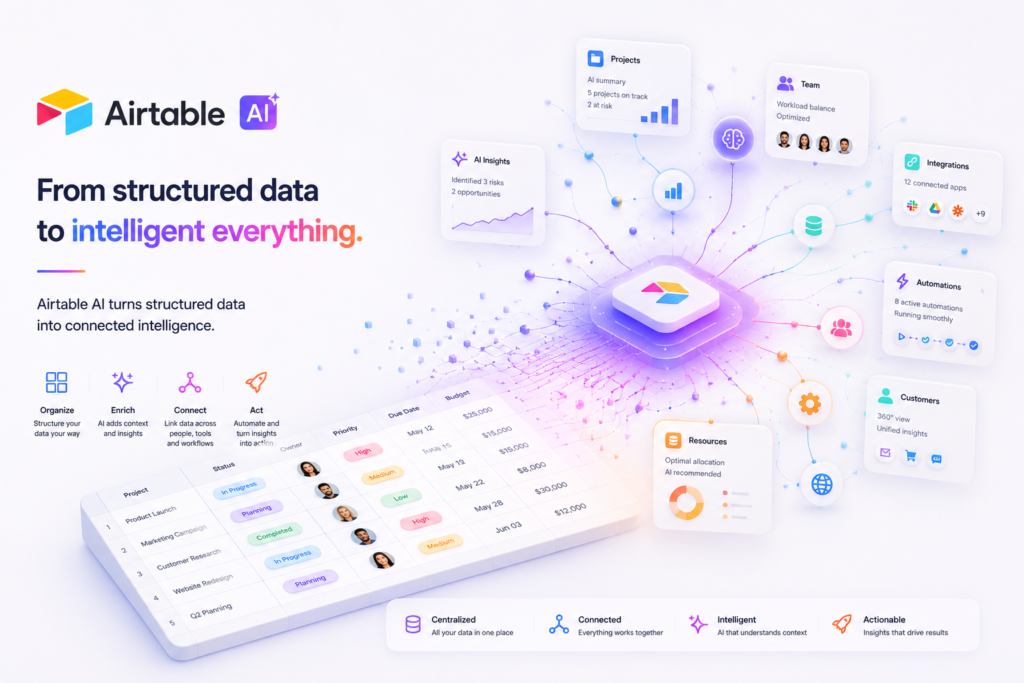
Review type: Research-based review
Last verified: 21 October 2026
Target audience: Small businesses, operations teams, marketing teams, sales teams, project managers, and agencies that need structured databases and workflow automation
Primary business problem: Organizing fragmented business data and building repeatable workflows without developing a custom software application
Disclosure notice: This review is based on publicly available product information summarized in the supplied research, including Airtable’s reported official pricing, help, and security documentation. We have not independently tested Airtable AI or its business workflows. Features, pricing, integrations, AI-credit consumption, and policies may change. Verify the linked official information before making a purchase decision.
Quick Verdict: Airtable AI
| Review detail | Assessment |
|---|---|
| Primary business problem | Fragmented business data, disconnected spreadsheets, and manual workflows |
| Best-fit audience | Small businesses and teams managing structured data, recurring processes, and custom business applications |
| Not ideal for | Users who need only a basic spreadsheet, a standalone AI writing assistant, or a full accounting/ERP system |
| Main purpose | Combining relational databases, AI capabilities, workflow automation, and no-code applications |
| Strongest documented advantage | Bringing structured business data and AI-assisted workflows into a configurable platform |
| Main trade-off | Per-seat subscription costs, AI-credit limits, and the work required to design and maintain reliable databases and automations |
| Starting price | Free plan available; Team starts at $20 per collaborator/month with annual billing, according to the supplied research |
| Free plan or trial | Free plan reported; it has record, automation, API, and AI-credit limits |
| Business-fit verdict | Good Fit for structured-data workflows; Conditional Fit when the main requirement is simple spreadsheet management |
| Research-based rating | 3.9/5 |
| Assessment type | Research-Based Assessment |
| Evidence confidence | Moderate overall; stronger for the supplied pricing and plan information than for operational performance |
| Last verified | 21 October 2026 |
Our Verdict
Airtable AI deserves consideration by small businesses that need to organize structured information, create custom business applications, and automate recurring workflows. Its main advantage is the combination of relational databases, AI-assisted capabilities such as Omni and Field Agents, and configurable automations in one platform. The important trade-offs are per-seat pricing, limited AI credits on lower tiers, setup effort, and the need to validate AI output quality. The supplied research reports current plan prices and limits, but the underlying article-specific source URLs have not all been provided for direct verification. Our recommendation is to shortlist Airtable for a defined business workflow and conduct a limited pilot before committing to a larger deployment.
Key Takeaways
- Best reason to consider it: Combine structured business data, custom applications, AI assistance, and workflow automation.
- Main limitation: AI-credit consumption and implementation effort need to be understood before scaling.
- Best business application: A structured lead-management workflow or another recurring process that depends on consistent records and follow-up.
- Pricing consideration: Team and Business use per-collaborator pricing, with separate AI-credit packs available according to the supplied research.
- Alternative to consider: Microsoft Excel for straightforward spreadsheet needs, Notion for documentation-centric work, or a dedicated automation platform for cross-application workflows.
- Our recommendation: Pilot Airtable on one bounded workflow and measure accuracy, reliability, review effort, and total cost before expanding.
1. Introduction
Many small businesses manage customers, projects, inventory, marketing campaigns, and operational tasks across separate spreadsheets and applications. As those processes become more complex, teams can struggle with inconsistent data, duplicate records, manual updates, and disconnected reporting.
Airtable combines spreadsheet-like data entry with relational database functionality, configurable interfaces, workflow automation, and AI-assisted capabilities. Its AI features are designed to help users work with information inside their Airtable environment, including categorizing feedback, analyzing documents, and interacting with data through an AI assistant.
The platform is particularly relevant when a business needs more structure than a conventional spreadsheet provides but does not want to build a custom application from scratch.
This review examines Airtable AI’s documented capabilities, pricing, business applications, integrations, limitations, alternatives, and suitability for small businesses. It focuses on whether Airtable is a sensible solution to a specific operational problem—not simply whether it offers AI features.
2. What Is Airtable AI?
Airtable AI is the AI-enabled capability within Airtable, a cloud-based work-management and application-building platform developed by Airtable, Inc.
Rather than functioning only as a standalone chatbot, Airtable brings AI capabilities into an environment where businesses organize records, relate information, build interfaces, and configure workflows.
| Attribute | Finding |
|---|---|
| Provider | Airtable, Inc. |
| Product category | AI-enabled database, work-management, and no-code application platform |
| Core functionality | Structured databases, AI-assisted data work, automation, and custom interfaces |
| Target audience | Small businesses, operations teams, sales and marketing teams, agencies, and larger organizations |
| Availability | Web/browser, macOS app, and Windows app, according to the supplied research |
| Deployment model | Cloud-based software as a service |
| Business problem addressed | Organizing business data and coordinating repeatable workflows |
| Pricing model | Free plan, per-collaborator paid plans, and custom enterprise pricing |
| Official website | https://airtable.com |
The supplied research identifies Omni, Field Agents, AI automations, document analysis, deep research, and image generation among Airtable’s AI-related capabilities. Exact availability and usage costs should be checked against the current documentation for the chosen plan.
Airtable is not a direct replacement for every AI assistant. Businesses primarily seeking general-purpose writing, open-ended research, or coding assistance may prefer a dedicated AI assistant. Airtable is more relevant when AI needs to operate alongside structured records and business workflows.
How It Works
A typical Airtable workflow can be understood in five steps:
- Input: A user creates a database, imports information, or adds records through a form or another supported method.
- Configuration: The user defines fields, relationships, views, permissions, and workflow rules.
- AI processing: Where the selected feature and plan support it, Airtable AI can help categorize information, analyze documents, answer questions about data, or perform other documented tasks.
- Review: A team member checks the output, corrects errors, and approves consequential changes.
- Integration or action: Native automations or verified integrations can support subsequent workflow steps. Other connections may require an API or third-party service.
The precise workflow depends on the chosen AI feature, plan, data structure, and integrations. An AI-generated suggestion should not automatically be treated as an approved business decision.
3. Research Methodology and Evidence Standards
How This Review Was Prepared
This is a research-based review, not a hands-on product test. The assessment uses the Airtable research supplied for this article, which reports findings from official pricing, help, API, and security documentation.
The research covers:
- Product capabilities and AI features.
- Plan names, prices, and usage limits.
- AI-credit allowances and selected published credit costs.
- Automation and API limits.
- Reported integrations and technical requirements.
- Published privacy, security, and compliance information.
- Business use cases, limitations, and alternatives.
No independent benchmark of Airtable AI’s output quality, categorization accuracy, document-analysis reliability, or workflow performance was supplied. The review therefore distinguishes documented capabilities from potential business benefits.
Evidence Source Hierarchy
| Priority | Source type | How it is used |
|---|---|---|
| 1 | Official product documentation | Features, supported capabilities, restrictions, and technical requirements |
| 2 | Official pricing page | Prices, billing terms, plans, and usage limits |
| 3 | Official security and privacy documentation | Published data-handling practices, certifications, and security controls |
| 4 | Official changelog and release notes | Product changes, launches, and deprecations |
| 5 | Independent technical evaluations | Independent evidence about output quality, reliability, and comparative performance |
| 6 | User reviews and community discussions | Directional information about reported experiences, not proof of performance |
Evidence Classification
- Verified from identified sources: Confirmed against an identified, reliable source.
- Research-Based Analysis: An interpretation or recommendation based on the available evidence.
- Not Independently Verified: A claim or detail that could not be sufficiently confirmed.
- Illustrative Scenario: A proposed workflow that has not been implemented or tested by Intelligent AI Lab.
Source limitation: The supplied Perplexity research identifies official source categories and summarizes findings, but it does not provide direct URLs for every individual documentation page. The pricing and credit information below should therefore be treated as reported in the supplied official-source research until the relevant pages are checked directly.
What We Could Not Verify
| Evidence area | Finding |
|---|---|
| AI output quality | No independent benchmark of categorization accuracy, document-analysis quality, or AI error rates was supplied. |
| Field Agent and Omni reliability | Actual operational reliability was not independently tested. |
| Exact AI-credit consumption | Published examples are available in the supplied research, but costs for every task, model, and document size were not established. |
| Ease of use | Configuration requirements can be discussed, but actual usability was not tested. |
| Support quality | Comparative support quality and response times were not established. |
| Business outcomes | Claims about productivity, collaboration, decision-making, or response-time improvements were not independently demonstrated. |
| Integration behavior | The research identifies some integrations, but the exact scope and limitations of every connection need confirmation. |
| Enterprise Scale pricing | Custom pricing was reported; a public list price was not provided. |
| Company history and customer counts | The founding-year claim and reported customer adoption figures were not independently verified. |
Sources Consulted
| Source | Information Used |
|---|---|
| Airtable pricing | Plans, per-seat pricing, AI credits, integrations, and Enterprise Scale features |
| Airtable plans overview | Plan limits, AI credits, automations, and API calls |
| Airtable AI billing | AI credits, Omni/Field Agent costs, credit packs, and model providers |
| Airtable workspace settings | Workspace limits by plan |
| Airtable credits overview | Credit expiry and referral credits |
| Airtable Web API | API limits and access |
| Airtable billing overview | Per-workspace billing |
| Airtable collaborators | Free-plan collaborator limits |
| Airtable enterprise security | Security, compliance, privacy, and AI data policy |
| Airtable developer API billing | API access and SCIM/Enterprise API |
4. Key Features of Airtable AI
The following features are the most relevant to businesses considering Airtable for structured data and repeatable workflows.
| Feature | What it does | Potential business value | Availability and limitations |
|---|---|---|---|
| Relational databases | Organizes structured information using records, fields, and linked data | May reduce fragmentation across separate spreadsheets | Core Airtable functionality; capacity depends on plan |
| Omni | Provides an AI-assisted way to build or query Airtable bases | May make working with structured data more accessible | Specific actions and credit costs should be checked in current documentation |
| Field Agents | Supports AI tasks such as feedback categorization, web search, and document analysis | May reduce repetitive information-processing work | Credit consumption varies by task |
| AI automations | Combines AI tasks with configured workflow steps | May help standardize recurring processes | Subject to plan, configuration, and credit limits |
| Document analysis | Processes documents for information relevant to a workflow | May support contract intake or feedback review | Output accuracy and credit consumption need validation |
| Deep research | Supports research-oriented tasks within Airtable’s AI environment | May assist information gathering and synthesis | Exact functionality, source coverage, and credit costs should be verified |
| Image generation | Generates images through supported AI capabilities | May help produce draft visual assets | Credit use and available options require confirmation |
| Workflow automations | Executes configured actions based on triggers and conditions | May reduce manual handoffs and repetitive updates | Plan-specific limits apply |
| Interface Designer | Allows teams to build interfaces for their Airtable data | May provide role-specific ways to interact with information | Availability is plan-dependent |
| API and integrations | Connects Airtable to other applications and custom systems | May support data exchange and cross-system workflows | Rate limits, connector availability, and implementation requirements vary |
The Features That Matter Most for Businesses
1. Structured databases and linked records
Airtable’s foundational advantage is the ability to organize related business information rather than maintain disconnected lists. For example, a company could maintain separate but linked tables for customers, opportunities, projects, and activities.
This structure may improve consistency when information needs to be reused across processes. The benefit depends on sensible database design, data quality, and governance.
When it matters: Multiple people or workflows need to access and update related records.
What to consider: Airtable is not automatically a substitute for a properly configured CRM, inventory system, accounting platform, or ERP. The business must confirm that the database can meet its functional and control requirements.
2. Omni and AI-assisted interaction
The supplied research describes Omni as an AI assistant that can help users build or query bases. Its potential value is reducing the effort required to interact with structured information or create a starting point for an application.
AI-generated configurations and answers still require validation. A business should test whether Omni handles its actual data structure and questions correctly.
3. Field Agents
Field Agents support tasks such as categorizing feedback, searching the web, and analyzing documents, according to the supplied research.
These capabilities may be useful when teams repeatedly process incoming information. For instance, a support team could explore AI-assisted categorization of customer feedback before routing it to the appropriate team.
The key decision is whether the output is accurate enough for the intended task, how much human review is needed, and whether credit consumption makes the workflow economical.
4. Workflow automation
Airtable supports configured automations, while its AI capabilities can be incorporated into supported workflows.
Automation can help reduce repetitive handoffs, but poor rules can reproduce mistakes at scale. Businesses should define approval points, exception handling, and a fallback process before enabling consequential actions.
5. How Businesses Can Use Airtable AI
Airtable can be relevant wherever a business manages structured records and repeatable processes.
| Business function | Example problem | How Airtable may help | Human oversight or requirement |
|---|---|---|---|
| Sales and CRM | Leads are stored in separate spreadsheets and follow-ups are inconsistent | Organize lead records and explore AI-assisted categorization and configured follow-up workflows | Verify lead data, prioritization, and assignment rules |
| Marketing | Campaign information is scattered across multiple trackers | Centralize campaign records and use supported AI features to assist with information processing | Review reporting, generated text, and conclusions |
| Project coordination | Teams lack a consistent view of tasks, owners, and dependencies | Maintain structured project data and configure views and workflows | Confirm responsibilities, dependencies, and status accuracy |
| Customer feedback | Feedback is difficult to categorize consistently | Explore Field Agents for categorization | Check classification accuracy and escalation rules |
| Document intake | Staff manually review incoming documents for relevant information | Use supported document-analysis capabilities | Human review is essential for material contractual or financial details |
| Inventory and assets | Stock, suppliers, and maintenance records are fragmented | Maintain structured inventory records and configured alerts | Validate quantities, reorder rules, and source data |
| Internal operations | Requests, onboarding, and approvals rely on manual handoffs | Use databases, interfaces, and automations to organize requests | Check permissions, exceptions, and approval requirements |
Best-Fit Business Use Case: Structured Lead Management
Business problem: A small sales team needs a consistent way to capture leads, organize information, and follow up.
- Inputs: Lead details, source, contact information, and business-defined qualification criteria.
- Data structure: Create a lead table with defined fields, ownership, and follow-up status.
- AI assistance: If appropriate and supported by the selected plan, use an AI feature to help categorize lead information.
- Workflow: Configure follow-up tasks or notifications using supported Airtable functionality and verified integrations.
- Human oversight: Have a salesperson review the classification and confirm the next action.
Risks and limitations: Incomplete data, incorrect categorization, inappropriate access permissions, automation failures, and unexpected AI-credit consumption.
Suggested pilot metrics:
- Percentage of AI classifications that match an agreed human-reviewed standard.
- Time spent processing each lead.
- Follow-up completion rate.
- Automation failure and rework rate.
- AI credits consumed per processed lead.
- Total cost per successfully processed lead.
These metrics establish how to evaluate a pilot; no performance improvement is claimed here.
6. Intelligent AI Lab Business Decision Analysis
The Business Problem Airtable AI Is Best Suited to Address
Airtable AI is most relevant when a business’s recurring operational problem is fragmented structured data combined with manual, repeatable workflows.
For example, a growing agency may manage clients, projects, deliverables, feedback, and deadlines in separate spreadsheets. Airtable could provide a shared data structure and configured workflows, while supported AI capabilities may assist with selected information-processing tasks.
The objective should not be to introduce AI for its own sake. The objective is to determine whether a more structured workflow can reduce duplication, make information easier to maintain, or make recurring tasks more consistent at an acceptable total cost.
Is This the Right Tool for the Job?
| Decision factor | Assessment |
|---|---|
| Primary use case | Structured business data and repeatable workflows |
| Capability fit | Good apparent fit based on the documented platform capabilities summarized in the supplied research |
| Main advantage | Database structure, configurable interfaces, automations, and AI assistance in one environment |
| Main trade-off | Per-seat costs, AI-credit limits, and database configuration effort |
| Cost consideration | Subscription, additional AI credits where needed, setup, maintenance, and human review |
| Implementation consideration | Requires suitable field definitions, data structure, permissions, automation logic, and ownership |
| Key uncertainty | Whether AI output quality and workflow reliability are sufficient for the specific business process |
These are research-based judgments, not results of hands-on testing.
When to Choose Airtable AI
Consider Airtable when:
- Your team manages several related datasets and needs more structure than separate spreadsheets provide.
- The same records are used by multiple people or workflows.
- You need configurable internal applications without commissioning a fully custom software build.
- You have a recurring information-processing task that could benefit from supported AI features.
- You can assign someone to own database design, permissions, and workflow maintenance.
- The plan and AI-credit allowance fit your anticipated workload.
Before committing, validate the exact capabilities, integrations, and costs required by your workflow.
When to Choose an Alternative
Consider another tool when:
- Documentation and knowledge sharing are the main priority: Evaluate Notion.
- Traditional spreadsheet calculations and analysis are sufficient: Evaluate Microsoft Excel.
- Visual project coordination is the main requirement: Compare Monday.com or Smartsheet.
- Tasks, documents, and team work management need to be unified: Evaluate ClickUp.
- The primary need is connecting many separate applications: Evaluate Zapier or n8n, after confirming their suitability for your technical and hosting requirements.
- The primary need is general-purpose AI writing or research: Consider a dedicated AI assistant rather than paying for a database platform.
Airtable should not be selected merely because it offers AI. The business should first confirm that its database and workflow model matches the actual problem.
When Not to Use AI
AI may add unnecessary cost or complexity when:
- The process is infrequent and easy to complete manually.
- Standard formulas, filters, templates, or deterministic automation already solve the problem.
- The data is too poor or inconsistent to support reliable processing.
- Human review would cost more than the work being automated.
- A consequential decision requires a level of accuracy or accountability that has not been validated.
For legal, medical, regulated financial, or other high-impact decisions, AI-generated outputs should not be treated as authoritative without appropriate qualified review.
Our Recommended Next Step
Recommendation: Conduct a limited pilot.
Select one repeatable workflow, such as lead categorization or document intake. Start with a limited dataset and define the desired output before configuring the workflow.
Measure:
- Accuracy against a human-reviewed reference set.
- Time per completed task.
- Error, correction, and exception rates.
- AI-credit consumption.
- Total cost, including subscription, configuration, and review effort.
Establish a baseline first. Expand only if the workflow meets predefined quality, reliability, governance, and cost criteria.
Evidence note: This is a research-based recommendation. Intelligent AI Lab has not independently implemented or tested the proposed workflow.
7. Illustrative Business Automation Examples
The following are illustrative scenarios, not workflows we have personally implemented or tested.
Example 1: CRM Lead-Management Workflow
Business scenario: A small business wants to standardize how incoming leads are recorded, categorized, assigned, and followed up.
Tools involved: Airtable, a lead capture form or other verified data source, and any required supported notification or CRM integration.
Before
Staff receive leads through different channels, manually update spreadsheets, assign ownership, and create reminders. Follow-up status may become inconsistent.
Proposed workflow
- Trigger: A new lead is entered into the system.
- Input: Contact details, source, inquiry, and agreed qualification criteria.
- AI processing: A supported Airtable AI feature assists with categorization, if appropriate for the task.
- Human oversight: A salesperson reviews the category and corrects errors.
- Integration or action: A configured Airtable automation creates a follow-up task or sends a notification through a verified connection.
- Output: A structured lead record with ownership and follow-up status.
Potential benefits
- Less repetitive data handling.
- More consistent record structure.
- Clearer tracking of follow-up responsibilities.
Requirements and limitations
- The lead database must have clear fields and qualification criteria.
- AI classifications must be checked before consequential actions.
- Notifications and external system updates require a verified integration or supported API workflow.
- Credit usage and automation limits must be monitored.
Suggested success metrics
- Classification accuracy.
- Time spent processing each lead.
- Follow-up completion rate.
- Automation error rate.
- Credit consumption and total cost per lead.
Evidence note: The workflow is proposed, not tested. Validate feasibility and business impact in a controlled pilot.
Example 2: Customer Feedback Categorization
Business scenario: A business receives feedback from forms, support interactions, or customer surveys and needs to organize it into consistent categories.
Tools involved: Airtable and a verified method for importing or capturing feedback.
Before
Employees manually read feedback and assign categories. Different people may use inconsistent labels, and reporting requires additional cleanup.
Proposed workflow
- Trigger: New feedback is added to an Airtable table.
- Input: Feedback text and relevant context, with unnecessary personal information removed where appropriate.
- AI processing: A supported Field Agent attempts to categorize the feedback using defined categories.
- Human oversight: A reviewer checks classifications and flags ambiguous or sensitive feedback.
- Integration or action: Approved categories can support filtered views or configured follow-up workflows.
- Output: A structured feedback dataset ready for review and reporting.
Potential benefits
- More consistent initial categorization.
- Reduced repetitive manual classification.
- Easier organization of feedback for further analysis.
Requirements and limitations
- Categories and decision rules must be clearly defined.
- The AI’s accuracy must be measured against human-reviewed examples.
- Credit consumption and data-handling requirements must be checked.
- Sensitive or consequential complaints should be escalated appropriately.
Suggested success metrics
- Agreement between AI classifications and human reviewers.
- Percentage of records requiring correction.
- Time per reviewed record.
- Credit consumption per record.
- Rate of incorrectly routed or missed feedback.
Evidence note: This is a proposed workflow. Its feasibility and impact should be validated before deployment at scale.
8. Pros and Cons of Airtable AI
| Pros | Cons |
|---|---|
| Combines structured databases, configurable interfaces, and workflow automation | Requires careful data and database design |
| Offers AI-assisted capabilities such as Omni and Field Agents, according to the supplied research | Real-world AI output quality and reliability have not been independently benchmarked in this review |
| Supports configurable workflows for recurring business processes | AI credits and automation limits vary by plan |
| Provides an API and selected documented integrations | Required integrations and API limits need to be confirmed for the intended workflow |
| Offers multiple subscription tiers, including a Free plan | Paid plans charge per collaborator, which can increase costs as a team grows |
| Publishes security and privacy information and reports enterprise compliance capabilities | Buyers must verify applicable plan eligibility, contractual terms, and controls for their own requirements |
What These Pros and Cons Mean for Buyers
Airtable’s main advantage is not simply AI content generation. It is the ability to organize business data and use that structure to support repeatable processes.
That can make the platform relevant to teams whose work depends on linked records, consistent status tracking, and coordinated updates.
The trade-off is that flexibility comes with design responsibility. A poorly structured base or unreliable automation can create more maintenance work rather than less. AI features introduce further questions about output quality, credit consumption, and review requirements.
Businesses with simple spreadsheet needs may be better served by Excel or another tool they already use. Teams with more complex operational needs should evaluate whether Airtable’s limits, permissions, and integration options meet their requirements before migrating important workflows.
9. Airtable AI Pricing and Plans
Pricing verification date in supplied research: 21 October 2026.
The prices below are reported in the supplied Perplexity research as verified against Airtable’s official pricing and help documentation. Because the specific underlying pages were not all provided, check the official Airtable pricing page before publishing or purchasing.
Plan Comparison
| Plan | Reported price | Billing basis | Key limits and features reported in the research |
|---|---|---|---|
| Free | $0 | Free | 1,000 records per base; 1,000 API calls per workspace/month; 1 GB attachment storage per base; 75 unique automations per base; 100 automation runs per workspace/month; 500 AI credits per editor+ per month |
| Team | $20 per collaborator/month annually, or $24 monthly | Per collaborator | 50,000 records per base; 100,000 API calls per workspace/month; 20 GB attachment storage per base; 100 unique automations per base; 25,000 automation runs per workspace/month; 15,000 AI credits per billable collaborator |
| Business | $45 per collaborator/month annually, or $54 monthly | Per collaborator | 125,000 records per base; 100 GB attachment storage per base; unlimited API calls per workspace according to the supplied research; 150 unique automations per base; 100,000 automation runs per workspace/month; 20,000 AI credits per paid user |
| Enterprise Scale | Custom | Custom contract | 25,000 AI credits per paid user at list price, unlimited organization units/workspaces/bases according to the supplied research, and Enterprise API |
| Additional AI-credit packs | Reported at $20–$800/month or $200–$8,000/year | Add-on | Additional monthly credit allowances from 10,000 to 400,000, depending on pack |
Important: The allowances above are not a guarantee of current availability. Plan definitions, credit policies, and prices may change. Verify all values directly against Airtable’s current documentation.
What to Know Before Paying
1. Per-seat billing
The supplied research reports that Team and Business charges depend on collaborators with editing permissions on at least one base. Read-only collaborators, form submissions, and share links are reported as free under the relevant terms.
Confirm the exact definition of a billable collaborator, workspace billing arrangements, and how changing permissions affects your bill.
2. AI-credit allowances
The supplied research reports these standard allowances:
- Free: 500 credits per editor+.
- Team: 15,000 credits per billable collaborator.
- Business: 20,000 credits per paid user.
- Enterprise Scale: 25,000 credits per paid user at list price.
The research also says credits are pooled at workspace level on Free and Team and at organization level on Business and Enterprise Scale. Confirm how pooling works for your account and whether the allowance resets, expires, or carries over.
Credit-expiry caution: The supplied research contains conflicting descriptions of credit expiry across plans and billing arrangements. This review therefore does not present a single expiry rule as established. Verify the current terms directly before budgeting.
3. Reported AI-credit costs
The supplied research provides these examples:
| AI action | Reported credit cost |
|---|---|
| Building an app or agent with Omni | Free |
| Creating or updating records through the specified Omni actions | Free |
| Omni question-and-answer action | 10 credits |
| Field Agent feedback categorization | 1 credit |
| Field Agent web search | 10 credits |
| Document analysis of a 10-page contract | 200 credits |
These are specific reported examples, not universal prices for every task. Actual usage may depend on the feature, task, document, or current credit rules.
The research also reports that processing large documents can consume hundreds or thousands of credits. Treat those figures as indicative research findings and verify them against current documentation before using them in financial projections.
4. Additional credit packs
The supplied research reports the following credit-pack options:
| Additional monthly credits | Reported monthly price | Reported annual price |
|---|---|---|
| 10,000 | $20 | $200 |
| 20,000 | $40 | $400 |
| 50,000 | $100 | $1,000 |
| 100,000 | $200 | $2,000 |
| 200,000 | $400 | $4,000 |
| 300,000 | $600 | $6,000 |
| 400,000 | $800 | $8,000 |
Check whether the chosen pack is available for your plan, how the purchased credits are allocated, and how unused credits are treated.
5. Other costs to consider
The total cost of ownership can include more than the subscription:
- Additional AI credits.
- Paid seats for collaborators who need editing access.
- Time spent designing and maintaining databases.
- Setup and integration work.
- Human review and correction of AI output.
- Monitoring and handling failed automations.
Is Airtable AI Worth the Price?
Airtable may offer good value when its database structure and workflow capabilities address a recurring operational problem that existing tools cannot handle conveniently.
It may be less attractive when a business needs only occasional AI assistance, has very simple spreadsheet requirements, or would need a relatively expensive plan to access essential capabilities.
The relevant question is whether the total cost of a completed workflow is acceptable—not whether the platform has a large feature list.
Best Plan Recommendation
| Buyer type | Starting point to evaluate | Reason | What to verify |
|---|---|---|---|
| Individual exploring Airtable | Free | Allows initial evaluation of basic database workflows | Record limits, permissions, AI credits, and automation restrictions |
| Solo business or small team | Free first; Team if required | Team provides higher reported record, API, and automation allowances | Required features, paid seats, and likely credit consumption |
| Growing team | Team or Business, depending on requirements | Business has higher reported capacity and automation allowances | Whether Business-specific features justify the additional cost |
| Enterprise | Enterprise Scale evaluation | Reported enterprise API and organization-level capabilities | Contract price, security terms, support commitments, data residency, and governance |
Do not upgrade solely because a higher tier offers more features. Select the least expensive plan that meets the actual requirements, then confirm its current terms.
10. Integrations and Technical Requirements
Airtable’s value depends partly on how well it fits into a business’s existing environment.
Integration and Requirement Review
| Integration or requirement | Research finding | What to check |
|---|---|---|
| CRM and sales systems | Salesforce integration is reported in the supplied research | Confirm supported objects, synchronization behavior, permissions, and plan requirements |
| Collaboration | Slack integration is reported | Verify available actions, authentication, and workflow restrictions |
| File and data services | Google Drive integration is reported | Confirm import, linking, synchronization, and access behavior |
| Automation platforms | Zapier, Make, and n8n were not independently verified in the supplied current pricing-page research | Confirm current support, connector ownership, triggers, actions, and cost |
| API | Airtable Web API is documented, with plan-based limits reported | Check authentication, rate limits, pagination, errors, and API terms |
| Enterprise API | Reported as an Enterprise Scale capability | Confirm access and contractual requirements |
| Administration | The supplied research reports administrative and enterprise controls, including SCIM on Business+ | Confirm exact plan availability and permission behavior |
| Custom interfaces | Interface Designer is reported as a platform capability | Verify availability on the chosen plan and the requirements for sharing interfaces |
| Implementation | Depends on the selected workflow | Plan data cleanup, field definitions, access rules, automation ownership, and maintenance |
Native vs. Third-Party Integrations
- Native Airtable capabilities: Database structures, supported AI features, and configured Airtable automations.
- Reported native integrations: Slack, Google Drive, and Salesforce. Verify the precise integration and available actions before relying on them.
- Third-party integration: A connector service may be required to connect Airtable to another application. Confirm the current connector and any associated charges.
- Custom integration: A developer may need to use the API or other supported interfaces.
- Unverified integration: The supplied research does not establish current support for Zapier, Make, or n8n. This is not proof that those connections are unavailable.
Implementation Considerations
Before implementation, define:
- The source of truth for each important field.
- Who can view, edit, approve, and export data.
- Which steps are automated and which require human approval.
- How failures, duplicate records, and incomplete inputs are handled.
- Who maintains the database and automations.
- How AI-credit use and automation volume will be monitored.
Airtable’s flexibility can support different business workflows, but that flexibility also makes clear ownership and data design important.
11. Airtable AI vs. Alternatives
The right comparison depends on the problem. Airtable is primarily relevant to structured data and configurable workflows, while other products may be better suited to documentation, spreadsheet analysis, project coordination, or cross-application automation.
| Tool | Best for | Key difference | Pricing position | Consider it instead when |
|---|---|---|---|---|
| Airtable AI | Structured databases and configurable business workflows | Combines linked records, interfaces, automations, and AI capabilities | Free plan; Team reported at $20/month annually per collaborator; Business at $45/month annually; Enterprise Scale custom | You need structured business data and workflows in one platform |
| Notion AI | Documentation and knowledge management | Primarily oriented toward documents, connected knowledge, and collaborative workspaces | Verify current pricing directly with Notion | Your main need is internal knowledge, documentation, and writing |
| Microsoft Excel | Spreadsheet-based analysis and data handling | Spreadsheet-first approach with formulas, tables, and analysis tools | Depends on the applicable Microsoft offering and license | Your existing spreadsheet process already meets your needs |
| Monday.com | Visual work management and team coordination | Work-management boards and configured team workflows | Verify current pricing and AI entitlements with Monday.com | Your main priority is visual task and project coordination |
| ClickUp | All-in-one task, project, and work management | Organizes tasks and team work alongside its AI capabilities | Verify current pricing and feature availability with ClickUp | You need broader project and task management rather than primarily database-centered workflows |
| Zapier or n8n | Connecting applications and automating cross-app processes | Automation-focused rather than a replacement for Airtable’s database structure | Depends on product, plan, and deployment model | Your main problem is connecting existing applications rather than building a new data workspace |
These are functional comparisons, not independently benchmarked rankings. Prices for alternatives are not stated because the supplied research did not establish their current pricing.
Which Tool Should You Choose?
- Choose Airtable AI if you need linked records, configurable databases, and workflow automation around structured business information.
- Choose Notion AI if documentation and knowledge sharing are the central requirements.
- Choose Excel if spreadsheet analysis is sufficient and the current process does not justify another platform.
- Choose Monday.com or ClickUp if team coordination and project management are more important than database-centric workflows.
- Evaluate Zapier or n8n if your main need is connecting applications and automating actions across them.
- Compare further if a required integration, enterprise control, AI capability, or cost is not verified.
No single tool is the universal winner. Select the product that best matches the workflow, technical environment, budget, and governance requirements.
12. Who Should Use Airtable AI?
Recommended For
- Small business owners: Who need a structured way to manage related business records and recurring processes.
- Operations teams: Who coordinate requests, approvals, onboarding, or operational information.
- Sales teams: Who need structured lead records and repeatable follow-up workflows.
- Marketing teams: Who manage campaign information, content calendars, or related records.
- Agencies: Who coordinate clients, projects, deliverables, and feedback.
- Process owners: Who can define database structure, permissions, and automation rules.
Not Ideal For
- Basic spreadsheet users: Excel or an existing spreadsheet may be sufficient.
- AI writing-focused users: A dedicated AI assistant may be more appropriate.
- Organizations needing a complete accounting or ERP system: A specialized business platform may be necessary.
- Teams without an owner for data structure and maintenance: A flexible database platform can create additional operational work without clear ownership.
- Highly regulated workflows without completed due diligence: Security, contractual, access, and compliance requirements must be confirmed first.
Best-Fit Buyer Profile
The strongest apparent fit is a small or growing business with recurring processes, related datasets, and a need to replace scattered spreadsheets with a more structured workflow.
The business should be able to assign an owner for data design and process governance, define a measurable pilot, and verify that the required plan and AI-credit allowance are affordable.
13. How to Get Started With Airtable AI
This is a research-based implementation guide, not a record of a product configuration performed by Intelligent AI Lab.
Step 1: Identify One Business Problem
Choose one recurring process, such as lead intake, feedback categorization, or campaign tracking.
Document the current steps, data sources, people involved, failure points, and time required.
Step 2: Confirm Product Fit
Verify that Airtable’s documented capabilities, chosen plan, integrations, API limits, and AI-credit allowance support the intended workflow.
Do not assume that an integration or feature is included simply because it appears in a general product description.
Step 3: Review Data and Permissions
Identify the information the workflow needs and who should be allowed to access it.
Review the applicable privacy, security, and data-handling terms before uploading confidential or sensitive business information.
Step 4: Design a Limited Pilot
Define the input format, expected output, human-review requirements, error handling, and fallback process.
Keep consequential actions under appropriate human control until the workflow has been validated.
Step 5: Establish a Baseline
Measure the current process before introducing the tool. Depending on the use case, record:
- Time per completed task.
- Error and rework rate.
- Completion and follow-up rate.
- Time spent on manual data handling.
- Current software and labor costs.
Step 6: Evaluate the Pilot
Compare the pilot with the baseline using consistent criteria. Include subscription costs, AI credits, configuration effort, review time, maintenance, and failed actions.
Step 7: Decide Whether to Expand
Continue, revise, or stop based on evidence.
Scale only when the workflow meets the predefined accuracy, reliability, governance, and cost criteria.
14. Limitations, Risks, and Governance
Airtable’s documented capabilities do not, by themselves, establish that a particular AI workflow will be accurate, secure enough for a specific use case, or economically worthwhile.
| Risk area | Research finding | What businesses should do |
|---|---|---|
| Accuracy and reliability | AI capabilities are reported, but output quality was not independently benchmarked in this review | Test representative data and measure errors before relying on outputs |
| Privacy and data retention | Airtable reportedly publishes a no-training-on-customer-data policy and statements about vendor data retention | Read current terms and verify how the policy applies to the specific product, feature, and account |
| Model training and data use | The supplied research reports that Airtable and its AI vendors do not use customer data to train current or future models | Confirm the applicable terms, exceptions, and contractual commitments directly |
| Security | The research reports SOC 2 Type 2 and ISO certifications | Obtain current documentation and determine which controls apply to your subscription and deployment |
| Compliance | HIPAA support and GDPR/CCPA-related information are reported | Verify plan eligibility, contractual requirements, and whether a business associate agreement or other documentation is required |
| Access and permissions | Airtable provides configurable access controls; enterprise administrative capabilities are reported | Test permissions, AI access, sharing, and approval workflows with realistic roles |
| AI credits and automation limits | Credit allowances and automation limits vary by plan | Forecast usage, monitor consumption, and determine what happens when limits are reached |
| Human oversight | AI outputs can be incorrect or incomplete | Require review for consequential classifications, decisions, and external communications |
| Vendor dependency | Airtable provides API capabilities and reported integration options | Verify export, migration, backup, and recovery requirements before moving critical processes |
| Support and continuity | Support quality was not independently established | Confirm support response commitments, service terms, and escalation options before relying on the platform for critical operations |
What Businesses Should Check Before Adoption
1. Confirm the current pricing and credit rules. Check the official pricing page and the specific AI documentation for the chosen plan. Establish how credits are allocated, consumed, and renewed.
2. Verify essential integrations. If a workflow depends on Zapier, Make, n8n, a CRM, or another application, confirm that the required connector and actions are currently supported.
3. Review the applicable security and privacy terms. Airtable’s published statements are useful evidence, but this review does not independently audit the platform’s security posture. Security-sensitive buyers should obtain relevant current documentation, including the DPA, subprocessor information, certification evidence, and enterprise terms where applicable.
4. Test permissions and data access. Confirm that users and AI features can access only the information permitted for the intended workflow.
5. Plan for failure. Establish how the business will detect incorrect outputs, failed automations, duplicate records, and exhausted usage allowances.
6. Retain appropriate human oversight. AI-generated classifications, document interpretations, and recommendations should not be treated as authoritative without suitable review.
For regulated, sensitive, or high-impact use cases, obtain the necessary technical, security, legal, and compliance review before deployment.
15. Final Verdict: Is Airtable AI Worth It?
Airtable AI is worth evaluating when a business needs a structured environment for related records, configurable applications, and repeatable workflows. Its main advantage is the combination of database functionality, workflow automation, and AI-assisted capabilities such as Omni and Field Agents.
The strongest use case is not general-purpose AI assistance. It is applying supported AI capabilities to a defined process that already depends on structured business information—for example, organizing leads, categorizing feedback, or processing incoming documents.
The principal trade-offs are per-seat subscription costs, AI-credit limits, implementation effort, and the need to validate AI output quality. The supplied research reports Free, Team, Business, and Enterprise Scale plans, but buyers should verify current pricing, credit rules, integrations, and plan restrictions directly before purchasing.
Businesses that need only a basic spreadsheet may be better served by Excel or their existing software. Teams that need documentation, visual project management, or cross-application automation should compare the relevant alternatives.
Final Buying Recommendation: Pilot
Start with one bounded workflow and define success criteria before configuration. Measure output accuracy, task time, rework, automation reliability, credit consumption, and total cost.
Airtable should be expanded only if the pilot demonstrates that it meets the business’s quality, governance, and cost requirements. This recommendation reflects a promising functional fit, not independently demonstrated business results.
16. Intelligent AI Lab Rating and Scorecard
A. Business-Fit Verdict
Good Fit for teams needing structured-data workflows;
Conditional Fit for simple spreadsheets;
Poor Fit for users needing only a basic spreadsheet.
B. Assessment Type
Research-Based Assessment
No hands-on testing or real-business pilot was conducted for this review.
C. Evidence Confidence
Moderate overall.
The supplied research provides detailed pricing, plan limits, AI-credit examples, API information, and reported security documentation. However, the individual source URLs were not all supplied for direct verification in this review, and no independent evidence was provided for AI output quality, workflow reliability, or business outcomes.
D. Numerical Rating
Research-based rating: 3.9/5
Rating date: 21 October 2026
Weighted Scorecard
| Criterion | Weight | Score | Evidence and Rationale |
|---|---|---|---|
| Core capability fit | 25% | 5/5 | Airtable documents relational databases, Omni, Field Agents, AI automations, and strong security/compliance. support. |
| Business workflow fit | 20% | 4/5 | Strong documented alignment with CRM, marketing, project management, inventory, and operations; business impact not independently demonstrated. support. |
| Implementation feasibility | 15% | 3/5 | Advanced workflows require learning; base design and field definitions needed. |
| Integrations and interoperability | 15% | 3/5 | Slack/Google Drive/Salesforce confirmed; Zapier/Make/n8n not independently verified; API documented. support. |
| Pricing and cost suitability | 15% | 3/5 | Verified per-seat pricing; AI credits pooled and may require top-ups. support. |
| Governance and operational readiness | 10% | 5/5 | SOC 2 Type 2, ISO 27001/27701, HIPAA, GDPR, EU residency, and no-training-on-customer-data documented. |
Weighted calculation:
(5 × 0.25) + (4 × 0.20) + (3 × 0.15) + (3 × 0.15) + (3 × 0.15) + (5 × 0.10) = 3.90/5
Research-based rating: 3.9/5
Overall Assessment Summary
- Business-fit verdict: Good Fit for structured-data workflows; Conditional Fit for simple spreadsheet replacement
- Research-based rating: 3.9/5
- Evidence confidence: High for pricing, AI credits, automations, API limits, and security/compliance; Moderate for AI-output quality, categorization accuracy, and workflow reliability
- Assessment type: Research-Based Assessment
- Overall conclusion: Airtable AI is a strong option for teams that need to replace disconnected spreadsheets with AI-powered workflows. Its main buyer decision is structured-data capability versus setup complexity: businesses with base-design resources should pilot Airtable AI, while simple spreadsheet users should evaluate Microsoft Excel. Its 3.9/5 rating reflects strong database/AI capability, offset by pooled AI credits and setup effort.
17. Decision Checklist: Should You Choose Airtable AI?
Choose or Shortlist Airtable AI If:
- Its database and workflow capabilities address a specific business problem.
- You need related records rather than a collection of disconnected spreadsheets.
- Your team can design and maintain the database structure.
- The required AI features, integrations, and plan limits have been confirmed.
- Subscription and AI-credit costs fit your expected usage.
- You can validate output quality and workflow reliability through a limited pilot.
Consider an Alternative If:
- A basic spreadsheet already meets your needs.
- Your main requirement is documentation or knowledge management.
- You need broader project management rather than database-centered workflows.
- A required integration or control cannot be verified.
- The plan required for your workflow is outside your budget.
- Setup, maintenance, and human review would outweigh the potential benefit.
Decision guidance: A promising feature set is a reason to evaluate a product, not proof that it will deliver business value. Resolve critical uncertainties before making a significant commitment.
18. Frequently Asked Questions About Airtable AI
What is Airtable AI used for?
Airtable AI brings AI-assisted capabilities into Airtable’s database and workflow environment. The supplied research identifies uses such as feedback categorization, document analysis, research-oriented tasks, image generation, and AI-assisted interaction with business data. Exact capabilities and plan availability should be checked in the current documentation.
Is Airtable AI free?
Airtable offers a reported Free plan with basic platform functionality and 500 AI credits per editor+ under the supplied research. The Free plan has record, storage, API, and automation limits. Confirm the current terms and feature availability on Airtable’s official pricing page.
How much does Airtable AI cost?
The supplied research reports Team at $20 per collaborator/month with annual billing or $24 monthly, Business at $45 per collaborator/month annually or $54 monthly, and Enterprise Scale at custom pricing. Additional AI-credit packs are also reported. Verify the current prices, billing basis, credit allowances, and plan restrictions before purchasing.
Is Airtable AI suitable for small businesses?
It may be suitable for small businesses that need linked records, configurable internal applications, and recurring workflow automation. Its value depends on the complexity of the business process, the team’s ability to maintain the database, the required AI features, and the total cost of seats and credits.
Is Airtable AI better than Excel?
Neither is universally better. Excel may be sufficient for traditional spreadsheets, formulas, and familiar data-analysis tasks. Airtable may be more suitable when a business needs linked records, configurable interfaces, and workflow automation. The right choice depends on the process, complexity, and existing technology.
Can Airtable AI automate business workflows?
Airtable supports configured automations, and the supplied research describes AI-assisted features that can be used for certain data-processing tasks. The exact workflow depends on the supported feature, plan, configuration, and integrations. Cross-application automation should not be assumed to be native without confirming the relevant connector or API workflow.
Does Airtable AI integrate with Slack, Google Drive, and Salesforce?
The supplied research reports integrations with Slack, Google Drive, and Salesforce. Verify the specific supported actions, permissions, setup requirements, and plan restrictions in Airtable’s current documentation before designing a business-critical workflow.
The supplied research did not independently verify current support for Zapier, Make, or n8n in the pricing-page material it reviewed. That is a source gap, not proof that these integrations are unavailable.
Is Airtable AI safe for business data?
Airtable reportedly publishes security, privacy, and compliance information, including statements about customer data not being used to train AI models. The supplied research also reports SOC 2 Type 2, ISO certifications, HIPAA support, and other privacy and enterprise capabilities.
These are provider-reported statements, not an independent security audit by Intelligent AI Lab. Review the current privacy terms, security documentation, contractual protections, applicable plan, data residency, and access controls before using confidential or regulated information.