
Notion AI Review 2026: Features, Pricing, Use Cases & Is It Worth It for Small Businesses?
Review type: Research-Based Assessment
Last research verification date: 20 October 2026
Target audience: Small businesses, startups, marketing and product teams, project managers, consultants, and remote teams
Primary business problem: Fragmented business knowledge and the manual work involved in writing, searching, summarizing, and updating documentation
Disclosure: This review is based on publicly available product documentation, pricing information, and other identified sources. Intelligent AI Lab has not independently tested Notion AI or benchmarked its performance. Features, prices, connector availability, and policies may change. Confirm current details with Notion before making a purchase decision.
Quick Verdict: Notion AI
| Review detail | Assessment |
|---|---|
| Provider | Notion Labs, Inc. |
| Primary business problem | Centralizing knowledge, documentation, projects, meetings, and AI-assisted work |
| Best-fit audience | Notion-first small businesses, startups, and collaborative teams |
| Not ideal for | Teams needing only basic notes or organizations deeply standardized on Microsoft 365 |
| Main purpose | AI assistance for documents, databases, meetings, research, search, and workflows |
| Strongest documented advantage | Notion-native AI capabilities combined with workspace information and supported connected apps |
| Main trade-off | Core AI features require Business or Enterprise; Custom Agents use credits after the trial period |
| Starting price | Free plan available; Notion Business is $20 per member/month |
| Free AI access | Free and Plus plans include a limited Notion AI trial |
| Business-fit verdict | Good Fit for Notion-first small businesses; Conditional Fit for Microsoft 365-first teams |
| Research-based rating | 4.25/5 — use-case-specific analyst assessment, not a performance benchmark |
| Evidence confidence | Moderate overall; stronger for documented features and pricing than for real-world performance |
| Assessment type | Research-Based Assessment |
| Last verified | 20 October 2026 |
Our Verdict
Notion AI is worth considering if your business wants one workspace for documents, projects, databases, meetings, and internal knowledge. Its documented capabilities include Notion Agent, AI Meeting Notes, Enterprise Search, Research Mode, and Custom Agents. These features could help reduce manual documentation and coordination, but Intelligent AI Lab has not independently verified the resulting productivity gains or the accuracy of AI-generated outputs.
Notion Business costs $20 per member/month and includes core Notion AI capabilities. Free and Plus plans offer only limited AI trials, while Custom Agents require credits after the trial period. Notion AI is a stronger candidate for teams adopting Notion as their central workspace than for organizations already standardized on Microsoft 365.
Recommendation: Pilot one bounded workflow, measure its accuracy and business value, and assess the full cost before expanding.
Key Takeaways
- Best reason to consider it: AI capabilities are integrated into the workspace where teams organize documentation, projects, databases, and knowledge.
- Main limitation: AI availability depends on the plan, and Custom Agents add credit-based costs.
- Best business application: Meeting-to-project workflows, internal knowledge support, onboarding documentation, and AI-assisted reporting.
- Pricing consideration: Notion Business is $20 per member/month; Enterprise pricing is custom.
- Alternative to consider: Microsoft Copilot for Microsoft 365-first organizations, ClickUp AI for project-management-first teams, or ChatGPT for general-purpose AI assistance.
- Recommended next step: Run a controlled pilot and measure answer accuracy, action-item accuracy, time spent on administration, and agent credit consumption.
1. Introduction
Small businesses often struggle to manage business knowledge, project documentation, meeting notes, and communications as they grow. Important information is scattered across documents, spreadsheets, emails, messaging apps, shared drives, and project tools. Finding the latest information, coordinating work, or turning meeting notes into actionable project plans can require repeated manual effort, making collaboration less efficient and time-consuming.
Notion AI adds AI capabilities to Notion’s collaborative workspace. Depending on the plan and feature, it can help create and edit content, work with databases, summarize meetings, search connected applications, prepare research reports, and assist with multi-step or recurring workflows.
The business opportunity is not simply generating text. It is helping employees work with the information they need, in the systems where they manage their work.
However, the value depends on the quality of the underlying workspace, access permissions, connector configuration, AI output quality, and the cost of the selected plan. Notion AI should therefore be evaluated against a specific business problem rather than purchased solely because it offers AI features.
This review examines its documented capabilities, pricing, use cases, alternatives, limitations, and suitability for small businesses. It is a research-based assessment, not a hands-on product test.
2. What Is Notion AI?
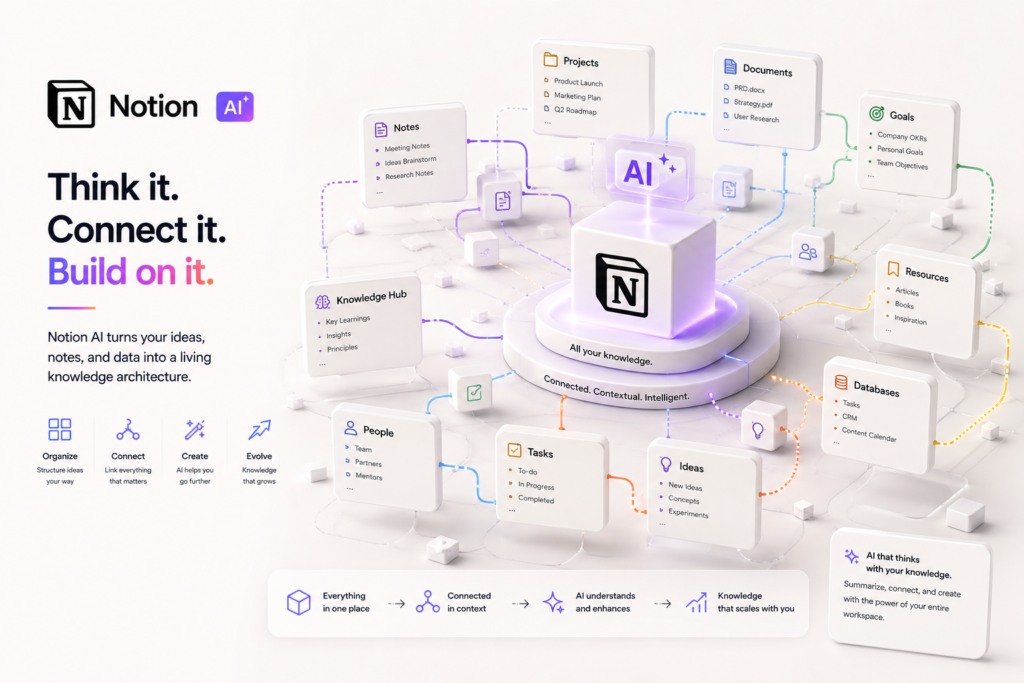
Notion AI is the AI layer within Notion’s collaborative workspace. Notion itself provides pages, documents, databases, project organization, and collaboration features. Notion AI adds capabilities for generating and editing content, searching information, summarizing meetings, conducting research, and assisting with workflows.
| Attribute | Finding |
|---|---|
| Provider | Notion Labs, Inc. |
| Product category | AI-powered collaborative workspace |
| Core capabilities | Notion Agent, AI Meeting Notes, Enterprise Search, Research Mode, Custom Agents, AI writing, and database assistance |
| Target audience | Small businesses, startups, marketing and product teams, consultants, project managers, and remote teams |
| Availability | Cloud-based service with Free, Plus, Business, and Enterprise plans |
| Primary business problem | Fragmented knowledge and manual documentation, search, and coordination |
| Deployment model | Cloud-based SaaS, with additional governance controls on higher-tier plans |
Notion AI is not simply a standalone chatbot. Its distinguishing proposition is workspace-native assistance: AI works within Notion and, where supported and configured, can use information from connected apps and the web.
How Notion AI works
At a high level, a business workflow may follow these steps:
- Provide context: The user asks a question, works with a page or database, supplies meeting content, or gives an agent an instruction.
- Process information: The relevant AI feature uses the available workspace context and, where supported, connected-app or web information.
- Generate an output: The result may be a draft, summary, answer, report, database update, or proposed action.
- Review the result: A person checks the output for accuracy, completeness, permissions, and appropriateness.
- Take action: The user or an authorized workflow applies the result to the relevant page, database, or connected system.
The exact behavior and available actions depend on the feature, plan, permissions, and integrations configured.
3. Research Methodology and Evidence Standards
How this review was prepared
This assessment uses the supplied Perplexity research dated 20 October 2026, which reports findings from official Notion product, pricing, help, security, and trust documentation, along with third-party corroboration where identified.
The review prioritizes:
- Official product documentation and feature descriptions.
- Official pricing and plan restrictions.
- Official privacy, security, trust, and compliance information.
- Official changelogs and release notes.
- Reputable independent coverage and technical evaluations.
- User reviews and community discussions as supplementary, directional evidence.
The research material did not include the complete URL of every individual source cited in its source list. The official links in the Sources Consulted section below are provided as source destinations to check during publication; their exact page paths and the underlying claims should be reconfirmed before the article goes live.
Evidence labels used
| Label | Meaning |
|---|---|
| Verified from identified sources | A claim reported as confirmed against an identified source, preferably official documentation |
| Research-Based Analysis | An interpretation or recommendation based on documented capabilities and available evidence |
| Not Independently Verified | A claim that has not been sufficiently confirmed or tested independently |
| Illustrative Scenario | A proposed workflow, not an implemented or tested solution |
What we could not verify
| Evidence area | Finding |
|---|---|
| AI answer accuracy | No independent benchmark of Notion AI’s answer accuracy or hallucination rate was supplied. |
| Meeting-summary quality | The feature is documented, but transcription, summary, and action-item accuracy were not independently measured. |
| Agent reliability | Notion Agent and Custom Agents were not independently tested. |
| Search relevance | Enterprise Search is documented, but real-world relevance across connected apps was not independently benchmarked. |
| Business outcomes | Claims of reduced administration, faster onboarding, or improved productivity were not independently demonstrated. |
| Support quality | Support quality across Free, Plus, Business, and Enterprise was not independently verified. |
| n8n and Make | Current integration support was not independently verified in the reviewed research. |
| Launch date | The original article’s claim that Notion AI was introduced in 2023 was not independently verified against the current sources reviewed. |
| Enterprise pricing | Enterprise pricing is custom and was not publicly established in the supplied research. |
| Custom Agent usage | Exact credit consumption per agent run was not publicly established; consumption can vary with workload. |
| AI trial details | The exact scope, duration, and usage limits of the Free and Plus AI trials require confirmation. |
Sources Consulted
| Source | Information Used |
|---|---|
| Notion pricing | Plans, prices, AI availability, limits, security, integrations, and billing |
| Notion AI product page | Notion Agent, AI Meeting Notes, Enterprise Search, Custom Agents, and governance |
| Notion AI FAQs | AI capabilities, meeting notes, connectors, and data use |
| Notion Enterprise Search | Connected-app search and connector availability |
| Notion Enterprise Search help | Enterprise Search functionality and connectors |
| Notion security | SOC 2, ISO 27001, AI security practices, and data retention |
| Notion AI security practices | AI data retention and model-provider practices |
| Notion AI for Work announcement | AI Meeting Notes, Enterprise Search, Research Mode, and connectors |
| Notion 2.51 release notes | AI Meeting Notes, Enterprise Search, connectors, and unlimited AI usage on Business/Enterprise |
| Notion Trust Center | AI governance, retention, and embeddings deletion |
| Overpaying for AI Notion pricing report | Third-party corroboration of AI plan inclusion and credits |
4. Key Features of Notion AI
The following table distinguishes documented capabilities from their potential business value. Potential benefits are not guaranteed outcomes.
| Feature | What it does | Potential business value | Availability and limitations |
|---|---|---|---|
| Notion Agent | Assists with multi-step tasks using available Notion, connected-app, and web context | May reduce repetitive documentation and coordination work | Core feature reported as included with Business and Enterprise; limited AI trial on Free and Plus |
| AI Meeting Notes | Transcribes conversations, summarizes discussion, and surfaces key points | May reduce manual meeting follow-up | Core feature reported as included with Business and Enterprise; outputs require review |
| Enterprise Search | Searches Notion and supported connected apps | May help employees find information across tools | Core feature reported as included with Business and Enterprise; results depend on access, sources, and configuration |
| Research Mode | Produces detailed reports using available workspace, connected-tool, and web information | May support research and documentation workflows | Confirm current feature availability and limits before purchase |
| Custom Agents | Automates recurring work through configured triggers or schedules | May support task routing, updates, and reporting | Credit-based usage applies after the trial period |
| AI writing and editing | Generates, rewrites, summarizes, and translates content | May accelerate drafting and editing | Output needs factual, tone, and policy review |
| Database assistance and Autofill | Helps populate properties and work with database content | May reduce manual data entry | Confirm feature-specific limits and behavior |
| Database automations | Supports configured database actions and workflow steps | May standardize recurring processes | Availability and capabilities depend on the relevant feature and plan |
| AI Connectors | Connects supported sources such as Slack, Google Drive, GitHub, Jira, Microsoft Teams, SharePoint, and OneDrive | May reduce tool-switching | Confirm current connector availability, setup requirements, and permissions |
| Security and administration controls | Supports workspace permissions and plan-dependent administrative controls | May help businesses govern access and adoption | Business and Enterprise controls differ; buyers should check their specific requirements |
The features that matter most
1. Notion Agent
Notion Agent is designed to help with multi-step tasks using available context. Its potential value is greatest when work involves several related pieces of information—for example, preparing a project summary from documentation and meeting notes.
A business should test whether the agent completes its intended task accurately and consistently before allowing it to make consequential updates.
2. AI Meeting Notes
AI Meeting Notes can transcribe and summarize meetings. This may reduce the manual work involved in documenting discussions, decisions, and action items.
The important test is whether the summary captures the actual decisions, owners, deadlines, and unresolved questions. A polished summary is not necessarily an accurate one.
3. Enterprise Search
Enterprise Search is intended to help users search Notion and supported connected applications. For a business with information distributed across several systems, cross-source search could be useful.
Its practical value depends on connector coverage, permissions, source quality, and the relevance of the returned answers.
4. Custom Agents
Custom Agents are designed for recurring work through configured triggers or schedules. They may be useful for repeated reporting, routing, or documentation tasks.
However, credit consumption and action reliability should be measured during a pilot. The exact cost per run should not be assumed without checking current usage information.
5. How Businesses Can Use Notion AI
| Business function | Example problem | How Notion AI may help | Required oversight |
|---|---|---|---|
| Documentation | SOPs and policies are scattered | Draft, summarize, and organize documentation | Verify facts, approvals, and document ownership |
| Project management | Status updates and tasks require manual work | Summarize meetings and prepare project updates | Confirm task owners, deadlines, and status |
| Meeting management | Decisions and action items are lost | Produce meeting notes and proposed action items | Check transcription and action-item accuracy |
| Onboarding | New employees struggle to find information | Support onboarding hubs and internal knowledge discovery | Keep source documentation current and permissioned |
| Knowledge management | Employees repeatedly search for answers | Search workspace and supported connected sources | Validate answers and resolve conflicting documents |
| Content planning | Marketing documentation is fragmented | Help draft briefs, organize plans, and summarize research | Review facts, brand voice, and compliance requirements |
| Research and reporting | Information must be consolidated into a report | Prepare drafts using available context and sources | Check sources, citations, completeness, and accuracy |
Best-fit use case: meeting-to-project workflow
Business problem: A team spends time manually turning meetings into notes, tasks, and project updates.
Relevant capabilities: AI Meeting Notes, Notion Agent, database features, and supported connected-app context.
Required inputs: Meeting content, project context, a task database, defined owners, and an agreed review process.
Proposed workflow:
- Capture meeting notes or a supported transcript.
- Generate a summary and proposed action items.
- Compare the action items against the discussion.
- Have the project manager confirm owners, deadlines, and priorities.
- Apply approved updates to the project database.
- Prepare a project update for the relevant team.
Risks: Transcription errors, missed decisions, incorrect owners, invented conclusions, and unintended updates.
Suggested pilot metrics:
- Meeting-administration time per meeting.
- Percentage of action items correctly extracted.
- Accuracy of assigned owners and deadlines.
- Time between a meeting and the approved task update.
- User adoption and correction rate.
- Subscription and Custom Agent credit costs.
These are proposed evaluation measures, not claims of results already achieved.
6. Intelligent AI Lab Business Decision Analysis
The business problem Notion AI is best suited to address
Notion AI is most relevant when a business’s recurring bottleneck is fragmented knowledge and manual coordination across documents, meetings, projects, and connected applications.
A typical fit is a small business or startup that wants Notion to serve as its main workspace for SOPs, internal documentation, project databases, onboarding material, meeting notes, and reporting.
The relevant business outcome is not “using AI.” It is whether the business can find reliable information more easily, reduce manual administration, and maintain project records without introducing unacceptable errors, security risks, or costs.
Is it the right tool for the job?
| Decision factor | Assessment |
|---|---|
| Primary use case | Knowledge management, documentation, meetings, projects, and AI-assisted work |
| Capability fit | Strongest for teams that want Notion as their central workspace |
| Main advantage | Workspace-native AI combined with documented agents, meeting notes, and cross-app search |
| Main trade-off | Core AI requires Business or Enterprise; Custom Agents add credit-based costs |
| Cost considerations | Seats, credits, connector administration, setup, and human review |
| Implementation considerations | Workspace structure, permissions, source-document quality, and governance |
| Main unresolved question | Whether answer quality, meeting summaries, and agent actions are reliable enough for the intended workflow |
When to choose Notion AI
Consider Notion AI when:
- You want one workspace for documents, projects, databases, and knowledge.
- You need AI-assisted meeting notes and action-item extraction.
- You need to search Notion and supported connected apps.
- You want AI-assisted research, drafting, and reporting inside your workspace.
- You have recurring internal workflows that may benefit from agents.
- You can assign someone to maintain workspace structure, permissions, and documentation quality.
When to choose an alternative
Consider another tool when:
- Microsoft Copilot: Your team primarily works in Word, Excel, Outlook, and Teams.
- ClickUp AI: Project and task management is your primary requirement.
- Confluence: Your organization prioritizes a structured documentation and knowledge-sharing environment.
- ChatGPT: You need a general-purpose AI assistant for research, coding, brainstorming, and broader business tasks.
- Coda AI: You need a flexible docs-and-tables environment for customized internal workflows.
- n8n: You need workflow automation across systems and want to evaluate its technical deployment and maintenance model separately from a workspace product.
These are conditional recommendations, not universal rankings. Compare current capabilities, costs, security requirements, and integrations for your specific workflow.
When not to use AI
AI may be unnecessary when the knowledge base is small, meetings are infrequent, or existing tools already manage documentation effectively.
Do not make Notion AI the sole decision-maker for consequential HR, legal, medical, financial, or regulated decisions. A qualified person should retain responsibility for the final judgment. Sensitive workflows require appropriate access controls, legal and security review, and human oversight.
Recommended next step
Run a two-to-four-week pilot on one bounded workflow, such as meeting-to-task automation, onboarding knowledge support, or weekly project reporting.
Record a baseline before the pilot, then compare:
- Time spent on the current process.
- Accuracy of AI answers and summaries.
- Search success and correction rates.
- Task-update latency.
- Adoption by the intended users.
- Subscription, credit, setup, and review costs.
Continue, revise, or stop based on the evidence. Do not assume that documented features automatically deliver measurable business value.
7. Illustrative Business Automation Examples
The following scenarios illustrate possible designs. Intelligent AI Lab has not implemented or tested these workflows. Feasibility depends on the current product capabilities, integrations, permissions, and configuration.
Example 1: Meeting-to-project workflow
Business scenario: A small agency wants to reduce manual meeting notes, action-item tracking, and weekly project updates.
Potential components: Notion, AI Meeting Notes, a project database, and supported connected applications.
Before: A project manager manually records meeting notes, extracts tasks, updates the project tracker, and writes a status report.
Proposed workflow:
- Capture meeting content using a supported process.
- Ask Notion AI to summarize the discussion and propose action items.
- Check decisions, owners, deadlines, and priorities against the source.
- Approve the updates before applying them to the project database.
- Prepare a project summary for the team.
- Send notifications through a configured, supported integration if required.
Potential benefits: More consistent documentation, faster follow-up, and less repetitive status-report preparation.
Limitations: Transcript errors, incorrect action items, integration restrictions, and the cost of reviewing AI-generated outputs.
Suggested metrics: Administration time per meeting, action-item accuracy, task-update latency, report turnaround time, and adoption.
Evidence status: Illustrative Scenario. Business impact and technical feasibility require a controlled pilot.
Example 2: Internal knowledge assistant
Business scenario: Employees repeatedly ask managers for SOPs, policies, product information, and process guidance.
Potential components: Notion, Enterprise Search, supported AI Connectors, and designated document owners.
Before: Employees manually search shared drives and chat channels or ask colleagues for information.
Proposed workflow:
- Organize approved internal documents in a managed workspace.
- Configure supported connectors and permissions.
- Have an employee ask a question.
- Use available search and AI capabilities to locate relevant information.
- Ask the employee to check the source material for consequential or policy-related answers.
- Escalate missing or conflicting information to the designated document owner.
Potential benefits: Easier knowledge discovery and more consistent access to approved information.
Limitations: Outdated documents, conflicting sources, connector gaps, permission errors, and incorrect AI-generated answers.
Suggested metrics: Search success rate, answer accuracy, repeat-question rate, time to find information, and documentation freshness.
Evidence status: Illustrative Scenario. The business must verify answer quality and access behavior before relying on the workflow.
8. Pros and Cons of Notion AI
| Pros | Cons |
|---|---|
| AI capabilities are integrated into the Notion workspace. | Core Notion AI is not fully available on Free and Plus plans. |
| Notion Agent supports multi-step task assistance. | Agent reliability was not independently tested. |
| AI Meeting Notes supports meeting transcription and summaries. | Meeting summaries and action items need human validation. |
| Enterprise Search is designed to search Notion and supported connected apps. | Search quality depends on source content, permissions, and connector setup. |
| Research Mode can help prepare detailed reports. | Reports still require source and factual verification. |
| Custom Agents support recurring workflows. | Custom Agent usage adds credit-based costs after the trial period. |
| Notion offers workspace permissions and higher-tier governance controls. | Workspace design and administration require time and ownership. |
| Notion supports integrations and developer capabilities. | Connector availability and integration methods must be checked individually. |
What this means for buyers
For a Notion-first small business, the main opportunity is combining documentation, meeting follow-up, search, and recurring workflows in one environment. The main evaluation question is whether the AI output is accurate and useful enough for the team’s actual work.
For a Microsoft 365-first business, Copilot may be a better starting point because it is designed around Microsoft’s productivity ecosystem. The decision should depend on where work already happens, not simply on the number of AI features a product advertises.
9. Notion AI Pricing and Plans
Pricing research date: 20 October 2026
The following prices are reported in the supplied research as verified against Notion’s official pricing page. Recheck the current pricing page before publication or purchase, especially for billing terms, regional differences, and AI usage limits.
| Plan | Reported price | AI availability | Typical buyer |
|---|---|---|---|
| Free | $0 per member/month | Limited Notion AI trial | Individuals evaluating Notion |
| Plus | $10 per member/month | Limited Notion AI trial | Individuals and small teams needing the workspace |
| Business | $20 per member/month | Includes core Notion AI features such as Notion Agent, AI Meeting Notes, and Enterprise Search | Teams adopting Notion as a central workspace |
| Enterprise | Custom pricing | Business AI capabilities plus additional security and governance controls | Organizations with advanced administration or compliance needs |
| Custom Agents | Free to try, then $10 per 1,000 monthly Notion credits | Credit-based usage after the trial period | Teams automating recurring tasks |
What to know before paying
Business: The supplied research reports a price of $20 per member/month and annual billing savings of up to 20%. Confirm the current billing options and eligibility.
Enterprise: Pricing is custom. The supplied research reports additional controls including SCIM, audit logs, advanced security, SIEM/DLP connections, and zero data retention with LLM providers.
Custom Agents: The supplied research reports that Custom Agents began using Notion credits on 4 May 2026, with pricing of $10 per 1,000 monthly credits after the trial period. Exact consumption per run was not established. Confirm the current credit model and how usage is calculated.
Free and Plus: These plans include limited AI trials, but the exact trial scope, duration, and usage limits require confirmation.
Total cost: Include member seats, agent credits, workspace setup, connector administration, maintenance, and the time employees spend reviewing AI outputs.
Is Notion AI worth the price?
Notion AI may be worth the price if a business already uses Notion or intends to adopt it as its central workspace, and if AI assistance addresses a recurring, measurable problem.
It may be less attractive when the team needs only basic notes, rarely searches internal knowledge, or already has a mature workflow in another productivity ecosystem.
Do not evaluate the subscription price alone. Evaluate total cost against the results of a controlled pilot.
Which plan should you consider?
| Buyer type | Starting point | Reason | Verify before deciding |
|---|---|---|---|
| Individual evaluating Notion | Free | Explore the workspace and limited AI trial | Trial features and usage limits |
| Small team evaluating collaboration | Plus | Assess Notion’s workspace features at a lower subscription price | Whether the limited AI trial is sufficient |
| Small business adopting Notion AI | Business | Includes core Notion AI capabilities | Seat count, current plan features, and agent credit needs |
| Growing organization | Business or Enterprise | Choose based on AI, governance, and administrative requirements | Security controls, connector needs, retention, and contract terms |
| Regulated or enterprise buyer | Enterprise evaluation | Additional controls may align with organizational requirements | Contract, DPA, subprocessors, compliance scope, and security review |
10. Integrations and Technical Requirements
Integration claims should distinguish between native Notion capabilities, supported connectors, third-party automation, and custom development.
| Integration area | Research finding | What to check |
|---|---|---|
| Workspace-native AI | Notion Agent, AI Meeting Notes, Research Mode, and database capabilities are described as Notion features | Current feature availability, plan restrictions, and usage limits |
| Connected-app search | The supplied research identifies Slack, Google Drive, GitHub, Jira, Microsoft Teams, SharePoint, and OneDrive | Connector availability, setup steps, permissions, and data coverage |
| Upcoming or beta connectors | Gmail, Salesforce, Zendesk, and Box are reported as upcoming or in beta | Current release status; do not assume general availability |
| Automation platforms | Zapier connectivity is reported; n8n and Make were not independently verified in the supplied research | Current integration listings, supported triggers/actions, and maintenance requirements |
| Developer platform | Notion supports API and integration capabilities; the supplied research also mentions Workers for custom code and agent tools | Current developer documentation, authentication, rate limits, and feature-specific requirements |
| Security and administration | Business and Enterprise offer different levels of permissions and governance | SSO, user provisioning, audit logs, retention, and compliance requirements |
Native, third-party, and custom integration distinctions
- Native: Features built into the Notion workspace, such as AI assistance and supported database functionality.
- Connected-app integration: A supported connector that allows Notion AI to access information from another application, subject to configuration and permissions.
- Third-party automation: A service such as Zapier that connects applications through supported triggers and actions.
- Custom integration: An implementation using an API or supported developer capability. This may require development, testing, credentials, monitoring, and ongoing maintenance.
The term “API access” should not be treated as a universal Notion AI feature. API capabilities belong to Notion’s broader developer platform, and a specific AI workflow may require additional implementation.
Implementation considerations
Before connecting business systems, define:
- Which information Notion AI is allowed to access.
- Which users and agents may see each source.
- Which actions require human approval.
- How errors and exceptions are handled.
- Who owns the workspace and maintains its content.
- How access is reviewed when employees change roles or leave.
- How the organization will measure accuracy, adoption, and total cost.
11. Notion AI vs. Alternatives
These tools address overlapping but different needs. The best choice depends on the business problem, existing software, required controls, and total cost.
| Tool | Best suited to | Main distinction | Consider it when |
|---|---|---|---|
| Notion AI | Knowledge, documents, projects, meetings, and workspace AI | AI integrated into Notion’s workspace | You want Notion to be your central system of record |
| Microsoft Copilot | Microsoft 365 productivity | AI integrated into Microsoft productivity applications | Your team primarily works in Word, Excel, Outlook, and Teams |
| ChatGPT | General-purpose AI assistance | Broad support for research, writing, coding, and problem-solving | You need AI beyond a single workspace |
| Confluence | Enterprise documentation and knowledge sharing | Documentation-centered environment | Your organization prioritizes structured knowledge management |
| ClickUp AI | Project and task management | Project-management-first workspace | Task execution and project tracking are your main requirements |
| Coda AI | Flexible documents, tables, and internal workflows | Docs-and-tables environment for customized processes | You want to build tailored internal workflows |
Pricing for alternatives is intentionally not compared here because the supplied research did not establish current, directly comparable prices for each product. Check official pricing and plan limits before making a purchasing decision.
Which tool should you choose?
Choose Notion AI if your business wants a central workspace for documentation, projects, meetings, knowledge, and AI-assisted workflows.
Choose Microsoft Copilot if Microsoft 365 is already the center of your team’s work and your priority is assistance within that environment.
Choose ChatGPT if you need a general-purpose assistant for research, writing, coding, analysis, and tasks that extend beyond one workspace.
Choose Confluence if your priority is enterprise documentation and structured knowledge sharing.
Choose ClickUp AI if project execution, task tracking, and project management are the primary needs.
Choose Coda AI if you need flexible documents and tables for customized internal applications.
These are conditional recommendations. Verify each product’s current features, pricing, and limitations for the intended use case.
12. Who Should Use Notion AI?
Recommended for
Small business owners: May use Notion to centralize SOPs, internal documentation, and projects.
Startups: May use it for roadmaps, product documentation, meeting notes, and onboarding.
Marketing teams: May use it to organize campaign briefs, content calendars, and research.
Product teams: May use it for roadmaps, product documentation, and feedback organization.
Project managers: May use it to prepare meeting summaries, draft updates, and organize tasks.
Remote teams: May use a shared workspace to organize knowledge and support asynchronous collaboration.
These are potential applications, not evidence that every team will achieve the same results.
Not ideal for
- Businesses that need only a simple note-taking tool.
- Organizations deeply standardized on another productivity ecosystem and unwilling to change their workflows.
- Teams unable to maintain permissions, source documentation, and workspace structure.
- Buyers who require independently benchmarked AI performance before any pilot.
- Organizations that need a specific connector or integration that has not been verified.
Best-fit buyer profile
The strongest candidate is a small business or startup that wants Notion to serve as its central workspace and can assign an owner to maintain its structure, permissions, and documentation quality.
Before adopting Notion AI at scale, that business should validate search relevance, meeting-summary quality, agent reliability, connector coverage, and total cost.
13. How to Get Started With Notion AI
Step 1: Identify one business problem
Choose a recurring workflow, such as meeting follow-up, onboarding knowledge discovery, or weekly project reporting. Avoid beginning with a broad goal such as “use AI across the business.”
Step 2: Confirm product fit
Check that the relevant Notion AI features, plan, connectors, and permissions support the intended workflow. Confirm current availability directly with Notion.
Step 3: Review data and access
Identify the documents, employee information, customer data, and connected applications involved. Review access controls and applicable privacy, security, and contractual requirements before connecting sensitive sources.
Step 4: Design a limited pilot
Define the inputs, expected outputs, approval steps, exception handling, and fallback process. Keep human review for meeting summaries, task assignments, and consequential actions.
Step 5: Establish a baseline
Measure the current process before introducing AI. For example, record the time needed to prepare meeting notes, find an answer, or produce a project update.
Step 6: Evaluate the pilot
Compare results against the baseline. Include errors, correction time, user adoption, subscription costs, agent credits, setup work, and maintenance.
Step 7: Decide whether to expand
Continue, revise, or stop based on measured evidence. Scale only when the workflow demonstrates sufficient accuracy, acceptable governance, and business value.
14. Limitations, Risks, and Governance
| Risk area | What businesses should investigate | Research-based finding |
|---|---|---|
| Accuracy and reliability | Can answers, summaries, or agent actions be wrong? | The capabilities are documented, but real-world accuracy was not independently benchmarked. |
| Privacy and data retention | What information is stored, retained, or shared with AI providers? | The supplied research reports 30-day retention with LLM providers for Free, Plus, and Business, and zero data retention for Enterprise. Confirm the current policy and scope. |
| Model training | Is customer data used to train models? | Notion says customer data is not used to train its models unless the customer opts in; the supplied research reports contractual restrictions on AI subprocessors. Review current terms. |
| Security | Which security controls and certifications are documented? | The supplied research reports SOC 2, ISO 27001, ISMAP, and BSI C5 audits. Confirm current reports, scope, and dates. |
| Compliance | Does the service meet the organization’s contractual and regulatory requirements? | The supplied research reports HIPAA-related support for Enterprise AI processing. Obtain the current documentation and review the precise scope before processing protected health information. |
| Permissions | Can users and agents access only appropriate information? | Plan-dependent workspace controls are documented. Validate actual access behavior for connected sources. |
| Usage and cost | What happens when credits are exhausted? | The supplied research reports credit-based Custom Agent usage. Confirm current rates, limits, and handling of insufficient credits. |
| Human oversight | Which outputs and actions require approval? | Meeting summaries, task assignments, and consequential agent actions should be reviewed before use. |
| Vendor dependency | Can information be exported or migrated? | Notion provides workspace export capabilities; migration planning and format compatibility still require review. |
| Workspace complexity | Can poor organization undermine usefulness? | Search and agent usefulness may be affected by outdated, duplicated, or poorly permissioned content. |
What businesses should check before adoption
- Confirm current pricing, plan limits, AI trial terms, and Custom Agent credit costs.
- Verify the availability of each required connector and its permissions.
- Review current privacy, retention, security, and contractual documentation.
- Establish workspace ownership, access controls, and document-maintenance responsibilities.
- Define when human review is mandatory and how incorrect outputs are reported.
- Obtain appropriate technical, legal, security, or compliance review for sensitive or regulated workflows.
- Run a pilot before relying on AI outputs in business-critical processes.
A provider’s published security documentation is useful evidence, but it is not an unconditional guarantee that every deployment is suitable for every data type or regulatory environment.
15. Final Verdict: Is Notion AI Worth It?
Notion AI is a promising candidate for small businesses that want to centralize documentation, projects, meetings, and knowledge in an AI-enabled workspace. Its documented capabilities include Notion Agent, AI Meeting Notes, Enterprise Search, Research Mode, and Custom Agents. These capabilities align with recurring work such as meeting follow-up, internal knowledge discovery, and project reporting.
The strongest reason to consider Notion AI is the integration of AI assistance into a workspace where a team already manages information. The main trade-offs are plan-dependent AI availability, additional Custom Agent credit costs, workspace administration, and the need to verify the quality of AI outputs.
The tool is most attractive when Notion is already central to the team’s work or when the business is deliberately choosing it as its system of record. Organizations standardized on Microsoft 365 should also evaluate Copilot, while project-management-first teams may prefer to compare ClickUp AI.
Final buying recommendation: Pilot. Begin with one measurable workflow, establish a baseline, and evaluate answer accuracy, meeting-summary quality, administration time, adoption, and total cost. Expand only when the pilot demonstrates sufficient business value and acceptable risk.
The central decision is not whether Notion AI has useful features. It is whether those features solve a real problem for your team at an acceptable cost and with appropriate human oversight.
16. Intelligent AI Lab Rating and Scorecard
A. Business-fit verdict
Good Fit for Notion-first small businesses and collaborative teams that need documentation, knowledge management, meetings, and AI-assisted workflows.
Conditional Fit for Microsoft 365-first organizations, businesses with limited workspace-management capacity, or teams that require evidence of AI accuracy before adoption.
Poor Fit for teams needing only simple note-taking.
B. Assessment type
Research-Based Assessment. This is not a hands-on review or a business pilot assessment.
C. Evidence confidence
Moderate overall. The supplied research reports strong official documentation for core capabilities, pricing, and security practices. Confidence is lower for practical AI accuracy, meeting-summary quality, agent reliability, search relevance, and measured business outcomes because these were not independently tested.
D. Research-based rating
Research-based rating: 4.25/5
Rating date: 20 October 2026
This is Intelligent AI Lab’s use-case-specific analyst assessment. It is not a customer satisfaction score, independent performance benchmark, or claim that Notion AI will produce a particular ROI.
E. Weighted scorecard
The following scores are analyst judgments based on documented capabilities, the stated small-business use case, pricing, implementation considerations, and governance information. They are not based on hands-on testing or independent performance benchmarks.
| Criterion | Weight | Score | Rationale |
|---|---|---|---|
| Core capability fit | 25% | 5/5 | The supplied research documents Agent, AI Meeting Notes, Enterprise Search, Research Mode, Custom Agents, and database assistance. |
| Business workflow fit | 20% | 5/5 | The documented capabilities align with knowledge management, meetings, documentation, and project workflows. |
| Ease of implementation | 15% | 3/5 | Workspace structure, permissions, connectors, and governance require planning. |
| Integrations and interoperability | 15% | 4/5 | Several major connectors and automation capabilities are documented, but some integration claims remain unverified. |
| Pricing and cost suitability | 15% | 3/5 | Business includes core AI, but the per-member cost and credit-based agent usage need to be considered. |
| Governance and operational readiness | 10% | 5/5 | The supplied research reports substantial security and governance documentation; buyers must still validate suitability for their own requirements. |
Weighted calculation:
(5 × 0.25) + (5 × 0.20) + (3 × 0.15) + (4 × 0.15) + (3 × 0.15) + (5 × 0.10) = 4.25/5
The rounded research-based rating is 4/5. The 4.25 weighted result is an analyst score, not a measured performance result. The rating should be revisited if direct testing or a controlled business pilot produces materially different evidence.
Overall Assessment Summary
- Business-fit verdict: Good Fit for Notion-first small businesses; Conditional Fit for Microsoft 365-first teams
- Research-based rating: 4.25/5
- Evidence confidence: High for documented capabilities, pricing, and security; Moderate for real-world AI accuracy and business outcomes
- Assessment type: Research-Based Assessment
- Overall conclusion: Notion AI is a strong candidate for businesses that want an AI-enabled workspace for documents, projects, meetings, and internal knowledge. The main buying decision is whether Notion fits the organization’s existing workflows and whether a pilot demonstrates reliable outputs at an acceptable total cost. Microsoft 365-first teams should compare Copilot, and all buyers should validate AI accuracy, connector requirements, and governance before scaling.
17. Decision Checklist: Should You Choose Notion AI?
Shortlist Notion AI if:
- You want one workspace for documents, projects, databases, and knowledge.
- You need AI-assisted meeting notes and action-item extraction.
- You need to search Notion and supported connected apps.
- You want AI-assisted research, drafting, and reporting.
- You have recurring internal workflows that may benefit from agents.
- You can maintain workspace structure, permissions, and documentation quality.
- You can measure accuracy, adoption, and total cost through a pilot.
Consider an alternative if:
- Your team primarily works in Microsoft 365 and needs AI in those applications.
- Project and task management is your main requirement.
- You need a documentation environment that fits a different enterprise structure.
- You want a general-purpose assistant rather than workspace-specific AI.
- You need only simple notes and do not require Notion’s broader workspace.
- A required connector, security control, or data-handling condition cannot be verified.
Decision guidance: If AI accuracy, meeting-summary quality, agent reliability, or governance is critical, resolve the relevant evidence gaps through a controlled pilot before committing to a wider rollout.
18. Frequently Asked Questions About Notion AI
What is Notion AI used for?
Notion AI helps users generate and edit content, summarize meetings, search workspace and supported connected apps, work with databases, prepare reports, and assist with recurring workflows. Available capabilities depend on the plan and configuration.
Is Notion AI free?
Notion’s Free and Plus plans include limited Notion AI trials, according to the supplied research. Core Notion AI features are reported as included with Business and Enterprise. Confirm the current trial scope and limits before relying on it.
How much does Notion AI cost?
The supplied research reports Notion Business at $20 per member/month and Enterprise at custom pricing. Free and Plus plans provide limited AI trials. Custom Agents are reported at $10 per 1,000 monthly Notion credits after the trial period. Verify all prices and terms on Notion’s official pricing page before purchasing.
Is Notion AI better than ChatGPT?
They serve different purposes. Notion AI is designed for AI assistance within Notion’s workspace, including documentation, meetings, knowledge, and supported connected-app search. ChatGPT is a general-purpose assistant for a wider range of research, writing, coding, analysis, and problem-solving tasks. The better choice depends on the workflow.
Can businesses automate workflows using Notion AI?
Notion offers AI features, database capabilities, developer APIs, and integration options that may support workflow automation. The supplied research also reports Custom Agents and Zapier connectivity. Confirm the exact triggers, actions, permissions, and integration requirements for your workflow.
Does Notion AI integrate with n8n and Make?
The supplied research did not independently verify current n8n or Make integration support. Before publishing a definitive claim or designing a workflow, check the current integration documentation and distinguish native connectors from third-party or custom API implementations.
Is Notion AI suitable for small businesses?
It may be suitable for small businesses that want a central workspace for documentation, projects, meetings, and knowledge management. It is less compelling if the business needs only simple notes or already has a mature workspace elsewhere. A limited pilot is the best way to assess fit.
Is Notion AI safe for business data?
Notion publishes security and privacy information, and the supplied research reports controls concerning model training, retention, permissions, and enterprise security. No service should be treated as unconditionally safe for every use case. Review the current terms, security documentation, access settings, and regulatory requirements before connecting sensitive information.