
Grammarly Review 2026: Features, Pricing, Use Cases & Is It Worth It for Small Businesses?
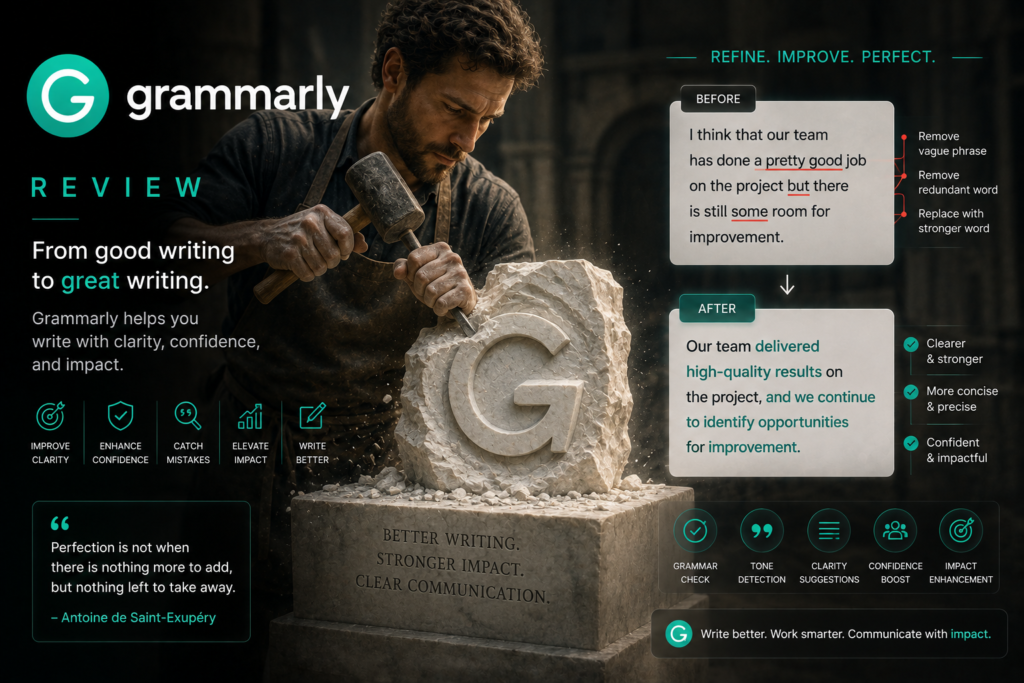
Review type: Research-Based Assessment
Last verified: 18 October 2026
Target audience: Small-business owners, marketers, customer-support teams, sales professionals, freelancers, and content teams
Primary business problem: Inconsistent, unclear, or unprofessional writing across emails, customer support, proposals, marketing content, and internal documentation.
Disclosure: This review is based on publicly available product documentation, pricing information, and other research. Intelligent AI Lab has not independently tested Grammarly. Features, pricing, integrations, and policies may change. Verify current details with Grammarly before purchasing.
Quick Verdict: Grammarly
| Review detail | Assessment |
|---|---|
| Primary business problem | Grammar errors, unclear writing, inconsistent tone, and time-consuming proofreading |
| Best-fit audience | Small businesses and teams producing frequent customer-facing communications |
| Not ideal for | Businesses primarily seeking large-scale content generation, workflow automation, or coding assistance |
| Main purpose | Improve grammar, clarity, tone, and brand consistency across business writing |
| Strongest documented advantage | Writing assistance across browsers, desktop, mobile, and common workplace apps |
| Main trade-off | Primarily a writing-improvement tool, not a complete content-generation or automation platform |
| Starting price | Free plan available; Pro starts at $12 per member/month billed annually |
| Free plan | Yes, including 100 AI prompts per month |
| Business-fit verdict | Good Fit for communication-quality improvement |
| Research-based rating | 4.55/5 |
| Assessment type | Research-Based Assessment |
| Last verified | 18 October 2026 |
Our Verdict
Grammarly is an AI writing assistant that helps improve grammar, clarity, tone, and brand consistency across everyday business communication. Its strongest fit is polishing emails, customer-support replies, proposals, reports, and marketing copy before they are sent or published.
The Free plan includes basic writing assistance, tone detection, and 100 AI prompts per month. Pro adds full-sentence rewrites, tone adjustments, brand-voice features, plagiarism detection, AI-generated-text detection, and 2,000 AI prompts per member per month. Enterprise adds unlimited prompts and additional administrative and security controls.
Our recommendation: Consider Grammarly if writing quality and consistency are recurring business problems. Use it alongside a content-generation tool when needed, and run a limited pilot before committing to a paid plan or wider rollout.
Key Takeaways
- Best reason to consider Grammarly: Real-time assistance with grammar, clarity, tone, and brand consistency.
- Main limitation: It is stronger at improving and polishing writing than producing large volumes of long-form content.
- Best business application: Customer emails, support responses, sales outreach, proposals, reports, and marketing copy.
- Pricing consideration: Pro costs $12 per member/month billed annually or $30 per member/month billed monthly, according to the pricing research verified on 17 October 2026.
- Alternatives to consider: ChatGPT or Claude for broader drafting and analysis, Jasper for marketing-content production, Microsoft 365 Copilot for Microsoft 365 workflows, and ProWritingAid for deeper editorial analysis.
- Recommended next step: Pilot Grammarly with frequent writers and measure editing time, error rates, tone consistency, and employee adoption.
1. Introduction
Clear, professional communication is essential for every business. Whether you’re writing emails, proposals, blog articles, marketing campaigns, or customer support responses, poor grammar and unclear writing can damage your brand’s credibility.
Grammarly is one of the world’s most popular AI-powered writing assistants, helping millions of users improve grammar, spelling, clarity, tone, and overall writing quality. Beyond simple proofreading, Grammarly now offers AI-powered writing assistance that helps businesses draft, rewrite, summarize, and optimize content faster.
For small businesses, its potential value is most apparent in high-frequency communication: customer emails, sales outreach, support replies, proposals, reports, and internal documentation. In these situations, employees need to communicate clearly and professionally without spending excessive time proofreading every message.
Grammarly is best understood as a writing-quality and communication-support layer, rather than a replacement for a general-purpose AI assistant or a complete content-marketing platform.
This review examines its documented features, pricing, business use cases, integrations, limitations, privacy considerations, and alternatives. It also explains where a business pilot is needed before assuming that the tool will deliver measurable improvements.
2. What Is Grammarly?
Grammarly is an AI-powered writing assistant developed by Grammarly, Inc.
Founded in 2009, Grammarly started as a grammar and spelling checker and has evolved into a comprehensive AI writing platform. Today, it helps users improve writing quality, rewrite content, generate drafts, detect plagiarism (in selected plans), and maintain a consistent tone across business communications.
| Attribute | Finding |
|---|---|
| Provider | Grammarly, Inc. |
| Product category | AI writing assistant and communication-quality tool |
| Core functionality | Grammar and spelling checks, clarity suggestions, tone adjustment, drafting, rewriting, summarization, and selected detection features |
| Target audience | Individuals, students, professionals, small businesses, teams, and enterprises |
| Availability | Web, browser extensions, desktop applications, mobile applications, and supported workplace integrations |
| Business problem addressed | Writing errors, unclear communication, inconsistent tone, and time-consuming editing |
| Deployment model | Cloud-based service with browser, desktop, and mobile access |
Official website: Grammarly
How Grammarly Works
- Input: A user writes or pastes text into a supported application, browser field, document, or Grammarly Editor.
- Analysis: Grammarly identifies potential grammar, spelling, clarity, concision, and tone issues.
- Suggestions: Depending on the plan and feature, it offers inline corrections, rewrites, tone adjustments, or generative-AI responses.
- Human review: The user accepts, edits, or rejects the suggestions.
- Communication: The reviewed text is sent, shared, or published through the user’s normal workflow.
The exact experience and available features depend on the application, platform, subscription plan, and account configuration.
3. Research Methodology and Evidence Standards
How This Review Was Prepared
This is a research-based assessment, not a hands-on product test. The evaluation uses publicly available product and pricing information summarized in research dated 17 October 2026.
The assessment considers:
- Documented features and plan-specific limits.
- Published pricing and billing arrangements.
- Supported platforms and workplace integrations.
- Publicly documented privacy, security, and governance information.
- Business use cases and practical implementation requirements.
- Alternatives that may better match different business needs.
- Evidence gaps that a buyer should resolve before adopting the product.
Evidence Classification
| Label | Meaning |
|---|---|
| Verified from identified sources | Confirmed against identified source material, preferably official documentation |
| Research-Based Analysis | An interpretation or recommendation based on documented capabilities and available evidence |
| Not Independently Verified | Could not be sufficiently confirmed through the research available for this review |
| Illustrative Scenario | A proposed workflow that has not been implemented or tested by Intelligent AI Lab |
Official product documentation is appropriate for establishing what a provider says its product can do. It does not, by itself, demonstrate how reliably a feature performs or whether it delivers a particular business outcome.
What We Could Not Verify
| Evidence area | Finding |
|---|---|
| Suggestion accuracy | No independent benchmark of Grammarly’s real-world suggestion accuracy, false-positive rate, or writing-quality improvement was established in the supplied research. |
| Usability | Broad platform availability is documented, but actual learning time and ease of use were not independently measured. |
| Integration reliability | Support for common writing environments is documented, but reliability across every supported application was not independently tested. |
| Support quality | Enterprise includes dedicated support; support quality for Free and Pro users was not independently verified. |
| Business outcomes | Specific productivity gains, customer-satisfaction improvements, or revenue impact were not independently demonstrated. |
| Plagiarism and AI-text detection | The features are documented, but their accuracy, false-positive rates, and suitability for high-stakes decisions were not independently benchmarked. |
| API availability | The research did not establish a generally available Grammarly API for business customers. |
| Enterprise deployment and contracts | Detailed enterprise pricing, contract terms, security add-ons, and deployment options require direct vendor confirmation. |
Sources Consulted
| Source | Information Used |
|---|---|
| Grammarly Pricing | Free, Pro, and Enterprise plans; AI prompts; plagiarism/AI detection |
| Grammarly homepage | Plan pricing, AI prompts, and core positioning |
| Grammarly Pro page | Pro features, brand voice, team capabilities, and Enterprise features |
| Grammarly Product Features | Tone, rewriting, proofreading, plagiarism, and brand tones |
| Set brand tones | Brand-tone availability and configuration |
| Grammarly Editor user guide | AI features, plagiarism, and AI-generated-text detection |
| Grammarly desktop user guide | AI prompts, rewriting, tone, and clarity features |
| Is Grammarly safe? | SOC 2, ISO certifications, GDPR, CCPA, and HIPAA claims |
| Does Grammarly sell my data? | Data-sale and monetization practices |
| Trust & Security | Product improvement and training opt-out |
| Responsible AI | Third-party model-training restriction |
4. Key Features of Grammarly
| Feature | What it does | Potential business value | Availability and limitations |
|---|---|---|---|
| Grammar and spelling checks | Identifies potential grammar, punctuation, and spelling issues | May reduce writing errors in customer-facing and internal communications | Available across plans; suggestions still need review |
| Clarity and concision | Suggests clearer wording and more concise sentences | May make emails, proposals, and documentation easier to understand | Depth and available suggestions may vary by plan and context |
| Tone detection | Identifies aspects of a text’s tone | Helps users consider how a message may come across | Included in Free according to the supplied research |
| Tone adjustment | Helps revise writing toward a desired tone | May support more professional or audience-appropriate communication | Pro feature according to the supplied research |
| Generative-AI drafting and rewriting | Helps draft, rewrite, summarize, or adapt text | May speed up routine writing tasks | Free: 100 prompts/month; Pro: 2,000/member/month; Enterprise: unlimited prompts/member |
| Brand tones | Lets organizations define on-brand and off-brand tone profiles | May support more consistent communication across employees | Documented for Pro and Enterprise, with Plus and Business also referenced in some support material |
| Plagiarism detection | Checks text for potential matches that may indicate plagiarism | May support editorial review and originality checks | Pro and Enterprise, according to the supplied research |
| AI-generated-text detection | Flags text that may be AI-generated | May provide an additional editorial review signal | Pro and Enterprise; detection should not be treated as definitive proof of authorship |
| Team writing controls | Supports shared writing conventions and team consistency | May help organizations standardize communication | Plan naming and availability should be confirmed for the specific account |
| Enterprise controls | Includes administrative and security-related features | May support larger organizations with more demanding governance requirements | Enterprise features include granular roles and permissions, confidential mode, and data-loss prevention |
The Features That Matter Most for Businesses
1. Real-time writing quality control
Grammarly’s primary role is to help users identify potential grammar, spelling, clarity, and tone issues while writing. This may be useful for businesses that send many emails or produce frequent customer-facing documents.
The relevant question is whether the suggestions improve the final message without adding excessive review work or changing its intended meaning.
2. Brand-voice consistency
Brand tones allow organizations to define on-brand and off-brand tone profiles. This may help businesses that have multiple employees writing emails, sales messages, marketing copy, or customer-support responses.
Brand consistency is not automatic, however. The business needs clear tone guidelines, suitable settings, and a review process.
3. AI-assisted drafting and rewriting
Grammarly’s generative-AI features extend its role beyond proofreading. They can assist with drafting, rewriting, summarizing, and adapting content.
The documented prompt limits are important when evaluating the plans: Free includes 100 AI prompts per month, Pro includes 2,000 per member per month, and Enterprise includes unlimited prompts per member.
These allowances do not establish that Grammarly is the best choice for every content-generation workload. Buyers should test their actual tasks and compare the experience with broader AI writing tools.
4. Plagiarism and AI-text detection
Pro and Enterprise include plagiarism detection and AI-generated-text detection according to the supplied research. These capabilities may provide additional signals for editorial review.
They should not be treated as definitive proof that content is original or that a particular person or system authored it. Human interpretation remains necessary.
5. Business Use Cases: Where Can Grammarly Help?
| Business function | Example problem | How Grammarly may help | Required human oversight |
|---|---|---|---|
| Customer email | Messages contain errors or inconsistent tone | Review grammar, clarity, and tone before sending | Validate customer-specific facts and commitments |
| Customer support | Replies vary in clarity and professionalism | Help agents produce clearer, more consistent responses | Check account details, policies, refunds, and escalations |
| Sales | Outreach and proposals need polishing | Improve readability and tone | Verify pricing, product claims, and recipient details |
| Marketing | Blog posts, landing pages, and emails need editing | Improve clarity, grammar, and brand tone | Fact-check claims, positioning, and SEO decisions |
| HR and internal communications | Announcements and policies are difficult to understand | Help improve readability and consistency | Obtain HR or legal review where appropriate |
| Agencies and consultants | Client deliverables need consistent writing quality | Support editing against agreed tone guidelines | Confirm client requirements and brand standards |
Best-Fit Use Case: Customer-Support and Sales Email Quality Control
Business problem: A small team sends many customer-facing messages, but grammar, clarity, and tone vary across employees.
Relevant capability: Grammarly documents grammar, clarity, tone, rewriting, and brand-tone features.
Inputs and systems: A supported email application, approved tone guidelines, relevant customer context, and any required help-desk or CRM information.
Proposed workflow:
- An employee drafts a customer response.
- Grammarly provides writing suggestions.
- The employee checks the wording and confirms the message’s factual accuracy.
- The employee verifies customer-specific details, policy requirements, and commitments.
- The employee sends the approved response.
Risks: Suggestions may alter intended meaning, tone may not suit the situation, and customer-specific facts can still be wrong.
Pilot metrics: Editing time per response, error rate, reviewer-rated tone consistency, first-response time, and customer satisfaction where suitable data is available.
These are proposed evaluation measures, not demonstrated Grammarly outcomes.
6. Intelligent AI Lab Business Decision Analysis
The Business Problem Grammarly Is Best Suited to Address
Grammarly is most relevant when a recurring business bottleneck is producing clear, professional, consistent written communication.
A typical fit is a small business with several employees writing customer-facing messages but no dedicated editor. Grammarly may help standardize writing quality across email, proposals, reports, support responses, and marketing copy.
The business objective should not be simply to use AI. It should be to determine whether the tool helps the organization communicate more clearly and consistently, with an acceptable amount of editing effort and cost.
Is Grammarly the Right Tool for the Job?
| Decision factor | Assessment |
|---|---|
| Primary use case | Writing-quality improvement across email, documents, support, sales, and marketing |
| Capability fit | Strong documented editing capabilities; broader content-generation suitability depends on the task |
| Main advantage | Writing assistance across common workplace environments |
| Main trade-off | Not a complete content-generation, SEO, or workflow-automation platform |
| Cost consideration | Pro is listed at $12/member/month annually or $30/member/month monthly |
| Implementation consideration | Tone guidelines, employee adoption, and review standards are important |
| Key uncertainty | Whether suggestions improve writing quality without excessive editing or unintended meaning changes |
When to Choose Grammarly
Consider Grammarly when:
- Your team writes frequent customer emails, support replies, proposals, or reports.
- Grammar, clarity, and tone vary across employees.
- You want writing assistance within supported email, document, browser, desktop, or collaboration environments.
- Brand-tone controls are important to your communication standards.
- You want additional plagiarism or AI-text review signals, with appropriate human interpretation.
When to Choose an Alternative
Consider another tool when:
- Long-form drafting, research, or brainstorming is the main requirement: evaluate ChatGPT or Claude.
- Marketing content at scale is the main requirement: evaluate Jasper.
- Native assistance across Microsoft 365 is the priority: evaluate Microsoft 365 Copilot.
- Deep style and long-document editing is the priority: evaluate ProWritingAid.
- End-to-end workflow automation is the requirement: assess a dedicated automation platform. Grammarly should not be treated as a complete automation solution.
When Not to Use AI
AI writing assistance may be unnecessary for a business with infrequent writing needs, a small number of writers, or an editorial process that already works well.
Grammarly should also not be the sole authority for legal, medical, financial, HR, or regulated communications. A qualified person must retain responsibility for the final decision and content.
Our Recommended Next Step
Run a limited pilot with three to five frequent writers for two to four weeks. Choose one workflow, such as customer-support replies, sales outreach, or proposal editing.
Measure:
- Editing time per email or document.
- Grammar, spelling, and clarity errors before and after review.
- Reviewer-rated tone consistency.
- Suggestions accepted, modified, or rejected.
- Employee adoption and satisfaction.
- Customer satisfaction or response quality, where relevant and measurable.
Include subscription cost, training, review time, and implementation effort in the evaluation. Continue only if the results justify the cost and operational change.
Evidence note: This is a research-based recommendation. Productivity and quality gains have not been independently demonstrated by Intelligent AI Lab.
7. Illustrative Business Automation Examples
The following examples are proposed workflows, not systems implemented or tested by Intelligent AI Lab. They illustrate how Grammarly might fit into a wider process; they do not imply that every step is natively automated.
Example 1: Customer-Support Response Quality Workflow
Scenario: A small support team wants more consistent and professional email responses.
Potential tools: Grammarly, Gmail or Outlook, a help desk, approved response templates, and the support team’s review process.
Before: Agents draft responses manually. Writing quality and tone may vary between employees.
Proposed workflow:
- A customer inquiry arrives through the normal support channel.
- The agent reviews the customer’s message and relevant account information.
- The agent drafts a response using approved support guidance.
- Grammarly provides grammar, clarity, and tone suggestions.
- The agent verifies the facts, policy compliance, and escalation requirements.
- The agent sends the approved response through the normal support system.
Human oversight: The agent remains accountable for the final message, especially for refunds, complaints, account changes, and sensitive issues.
Potential benefits to test:
- Fewer grammar and clarity errors.
- More consistent tone across agents.
- Reduced editing time for routine responses.
Requirements and limitations: Customer-specific information must be verified. Sensitive communications require appropriate review, and Grammarly should not override support policy.
Suggested success metrics: Editing time, error rate, tone-consistency score, first-response time, and customer-satisfaction measures.
Example 2: Marketing Content Editing Workflow
Scenario: A marketing team uses a separate AI tool to draft blog posts, emails, and landing-page copy, but needs a consistent editing process.
Potential tools: ChatGPT, Claude, or Jasper for drafting; Grammarly for editing; Google Docs or WordPress for content review and publishing.
Before: Drafts need manual grammar checks, tone adjustments, and brand-voice review.
Proposed workflow:
- The team approves a content brief and supporting factual sources.
- A writer or AI drafting tool creates the first draft.
- Grammarly checks grammar, clarity, and tone.
- The editor reviews the draft and makes appropriate changes.
- The marketing lead checks factual claims, SEO intent, brand positioning, and links.
- The approved content is published through the existing CMS workflow.
Human oversight: Editors remain responsible for factual accuracy, originality review, search intent, brand positioning, and publication approval.
Potential benefits to test:
- Reduced editing time.
- More consistent brand voice.
- Fewer avoidable writing errors.
Requirements and limitations: Grammarly is not a substitute for research, SEO strategy, fact-checking, or editorial judgment. Plagiarism and AI-text detection results require human interpretation.
Suggested success metrics: Editing time per article, revision count, reviewer-rated brand consistency, editor satisfaction, and content performance where measurable.
Evidence note: Both workflows are illustrative scenarios. Their feasibility and business impact should be validated in a controlled pilot before scaling.
8. Pros and Cons of Grammarly
| Pros | Cons |
|---|---|
| Documents grammar, spelling, clarity, concision, and tone assistance. | Advanced capabilities, including tone adjustment and detection features, require eligible paid plans. |
| Free includes basic writing assistance, tone detection, and 100 AI prompts per month. | Free does not include plagiarism or AI-generated-text detection according to the supplied research. |
| Pro includes 2,000 AI prompts per member per month and additional rewriting features. | Prompt allowances do not establish suitability for every high-volume content-generation task. |
| Brand tones may help teams standardize communication. | Tone profiles require setup, maintenance, and human judgment. |
| Works across browsers, desktop, mobile, and several common workplace tools. | Reliability across every application and workflow was not independently tested. |
| Grammarly publishes security and privacy information, including certification and compliance claims. | Enterprise-specific terms and security details should be confirmed directly with the provider. |
| Plagiarism and AI-text detection can provide additional editorial signals. | Detection accuracy and false-positive behavior were not independently verified. |
What These Pros and Cons Mean for Buyers
For businesses that write frequently, Grammarly’s main potential value is improving everyday communication quality and consistency. The most important question is whether it makes writing better and easier to review without creating excessive editing work.
For businesses that need to produce large volumes of new long-form content, Grammarly may work better as part of a writing stack than as the primary content-generation tool.
9. Grammarly Pricing and Plans
Pricing verification date: 17 October 2026
The supplied research identifies three plans on Grammarly’s current public pricing page: Free, Pro, and Enterprise. Pricing, taxes, currency, and feature availability should be confirmed for your location and account immediately before purchase.
| Plan | Price in supplied research | Best for | Key features and limits |
|---|---|---|---|
| Free | $0 | Individuals and users evaluating basic fit | Basic writing assistance, tone detection, and 100 AI prompts/month; no plagiarism or AI-generated-text detection |
| Pro | $12/member/month billed annually, or $30/member/month billed monthly | Professionals, small businesses, and teams | Full-sentence rewrites, tone adjustment, brand voice, 2,000 AI prompts/member/month, plagiarism detection, and AI-generated-text detection |
| Enterprise | Custom pricing | Organizations needing additional governance and security controls | Unlimited generative-AI prompts per member, dedicated support, confidential mode, granular roles and permissions, data-loss prevention, and enterprise-grade security features |
Official website: Grammarly
What to Know Before Paying
Free plan: A useful starting point for basic writing assistance and limited generative-AI use. The supplied research lists 100 AI prompts per month.
Pro plan: Adds more extensive rewriting, tone adjustment, brand-voice features, and plagiarism and AI-generated-text detection. The supplied research lists 2,000 AI prompts per member per month.
Enterprise plan: Adds unlimited prompts per member and additional governance and security features. Obtain a quote and confirm contract terms directly with Grammarly.
Plan naming: Some support documentation still refers to Plus and Business, while the current public pricing structure in the supplied research uses Free, Pro, and Enterprise. Confirm the actual plan names and feature entitlements available to your account.
Regional pricing: Confirm the price shown at checkout, billing currency, taxes, annual commitment, seat requirements, and cancellation terms before paying.
Is Grammarly Worth the Price?
Grammarly Pro may be worth considering if your business has frequent customer-facing writing, multiple writers, or a clear need for more consistent tone and editing support.
It may be less attractive for occasional writers who only need basic grammar assistance. A paid plan should be justified by measurable improvements to a real workflow, not simply by the number of features included.
Include these costs in your assessment:
- Subscription fees for active users.
- Time spent configuring brand tones and writing guidance.
- Employee onboarding and adoption.
- Human review of suggestions.
- Any additional tools required for content generation or automation.
Which Plan Should You Consider?
| Buyer type | Starting recommendation | What to verify |
|---|---|---|
| Individual or very small team | Start with Free | Whether the free feature set and prompt limit meet your needs |
| Small business with frequent customer communication | Evaluate Pro | Number of active users, monthly versus annual billing, and feature requirements |
| Team needing brand consistency | Pilot Pro before considering a wider rollout | Brand-tone availability, administration, and plan entitlements |
| Organization needing stronger governance | Evaluate Enterprise | Security documentation, data-processing terms, administrative controls, and contract requirements |
| Regulated or security-sensitive organization | Conduct a formal vendor review before adoption | Applicable contractual protections, compliance requirements, and data-handling settings |
10. Integrations and Technical Requirements
| Integration or requirement | Research finding | Buyer consideration |
|---|---|---|
| Browsers | Browser extensions are documented | Confirm support for your browser and required websites |
| Desktop and mobile | Desktop and mobile applications are documented | Test the applications used by your employees |
| Email and collaboration | Support is documented for Gmail, Outlook, Slack, Microsoft Office, and Google Docs | Confirm the actual experience in your team’s environment |
| CRM and sales systems | A generally available native CRM integration was not established in the supplied research | Verify any required CRM workflow directly |
| Help desks | Specific native help-desk integration behavior was not independently verified | Test your existing support system |
| Automation platforms | Native Zapier or n8n functionality was not established by the supplied research | Confirm connector availability and actions before designing an automation |
| API and webhooks | A generally available Grammarly business API was not established in the supplied research | Do not assume API access; obtain direct technical confirmation |
| Enterprise administration | Roles, permissions, confidential mode, and data-loss prevention are listed for Enterprise | Confirm feature details and contract terms with the vendor |
| Implementation | Setup, tone configuration, and employee onboarding may be required | Define ownership, review standards, and training before rollout |
Native vs. Third-Party vs. Unverified
- Documented product access: Browser, desktop, and mobile applications, plus support for several common workplace writing environments.
- Plan-dependent capabilities: Tone adjustment, brand tones, plagiarism detection, AI-text detection, and enterprise controls.
- Third-party or custom integration: CRM, help-desk, and internal-system workflows may require a separate connector or custom development.
- Not independently verified: A generally available API, webhooks, and specific Zapier/n8n or CRM integrations.
Implementation Considerations
A small team can start by evaluating Grammarly with employees who write the most customer-facing content. The more important work is defining brand tone, review expectations, and the types of content that require approval.
Before enabling Grammarly for sensitive communications, review the current privacy, security, and data-use settings. For enterprise use, request the relevant documentation and confirm that the service fits your organization’s contractual and regulatory requirements.
11. Grammarly vs. Alternatives
The best alternative depends on whether your primary problem is editing existing writing, generating new content, working inside an office suite, or performing deeper editorial analysis.
| Tool | Best for | Key difference | When to consider it instead |
|---|---|---|---|
| Grammarly | Grammar, clarity, tone, and brand-voice improvement | Writing-quality assistance across common workplace environments | Your main need is polishing everyday communication |
| ChatGPT | Drafting, brainstorming, research, and general-purpose assistance | Broader range of content-generation and problem-solving tasks | You need to create new content or handle a wider range of business tasks |
| Claude | Long-form writing and document analysis | An alternative for nuanced drafting, editing, and document-focused work | Your workflow is centered on longer documents or complex written material |
| Jasper | Marketing-content production and brand-voice workflows | Marketing-focused content platform | You need a dedicated marketing-content workflow |
| Microsoft 365 Copilot | AI assistance in Microsoft 365 | Designed around Microsoft’s productivity environment | Your team works primarily in Word, Outlook, Teams, and other Microsoft 365 apps |
| ProWritingAid | Detailed style and long-document editing | Focus on deeper editorial analysis | You need more extensive style and structural feedback for long documents |
Pricing and feature availability for alternatives can change. Confirm each provider’s current pricing and plan restrictions before making a direct cost comparison.
Which Tool Should You Choose?
- Choose Grammarly when the recurring problem is grammar, clarity, tone, or consistency across everyday business writing.
- Choose ChatGPT when you need broader drafting, brainstorming, research, or general-purpose AI assistance.
- Evaluate Claude when long-form writing and document analysis are central to your workflow.
- Evaluate Jasper when marketing-content production and brand-focused content workflows are the priority.
- Evaluate Microsoft 365 Copilot when your team wants assistance closely integrated with Microsoft 365.
- Evaluate ProWritingAid when you need detailed editorial analysis of longer documents.
These tools are not necessarily mutually exclusive. A business might use one tool to generate a draft and another to review it, provided the workflow is secure, practical, and worth the cost.
12. Who Should Use Grammarly?
Recommended For
Small-business owners: To review customer emails, proposals, website copy, and other business communication.
Customer-support teams: To help agents improve the clarity and tone of support replies.
Sales professionals: To polish outreach, follow-ups, and proposals before sending them.
Marketing teams: To edit blog posts, landing pages, email campaigns, and social copy.
Freelancers and consultants: To review client communications and deliverables.
Content teams: To use Grammarly alongside a separate drafting tool as part of an editorial process.
Not Ideal For
- Businesses that need a complete content-generation platform as their primary requirement.
- Teams seeking end-to-end workflow automation.
- Organizations whose primary requirement is coding assistance.
- Buyers who require guaranteed plagiarism or AI-text detection accuracy.
- Businesses that write infrequently and cannot justify a paid subscription.
Best-Fit Buyer Profile
The best-fit buyer is a small business with several employees producing customer-facing writing on a regular basis. The business wants to standardize grammar, clarity, and tone without creating a separate manual editing process for every message.
Its main decision criteria should be:
- Writing-quality improvement in the actual workflow.
- Ease of adoption across employees.
- Brand-tone fit and configuration.
- Compatibility with required applications.
- Cost per active writer.
- Privacy, security, and human-review requirements.
13. How to Get Started With Grammarly
A controlled rollout is preferable to buying subscriptions for the entire organization before establishing a clear business need.
Step 1: Identify One Business Problem
Choose a recurring task such as support replies, sales outreach, proposal editing, or marketing-copy review. Avoid starting with a vague goal such as “improve productivity.”
Step 2: Confirm Product Fit
Check that Grammarly’s documented features, plan limits, integrations, and brand-tone capabilities match the intended workflow.
Step 3: Review Data and Permissions
Identify what customer, employee, or business information may be processed. Review the provider’s current privacy and security documentation and applicable account settings.
Step 4: Design a Limited Pilot
Define the users, inputs, expected outputs, review steps, exceptions, and fallback process. Keep human oversight for customer-facing and sensitive content.
Step 5: Establish a Baseline
Before introducing Grammarly, record current editing time, common writing errors, review effort, and employee feedback.
Step 6: Evaluate the Pilot
Compare the results with the baseline using the same measures. Include subscription fees, training, review effort, and implementation costs.
Step 7: Decide Whether to Expand
Continue, revise, or stop based on evidence. Scale only if the tool demonstrates sufficient value for the intended workflow.
14. Limitations, Risks, and Governance
Grammarly can support writing quality, but it does not remove the need for human judgment, security review, or organizational accountability.
| Risk area | Research finding | What businesses should do |
|---|---|---|
| Accuracy and reliability | Suggestions are documented, but no independent accuracy benchmark was established in the supplied research | Review changes and test whether suggestions improve the actual task |
| Privacy and data handling | Grammarly publishes privacy and data-handling information | Review the current policy and applicable contractual terms before using sensitive content |
| Product improvement and training | The supplied research states users can opt out of Product Improvement and Training in account settings | Confirm the current setting, its scope, and any applicable terms |
| Third-party model training | Grammarly states that third-party service providers are not allowed to train their models on user content | Verify the relevant current documentation and contractual protections |
| Security certifications | Grammarly states it holds SOC 2 Type 1 and Type 2, ISO 27001, ISO 27017, and ISO 27018 certifications | Obtain current supporting documentation when required by procurement or security policy |
| Compliance | Grammarly states compliance with GDPR, CCPA, and HIPAA | Do not assume this automatically satisfies your organization’s specific obligations; obtain appropriate compliance review |
| Access and administration | Enterprise features include roles, permissions, confidential mode, and data-loss prevention | Confirm the features available under the proposed contract and configuration |
| Usage limits | The supplied research lists 100 AI prompts/month for Free, 2,000/member/month for Pro, and unlimited/member for Enterprise | Confirm current limits and what happens if plan terms change |
| Human oversight | AI suggestions can still be inappropriate or inaccurate | Keep a person accountable for final customer-facing and sensitive communications |
| Detection features | Plagiarism and AI-text detection are documented, but accuracy was not independently benchmarked | Treat results as signals for review, not definitive proof |
| Vendor dependency | Migration of brand tones, style guides, and enterprise configurations was not established by the supplied research | Confirm export, retention, and migration options before a long-term rollout |
What Businesses Should Check Before Adoption
- Confirm current pricing, plan availability, AI-prompt limits, and regional terms.
- Review privacy, security, and model-training settings before processing sensitive customer or employee communications.
- Define brand tones, style guidelines, and approval workflows before a wider rollout.
- Establish human review for legal, financial, HR, regulated, and otherwise sensitive content.
- For enterprise use, request relevant security reports, data-processing terms, subprocessor information, and contractual documentation.
- Validate the actual integrations and technical requirements needed for your workflow.
Security certifications and compliance statements are important evidence, but they do not replace a review of your own use case, configuration, and obligations.
15. Final Verdict: Is Grammarly Worth It?
Grammarly is worth considering for small businesses that need to improve the clarity, tone, and consistency of everyday written communication. Its strongest documented advantage is writing assistance across browsers, desktop, mobile, and common workplace environments.
The main reason to choose Grammarly is communication-quality control. It can help review grammar, clarity, and tone while offering additional drafting and rewriting features on eligible plans. Brand tones may also be useful for organizations that want employees to follow more consistent writing standards.
The main trade-off is scope. Grammarly is primarily a writing-improvement tool, not a complete content-generation, SEO, or workflow-automation platform. Businesses producing substantial amounts of new content may benefit from pairing it with ChatGPT, Claude, or Jasper, depending on the work involved.
Final buying recommendation: Pilot. Start with Free to evaluate basic fit. If the workflow requires paid capabilities, test Pro with the employees who write the most customer-facing content. Measure editing time, error rates, tone consistency, adoption, and total cost before expanding.
The decision should be based on demonstrated value in your own workflow—not on the number of AI features available.
Business Value First. AI Second.
16. Intelligent AI Lab Rating and Scorecard
A. Business-Fit Verdict
Good Fit for small businesses and teams that need more consistent writing across email, support, sales, marketing, and internal documentation.
Conditional Fit for teams whose primary requirement is large-scale content generation, SEO production, or automated workflows.
B. Assessment Type
Research-Based Assessment. Intelligent AI Lab has not independently tested Grammarly in a hands-on product evaluation or business pilot for this review.
C. Evidence Confidence
High for documented capabilities and the supplied pricing information; moderate for real-world suitability and business outcomes.
The supplied research identifies official documentation for features, plans, and security statements. However, suggestion accuracy, integration reliability, detection performance, and measured business outcomes were not independently benchmarked.
D. Numerical Rating
Published research-based rating: 4.55/5
Rating date: 18 October 2026
The published rating is rounded to the nearest half-point. It represents documented suitability for the selected writing-quality use case, not a hands-on performance benchmark. The rating should be revisited if pilot results or material new evidence become available.
The weighted rubric below is an Intelligent AI Lab assessment method, not a validated industry standard.
Weighted Scorecard
| Criterion | Weight | Score | Evidence and rationale |
|---|---|---|---|
| Core capability fit | 25% | 5/5 | Documented grammar, clarity, tone, rewriting, generative AI, and selected detection features |
| Business workflow fit | 20% | 5/5 | Documented capabilities map closely to email, support, sales, marketing, and internal communication |
| Implementation feasibility | 15% | 5/5 | Browser, desktop, mobile, and common workplace access are documented; actual adoption was not tested |
| Integrations and interoperability | 15% | 4/5 | Broad writing-environment coverage is documented, but API, CRM, and automation evidence is limited |
| Pricing and cost suitability | 15% | 4/5 | A Free plan is available and Pro pricing is documented in the supplied research; value depends on usage and region |
| Governance and operational readiness | 10% | 4/5 | Security and administrative features are documented, but enterprise details and independent performance validation remain limited |
Weighted score calculation:
(5 × 0.25) + (5 × 0.20) + (5 × 0.15) + (4 × 0.15) + (4 × 0.15) + (4 × 0.10) = 4.55/5
Overall Assessment Summary
- Business-fit verdict: Good Fit
- Research-based rating: 4.55/5
- Evidence confidence: High for documented capabilities and pricing; Moderate for real-world writing-quality improvement and business outcomes.
- Assessment type: Research-Based Assessment
- Overall conclusion: Grammarly is a strong fit for small businesses and teams that want to improve grammar, clarity, tone, and brand consistency across customer emails, support responses, sales communications, proposals, and marketing content. Its documented strengths include real-time writing assistance across common workplace applications, AI-assisted drafting and rewriting, brand-tone features, and plan options for different usage needs. The Free plan provides a low-cost starting point, while Pro adds advanced writing features and higher AI-prompt limits. However, independent evidence on suggestion accuracy, integration reliability, plagiarism and AI-text detection performance, and measurable productivity gains remains limited.
The 4.5/5 rating reflects its documented suitability for writing-quality improvement, not a hands-on performance benchmark. Businesses should pilot Grammarly in a specific workflow, measure results against a baseline, and verify current pricing, integrations, and data-handling requirements before wider adoption.
17. Decision Checklist: Should You Choose Grammarly?
Choose or Shortlist Grammarly If:
- Your team writes frequent emails, support replies, proposals, reports, or marketing copy.
- You need consistent grammar, clarity, and tone across employees.
- You want writing assistance within supported email, document, browser, desktop, or collaboration environments.
- Brand-tone controls are important to your communication standards.
- You want plagiarism or AI-generated-text detection as an additional editorial signal.
- You can evaluate the tool using measurable writing-quality and adoption metrics.
Consider an Alternative If:
- Your primary need is long-form content generation, research, or brainstorming.
- You need marketing-content production at scale.
- Your team works primarily in Microsoft 365 and wants assistance closely integrated with that environment.
- You need deeper style and long-document analysis.
- Your main requirement is workflow automation rather than writing improvement.
Decision guidance: If suggestion accuracy, brand-tone fit, integration behavior, privacy, or compliance is critical to the use case, resolve those questions through a controlled pilot and appropriate vendor review before making a broader commitment.
18. Frequently Asked Questions About Grammarly
What is Grammarly used for?
Grammarly helps users check grammar, spelling, punctuation, clarity, concision, tone, and writing style. It also offers AI-assisted drafting, rewriting, and summarization, plus plagiarism and AI-generated-text detection on eligible plans.
Is Grammarly free?
Yes. According to the supplied research, the Free plan includes basic writing assistance, tone detection, and 100 AI prompts per month. Feature availability and limits should be confirmed on the current official pricing page.
How much does Grammarly cost?
The supplied pricing research, verified on 18 October 2026, lists Pro at $12 per member/month billed annually or $30 per member/month billed monthly. Enterprise uses custom pricing. Check the current price, billing terms, currency, and taxes before purchasing.
Is Grammarly better than ChatGPT?
Neither is universally better. Grammarly is primarily designed to improve and polish writing. ChatGPT is a broader general-purpose AI assistant suited to drafting, brainstorming, research, and a wider range of tasks. Some businesses may use both.
Can businesses automate writing workflows using Grammarly?
Grammarly can support writing workflows inside supported applications. However, the supplied research does not establish a generally available business API or native Zapier/n8n automation capability. Verify any required integration directly with the relevant provider before designing an automated workflow.
Is Grammarly suitable for small businesses?
It can be a good fit for small businesses that produce frequent customer-facing writing and want more consistent grammar, clarity, and tone. The main considerations are plan cost, employee adoption, brand-tone setup, privacy, and human review of suggestions.
Can Grammarly’s AI-text detector prove that content was written by AI?
No. The supplied research documents an AI-generated-text detection feature but does not establish its accuracy or false-positive rate through independent benchmarking. Treat detection results as an editorial signal, not definitive proof of authorship.
Is Grammarly safe for business use?
Grammarly publishes security, privacy, and compliance information, including claims about SOC 2, ISO certifications, GDPR, CCPA, and HIPAA. Businesses should review the current documentation, settings, and contractual terms for their own requirements. Sensitive or regulated use cases may need a formal security and compliance review.