
Copy.ai Review 2026: Features, Pricing, Use Cases & Is It Worth It for Small Businesses?
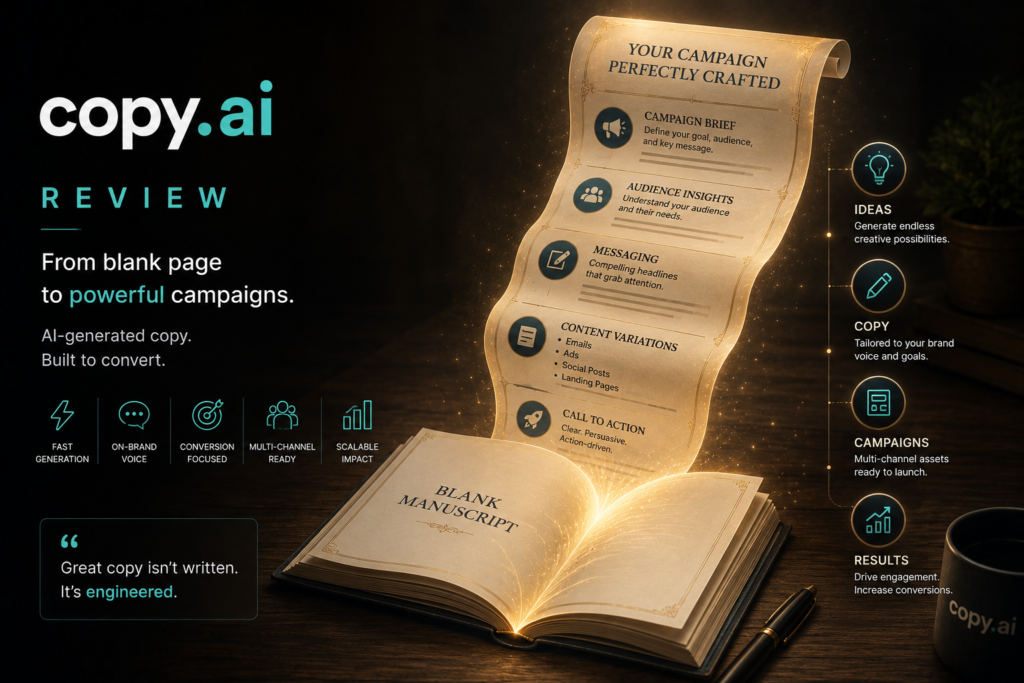
Review type: Research-based review
Last verified: 20 October 2026
Target audience: Small businesses, sales and marketing teams, agencies, and revenue operations (RevOps) teams
Primary business problem: Reducing repetitive go-to-market (GTM) work across prospect research, sales outreach, lead processing, and marketing content production.
Disclosure notice: This review is based on publicly available product documentation, official pricing information, and research available as of 20 October 2026. We have not independently tested Copy.ai. Features, pricing, integrations, and policies may change. Verify current details directly with the provider before making a purchase decision.
Quick Verdict: Copy.ai
| Review detail | Assessment |
|---|---|
| Primary business problem | Automating repetitive sales, marketing, and GTM workflows |
| Best-fit audience | Sales teams, marketing teams, agencies, and RevOps teams with recurring workflows |
| Not ideal for | Users seeking a free AI writing tool or a general-purpose AI assistant primarily for coding and technical work |
| Main purpose | AI content generation, research, prospecting, and workflow automation |
| Strongest documented advantage | Customizable workflows combining AI Actions, research, web scraping, and integrations |
| Main trade-off | Workflow automation requires more expensive plans and credit-based usage |
| Starting price | Chat: $29/month billed monthly or $24/month billed annually |
| Free plan or trial | No Free plan is listed on the official pricing page reviewed; trial availability was not independently confirmed |
| Business-fit verdict | Good Fit for suitable GTM workflows; Conditional Fit for solo users |
| Research-based rating | 4/5 |
| Evidence confidence | Moderate overall |
| Assessment type | Research-Based Assessment |
| Last verified | 20 October 2026 |
Our Verdict
Copy.ai is worth considering for businesses that want to systematize repeatable sales and marketing work rather than use AI solely to generate text. Its documented capabilities include customizable workflows, content generation, research agents, web scraping, event-based triggers, and connections to CRM and other GTM systems. These capabilities may be useful for account research, outreach preparation, lead processing, and content repurposing.
The main trade-off is cost. The Chat plan starts at $29 per month, or $24 per month with annual billing, but the Growth plan begins at $1,000 per month billed annually and includes 20,000 Workflow Credits per month. Buyers should confirm which plan supports their required workflow and estimate credit consumption before committing. We recommend a limited pilot rather than assuming that automation will improve business outcomes.
Key Takeaways
- Best reason to consider it: Copy.ai combines AI generation, research, web scraping, and configurable workflows for GTM processes.
- Main limitation: Workflow costs depend on credit consumption, and the entry-level Chat plan should not be assumed to include advanced workflow automation.
- Best business application: Account research and sales outreach preparation, with human review before sending.
- Pricing consideration: Chat is comparatively accessible; workflow-oriented Growth, Expansion, and Scale plans require substantial annual commitments.
- Alternative to consider: Jasper for brand-focused content marketing, ChatGPT for broader AI assistance, or n8n for technical workflow automation.
- Our recommendation: Shortlist Copy.ai for repeatable GTM workflows, then pilot one process and measure accuracy, review effort, credit use, and cost per completed task.
1. Introduction
Businesses today need a constant stream of high-quality content to attract customers, nurture leads, and drive sales. From emails and social media posts to sales outreach and blog articles, creating engaging content manually can consume valuable time and resources.
Copy.ai is a go-to-market (GTM) AI platform designed to support sales, marketing, and revenue operations. In addition to generating written content, the platform provides configurable Workflows that can combine Actions such as research, web scraping, and text generation.
For businesses, the potential value lies in making recurring processes more repeatable. A sales team might need to research target accounts and prepare outreach drafts. A marketing team might need to repurpose source material into several content formats. A RevOps team might want to connect information processing with existing systems.
Copy.ai’s documented capabilities make it a candidate for these workflows, but its suitability depends on the required features, subscription, credit consumption, data quality, and level of human oversight. This review examines its features, pricing, business applications, integrations, limitations, alternatives, and suitability for small businesses. It is a research-based assessment, not a hands-on product test.
2. What Is Copy.ai?
Copy.ai is a go-to-market (GTM) AI platform from Copy.ai. It combines AI-assisted content creation with configurable workflows intended to support recurring sales, marketing, and customer-facing processes.
| Attribute | Finding |
|---|---|
| Provider | Copy.ai |
| Product category | GTM AI platform |
| Core functionality | AI content generation, Actions, Workflows, research, web scraping, and integrations |
| Target audience | Sales, marketing, RevOps, agencies, and enterprise teams |
| Availability | Cloud-based platform |
| Business problem addressed | Repetitive GTM work across research, content, and process execution |
| Deployment model | Cloud-based; Enterprise includes guided implementation and additional capabilities |
| Launch history | The previously stated 2020 launch date was not independently verified in the research reviewed |
How It Works
A typical workflow can be understood in five stages. The exact steps depend on the configured workflow and available integrations.
- Input: A user supplies instructions, source material, a lead record, or another supported input.
- Processing: Configured Actions perform tasks such as research, web scraping, content generation, or data transformation.
- Output: The workflow produces a draft, summary, research result, or other configured output.
- Review: A person checks accuracy, completeness, tone, and compliance before consequential actions.
- Integration or action: Where the required connector or configuration is available, the workflow can pass information to connected systems or downstream processes.
Some capabilities are plan-dependent. In particular, the supplied official-pricing research places API access and bulk workflow runs under Enterprise. Workflow automation also uses credits, with consumption varying by workflow complexity.
3. Research Methodology and Evidence Standards
How This Review Was Prepared
This review uses publicly available product information and Perplexity research dated 20 October 2026. No hands-on product testing, independent technical benchmark, or real-world business pilot was conducted.
The assessment considers:
- Documented product features and workflow capabilities.
- Current pricing, billing terms, seats, and workflow-credit allocations.
- Integrations, API access, and third-party dependencies.
- Published security, privacy, and data-handling statements.
- Potential fit with common sales and marketing workflows.
- Relevant limitations, implementation requirements, and alternatives.
- The availability of independent evidence for quality and business outcomes.
We distinguish provider statements from Intelligent AI Lab’s analysis and illustrative scenarios. Vendor-reported customer outcomes are not presented as independently demonstrated results.
Evidence Classification
| Label | Meaning |
|---|---|
| Verified from identified sources | Confirmed in an identified source, primarily official product documentation or pricing information |
| Research-Based Analysis | Our interpretation of documented capabilities and their potential business fit |
| Not Independently Verified | The claim could not be sufficiently corroborated or tested in the available research |
| Illustrative Scenario | A proposed workflow that has not been implemented or tested by Intelligent AI Lab |
What We Could Not Verify
| Evidence area | Finding |
|---|---|
| Content quality | No independent benchmark of factual accuracy, hallucination rates, or writing quality was identified. |
| Outreach performance | Improvements in reply rates, meetings booked, or conversion were not independently demonstrated. |
| Workflow reliability | Research agents, scraping, CRM workflows, and API automations were not independently tested. |
| Credit consumption | Exact credit costs for specific workflows were not established. |
| Support quality | Support quality and response times were not independently evaluated. |
| Business outcomes | Copy.ai’s reported customer outcomes remain vendor claims unless independently corroborated. |
| n8n integration | Current native or supported n8n integration was not confirmed. |
| Brand Voice | A current feature specifically named Brand Voice was not confirmed. |
| Launch history | The claim that Copy.ai launched in 2020 was not independently verified. |
| Free trial | The current pricing research did not establish whether a free trial is available. |
Sources Consulted
| Source | Information Used |
|---|---|
| Copy.ai pricing | Current plans, prices, seats, credits, billing, and Enterprise features |
| Copy.ai security | Data training, encryption, access controls, audits, and SOC 2 report |
| Copy.ai platform components | Actions, data foundations, Workflows, integrations, and API |
| Copy.ai workflows | Workflow builder, Actions, research agents, web scraping, and triggers |
| Copy.ai how it works | Multi-step GTM workflows and event-based automation |
| Copy.ai GTM systems integrations | CRM/GTM integrations, outreach, transcripts, and Zapier |
| Copy.ai revenue intelligence | Inbound processing, outbound prospecting, deal coaching, and content workflows |
| Copy.ai SOC 2 announcement | SOC 2 Type II compliance |
| Copy.ai privacy notice | Personal-data safeguards |
| Copy.ai pricing blog | Conflicting older plan structure; not treated as current pricing |
4. Key Features of Copy.ai
| Feature | What it does | Potential business value | Availability and limitations |
|---|---|---|---|
| Workflow builder | Chains configurable AI Actions into repeatable processes | May reduce repetitive work across GTM tasks | Workflow runs consume credits; cost varies by complexity |
| Actions | Performs tasks such as content generation, research, and web scraping | May support multi-step processes | Requires suitable configuration and oversight |
| Research agents | Supports research tasks within workflows | May help prepare account research or content | Research accuracy was not independently benchmarked |
| Web scraping | Extracts information from websites as part of a workflow | May help gather publicly available information | Source quality, website terms, and applicable laws must be considered |
| Content generation | Produces sales, marketing, and other business content | May reduce initial drafting effort | Outputs require factual and editorial review |
| Event-based triggers | Starts workflows based on supported events | May reduce manual process initiation | Depends on supported triggers and system configuration |
| CRM/GTM integrations | Connects workflows with revenue-related systems | May reduce manual data transfer | Confirm the specific CRM, connector, plan, and available actions |
| Zapier connectivity | Provides access to additional apps through Zapier | May extend workflows across existing software | Third-party configuration and possible additional subscription costs |
| API access | Supports custom integration and bulk workflow runs | May help organizations embed workflows in internal systems | The supplied pricing research places API access under Enterprise |
| Guided implementation | Offers implementation support for Enterprise | May assist larger organizations with adoption | Enterprise-specific; actual support quality was not tested |
The Features That Matter Most for Businesses
1. Workflow automation
The workflow builder is the most relevant differentiator for businesses with repeatable GTM processes. Instead of generating a single email or article, a configured workflow may combine research, drafting, data transformation, and connected actions.
The benefit depends on whether the workflow produces reliable outputs with acceptable credit consumption and review effort.
2. Research and content generation
Copy.ai documents use cases including prospect research, outbound prospecting, inbound lead processing, deal coaching, sales-call analysis, and marketing content. These capabilities may be useful when teams repeatedly transform information into drafts, summaries, or structured outputs.
3. Integrations
Copy.ai documents direct CRM/GTM integrations and connectivity to additional apps through Zapier. The supplied research reports access to more than 2,000 apps through Zapier; this is a platform claim and should be checked against the current documentation. Buyers should verify their specific CRM and required actions rather than assuming every connector supports the same capabilities.
4. Enterprise capabilities
Enterprise includes API access, bulk workflow runs, guided implementation, customizable workflows, additional integrations, and a designated account and support team according to the supplied pricing research. These features may matter to larger teams, but the total cost and contractual terms should be established directly with the provider.
5. How Businesses Can Use Copy.ai
| Business function | Example problem | How Copy.ai may help | Human oversight or requirement |
|---|---|---|---|
| Sales outreach | Reps spend time researching accounts and drafting emails | Prepare research summaries and outreach drafts | Verify facts, tone, personalization, and compliance |
| Inbound lead processing | Leads require enrichment and routing | Support configured enrichment, classification, and follow-up workflows | Validate data and routing decisions |
| Content marketing | Teams need several content assets from source material | Generate drafts and repurpose content | Fact-check and edit before publication |
| E-commerce | Product pages and campaigns require recurring copy | Draft product descriptions and promotional content | Validate product specifications and claims |
| Customer success | Calls generate summaries and follow-up tasks | Assist with transcript analysis and action-item drafting | Check summaries and customer confidentiality |
| RevOps | GTM tasks are fragmented across systems | Codify repeatable workflows using supported integrations | Monitor workflow errors, permissions, and data quality |
Best-Fit Business Use Case: Account Research and Outreach Preparation
Business problem: A B2B sales team spends substantial time researching target accounts and preparing first-touch outreach.
Relevant capabilities: Copy.ai documents workflow Actions for research and content generation, along with web scraping and integrations.
Inputs and systems required: CRM records, company information, approved messaging guidelines, target-account criteria, and a human-review process.
Proposed workflow:
- A lead or target account is identified.
- The workflow gathers available account information from configured sources.
- Copy.ai generates a research summary and outreach draft.
- A sales representative verifies the facts and approves or edits the draft.
- The approved output is transferred to the relevant sales process using a supported integration or manual step.
Risks and limitations: Research may be incomplete or outdated; generated messages may contain incorrect assumptions; credit consumption can vary; and outreach must comply with applicable privacy, marketing, and anti-spam requirements.
Suggested pilot metrics: Time per outreach sequence, factual-error rate, editing time, credit consumption, reply rate, and meetings booked.
These are proposed metrics, not results achieved by Copy.ai or Intelligent AI Lab.
6. Intelligent AI Lab Business Decision Analysis
The Business Problem It Is Best Suited to Address
Copy.ai is most relevant when a business has recurring GTM tasks that require transforming information into usable content or structured actions. Examples include account research, outreach preparation, lead processing, and repurposing existing content.
The best candidate is a team with sufficiently frequent tasks, reasonably reliable CRM data, defined messaging rules, and an owner responsible for workflow design and review.
The business question is not simply whether Copy.ai can generate content. It is whether a specific workflow can be completed accurately and economically compared with the current process.
Is This the Right Tool for the Job?
| Decision factor | Assessment |
|---|---|
| Primary use case | Repeatable sales, marketing, and GTM workflows |
| Capability fit | Strong documented alignment with workflow-oriented GTM tasks |
| Main advantage | Combines AI Actions, research, content generation, web scraping, and integrations |
| Main trade-off | Credit-based automation and higher annual costs for workflow-oriented plans |
| Cost consideration | Subscription, credits, third-party integrations, implementation, and human review |
| Implementation consideration | Requires suitable data, workflow configuration, permissions, and monitoring |
| Key uncertainty | Whether output quality, reliability, and credit costs justify the investment for the specific workflow |
When to Choose Copy.ai
Consider Copy.ai when:
- Your team repeats the same sales or marketing process frequently.
- Research, drafting, and information transfer account for meaningful manual effort.
- The required CRM or GTM integrations are supported.
- Your budget covers the plan and expected workflow usage.
- You can assign an owner to maintain the workflow and review outputs.
- You can define measurable pilot criteria before expanding deployment.
When to Choose an Alternative
- Jasper: Consider it when brand-focused content marketing, brand consistency, and campaign production are the primary requirements.
- ChatGPT: Consider it for broader AI assistance across writing, research, coding, and general business tasks.
- Claude: Consider it for long-form drafting and document analysis.
- Writesonic: Consider it when SEO-oriented content production is the central need.
- HubSpot AI: Consider it when CRM-native marketing and sales processes are the priority.
- n8n: Consider it for technically managed, customizable workflow automation, including self-hosted deployment options. Verify the current edition, licensing, and hosting requirements.
- Zapier: Consider it when the main need is connecting apps with established automation recipes rather than adopting a dedicated GTM AI platform.
These are research-based starting points, not a definitive ranking. Compare current capabilities, pricing, integrations, and governance requirements before choosing.
When Not to Use AI
AI may not be necessary when outreach volume is low, the task is straightforward, or existing business software already meets the need.
Before automating a poor process, simplify it. Standardized forms, templates, CRM rules, and conventional workflow automation may solve some problems with less complexity and lower cost.
Do not rely on AI alone for consequential legal, financial, medical, or sensitive customer decisions. Keep appropriate human accountability and specialist review.
Our Recommended Next Step
Recommendation: Conduct a limited pilot.
Select one workflow, such as account research and first-touch email drafting. Establish a baseline using the current process, then compare the pilot against the same criteria.
Measure:
- Time per completed task.
- Editing and correction effort.
- Factual-error rate.
- Credits consumed per run.
- Total cost per usable output.
- Reply rate or meetings booked, if relevant and measurable.
Set a success threshold before testing. Expand only if the results justify the subscription, credit use, maintenance, and oversight costs.
7. Illustrative Business Automation Examples
These are illustrative scenarios, not workflows we have personally implemented or tested.
Example 1: Outbound Prospecting
Business scenario: A small B2B business wants to reduce the manual work involved in researching target accounts and preparing outreach.
Tools involved: Copy.ai, a CRM, approved messaging guidelines, and a supported native integration or third-party automation service where required.
Before: A salesperson researches a company, writes an email, checks the information, and updates the CRM.
Proposed workflow:
- Trigger: A new target account is identified.
- Input: Company information, target-account criteria, and approved messaging guidance.
- AI processing: Copy.ai prepares a research summary and drafts outreach.
- Human oversight: A salesperson checks facts, personalization, tone, and compliance.
- Integration or action: The approved output is transferred to the relevant sales workflow using a supported connection or manual step.
- Output: A reviewed outreach draft and an updated process record.
Potential benefits:
- Potentially less repetitive research and drafting.
- More consistent use of approved messaging.
- Reduced manual preparation effort.
Requirements and limitations:
- CRM data must be accurate.
- Generated claims must be checked.
- Email sending should not be assumed to be automatic or included in every plan.
- Workflow credit costs and integration requirements must be verified.
Suggested success metrics: Time per sequence, editing time, factual-error rate, credits per run, reply rate, and meetings booked.
Example 2: Content Repurposing
Business scenario: A marketing team wants to turn webinars, sales-call transcripts, or long-form material into multiple content assets.
Tools involved: Copy.ai, an authorized transcript source, content guidelines, and a human editorial review process.
Before: A marketer reviews the source material, identifies key points, drafts an article, and creates social content separately.
Proposed workflow:
- Trigger: A transcript or source document becomes available.
- Input: The source material, audience, content objective, and style guidelines.
- AI processing: Copy.ai generates draft summaries, articles, or social content.
- Human oversight: The editor verifies facts, quotes, confidentiality, and claims.
- Integration or action: Approved content is exported or transferred through a supported workflow.
- Output: A set of reviewed content drafts based on the original source.
Potential benefits:
- Potentially less repetitive drafting.
- More consistent reuse of source material.
- Easier preparation of multiple content formats.
Requirements and limitations:
- The business must have permission to use the source material.
- Customer information and confidential details must be protected.
- Outputs require editorial and factual review.
- Publishing and scheduling integrations must be verified separately.
Suggested success metrics: Editing time per asset, factual-error rate, assets accepted for publication, total cost per asset, and credit consumption.
Both examples require a controlled pilot to establish feasibility and business impact.
8. Pros and Cons of Copy.ai
| Pros | Cons |
|---|---|
| Documents configurable GTM Workflows and AI Actions | Workflow automation can require higher-priced subscriptions |
| Combines research, web scraping, and content generation | Workflow-credit consumption varies by complexity |
| Documents CRM/GTM integrations and Zapier connectivity | Specific connectors and actions must be checked |
| Supports a range of sales and marketing applications | Content quality and workflow reliability were not independently benchmarked |
| Offers API access and bulk workflow runs on Enterprise, according to the supplied pricing research | API access may require a custom-priced Enterprise agreement |
| Publishes security and privacy information and announced SOC 2 Type II compliance | Security documentation does not replace buyer due diligence or an independent review of the report |
What These Pros and Cons Mean for Buyers
Copy.ai’s most relevant strength is its focus on repeatable GTM processes rather than isolated text generation. This may be useful for teams that have recurring research, outreach, or content tasks.
However, the economics matter. A business should estimate the subscription, credits, integrations, configuration, maintenance, and human-review effort. It should also verify whether the required functionality is available in the plan it can afford.
The absence of independent performance testing does not mean Copy.ai performs poorly. It means buyers should validate workflow quality and business value themselves.
9. Copy.ai Pricing and Plans
Pricing verification date: 20 October 2026
Official website: https://www.copy.ai/
The Perplexity research reports that the current official pricing page lists five plans: Chat, Growth, Expansion, Scale, and Enterprise. The page reviewed did not list Free, Starter, or Advanced plans. An older Copy.ai pricing blog reportedly uses a different plan structure, so the live pricing page should take precedence for purchase decisions.
| Plan | Price reported in research | Billing basis | Key details reported |
|---|---|---|---|
| Chat | $29/month or $24/month annually | Monthly or annual; annual total $288 | Five seats, unlimited Chat words and projects, access to OpenAI, Anthropic, and Gemini models |
| Growth | $1,000/month | Annual billing; $12,000/year | 75 seats and 20,000 Workflow Credits/month |
| Expansion | $2,000/month | Annual billing; $24,000/year | 150 seats and 45,000 Workflow Credits/month |
| Scale | $3,000/month | Annual billing; $36,000/year | 200 seats and 75,000 Workflow Credits/month |
| Enterprise | Custom pricing | Custom contract | Guided implementation, API access, bulk workflow runs, 20+ integrations, customizable workflows, dedicated support, and enterprise features |
Important: These figures come from the supplied research and should be rechecked against the live official pricing page immediately before publication. Taxes, regional pricing, contract terms, and availability may differ.
What to Know Before Paying
Chat: The lowest listed self-serve plan in the research. It includes five seats and Chat features, but do not assume it includes the workflow-credit allocation or advanced automation needed for your use case.
Growth: The first listed plan with a specified Workflow Credit allocation. It requires an annual commitment according to the supplied pricing information.
Expansion and Scale: Offer higher seat counts and monthly credit allocations, with correspondingly higher annual costs.
Enterprise: Custom-priced and reported to include API access, bulk workflow runs, guided implementation, and additional enterprise capabilities. Confirm the exact scope in a proposal.
Workflow Credits: Credit consumption depends on the complexity of workflow tasks, including content generation, research, website scanning, and API use. Ask Copy.ai for expected usage and any applicable credit rate information before committing.
Plan changes: The supplied research says self-serve users can upgrade or downgrade plans, with upgrades prorated and downgrades credited on a later bill. Verify the current contractual terms.
Is Copy.ai Worth the Price?
Copy.ai may be worth evaluating when a team has enough recurring GTM work to justify workflow automation. It is less compelling for occasional content creation or for users who primarily need general-purpose AI assistance.
The relevant cost is total cost of ownership, not just the subscription:
- Subscription and Workflow Credits.
- Third-party automation or CRM costs.
- Implementation and configuration.
- Human review, editing, and correction.
- Ongoing maintenance and exception handling.
A pilot should establish the cost per usable output or completed workflow before scaling.
Best Plan Recommendation
| Buyer type | Initial recommendation | Reason | What to verify |
|---|---|---|---|
| Individual exploring AI | Compare Chat with general-purpose alternatives | Chat may suit content tasks without advanced automation | Current model access, limits, and trial availability |
| Solo business or freelancer | Cannot determine without usage needs | The value depends on required features and frequency of use | Whether Chat meets the actual workflow |
| Small team evaluating workflow automation | Request a Growth demonstration or quote | Growth is the first listed plan with a specified credit allocation | Annual commitment, credit consumption, and integration requirements |
| Scaling GTM team | Compare Expansion and Scale | Higher reported seat and credit allocations | Expected usage, governance, and total cost |
| Enterprise | Request an Enterprise proposal | Reported API, implementation, and enterprise capabilities | Custom price, security documentation, support terms, and contractual commitments |
Do not purchase a higher-tier plan simply because it includes more features. Choose based on a defined workflow and confirmed requirements.
10. Integrations and Technical Requirements
| Integration or requirement | Findings | What to check |
|---|---|---|
| CRM and sales systems | Copy.ai documents direct CRM/GTM integrations | Confirm the exact CRM, supported objects, actions, and plan restrictions |
| Email and collaboration | Workflows can support sales and marketing processes | Verify sending, scheduling, and collaboration functionality separately |
| Automation platforms | Zapier and additional apps are documented in the supplied research | Confirm connector actions, account requirements, and possible third-party costs |
| API access | Reported as an Enterprise feature | Confirm authentication, limits, access terms, and implementation requirements |
| Web scraping | Documented as a workflow Action | Review source reliability, website terms, and applicable law |
| Data sources | Custom data foundations and workflow inputs are documented | Verify supported formats, connector scope, and import/export limits |
| Security and administration | Security controls and SOC 2 information are published, according to the research | Review the current report, permissions, audit features, and contract terms |
| Implementation | Workflows require configuration and monitoring | Establish data ownership, error handling, and maintenance responsibilities |
Native vs. Third-Party Integrations
- Native capabilities: Workflows, Actions, research, content generation, and web scraping are documented platform capabilities.
- Third-party integration: Copy.ai documents connections to CRM/GTM systems and additional apps through Zapier.
- Custom integration: The supplied research places API access and bulk workflow runs under Enterprise.
- Unverified integration: A current supported n8n integration was not confirmed.
An API-based or third-party workaround should not be described as a native integration. Confirm the exact connection and actions required for the intended workflow.
Implementation Considerations
Before connecting business systems:
- Identify the data and permissions required.
- Confirm the connector and subscription requirements.
- Establish rules for reviewing and approving outputs.
- Define how failures, missing data, and inaccurate research will be handled.
- Decide who owns workflow maintenance and credit monitoring.
Begin with one bounded process before introducing multiple connected systems.
11. Copy.ai vs. Alternatives
| Tool | Best for | Key difference | Pricing position | Consider it instead when |
|---|---|---|---|---|
| Copy.ai | GTM workflow automation and prospecting | Workflow-focused combination of research, generation, and integrations | Chat from $29/month monthly or $24/month annually; workflow plans cost more | You need repeatable GTM processes and can justify the plan |
| Jasper | Brand-focused marketing content | Marketing content platform with documented brand-oriented features | Verify current pricing directly | Brand consistency and campaign content are the priority |
| ChatGPT | General-purpose AI assistance | Broad writing, research, coding, and business support | Verify current pricing directly | You need versatility beyond GTM automation |
| Claude | Long-form writing and document analysis | Useful alternative for drafting and document-focused tasks | Verify current pricing directly | Document analysis and nuanced writing are central |
| Writesonic | SEO-oriented content creation | SEO-focused content offering | Verify current pricing directly | Search-focused content is the main requirement |
| HubSpot AI | CRM-native sales and marketing | Closely associated with the HubSpot ecosystem | Verify current pricing and plan restrictions | You want to work within an existing HubSpot environment |
| n8n | Customizable workflow automation | Technical workflow builder with self-hosting options | Verify current edition, hosting, and licensing costs | You need greater technical control and have implementation resources |
| Zapier | Connecting apps and automating routine tasks | Broad app-to-app automation | Verify current plan and task limits | The core need is connecting existing applications |
Which Tool Should You Choose?
- Choose Copy.ai if you need repeatable AI-assisted sales and marketing workflows and its credit-based pricing fits your expected usage.
- Choose Jasper if brand-focused content marketing is the priority.
- Choose ChatGPT if you need a flexible assistant for a wide range of business tasks.
- Choose Claude if long-form writing and document analysis are central.
- Choose Writesonic if SEO content production is your main requirement.
- Choose HubSpot AI if CRM-native workflows and reporting are more important than a separate GTM platform.
- Choose n8n if you need technical customization or self-hosting and have the resources to manage it.
- Choose Zapier if connecting existing apps is the main problem.
These are directional comparisons. Verify current features, prices, and technical requirements before choosing.
12. Who Should Use Copy.ai?
Recommended For
- Sales teams: Account research, prospecting, and outreach drafting.
- Marketing teams: Campaign content and content repurposing.
- RevOps teams: Codifying recurring GTM processes.
- Agencies: Standardizing repeatable client content workflows.
- E-commerce businesses: Drafting product and campaign content, subject to factual review.
- Customer-success teams: Assisting with call summaries and follow-up drafts.
Not Ideal For
- Users seeking a free AI writing tool: The pricing page reviewed did not list a Free plan.
- Businesses with occasional writing needs: A general-purpose assistant or existing software may be sufficient.
- Teams needing extensive coding assistance: A developer-oriented tool or general-purpose AI assistant may be a better fit.
- Teams without reliable data: Workflow outputs may be undermined by poor CRM data and unclear process ownership.
- Organizations with strict technical or regulatory requirements: These buyers should complete security, legal, and integration reviews before adoption.
Best-Fit Buyer Profile
The strongest candidate is a sales or marketing team with frequent, repeatable GTM processes, reasonably clean business data, and a person accountable for workflow design and oversight.
The key buying criteria are workflow reliability, output accuracy, credit cost, CRM compatibility, data governance, and total cost per usable result.
13. How to Get Started With Copy.ai
This is a research-based implementation guide, not a report of a configuration performed by Intelligent AI Lab.
Step 1: Identify One Business Problem
Select a repetitive task such as account research, outreach preparation, lead enrichment, or content repurposing. Define the current process and its main bottleneck.
Step 2: Confirm Product Fit
Verify that the necessary Actions, integrations, workflow triggers, and plan features are available. Confirm whether Chat is sufficient or a workflow-oriented plan is required.
Step 3: Review Data and Permissions
Identify what customer, prospect, and business data the workflow will access. Review relevant privacy and security documentation before connecting sensitive systems.
Step 4: Design a Limited Pilot
Specify the inputs, expected output, approval points, exception handling, and fallback process. Retain human oversight for customer communications and consequential actions.
Step 5: Establish a Baseline
Record current task time, quality, error rate, and cost. Use the same definitions during the pilot.
Step 6: Evaluate the Pilot
Measure output accuracy, review effort, credit consumption, integration reliability, and cost per usable output. Include subscription and third-party costs.
Step 7: Decide Whether to Expand
Continue, revise, or stop based on evidence. Scale only when the workflow is reliable enough for its intended purpose and the business case is demonstrated.
14. Limitations, Risks, and Governance
| Risk area | Research findings | What buyers should check |
|---|---|---|
| Accuracy and reliability | Output quality and workflow reliability were not independently tested | Test factual accuracy, incomplete outputs, and exception handling |
| Privacy and data retention | Copy.ai says it does not train its models on individual customer data, share prompts with other customers, or sell customer data | Review current privacy terms, retention periods, and contractual provisions |
| Model training and data use | Provider statements describe restrictions on using customer data for model training | Confirm scope, exceptions, and applicable plan terms |
| Security | The research reports encryption, access controls, regular audits, and a SOC 2 Type II announcement | Obtain and review the current SOC 2 report and relevant security documentation |
| Compliance | Published security and privacy information is available, according to the research | Obtain legal and compliance review for regulated use cases |
| Access and permissions | Detailed enterprise administration controls were not independently evaluated | Verify roles, permissions, audit logs, and access management |
| Usage limits | Workflow credits vary by task complexity | Obtain a credit estimate and understand what happens when credits are exhausted |
| Human oversight | Generated content and workflow actions may be inaccurate | Require approval where errors could harm customers or the business |
| Vendor dependency | Export and migration capabilities were not independently verified | Confirm data export, workflow portability, and exit arrangements |
| Support and continuity | Support quality was not independently verified | Confirm service commitments, support coverage, and escalation arrangements |
What Businesses Should Check Before Adoption
- Reconfirm current pricing, seats, workflow-credit allocations, and plan restrictions.
- Confirm whether a free plan or trial is available.
- Request credit estimates for the intended workflows.
- Verify required CRM connectors, integrations, and API access.
- Confirm Brand Voice or n8n support if either is a purchase requirement.
- Review the current privacy notice, data processing terms, subprocessor information, and security documentation.
- Define human-review, data-access, monitoring, and exception-handling rules.
- Establish how workflow configurations and outputs can be exported if the business changes providers.
Copy.ai’s reported SOC 2 Type II compliance is relevant information, but it should not be treated as a blanket guarantee of security or regulatory suitability. Buyers should review the applicable report and contractual terms.
For sensitive or regulated workflows, seek appropriate technical, security, legal, or compliance review before deployment.
15. Final Verdict: Is Copy.ai Worth It?
Copy.ai is worth evaluating when a business wants to systematize repeatable GTM work across research, outreach preparation, lead processing, and marketing content. Its strongest documented advantage is the combination of AI Actions, configurable Workflows, research, web scraping, and integrations.
The main trade-off is cost and implementation complexity. Chat starts at $29 per month or $24 per month with annual billing, according to the supplied research, but workflow-oriented plans begin at $1,000 per month billed annually. Credit consumption varies by workflow, and API access is reported as an Enterprise feature.
Copy.ai is therefore a more compelling candidate for teams with frequent, repeatable GTM processes than for occasional writers or users who primarily need general-purpose AI assistance. Its real-world reliability, content quality, and business outcomes have not been independently established in this review.
Final Buying Recommendation: Pilot
Pilot Copy.ai if your business has a clearly defined GTM workflow and can measure its current cost and performance. Before purchasing, confirm the correct plan, expected credit consumption, integration requirements, and security terms. Compare alternatives if the workflow can be addressed more simply or if the required automation is outside your budget.
Scale only when measured results demonstrate that the workflow produces accurate, usable outputs at an acceptable total cost.
16. Intelligent AI Lab Rating and Scorecard
A. Business-Fit Verdict
Good Fit for sales, marketing, and RevOps teams with repeatable GTM workflows.
Conditional Fit for solo users and small businesses whose primary requirement is general-purpose writing or occasional content generation.
These verdicts describe suitability for the use cases assessed, not universal product quality.
B. Assessment Type
Research-Based Assessment. No hands-on test or business pilot was conducted.
C. Evidence Confidence
Moderate overall.
The supplied research identifies official documentation for key workflow capabilities, pricing, and security statements. However, the exact URLs for several supporting pages were not included in the research notes, and real-world content quality, workflow reliability, credit consumption, support quality, and business outcomes were not independently verified.
Confidence is therefore stronger for the plan structure and documented feature descriptions than for operational performance or return on investment.
D. Numerical Rating
Research-based rating: 4/5
Rating date: 20 October 2026
This is a structured assessment of Copy.ai’s documented suitability for repeatable GTM workflows. It is not a hands-on performance benchmark.
Product-Specific Scorecard
| Criterion | Weight | Score | Evidence and rationale |
|---|---|---|---|
| Core capability fit | 25% | 5/5 | The research documents Workflows, Actions, research, web scraping, content generation, and event-based triggers. Real-world output quality remains untested. |
| Business workflow fit | 20% | 5/5 | Documented use cases align with prospecting, inbound lead processing, sales enablement, and content workflows. Actual business outcomes are unverified. |
| Implementation feasibility | 15% | 3/5 | Workflows require suitable data, configuration, monitoring, and human review. Ease of implementation was not tested. |
| Integrations and interoperability | 15% | 4/5 | CRM/GTM integrations, Zapier connectivity, and Enterprise API access are reported in the research. Specific connector behavior and n8n support remain unverified. |
| Pricing and cost suitability | 15% | 2/5 | Chat has a lower entry price, but workflow-oriented plans begin at $1,000/month billed annually and credit consumption varies. Suitability depends on the buyer’s usage and budget. |
| Governance and operational readiness | 10% | 4/5 | Security and privacy statements and a SOC 2 Type II announcement are documented in the research. This is not an independent security audit. |
Weighted calculation:
(5 × 0.25) + (5 × 0.20) + (3 × 0.15) + (4 × 0.15) + (2 × 0.15) + (4 × 0.10) = 4.00/5
Research-based rating: 4/5.
The score reflects documented capability and apparent workflow fit, offset by pricing, implementation requirements, and unresolved performance questions. It should be revisited if a direct product test or controlled business pilot produces materially different evidence.
Overall Assessment Summary
- Business-fit verdict: Good Fit for GTM teams with repeatable workflows; Conditional Fit for solo users.
- Research-based rating: 4/5
- Evidence confidence: Moderate.
- Assessment type: Research-Based Assessment.
- Overall conclusion: Copy.ai is a strong option for GTM teams that need repeatable workflow automation across sales, marketing, and customer success. Its main buyer decision is workflow value versus credit cost: businesses with high-volume, repeatable GTM processes should pilot Copy.ai, while occasional users or general-purpose AI seekers should evaluate ChatGPT or Claude. Its 4/5 rating reflects strong workflow and GTM capability, offset by pricing structure and unverified performance outcomes.
17. Decision Checklist: Should You Choose Copy.ai?
Choose or Shortlist Copy.ai If:
- Its documented capabilities match a specific, recurring GTM problem.
- The required CRM integrations and plan features are confirmed.
- The subscription and likely credit use fit your budget.
- Your team can review outputs and manage workflow exceptions.
- Your privacy, security, and governance requirements can be met.
- You can measure value through a controlled pilot.
Consider an Alternative If:
- You mainly need occasional AI writing or general-purpose assistance.
- A required integration or workflow feature cannot be confirmed.
- Workflow-oriented pricing does not fit your budget.
- A simpler existing system or rules-based automation can solve the problem.
- Your organization requires technical, security, or contractual assurances that remain unresolved.
Decision guidance: A product can be worth shortlisting without being ready for immediate adoption. Resolve critical evidence gaps before committing.
18. Frequently Asked Questions About Copy.ai
What is Copy.ai used for?
Copy.ai is a GTM AI platform used for AI-assisted content generation and configurable workflows. The supplied research identifies applications including account research, outbound prospecting, inbound lead processing, sales enablement, and content repurposing.
Is Copy.ai free?
The current official pricing page reviewed in the supplied research did not list a Free plan. Whether a free trial is available was not independently confirmed. Check the official Copy.ai website for current terms.
How much does Copy.ai cost?
The supplied research reports Chat at $29 per month billed monthly or $24 per month billed annually. Growth is listed at $1,000 per month billed annually, Expansion at $2,000, Scale at $3,000, and Enterprise at custom pricing. Confirm all prices and limits against the current official pricing page before purchasing.
Is Copy.ai suitable for small businesses?
It may suit small businesses with recurring sales and marketing workflows, particularly when research and drafting consume substantial effort. Businesses should check whether Chat is sufficient or a higher-priced workflow plan is required, then pilot the process before scaling.
Is Copy.ai better than ChatGPT?
It depends on the job. Copy.ai is positioned around GTM workflows and sales/marketing processes. ChatGPT is a relevant alternative for broader writing, research, coding, and general business assistance. Compare the exact workflow, integrations, and current pricing.
Can Copy.ai automate business workflows?
Copy.ai documents customizable Workflows that can combine Actions such as content generation, research, and web scraping. The actual automation available depends on configuration, connected systems, and subscription. API access and bulk workflow runs are reported as Enterprise features.
Does Copy.ai integrate with n8n?
The supplied research did not independently verify a current n8n integration. If n8n is essential to your workflow, ask Copy.ai to confirm whether the connection is native, supported through another connector, or requires custom API work.
Is Copy.ai safe for business data?
Copy.ai states that it does not train its models on individual customer data, share prompts with other customers, or sell customer data. The supplied research also reports security controls and a SOC 2 Type II announcement. These are provider statements, not a guarantee of suitability for every organization. Review the current security report, privacy terms, data-processing agreement, and subprocessor information before using sensitive data.