
Adobe Firefly Review 2026: Features, Pricing, Use Cases & Is It Worth It for Small Businesses?
Review type: Research-Based Assessment
Last research review: 20 October 2026
Target audience: Designers, marketers, content creators, agencies, e-commerce businesses, and creative teams that need commercially oriented AI image, video, audio, and vector creation with Adobe Creative Cloud integration.
Primary business problem: Creative teams need to produce high-quality marketing visuals and campaign assets faster without sacrificing creative control or commercial-use confidence.
Disclosure notice: This review is based on publicly available product documentation, official pricing information, and other relevant sources. We have not independently tested the product. Features, pricing, integrations, and policies may change; verify current details with the provider before making a purchase decision.
Quick Verdict: Adobe Firefly
| Review detail | Assessment |
|---|---|
| Provider | Adobe |
| Primary purpose | AI-powered image, video, audio, and vector generation and editing |
| Best-fit audience | Designers, marketers, agencies, e-commerce businesses, and Adobe Creative Cloud users |
| Not ideal for | Users seeking simple drag-and-drop templates or a completely free standalone design platform |
| Strongest documented advantage | Creative capabilities combined with Adobe Creative Cloud integration and Content Credentials |
| Main trade-off | Credit-based premium generation, plan restrictions, and dependence on the Adobe ecosystem |
| Free plan | Yes, with limited daily generations |
| Entry-level paid plan | Firefly Standard — US$9.99/month, according to the supplied research |
| Business-fit verdict | Good Fit for Adobe-first creative teams |
| Research-based rating | 4.1/5 |
| Evidence confidence | High for documented features and supplied pricing; Moderate for overall business suitability |
| Assessment type | Research-Based Assessment |
| Research date | 20 October 2026 |
Our Verdict
Adobe Firefly is worth considering if your business regularly creates marketing visuals, product imagery, social media content, video assets, or other creative material. Its main advantage is the combination of generative-AI capabilities, image-editing tools, partner models, Content Credentials, and integration with applications such as Photoshop, Illustrator, Premiere Pro, Lightroom, and Adobe Express.
Firefly offers a Free plan for initial evaluation. According to the supplied research, Firefly Standard costs US$9.99 per month and includes 2,000 monthly generative credits. Higher-tier plans offer additional credits and selected applications or features.
However, Firefly is not automatically the best choice for every small business. Premium generation consumes credits, unused credits do not roll over, and partner-model costs vary. Businesses that primarily need quick, template-based social graphics may find Canva AI easier to adopt.
Our recommendation: Shortlist Adobe Firefly if creative production is a recurring business bottleneck. Begin with a limited pilot and measure usable output, editing time, credit consumption, and total cost per approved asset before committing to a higher-tier plan.
Key Takeaways
- Best reason to consider Firefly: It combines image, video, audio, and vector generation with Adobe-oriented creative workflows.
- Main limitation: Premium features can consume credits quickly, and credit requirements vary by model and output.
- Best business use case: Generating and refining product imagery, advertising concepts, social media visuals, and video assets.
- Pricing consideration: The supplied research lists Firefly Standard at US$9.99/month, Pro at US$19.99/month, and higher-capacity options.
- Alternative to consider: Canva AI for template-based marketing design, Midjourney for artistic image generation, or Figma AI for interface-design workflows.
- Best next step: Test one bounded creative workflow before expanding adoption.
1. Introduction
Creating high-quality visual content has become essential for businesses competing online. Whether it’s social media graphics, marketing campaigns, product images, website banners, or advertising creatives, businesses need fresh and engaging visuals to capture customer attention.
Small businesses often need a steady supply of visual content for websites, advertisements, product pages, social media, presentations, and video campaigns. Producing that content can involve photographers, designers, editors, multiple software tools, and several rounds of revisions.
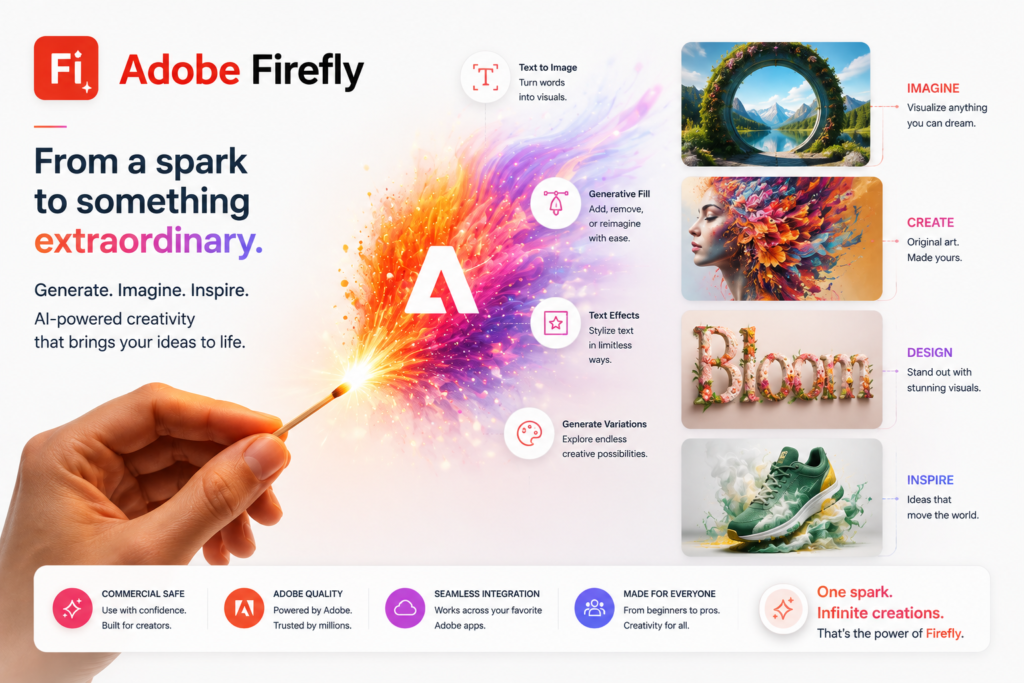
Adobe Firefly is a family of generative-AI models designed to assist with creative work. It supports capabilities across image, video, audio, and vector creation, along with editing functions and workflows connected to Adobe Creative Cloud.
For businesses already using Adobe applications, Firefly may provide a way to incorporate AI into existing creative processes instead of building an entirely separate workflow.
But generating content is only part of the business problem. The resulting assets must also be accurate, suitable for the brand, legally appropriate, and economical to produce.
This review examines Firefly’s documented capabilities, pricing, business use cases, integrations, limitations, governance considerations, and alternatives. It is based on publicly available research supplied for this review, not on direct product testing. Potential benefits should be validated against your own business requirements.
2. What Is Adobe Firefly?
Adobe Firefly is a generative-AI creative platform from Adobe. It is designed to help users generate, modify, and explore creative assets using text prompts, source material, and editing controls.
| Attribute | Finding |
|---|---|
| Provider | Adobe |
| Product category | Generative-AI creative platform |
| Core capabilities | Image, video, audio, and vector generation; image editing; creative exploration |
| Intended users | Designers, marketers, content creators, agencies, e-commerce businesses, and creative teams |
| Availability | Web, mobile, and supported Adobe Creative Cloud workflows |
| Business problem | Producing and refining creative assets while maintaining creative control |
| Deployment model | Cloud-based Adobe services with integrations into supported Adobe applications |
| Historical background | Adobe announced Firefly in 2023; this is historical context, not a current feature claim |
Firefly is more than a standalone text-to-image generator. Its broader purpose is to support creative work from ideation through generation and editing to final production.
The supplied research also identifies an AI Assistant, Firefly Boards for collaborative visual exploration, Custom Models, and access to selected partner models. Availability, plan restrictions, and credit requirements should be confirmed for the specific workflow you intend to use.
How Adobe Firefly Works
A typical creative workflow involves five steps.
- Provide an input. Enter a text prompt, upload a suitable image, or begin with a creative brief.
- Generate or edit. Use a supported capability such as image generation, Generative Fill, Generative Expand, or video generation.
- Explore variations. Refine prompts, compare outputs, and use supported creative tools to explore alternatives.
- Review the results. Check accuracy, visual quality, brand fit, licensing considerations, and credit consumption.
- Finalize the asset. Where supported, continue editing in Photoshop, Illustrator, Premiere Pro, Lightroom, or Adobe Express.
The exact steps depend on the selected feature, model, subscription, and Adobe application.
3. Research Methodology and Evidence Standards
How This Review Was Prepared
This is a research-based review, not a hands-on product test. The assessment draws on the supplied Perplexity research dated 20 October 2026, including identified Adobe product information, pricing and credit details, security-related documentation, Content Credentials information, and historical product announcements.
We did not independently operate Firefly, benchmark generated assets, test integrations, conduct customer interviews, or run a business pilot. Consequently, this article does not claim to demonstrate measured improvements in productivity, creative quality, conversion, or cost.
Evidence Hierarchy
| Priority | Source type | How it is used |
|---|---|---|
| 1 | Official product documentation | Documented capabilities, supported features, and restrictions |
| 2 | Official pricing and credit documentation | Plans, prices, credit allocations, and billing rules |
| 3 | Official privacy, security, and trust documentation | Data handling, security controls, and governance claims |
| 4 | Official release notes and announcements | Product changes and historical context |
| 5 | Reputable independent analysis | Independent evaluation where available |
| 6 | User reviews and community discussions | Supplementary indications of reported experience, not proof of performance |
Evidence Labels
- Verified from identified sources: The supplied research reports that the finding was confirmed against an identified source. This does not mean Intelligent AI Lab independently reproduced the finding.
- Research-Based Analysis: An interpretation of documented capabilities and their likely relevance to a business use case.
- Not Independently Verified: The claim or outcome was not independently confirmed through product testing or adequate evidence.
- Illustrative Scenario: A proposed workflow that has not been implemented or tested by Intelligent AI Lab.
What We Could Not Verify
| Evidence area | Limitation |
|---|---|
| Image and video quality | No independent benchmark was provided for visual quality, realism, or hallucination rates. |
| Brand consistency | Custom Models are documented, but consistent real-world brand output was not measured. |
| Workflow reliability | AI Assistant, Firefly Boards, Firefly Graph, Custom Models, and partner-model workflows were not independently tested. |
| Business outcomes | Cost savings, faster campaign production, and productivity improvements were not independently demonstrated. |
| API access | API pricing, rate limits, authentication requirements, and deployment restrictions were not fully verified. |
| Partner-model credit costs | Exact consumption varies by model and output; a complete cost comparison was not established. |
| Text Effects | Current availability and plan restrictions were not sufficiently verified. |
| Support quality | Actual support quality across plans was not independently assessed. |
| Commercial indemnification | The complete scope, eligibility requirements, and exclusions were not fully established. |
| Enterprise pricing | Custom enterprise pricing was not publicly established in the supplied research. |
Sources Consulted
| Source | Information Used |
|---|---|
| Adobe Firefly product page | Features, plans, prices, models, commercial-use claims, and integrations |
| Adobe generative credits FAQ | Credit rules, plan limits, feature costs, commercial use, and enterprise plans |
| Adobe Firefly product description | Generative Fill, Expand, credits, and enterprise allocation |
| Adobe generative AI overview | Firefly positioning and commercial-use orientation |
| Adobe Content Credentials | Content provenance and AI-use metadata |
| Adobe Firefly ethics and bias datasheet | Responsible-AI and Content Credentials claims |
| Adobe enterprise ebook | Enterprise privacy and data-training claims |
| Adobe Firefly security overview | Content Credentials, security, and Generation History |
| Adobe Firefly image expander | Commercial-use statement for non-beta Firefly outputs |
| Adobe Firefly introduction | Generative Fill, Expand, model selection, and training data |
| Adobe 2023 Firefly announcement | Historical Firefly launch and training-data positioning |
4. Key Features of Adobe Firefly
The following table summarizes capabilities described in the supplied research. Practical results will vary with the selected model, input quality, prompt, plan, and intended use.
| Feature | What it does | Potential business value | Important limitation |
|---|---|---|---|
| Image generation | Generates images from prompts | Supports creative exploration and marketing concepts | Output suitability requires human review |
| Generative Fill | Adds, removes, or replaces image content | May simplify image-editing tasks | Results may require refinement |
| Generative Expand | Extends image boundaries and canvas space | May help adapt assets to different formats | Generated extensions must be checked |
| Prompt to Edit | Uses natural-language instructions to modify images | May reduce some manual editing steps | Availability and credit use can vary |
| Video generation | Generates video from supported prompts or images | May assist with short-form creative assets and B-roll | Premium credit consumption can be significant |
| Audio generation | Supports selected speech, sound-effect, music, and translation workflows | May support video and localized content | Feature availability and costs vary |
| Vector generation | Creates vector graphics and variations | May help with design exploration and graphic assets | Final output still needs design review |
| Firefly Boards | Supports collaborative visual exploration and mood boards | May help teams align on creative direction | Collaboration quality was not independently tested |
| AI Assistant | Helps select or coordinate creative tools | May reduce friction in some creative workflows | Practical reliability was not independently tested |
| Custom Models | Supports model customization using brand-related assets | May help businesses explore more consistent visual styles | Public-beta status and plan eligibility must be checked |
| Content Credentials | Provides provenance metadata indicating AI involvement | May support transparency and content governance | Does not by itself establish ownership or legal clearance |
| Adobe integrations | Connects with supported Adobe applications | Supports continued editing and production | Exact features depend on the application and plan |
Four Capabilities That Matter Most for Businesses
1. Generative Fill and Generative Expand
These tools can add, replace, or extend image content. Potential applications include adapting product photos, exploring different backgrounds, and preparing creative assets for multiple aspect ratios.
The business question is whether the generated result is usable and whether it reduces total editing effort. That requires testing against the business’s existing process.
2. Multi-format creative generation
Firefly supports more than static image generation. The supplied research describes image, video, audio, and vector workflows.
This breadth may be useful for teams producing campaigns across multiple channels. However, having several capabilities in one platform does not establish that every capability is equally suitable for professional production.
3. Adobe Creative Cloud integration
Firefly works with supported applications including Photoshop, Illustrator, Premiere Pro, Lightroom, and Adobe Express.
For Adobe-first teams, this is a potentially meaningful advantage because AI-generated material can form part of an existing editing and production process.
4. Content Credentials
The supplied research reports that Firefly-generated content includes Content Credentials, which provide provenance metadata documenting AI involvement.
This can support transparency and internal governance. It should not be treated as a substitute for reviewing image rights, product accuracy, brand compliance, or applicable legal requirements.
5. How Businesses Can Use Adobe Firefly
| Business function | Example application | Human oversight required |
|---|---|---|
| Social media | Generate concepts, thumbnails, and visual variations | Check brand fit, accuracy, and platform requirements |
| Product marketing | Edit product images and explore background variations | Ensure the product’s appearance and characteristics are not misrepresented |
| Advertising | Explore creative directions for campaigns | Review claims, brand standards, and legal requirements |
| Website and blog content | Create illustrative graphics and featured images | Check accuracy, accessibility, and visual suitability |
| Video marketing | Explore video assets, B-roll, and localized creative material | Review visual continuity, audio quality, and translation accuracy |
| Brand development | Explore mood boards and visual directions | Ensure final assets comply with approved brand guidelines |
| Agency production | Create early concepts for client review | Obtain client approval and confirm commercial-use requirements |
Best-Fit Use Case: Product-Image Variations
Business problem: An e-commerce business needs different product backgrounds and promotional image formats without commissioning a separate photoshoot for every variation.
Relevant capabilities: Generative Fill, Generative Expand, background replacement, image editing, and supported Photoshop workflows.
Required inputs:
- An accurate source product image.
- Product specifications and approved product claims.
- Brand guidelines and intended image dimensions.
- A defined approval process.
Illustrative workflow:
- Start with an approved product photograph.
- Use a supported Firefly editing feature to explore backgrounds or scene variations.
- Review generated images for product distortion, incorrect details, and unrealistic elements.
- Refine selected images in an appropriate editing application.
- Approve and publish the final assets.
Risks: The AI may alter product characteristics, create unrealistic scenes, or produce images that require substantial editing. Credit consumption must also be included in the cost assessment.
Suggested pilot metrics: Usable image rate, editing time per approved asset, revision count, credit consumption, total cost per approved asset, and conversion impact where measurable.
This is a proposed use case, not a workflow tested by Intelligent AI Lab.
6. Intelligent AI Lab Business Decision Analysis
The Business Problem Firefly Is Best Suited to Address
Firefly is most relevant when a business has a recurring need to create and refine visual content. Examples include product imagery, campaign concepts, social graphics, illustrations, and selected video assets.
Its fit is strongest when the business already uses Adobe applications and has people capable of reviewing and refining AI-generated material.
The decision should not be based on whether the business can generate an image. It should be based on whether it can produce more usable, on-brand, commercially appropriate assets at an acceptable total cost.
Is Adobe Firefly the Right Tool for the Job?
| Decision factor | Assessment |
|---|---|
| Creative capability fit | Strong documented breadth across image, video, audio, and vector workflows |
| Adobe workflow fit | Particularly relevant for teams using supported Creative Cloud applications |
| Ease of adoption | Depends on existing creative skills, workflow complexity, and selected features |
| Cost predictability | Requires forecasting credit consumption and partner-model usage |
| Commercial-use confidence | Adobe provides commercial-use positioning, but users must check applicable terms and feature status |
| Business value | Plausible for recurring creative work; actual results require a pilot |
| Key uncertainty | Whether output quality, editing time, and credit costs outperform the existing process |
When to Choose Adobe Firefly
Consider Firefly if:
- You regularly create marketing or product visuals.
- Your team already works with Photoshop, Illustrator, Premiere Pro, Lightroom, or Adobe Express.
- You need AI-assisted editing as well as generation.
- You want to explore multiple creative formats in one platform.
- Content provenance and AI-use transparency are relevant to your workflow.
When to Choose an Alternative
Consider another tool if:
- You mainly need quick, template-based business graphics: evaluate Canva AI.
- You primarily want artistic image generation: evaluate Midjourney.
- You need UI/UX and collaborative interface design: evaluate Figma AI.
- You need general-purpose research, writing, coding, and business assistance: evaluate ChatGPT.
- Your creative needs are occasional and a paid subscription would be difficult to justify.
When Not to Use AI
AI-generated creative material should not be the sole authority for product claims, medical or legal evidence, regulated financial claims, or other sensitive factual content.
AI may also be unnecessary for infrequent, highly specialized work where a professional designer or photographer already delivers the required result efficiently.
Our Recommended Next Step
Run a two-to-four-week pilot on one bounded workflow, such as product-image variations or social campaign concepts.
Record the current process before introducing Firefly. Then measure output usability, editing time, revision cycles, credit consumption, and total cost per approved asset.
Evidence note: These recommendations are research-based. The supplied evidence does not independently demonstrate that Firefly reduces creative costs or accelerates campaigns.
7. Illustrative Business Automation Examples
The following examples describe possible workflows. They have not been implemented or tested by Intelligent AI Lab, and they do not establish a guaranteed business result.
Example 1: Product-Image Variation Workflow
Scenario: An online retailer needs several approved image variations for a product page and social media campaign.
Proposed workflow:
- A team member supplies an approved product photograph and brand requirements.
- Firefly is used to explore supported background or image variations.
- A human reviewer checks product accuracy, proportions, and brand fit.
- A designer refines the selected image in a suitable Adobe application.
- The approved asset is exported for its intended channel.
Potential benefit: The workflow may reduce some repetitive editing work or make visual exploration easier.
Requirements and limitations: Accurate source photography, current brand guidelines, sufficient credits, and an approval process are required. The generated result may still need significant editing.
Suggested metrics: Usable variations per product, editing time, revision cycles, credits consumed, and total cost per approved image.
Example 2: Social Campaign Concept Workflow
Scenario: A small marketing team wants to explore several visual directions before producing a seasonal campaign.
Proposed workflow:
- The marketing team defines the campaign objective, audience, and brand requirements.
- Firefly is used to generate possible visual directions.
- Firefly Boards or other suitable creative tools are used to organize concepts where available.
- A human reviewer selects and refines the strongest concepts.
- Final assets are approved and prepared for publication.
Potential benefit: The team may be able to explore more concepts before committing to final production.
Requirements and limitations: Clear creative direction, brand guidelines, model access, credit budgeting, and human review are essential.
Suggested metrics: Time to first usable concept, revision cycles, approved concepts per campaign, and credit consumption.
Evidence note for both examples: Treat these as pilot hypotheses. Measure the results before claiming time savings, cost reduction, or improved marketing performance.
8. Pros and Cons of Adobe Firefly
| Pros | Cons |
|---|---|
| Supports image, video, audio, and vector generation | Premium generation can consume credits quickly |
| Includes image-editing capabilities such as Generative Fill and Generative Expand | Outputs may require manual refinement |
| Integrates with supported Adobe Creative Cloud applications | Full value may depend on existing Adobe subscriptions and workflows |
| Provides Content Credentials for AI-use transparency | Provenance metadata does not remove all legal or licensing risks |
| Offers Adobe models and selected partner models | Partner-model costs and capabilities vary |
| Includes a Free plan for initial evaluation | Free usage is limited |
| Supports creative exploration and selected collaborative workflows | Real-world reliability and productivity gains were not independently measured |
What These Pros and Cons Mean for Buyers
For an Adobe-first creative team, Firefly’s main attraction is its potential to fit into an established creative production process. The critical question is whether its output requires less total effort to approve and finalize than the team’s current method.
For a non-designer who mainly needs ready-made marketing templates, Canva AI may be a simpler starting point.
9. Adobe Firefly Pricing and Plans
Pricing research date: 20 October 2026.
The following prices and plan details are based on the supplied Perplexity research. They are not independently verified live in this review. Prices, promotional offers, taxes, billing terms, and regional availability may change. Confirm the current terms on Adobe’s official website before purchasing.
| Plan | Reported price | Reported allocation and features | Potential fit |
|---|---|---|---|
| Firefly Free | US$0 | Limited daily generations across standard and premium features | Initial evaluation |
| Firefly Standard | US$9.99/month | 2,000 monthly generative credits; unlimited standard image features; access to selected premium features | Individual creators and small teams starting with Firefly |
| Firefly Pro | US$19.99/month | 4,000 monthly credits; Adobe Express Premium; Photoshop on web and mobile; selected unlimited generations for the first year | Creators needing greater capacity and included applications |
| Firefly Pro Plus | US$49.99/month regular price; reported limited-time price US$34.97/month | 10,000 monthly credits; Adobe Express Premium; Photoshop on web and mobile; selected unlimited generations for the first year | Higher-volume individual creators |
| Firefly Pro for Teams | US$19.99/month per license | 4,000 monthly credits, admin tools, and 24/7 support | Teams needing managed seats |
| Firefly Pro Plus for Teams | US$49.99/month per license | 10,000 monthly credits, admin tools, and 24/7 support | Teams needing more generation capacity |
| Firefly Premium for Teams | US$199.99/month per license | 50,000 monthly credits, unlimited Firefly Video Model access as described in the supplied research, admin tools, and 24/7 support | Video-heavy creative teams |
| Enterprise | Custom pricing | Plan-specific credit allocations and enterprise arrangements | Organizations needing enterprise procurement and controls |
Important: The supplied research reports annual commitments billed monthly for the listed team plans. Confirm contract length, cancellation terms, taxes, promotional eligibility, and exact included features before making a purchase decision.
Understanding Generative Credits
Generative credits are used for generation through Firefly and supported partner models.
The supplied research reports the following rules:
- Standard features: Many standard Adobe-model features use one credit per generation, although plan-specific unlimited allowances and feature definitions must be checked.
- Premium features: Video, audio, partner models, and other advanced features may consume more credits depending on the model and output.
- No rollover: Unused monthly credits do not roll over.
- Per-user allocation: Credits are generally allocated per user rather than pooled across team members, with exceptions for eligible enterprise agreements.
- Custom Models: The supplied research reports that Custom Models are in public beta, with a cost of 500 credits per training and 20 credits per generation. Confirm current availability and eligibility.
The practical cost depends on how many generations your team needs, how often outputs require revision, and which models and features are used.
What to Know Before Paying
Before choosing a plan, estimate:
- The number of approved assets you need each month.
- The likely number of generations and revisions per approved asset.
- The proportion of work requiring premium or partner-model features.
- Whether Photoshop, Adobe Express, or other included applications provide real value to your team.
- The cost of human review, final editing, and commercial-use checks.
Is Adobe Firefly Worth the Price?
Firefly may justify its subscription cost when creative work is frequent and the tool fits an existing Adobe workflow. It is less compelling if you generate only a few images occasionally or mainly need basic templates.
The correct comparison is total cost per approved asset, not just the subscription price.
Best Plan Recommendation
| Buyer type | Suggested starting point | Why | What to verify |
|---|---|---|---|
| Business evaluating Firefly | Free | Explore the workflow before paying | Daily limits and model access |
| Individual creator | Standard | Lower-cost paid entry point | Monthly credit demand |
| Adobe-first creative team | Pro for Teams | Team features and higher reported credit allocation | Seat count and credit forecasting |
| High-volume creative team | Pro Plus for Teams | Higher reported credit allocation | Partner-model consumption |
| Video-heavy team | Premium for Teams | Reported higher credit capacity and unlimited access to the Firefly Video Model | Exact conditions and video workflow requirements |
| Enterprise | Enterprise | Potentially suitable for organization-specific requirements | Contract terms, security, credits, and indemnification |
These are starting-point recommendations, not guarantees that a plan will be the most economical for every business.
10. Integrations and Technical Requirements
| Integration area | Research finding | Buyer consideration |
|---|---|---|
| Photoshop | Supported Adobe workflow | Confirm the exact features available under your subscription |
| Illustrator | Supported Adobe workflow | Verify the relevant vector and editing capabilities |
| Premiere Pro | Supported Adobe workflow | Check video handoff and feature availability |
| Lightroom | Supported Adobe workflow | Confirm the workflow required for photo editing |
| Adobe Express | Supported Adobe workflow | Check whether the included plan meets your content needs |
| Firefly Boards | Collaborative creative exploration | Confirm access and collaboration requirements |
| Partner models | Selected third-party models are available within Firefly | Compare model-specific capabilities and credit costs |
| APIs | Adobe references APIs for business-scale content creation | Verify access, pricing, authentication, rate limits, and plan requirements |
| Custom Models | Described as a customization capability | Confirm beta status, eligibility, and credit costs |
| Enterprise administration | Team and enterprise offerings describe administration-related features | Obtain detailed role, permission, storage, and governance documentation |
Native, Adobe, Partner, and Custom Capabilities
- Native Firefly capabilities: The supplied research identifies image, video, audio, and vector generation, Generative Fill, Generative Expand, Prompt to Edit, Firefly Boards, AI Assistant, and Content Credentials.
- Adobe integrations: Supported workflows include Photoshop, Illustrator, Premiere Pro, Lightroom, and Adobe Express.
- Partner models: The supplied research names models from providers including Google, OpenAI, ElevenLabs, Luma AI, Runway, and Kling AI. Specific models and availability may change.
- Custom integrations: APIs and Custom Models are referenced for business-scale creative workflows, but detailed technical and commercial requirements were not fully verified.
Do not assume that a feature available in the Firefly web application is automatically available through every API, subscription, or third-party automation platform.
Implementation Considerations
Before deployment, define:
- Which source files and business data may be uploaded.
- Which models and features are approved.
- Which outputs require human approval.
- How generated assets will be checked for accuracy and brand fit.
- How licensing and commercial-use requirements will be reviewed.
- How credit consumption and cost per approved asset will be tracked.
For most small businesses, a single bounded pilot is a better first step than broad creative automation.
11. Adobe Firefly vs. Alternatives
The right choice depends on the creative task. The following comparison is qualitative and is not based on direct head-to-head testing.
| Tool | Best suited to | Main distinction | Consider it when |
|---|---|---|---|
| Adobe Firefly | AI creative generation and editing in Adobe-oriented workflows | Creative Cloud integration and multiple media formats | You need professional editing and Adobe workflow continuity |
| Canva AI | Business graphics and template-based marketing content | Template-first design and accessible brand-content workflows | You want to produce branded social and marketing material quickly |
| Midjourney | Artistic image generation | Image-generation-focused creative exploration | Artistic style and visual experimentation are your priorities |
| Leonardo AI | Concept art and selected game-asset workflows | Creative image and asset generation | You need concept-art-oriented workflows |
| Figma AI | Product design and interface-design workflows | UI/UX design and collaborative product work | You are designing interfaces or digital products |
| ChatGPT | General-purpose assistance across research, writing, planning, and other tasks | Broad business assistance rather than a dedicated Adobe-style creative production environment | Your needs extend beyond visual asset creation |
Prices, plan features, and model capabilities for alternatives are not compared here because current details were not independently established in the supplied research.
Which Tool Should You Choose?
Choose Adobe Firefly if your business needs AI-assisted creative production and already uses Adobe applications.
Choose Canva AI if the main goal is accessible, template-based marketing content.
Choose Midjourney if your primary requirement is artistic image generation.
Choose Figma AI if your work centers on product interfaces and collaborative UI/UX design.
Choose ChatGPT if your principal need is general-purpose business assistance rather than a specialized creative production workflow.
The best tool is the one that solves the business problem with acceptable cost, quality, risk, and implementation effort.
12. Who Should Use Adobe Firefly?
Recommended For
Graphic designers: To explore visual concepts and assist with supported editing tasks.
Marketing teams: To develop campaign concepts, social content, and visual variations.
Content creators: To explore thumbnails, illustrations, and selected video or audio workflows.
E-commerce businesses: To test product-image editing and promotional visual variations.
Digital agencies: To explore creative directions for client projects, subject to approval and commercial-use requirements.
Adobe-first creative teams: To incorporate generative AI into existing supported Creative Cloud workflows.
Not Ideal For
- Businesses that only need basic, ready-made design templates.
- Users who require sustained high-volume generation without budgeting for credits.
- Teams without a process for checking generated assets.
- Organizations requiring confirmed API or enterprise capabilities that have not been validated for their intended plan.
- Businesses seeking general-purpose coding, research, or business automation as their primary use case.
Best-Fit Buyer Profile
The best-fit buyer is a small business or creative team that produces visual content regularly, uses Adobe applications, and has someone accountable for creative quality, brand consistency, and commercial-use review.
The main decision criteria should be:
- Usable output quality.
- Editing and revision time.
- Credit consumption.
- Integration with current workflows.
- Total cost per approved asset.
- Data governance and commercial-use requirements.
13. How to Get Started With Adobe Firefly
Step 1: Identify One Business Problem
Choose a specific recurring need, such as product-image variations, campaign concepts, social graphics, or video assets.
Avoid adopting Firefly simply because generative AI is available.
Step 2: Confirm Product Fit
Check that the features, models, output formats, and Adobe integrations you need are available under your intended plan.
Step 3: Review Data and Permissions
Determine what source images, brand materials, customer information, or other business data may be uploaded. Review applicable Adobe privacy and security terms before processing sensitive information.
Step 4: Design a Limited Pilot
Define the input, expected output, approval process, exception handling, and fallback method. Keep a human accountable for the final result.
Step 5: Establish a Baseline
Before using Firefly, record current production time, revision cycles, output volume, and estimated cost per approved asset.
Step 6: Evaluate the Results
Compare the pilot with the baseline. Include subscription costs, credits, any additional Adobe applications, partner-model usage, and human review time.
Step 7: Decide Whether to Scale
Continue, modify, or stop the pilot based on evidence. Expand only when the workflow meets your requirements for quality, risk, cost, and business value.
14. Limitations, Risks, and Governance
Generative AI can accelerate creative exploration, but it also introduces risks that should be addressed before production use.
| Risk area | Research finding | Recommended action |
|---|---|---|
| Accuracy and reliability | Generated assets may contain inaccuracies or unusable details | Review all production outputs |
| Brand consistency | Consistent brand output was not independently demonstrated | Use approved brand guidelines and human review |
| Privacy and data retention | Adobe describes data-training and privacy commitments; the exact scope must be checked in current terms | Review applicable privacy documentation and contractual terms |
| Model training | The supplied research reports Adobe says foundational Firefly models are not trained on customers’ proprietary data | Confirm the precise policy, scope, and exceptions that apply |
| Security | The supplied research describes Content Credentials and security-related controls | Obtain the current security documentation required by your organization |
| Content Credentials | Provenance metadata can document AI involvement | Do not treat credentials as proof of ownership, factual accuracy, or legal clearance |
| Access and permissions | Team plans describe administration tools | Verify roles, permissions, and storage controls |
| Credit limits | Credits reset monthly and generally do not roll over | Forecast consumption and establish budget alerts or review procedures where available |
| Human oversight | Creative outputs require judgment | Define who approves assets before publication |
| Vendor dependency | Workflows may depend on Adobe services and plan entitlements | Maintain source files and an appropriate export and continuity strategy |
| Commercial use | Adobe provides commercial-use positioning, with qualifications | Review feature status, terms, applicable law, and indemnification eligibility |
Commercial Use: What Businesses Should Understand
The supplied research reports that Adobe positions its own Firefly models as commercially safe and describes training on licensed Adobe Stock content and public-domain material where copyright has expired.
It also reports that outputs from non-beta features can be used commercially, subject to applicable terms. Beta outputs may generally be used commercially unless otherwise stated, but the supplied research identifies indemnification limitations for eligible teams and enterprise customers.
These statements should not be interpreted as a blanket guarantee that every output is free of legal risk. Businesses remain responsible for reviewing the applicable terms, source material, output, trademarks, likenesses, product representations, and use case.
Human Oversight Is Essential
Human review is especially important when an asset:
- Represents a real product or its specifications.
- Includes regulated or legally significant claims.
- Depicts identifiable people or sensitive situations.
- Will be used in paid advertising or customer-facing campaigns.
- Must comply with strict brand or client requirements.
Business-First AI principle: Automate repetitive work where it creates value, but do not automate poor processes or remove necessary accountability.
Buyer Due-Diligence Checklist
Before committing to a plan, verify:
- Current prices, billing terms, credit allocations, and regional availability.
- Credit consumption for the exact models and outputs you intend to use.
- Availability and limits for Text Effects, APIs, and Custom Models.
- Privacy, security, retention, and model-training terms applicable to your account.
- Commercial-use conditions and any indemnification eligibility or exclusions.
- Team permissions, administrative controls, and support arrangements.
- The workflow’s measured performance against your existing process.
Organizations with strict security, legal, or regulatory requirements should obtain the relevant contractual and technical documentation from Adobe before deployment.
15. Final Verdict: Is Adobe Firefly Worth It?
Adobe Firefly is a strong candidate for businesses that produce creative assets regularly and want AI-assisted generation and editing within Adobe-oriented workflows. Its documented breadth includes image, video, audio, and vector capabilities, along with tools such as Generative Fill and Generative Expand. Integration with supported Adobe Creative Cloud applications is a meaningful advantage for teams already using those products.
The strongest reason to shortlist Firefly is its potential to fit into an existing creative production process. Content Credentials may also help businesses document AI involvement in their assets. Adobe’s commercial-use positioning is relevant, but it should be assessed alongside feature status, contractual terms, and the intended use of the output.
The main trade-offs are credit complexity, plan restrictions, dependence on the Adobe ecosystem, and the need for creative review. A subscription price alone does not establish whether Firefly is economical. The more useful measure is the total cost of producing an approved asset, including credits, editing, revisions, and human review.
Final buying recommendation: Pilot for Adobe-first creative teams. Start with the Free plan or evaluate Standard for a limited production workflow. Measure output usability, editing time, credit consumption, and total cost per approved asset. If your primary need is fast, template-based business graphics, compare Canva AI before committing.
The rating below is a structured research-based judgment, not a hands-on performance benchmark. The business benefits remain hypotheses until demonstrated in a controlled pilot.
16. Intelligent AI Lab Rating and Scorecard
A. Business-Fit Verdict
Good Fit for Adobe-first creative teams, marketers, designers, and e-commerce businesses with recurring creative production needs.
Conditional Fit for non-designers who need straightforward, template-based content.
B. Assessment Type
Research-Based Assessment. This review does not claim direct testing, independent performance benchmarking, or measured customer outcomes.
C. Evidence Confidence
- High for documented capabilities and supplied pricing information: The supplied research identifies official Adobe product and pricing sources.
- Moderate for overall business suitability: Workflow fit can be assessed from documented capabilities, but actual usability, output quality, and business value depend on the buyer’s use case.
- Limited for measured performance claims: No independent benchmarks or controlled business-pilot results were supplied.
D. Research-Based Weighted Scorecard
The following scores are analyst judgments based on the supplied research. They are not based on hands-on testing or measured business outcomes.
| Criterion | Required weight | Score | Rationale |
|---|---|---|---|
| Core capabilities | 25% | 5/5 | Broad documented coverage of image, video, audio, vector generation, and editing |
| Business value | 20% | 4/5 | Strong potential fit for recurring creative workflows; measured outcomes remain unverified |
| Ease of use and implementation | 15% | 3/5 | Advanced workflows require creative direction, suitable inputs, and review |
| Integrations and automation | 15% | 5/5 | Strong documented Adobe ecosystem integration; detailed API requirements remain to be confirmed |
| Pricing and cost suitability | 15% | 3/5 | Free entry point, but credit consumption and partner-model costs complicate forecasting |
| Governance and operational readiness | 10% | 4/5 | Content Credentials and published security-related documentation are useful, but buyer-specific checks remain necessary |
Weighted calculation:
(5 × 0.25) + (4 × 0.20) + (3 × 0.15) + (5 × 0.15) + (3 × 0.15) + (4 × 0.10) = 4.10/5
Research-based rating: 4.1/5
The score represents a structured evaluation of documented suitability for the selected use case. It should not be interpreted as an independently measured performance result.
Overall Assessment Summary
- Business-fit verdict: Good Fit for Adobe-first creative teams; Conditional Fit for non-designers seeking simple templates.
- Research-based rating: 4.1/5
- Evidence confidence: High for documented capabilities and supplied pricing information; Moderate for overall business suitability and untested workflow performance.
- Assessment type: Research-Based Assessment
- Overall conclusion: Adobe Firefly is a strong candidate for businesses that need AI-assisted creative generation and editing within Adobe-oriented workflows. Its main trade-off is creative capability versus credit cost, workflow complexity, and the need for human review. Adobe-first teams should pilot Firefly against an existing workflow, while businesses focused on template-based marketing content should also evaluate Canva AI. The rating reflects documented capabilities and analyst judgment, not hands-on testing or proven business outcomes.
17. Decision Checklist: Should You Choose Adobe Firefly?
Shortlist or Pilot Firefly If
- You regularly create images, campaign visuals, or selected video and audio assets.
- Your business already uses Adobe Creative Cloud applications.
- You need AI-assisted editing as well as generation.
- You have clear brand guidelines and an accountable reviewer.
- You can forecast credit usage and evaluate total cost per approved asset.
- Your commercial-use and governance requirements can be satisfied.
Compare Alternatives If
- You mainly need template-based marketing design.
- Your image-generation needs are primarily artistic or concept-oriented.
- You need product-interface design rather than general creative production.
- You require API or enterprise features whose availability has not been confirmed.
- You cannot justify a recurring subscription for your current level of creative work.
Before You Commit
- Confirm the current plan and billing terms.
- Estimate monthly credit requirements.
- Test one real business workflow.
- Record the current process as a baseline.
- Measure output usability and editing time.
- Calculate total cost per approved asset.
- Review privacy, commercial-use, and governance requirements.
- Scale only if the pilot demonstrates sufficient business value.
18. Frequently Asked Questions About Adobe Firefly
What is Adobe Firefly used for?
Adobe Firefly is a generative-AI creative platform used to generate and edit images and other creative assets. The supplied research describes image, video, audio, and vector capabilities, along with tools for image editing and integration with supported Adobe applications.
Is Adobe Firefly free?
Yes. The supplied research reports a Free plan with limited daily generations across standard and premium features. Usage limits and feature access should be confirmed on Adobe’s current pricing page.
How much does Adobe Firefly cost in 2026?
The supplied research dated 20 October 2026 lists Firefly Standard at US$9.99/month, Firefly Pro at US$19.99/month, and Firefly Pro Plus at a regular US$49.99/month with a reported limited-time price of US$34.97/month. Team plans are reported at US$19.99, US$49.99, and US$199.99 per license/month, depending on the plan. Confirm current prices and terms directly with Adobe before purchasing.
What are Adobe Firefly generative credits?
Generative credits are used for generation through Firefly and supported partner models. Many standard features use fewer credits than premium features, while video, audio, and partner-model costs may vary. The supplied research reports that monthly credits do not roll over.
Is Adobe Firefly suitable for commercial use?
Adobe positions its Firefly models as commercially safe. The supplied research reports that non-beta outputs can be used commercially, subject to applicable terms, and identifies indemnification limitations for certain beta outputs. Businesses should review current terms and the specific feature before relying on an output commercially.
Is Adobe Firefly better than Canva AI?
It depends on the task. Firefly is a stronger candidate for Adobe-oriented creative editing and workflows involving supported image, video, audio, and vector capabilities. Canva AI may be a better starting point for businesses that prioritize accessible templates and straightforward marketing graphics. A direct pilot is the best way to compare fit.
Can businesses automate creative workflows with Adobe Firefly?
Firefly can support AI-assisted creative workflows, and the supplied research references APIs and Custom Models for business-scale content creation. However, API availability, pricing, rate limits, and deployment requirements need to be confirmed for the intended plan. Generated assets should retain appropriate human review.
Does Adobe Firefly guarantee lower creative costs?
No such guarantee should be assumed. Firefly may reduce some repetitive work, but the result depends on output usability, revisions, credit consumption, editing time, and the current production process. Businesses should compare total cost per approved asset during a controlled pilot.