
n8n AI Agent Tutorial: Build Your First Business AI Agent
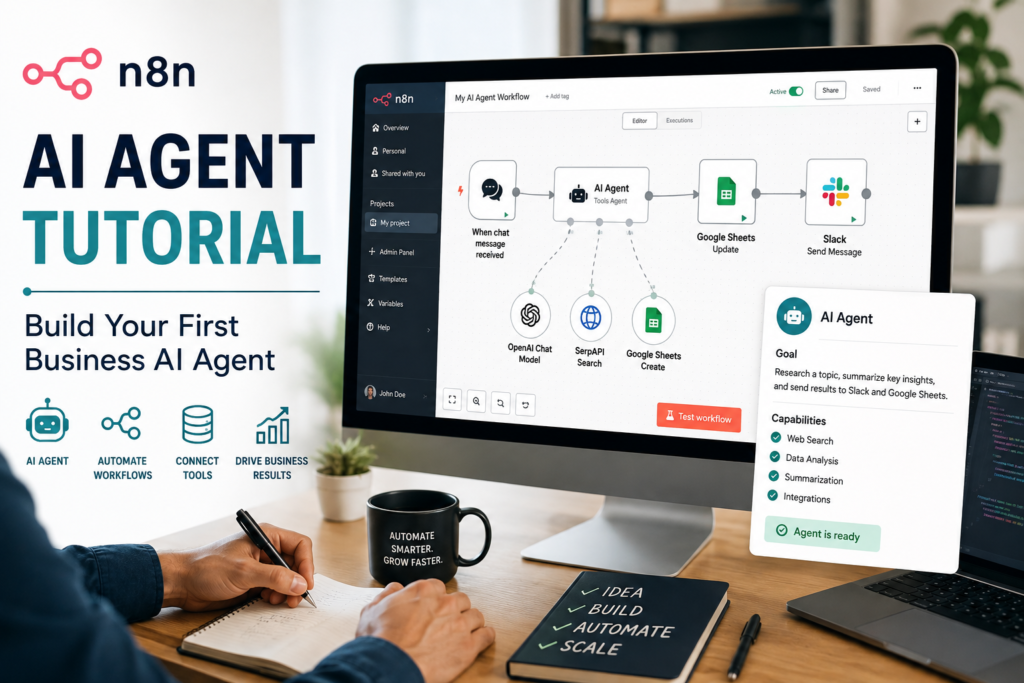
You don’t need “more AI.” You need fewer manual handoffs. If your team keeps re-reading the same inbound emails, copying details into a CRM, and deciding who should handle what, an n8n AI Agent can turn that repetitive triage into a predictable workflow—with human oversight where it matters.
Quick Answer (40–60 words): To build your first n8n AI Agent, start by defining one narrow business workflow (like lead triage). In n8n, create a trigger, add an AI Agent node connected to a model (Gemini or OpenAI), give the agent one or two tools (like HTTP Request or CRM actions), require structured JSON output, then test with real examples before activating and monitoring.
What an n8n AI Agent actually does (in plain English)
In n8n, a standard workflow is deterministic: if X happens, do Y. An AI agent is different: it can reason within boundaries you define, decide which tool to use, and produce a response in natural language or structured data.See the official AI Agent node documentation for the current node behavior and configuration options. This is where n8n agentic AI differs from traditional workflow automation: the workflow provides the structure and guardrails, while the agent can reason about the task and select from the tools you’ve made available.
A practical way to think about it:
- Workflow automation moves data and triggers actions reliably.
- AI workflow automation adds an LLM step for tasks like summarizing, extracting fields, classifying, or drafting.
- An AI agent adds “controlled autonomy”: the workflow gives it tools and constraints, and the agent decides how to use them to complete the task.
For small businesses, this matters because the biggest time drain is usually not one big task—it’s dozens of tiny decisions and copy-paste steps scattered across the day.
When to use an AI agent vs simple n8n automation (decision rules)
The most common mistake beginners make is building an agent because it’s exciting—and only later realizing a simple workflow (or even a simple form) would’ve been safer, cheaper, and easier to maintain.
Use this decision rule:
- Rules are enough → use automation. Example: “If subject contains ‘invoice’, forward to finance.”
- Judgment + variability → use AI (LLM step) inside a workflow. Example: extract key fields from messy inbound text.
- Judgment + tool use → consider an agent. Example: classify the request, look up customer data, choose the right next action, and generate a response draft.
A quick decision tree you can reuse
- Is the input predictable? If yes, prefer rules.
- Do you need natural language understanding? If yes, add an LLM step.
- Does the solution require choosing between tools/actions? If yes, an agent may help.
- Can mistakes create real business risk? If yes, add guardrails and human review—or don’t automate yet.
Business-First AI Insight: The ROI of an agent rarely comes from “smart answers.” It comes from removing repeated triage decisions that block your team from doing higher-value work. If your workflow doesn’t have a clear bottleneck and a clear handoff problem, you’ll struggle to justify the complexity of an agent.
What you need before you start (prerequisites)
This tutorial assumes you want something you can actually use for a business workflow—not just a demo.
1) A single, narrow business problem
Pick one:
- Lead triage from a website form
- Support inbox triage
- Internal request intake (IT, ops, HR)
- FAQ assistant grounded in your stored Q&A
In this tutorial, we’ll build Lead Triage Agent because it’s easy to test and clearly valuable for SMBs. If you want to explore other lead-management automation patterns, n8n also provides official lead-management workflow examples.
2) Access to n8n (cloud or self-hosted)
n8n can be used via cloud or self-hosted deployment. The right choice depends on your constraints (data handling, IT capacity, and governance). This tutorial works for either, but operationally:
- Cloud: faster to start, fewer maintenance tasks.
- Self-hosted: more control, but you own patching, uptime, and security hardening.
Verify current deployment details in n8n’s official documentation and check its current pricing and plan options before making a decision, because terms and options can change.
If you’re new to n8n, don’t worry about learning every available n8n node before starting. For this first agent, you only need a trigger, processing step, AI Agent, model connection, and a destination or action.
3) Model access (Gemini or OpenAI)
You’ll need API access and credentials for a chat model. The research commonly references Google Gemini and OpenAI as beginner-friendly options in n8n tutorials. If you choose Gemini, follow Google’s Gemini API getting started guide for current API-key and API setup instructions. Choose one to start—don’t multi-model your first agent.
4) One destination system (where results go)
Examples:
- Email (send a draft or notify sales)
- Slack / Microsoft Teams message
- CRM create/update lead
- Google Sheet / database record
For a first build, sending to Slack or Email is often the quickest path to value.
Overview: the workflow we’re going to build
Here’s the simplest “business-ready” shape for a first agent workflow. This n8n AI workflow combines a trigger, AI reasoning, tool use, structured output, human review, and a business action:
- Trigger: new lead submitted (or manual trigger while testing)
- Pre-processing: normalize fields, remove noise
- AI Agent: classify lead, draft a reply, decide next action
- Tool use: optionally look up enrichment data via HTTP request (or check a table)
- Structured output: JSON fields for routing and logging
- Human oversight: review high-risk cases or low-confidence outputs
- Action: create CRM task / send message / assign owner
- Logging: store inputs, outputs, and outcomes for improvement
Step-by-step: Build your first n8n AI Agent workflow
We’ll build it in a way that’s easy to test and safe to deploy. You can swap the trigger and destination later without redesigning the entire workflow.
Step 1: Start with a Manual Trigger (so you can test quickly)
Create a new n8n workflow and add a Manual Trigger node. This lets you simulate leads while you build.
Create a sample input payload (however you prefer in n8n) that looks like a real lead. Example fields:
- name
- company
- message (free text)
- service_interest (optional)
- budget_range (optional)
Implementation note: Your agent’s quality will be limited by your input quality. If your form collects vague “message only,” your agent will do more guessing. If you collect 2–3 structured fields, the workflow gets easier and more reliable.
Step 2: Add a “Normalize Lead Data” step (keep the agent’s job small)
Add a lightweight processing node (commonly a Set/Function-style step depending on your preferred approach) to:
- trim whitespace
- ensure missing fields become empty strings (not undefined)
- combine relevant context into one clean text block for the model
Example of what you want to pass to the agent as a single “lead context” string:
- Name: …
- Company: …
- Email: …
- Message: …
- Interest: …
- Budget: …
This matters because agents fail more often when they must interpret messy data structures and reason about business decisions at the same time.
Step 3: Add the AI model connection (Gemini or OpenAI)
Add the appropriate model node / credential configuration for your chosen provider (Gemini or OpenAI). This n8n AI agent tutorial uses either Gemini or OpenAI, so you can follow the same workflow structure regardless of which model provider you choose. The key actions are:
- Create credentials securely in n8n (API key management). If you choose OpenAI, refer to the OpenAI API quickstart for current API-key and API usage guidance.
- Select a chat-capable model
- Confirm the node can run with a basic “hello world” test before you introduce agent logic
Business trade-off: Model choice isn’t only about “quality.” It’s about reliability under your typical input volume, latency, your budget tolerance, and how easy it is for your team to operate. Start with one provider so debugging stays simple.
Step 4: Add the n8n AI Agent node (the brain, with boundaries)
Now add the AI Agent node and connect it to your model. If you’re learning how to build an AI agent with n8n, start with a narrow workflow where the agent’s decisions can be tested and reviewed.
Your goal is to give the agent a job that is:
- clear (what success means)
- bounded (what it must not do)
- verifiable (you can check outputs)
Step 5: Write a “business control” system instruction (prompt)
For business workflows, the most useful prompts are not clever. They’re strict.
Use a system instruction pattern like this:
- Role: You are a lead triage assistant for a small business.
- Objective: Classify, route, and draft a suggested reply.
- Hard constraints: Never claim you performed actions you didn’t. Don’t invent pricing. Ask for missing info instead of guessing.
- Output requirements: Output valid JSON matching a schema.
Step 6: Require structured JSON output (so downstream automation stays reliable)
Unstructured text is a common reason “AI workflow automation” breaks in production. Instead, require JSON with fields your workflow can route on. For model-specific implementation details, see the Gemini API documentation on structured outputs or the equivalent structured-output documentation for your chosen model provider.
Example JSON schema for lead triage:
- lead_type: one of [“sales”, “support”, “partnership”, “spam”, “other”]
- priority: one of [“high”, “medium”, “low”]
- confidence: number 0–1
- recommended_next_step: short string
- questions_to_ask: array of strings
- draft_reply: string (short, professional)
- tags: array of strings
Consultant Insight: A “confidence” field won’t magically be perfect, but it’s still useful as an internal gating signal. You can route low-confidence cases to human review instead of letting the workflow act automatically.
Step 7 (Optional but powerful): Give the agent one tool
Tools are what make an agent meaningfully different from “an LLM node.” A tool is an external action the agent can call, such as an HTTP request, calculator, or a lookup in a table. For model-level tool use, Google’s Gemini documentation also explains how tools and function calling can connect models to external information and actions.
For your first agent, add one tool. Two at most. Good first tools:
- HTTP Request tool: fetch enrichment data from an API you already use
- Lookup tool: check a Data Table / database for known customers
Why not add five tools? Because each tool adds: more failure points, more permissions to manage, more edge cases, and more confusing agent behavior. You’re trying to build a dependable business process, not a science fair project.
Step 8: Add grounding (when facts matter)
Some workflows can tolerate a bit of “drafting creativity” (like writing a friendly reply). Others require factual accuracy (like policies, SLAs, pricing, compliance statements).
If your agent must answer factual questions, ground it using a structured source:
- a Data Table of approved Q&A pairs
- a small internal knowledge base you maintain
- structured product/service definitions
This reduces hallucinations by forcing the workflow to rely on your data rather than the model’s guesses. It does add ongoing maintenance work—so only do it when incorrect answers would create real business risk.
Step 9: Add guardrails before you connect real systems
Before you let an agent create CRM records, send customer emails, or update tickets automatically, implement guardrails:
- Schema validation: if JSON can’t be parsed, stop and escalate
- Confidence threshold: if confidence < your threshold, route to review
- Allowlist actions: limit what tools can do (read-only first if possible)
- Rate limits: prevent loops or runaway triggers
- Redaction: remove sensitive fields before sending to the model when possible
When you should not fully automate: If a wrong action could create legal exposure, send the wrong commitment to a customer, or leak sensitive information, keep the agent in “draft + suggest” mode until you’ve proven reliability.
Step 10: Route the output to a business action (Slack/Email first)
For a first deployment, don’t start by auto-emailing customers. Start by sending the results to your team for review.
Create an action step that posts a concise message including:
- lead name + company
- lead_type, priority, confidence
- recommended_next_step
- draft_reply (optional)
This creates fast time-to-value while keeping humans in the loop.
Step 11: Add logging (so you can improve the agent instead of arguing about it)
If you don’t log inputs and outputs, improvement becomes guesswork. Create a simple log record per run containing:
- timestamp
- raw lead input (redacted as needed)
- agent JSON output
- final human decision (when available)
- outcome (contacted? qualified? spam?)
Later, you’ll use this to tune prompts, add missing fields to your form, refine routing rules, or decide the agent isn’t worth it for this workflow.
Tools, memory, and why “more agent” is often worse
Beginners often assume that adding memory and extra tools will automatically improve performance. In real operations, it often does the opposite: more complexity, more unpredictable behavior, more maintenance.
Tool design principles for SMB-safe AI agents
- Make tools narrow. “Create CRM lead” is better than “Do CRM stuff.”
- Prefer read-only tools first. Lookups before writes.
- Give tools clean inputs. If the tool expects an email, validate the email first.
- Add error handling. Tool failures should route to a clear fallback path.
Do you need memory?
Memory is useful when your agent must retain conversational context across messages. For lead triage, you often don’t need it: each lead is a single transaction. Memory becomes more relevant for chat-based assistants or ongoing support conversations.
Trade-off: Memory can improve continuity, but it also increases privacy concerns and the chance of the agent using outdated context. Only add it when the workflow truly requires it.
Testing and debugging your n8n AI Agent (how to avoid “it worked once”)
AI agents can look impressive in a single demo run and then fall apart under normal business variation. Testing is where you turn a cool workflow into a reliable one.
Create a small test set (10–20 examples)
Before you activate anything, collect realistic samples:
- high-intent lead asking for timeline and scope
- low-intent “just curious” message
- support request that should not go to sales
- spam or vendor outreach
- lead missing key information
Run them through the workflow and check whether the JSON outputs are consistent and parsable.
Debug from the edges inward
- First: is your trigger data correct?
- Second: is your “normalize” step producing clean context?
- Third: is the agent returning valid JSON every time?
- Fourth: do tool calls succeed with real-world inputs?
This keeps you from blaming “the model” for what’s actually a workflow data problem.
Common failure modes (and how to fix them)
- Bad prompts: outputs are inconsistent → tighten constraints, require JSON, add examples.
- Weak tool design: agent calls tools with wrong inputs → validate inputs, narrow tool contracts, add guardrails.
- Hallucinations: agent invents details → add grounding, require “unknown” responses, reduce scope.
- Missing guardrails: workflow takes action on uncertain output → add confidence thresholds and human review.
Activate and monitor (deployment that won’t surprise you)
Once testing is stable, deploy in phases.
Phase 1: Draft-only mode
- Agent analyzes and drafts
- Humans approve and take action
- Log outcomes for prompt improvements
Phase 2: Partial automation
- Auto-route low-risk cases (e.g., spam filtering)
- Keep high-impact cases in review
- Monitor error rate and escalation rate
Phase 3: Targeted full automation (only where proven)
- Only after consistent performance
- Only for clearly bounded actions
- With rollback and monitoring
KPIs to track (so you can prove business value)
- First response time
- Tasks automated per week
- Escalation (human review) rate
- Resolution / qualification rate
- Error rate (wrong routing, wrong tags)
- Estimated time saved per run
Practical n8n AI Agent Examples for Small Businesses
If lead triage isn’t your top bottleneck, here are other high-value options that fit n8n’s strengths (visual workflows + tool integration). These workflows are practical examples of how AI agents for small business can handle repetitive triage, routing, research, and content operations without removing humans from higher-impact decisions.
1) Support inbox triage (draft + route)
- Best for: teams drowning in inbound requests
- Agent role: classify issue, suggest priority, draft reply, route to owner
- Guardrail: don’t auto-send replies until quality is proven
2) FAQ agent grounded in approved Q&A
- Best for: businesses with repeated questions
- Agent role: answer only from your stored knowledge
- Guardrail: if answer not found, escalate instead of guessing
3) Research assistant with an HTTP Request tool
- Best for: agencies and ops teams doing repetitive lookups
- Agent role: fetch data via API, summarize, produce a brief
- Guardrail: limit to a known set of sources and read-only tools
4) Content operations assistant (format + handoff)
- Best for: teams producing lots of similar content assets
- Agent role: draft, rewrite, format into structured sections, create tasks
- Guardrail: require approval before publishing
5) Internal request router (ops/IT/admin)
- Best for: small teams where requests get lost in chat
- Agent role: categorize and route to the right queue
- Guardrail: keep actions limited to tagging/creating tickets
Business impact comparison: agent vs non-agent approaches
| Approach | Best For | Time to Value | Operational Risk | Maintenance Effort |
|---|---|---|---|---|
| Rules-only workflow automation | Predictable processes, clear conditions | Fast | Low | Low |
| Workflow + single LLM step | Summarization, extraction, classification | Fast to medium | Medium | Medium |
| n8n AI Agent (tools + reasoning) | Triage + routing + tool decisions | Medium | Medium to high (without guardrails) | Medium to high |
Common mistakes (and the better approach)
Mistake 1: Starting with the agent instead of the workflow
Why it happens: agents are exciting and feel like a shortcut.
Consequence: you get unpredictable outputs and unclear ownership.
Better approach: map trigger → processing → action first, then insert the agent only where human judgment was previously required.
Mistake 2: Letting the agent output free-form text
Why it happens: it’s the default way people use chat models.
Consequence: routing breaks, parsing fails, downstream nodes become brittle.
Better approach: require strict JSON and validate it before taking action.
Mistake 3: Adding too many tools too early
Why it happens: people equate “capable” with “reliable.”
Consequence: more failure points and harder debugging.
Better approach: start with 1 tool, prove value, then expand deliberately.
Mistake 4: Skipping monitoring and feedback loops
Why it happens: the workflow runs, so it “must be fine.”
Consequence: quality drifts, edge cases pile up, trust collapses.
Better approach: log runs, review a sample weekly, and refine prompts and routing rules based on evidence.
Implementation priority: Start Today → Improve Next → Scale Later
Start Today (60–90 minutes)
- Pick one workflow (lead triage or support triage)
- Build a manual-trigger version
- Force JSON output with 5–7 fields
- Send results to Slack/Email for review
Improve Next (next 30 days)
- Add logging and a small review process
- Add a confidence threshold and escalation path
- Add one read-only tool (lookup or HTTP request)
- Define KPIs and baseline them before/after
Scale Later (after proven results)
- Connect to CRM writes and ticket systems
- Add grounding for factual workflows
- Expand to a second workflow only after the first is stable
- Consider self-hosting only if the operational reasons are clear
FAQs
What is an n8n AI agent?
An n8n AI agent is a workflow-based agent that connects a chat model to triggers, tools (like HTTP requests or lookups), and control logic so it can classify requests, decide next actions, and generate structured outputs within the boundaries you set.
Do I need coding to build an n8n AI Agent?
Not necessarily. Many first agents can be built low-code using n8n’s visual nodes and credential setup. That said, comfort with APIs, data structures, and error handling helps a lot—especially once you add tools like HTTP Request.
Which model should I use first: Gemini or OpenAI?
Both are commonly used in beginner n8n AI agent tutorials. The best first choice is usually the provider your team can operate consistently (credentials, billing, governance) and that meets your latency and cost constraints. Start with one model to reduce debugging complexity.
What’s the difference between n8n automation and an AI agent?
n8n automation follows predefined steps. An AI agent can decide how to proceed—such as which tool to call or what questions to ask—within limits you define. If rules are enough, automation is usually safer and easier to maintain.
Do I need a knowledge base for an n8n AI Agent?
Only when factual accuracy matters. If your agent answers policy, pricing, or compliance-related questions, grounding it in a structured knowledge source can reduce hallucinations. For tasks like summarizing or drafting, a knowledge base may be unnecessary overhead.
What’s the biggest beginner mistake when building AI workflow automation in n8n?
Building an agent before defining the workflow and success criteria. If you can’t clearly explain the trigger, required inputs, expected outputs, and what “done” means, the agent will behave unpredictably and be difficult to improve.
How do I test an n8n AI Agent safely?
Use a manual trigger, run a test set of realistic examples, require structured JSON output, and route results to a human review channel (Slack/Email) before letting the workflow take real actions like emailing customers or writing to a CRM.
Can n8n AI agents be self-hosted?
n8n supports cloud and self-hosted setups. Self-hosting can offer more control, but it also adds operational responsibility (security, uptime, updates). Verify current requirements and options in official n8n documentation before choosing.
Conclusion: build the workflow first, then earn the right to add the agent
The fastest way to get value from an n8n AI Agent is to treat it like one component in a business process—not the whole solution. Map the workflow, tighten the inputs, define structured outputs, and add the agent only where human judgment and tool use are truly the bottleneck.
If you want a strong next step, pick one inbox or form that creates daily manual triage, build the “draft + route” version first, and measure response time and review rate for two weeks. That evidence will tell you whether to expand the agent, simplify it, or replace it with rules.
Next step: Map your first workflow on one page (trigger → decisions → tools → actions). Once that’s clear, building the n8n workflow is straightforward—and far more likely to succeed.