
Automate Lead Qualification with ChatGPT and HubSpot (Step-by-Step Guide)
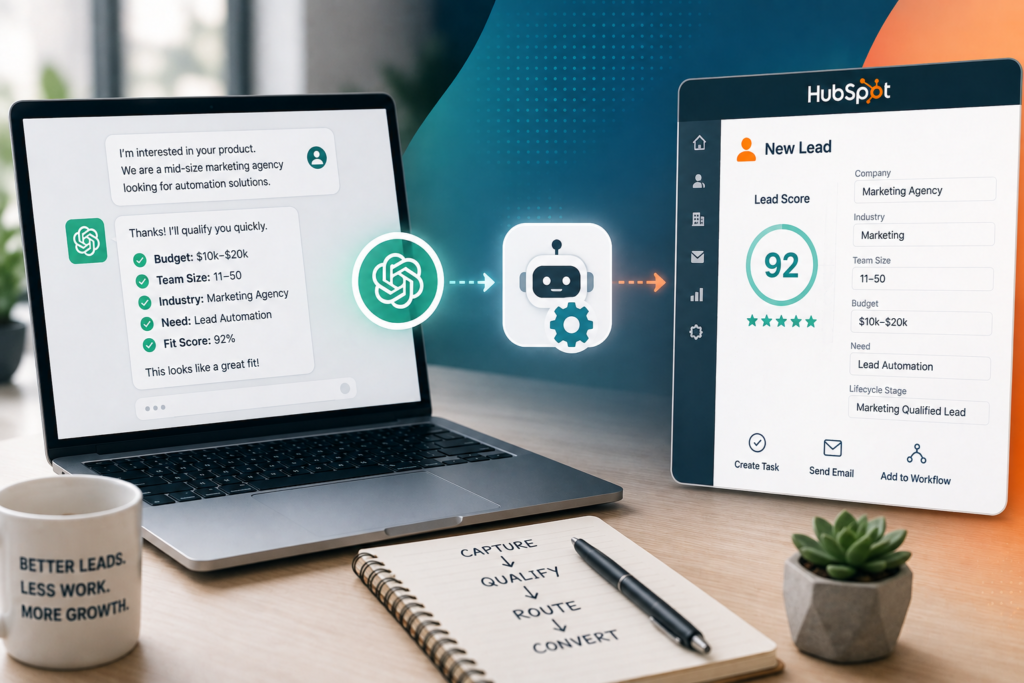
If your team gets a steady stream of inbound leads, the real bottleneck usually isn’t “getting more leads.” It’s the manual triage: reading every form submission, guessing intent, deciding who should respond, and fixing messy CRM records afterward. AI Lead Qualification helps by applying a consistent rubric to every lead and triggering the right HubSpot actions automatically—so high-fit prospects get fast responses and low-fit leads don’t consume sales time.
This guide walks you through a practical capture → score → route workflow using ChatGPT lead qualification logic plus HubSpot automation for routing, tasks, and follow-up.
Quick Answer (40–60 words): AI lead qualification uses ChatGPT to evaluate inbound leads against your ideal customer profile (ICP) and a clear scoring rubric, then writes the results back into HubSpot properties. HubSpot workflows can route qualified leads to sales, send alerts, create tasks, or enroll unqualified leads into nurture—reducing manual triage and improving speed-to-lead.
What Is AI Lead Qualification (and What It Isn’t)
AI lead qualification is the process of using an AI model to evaluate an inbound lead against your ICP and qualification criteria, then turning that evaluation into actions: score/tier assignment, CRM updates, routing, and follow-up.
It’s easy to confuse “lead scoring” with “lead qualification.” In practice, qualification is broader:
- Lead scoring = a number (or points) indicating fit/intent.
- Lead qualification = score plus a decision and handoff (sales vs nurture vs disqualify) with a clear summary of why.
That distinction matters because the business value comes from routing and follow-up, not from an AI-generated number sitting unused in your CRM.
Why Automate Lead Qualification in the First Place?
Most small businesses and agencies don’t fail at sales because they lack tools. They fail because their sales workflow can’t scale with inbound volume. The same symptoms show up repeatedly:
- Manual lead triage consumes SDR/owner time (reading, interpreting, deciding, updating CRM).
- Slow response times cause high-intent leads to cool off while your team is still “reviewing the form.”
- Inconsistent qualification happens when different reps apply different standards (or apply standards differently on busy days).
- Poor handoffs create bad discovery calls because context isn’t captured in a structured way.
- Wasted meetings occur when poor-fit leads get booked before they’re screened.
AI sales automation helps by making qualification a repeatable, auditable process: the same rubric, the same thresholds, the same CRM properties, and the same routing actions every time.
A Business-First AI Insight (Read This Before You Touch Any Tool)
Business-First AI Insight: Lead qualification automation is usually a process design problem more than a “which AI model is best” problem. A simple model with a clear rubric and clean CRM fields often beats a powerful model with vague criteria, inconsistent inputs, and no routing rules. Start by defining what “qualified” means operationally, then automate it.
What You Need Before You Start (So the Automation Doesn’t Break on Day 2)
Before building anything, get three foundations right: inputs, rubric, and HubSpot properties.
1) Decide your lead source and start with only one
Pick one inbound source for your pilot. Common choices:
- HubSpot form submissions (contact us, demo request)
- Website chat (HubSpot chatflows / customer agent)
- Typeform or other form tool that can trigger automations
Starting with one source keeps testing manageable and makes it easier to measure improvements (response time, qualification accuracy, meeting quality).
2) Define the minimum data you’ll score (keep it high-signal)
ChatGPT can only score what you give it. For most SMB sales motions, a small set of high-signal fields works best:
- Company size (employees, revenue band, or “solo / small team / mid-market”)
- Industry (and whether it’s a fit for your offer)
- Role/title (decision-maker, influencer, student/researcher)
- Pain point / goal (what they’re trying to solve)
- Urgency/timeline (this month vs “someday”)
- Budget signal (explicit budget, or proxy signals like scope/urgency)
- Buying intent (demo request, pricing request, implementation questions)
If your form currently collects only name + email + “message,” plan to add progressive profiling (collecting additional info over time) rather than turning your first form into a 12-field conversion killer.
3) Create a simple qualification rubric with thresholds
You need explicit categories that map to actions. A practical starting point:
- Qualified: high fit + high intent → routed to sales fast
- Nurture: moderate fit/intent → enrolled in a nurture sequence
- Disqualified: clear non-fit or wrong geography/service → polite close or resource route
- Needs Human Review: ambiguous, high-stakes, enterprise, unusual edge cases
4) Prepare HubSpot properties to store AI output (CRM automation needs a home)
Don’t store AI results only in notes. Make them usable by workflows and reports. Create properties like:
- AI Qualification Tier (Qualified / Nurture / Disqualified / Review)
- AI Qualification Score (0–100)
- AI Summary (short paragraph for reps)
- AI Primary Pain Point (picklist or text)
- AI Suggested Next Step (call / send pricing / request missing info)
- AI Confidence (low/medium/high) or numeric confidence proxy
- AI Last Qualified At (date/time)
These properties are the backbone of your CRM automation: routing, alerts, sequences, and dashboards all depend on them.
The Core Workflow: Capture → Score → Route (With Human Oversight)
Here’s the workflow you’re building:
- Capture inbound lead data (form/chat/contact properties).
- Normalize the input (clean up messy fields, combine notes).
- Score with ChatGPT using your rubric.
- Return structured output (JSON) so your automation can map fields reliably.
- Write back to HubSpot (update contact properties).
- Route in HubSpot (assign owner, create task, notify, enroll sequence).
- Escalate edge cases to a human review path.
- Measure and improve (accuracy, speed-to-lead, meeting quality).
Step-by-Step: Automate Lead Qualification with ChatGPT and HubSpot
There are three common implementation paths. This tutorial focuses on the most broadly accessible approach (ChatGPT + HubSpot + automation connector), then explains when to choose the others.
Choose your implementation path
| Option | Best For | Ease of Setup | Flexibility | Notes |
|---|---|---|---|---|
| HubSpot-native AI/customer agent + workflows | HubSpot-first teams who want minimal “glue” | High | Medium | Great when your qualification logic is straightforward and you want everything inside HubSpot. |
| ChatGPT + Zapier + HubSpot | Small teams who want the fastest no-code build | High | Medium | Good for a first version; costs/limits can rise with volume depending on your plans. |
| ChatGPT + Make (or n8n) + HubSpot | Agencies/ops teams needing branching, debugging, or advanced logic | Medium | High | Better for complex routing and multi-step enrichment; more learning/setup. |
Recommendation for most SMBs: start with ChatGPT + Zapier (or Make if you already use it) to prove the rubric and routing. Once it’s working and measurable, decide whether you need a more advanced setup.
Step 1: Create your HubSpot properties (field map)
Set these up first so you’re not retrofitting later. Here’s a simple field map that works well for reporting and workflow triggers:
| HubSpot Property | Type | Example Value | Used For |
|---|---|---|---|
| AI Qualification Tier | Dropdown | Qualified | Routing + workflow branches |
| AI Qualification Score | Number | 82 | Prioritization + reporting |
| AI Summary | Multi-line text | “50-person marketing agency; needs lead routing and CRM cleanup; wants rollout in 30 days.” | Rep context |
| AI Pain Point | Dropdown or text | Slow response time | Segmentation + personalization |
| AI Suggested Next Step | Dropdown | Create task: call within 15 min | Task automation |
| AI Confidence | Dropdown/number | High | Human review trigger |
| AI Last Qualified At | Date/time | 2026-08-02 10:05 | Auditing + re-qualification rules |
Step 2: Define your rubric (start simple, make it operational)
A practical rubric is explicit enough that two humans would score similarly. If your rubric feels like “we’ll know a good lead when we see it,” automation will amplify inconsistency.
Here’s a starter rubric you can adapt:
| Criterion | What “Good” Looks Like | Score Guidance | Notes |
|---|---|---|---|
| ICP Fit (industry + service match) | Lead matches target industries and use cases you serve | 0–30 | If you serve only certain industries, weight this heavily. |
| Company Size / Complexity | In your ideal range (enough need + budget) | 0–15 | Solo vs SMB vs mid-market changes your delivery model. |
| Role / Decision Power | Owner, exec, or clear buyer influencer | 0–15 | Not always required, but affects sales cycle. |
| Pain Point Clarity | Specific problem with measurable impact | 0–15 | Vague pain points create vague deals. |
| Urgency / Timeline | Wants to start soon | 0–15 | Fast timeline often correlates with intent. |
| Budget Signal | Budget stated or implied by scope | 0–10 | Don’t force budget questions too early if it hurts conversion. |
Example thresholds:
- Qualified: Score ≥ 75 and no “hard disqualifiers”
- Nurture: 40–74 or missing key info
- Disqualified: Score < 40 or hard disqualifier present
- Needs Human Review: high potential but ambiguous/contradictory answers
Step 3: Write a ChatGPT prompt that returns structured JSON
The goal is reliable automation, not beautiful prose. You want output your workflow can map into HubSpot properties every time.
Important: AI can misclassify if the rubric is vague or the input is weak. Your prompt should (1) restate the rubric, (2) force a valid JSON response, and (3) require short reasons that a rep can sanity-check.
Use a prompt pattern like this (adapt the rubric and your exact fields):
System/Instruction (conceptual): “You are a lead qualification assistant. Score leads using the rubric. Return only valid JSON.”
User prompt template (example):
- Provide lead input fields (name, email, company, role, industry, message, requested service, timeline, budget notes).
- Include your rubric and thresholds.
- Specify allowed values for tier and suggested_next_step.
- Require JSON only.
Example JSON schema to request:
- qualification_tier: “Qualified” | “Nurture” | “Disqualified” | “Review”
- score: integer 0–100
- confidence: “Low” | “Medium” | “High”
- primary_pain_point: short string
- summary: 1–2 sentences
- missing_info_questions: array of up to 3 questions
- suggested_next_step: one of your predefined steps
- hard_disqualifier: true/false
- reasons: array of 3–5 short bullets
In your automation tool, you’ll parse this JSON and map each field into HubSpot properties.
Step 4: Build the automation trigger (HubSpot → ChatGPT)
Your trigger depends on lead source. Common triggers:
- New form submission (HubSpot form)
- New contact created (with specific lead source value)
- Chat conversation ended (if you capture transcript/fields)
Implementation note: If you trigger on “new contact,” you’ll often catch incomplete records. A cleaner pattern is: trigger when required fields exist (e.g., email + message + company or selected service). If not present, route to a “collect missing info” path first.
Step 5: Call ChatGPT and validate the output
Whether you use Zapier, Make, or an API workflow, add two safety layers:
- Output validation: confirm the response is valid JSON and required fields exist.
- Range checks: enforce score 0–100 and allowed tier values.
If validation fails, don’t guess. Set AI Qualification Tier = Review and create a human task. Silent failures create CRM chaos.
Step 6: Update HubSpot contact properties (write-back)
Map the JSON fields to your HubSpot properties, for example:
- AI Qualification Tier ← qualification_tier
- AI Qualification Score ← score
- AI Confidence ← confidence
- AI Pain Point ← primary_pain_point
- AI Summary ← summary
- AI Suggested Next Step ← suggested_next_step
- AI Last Qualified At ← now()
Why this matters: writing results back into HubSpot is what turns AI into repeatable operations. It enables routing rules, reporting, and QA audits.
Step 7: Route leads in HubSpot (the part that actually saves time)
Now build a HubSpot workflow triggered by “AI Qualification Tier is known” (or updated). Branch by tier:
- Qualified
- Assign owner (round robin or territory rules)
- Create a task: “Call within X minutes/hours”
- Send Slack/email alert with AI Summary
- Optionally create a deal (if that matches your pipeline design)
- Nurture
- Enroll in a nurture sequence
- Send a helpful resource email (optional, depending on your marketing setup)
- Set a reminder task for later review if needed
- Disqualified
- Tag reason / set lifecycle stage appropriately (based on your governance)
- Send a polite “not the right fit” response or direct to self-serve resources
- Prevent sales sequence enrollment
- Review
- Create a task for a manager/ops owner: “Review AI qualification”
- Include reasons + missing_info_questions in the task notes
- Hold off on aggressive sequences until reviewed
Step 8: Add a “human handoff” policy (so AI doesn’t overreach)
Even strong prompts will face edge cases: unclear industries, conflicting messages, enterprise procurement language, or regulated scenarios. Define explicit review rules, such as:
- Any lead with confidence = Low → Review
- Any lead above a certain size threshold (if you treat them differently) → Review
- Any lead mentioning compliance/legal/medical data → Review
- Any lead with missing critical fields (budget/timeline) → Nurture or Review
This isn’t “being cautious.” It’s good operations: automation handles the majority path, and humans handle exceptions.
How to Score and Route Leads: A Practical Routing Decision Tree
If you want your automation to be predictable, tie routing to a small set of rules that sales can understand. Here’s a clean decision tree pattern:
- Hard disqualifier? (wrong country, wrong service, student/research only, explicit no budget, etc.) → Disqualified
- Score ≥ threshold and intent is high? → Qualified
- Score mid-range or missing key info? → Nurture
- Ambiguous + potentially valuable? → Review
Consultant Insight: Teams often try to route on 12 conditions from day one. Start with 3–4 rules that handle 80% of your inbound. Complexity is easy to add later; trust is hard to earn back once sales gets burned by bad routing.
Example Scenarios (So You Can Visualize the Workflow)
Scenario 1: Marketing agency filtering low-budget prospects
An agency receives “need help with ads” inquiries. ChatGPT scores based on company size, monthly spend signal, and timeline. Qualified leads go to an AE with a 15-minute call task; nurture leads get a helpful guide and a follow-up sequence; disqualified leads receive a polite response with a self-serve resource.
Scenario 2: Consultant handling inbound requests with inconsistent messages
A consultant gets long free-text submissions. ChatGPT summarizes the problem, extracts timeline and urgency, and flags missing info questions. Qualified leads get a task and a summary; Review leads are queued for manual inspection (often worth it because the lead might be high-value but unclear).
Scenario 3: Small B2B service business improving speed-to-lead
A local B2B service team wants fast response for high-intent leads. The automation triggers immediately after form submission, scores the lead, writes back to HubSpot, and sends a Slack alert with “AI Summary + Suggested Next Step.” The rep responds quickly with context instead of starting cold.
Testing and Launch: How to Pilot Without Damaging Your Pipeline
Qualification automation needs governance and a staged rollout. A practical testing approach:
Pilot checklist (recommended)
- Run in “shadow mode” first: generate AI tier/score but don’t auto-route for 1–2 weeks.
- Compare AI vs human decisions: sample 20–50 leads and review mismatches.
- Adjust rubric thresholds: tune what qualifies as “Qualified” vs “Nurture.”
- Improve inputs: add one high-signal form field if accuracy is limited by missing data.
- Turn on routing for Qualified only: keep Nurture/Disqualified in review until confidence improves.
- Document exceptions: define the “Review” triggers clearly.
What to measure (KPIs that prove business value)
- Speed-to-lead: time from submission to first rep touch
- Qualification accuracy: how often AI tier matches human review
- Meeting-to-opportunity rate: are booked meetings higher quality?
- Disqualification rate: are you filtering out poor-fit leads appropriately?
- Rep time saved: minutes avoided per lead (triage + CRM updates)
- Workflow error rate: JSON parse failures, missing fields, wrong routing
Common Mistakes (and How to Avoid Them)
Mistake 1: Vague criteria like “good fit” or “serious lead”
Why it happens: teams rely on tacit knowledge. Consequence: inconsistent scoring and rep distrust. Better approach: convert “good fit” into explicit signals (industry, size, urgency, use case) and make thresholds visible.
Mistake 2: Sending messy or incomplete inputs to ChatGPT
Why it happens: forms capture unstructured text; contact properties are empty. Consequence: the model guesses. Better approach: normalize inputs and add 1–2 high-signal fields or progressive profiling.
Mistake 3: Not forcing structured output (JSON) and validation
Why it happens: it’s easier to accept plain text. Consequence: broken field mapping and unreliable automation. Better approach: require JSON-only output, validate required keys, and fail safely to “Review.”
Mistake 4: Over-automating follow-up without a human safety net
Why it happens: teams want “fully autonomous sales.” Consequence: awkward outreach, misrouted leads, and brand damage. Better approach: automate routing and summaries first; keep outbound messages reviewed until you trust the system.
Mistake 5: Storing AI results only in notes
Why it happens: it’s quick. Consequence: you can’t route, segment, or report reliably. Better approach: store tier/score/summary in dedicated HubSpot properties so workflows and dashboards can use them.
Expert Verdict: HubSpot Native AI vs ChatGPT + Automation
Expert Verdict: If your qualification workflow is mostly “ask a few questions, categorize, and route,” HubSpot-native AI plus workflows can be the fastest and simplest path because everything stays in one platform. But if you need a more tailored rubric, strict JSON outputs, advanced branching, or multi-step logic, ChatGPT + HubSpot automation (via Zapier/Make or APIs) gives you more control—as long as you add validation and a human review lane.
Start Today / Improve Next / Scale Later (Implementation Priorities)
Start Today (1–2 hours)
- Pick one lead source for the pilot (one form or one chat flow).
- Create HubSpot properties for tier, score, summary, confidence.
- Draft a simple rubric and thresholds your sales team agrees on.
Improve Next (next 30 days)
- Build the automation to call ChatGPT and write JSON outputs back to HubSpot.
- Run shadow mode and review mismatches weekly.
- Turn on routing for “Qualified” only once accuracy is acceptable.
Scale Later (after you can measure impact)
- Add progressive profiling and/or enrichment if missing firmographics block accuracy.
- Expand to additional lead sources (other forms, chat, demo requests).
- Introduce more granular routing (territories, product lines, service tiers).
FAQ: AI Lead Qualification with ChatGPT and HubSpot
How does ChatGPT qualify leads?
ChatGPT qualifies leads by evaluating lead inputs (form answers, chat transcripts, contact properties) against a defined rubric—such as ICP fit, urgency, pain point, and budget signals—then returning a score and tier (Qualified/Nurture/Disqualified/Review) plus a short summary and recommended next step.
How do I automate lead qualification in HubSpot?
Use HubSpot to capture leads and trigger workflows, then call an AI step (via native tools or an automation connector) to score the lead and write the output into HubSpot properties. From there, HubSpot workflows can assign owners, create tasks, send alerts, or enroll leads in sequences based on the AI tier.
What data should I send to ChatGPT for lead qualification?
Send high-signal fields like industry, company size, role, pain point, urgency/timeline, and any buying-intent indicators (demo/pricing request). If you only have free text, include the full message plus any structured fields you can collect without hurting conversion.
Should I use Zapier or Make for this workflow?
Zapier is typically easier for beginners and faster for a first version. Make is often better when you need complex branching, more control over multi-step scenarios, and easier visual debugging. If your workflow will grow quickly, starting with Make (or a more advanced platform) can reduce future rework.
Is HubSpot’s native AI enough for lead qualification?
It can be, especially for HubSpot-first teams with straightforward qualification logic and routing needs. Custom ChatGPT workflows are most valuable when you need tighter control over scoring logic, structured JSON outputs, and specialized handoff rules that go beyond what native tooling comfortably supports.
How accurate is AI lead scoring in real workflows?
Accuracy depends less on the model and more on your rubric quality, input data completeness, and validation/human review design. A clear rubric with a small set of high-signal fields and a “Review” lane for ambiguous leads typically produces more reliable outcomes than trying to automate everything end-to-end immediately.
What should happen to unqualified leads?
Unqualified doesn’t have to mean “ignored.” Most businesses benefit from routing low-fit or not-ready leads into a nurture path (educational emails, resources, periodic check-ins) so you preserve goodwill and capture future intent without burning sales time today.
How do I prevent hallucinations or bad AI decisions?
Force structured JSON outputs, validate fields and ranges, keep a human override path for low-confidence or high-stakes leads, and pilot in shadow mode first. Also improve your inputs—AI can’t reliably infer missing firmographics or intent if the form data is too thin.
Conclusion: The Goal Isn’t “More AI”—It’s Fewer Bad Sales Hours
The most effective AI Lead Qualification systems don’t try to replace sales judgment. They standardize it. When you combine a clear rubric, structured ChatGPT outputs, and HubSpot workflows that route and follow up automatically, you get a sales operation that responds faster, wastes fewer discovery calls, and keeps your CRM clean enough to trust.
If you implement only one idea from this guide, make it this: treat qualification as an operational workflow (capture → score → route) with measurable KPIs. Tools come second.
Next step: pick one lead source, define your rubric and thresholds, and run a two-week shadow-mode pilot that writes AI tier/score/summary into HubSpot properties. Once sales trusts the output, turn on routing for Qualified leads and measure speed-to-lead and meeting quality.
If you want help pressure-testing your rubric, property design, and routing rules before you automate, consider booking an AI lead qualification audit or downloading a lead qualification rubric template so your workflow is business-ready before it’s “AI-enabled.”