
Learn how to build a WhatsApp AI chatbot for your business without coding. Discover the tools you need, follow a step-by-step setup process, explore real business use cases, and learn best practices to automate customer support, lead generation, and appointment booking.
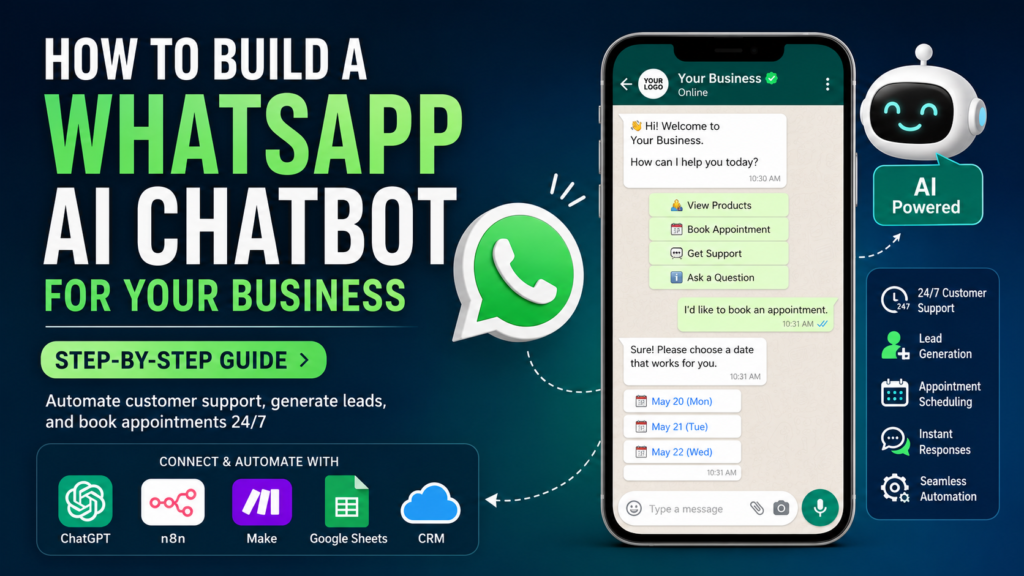
Why WhatsApp AI Chatbots Are Becoming Essential for Small Businesses in 2026
For most small businesses, customer conversations now happen on WhatsApp rather than email.
Customers use WhatsApp to ask about products, request quotations, schedule appointments, check order status, and seek support. They expect fast, convenient, and personalized responses—often within minutes.
The challenge is that most business owners cannot stay online 24 hours a day.
Every unanswered message represents a missed opportunity.
Many businesses spend hours every day responding to the same questions:
- What are your business hours?
- How much does this service cost?
- Do you have this product in stock?
- Can I schedule an appointment?
- Where is my order?
- Can someone call me?
These repetitive conversations consume valuable time that could be spent growing the business.
This is where AI-powered WhatsApp chatbots make a significant difference.
Instead of manually responding to every message, businesses can deploy an intelligent chatbot that understands customer questions, provides accurate responses, captures leads, books appointments, and escalates complex issues to a human when necessary.
Today’s AI chatbots are no longer simple rule-based systems.
By combining WhatsApp Business with large language models such as ChatGPT, Claude, or Google Gemini, businesses can create intelligent assistants capable of understanding natural language and delivering human-like conversations.
The result is faster customer service, improved customer satisfaction, reduced workload, and greater operational efficiency.
Business-First Insight:
Businesses that gain the greatest value from AI don’t simply use AI tools—they redesign customer communication around intelligent automation.
Why WhatsApp Matters for Business
WhatsApp has become one of the world’s most widely used messaging platforms, making it one of the most effective channels for customer engagement.
Unlike traditional communication methods, WhatsApp offers immediate, conversational interactions that customers already prefer.
For small businesses, this creates an opportunity to serve customers where they are already spending their time.
Why Customers Prefer WhatsApp
Customers appreciate WhatsApp because it is:
- Fast and convenient
- Familiar and easy to use
- Available on every smartphone
- Suitable for both personal and business communication
- Capable of supporting text, images, videos, voice notes, and documents
Instead of filling out lengthy contact forms or waiting for email replies, customers can simply send a message and receive assistance instantly.
The Business Challenge
As customer inquiries increase, manually responding becomes increasingly difficult.
Business owners often find themselves answering identical questions dozens of times each day.
Examples include:
- Product availability
- Pricing information
- Appointment scheduling
- Order tracking
- Delivery questions
- Frequently asked questions
Without automation, response times become slower, customers become frustrated, and staff productivity declines.
How AI Changes Customer Communication
Traditional chatbots could only answer predefined questions.
Modern AI chatbots can:
- Understand natural language
- Recognize customer intent
- Generate personalized responses
- Remember conversation context
- Route conversations intelligently
- Escalate complex issues to staff
Rather than replacing employees, AI handles repetitive conversations so your team can focus on higher-value customer interactions.
Benefits of AI Chatbots for Small Businesses
Implementing a WhatsApp AI chatbot isn’t just about saving time—it transforms the way your business communicates with customers.
Here are some of the biggest benefits.
1. Provide Instant Responses
Customers expect immediate replies.
Instead of waiting until business hours, an AI chatbot responds within seconds.
This improves customer satisfaction and reduces abandoned inquiries.
2. Deliver 24/7 Customer Support
Your chatbot continues working even when your business is closed.
It can:
- Answer common questions
- Collect customer information
- Book appointments
- Capture sales inquiries
This ensures you never miss potential business opportunities.
3. Save Hours Every Week
Many small businesses spend several hours each day answering repetitive questions.
Automating these conversations allows owners and employees to focus on activities that generate revenue.
Examples include:
| Manual Task | AI Chatbot |
|---|---|
| Answer FAQs | Automated |
| Product inquiries | Automated |
| Appointment booking | Automated |
| Lead capture | Automated |
| Basic customer support | Automated |
4. Improve Lead Generation
Instead of simply answering questions, an AI chatbot can qualify potential customers by asking relevant questions.
For example:
- What service are you looking for?
- What is your budget?
- When do you need the service?
- Where is your business located?
Qualified leads can then be automatically forwarded to your sales team or CRM.
5. Deliver Consistent Customer Service
Human responses often vary depending on who is replying.
AI chatbots provide consistent, professional communication aligned with your business policies and brand voice.
6. Scale Without Hiring Additional Staff
As your business grows, customer inquiries increase.
Rather than immediately hiring additional support staff, AI enables your business to handle significantly more conversations without a proportional increase in operating costs.
What You’ll Build
In this guide, you’ll learn how to create a practical WhatsApp AI chatbot that delivers real business value without requiring advanced programming skills.
By the end of this tutorial, you’ll understand how to build several common chatbot solutions that many small businesses use every day.
Customer Support Bot
This chatbot answers frequently asked questions automatically.
Typical questions include:
- Business hours
- Pricing
- Product availability
- Delivery information
- Refund policy
- Contact details
Instead of waiting for an employee, customers receive accurate answers immediately.
Lead Generation Bot
Your chatbot can act as a virtual sales assistant.
It can:
- Welcome new visitors
- Ask qualifying questions
- Collect names and contact details
- Understand customer requirements
- Store lead information in your CRM
- Notify your sales team
This ensures that no valuable sales inquiry is overlooked.
FAQ Bot
Many businesses repeatedly answer the same questions every day.
An FAQ chatbot automatically responds using your approved business information, reducing repetitive work while improving response times.
Examples include:
- Shipping information
- Payment options
- Business policies
- Product specifications
- Service packages
Appointment Booking Bot
Service-based businesses can automate appointment scheduling directly within WhatsApp.
The chatbot can:
- Check availability
- Offer available time slots
- Confirm bookings
- Send reminders
- Reschedule appointments
- Reduce missed appointments
This is particularly useful for:
- Clinics
- Salons
- Consultants
- Coaches
- Fitness centers
- Professional service firms
How These Components Work Together
Although each chatbot serves a different purpose, they all follow a similar workflow.
Customer sends WhatsApp message
            │
            ▼
 WhatsApp Business receives message
            │
            ▼
 AI understands customer intent
            │
            ▼
 Business rules determine next action
            │
            ├── Answer FAQ
            ├── Capture lead
            ├── Book appointment
            ├── Escalate to staff
            └── Update CRM
            │
            ▼
 Customer receives an appropriate response
Instead of acting as a simple autoresponder, your chatbot becomes an intelligent digital assistant that supports customers throughout their journey.
In the next section, we’ll look at the tools required to build your first WhatsApp AI chatbot and walk through the complete setup process—from creating a WhatsApp Business account to connecting AI models such as ChatGPT and deploying your chatbot for real customer conversations.
What You Need Before Building Your WhatsApp AI Chatbot
The good news is that you don’t need to be a software developer to build a powerful WhatsApp AI chatbot. Modern no-code and low-code platforms make it possible for small businesses to create intelligent chatbots with minimal technical knowledge.
Before you begin, you’ll need a few essential components.
1. WhatsApp Business Account
The first requirement is a WhatsApp Business Account.
Unlike the standard WhatsApp Messenger app, WhatsApp Business is designed specifically for companies. It allows you to create a business profile, display your operating hours, showcase products or services, and communicate professionally with customers.
If you’re just starting out, download the WhatsApp Business App from the Google Play Store or Apple App Store and complete your business profile.
For larger-scale automation, you’ll eventually use the WhatsApp Business Platform (Cloud API), which allows chatbots and automation tools to send and receive messages programmatically.
2. Meta Business Account
Since WhatsApp is owned by Meta, you’ll also need a Meta Business Account.
This gives you access to:
- WhatsApp Business Platform
- Meta Developer Portal
- Phone number management
- API credentials
- Webhooks
- Business verification
Setting up a Meta Business Account is free and only takes a few minutes.
3. AI Chatbot Platform
Next, you’ll need a platform that creates your chatbot’s conversational logic.
Some excellent options include:
| Platform | Best For | Difficulty |
|---|---|---|
| Botpress | Advanced AI chatbots | Intermediate |
| Dify | AI agents and business workflows | Beginner to Intermediate |
| ManyChat | Marketing and lead generation | Beginner |
| Voiceflow | Conversational AI design | Beginner |
| Flowise | Visual AI workflows | Intermediate |
If you’re completely new to AI chatbots, ManyChat is an excellent starting point.
If you want more flexibility and plan to build AI agents later, Dify or Botpress are better long-term choices.
4. Automation Platform
Your chatbot becomes significantly more powerful when it connects with other business applications.
This is where automation platforms come in.
Popular choices include:
- n8n
- Make
- Zapier
These tools allow your chatbot to communicate with:
- Google Sheets
- CRM systems
- Calendars
- Slack
- Databases
- Payment systems
- Internal business applications
Think of these platforms as the bridge connecting WhatsApp to the rest of your business.
5. OpenAI API (or Another AI Model)
To make your chatbot truly intelligent, you’ll need access to a large language model.
Popular options include:
- OpenAI (ChatGPT)
- Anthropic Claude
- Google Gemini
These AI models enable your chatbot to:
- Understand customer questions
- Generate natural responses
- Summarize conversations
- Classify customer intent
- Personalize replies
- Answer questions from your business knowledge base
Instead of relying on fixed scripts, your chatbot can have natural, human-like conversations.
Step-by-Step: Build Your First WhatsApp AI Chatbot
Now let’s walk through the complete process of building your first AI-powered WhatsApp chatbot.
You don’t need to complete everything in one day. Start with a simple chatbot, then improve it over time.
Step 1: Connect Your WhatsApp Business Account
The first step is connecting WhatsApp to your chatbot platform.
The exact setup depends on the platform you choose, but the overall process is similar.
Typically, you’ll:
- Create a Meta Developer account.
- Enable the WhatsApp Business Platform.
- Connect your business phone number.
- Generate API credentials.
- Link WhatsApp to your chatbot platform.
Once connected, every incoming WhatsApp message can automatically trigger your AI workflow.
Simple Workflow:
Customer sends WhatsApp message
            │
            ▼
 WhatsApp Business Platform
            │
            ▼
     Chatbot Platform
At this stage, your chatbot is ready to receive messages.
Step 2: Create Your Chatbot Conversation Flow
Next, define how your chatbot should respond.
Rather than trying to answer every possible question, start with the most common customer interactions.
For example:
Customer says Hello
        │
        ▼
Welcome Message
        │
        ▼
Choose an Option

1. Products
2. Pricing
3. Book Appointment
4. Speak to Team
This simple structure helps guide users while keeping conversations organized.
As your chatbot evolves, you can gradually add more conversational paths.
Step 3: Train Your Chatbot with Business Knowledge
A chatbot is only as useful as the information it has access to.
Start by collecting the questions your customers ask most frequently.
Examples include:
- What are your business hours?
- Where are you located?
- What services do you offer?
- How much does your product cost?
- What payment methods do you accept?
- How long is delivery?
- How can I book an appointment?
- How do I contact support?
These FAQs become the chatbot’s knowledge base.
Many AI chatbot platforms allow you to upload:
- PDF documents
- Website content
- Product catalogs
- Help center articles
- Policy documents
- Frequently Asked Questions
Instead of manually programming every answer, the AI searches your knowledge base and generates accurate responses automatically.
Step 4: Connect ChatGPT (or Another AI Model)
This is where your chatbot becomes significantly smarter.
Rather than replying with fixed messages, it can understand natural language.
For example, a customer might ask:
“I’m looking for an AI automation solution for my accounting business. Can you help?”
Instead of matching keywords, ChatGPT understands:
- Customer intent
- Business type
- Context
- Desired outcome
It can then generate a personalized response.
A simple prompt might look like this:
You are an AI assistant for Intelligent AI Lab.

Answer customer questions professionally.

Recommend practical AI automation solutions.

If the customer asks about pricing, explain available services.

If unsure, politely recommend contacting the team.
Well-written prompts significantly improve chatbot quality.
Step 5: Add Business Logic and Automation
A great chatbot doesn’t just answer questions—it performs useful business tasks.
This is where automation platforms such as n8n or Make become valuable.
For example, imagine a customer wants to schedule a consultation.
Instead of simply replying, the workflow could:
Customer requests consultation

        │
        ▼

AI understands intent

        │
        ▼

Create CRM Lead

        │
        ▼

Notify Sales Team

        │
        ▼

Send Booking Link

        │
        ▼

Confirm Appointment
Similarly, your chatbot can automatically:
- Create CRM records
- Update Google Sheets
- Generate support tickets
- Send invoices
- Notify team members
- Trigger email campaigns
- Schedule appointments
- Start follow-up workflows
This transforms your chatbot from a conversation tool into a business automation system.
Step 6: Test Every Conversation
Before making your chatbot available to customers, test it thoroughly.
Try asking questions in different ways.
For example:
- “How much does your service cost?”
- “What are your prices?”
- “Can I get a quotation?”
- “Do you have pricing?”
Although these questions are phrased differently, your chatbot should recognize they all relate to pricing.
Also test situations where the chatbot doesn’t know the answer.
In these cases, it should respond gracefully, such as:
“I’m not completely sure about that. Let me connect you with one of our team members who can assist you further.”
A good chatbot knows when to escalate to a human.
Step 7: Deploy, Monitor, and Improve
Once testing is complete, you’re ready to launch.
However, deployment is only the beginning.
Monitor key performance indicators such as:
- Number of conversations handled
- Response time
- Customer satisfaction
- Escalation rate
- Lead generation
- Appointment bookings
- Conversion rate
Review conversations regularly to identify:
- Questions the chatbot couldn’t answer
- Incorrect responses
- Missing knowledge
- Opportunities to improve workflows
Continuous improvement is what transforms a basic chatbot into a valuable business asset.
Your First WhatsApp AI Chatbot Workflow
Here’s a simple workflow illustrating how all the components work together.
Customer Sends WhatsApp Message
                │
                ▼
      WhatsApp Business Platform
                │
                ▼
       AI Chatbot (ChatGPT)
                │
                ▼
      Understand Customer Intent
                │
                ▼
        Business Logic Rules
      ┌──────────┼──────────┐
      ▼          ▼          ▼
Sales Inquiry  Support   Appointment
      │          │          │
      ▼          ▼          ▼
Create CRM   Create Ticket  Booking System
      │          │          │
      └──────────┼──────────┘
                 ▼
       Personalized Response
                 │
                 ▼
        Customer Receives Reply
At first glance, this may look complex, but modern no-code platforms allow you to build workflows like this visually by connecting blocks instead of writing code.
The key is to start with one simple business problem—such as answering FAQs or qualifying leads—and then expand your chatbot as your confidence and business needs grow.
Real Business Use Cases for WhatsApp AI Chatbots
One of the biggest advantages of WhatsApp AI chatbots is their versatility. Regardless of your industry, there are repetitive customer interactions that can be automated, allowing your team to focus on higher-value work.
Let’s explore some practical examples that small businesses can implement today.
1. Restaurant: Automate Reservations and Customer Queries
Restaurants receive dozens of repetitive questions every day.
Typical customer questions include:
- Are you open today?
- Do you have vegetarian options?
- Can I reserve a table?
- What’s today’s special?
- Do you deliver?
- Where are you located?
Instead of having staff answer the same questions repeatedly, a WhatsApp AI chatbot can respond instantly.
Example Workflow
Customer Sends WhatsApp Message

        │

        ▼

AI Understands Intent

        │

        ▼

Reservation Request?

      Yes / No

        │

        ▼

Available Time Slots

        │

        ▼

Customer Selects Time

        │

        ▼

Booking Confirmed

        │

        ▼

Confirmation Sent Automatically
Business Benefits
- Faster customer response times
- Reduced workload for restaurant staff
- Fewer missed reservations
- Better customer experience
- 24/7 booking availability
2. Clinic: Appointment Booking and Patient Support
Medical clinics spend a significant amount of time handling appointment requests, cancellations, and common patient questions.
A WhatsApp AI chatbot can automate many of these interactions while ensuring sensitive or complex requests are directed to the appropriate staff.
Example Workflow
Patient Sends Message

        │

        ▼

AI Detects Request

        │

        ▼

Book Appointment?

        │

        ▼

Available Doctors

        │

        ▼

Available Time Slots

        │

        ▼

Appointment Confirmed

        │

        ▼

Reminder Sent Automatically
The chatbot can also answer common questions such as:
- Clinic timings
- Doctor availability
- Consultation fees
- Required documents
- Location and directions
- Follow-up instructions
Business Benefits
- Fewer phone calls
- Reduced administrative workload
- Lower no-show rates with automated reminders
- Improved patient experience
3. Real Estate: Qualify Leads Automatically
Real estate agents often receive inquiries from people at different stages of the buying journey.
Some are serious buyers, while others are simply browsing.
Instead of manually responding to every inquiry, an AI chatbot can qualify leads before passing them to an agent.
Example Workflow
Customer Asks About Property

        │

        ▼

AI Collects Information

* Budget
* Location
* Property Type
* Timeline

        │

        ▼

Lead Qualification

        │

        ▼

High-Quality Lead?

      Yes / No

        │

        ▼

Create CRM Record

        │

        ▼

Notify Sales Agent

        │

        ▼

Schedule Property Visit
Business Benefits
- Higher-quality sales pipeline
- Faster response to serious buyers
- Less time spent on unqualified leads
- Better CRM data
4. Coaching Business: Automate Lead Nurturing
Business coaches, consultants, and trainers often receive similar questions from prospective clients.
Examples include:
- What programs do you offer?
- How much does coaching cost?
- How long is the program?
- How do I book a consultation?
Instead of manually answering every inquiry, the chatbot can provide personalized responses and guide prospects through the sales journey.
Example Workflow
Lead Sends WhatsApp Message

        │

        ▼

AI Understands Goal

        │

        ▼

Recommend Program

        │

        ▼

Send Brochure

        │

        ▼

Offer Free Discovery Call

        │

        ▼

Book Appointment
Business Benefits
- More consultation bookings
- Consistent lead nurturing
- Faster response times
- More time available for coaching clients
5. E-commerce Store: Automate Customer Support
Online stores receive numerous repetitive customer questions.
Examples include:
- Where is my order?
- Can I return this product?
- What payment methods do you accept?
- Is this item in stock?
- How much is shipping?
Instead of waiting for customer support representatives, shoppers receive immediate assistance.
Example Workflow
Customer Sends Question

        │

        ▼

AI Identifies Intent

        │

        ▼

Retrieve Order Details

        │

        ▼

Generate Personalized Response

        │

        ▼

Send Customer Update
For more complex issues, the chatbot can transfer the conversation to a human support representative.
Business Benefits
- Faster customer support
- Reduced support costs
- Higher customer satisfaction
- Increased sales through quicker responses
Common Mistakes When Building a WhatsApp AI Chatbot
Building a chatbot is relatively straightforward, but many businesses fail to achieve meaningful results because they focus on technology instead of solving real business problems.
Here are the most common mistakes to avoid.
Mistake 1: Trying to Automate Everything at Once
Many businesses attempt to automate every customer interaction from day one.
This often results in a confusing chatbot that performs poorly.
Better Approach
Start with a single use case, such as:
- Answering FAQs
- Booking appointments
- Capturing leads
Once that workflow performs well, gradually add more capabilities.
Mistake 2: Poor Quality Business Information
AI can only provide accurate answers if it has access to accurate information.
If your FAQs, pricing, product descriptions, or policies are outdated, the chatbot may provide incorrect responses.
Best Practice
Regularly update your:
- Knowledge base
- Product information
- Pricing
- Business policies
- Frequently asked questions
High-quality data leads to high-quality AI responses.
Mistake 3: No Human Escalation
AI should not handle every situation independently.
Complex issues such as complaints, refunds, legal matters, or sensitive customer conversations should always be reviewed by a human.
Best Practice
Design clear escalation rules.
For example:
Routine Question
        │
        ▼
AI Responds

Customer Complaint
        │
        ▼
Notify Human Agent

Payment Issue
        │
        ▼
Transfer to Finance Team
A human-in-the-loop approach provides the best balance between efficiency and customer trust.
Mistake 4: Ignoring Customer Experience
A chatbot should make conversations easier—not more frustrating.
Avoid:
- Long menus
- Confusing options
- Endless loops
- Robotic responses
Always give customers an easy way to speak with a real person when needed.
Mistake 5: Not Measuring Performance
Many businesses launch a chatbot and never review its effectiveness.
Without monitoring, it’s impossible to know whether the chatbot is improving customer service or creating new problems.
Track metrics such as:
- Number of conversations handled
- Response time
- Resolution rate
- Customer satisfaction
- Lead conversion rate
- Appointment bookings
- Sales generated
Continuous improvement is essential for long-term success.
Cost Breakdown
One of the biggest questions business owners ask is:
“How much does it cost to build a WhatsApp AI chatbot?”
The answer depends on the tools you choose and the complexity of your chatbot.
Here’s a general estimate for small businesses.
| Component | Typical Cost |
|---|---|
| WhatsApp Business App | Free |
| Meta Business Account | Free |
| WhatsApp Business Platform | Pay per conversation (varies by region) |
| OpenAI API | Usage-based pricing |
| Botpress / Dify / ManyChat | Free plans available, paid plans for advanced features |
| n8n / Make | Free and paid plans available |
| Custom implementation | Optional, depending on business requirements |
Estimated Monthly Investment
| Business Size | Estimated Monthly Cost |
|---|---|
| Solo Business | $20–$50 |
| Small Business | $50–$200 |
| Growing Business | $200–$500+ |
For most small businesses, the investment is significantly lower than hiring an additional customer support employee.
Best Practices for Building a Successful WhatsApp AI Chatbot
To maximize the value of your chatbot, follow these proven best practices.
✅ Start with One Business Problem
Don’t build a chatbot just because AI is popular.
Instead, identify your biggest customer communication bottleneck and solve that first.
✅ Keep Conversations Simple
Use clear, friendly language.
Avoid overwhelming customers with too many options at once.
✅ Train Your Chatbot Continuously
Review conversations regularly.
Add new FAQs, improve prompts, and refine responses based on real customer interactions.
✅ Integrate with Your Business Systems
Your chatbot becomes much more valuable when it connects with:
- CRM software
- Google Sheets
- Appointment booking tools
- Payment platforms
- Email marketing systems
- Customer support software
The more connected your chatbot is, the more business value it can create.
✅ Always Include Human Oversight
AI should assist your team—not replace human judgment.
For high-value sales opportunities or sensitive customer issues, ensure there’s always a simple path to a human representative.
This approach builds trust while maintaining efficiency.
Final Checklist Before You Launch Your WhatsApp AI Chatbot
Before making your chatbot available to customers, take a few minutes to ensure everything is working as expected. A well-tested chatbot creates a professional customer experience and reduces the risk of incorrect responses.
Use this checklist before going live.
Technical Checklist
- ✅ WhatsApp Business Account is configured
- ✅ Meta Business Account is verified
- ✅ Chatbot platform is connected successfully
- ✅ OpenAI (or another AI model) is integrated
- ✅ Automation platform (n8n/Make) is working correctly
- ✅ API keys are stored securely
- ✅ CRM or Google Sheets integration is tested
- ✅ Appointment booking or calendar integration is functioning
- ✅ Human handoff works correctly
- ✅ Error handling has been tested
Customer Experience Checklist
- ✅ Welcome message is friendly and professional
- ✅ Frequently asked questions are answered accurately
- ✅ Responses match your brand’s tone of voice
- ✅ Customers can easily contact a human if needed
- ✅ Complex questions are escalated appropriately
- ✅ Conversation flows are easy to follow
- ✅ Response times are fast
Business Checklist
- ✅ Business hours are configured
- ✅ Products and services are up to date
- ✅ Pricing information is accurate
- ✅ Contact information is correct
- ✅ Knowledge base is current
- ✅ Team members know how the chatbot works
- ✅ Performance metrics are being tracked
Launching your chatbot is not the finish line—it’s the beginning of continuous improvement. Review conversations regularly, identify gaps, and refine your chatbot as your business evolves.
Business-First AI Framework™ for WhatsApp AI Chatbots
One of the biggest mistakes businesses make is choosing a tool before identifying the business problem.
At Intelligent AI Lab, we recommend a business-first approach to AI implementation.
Instead of asking:
“Which AI chatbot platform should I use?”
Ask:
“Which customer communication problem costs my business the most time or money?”
This simple shift in thinking leads to more successful AI projects.
Step 1: Identify the Business Bottleneck
Start by looking for repetitive customer interactions that consume valuable time.
Common examples include:
- Answering the same questions repeatedly
- Booking appointments manually
- Following up with leads
- Providing order updates
- Sharing pricing information
- Qualifying sales inquiries
Choose one process that is repetitive, time-consuming, and has clear business value.
Step 2: Design the AI Workflow Around the Problem
Once you’ve identified the bottleneck, map out the customer journey.
A simple workflow might look like this:
Customer Message

        │

        ▼

AI Understands Request

        │

        ▼

Business Rules Applied

        │

        ▼

Retrieve Business Information

        │

        ▼

Take Action

        │

        ▼

Reply to Customer

        │

        ▼

Notify Staff (if required)
Keep the first workflow simple. Focus on solving one problem exceptionally well before expanding.
Step 3: Measure Business Results
The success of an AI chatbot isn’t determined by how advanced the technology is—it’s determined by the value it creates.
Measure outcomes such as:
- Hours saved each week
- Faster customer response times
- More qualified leads
- Higher appointment bookings
- Improved customer satisfaction
- Increased sales conversions
- Reduced manual workload
Review these metrics monthly and use the insights to improve your chatbot over time.
Business-First AI Framework™
Identify the bottleneck → Design the workflow → Measure the results → Improve continuously
This framework helps ensure your AI investment delivers measurable business outcomes rather than becoming another unused technology project.
Frequently Asked Questions
Is WhatsApp AI suitable for small businesses?
Yes. WhatsApp AI chatbots are ideal for small businesses because they automate repetitive customer interactions without requiring a large support team. Businesses can start with a simple chatbot and expand its capabilities as they grow.
Do I need programming skills to build a WhatsApp AI chatbot?
No. Modern no-code and low-code platforms such as Botpress, Dify, ManyChat, and n8n allow business owners to build practical AI chatbots using visual interfaces. While advanced customizations may require technical expertise, most common business workflows can be created without writing code.
Can I connect ChatGPT to WhatsApp?
Yes. ChatGPT can be connected to WhatsApp using the WhatsApp Business Platform together with chatbot platforms and automation tools. This enables your chatbot to understand natural language, answer customer questions, and automate business processes.
Which chatbot platform should I choose?
The right platform depends on your business needs.
- ManyChat is excellent for beginners and marketing automation.
- Dify is well suited for AI-powered business workflows and AI agents.
- Botpress offers advanced conversational AI capabilities for growing businesses.
- n8n is ideal when you want to automate workflows across multiple business applications.
Choose the platform that best aligns with your current requirements and future growth plans.
Can WhatsApp AI replace customer support staff?
Not entirely.
AI chatbots are best used to automate routine conversations such as FAQs, appointment booking, order tracking, and lead qualification. Human staff remain essential for handling complex issues, sensitive conversations, and relationship-building with customers.
The goal is not to replace people—it is to help them focus on higher-value work.
How much does a WhatsApp AI chatbot cost?
Costs vary depending on the tools and message volume.
Many businesses can launch a basic chatbot for a relatively modest monthly investment by combining:
- WhatsApp Business Platform
- OpenAI API
- A chatbot platform
- An automation tool such as n8n or Make
As your business grows, you can scale your chatbot by adding more workflows and integrations.
Is customer data secure?
It can be, provided you follow security best practices.
Use trusted platforms, protect API keys, limit access to sensitive information, and ensure compliance with applicable data privacy regulations. For high-risk decisions or sensitive customer information, always include human review.
How long does it take to build a WhatsApp AI chatbot?
A basic chatbot can often be built within a few hours or days using no-code tools.
More advanced chatbots that integrate with CRMs, booking systems, payment platforms, and internal databases may require additional planning and testing.
Start simple, then expand your chatbot as your business needs evolve.
Final Recommendation
Many businesses start their AI journey by asking:
“Which AI tool should I buy?”
A better question is:
“Which customer communication process should I improve first?”
The businesses seeing the greatest return from AI are not those experimenting with the latest tools—they are the ones redesigning everyday business processes around intelligent automation.
A WhatsApp AI chatbot is one of the fastest and most practical ways for small businesses to begin this transformation.
Start with one high-impact workflow, such as:
- Answering frequently asked questions
- Qualifying new leads
- Booking appointments
- Providing customer support
- Sending automated follow-ups
Measure the results, improve continuously, and then expand to additional workflows.
Over time, these individual automations become connected AI-powered systems that help your business operate faster, deliver better customer experiences, and scale more efficiently.
Remember:
AI doesn’t create business value on its own. Well-designed business workflows do.