
AI Automation Strategy for Small Businesses: A Practical 90-Day Roadmap
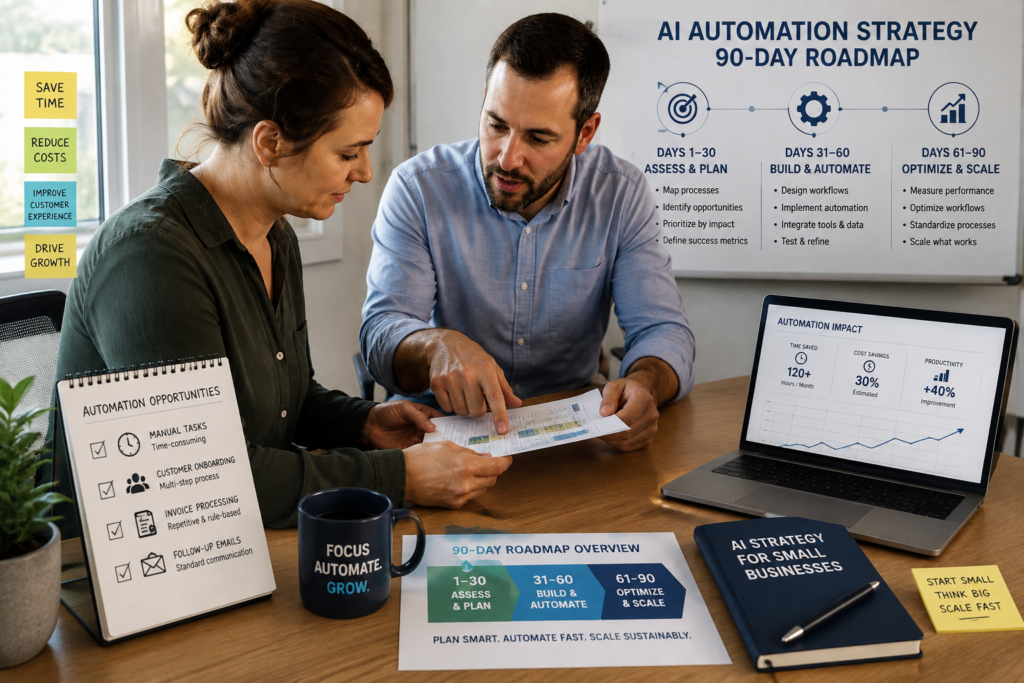
If you’re running a small business, AI for small business is most useful when it solves a specific operational problem—not when it simply adds another tool to your technology stack. A practical AI Automation Strategy helps you remove that friction in a controlled way—starting with one workflow that produces measurable results in 90 days (without disrupting daily operations).
Quick Answer (90-day approach): An AI implementation roadmap gives a small business a structured way to choose one high-frequency workflow, define a baseline KPI, implement a human-approved pilot, review performance weekly, and scale only after the workflow is stable. Start with simple automation before moving to advanced agent-style setups.
What an AI Automation Strategy Actually Means (in plain English)
An AI automation strategy is a business plan for deciding:
- What to automate first (based on business value, not excitement)
- How to automate it safely (with guardrails and human review)
- How to measure success (so you can prove ROI and avoid “automation theater”)
- When to scale (and when to stop)
It’s not the same as “buy an AI tool.” Tools are only useful after you’ve selected a workflow, defined the outcome, and decided how quality will be controlled.
Why Most Small Business AI Projects Fail (and how to avoid it)
Small businesses don’t usually fail with AI because the tech is impossible. They fail because the rollout is backwards or unmanaged. For AI for small business initiatives, the implementation approach matters as much as the technology. A useful idea can still fail if the workflow, ownership, measurement, or human oversight is missing.
A few patterns show up repeatedly:
- Tool-first decision-making: buying software before defining the workflow and ownership.
- No baseline metrics: you can’t prove improvement if you never measured “before.”
- Automating a broken process: automation makes chaos faster when the workflow is unclear.
- Over-automation too early: trying to automate everything instead of proving one workflow.
- Integration gaps: manual handoffs remain between CRM, email, calendar, docs, and support.
The fix isn’t complicated, but it does require discipline: start with one workflow, add human checkpoints, measure one KPI, and run weekly reviews during the pilot.
The Business-First AI Framework™ (how to think before you automate)
At Intelligent AI Lab, we use a business-first approach so AI doesn’t become a distraction:
- Business Problem (what’s costing time, money, or customers?)
- Workflow Improvement (how should the process work when it’s healthy?)
- Choose the Right Solution (automation platform, CRM workflows, help desk automation, etc.)
- Implement with Human Oversight (especially in early stages)
- Measure Business Outcomes (time, cost, quality, speed)
- Standardize and Scale (only after stability and proof)
Business-First AI Insight: The best AI automation strategy usually isn’t “more AI.” It’s less variation. A practical AI implementation strategy starts by standardizing how leads are followed up, how requests are routed, or how documents are handled. Once the process is consistent, automation becomes easier to implement and the ROI becomes more measurable. If your process changes depending on who’s working that day, automate the standardization first.
How to Implement AI in Business: The 90-Day Roadmap
An AI implementation roadmap gives a small business a structured sequence for moving from workflow selection to a controlled pilot, measurement, and eventual scaling.
This roadmap is designed for small teams who need results quickly and can’t afford a long, disruptive implementation. Think of it as four phases:
- Weeks 1–2: Audit and prioritize one workflow
- Weeks 3–4: Choose the use case, define metrics, pick tools
- Weeks 5–8: Build and test the first automation (human-approved)
- Weeks 9–12: Measure, optimize, document, and expand carefully
By day 90, your goal is not “AI everywhere.” Your goal is one stable automation that saves time (or speeds responses, reduces errors, improves follow-up consistency) with clear ownership and reporting.
Weeks 1–2: Audit and Prioritize (choose the right first workflow)
Week 1 is about clarity. Week 2 is about focus. Your job is to identify a workflow where automation will be meaningful and measurable.
The U.S. Small Business Administration’s AI guidance also recommends that small businesses start small, test whether an AI tool adds value, and consider both the benefits and risks before expanding its use. SBA: AI for Small Business
Step 1: Build a quick workflow inventory (without overthinking)
List recurring workflows that consume time or delay customers. Keep it simple. Examples that often show up in small businesses:
- Lead intake and follow-up (web forms, referrals, calls)
- Appointment scheduling and reminders
- Inbox triage and routing (sales vs support vs billing)
- Customer support intake and categorization
- Invoice/document intake and data entry
- Marketing content production and approvals
For each workflow, capture three facts: frequency (how often), pain (how annoying/slow/error-prone), and impact (revenue, cost, customer experience).
Step 2: Map the current workflow (minimum viable process map)
You don’t need a fancy diagram to start, but you do need these elements written down:
- Trigger: what starts the process? (e.g., form submission)
- Inputs: what data is required? (name, email, request type)
- Decision points: what rules decide routing or next steps?
- Approval step: when does a human review/approve?
- Outcome: what “done” looks like (task created, reply sent, record updated)
This is where many efforts fail: teams try to automate before they agree on what the workflow actually is.
Step 3: Use a workflow scoring matrix to pick one winner
To keep selection objective, score candidates using business criteria. Here’s a simple scoring model you can use in a spreadsheet.
| Criteria | Score (1–5) | What to look for |
|---|---|---|
| Business impact | 1–5 | Directly affects revenue, costs, or customer response time |
| Frequency | 1–5 | Happens daily/weekly (more repetitions = faster payback) |
| Rule clarity | 1–5 | Clear routing/steps, limited “it depends” exceptions |
| Integration readiness | 1–5 | Apps already used (CRM, email, calendar) and data is reasonably clean |
| Risk level | 1–5 (reverse) | Lower risk if mistakes are easy to catch and don’t create compliance issues |
| Time to value | 1–5 | Can be piloted in 2–4 weeks, measured within 30 days |
How to decide: choose the workflow with the best combined score, but apply a final “sanity filter”: if the workflow touches sensitive data or has serious customer-impact risk, keep it human-approved until performance is proven.
Consultant Insight: pick “boring” first
Consultant Insight: The highest ROI in the first 90 days usually comes from boring, repeatable work—follow-ups, routing, reminders, data syncing—not from flashy experiments. If a workflow is high-volume and predictable, it’s a strong first automation candidate.
Weeks 3–4: Choose the Right Use Case and Tools (and define success)
For many small businesses, AI workflow automation works best when AI is used only where judgment, classification, summarization, or drafting is required, while predictable steps remain rule-based.
These two weeks are where you turn a good idea into a measurable plan. Your output should be a one-page AI implementation plan for the chosen workflow.
Step 1: Define one KPI (yes, one)
Pick one primary KPI per workflow. You can track supporting metrics too, but one primary KPI keeps the pilot honest.
- Lead follow-up: median time-to-first-response, or lead-to-meeting conversion rate
- Scheduling: time spent coordinating, or no-show rate
- Inbox triage: time to route, or % messages handled within SLA
- Invoices/docs: processing time per document, or error/rework rate
- Support: first response time, or ticket backlog size
Also capture a baseline (the “before”). If you can’t measure it precisely, estimate it for two weeks and refine later. The goal is directional truth, not perfect analytics.
Step 2: Decide your automation style (automation vs assistant vs agents)
In small businesses, three categories matter:
- Workflow automation: rule-based triggers that move data and create tasks (often the best first step). AI business process automation can add intelligence to workflows that involve classification, document processing, routing, drafting, or other tasks where simple rules aren’t enough.
- AI assistant: helps draft, classify, summarize, or suggest actions—usually with human review.
- AI agents: more autonomous systems that can execute multi-step tasks. These are usually better after you’ve stabilized the workflow and measurement.
Most small businesses should start with workflow automation plus an assistant layer only where it reduces manual reading/writing (like triage or drafting responses). Agent-style autonomy is a later maturity step.
Step 3: Choose your tools based on your stack (not the other way around)
Below is a business-focused comparison of common platforms mentioned in SMB automation planning. Pricing changes frequently, so verify current plans on vendor sites before deciding.
| Tool | Best For | Ease of Use | Time to Value | Business Size Fit | Notes |
|---|---|---|---|---|---|
| Zapier | Simple cross-app automations | High | Fast | Solo to SMB | Great starting point; costs can rise with usage; complex logic can get messy |
| Make | More complex, branching workflows | Medium | Medium-fast | SMB to mid-market | More control and transformation; steeper learning curve than basic no-code tools |
| HubSpot | Sales/marketing workflows tied to a CRM | High | Fast (if already using CRM) | SMB | Best when the workflow centers on customer data and pipeline; can be more than some teams need |
| Microsoft Power Automate | Microsoft 365-heavy operations | Medium | Medium | SMB to enterprise | Strong inside Outlook/Teams/SharePoint; best value depends on Microsoft stack maturity |
| Google Workspace + automation add-ons | Lightweight office automations | High | Fast | Solo to SMB | Familiar and easy adoption; deeper automation usually needs an external platform |
| Intercom | Customer support automation and routing | Medium | Medium | SMB (support-focused) | Strong for customer-facing workflows; may be expensive for very small teams |
Expert Verdict: the “default” stack for most small businesses
Expert Verdict: If you’re early in your AI adoption strategy, start with workflow automation (Zapier for simplicity or Make for complexity) connected to the systems you already run (CRM, email, calendar). Add AI assistance only where it reduces reading/writing load (triage, drafting). Save agent-level autonomy for later—after you’ve proven one workflow is stable and measurable.
Step 4: Write your one-page pilot spec
Before anyone builds anything, capture:
- Workflow name: (e.g., “Lead Follow-Up within 5 minutes”)
- Scope: which form, which inbox, which team, which segment
- Rules: routing logic, conditions, exceptions
- Human checkpoints: what requires approval
- Primary KPI: baseline and target
- Owner: one person accountable for performance and changes
- Review cadence: weekly during pilot
- Go/no-go criteria: what success and failure look like
Weeks 5–8: Build and Test the First Automation (human-approved pilot)
This is the “implementation” phase, but it should still feel controlled. Your target is reliability first, then efficiency.
Week 5: Build the minimum viable automation (MVA)
Design for the simplest version that creates value. Examples:
- When a lead form is submitted → create CRM record → notify sales channel → create follow-up task
- When a booking request arrives → check calendar → send confirmation + reminders
- When an email arrives in a shared inbox → classify topic → route to correct queue → draft a reply for approval
Avoid adding “nice-to-haves” (multi-branch logic, fancy enrichment, multiple channels) until the baseline workflow is stable.
Week 6: Add guardrails and human approval checkpoints
Human-in-the-loop (human review/approval) is how you reduce risk early, especially for customer-facing messages and anything involving pricing, contracts, or sensitive information.
For a structured approach to managing AI risks, the NIST AI Risk Management Framework provides guidance for organizations using AI, including considerations around trustworthy and responsible AI. NIST AI Risk Management Framework
- Approval for outbound messages: AI drafts, humans send (at least during pilot)
- Exception routing: unclear cases go to a human queue
- Logging: every automation run should leave a trace (what happened, when, and why)
- Rollback plan: if something breaks, you can disable the automation quickly
Week 7: Test with a limited scope
Limit the blast radius:
- One team (or even one person)
- One customer segment
- One channel (email only before adding SMS, for example)
- One primary KPI
This keeps troubleshooting manageable and prevents your pilot from becoming an operations incident.
Week 8: Stabilize and document the workflow
By the end of week 8, you should have:
- A working automation that runs predictably
- A short SOP (standard operating procedure) describing inputs, steps, exceptions, and ownership
- A simple dashboard or weekly report for your KPI
Weeks 9–12: Measure, Optimize, and Expand (scale-or-stop rules)
Weeks 9–12 are where the roadmap becomes a strategy. By measuring results, documenting what worked, and defining scale-or-stop criteria, the AI strategy roadmap becomes a repeatable approach for future automation projects. You’re proving business value and building a repeatable operating system for future automations.
Week 9: Measure before/after performance
Measure your baseline vs current performance. Keep it credible and simple.
| Metric Type | Examples | Why it matters |
|---|---|---|
| Time | Hours saved/week, time-to-first-response, processing time per item | Time is usually the fastest ROI signal in SMBs |
| Quality | Error rate, rework cycles, escalation rate | Automation that creates rework isn’t saving time |
| Speed to customer | SLA compliance, response time | Faster responses often improve experience and conversion opportunity |
| Commercial impact | Conversion rate, meetings booked, pipeline hygiene | Revenue impact is real but can lag behind time savings |
Week 10: Improve the workflow (not just the automation)
Optimization isn’t only “add more steps.” Often the best improvements are operational:
- Clean up required fields in forms
- Standardize request categories (so routing is consistent)
- Reduce the number of exception paths
- Improve templates for replies, handoffs, and follow-ups
This is the compounding advantage: small standardization improvements make future automations easier and cheaper.
Week 11: Apply a scale-or-stop decision rule
At this point, decide with discipline:
- Scale if the KPI improved, quality is stable, and ownership is clear.
- Fix if results are mixed but the workflow still matters.
- Stop if there’s no measurable impact or the workflow is too variable to automate right now.
Stopping a weak automation is not failure—it’s governance. It prevents tool sprawl and protects your team’s confidence.
Week 12: Expand carefully (one dimension at a time)
If the pilot succeeded, expand in controlled increments:
- Add one more team member or role
- Add one more channel (e.g., SMS reminders after email is stable)
- Add one new branch (e.g., separate routing for enterprise inquiries)
- Add a second workflow only after the first is stable and documented
By the end of the first 90 days, you should have more than a working automation. You should have the evidence needed to build an AI adoption roadmap for the next workflows. At this stage, the AI implementation roadmap becomes a repeatable process rather than a one-time project.
Best AI Automation Use Cases by Department (what to automate first)
If you’re looking for AI automation ideas for small business, start with workflows that are frequent, measurable, and relatively low risk.
For practical examples of how AI can support everyday small-business workflows, Google also provides examples covering tasks such as organizing information, analyzing business performance, and automating repetitive work. Google Workspace: AI Tools for Small Business
Below are practical starting points that tend to be high-frequency and measurable.
Sales (fast ROI if lead response is slow)
- Lead follow-up automation: form submission → CRM entry → immediate response → task/reminder
- Pipeline hygiene: automatic task creation, stale deal reminders, meeting follow-up prompts
When to avoid early automation: if qualification rules aren’t agreed upon, you’ll route leads inconsistently and frustrate the team.
Operations (time savings and fewer handoffs)
- Scheduling automation: confirmation + reminders + reschedule logic
- Internal request routing: purchase requests, approvals, access requests
Trade-off: over-automation can create rigid processes. Keep exception handling easy.
Customer support (customer experience wins)
- Support routing: categorize → route → suggest response → escalate complex cases
- Status updates: proactive updates for common issues
When to avoid early automation: if your knowledge base is outdated, AI suggestions can be confidently wrong. Fix the source content first.
Finance/admin (error reduction and processing speed)
- Invoice/document processing: capture → extract fields → validate → push to accounting
- Payment follow-ups: reminders tied to invoice status
Guardrail: use human validation during early runs; finance mistakes can be costly and time-consuming to unwind.
Marketing (consistent output without chaos)
- Content workflow support: brief → draft → review → schedule → repurpose
- Reporting automation: recurring weekly metrics pulled into a single report
Trade-off: AI can speed drafting, but quality and brand voice still need review and clear guidelines.
AI Automation ROI and KPI Tracking (a simple, defensible method)
AI automation ROI should be evaluated using measurable business outcomes rather than automation activity. Small businesses don’t need complex ROI models to make good decisions. Use a practical estimate and refine over time. For AI ROI for small business, the calculation does not need to be complicated; the goal is to compare measurable business improvement against the cost and effort of implementation.
A simple ROI calculation you can do in 10 minutes
Estimated annual value = (hours saved per week) × (loaded hourly rate) × (weeks per year) − (software + implementation cost)
If you don’t know your loaded hourly rate, use a conservative internal estimate. The purpose is not precision—it’s decision support.
ROI tracking table (copy into a spreadsheet)
| Item | Before | After | Delta | Notes |
|---|---|---|---|---|
| Primary KPI | Baseline | Current | Improvement | One KPI per workflow |
| Hours/week | Estimate | Estimate | Hours saved | Track for 2–4 weeks to smooth noise |
| Error/rework rate | % | % | Change | Rework cancels time savings |
| Tool cost | $ | $ | Change | Verify current vendor pricing |
| Implementation effort | Hours | Hours | N/A | Include testing and training time |
Note on budgets: Some guides cite small businesses starting with roughly $50–$300/month in off-the-shelf tools and seeing positive ROI within 90 days. Treat that as a directional reference, not a guarantee—actual costs depend on usage, tool choices, and workflow complexity.
Common Mistakes to Avoid (what derails the first 90 days)
- Starting with “AI agents” before process stability: autonomy amplifies unclear rules and missing ownership.
- Skipping the baseline: without “before,” every discussion becomes opinion-based.
- Automating exceptions: pick workflows with few edge cases first; route exceptions to humans.
- No internal owner: automations need maintenance (app changes, field changes, new categories).
- Not training on process changes: teams need to know the new handoffs and what “done” means.
- Scaling too quickly: prove one workflow, then expand one dimension at a time.
AI Automation Strategy Checklist (use this to stay on track)
- Problem defined: we can explain the business problem in one sentence
- Workflow mapped: trigger, inputs, decisions, approval, outcome documented
- Workflow chosen: selected using impact/frequency/risk criteria
- One KPI selected: baseline captured, target defined
- Human checkpoints defined: approvals and exception routing in place
- Owner assigned: accountable for performance and changes
- Weekly review scheduled: pilot reviewed consistently
- Scale-or-stop rule agreed: no endless pilots without decisions
- SOP written: documented steps, exceptions, and rollback plan
Implementation Priority: Start Today → Improve Next → Scale Later
Start Today (low effort, high clarity)
- Pick 3 candidate workflows and score them quickly
- Measure one baseline metric for 7–14 days (even if it’s rough)
- Write a one-page pilot spec with an owner and a KPI
Improve Next (next 30 days)
- Build the minimum viable automation for one workflow
- Add human approvals for customer-facing or high-risk steps
- Set a weekly review to fix routing, templates, and exceptions
Scale Later (after measurable success)
- Standardize and document the workflow as an SOP
- Expand scope gradually (team, channel, segment)
- Add the second workflow only after the first is stable and governed
FAQ
What is an AI automation strategy?
An AI automation strategy is a plan for selecting the right workflow to automate, choosing appropriate tools, implementing with guardrails (often human review), and measuring outcomes like time saved, response time, and error reduction—so automation delivers real business value rather than extra complexity.
Where should a small business start with AI automation?
Start with one high-frequency, low-risk workflow that’s easy to measure—often lead follow-up, scheduling, inbox triage, or simple CRM/admin synchronization. Early wins matter because they build internal trust and justify further investment.
How do I choose the first process to automate?
Pick a workflow that is frequent, time-consuming, rule-based, and has limited exceptions. If the workflow requires constant judgment calls or differs by employee, standardize it first before automating.
How long does it take to see ROI from an AI implementation roadmap?
Many small businesses can see early signals within 30 days (like reduced response time or fewer manual steps) and clearer ROI within 90 days when they start with a focused pilot and measure one KPI per workflow. Results vary based on workflow quality and integration readiness.
Do I need a technical team to execute an AI adoption strategy?
Not always. A successful AI implementation for small business does not necessarily require a dedicated technical team. Many small businesses can implement early automations using no-code platforms and existing tools. What you do need is an internal owner, clear workflow documentation, and time for testing, training, and ongoing maintenance.
What should I measure to prove automation success?
Measure one primary KPI per workflow (like time-to-first-response or hours saved per week) plus supporting indicators such as error rate, rework, SLA compliance, or conversion rate. Always compare against a pre-automation baseline.
Should I automate everything at once?
No. Automating everything at once usually creates tool sprawl, weak measurement, and adoption pushback. Prove one workflow end-to-end first, stabilize it, then scale gradually.
What’s the biggest mistake in an AI automation plan?
The most common mistake is choosing tools before defining the business problem and workflow. Without a clear process map and ownership, automation amplifies confusion instead of removing it.
Should small businesses start with AI agents?
Usually not. Agents can be powerful, but they add autonomy and complexity. Most small businesses get faster, safer results by starting with workflow automation and human-approved AI assistance, then moving toward more autonomous approaches after the workflow is stable and measured.
Conclusion: the goal isn’t “more automation”—it’s a better operating system
A strong AI Automation Strategy is really a strategy for building a more reliable business through small business automation: clearer workflows, fewer handoffs, faster customer response, and measurable improvements you can defend. The businesses that win with AI aren’t the ones with the most tools—they’re the ones that turn one proven automation into a repeatable, documented operating rhythm.
The goal is not to automate everything at once. A practical AI implementation roadmap helps you improve one workflow, prove business value, and create a foundation for the next project.
Next step: choose one workflow you can measure, pilot it with human oversight, and commit to weekly reviews for 30 days. If you want help prioritizing, scoping, or designing your first automation pilot, consider a structured 90-day automation assessment so you start with the right workflow and avoid expensive rework.